low beam MINI Countryman 2011 Owner's Manual (Mini Connected)
[x] Cancel search | Manufacturer: MINI, Model Year: 2011, Model line: Countryman, Model: MINI Countryman 2011Pages: 254, PDF Size: 3.84 MB
Page 12 of 254

AT A GLANCECockpit
10
Cockpit
Around the steering wheel: Controls and displays
1Adjusting the exterior mirrors, folding them
in and out
*41
2
Parking lamps 79
Low beams 79
Automatic headlamp control
*79
Adaptive Light Control
*80
Turn signals 50
High beams 81
Headlamp flasher 50
Roadside parking lamps
*81
Computer
*56
Page 15 of 254
CockpitAT A GLANCE
13
Indicator and warning
lamps
The concept
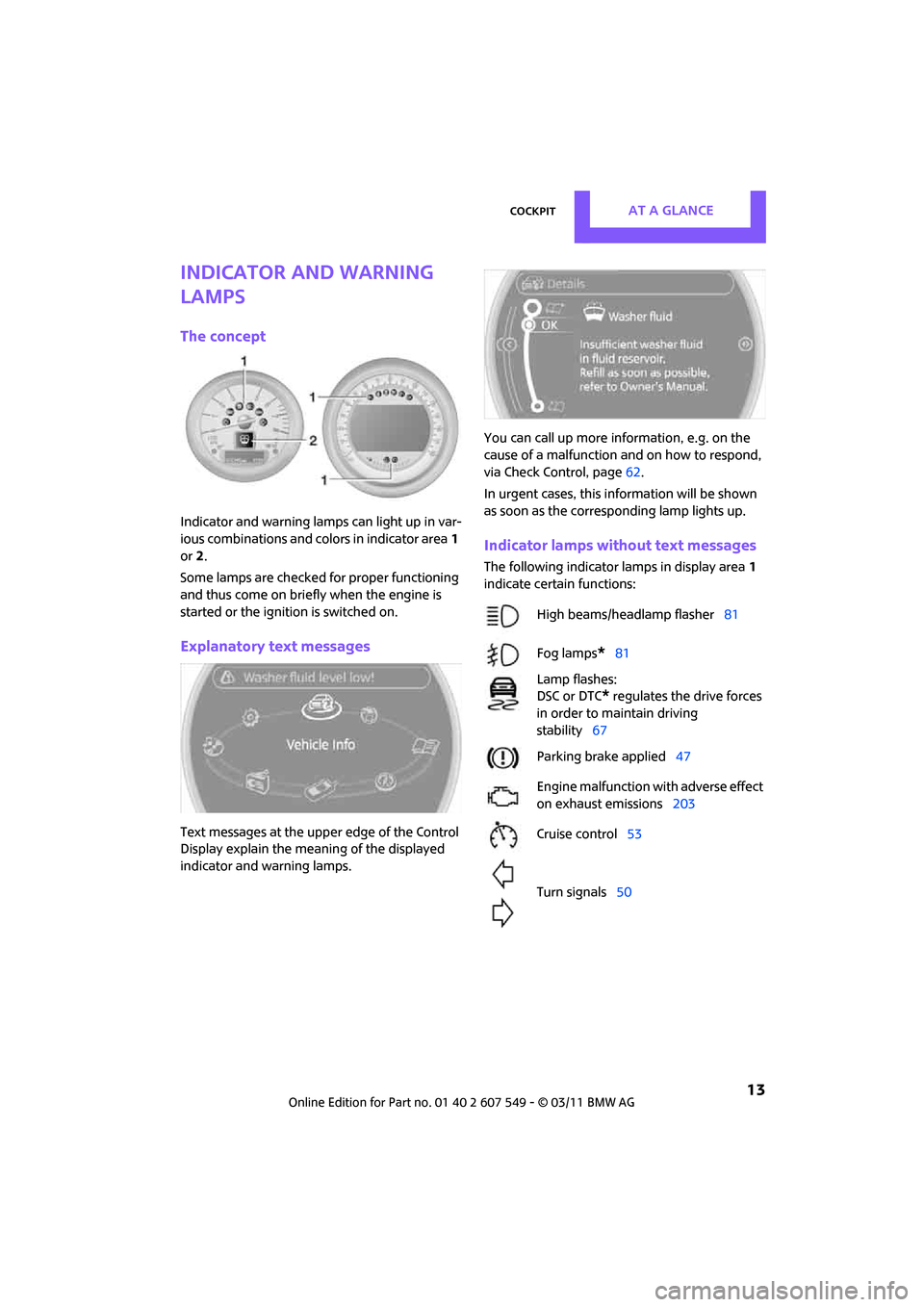
Indicator and warning lamps can light up in var-
ious combinations and colors in indicator area1
or 2.
Some lamps are checked for proper functioning
and thus come on briefly when the engine is
started or the ignition is switched on.
Explanatory text messages
Text messages at the uppe r edge of the Control
Display explain the mean ing of the displayed
indicator and warning lamps. You can call up more information, e.g. on the
cause of a malfunction and on how to respond,
via Check Control, page
62.
In urgent cases, this information will be shown
as soon as the corresponding lamp lights up.
Indicator lamps without text messages
The following indicator lamps in display area 1
indicate certain functions:
High beams/headlamp flasher 81
Fog lamps
*81
Lamp flashes:
DSC or DTC
* regulates the drive forces
in order to maintain driving
stability 67
Parking brake applied 47
Engine malfunction with adverse effect
on exhaust emissions 203
Cruise control 53
Turn signals 50
Page 48 of 254
CONTROLSDriving
46
Driving
Ignition lock
Inserting the key into the ignition lock
Insert the key all the way into the ignition lock.
Radio readiness
Individual electrical consumers can operate.
Removing the key from the ignition lock
Press in the key briefly. It is ejected slightly.
At the same time:
>The ignition is switched off if it was on
beforehand.
Automatic transmission
The key can only be removed if the selector lever
is in position P: interlock.
Start/Stop button
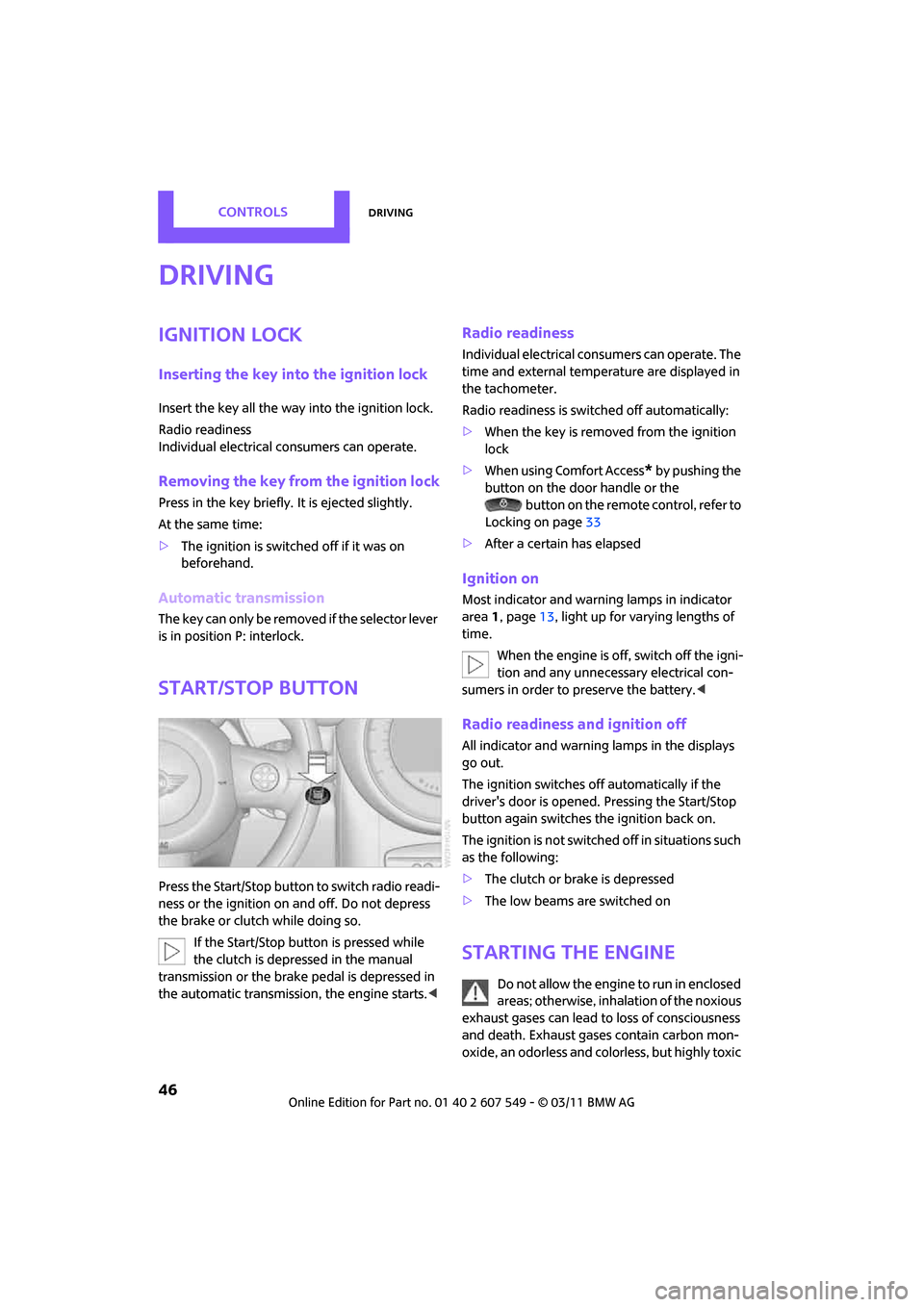
Press the Start/Stop button to switch radio readi-
ness or the ignition on and off. Do not depress
the brake or clutch while doing so.
If the Start/Stop button is pressed while
the clutch is depressed in the manual
transmission or the brake pedal is depressed in
the automatic transmission, the engine starts. <
Radio readiness
Individual electrical consumers can operate. The
time and external temperature are displayed in
the tachometer.
Radio readiness is switched off automatically:
>When the key is removed from the ignition
lock
> When using Comfort Access
* by pushing the
button on the door handle or the button on the remote control, refer to
Locking on page 33
> After a certain has elapsed
Ignition on
Most indicator and warn ing lamps in indicator
area 1, page 13, light up for varying lengths of
time.
When the engine is off, switch off the igni-
tion and any unnecessary electrical con-
sumers in order to preserve the battery. <
Radio readiness and ignition off
All indicator and warning lamps in the displays
go out.
The ignition switches off automatically if the
driver's door is opened. Pressing the Start/Stop
button again switches the ignition back on.
The ignition is not switched off in situations such
as the following:
> The clutch or brake is depressed
> The low beams are switched on
Starting the engine
Do not allow the engine to run in enclosed
areas; otherwise, inhalation of the noxious
exhaust gases can lead to loss of consciousness
and death. Exhaust gases contain carbon mon-
oxide, an odorless and colo rless, but highly toxic
Page 67 of 254
Controls overviewCONTROLS
65
Altering settings
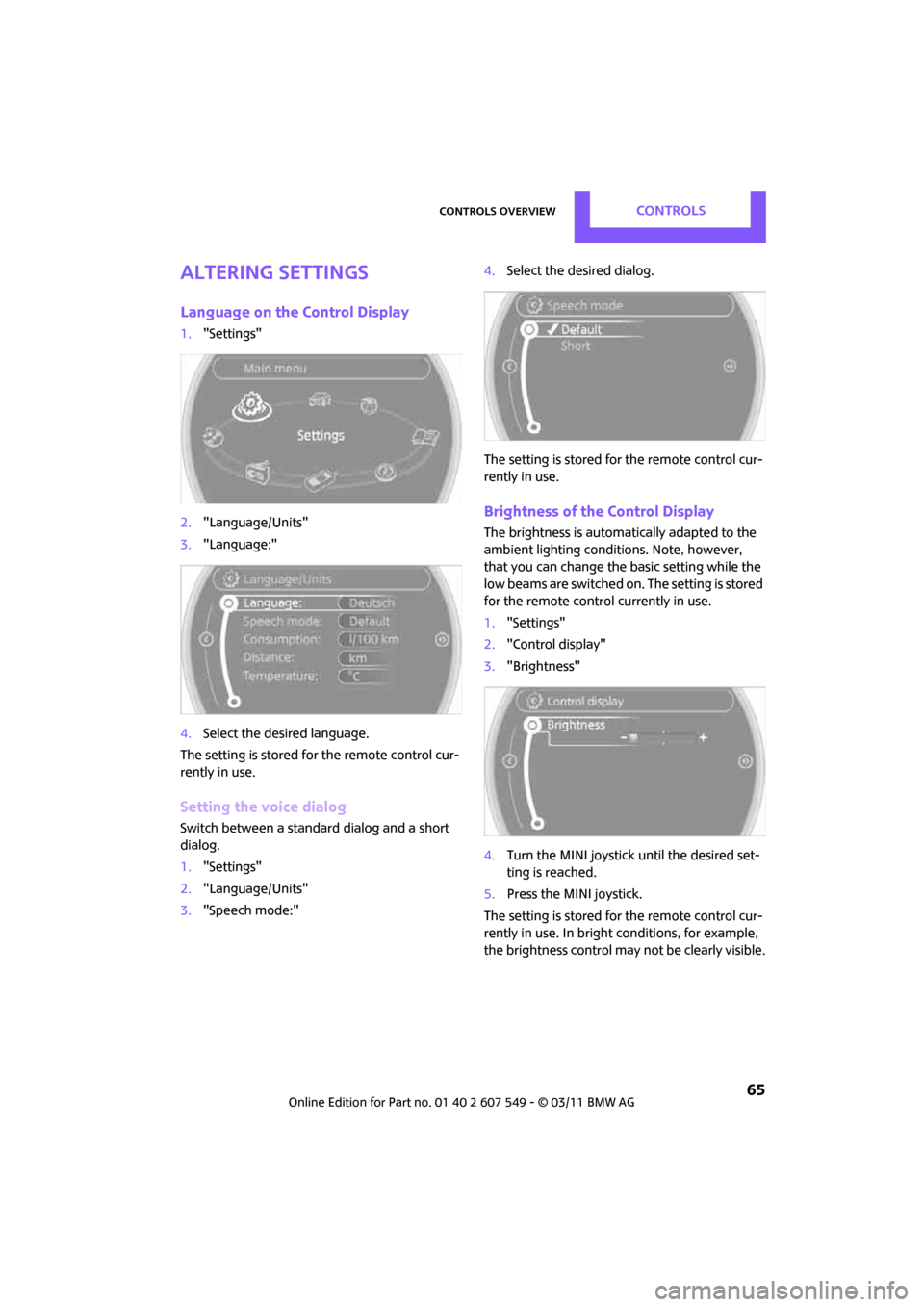
Language on the Control Display
1."Settings"
2. "Language/Units"
3. "Language:"
4. Select the desired language.
The setting is stored for the remote control cur-
rently in use.
Setting the voice dialog
Switch between a standard dialog and a short
dialog.
1. "Settings"
2. "Language/Units"
3. "Speech mode:" 4.
Select the desired dialog.
The setting is stored for the remote control cur-
rently in use.
Brightness of the Control Display
The brightness is automa tically adapted to the
ambient lighting conditions. Note, however,
that you can change the basic setting while the
low beams are switched on . The setting is stored
for the remote control currently in use.
1. "Settings"
2. "Control display"
3. "Brightness"
4. Turn the MINI joystick until the desired set-
ting is reached.
5. Press the MINI joystick.
The setting is stored for the remote control cur-
rently in use. In bright conditions, for example,
the brightness control may not be clearly visible.
Page 81 of 254

LampsCONTROLS
79
Lamps
Parking lamps/low beams
0Lamps off and daytime running lights
1 Parking lamps and daytime running lights
2 Low-beam headlamps and welcome lamps
3 Automatic headlamp control
*, daytime run-
ning lights, welcome lamps, and Adaptive
Light Control
*
When you open the driver's door with the igni-
tion switched off, the exterior lighting is auto-
matically switched off if the light switch is in
position 0, 2 or 3.
Switch on the parking lamps if necessary, switch
position 1.
Parking lamps
Turn the light switch to position 1.
The front, rear and side vehicle lighting is
switched on.
Activation of lights on one side of the vehicle for
parking, page 81.
The parking lamps will discharge the bat-
tery. Therefore, do not leave them on for
unduly long periods of time; otherwise, the bat-
tery might not have enough power to start the
engine. <
Low beams
Turn the light switch to position 2.
The low beams come on when the ignition is on.
Automatic headlamp control*
When the switch is in position 3, the low beams
are switched on and of f automatically depend-
ing on ambient light condit ions, e.g. in a tunnel,
in twilight, or if there is precipitation. Adaptive
Light Control
* is active.
The headlamps may also come on when the sun
is sitting low on a blue sky.
When driving into tunnels with bright overhead
lights, there may be a delay before the head-
lamps come on.
The low beams remain switched on indepen-
dent of the ambient lighting conditions when
you switch on the fog lamps
*.
If the daytime running lights are activated,
page 80, the low beams are al ways switched on
with the light switch in position 3 and the igni-
tion on. The exterior lamps are automatically
switched off after the vehicle is parked.
The automatic headlamp control cannot
serve as a substitute for your personal
judgment in determin ing when the lamps
should be switched on in response to ambient
lighting conditions. For example, the system
cannot detect fog or hazy weather. To avoid
safety risks, you should respond to these kinds
of low-visibility situations by switching the head-
lamps on manually. <
Welcome lamps
If you leave the light switch in the low beam or
automatic headlamp control position when you
switch off the ignition, the parking lamps and
interior lamps come on fo r a certain time as soon
as the vehicle is unlocked.
Pathway lighting
If you activate the headlamp flasher after
switching off the ignition with the lamps
switched off, the lo w beams come on and
remain on for a certain time.
Page 83 of 254

LampsCONTROLS
81
High beams/
roadside parking lamps
1Turn signals/roadside parking lamps*
2Switching on high beams
3 Switching off high be ams/headlamp flasher
Roadside parking lamps, left or right*
The vehicle can be illumi nated on one side for
parking. Comply with local regulations when
doing so.
Switching on
After parking the vehicle, press and hold the
lever up or down, arrow 1.
The roadside parking lamps drain the bat-
tery. Therefore, do not leave them on for
unduly long periods of time; otherwise, the bat-
tery might not have enough power to start the
engine. <
Switching off
Press the lever up or down to the pressure point.
Fog lamps*
Press the button to swit ch the lamps on and off.
Fog lamps*
The parking lamps or low beams must be
switched on for the fog lamps to operate. The
green indicator lamp lights up when the fog
lamps are switched on.
Depending on your vehicle's equipment, the fog
lamps are switched off when you activate the
headlamp flasher or switch on the high beams.
If the automatic headlamp control is acti-
vated, the low beams will come on auto-
matically when you switch on the fog lamps. <
Instrument lighting
You can adjust the brightness of the instrument
lighting only when the parking lamps or the low
beams are on.
Increasing brightness
Press and hold the button until the desired
brightness is reached.
Page 211 of 254
Replacing componentsMOBILITY
209
tional laser diodes, and legislation defines them
as Class 1 light-emitting diodes.
Do not remove the covers or expose the
eyes directly to the unfiltered light source
for several hours; otherw ise, this could cause
irritation of the retina. <
Headlamp glass lens
In cool or humid weather, condensation may
occur on the interior of outside lights. The con-
densation disappears a short time after the light
is switched on. The headlamps do not need to
be changed. If a lot of moisture is present, e.g.
water droplets in the light, have them checked
by your service center.
Xenon lamps*
The service life of these bulbs is very long and
the probability of failure very low, provided that
they are not switched on and off an excessive
number of times. If a xenon lamp fails neverthe-
less, switch on the fog lamps and continue the
journey with great care, provided that local leg-
islation does not prohibit this.
Have any work on the xenon lamp system,
including bulb replac ement, carried out
only by a MINI dealer or a workshop that has
specially trained personnel working in accor-
dance with the specifications of the MINI manu-
facturer. Due to high voltage, there is a risk of
fatal injury if work on the xenon lamps is carried
out improperly. <
Halogen low beams and high beams
H13 bulb, 60/55 watts
The H13 bulb is pressurized. Therefore,
wear safety glasses an d protective gloves.
Otherwise, there is a risk of injury if the bulb is
damaged. <
Be careful when insta lling the cover; oth-
erwise, leaks could occur and cause dam-
age to the headlamp system. <
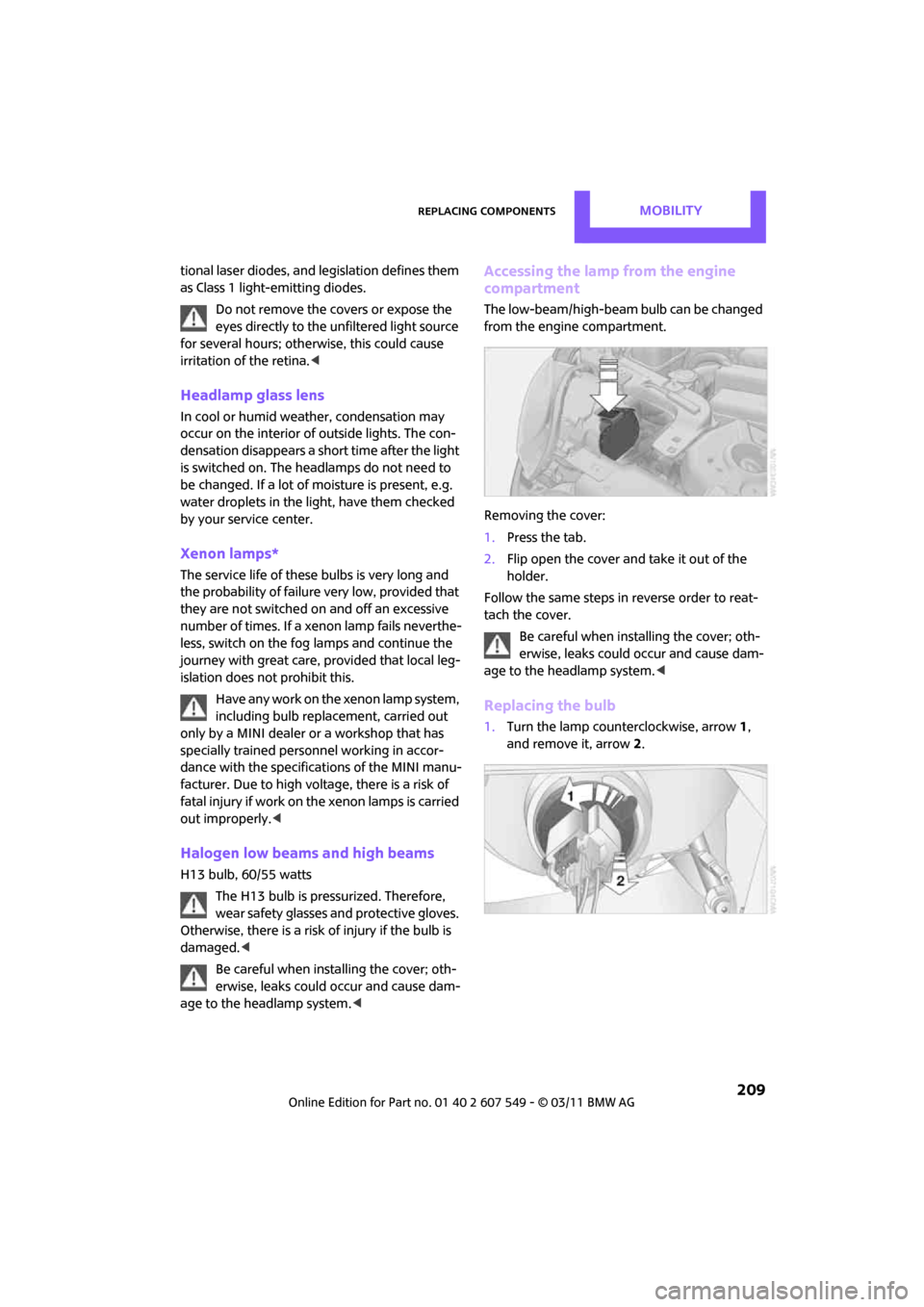
Accessing the lamp from the engine
compartment
The low-beam/high-beam bulb can be changed
from the engine compartment.
Removing the cover:
1.Press the tab.
2. Flip open the cover and take it out of the
holder.
Follow the same steps in reverse order to reat-
tach the cover. Be careful when insta lling the cover; oth-
erwise, leaks could occur and cause dam-
age to the headlamp system. <
Replacing the bulb
1.Turn the lamp counterclockwise, arrow 1,
and remove it, arrow 2.
Page 222 of 254

MOBILITYGiving and receiving assistance
220
Using a tow fitting
The screw-in tow fitting must always be carried
in the car. It can be screwed in at the front or at
the right rear.
The tow fitting can be found under the right
front seat or in the pocket of the tire changing
set
* in the cargo area.
Use only the tow fitting provided with the
vehicle and screw it all the way in. Use the
tow fitting for towing on paved roads only. Avoid
lateral loading of the tow fitting, e.g. do not lift
the vehicle by the tow fitting. Otherwise, the tow
fitting and the vehicle could be damaged. <
Access to screw thread
Press the lower part of the cover. This will push
out the upper edge of the cover, which can then
be removed.
Front
Rear Being towed
Make sure that the igni
tion is switched on,
refer to page 46; otherwise, the low
beams, tail lamps, turn signals, and windshield
wipers may be unavailable. Do not tow the vehi-
cle with just the rear axle raised, as this would
allow the steering to turn. <
There is no power assist while the engine is off.
Thus, braking and steering will require increased
effort.
Switch on the hazard wa rning flashers, depend-
ing on local regulations.
Manual transmission
Gearshift lever in neutral position.
Automatic transmission
Tow vehicles with automatic transmission
only with a tow truck or with the front
wheels lifted; otherwise, the transmission can be
damaged. <
Towing methods
Do not lift vehicle by tow fitting or body
and chassis parts, otherwise damage may
result. <
With towbar
The towing vehicle must not be lighter
than the towed vehicle; otherwise, it may
be impossible to maintain control. <
The tow fittings used should be on the same side
on both vehicles. Should it prove impossible to
avoid mounting the tow bar at an angle, please
observe the following:
> Clearance and maneuver ing capability will
be sharply limited during cornering.
> The tow bar will generate lateral forces if it is
attached offset.
Attach the tow bar to the tow fittings only,
as attaching it to other parts of the vehicle
could result in damage. <
Page 241 of 254
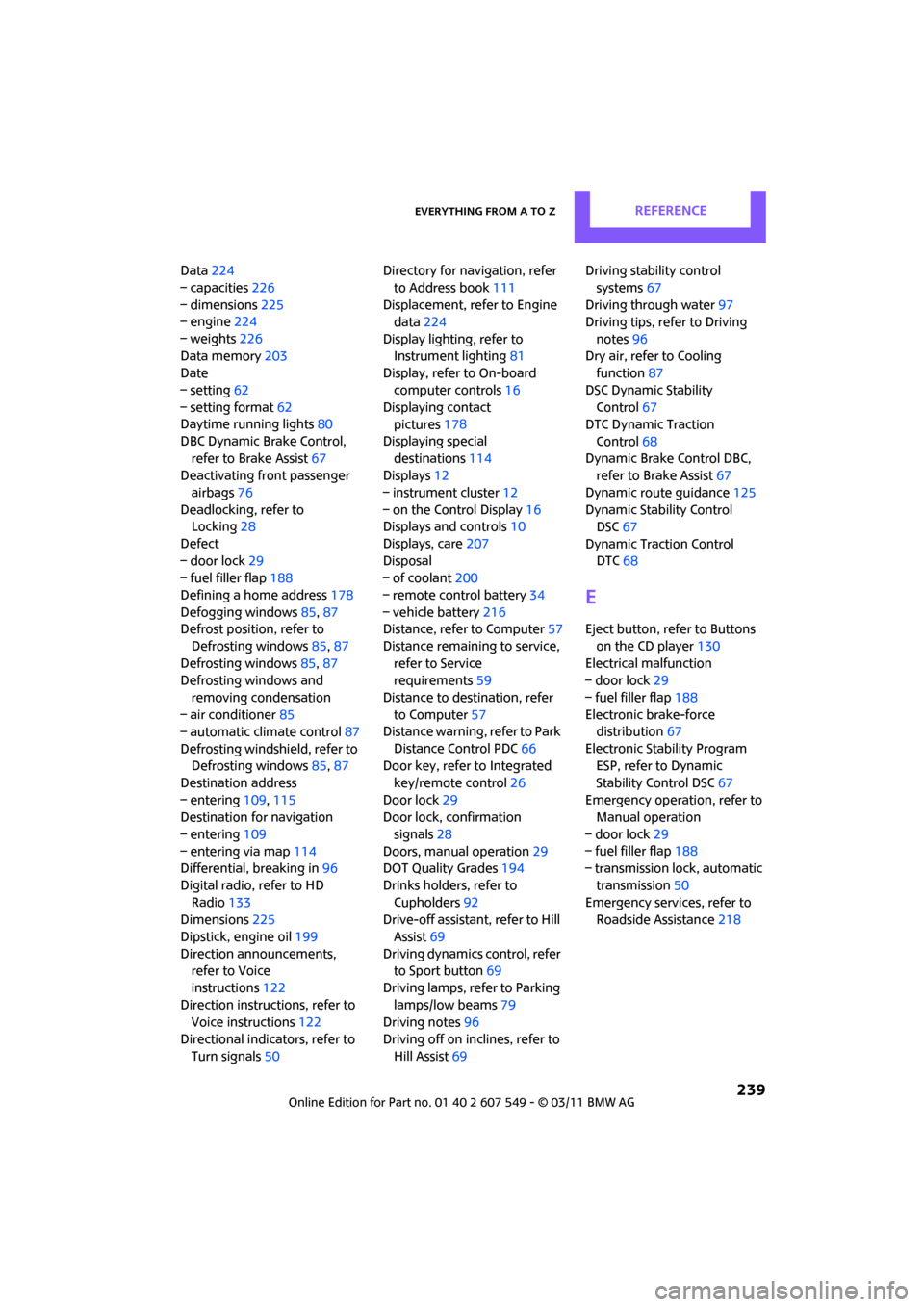
Everything from A to ZREFERENCE
239
Data224
– capacities 226
– dimensions 225
– engine 224
– weights 226
Data memory 203
Date
– setting 62
– setting format 62
Daytime running lights 80
DBC Dynamic Brake Control, refer to Brake Assist 67
Deactivating front passenger
airbags 76
Deadlocking, refer to Locking 28
Defect
– door lock 29
– fuel filler flap 188
Defining a home address 178
Defogging windows 85,87
Defrost position, refer to
Defrosting windows 85,87
Defrosting windows 85,87
Defrosting windows and
removing condensation
– air conditioner 85
– automatic climate control 87
Defrosting windshield, refer to Defrosting windows 85,87
Destination address
– entering 109,115
Destination for navigation
– entering 109
– entering via map 114
Differential, breaking in 96
Digital radio, refer to HD Radio 133
Dimensions 225
Dipstick, engine oil 199
Direction announcements, refer to Voice
instructions 122
Direction instructions, refer to Voice instructions 122
Directional indicators, refer to Turn signals 50 Directory for navigation, refer
to Address book 111
Displacement, re fer to Engine
data 224
Display lighting, refer to Instrument lighting 81
Display, refer to On-board
computer controls 16
Displaying contact
pictures 17
8
Displaying special destinations 114
Displays 12
– instrument cluster 12
– on the Control Display 16
Displays and controls 10
Displays, care 207
Disposal
– of coolant 200
– remote control battery 34
– vehicle battery 216
Distance, refe r to Computer 57
Distance remaining to service, refer to Service
requirements 59
Distance to dest ination, refer
to Computer 57
Distance warning, refer to Park
Distance Control PDC 66
Door key, refer to Integrated
key/remote control 26
Door lock 29
Door lock, confirmation
signals 28
Doors, manual operation 29
DOT Quality Grades 194
Drinks holders, refer to Cupholders 92
Drive-off assistant, refer to Hill
Assist 69
Driving dynamics control, refer to Sport button 69
Driving lamps, refer to Parking lamps/low beams 79
Driving notes 96
Driving off on inclines, refer to Hill Assist 69 Driving stability control
systems 67
Driving through water 97
Driving tips, refer to Driving
notes 96
Dry air, refer to Cooling function 87
DSC Dynamic Stability Control 67
DTC Dynamic Traction
Control 68
Dynamic Brake Control DBC, refer to Brake Assist 67
Dynamic route guidance 125
Dynamic Stability Control DSC 67
Dynamic Traction Control DTC 68
E
Eject button, refer to Buttons
on the CD player 130
Electrical malfunction
– door lock 29
– fuel filler flap 188
Electronic brake-force distribution 67
Electronic Stability Program ESP, refer to Dynamic
Stability Control DSC 67
Emergency operation, refer to Manual operation
– door lock 29
– fuel filler flap 188
– transmission lock, automatic
transmission 50
Emergency services, refer to Roadside Assistance 218
Page 244 of 254

REFERENCEEverything from A to Z
242
Initializing
– Flat Tire Monitor FTM70
– glass roof, electric 35
– radio, refer to Station,
storing 133
Instructions for navigation system, refer to Voice
instructions 122
Instrument clus ter, refer to
Displays 12
Instrument lighting 81
Instrument panel, refer to Cockpit 10
Instrument panel, refer to Displays 12
Integrated key 26
Integrated universal remote control 88
Interactive map 114
Interesting destination for navigation 112
Interior lamps 82
– remote control 28
Interior rearview mirror 41
– automatic dimming
feature 42
Interlock 48
Intermittent mode of the
wipers 51
Internet page 4
J
Jacking points 215
Jets, refer to Window washer nozzles 52
Joystick, refer to On-board computer 16
Jumpering, refer to
Jump-starting 218
Jump-starting 218
K
Key Memory, refe r to Personal
Profile 26
Key, refer to Keys/remote controls 26
Keyless opening and closing,
refer to Comfort Access 32
Keyless-Go, refer to Comfort Access 32
Keypad dialing 159,170
Kickdown 49
– automatic transmission with
Steptronic 49
Knock control 189
L
Lamps and bulbs, replacing
bulbs 208
Lamps, refer to Parking lamps/ Low beams 79
Lashing eyes, refe r to Securing
cargo 102
Last destinations 112
LATCH child restraint fixing system 44
Leather care 206
LEDs light-emitting diodes 208
Length, refer to
Dimensions 225
License plate lamp
– bulb replacement 212
Liftgate 30
– Comfort Access 33
– opening from outside 30
– opening/closing 30
– unlocking with remote control 28
Light
– automatic headlamp control 79
Light alloy wheels, care 206
Light switch 79 Light-emitting diodes
LEDs 208
Lighter 92
– socket 92
Lighting
– lamps and bulbs 208
– of the instruments 81
– of vehicle, refer to Lamps 79
Limit, refer to Speed limit 64
Load 101
Load securing equipment, refer to Secu ring cargo102
Lock buttons of doors, refer to
Locking 30
Locking
– adjusting confirmation
signal 28
– from inside 30
– from outside 28
– without remote control, refer to Comfort Access 32
Locking and unlocking doors
– confirmation signals 28
– from inside 30
– from outside 27
Longlife oils
– approved motor oils 200
Low beams 79
– automatic 79
– replacing bulb 209
Lower back support, refer to Lumbar support 38
Luggage compartment
– doors, refer to Liftgate 30
Luggage compartment partition net, refer to Cargo
net 100
L
uggage rack, refer to Roof-mounted luggage
rack 103
Lumbar support 38