radio controls MINI Countryman 2011 User Guide
[x] Cancel search | Manufacturer: MINI, Model Year: 2011, Model line: Countryman, Model: MINI Countryman 2011Pages: 196, PDF Size: 3.06 MB
Page 72 of 196
ControlsTechnology for driving comfort and safety
70
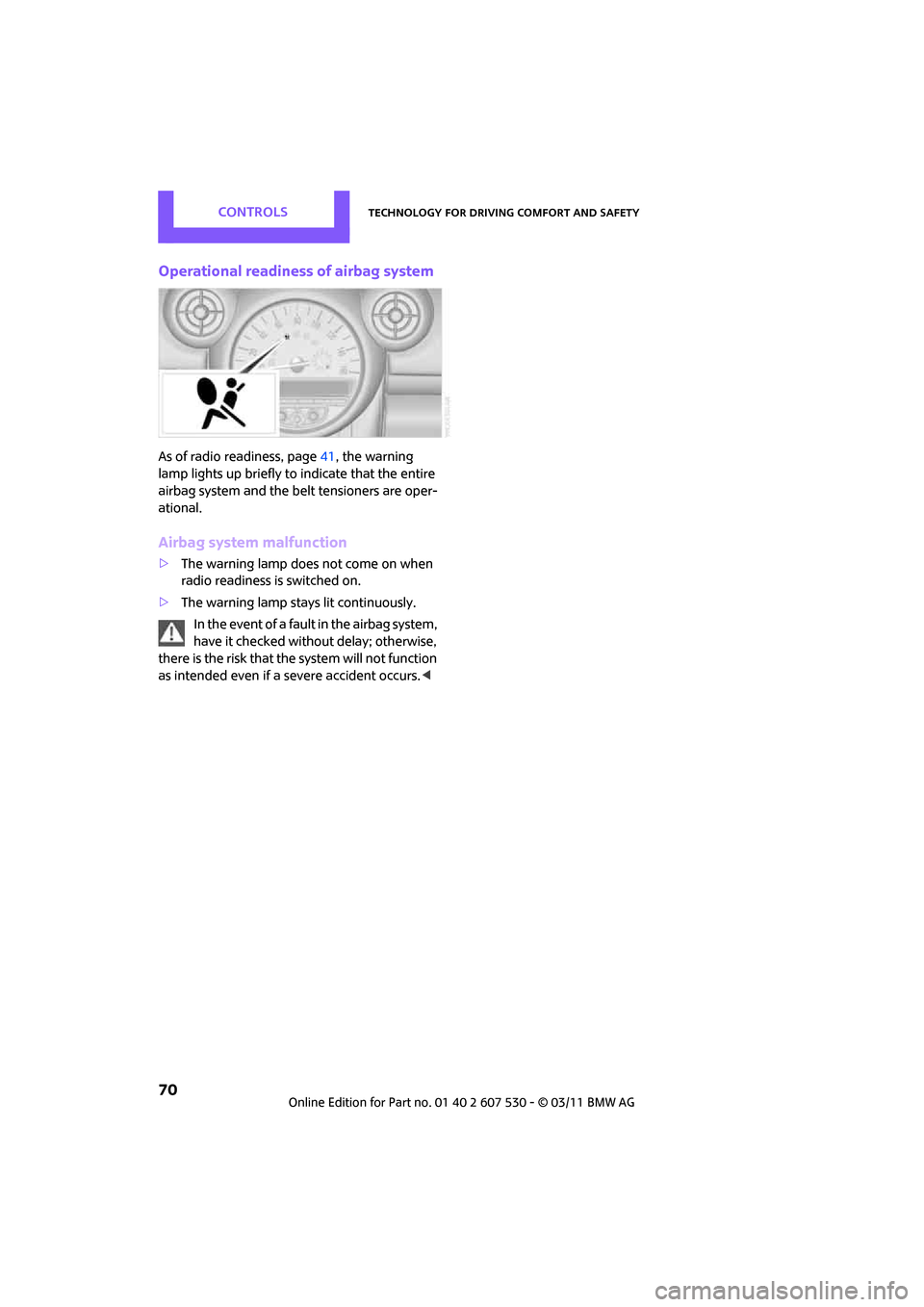
Operational readiness of airbag system
As of radio readiness, page41, the warning
lamp lights up briefly to indicate that the entire
airbag system and the be lt tensioners are oper-
ational.
Airbag system malfunction
> The warning lamp does not come on when
radio readiness is switched on.
> The warning lamp stays lit continuously.
In the event of a fault in the airbag system,
have it checked without delay; otherwise,
there is the risk that the system will not function
as intended even if a severe accident occurs. <
Page 83 of 196
Practical interior accessoriesControls
81
Practical interior accessories
Integrated universal
remote control*
The concept
The integrated universal remote control can
replace as many as three hand-held transmitters
for various remote-controlled devices, such as
garage and gate openers and lighting systems.
The integrated universal remote control regis-
ters and stores signals from the original hand-
held transmitters.
The signal of an original hand-held transmitter
can be programmed on one of the three mem-
ory buttons 1. The system in question can then
be operated by means of the programmed
memory button 1. The LED 2 flashes to confirm
transmission of the signal.
If you decide to sell your vehicle one day, in the
interest of your own secu rity, remember to clear
the stored programs before the vehicle leaves
your possession, page 82.
To prevent possible damage or injury,
before programming or using the inte-
grated universal remote control, always inspect
the immediate area to make certain that no
people, animals or objects are within the travel
range of the device. Comply also with the safety
instructions supplied with the original hand-held
transmitter. <
Checking compatibility
If this symbol appears on the package
or in the instructions supplied with the
original hand-held transmitter, you can
assume that the radio re mote control device is
compatible with the inte grated universal remote
control.
For additional information, please contact your
MINI dealer or call: 1-800-355-3515. You can also obtain info
rmation on the Internet
at:
www.homelink.com
HomeLink is a registered trademark of Johnson
Controls, Inc.
Programming
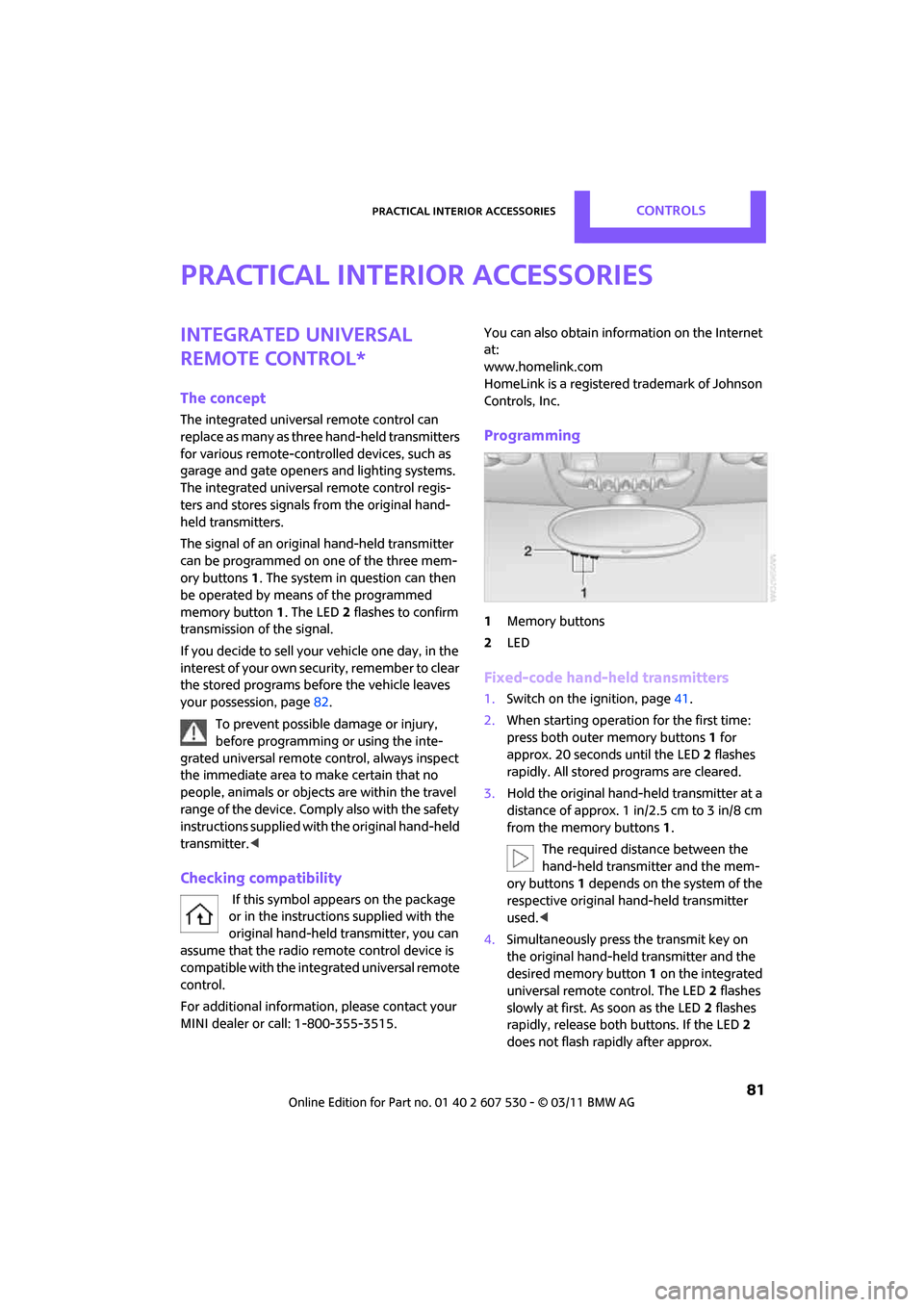
1 Memory buttons
2 LED
Fixed-code hand-held transmitters
1.Switch on the ignition, page 41.
2. When starting operation for the first time:
press both outer memory buttons 1 for
approx. 20 seconds until the LED 2 flashes
rapidly. All stored programs are cleared.
3. Hold the original hand-held transmitter at a
distance of approx. 1 in/2.5 cm to 3 in/8 cm
from the memory buttons 1.
The required distance between the
hand-held transmitter and the mem-
ory buttons 1 depends on the system of the
respective original hand-held transmitter
used. <
4. Simultaneously press the transmit key on
the original hand-held transmitter and the
desired memory button 1 on the integrated
universal remote control. The LED 2 flashes
slowly at first. As soon as the LED 2 flashes
rapidly, release both buttons. If the LED 2
does not flash rapidly after approx.
Page 84 of 196
ControlsPractical interior accessories
82
60 seconds, alter the distance and repeat
this step.
Canada: if the LED is not flashing rapidly
after 60 seconds, chan ge the distance and
repeat the step or, if the programming was
interrupted by the hand-held transmitter,
press and hold the memory button and
press the button on the hand-held transmit-
ter for 2 seconds and release several times.
5. To program other original hand-held trans-
mitters, repeat steps 3 and 4.
The corresponding memory button1 is now
programmed with the signal of the original
hand-held transmitter.
You can operate the system with the engine
running or with the ignition switched on.
If the system fails to function even after
repeated programming, check whether
the original hand-held transmitter uses an alter-
nating-code system. To do so, either read the
instructions for the orig inal hand-held transmit-
ter or hold down the programmed memory
button 1 of the integrated universal remote con-
trol. If the LED 2 on the integrated universal
remote control flashes ra pidly and then remains
lit for about two seconds, then the original
hand-held transmitter uses an alternating-code
system. If it uses an alternating-code system,
program the memory buttons 1 as described
under Alternating-code hand-held transmit-
ters. <
Alternating-code hand-held
transmitters
To program the integrat ed universal remote
control, consult the oper ating instructions for
the device to be set. You will find information
there on the possibilities for synchronization or
programming of additional hand-held transmit-
ters.
When programming hand-held transmitters that
employ an alternating code, please observe the
following supplementary instructions: Programming will be easier with the aid of
a second person.
<
1. Park your vehicle within the range of the
remote-controlled device.
Do not exceed a distance of 164 ft/
50 m from the radio remote con-
trolled device. <
2. Program the integrated universal remote
control as described above in the section
Fixed-code hand-held transmitters.
3. Locate the button on the receiver of the
device to be set, e.g. on the drive unit.
4. Press the button on the receiver of the
device to be set. After step 4, you have
approx. 30 seconds for the next step 5.
5. Press and hold the programmed memory
button 1 on the integrated universal remote
control for approx. 3 seconds.
If necessary, repeat the step up to three
times.
The corresponding memory button1 is now
programmed with the signal of the original
hand-held transmitter.
Clearing stored programs
Press both outer memory buttons 1 for approx.
20 seconds until the LED 2 flashes: all stored
programs are cleared.
It is not possible to clear individual programs.
Reassigning individual programs
1. Hold the original hand-held transmitter at a
distance of approx. 1in/2.5cm to 3in/8cm
from the memory buttons 1.
The required distance between the
hand-held transmitter and the mem-
ory buttons 1 depends on the system of the
respective original hand-held transmitter
used. <
2. Press the desired memory button 1 of the
integrated universal remote control.
If the LED 2 flashes slowly after approx.
20 seconds, press the transmit key of the
Page 104 of 196
EntertainmentRadio MINI Boost CD
102
Radio MINI Boost CD
switching Radio on/off
Press the knob on the left. The radio
selects the last set audio source:
>Radio
> HD Radio
*
>Satellite radio*
>CD
> External audio device
> USB audio interface*.
Listening to the radi o when the ignition
is switched off
After turning off the radi o, which was ready for
operation, the radio functions are available for
approx. 20 minutes.
The radio can also be turned on again.
To spare the battery, ensure that the radio
is turned off when leaving the vehicle. <
Adjusting volume
Press left rotary knob. The settings are
stored for the remote control currently
in use.
As soon as you make a phone call using
the hands-free device, the radio will auto-
matically be muted. <
Setting the volume for the PDC* and bell
You can raise or lower the audio signals for the
PDC or bell with respect to the volume of the
audio sources.
The audio signals have a set minimum and max-
imum volume, below which they can not fall and
above which they can not go.
Set the audio source to a high volume to
be able to better set the volume of the
audio signals. < 1.
Press the button.
2. Press the button if necessary.
3. Press the button
or
Press the button.
4. Select the desired volume and press the but-
ton on the right.
Setting the speed-dependent volume
The speed-dependent volume controls auto-
matically increase the volume as the speed of
the vehicle increases. You can set different levels
for increasing the volume.
1.Press the button.
2. Press the button if necessary.
3. Press the button.
4. Select the desired volume and press the but-
ton on the right.
Setting the volume for external audio
devices
Your radio has the option of connecting to an
external audio device, e.g., an MP3 player, and
playing it over the loudspeakers in the vehicle.
You can set the volume by using the radio.
Connecting an external device, refer to
page 109.
To adjust the volume of an external audio device
to the radio:
1. Press the MODE button.
2. Press the button.
3. Press the button.
Page 105 of 196
Radio MINI Boost CDEntertainment
103
4.Select the desired volume and press the but-
ton on the right.
Setting tone controls
You can select between the following settings:
>Bass: bass setting.
> Treble: treble setting.
> Balance: volume distribution right/left.
> Fader: volume distri bution front/back.
The tone settings are set for all audio sources at
once.
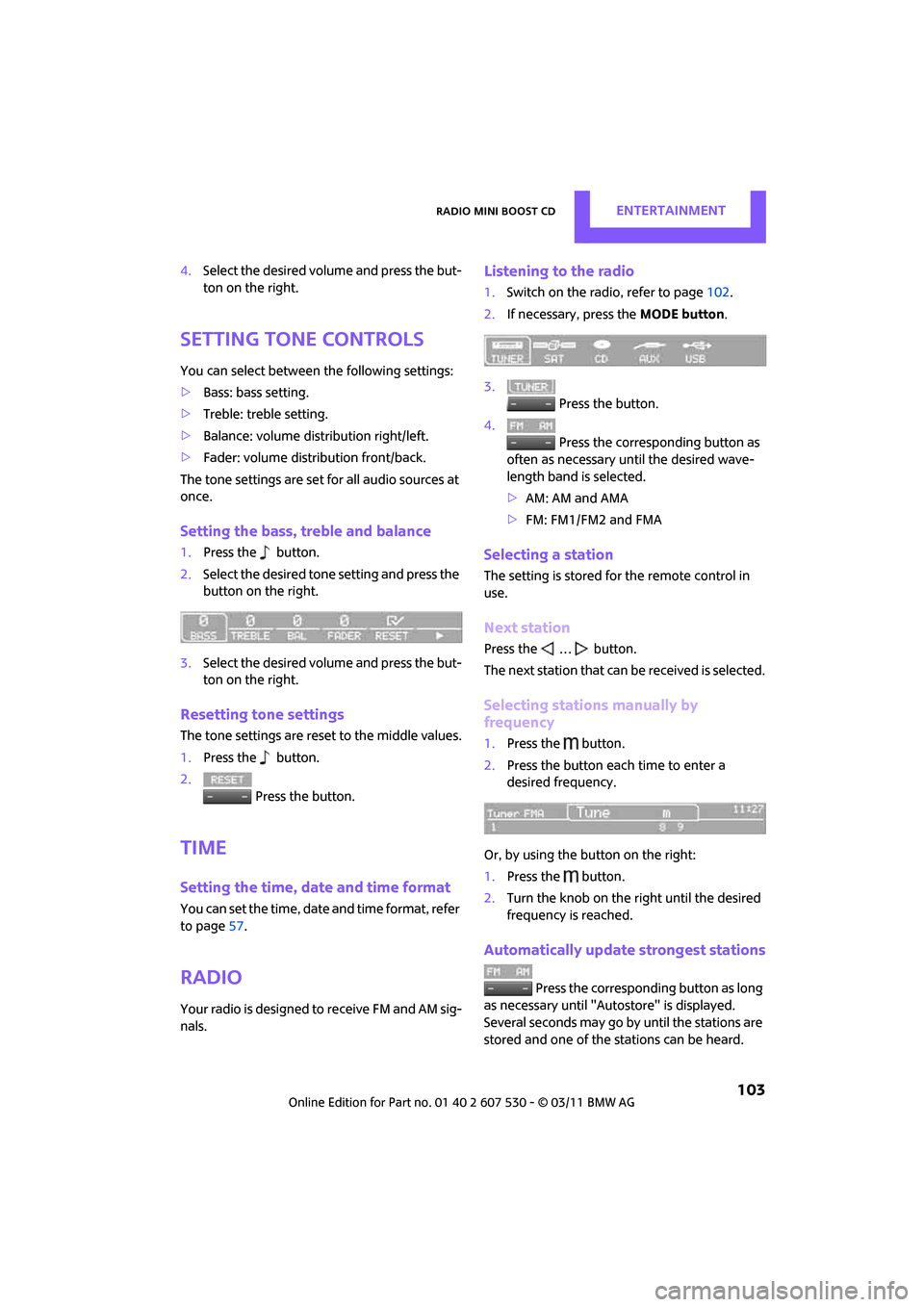
Setting the bass, treble and balance
1. Press the button.
2. Select the desired tone setting and press the
button on the right.
3. Select the desired volume and press the but-
ton on the right.
Resetting tone settings
The tone settings are reset to the middle values.
1.Press the button.
2. Press the button.
Time
Setting the time, date and time format
You can set the time, date and time format, refer
to page57.
Radio
Your radio is designed to receive FM and AM sig-
nals.
Listening to the radio
1. Switch on the radio, refer to page 102.
2. If necessary, press the MODE button.
3. Press the button.
4. Press the corresponding button as
often as necessary until the desired wave-
length band is selected.
> AM: AM and AMA
> FM: FM1/FM2 and FMA
Selecting a station
The setting is stored for the remote control in
use.
Next station
Press the … button.
The next station that can be received is selected.
Selecting stations manually by
frequency
1. Press the button.
2. Press the button each time to enter a
desired frequency.
Or, by using the button on the right:
1. Press the button.
2. Turn the knob on the right until the desired
frequency is reached.
Automatically update strongest stations
Press the corresponding button as long
as necessary until "Autostore" is displayed.
Several seconds may go by until the stations are
stored and one of the stations can be heard.
Page 184 of 196
ReferenceEverything from A to Z
182
Center Rail, refer to Storage compartments 84
Central locking system 21
– Comfort Access 27
– from inside 24
– from outside 21
– setting unlocking
behavior 21
Changing bulbs 148
Changing wheels 155
Chassis number, refer to Engine compartment 139
Check Control 57
Child restraint fixing system LATCH 39
Child restraint systems 38
Child seats 38
Child-safety locks 40
Chrome parts, care 146
Chrome parts, refer to Care 144
Cigarette lighter 85
Cleaning headlamps 48
– washer fluid 49
Clock
– 12 h/24 h mode 54
– setting time 57
Closing
– from inside 24
– from outside 21
Clothes hooks 85
Cockpit 10
Cold start, refer to Starting the
engine 42
Comfort Access 27
– replacing the battery 29
– what to observe before entering a car wash 29
Comfort area, refer to Around
the center console 14
Compartment for remote control, refer to Ignition
lock 41
Compressed audio files 107
Computer 52
Condensation, refer to When the vehicle is parked 92Condition Based Service
CBS 142
Configuring settings, refer to Personal Profile 20
Connecting vacuum cleaner, refer to Connecting electrical
appliances 86
Consumption, refer to Average fuel consumption 52
Controls and displays 10
Convenient access, refer to Comfort Access 27
Convenient operation
– windows 22
Convenient start, refer to
St
arting the engine 42
Coolant 140
– checking level 141
– filling 141
– temperature 141
Coolant temperature 141
Cooling fluid, refer to
Coolant 140
Cooling, maximum 79
Copyright 2
Cornering light, refer to Adaptive Light Control 73
Cruising range 52
Cupholders 85
Curb weight, refer to
Weights 178
Current fuel consumption 52
D
Dashboard instruments, refer
to Displays 12
Dashboard lighting, refer to Instrument lighting 74
Dashboard, refer to Cockpit 10
Data 176
– capacities 179
– dimensions 177
– engine 176
– weights 178
Data memory 143 Date
– setting
57
Date setting 103
Daytime running lights 72
DBC Dynamic Brake Control, refer to Brake Assist 60
Deactivating front passenger
airbags 68
Deadlocking, refer to Locking 22
Defect
– door lock 24
– fuel filler flap 128
Defogging windows 78,80
Defrost position, refer to Defrosting windows 78,80
Defrosting windows 78,80
Defrosting windows and removing condensation
– air conditioner 78
– automatic climate control 80
Defrosting windshield, refer to
Defrosting windows 78,80
Differential, breaking in 90
Digital radio, refer to HD
Radio 105
Dimensions 177
Dipstick, engine oil 139
Directional indicators, refer to Turn signals 46
Displacement, refer to Engine data 176
Display lighting, refer to
Instrument lighting 74
Displays 12
– instrument cluster 12
Displays and controls 10
Displays, care 147
Disposal
– of coolant 140
– remote control battery 29
– vehicle battery 156
Distance remaining to service, refer to Service
requirements 55
Distance warning, refer
to Park
Distance Control PDC 59
Page 187 of 196
Everything from A to ZReference
185
Ignition key position 1, refer to Radio readiness 41
Ignition key position 2, refer to Ignition on 41
Ignition key, refer to Integrated key/remote
control 20
Ignition lock 41
Imprint 2
Incoming call 119
Indicator and warning lamps 13,162
– Tire Pressure Monitor TPM 65
Indicator lighting, refer to Instrument lighting 74
Individual air distribution 78
Individual settings, refer to Personal Profile 20
Inflation pressure monitoring,
refer to Tire Pressure Monitor
TPM 64
Initializing
– Flat Tire Monitor FTM 63
– glass roof, electric 30
Instrument cluster, refer to
Displays 12
Instrument lighting 74
Instrument panel, refer to
Cockpit 10
Instrument panel, refer to
Displays 12
Integrated key 20
Integrated universal remote
control 81
Interior lamps 75
– remote control 23
Interior rearview mirror 36
– automatic dimming feature 37
Interlock 44
Intermittent mode of the wipers 47
Internet page 4J
Jacking points 155
Jets, refer to Window washer
nozzles 48
Jumpering, refer to Jump-starting 158
Jump-starting 158
K
Key Memory, refer to Personal
Profile 20
Key, refer to Keys/remote controls 20
Keyless opening and closing,
refer to Comfort Access 27
Keyless-Go, refer to Comfort Access 27
Keypad dialing 120
Kickdown 44
– automatic transmission with
Steptronic 44
Knock control 129
L
Lamps and bulbs, replacing
bulbs 148
Lamps, refer to Parking lamps/
Low beams 71
Lashing eyes, refer to Securing cargo 96
LATCH child restraint fixing system 39
Leather care 146
LEDs light-emitting diodes 148
Length, refer to Dimensions 177
License plate lamp
– bulb replacement 152
Liftgate 25
– Comfort Access 28
– opening from outside 25
– opening/closing 25
– unlocking with remote control 23 Light
– automatic headlamp
control 71
Light alloy wheels, care 146
Light switch 71
Light-emitting diodes LEDs 148
Lighter 85
– socket 86
Lighting
– lamps and bulbs 148
– of the instruments 74
– of vehicle, refer to Lamps 71
Limit 173
Listening to test scan
– Radio MINI Boost CD 104
Load 95
Load securing equipment, refer to Securing cargo 96
Lock buttons of doors, refer to
Locking 24
Locking
– adjusting confirmation signal 22
– from inside 24
– from outside 22
– without remote control, refer
to Comfort Access 27
Locking and unlocking doors
– confirmation signals 22
– from inside 24
– from outside 21
Longlife oils
– approved motor oils 140
Low beams 71
– automatic 71
– replacing bulb 149
Lower back suppo rt, refer to
Lumbar support 33
Luggage compartment
– doors, refer to Liftgate 25
Lug
gage compartment
partition net, refer to Cargo
net 94
Luggage rack, re fer to Roof-
mounted luggage rack 97