roof MINI Countryman 2011 User Guide
[x] Cancel search | Manufacturer: MINI, Model Year: 2011, Model line: Countryman, Model: MINI Countryman 2011Pages: 196, PDF Size: 3.06 MB
Page 126 of 196

CommunicationsTelephone
124
Deleting all entries
To listen to and select the entries:
Selecting an entry
Adjusting volume
Turn knob during announcement.
>The volume remains the same, even if the
volume of other audi o sources is changed.
> The volume is stored for the remote control
currently in use.
Notes
Do not use the voice activation system to initiate
an emergency call. In st ressful situations, the
voice and vocal pitch can change. This can
unnecessarily delay the establishment of a tele-
phone connection.
Ambient conditions
> Say the commands, numbers and letters
smoothly and with normal volume, empha-
sis and speed.
> Always say commands in the language of
the voice activation system.
> Keep doors, windows, glass sunroof
*/pan-
oramic sunroof
*, or convertible top* closed
to avoid noise interference. >
Avoid ambient noise in the vehicle while
speaking.
MINI contact*
When the ignition is switched on, several MINI
dealer phone numbers can be displayed.
>"Road Assist": roadside service
*, if you
require assistance in th e event of a flat tire.
> "Service": MINI dealer, for example if you
need to make a service appointment.
> "Cust Relat": MINI Hotline
* for information
about your vehicle.
Displaying phone numbers
1. Press the MENU button.
2. Press the button.
3. Turn the right rotary knob until the desired
phone number is displayed.
Snap-in adapter*
Installation location
In the center armrest.
Inserting snap-in adapter
1.Press the button and remove the cover.
1.
{Delete phonebook }.
The dialog for deleting phone book is
opened.
2. Confirm the query with {Yes }.
3. Confirm the query again with {Yes }.
1. {Read phonebook }.
The dialog for reading phone book is
opened.
2. Say {Dial number } when the desired
entry is read.
1. {Dial name }.
2. Say the name when prompted.
3. Confirm the query with {Yes }.
Page 158 of 196
MobilityReplacing components
156
7.Lower the vehicle.
8. Remove the jack.
Tightening the lug bolts
Tighten the lug bolts in a diagonal pattern.
Immediately have the wheels checked
with a calibrated torque wrench to ensure
that the lug bolts are firmly seated. Otherwise,
incorrectly tightened lu g bolts can present a
safety hazard. <
Tightening torque: 103.3 lb ft or 140 Nm.
Replace the defective tire as soon as possible
and have the new wheel/tire assembly bal-
anced.
Vehicle battery
Maintenance
The battery is 100 % maintenance-free, the
electrolyte will last for the life of the battery
when the vehicle is operated in a temperate cli-
mate.
Battery replacement
Only use vehicle batteries that have been
approved for your vehicle by the manu-
facturer; otherwise, the vehicle could be dam-
aged and systems or func tions may not be fully
available. <
After a battery replacement, have the battery
registered on the vehicle by your dealer to
ensure that all comfort functions are fully avail-
able.
Charging the battery
Only charge the battery in the vehicle when the
engine is off. Connectio ns, refer to Jump-start-
ing on page 158.
Disposal
After replacing old ba tteries, return the
used batteries to your MINI dealer or to a
recycling center. Maintain the battery in an
upright position for transport and storage.
Always secure the battery against tipping over
during transport. <
Power failure
After a temporary power loss, some equipment
may not be fully functional and may require ini-
tialization. Individual se ttings are also lost and
must be reprogrammed:
> Time and date
These values must be updated, page 57.
> Radio
In some cases, stations may have to be
stored again, page 104.
> Glass sunroof
*, electric
It may only be possible to tilt the sunroof, if
applicable. The system must be initialized.
Contact your near est MINI dealer.
Fuses
Do not attempt to repair a blown fuse or
replace it with a fuse of a different color or
Ampere rating. To do this could cause a fire in
the vehicle resulting from a circuit overload.
Have the fuse changed only by a MINI dealer or
a workshop that has specially trained personnel
working in accordance with the specifications of
the MINI manufacturer. <
A fuse allocation diagram is located on the inside
of the fuse box cover panels.
Page 180 of 196
ReferenceTechnical data
178
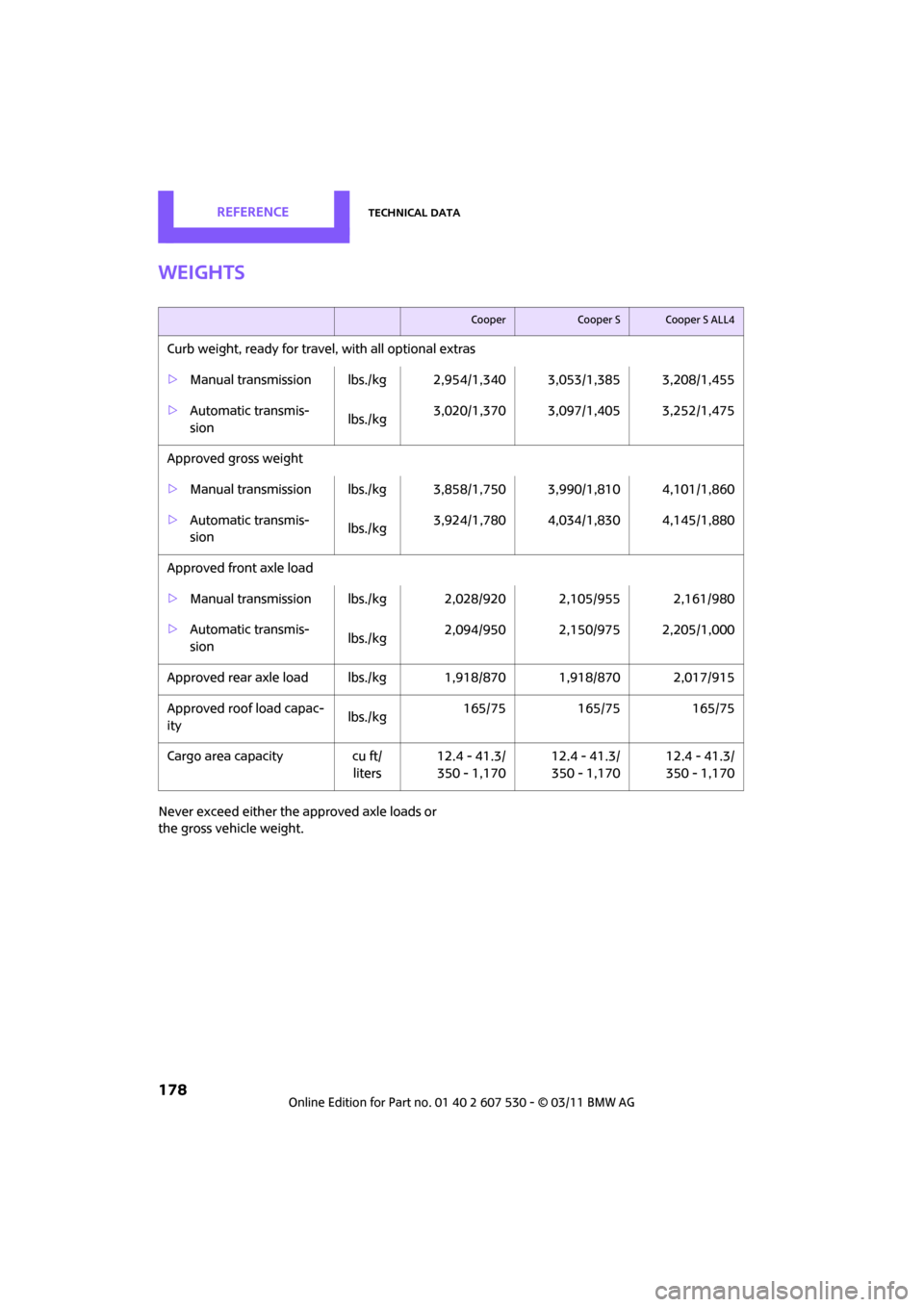
Weights
Never exceed either the approved axle loads or
the gross vehicle weight.
CooperCooper SCooper S ALL4
Curb weight, ready for travel, with all optional extras
> Manual transmission lbs./kg 2,9 54/1,340 3,053/1,385 3,208/1,455
> Automatic transmis-
sion lbs./kg3,020/1,370 3,097/1,405 3,252/1,475
Approved gross weight
> Manual transmission lbs./kg 3,8 58/1,750 3,990/1,810 4,101/1,860
> Automatic transmis-
sion lbs./kg
3,924/1,780 4,034/1,830 4,145/1,880
Approved front axle load
> Manual transmission lbs./k g 2,028/920 2,105/955 2,161/980
> Automatic transmis-
sion lbs./kg2,094/950 2,150/975 2,205/1,000
Approved rear axle load lb s./kg 1,918/870 1,918/870 2,017/915
Approved roof load capac-
ity lbs./kg
165/75
165/75 165/75
Cargo area capacity cu ft/
liters 12.4 - 41.3/
350 - 1,170 12.4 - 41.3/
350 - 1,170 12.4 - 41.3/
350 - 1,170
Page 186 of 196
ReferenceEverything from A to Z
184
Flat Tire Monitor FTM62
– indicating a flat tire 63
– initializing the system 63
– snow chains 63
– system limits 63
Flat tires, refer to Tire condition 135
Floor mats, care 146
Floor plate, refer to Flat load floor 94
Fog lamps
– replacing bulb 150
Folding rear seat backrest 92
Footbrake, refer to Braking safely 91
Footwell lamps 75
For your own safety 5
Four-wheel drive, refer to ALL4 62
Front airbags 68
Front fog lamps 74
– indicator lamp 162
– replacing bulb 150
Front seat adjustment 33
Frost on windows, refer to
Defrosting windows 78,80
FTM, refer to Flat Tire Monitor 62
Fuel 129
– gauge 51
– high-quality brands 129
– quality 129
– specifications 129
– tank capacity 179
Fuel clock, refer to Fuel gauge 51
Fuel consumption display
– average fuel consumption 52
Fuel display, refer to Fuel
gauge 51
Fuel filler flap 128
– releasing in the event of
electrical malfunction 128
Fuses 156G
Garage door opener, refer to
Integrated universal remote
control 81
Gasoline
– refer to Average fuel
consumption 52
Gasoline display, refer to Fuel gauge 51
Gasoline, refer to Required fuel 129
Gear indicator
– automatic transmission with Steptronic 44
Gear shifting
– automatic transmission 44
– manual transmission 43
Gearshift lever
– automatic transmission with Steptronic 44
– manual transmission 43
General driving notes 90
Glass roof, electric 29
– convenient operation 22,24
– opening, closing 30
– remote control 22
– tilting 29
Glove compartment 83
Grills, refer to Air vents 76
Gross vehicle weight, refer to Weights 178
H
Halogen lamps
– replacing bulb 149
Handbrake, refe r to Parking
brake 43
Hands-free system 14,122
Hazard warning flashers 14
HD Radio 105
Head airbags 68
Head Light, refer to Adaptive Light Control 73
Head restraints 34
– sitting safely 32 Headlamp control,
automatic 71
Headlamp flasher 46
– indicator lamp 11,162
Headlamp glass lens 149
Headlamps
– replacing bulb 149
Headlamps, care 145
Heated
– mirrors 36
– rear window 77,79
– seats 35
Heating 76
– mirrors 36
– rear window 77,79
– seats 35
Heavy loads, refer to Stowing cargo 96
Height adjustment
– seats 33
– steering wheel 37
Height, refer to
Dimensions 177
High beams 74
– headlamp flasher 74
– indicator lamp 162
– replacing bulb 149
High water, refer to Driving
through water 91
Hill Assist 62
Hills 91
Holders for cups 85
Homepage 4
Hood 138
Horn 10
Hot exhaust system 90
Hydroplaning 91
I
IBOC, refer to HD Radio 105
Ice warning, refer to External
temperature warning 52
Ignition 41
– switched off 42
– switched on 41
Page 187 of 196
Everything from A to ZReference
185
Ignition key position 1, refer to Radio readiness 41
Ignition key position 2, refer to Ignition on 41
Ignition key, refer to Integrated key/remote
control 20
Ignition lock 41
Imprint 2
Incoming call 119
Indicator and warning lamps 13,162
– Tire Pressure Monitor TPM 65
Indicator lighting, refer to Instrument lighting 74
Individual air distribution 78
Individual settings, refer to Personal Profile 20
Inflation pressure monitoring,
refer to Tire Pressure Monitor
TPM 64
Initializing
– Flat Tire Monitor FTM 63
– glass roof, electric 30
Instrument cluster, refer to
Displays 12
Instrument lighting 74
Instrument panel, refer to
Cockpit 10
Instrument panel, refer to
Displays 12
Integrated key 20
Integrated universal remote
control 81
Interior lamps 75
– remote control 23
Interior rearview mirror 36
– automatic dimming feature 37
Interlock 44
Intermittent mode of the wipers 47
Internet page 4J
Jacking points 155
Jets, refer to Window washer
nozzles 48
Jumpering, refer to Jump-starting 158
Jump-starting 158
K
Key Memory, refer to Personal
Profile 20
Key, refer to Keys/remote controls 20
Keyless opening and closing,
refer to Comfort Access 27
Keyless-Go, refer to Comfort Access 27
Keypad dialing 120
Kickdown 44
– automatic transmission with
Steptronic 44
Knock control 129
L
Lamps and bulbs, replacing
bulbs 148
Lamps, refer to Parking lamps/
Low beams 71
Lashing eyes, refer to Securing cargo 96
LATCH child restraint fixing system 39
Leather care 146
LEDs light-emitting diodes 148
Length, refer to Dimensions 177
License plate lamp
– bulb replacement 152
Liftgate 25
– Comfort Access 28
– opening from outside 25
– opening/closing 25
– unlocking with remote control 23 Light
– automatic headlamp
control 71
Light alloy wheels, care 146
Light switch 71
Light-emitting diodes LEDs 148
Lighter 85
– socket 86
Lighting
– lamps and bulbs 148
– of the instruments 74
– of vehicle, refer to Lamps 71
Limit 173
Listening to test scan
– Radio MINI Boost CD 104
Load 95
Load securing equipment, refer to Securing cargo 96
Lock buttons of doors, refer to
Locking 24
Locking
– adjusting confirmation signal 22
– from inside 24
– from outside 22
– without remote control, refer
to Comfort Access 27
Locking and unlocking doors
– confirmation signals 22
– from inside 24
– from outside 21
Longlife oils
– approved motor oils 140
Low beams 71
– automatic 71
– replacing bulb 149
Lower back suppo rt, refer to
Lumbar support 33
Luggage compartment
– doors, refer to Liftgate 25
Lug
gage compartment
partition net, refer to Cargo
net 94
Luggage rack, re fer to Roof-
mounted luggage rack 97
Page 188 of 196
ReferenceEverything from A to Z
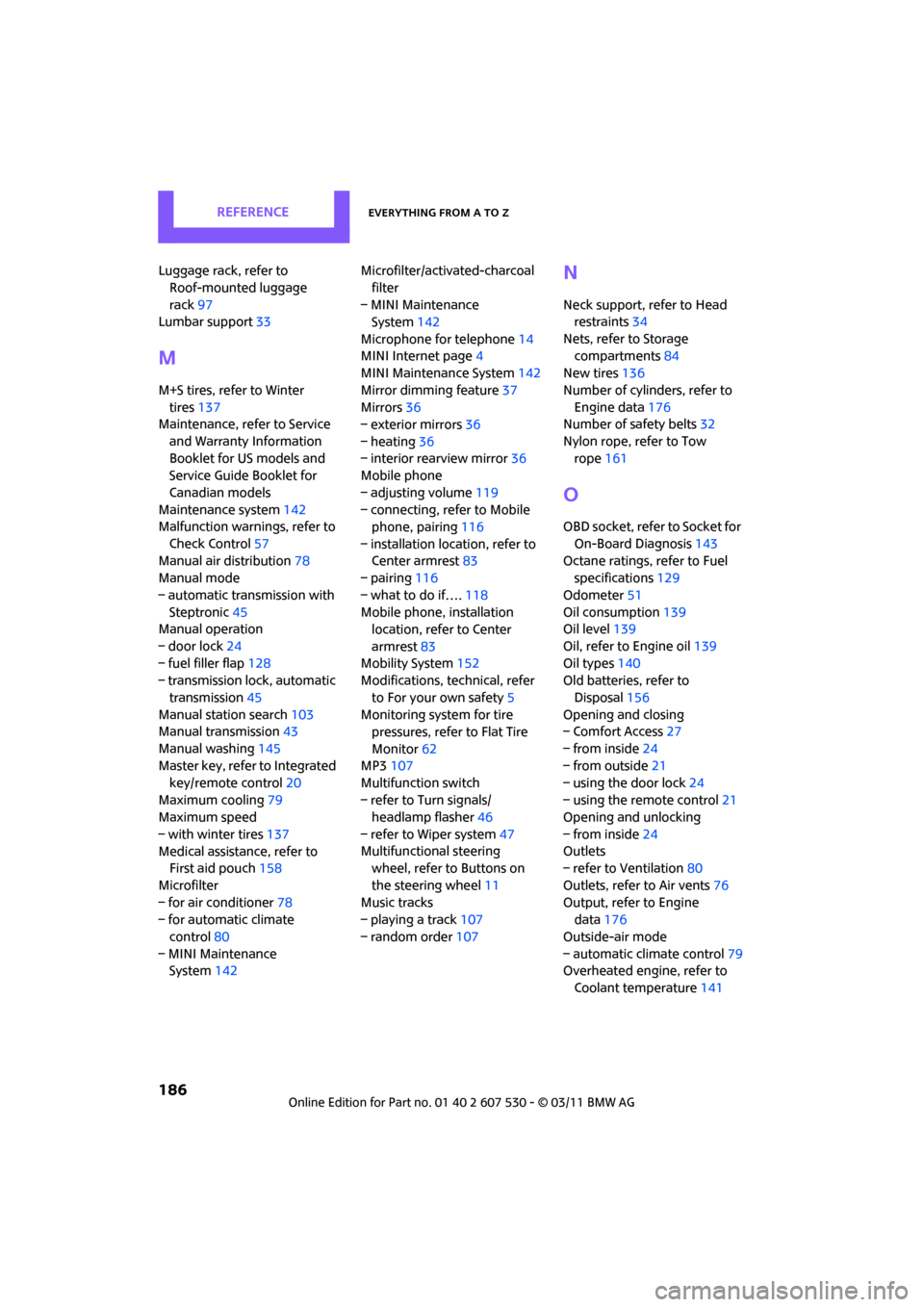
186
Luggage rack, refer to Roof-mounted luggage
rack 97
Lumbar support 33
M
M+S tires, refer to Winter
tires 137
Maintenance, refer to Service
and Warranty Information
Booklet for US models and
Service Guide Booklet for
Canadian models
Maintenance system 142
Malfunction warn ings, refer to
Check Control 57
Manual air distribution 78
Manual mode
– automatic transmission with Steptronic 45
Manual operation
– door lock 24
– fuel filler flap 128
– transmission lock, automatic
transmission 45
Manual station search 103
Manual transmission 43
Manual washing 145
Master key, refer to Integrated
key/remote control 20
Maximum cooling 79
Maximum speed
– with winter tires 137
Medical assistance, refer to First aid pouch 158
Microfilter
– for air conditioner 78
– for automatic climate
control 80
– MINI Maintenance System 142 Microfilter/activated-charcoal
filter
– MINI Maintenance System 142
Microphone for telephone 14
MINI Internet page 4
MINI Maintenance System 142
Mirror dimming feature 37
Mirrors 36
– exterior mirrors 36
– heating 36
– interior rearview mirror 36
Mobile phone
– adjusting volume 119
– connecting, refer to Mobile phone, pairing 116
– installation location, refer to Center armrest 83
– pairing 116
– what to do if…. 118
Mobile phone, installation location, refer to Center
armrest 83
Mobility System 152
Modifications, technical, refer
to For your own safety 5
Monitoring syst em for tire
pressures, refer to Flat Tire
Monitor 62
MP3 107
Mu
ltifunction switch
– refer to Turn signals/ headlamp flasher 46
– refer to Wiper system 47
Multifunctional steering wheel, refer to Buttons on
the steering wheel 11
Music tracks
– playing a track 107
– random order 107
N
Neck support, refer to Head
restraints 34
Nets, refer to Storage compartments 84
New tires 136
Number of cylinders, refer to Engine data 176
Number of safety belts 32
Nylon rope, refer to Tow rope 161
O
OBD socket, refer to Socket for
On-Board Diagnosis 143
Octane ratings, refer to Fuel specifications 129
Odometer 51
Oil consumption 139
Oil level 139
Oil, refer to Engine oil 139
Oil types 140
Old batteries, refer to
Disposal 156
Opening and closing
– Comfort Access 27
– from inside 24
– from outside 21
– using the door lock 24
– using the remote control 21
Opening and unlocking
– from inside 24
Outlets
– refer to Ventilation 80
Outlets, refer to Air vents 76
Output, refer to Engine data 176
Outside-air mode
– automatic climate control 79
Overheated engine, refer to
Coolant temperature 141
Page 190 of 196
ReferenceEverything from A to Z
188
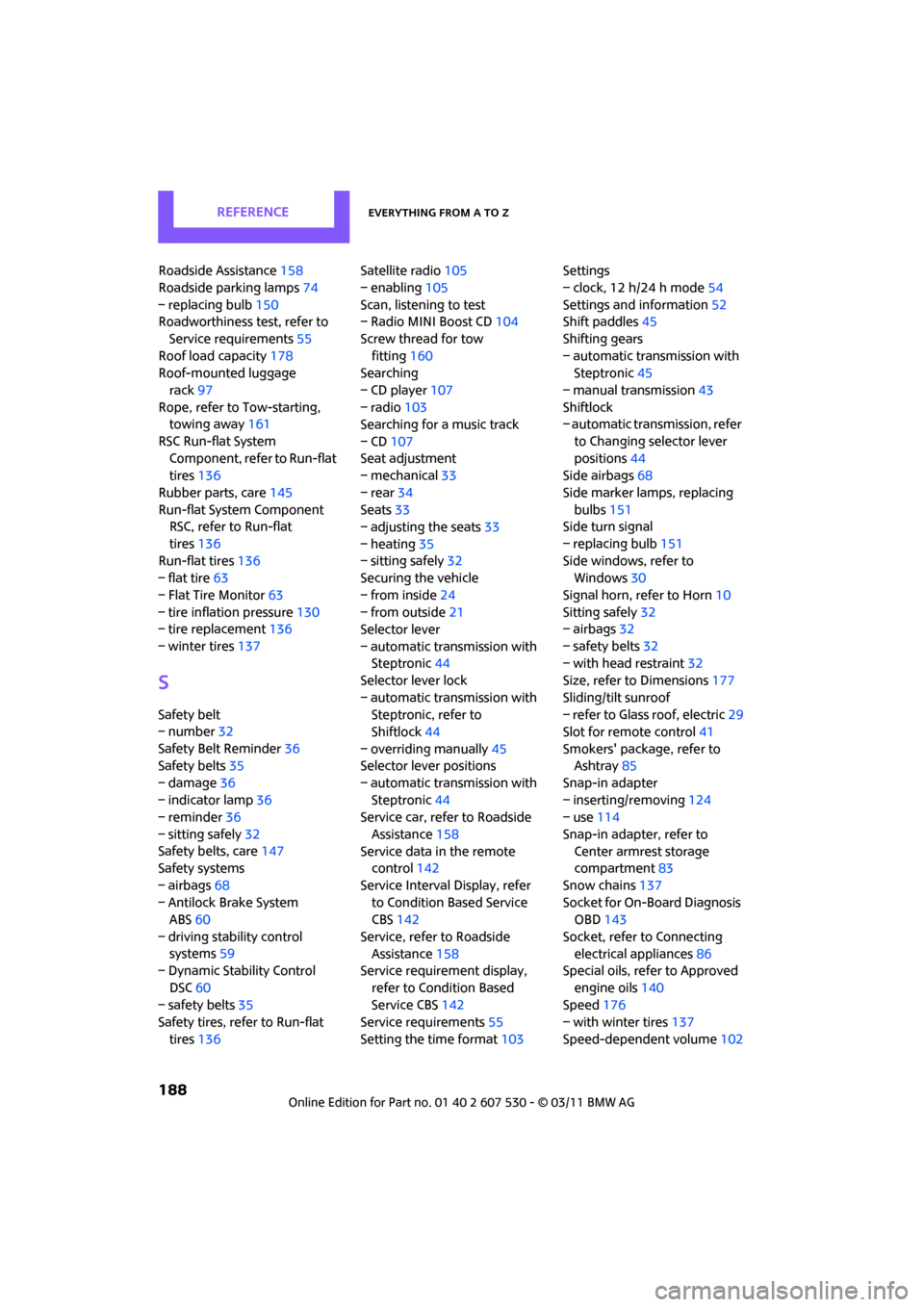
Roadside Assistance158
Roadside parking lamps 74
– replacing bulb 150
Roadworthiness test, refer to
Service requirements 55
Roof load capacity 178
Roof-mounted luggage
rack 97
Rope, refer to Tow-starting,
towing away 161
RSC Run-flat System Component, refer to Run-flat
tires 136
Rubber parts, care 145
Run-flat System Component RSC, refer to Run-flat
tires 136
Run-flat tires 136
– flat tire 63
– Flat Tire Monitor 63
– tire inflation pressure 130
– tire replacement 136
– winter tires 137
S
Safety belt
– number32
Safety Belt Reminder 36
Safety belts 35
– damage 36
– indicator lamp 36
– reminder 36
– sitting safely 32
Safety belts, care 147
Safety systems
– airbags 68
– Antilock Brake System ABS 60
– driving stability control systems 59
– Dynamic Stability Control
DSC 60
– safety belts 35
Safety tires, refer to Run-flat
tires 136 Satellite radio
105
– enabling 105
Scan, listening to test
– Radio MINI Boost CD 104
Screw thread for tow fitting 160
Searching
– CD player 107
– radio 103
Searching for a music track
– CD 107
Seat adjustment
– mechanical 33
– rear 34
Seats 33
– adjusting the seats 33
– heating 35
– sitting safely 32
Securing the vehicle
– from inside 24
– from outside 21
Selector lever
– automatic transmission with Steptronic 44
Selector lever lock
– automatic transmission with Steptronic, refer to
Shiftlock 44
– overriding manually 45
Selector lever positions
– automatic transmission with Steptronic 44
Service car, refe r to Roadside
Assistance 158
Service data in the remote control 142
Service Interval Display, refer to Condition Based Service
CBS 142
Service, refer to Roadside Assistance 158
Service requirement display,
refer to Condition Based
Service CBS 142
Service requirements 55
Setting the time format 103Setti
ngs
– clock, 12 h/24 h mode 54
Settings and information 52
Shift paddles 45
Shifting gears
– automatic transmission with Steptronic 45
– manual transmission 43
Shiftlock
– automatic transmission, refer
to Changing selector lever
positions 44
Side airbags 68
Side marker lamps, replacing bulbs 151
Side turn signal
– replacing bulb 151
Side windows, refer to Windows 30
Signal horn, refer to Horn 10
Sitting safely 32
– airbags 32
– safety belts 32
– with head restraint 32
Size, refer to Dimensions 177
Sliding/tilt sunroof
– refer to Glass roof, electric 29
Slot for remote control 41
Smokers' package, refer to Ashtray 85
Snap-in adapter
– inserting/removing 124
– use 114
Snap-in adapter, refer to Center armrest storage
compartment 83
Snow chains 137
Socket for On-Board Diagnosis OBD 143
Socket, refer to Connecting electrical appliances 86
Special oils, refer to Approved
engine oils 140
Speed 176
– with winter tires 137
Speed-dependent volume 102