light MINI Countryman 2011 Owner's Manual
[x] Cancel search | Manufacturer: MINI, Model Year: 2011, Model line: Countryman, Model: MINI Countryman 2011Pages: 196, PDF Size: 3.06 MB
Page 12 of 196
AT A GLANCECockpit
10
Cockpit
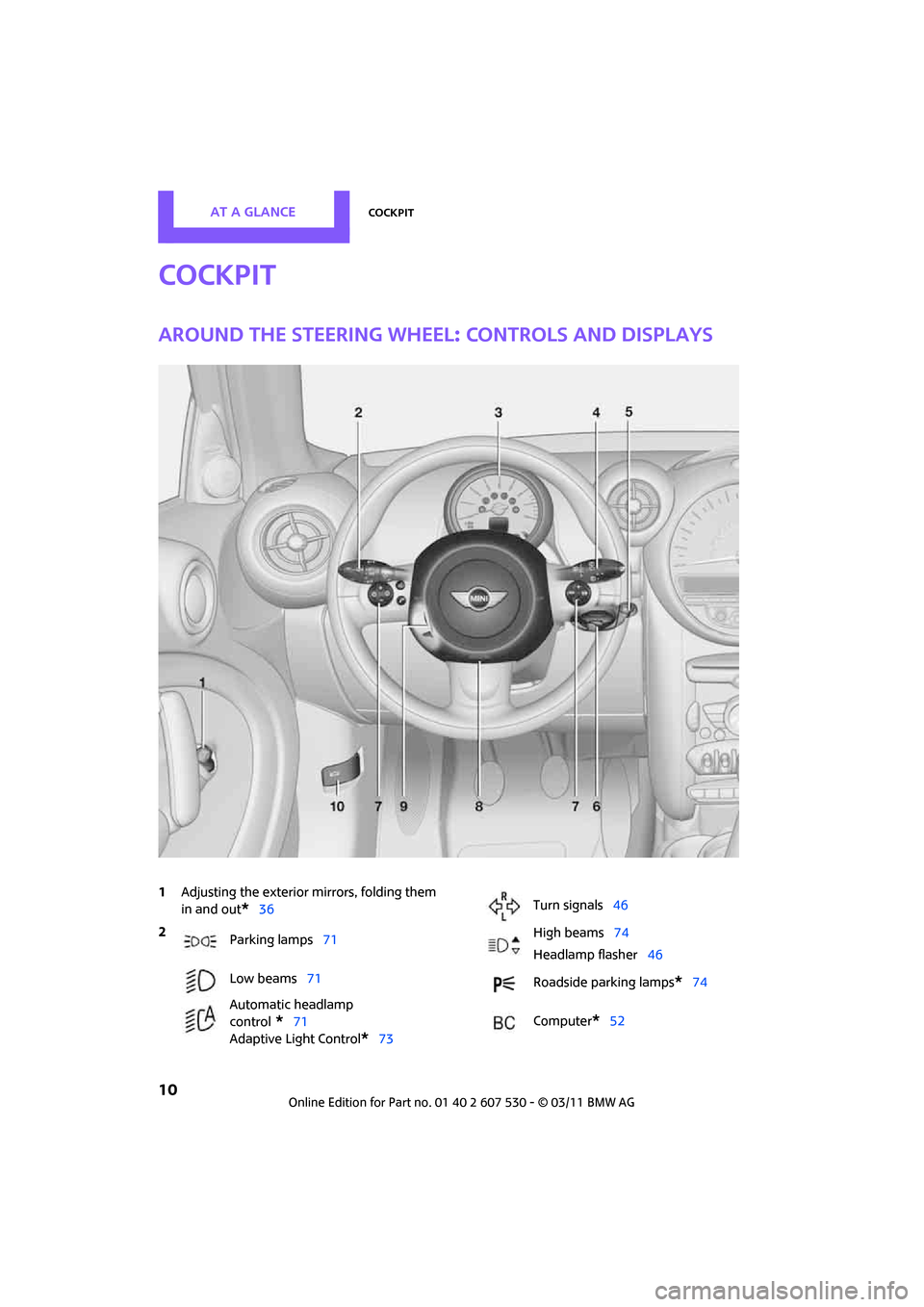
Around the steering wheel: Controls and displays
1Adjusting the exterior mirrors, folding them
in and out
*36
2
Parking lamps 71
Low beams 71
Automatic headlamp
control
*71
Adaptive Light Control
*73
Turn signals 46
High beams 74
Headlamp flasher 46
Roadside parking lamps
*74
Computer
*52
Page 13 of 196
CockpitAT A GLANCE
11
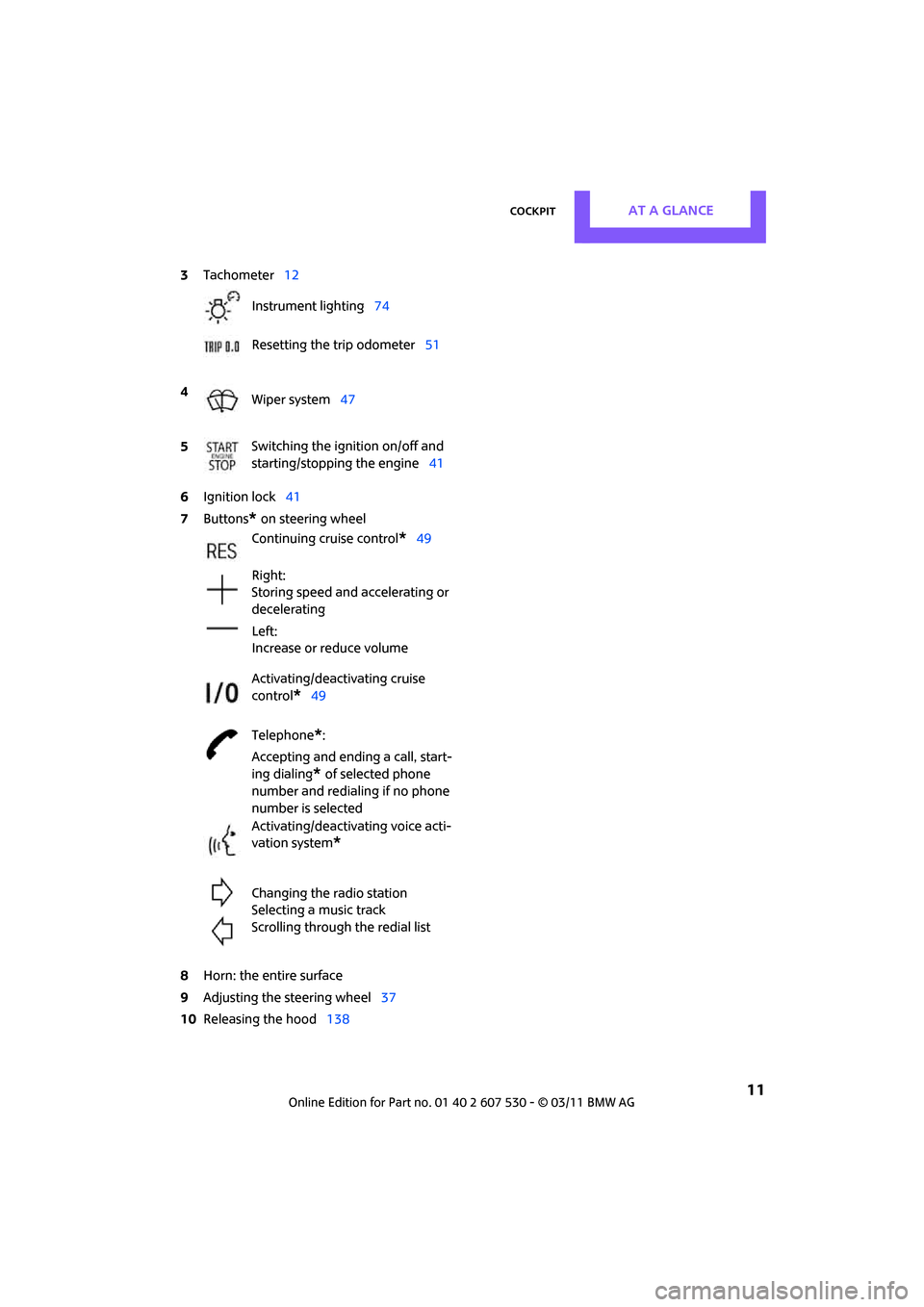
6Ignition lock 41
7 Buttons
* on steering wheel
8 Horn: the entire surface
9 Adjusting the steering wheel 37
10 Releasing the hood 138
3
Tachometer 12
Instrument lighting 74
Resetting the trip odometer 51
4 Wiper system 47
5 Switching the ignition on/off and
starting/stopping the engine
41
Continuing cruise control
*49
Right:
Storing speed and accelerating or
decelerating
Left:
Increase or reduce volume
Activating/deactivating cruise
control
*49
Telephone
*:
Accepting and ending a call, start-
ing dialing
* of selected phone
number and redialing if no phone
number is selected
Activating/deactivating voice acti-
vation system
*
Changing the radio station
Selecting a music track
Scrolling through the redial list
Page 14 of 196
AT A GLANCECockpit
12
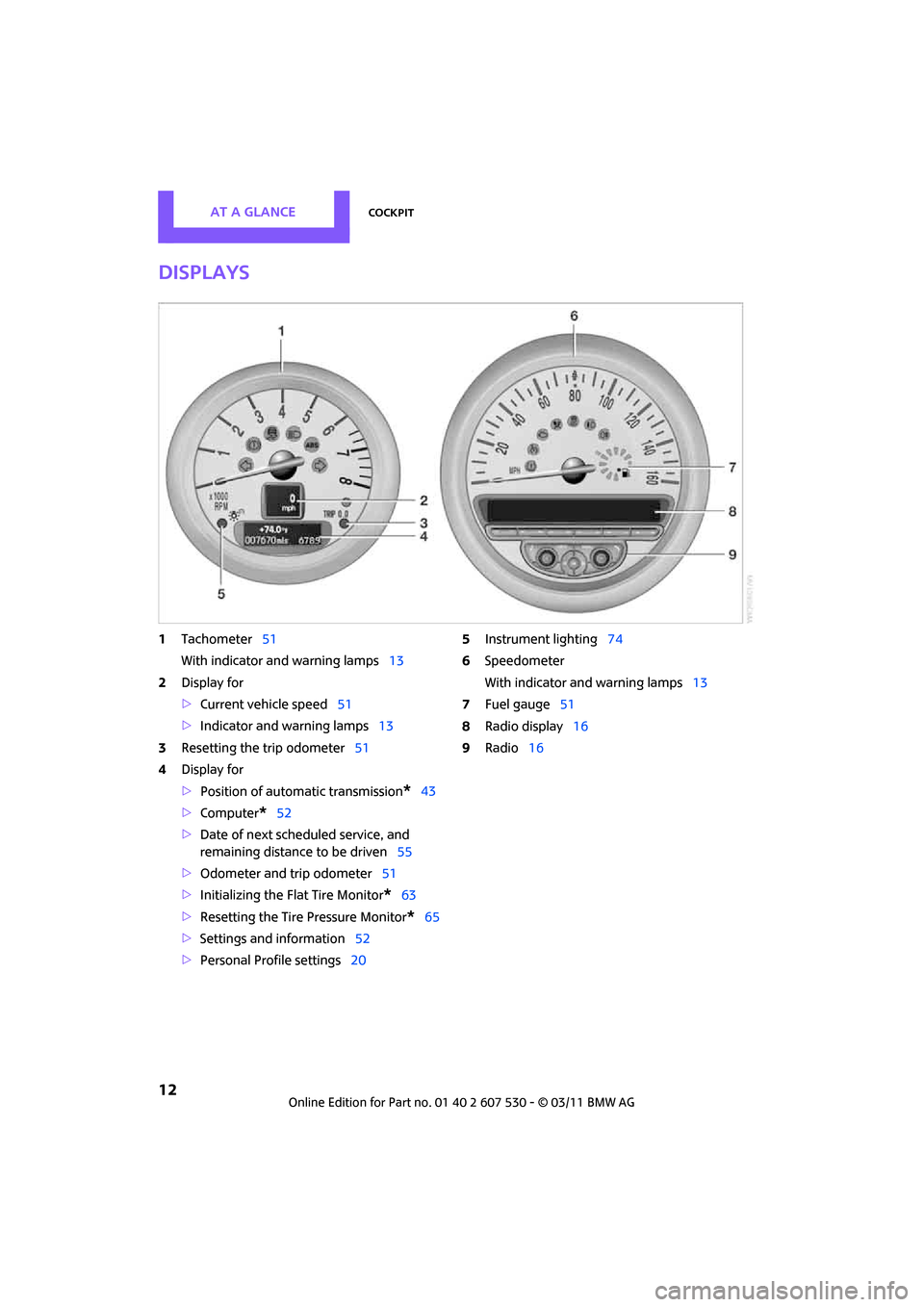
Displays
1Tachometer 51
With indicator and warning lamps 13
2 Display for
>Current vehicle speed 51
> Indicator and warning lamps 13
3 Resetting the trip odometer 51
4 Display for
>Position of automatic transmission
*43
> Computer
*52
> Date of next scheduled service, and
remaining distance to be driven 55
> Odometer and trip odometer 51
> Initializing the Fl at Tire Monitor
*63
> Resetting the Tire Pressure Monitor
*65
> Settings and information 52
> Personal Prof ile settings20 5
Instrument lighting 74
6 Speedometer
With indicator and warning lamps 13
7 Fuel gauge 51
8 Radio display 16
9 Radio 16
Page 15 of 196
CockpitAT A GLANCE
13
Indicator and warning
lamps
The concept
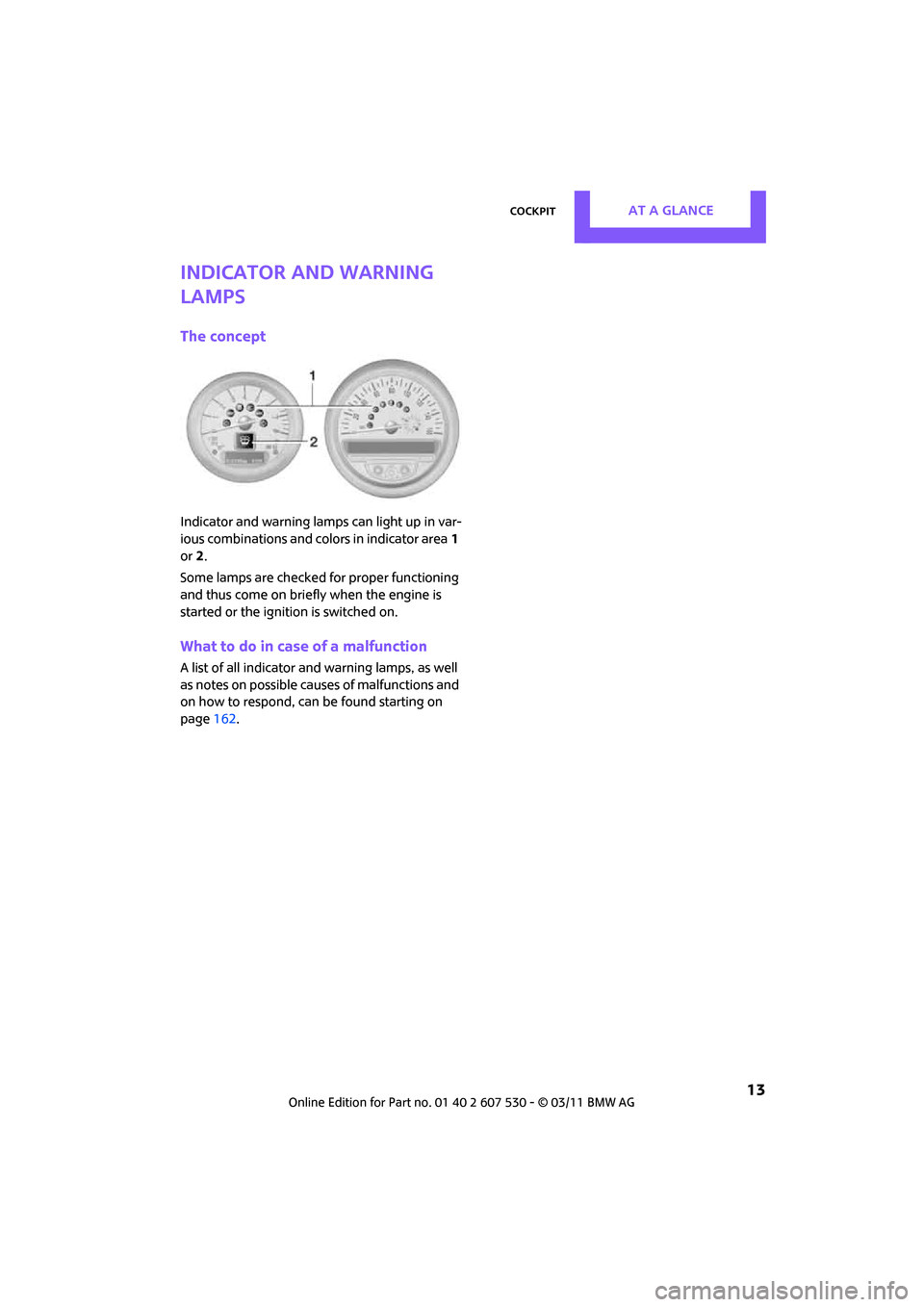
Indicator and warning lamps can light up in var-
ious combinations and colors in indicator area1
or 2.
Some lamps are checked for proper functioning
and thus come on briefly when the engine is
started or the ignition is switched on.
What to do in case of a malfunction
A list of all indicator and warning lamps, as well
as notes on possible caus es of malfunctions and
on how to respond, can be found starting on
page 162.
Page 17 of 196
CockpitAT A GLANCE
15
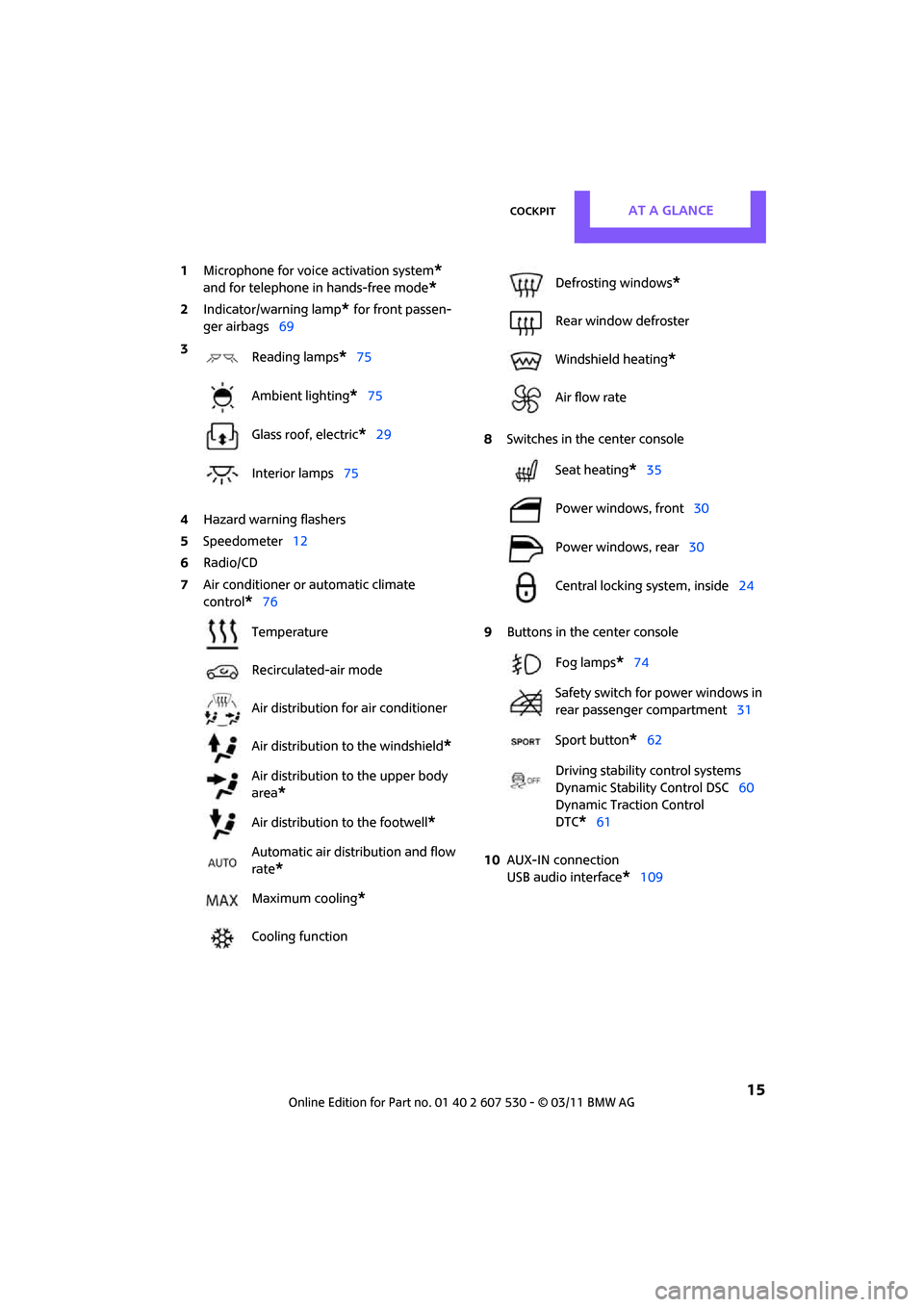
1Microphone for voice activation system*
and for telephone in hands-free mode*
2Indicator/warning lamp* for front passen-
ger airbags 69
4 Hazard warning flashers
5 Speedometer 12
6 Radio/CD
7 Air conditioner or automatic climate
control
*76 8
Switches in the center console
9 Buttons in the center console
10 AUX-IN connection
USB audio interface
*109
3
Reading lamps
*75
Ambient lighting
*75
Glass roof, electric
*29
Interior lamps 75
Temperature
Recirculated-air mode
Air distribution for air conditioner
Air distribution to the windshield
*
Air distribution to the upper body
area
*
Air distribution to the footwell*
Automatic air distribution and flow
rate
*
Maximum cooling*
Cooling function
Defrosting windows*
Rear window defroster
Windshield heating
*
Air flow rate
Seat heating
*35
Power windows, front 30
Power windows, rear 30
Central locking system, inside 24
Fog lamps
*74
Safety switch for power windows in
rear passenger compartment 31
Sport button
*62
Driving stability control systems
Dynamic Stability Control DSC 60
Dynamic Traction Control
DTC*61
Page 19 of 196
Radio MINI Boost CDAT A GLANCE
17
Menu navigation
Radio and telephone functions* can be called
up by using the buttons on the radio and menus.
Calling up the settings menu
Press the MENU button
> Settings
> MINI phone numbers
> Telephone
*
Calling up the audio menu
Press the MODEbutton
> Radio
> HD Radio
*
>Satellite radio*
>CD player
> External audio devi ce, e.g., MP3 player
> USB audio interface
*
Selecting a menu item
Menu items can be selected by using the knob
on the right or by using the function buttons
For the knob on the right
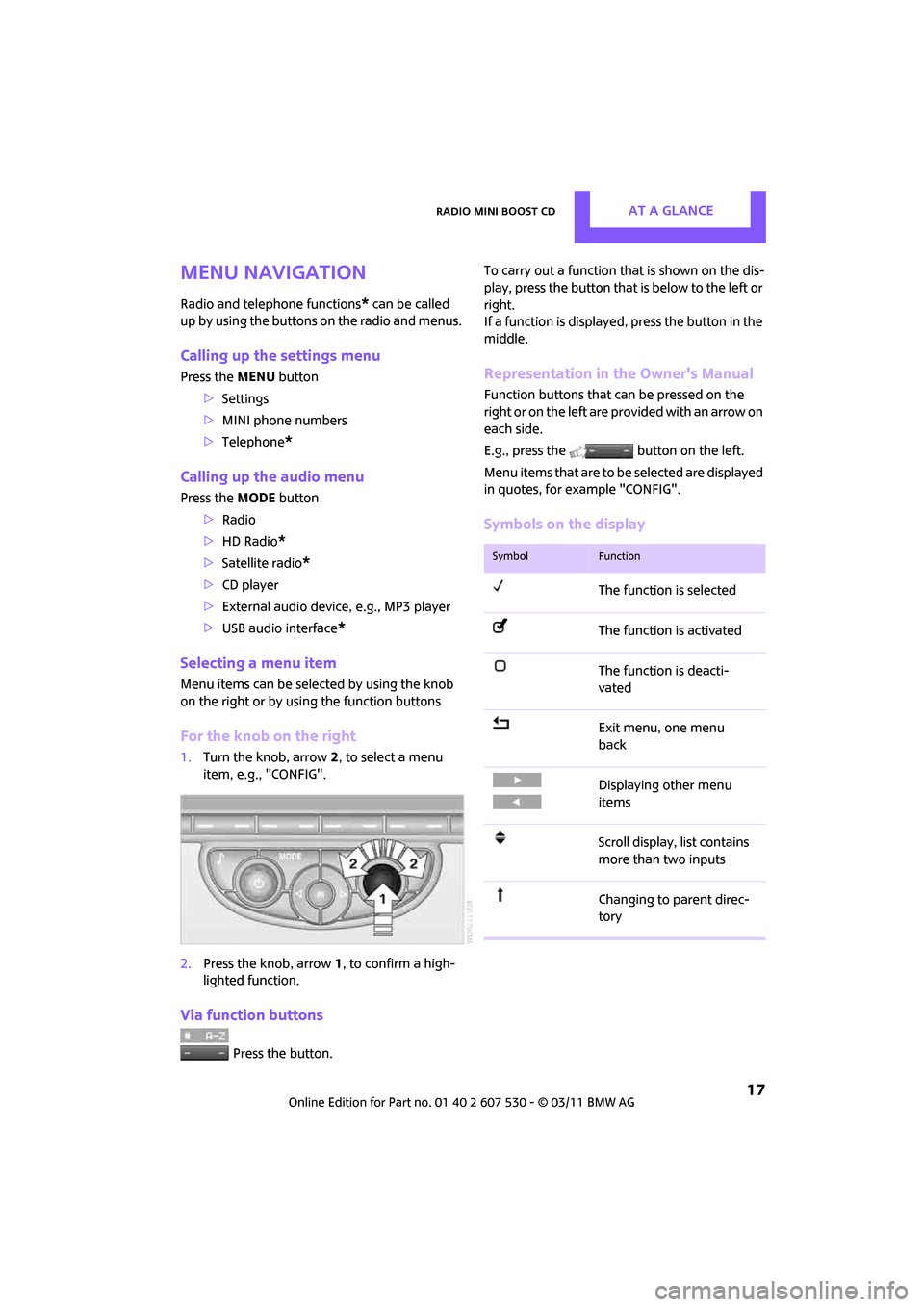
1. Turn the knob, arrow 2, to select a menu
item, e.g., "CONFIG".
2. Press the knob, arrow 1, to confirm a high-
lighted function.
Via function buttons
Press the button. To carry out a function that is shown on the dis-
play, press the button that
is below to the left or
right.
If a function is displaye d, press the button in the
middle.
Representation in the Owner's Manual
Function buttons that can be pressed on the
right or on the left are pr ovided with an arrow on
each side.
E.g., press the button on the left.
Menu items that are to be selected are displayed
in quotes, for example "CONFIG".
Symbols on the display
SymbolFunction
The function is selected
The function is activated
The function is deacti-
vated
Exit menu, one menu
back
Displaying other menu
items
Scroll display, list contains
more than two inputs
Changing to parent direc-
tory
Page 23 of 196

Opening and closingControls
21
>Settings for the displays in the speedometer
and tachometer:
>12 h/24 h mode of the clock, refer to For-
mats and units of measure 54
> Date format, refer to Formats and units
of measure 54
> Units of measure for fuel consumption,
distance covered/re maining distances
and temperature, refer to Formats and
units of measure 54
> Light settings:
>Pathway lighting 71
> Daytime running lights 72
> Automatic climate control
*: activating/
deactivating the AUTO program, setting the
temperature, air volume and air
distribution 78
> Entertainment:
>Adjusting vo lume levels 102
> Tone control 103
Central lock ing system
The concept
The central locking system is ready for operation
whenever the driver's door is closed.
The system simultaneously engages and
releases the locks on the following:
>Doors
> Liftgate
> Fuel filler flap
Operating from outside
>Via the remote control
> Via the door lock
*
>In cars with Comfort Access*, via the door
handles on the driver's and passenger's
sides
The remote control can al so be used to switch
on/off the welcome lamps and interior lamps. The alarm system
* is also activated or deacti-
vated, page 26.
Operating from inside
Button for central locking system, page 24.
In the event of a sufficiently severe accident, the
central locking system unlocks automatically. In
addition, the hazard warning flashers and inte-
rior lamps come on.
Opening and closing:
from outside
Persons or animals in a parked vehicle
could lock the doors from the inside. Take
the key with you when you leave the vehicle so
that the vehicle can be opened from the out-
side. <
Using the remote control
Unlocking
Press the button.
The welcome lamps and interior lamps come on.
Unlocking mode
You can also set which parts of the car are
unlocked. The setting is stored for the remote
control in use.
1.Switch on the ignition, refer to page 41.
2. Press the button on the turn signal indicator
as often as necessary until "SET/INFO" is dis-
played.
Page 25 of 196
Opening and closingControls
23
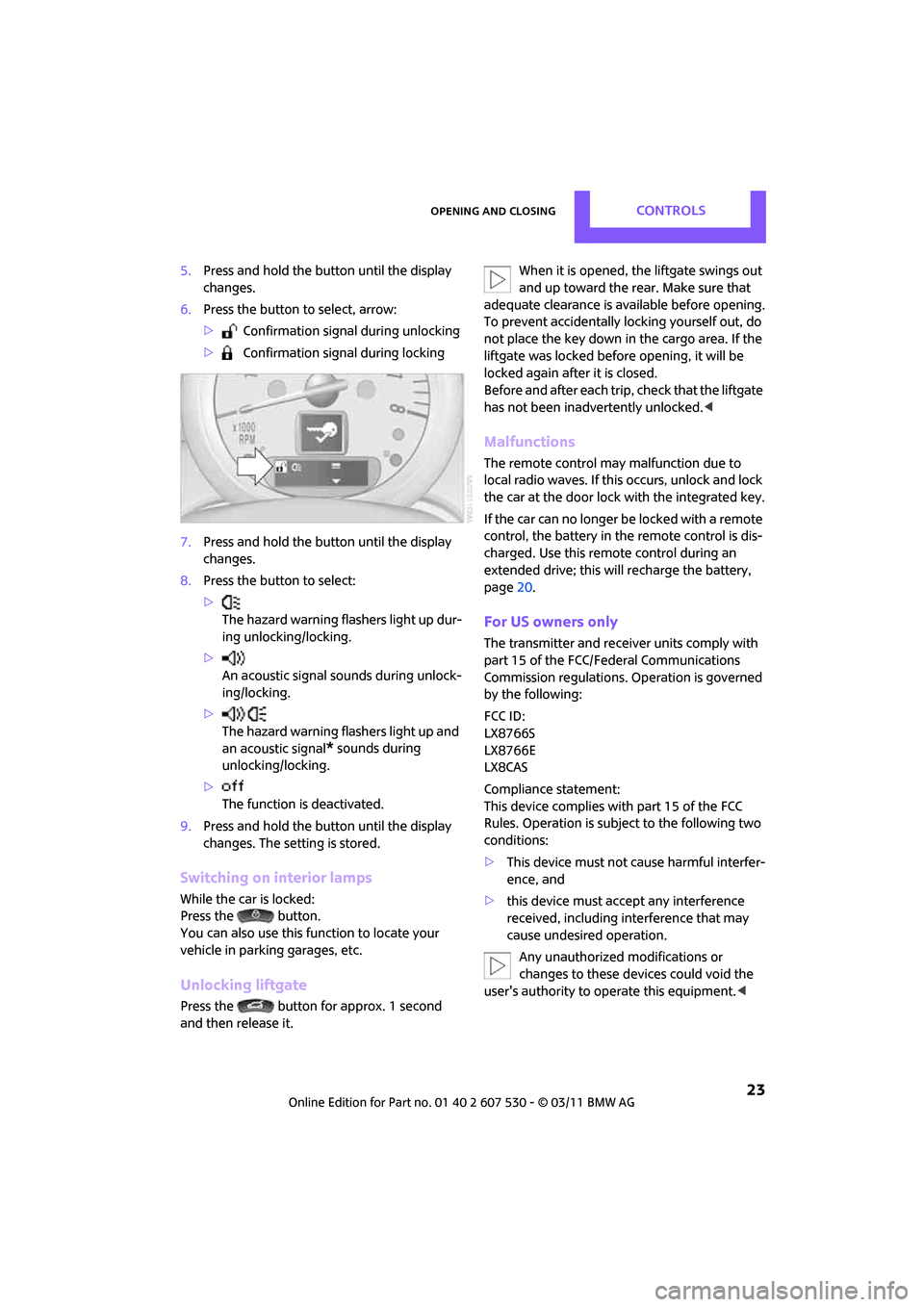
5.Press and hold the butt on until the display
changes.
6. Press the button to select, arrow:
> Confirmation signal during unlocking
> Confirmation signal during locking
7. Press and hold the butt on until the display
changes.
8. Press the button to select:
>
The hazard warning flashers light up dur-
ing unlocking/locking.
> An acoustic signal sounds during unlock-
ing/locking.
> The hazard warning flashers light up and
an acoustic signal
* sounds during
unlocking/locking.
> The function is deactivated.
9. Press and hold the butt on until the display
changes. The setting is stored.
Switching on interior lamps
While the car is locked:
Press the button.
You can also use this function to locate your
vehicle in parking garages, etc.
Unlocking liftgate
Press the button for approx. 1 second
and then release it. When it is opened, the liftgate swings out
and up toward the re
ar. Make sure that
adequate clearance is available before opening.
To prevent accidentally locking yourself out, do
not place the key down in the cargo area. If the
liftgate was locked before opening, it will be
locked again after it is closed.
Before and after each trip, check that the liftgate
has not been inadvertently unlocked. <
Malfunctions
The remote control may malfunction due to
local radio waves. If this occurs, unlock and lock
the car at the door lock with the integrated key.
If the car can no longer be locked with a remote
control, the battery in the remote control is dis-
charged. Use this remo te control during an
extended drive; this wi ll recharge the battery,
page 20.
For US owners only
The transmitter and receiv er units comply with
part 15 of the FCC/Federal Communications
Commission regulations. Operation is governed
by the following:
FCC ID:
LX8766S
LX8766E
LX8CAS
Compliance statement:
This device complies with part 15 of the FCC
Rules. Operation is subj ect to the following two
conditions:
> This device must not cause harmful interfer-
ence, and
> this device must accept any interference
received, including in terference that may
cause undesired operation.
Any unauthorized modifications or
changes to these devices could void the
user's authority to operate this equipment. <
Page 30 of 196
ControlsOpening and closing
28
Comfort Access supports the following func-
tions:
> Unlocking/locking the vehicle
> Convenient closing
> Unlocking the liftgate separately
> Starting the engine
Comparison to standard remote controls
Essentially, it makes no difference whether you
control the above-mentioned functions using
Comfort Access or by pr essing the buttons on
the remote control for Comfort Access.
Instructions on opening and closing are found
starting on page 20.
Special features regarding the use of Comfort
Access are described below.
If you notice a brief delay while opening or
closing the windows or glass roof, the sys-
tem is checking whether a remote control is
inside the vehicle. Repeat the opening or closing
procedure, if necessary. <
Unlocking
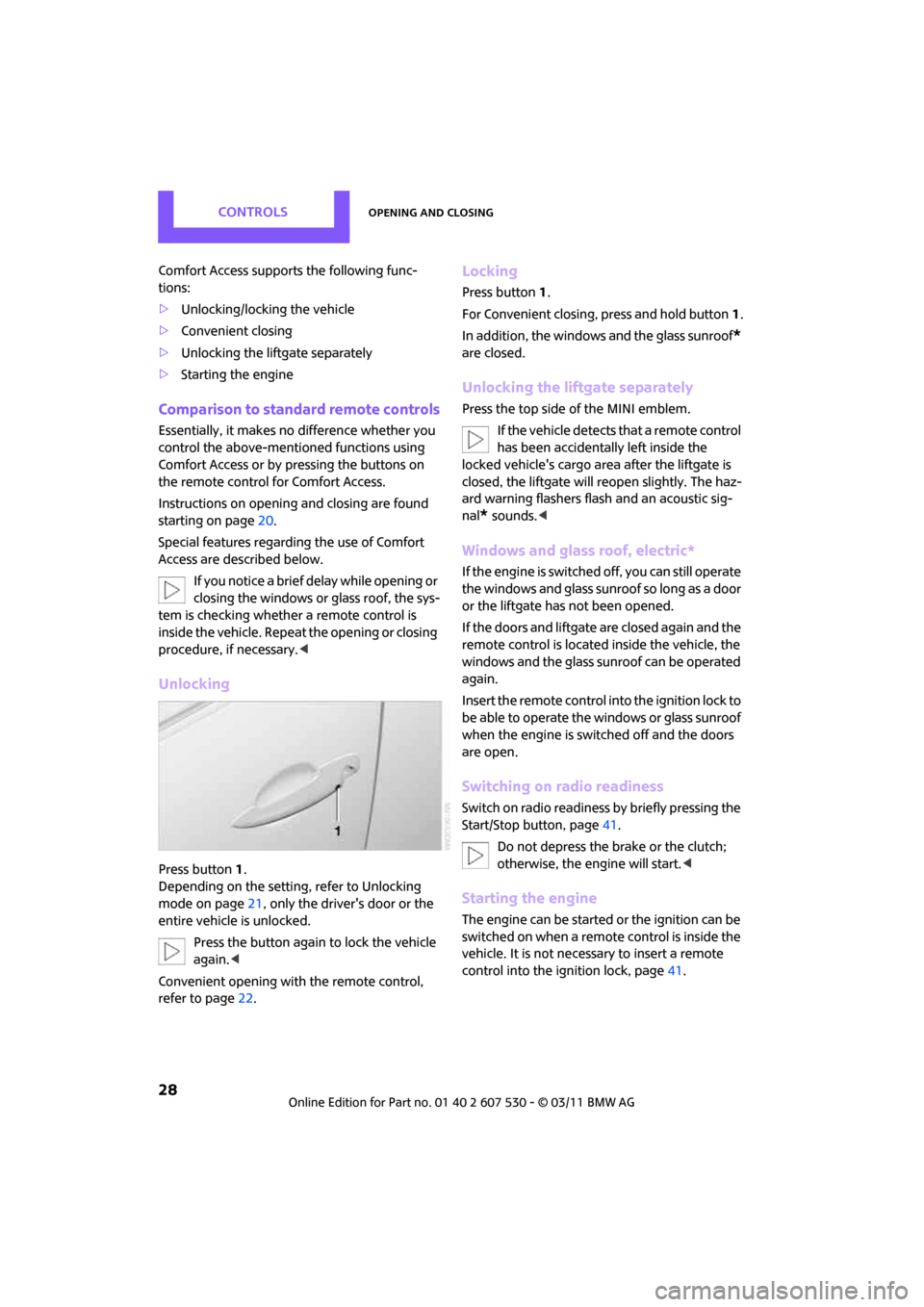
Press button 1.
Depending on the setting, refer to Unlocking
mode on page 21, only the driver's door or the
entire vehicle is unlocked.
Press the button again to lock the vehicle
again. <
Convenient opening with the remote control,
refer to page 22.
Locking
Press button 1.
For Convenient closing, press and hold button 1.
In addition, the windows and the glass sunroof
*
are closed.
Unlocking the liftgate separately
Press the top side of the MINI emblem.
If the vehicle detects that a remote control
has been accidentally left inside the
locked vehicle's cargo area after the liftgate is
closed, the liftgate will reopen slightly. The haz-
ard warning flashers flash and an acoustic sig-
nal
* sounds. <
Windows and glass roof, electric*
If the engine is switched off, you can still operate
the windows and glass sunr oof so long as a door
or the liftgate has not been opened.
If the doors and liftgate are closed again and the
remote control is located inside the vehicle, the
windows and the glass sunroof can be operated
again.
Insert the remote control into the ignition lock to
be able to operate the windows or glass sunroof
when the engine is swit ched off and the doors
are open.
Switching on radio readiness
Switch on radio readiness by briefly pressing the
Start/Stop button, page 41.
Do not depress the brake or the clutch;
otherwise, the engine will start. <
Starting the engine
The engine can be started or the ignition can be
switched on when a remote control is inside the
vehicle. It is not necessary to insert a remote
control into the ignition lock, page 41.
Page 31 of 196
Opening and closingControls
29
Switching off the engine in cars with
automatic transmission
The engine can only be switched off when the
selector lever is in position P, page43.
To switch the engine off when the selector lever
is in position N, the re mote control must be in
the ignition lock.
Before driving a vehicle with automatic
transmission into a car wash
1. Insert remote control into ignition lock.
2. Depress the brake.
3. Move the selector lever to position N.
4. Switch off the engine.
The vehicle can roll.
Malfunction
Comfort Access may malfunction due to local
radio waves.
If this happens, open or close the vehicle via the
buttons on the remote control or using the inte-
grated key.
Insert the remote control into the ignition lock
and start the engine.
Warning lamps
The warning lamp lights up when an
attempt is made to start the engine: the
engine cannot be started. The remote
control is not inside the vehicle or is malfunc-
tioning. Take the remote control with you inside
the vehicle or have it checked. If necessary,
insert another remote co ntrol into the ignition
lock.
The warning lamp lights up when the
engine is running: th e remote control is
no longer inside the vehicle. After the
engine is switched off, the engine can only be
restarted within approx. 10 seconds.
The indicator lamp lights up: replace the
battery in the remote control.
Replacing the battery
The remote control for Comfort Access contains
a battery that will need to be replaced from time
to time.
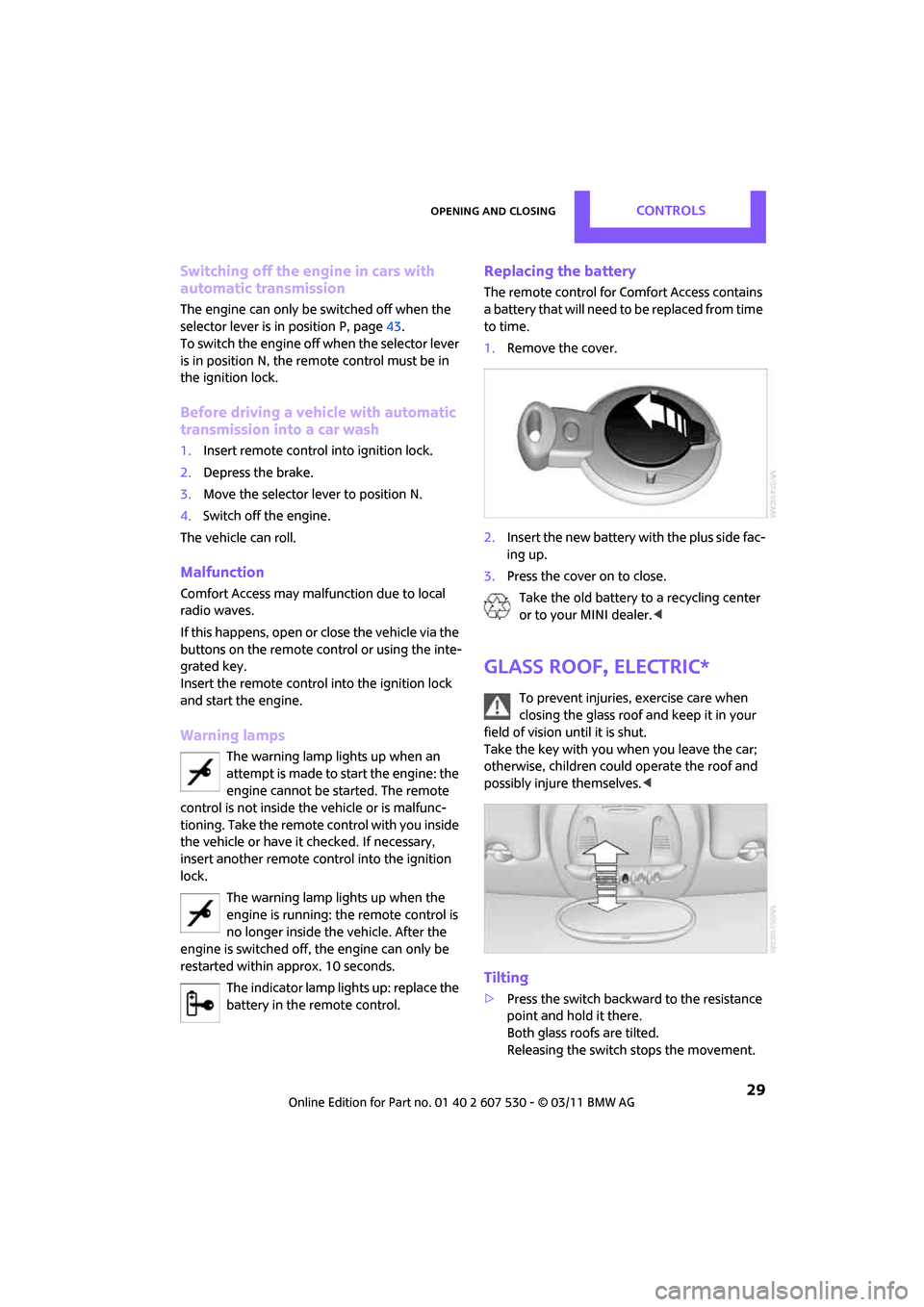
1. Remove the cover.
2. Insert the new battery with the plus side fac-
ing up.
3. Press the cover on to close.
Take the old battery to a recycling center
or to your MINI dealer. <
Glass roof, electric*
To prevent injuries, exercise care when
closing the glass roof and keep it in your
field of vision until it is shut.
Take the key with you when you leave the car;
otherwise, children could operate the roof and
possibly injure themselves. <
Tilting
>Press the switch backwa rd to the resistance
point and hold it there.
Both glass roofs are tilted.
Releasing the switch stops the movement.