service MINI Countryman 2012 (Mini Connected) User Guide
[x] Cancel search | Manufacturer: MINI, Model Year: 2012, Model line: Countryman, Model: MINI Countryman 2012Pages: 259, PDF Size: 3.07 MB
Page 128 of 259
Route guidanceNAVIGATION
127
1."Navigation"
2. "Route information"
3. "New route for:"
4. Turn the MINI joystick: enter the desired
mileage.
5. Press the MINI joystick.
Resuming the original route
If the route section should no longer be
bypassed:
1."Navigation"
2. "Route information"
3. "New route for:"
4. "Remove blocking"
Recommended refueling
The remaining driving ra nge is calculated, and
gas stations along the route are shown.
Even with the latest navigation data, informa-
tion on various points of interest may have
changed, e.g., service st ations may not be in
operation.
1. "Navigation"
2. "Route information"
3. "Recommended refuel"
A list of gas stations is displayed.
4. Select a gas station.
5. Select the symbol.
6. "Start guidance": th e guidance to the
selected gas station is started.
"Add as another destination": the gas
station is included in the route.
Map display
Displaying map view
1. "Navigation"
2. "Map"
Overview
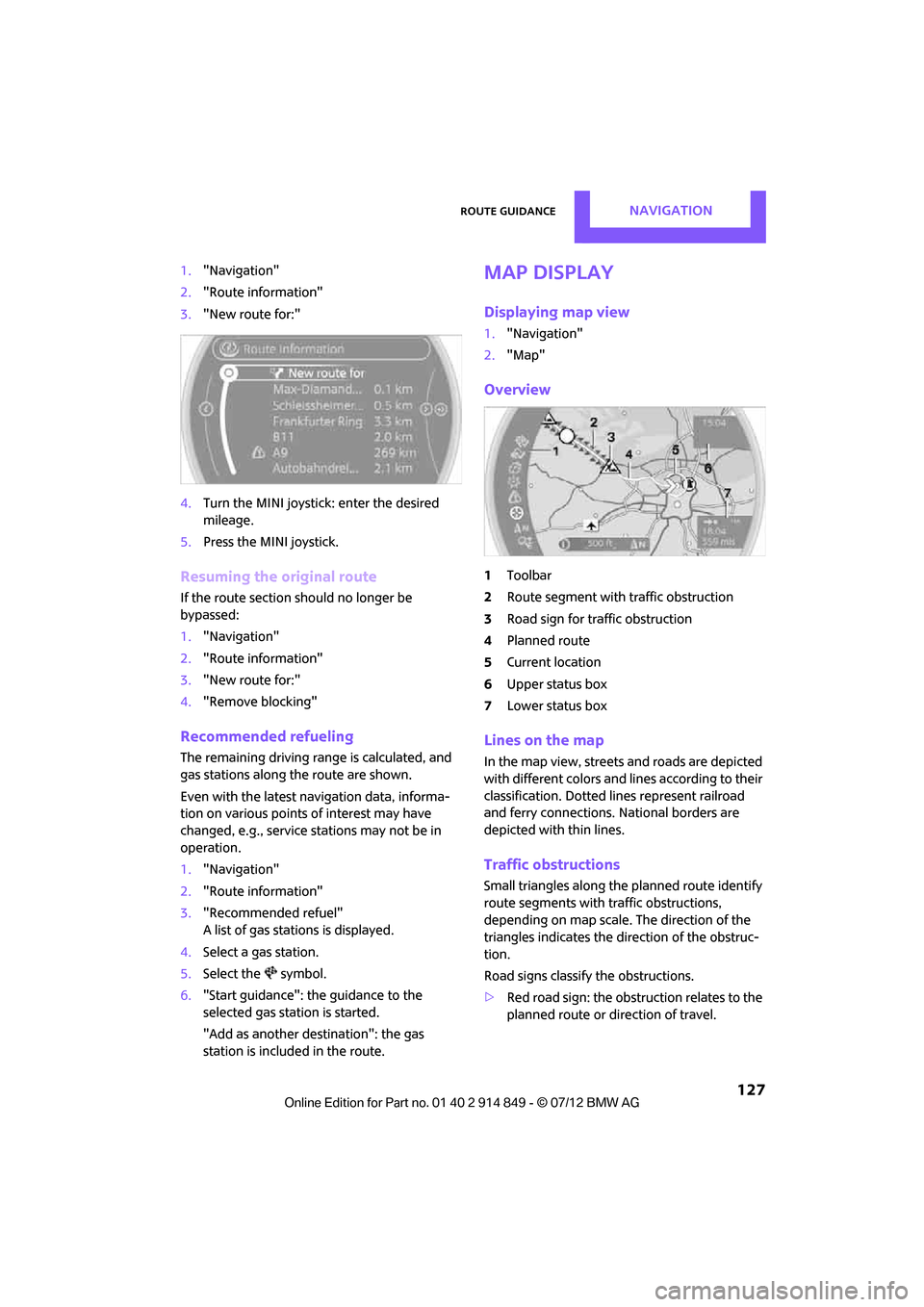
1Toolbar
2 Route segment with traffic obstruction
3 Road sign for traffic obstruction
4 Planned route
5 Current location
6 Upper status box
7 Lower status box
Lines on the map
In the map view, streets and roads are depicted
with different colors and lines according to their
classification. Dotted lines represent railroad
and ferry connections. National borders are
depicted with thin lines.
Traffic obstructions
Small triangles along the planned route identify
route segments with traffic obstructions,
depending on map scale. The direction of the
triangles indicates the direction of the obstruc-
tion.
Road signs classify the obstructions.
> Red road sign: the obstruction relates to the
planned route or direction of travel.
Online Edition for Part no. 01 40 2 914 849 - \251 07/12 BMW AG
Page 132 of 259
Route guidanceNAVIGATION
131
4."Settings"
5. "Traffic conditions/gray map"
Symbols in map view
The symbols of traffic ob structions are displayed
differently, depending on the scale of the map
and location of the traffic obstruction in relation
to the route.
Additional inform ation in the map
display
Depending on the map scale, the length, direc-
tion, and effects of a traffic obstruction are
depicted by traffic symbols in the map or by bars
along the planned route. The colors displayed
depend on the information sent by the traffic
information service.
> Red: traffic congestion
> Orange: stop-and-go traffic
> Yellow: heavy traffic
> Green: clear roads
> Gray: general traffic information such as
road construction
The colors displayed depend on the information
sent by the traffic information service.
Filtering of traffic bulletins
To set which traffic bulletins the system should
display:
1. "Navigation"
2. "Map"
3. Open "Options".
4. "Traffic Info categories" 5.
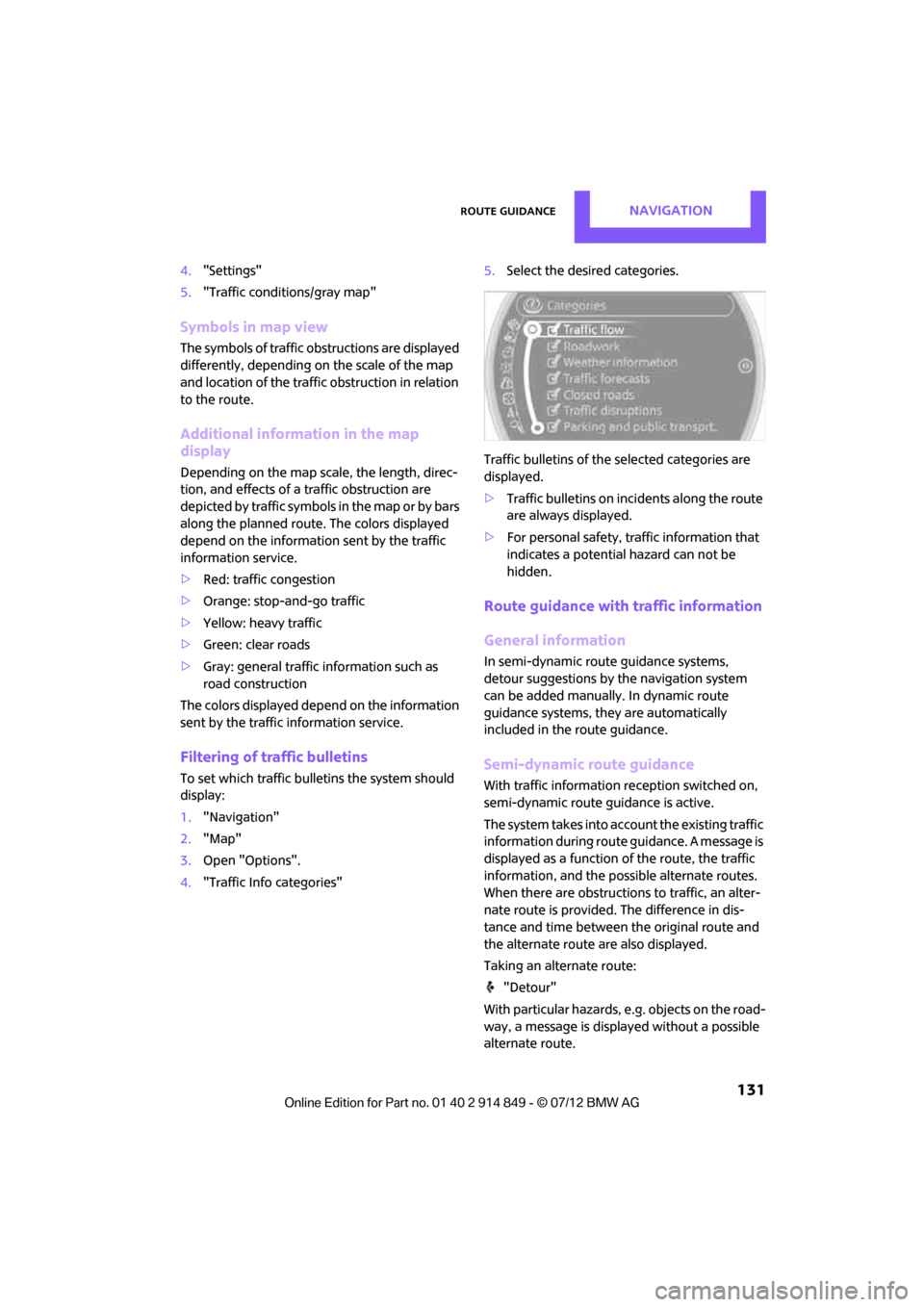
Select the desired categories.
Traffic bulletins of the selected categories are
displayed.
> Traffic bulletins on in cidents along the route
are always displayed.
> For personal safety, traffic information that
indicates a potential hazard can not be
hidden.
Route guidance with traffic information
General information
In semi-dynamic route guidance systems,
detour suggestions by the navigation system
can be added manually . In dynamic route
guidance systems, they are automatically
included in the route guidance.
Semi-dynamic route guidance
With traffic information reception switched on,
semi-dynamic route gu idance is active.
The system takes into account the existing traffic
information du ring route guidance. A message is
displayed as a function of the route, the traffic
information, an d the possible alternate routes.
When there are obstructions to traffic, an alter-
nate route is provided. The difference in dis-
tance and time between the original route and
the alternate route are also displayed.
Taking an alternate route:
"Detour"
With particular hazards, e.g. objects on the road-
way, a message is displayed without a possible
alternate route.
Online Edition for Part no. 01 40 2 914 849 - \251 07/12 BMW AG
Page 165 of 259
COMMUNICATIONSHands-free device Bluetooth
164
Entering phone numbers
Dialing a number
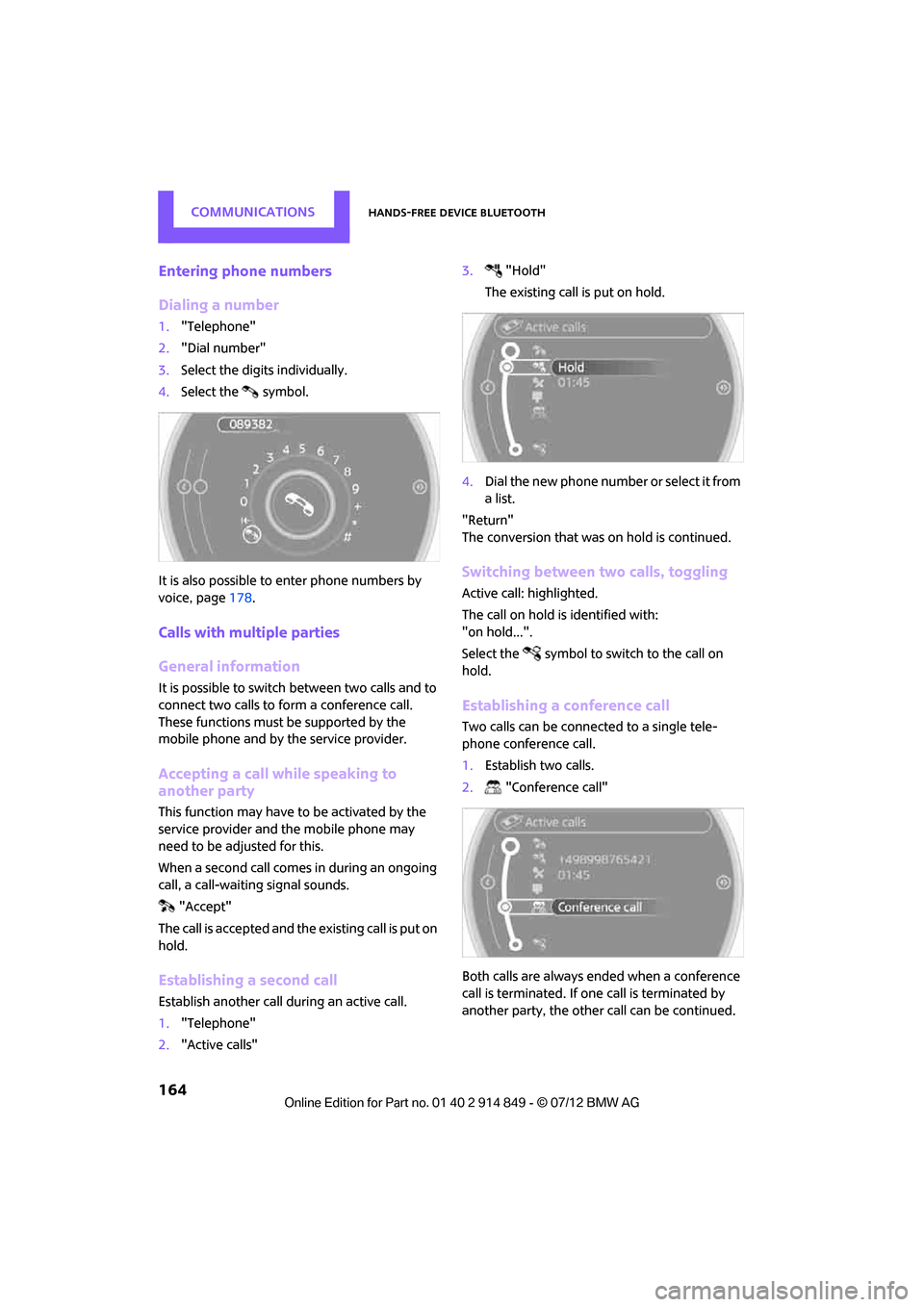
1."Telephone"
2. "Dial number"
3. Select the digits individually.
4. Select the symbol.
It is also possible to enter phone numbers by
voice, page 178.
Calls with multiple parties
General information
It is possible to switch between two calls and to
connect two calls to fo rm a conference call.
These functions must be supported by the
mobile phone and by the service provider.
Accepting a call wh ile speaking to
another party
This function may have to be activated by the
service provider and the mobile phone may
need to be adjusted for this.
When a second call comes in during an ongoing
call, a call-waiting signal sounds.
"Accept"
The call is accepted and the existing call is put on
hold.
Establishing a second call
Establish another call during an active call.
1. "Telephone"
2. "Active calls" 3.
"Hold"
The existing call is put on hold.
4. Dial the new phone number or select it from
a list.
"Return"
The conversion that was on hold is continued.
Switching between two calls, toggling
Active call: highlighted.
The call on hold is identified with:
"on hold...".
Select the symbol to switch to the call on
hold.
Establishing a conference call
Two calls can be connected to a single tele-
phone conference call.
1. Establish two calls.
2. "Conference call"
Both calls are always ended when a conference
call is terminated. If one call is terminated by
another party, the other call can be continued.
Online Edition for Part no. 01 40 2 914 849 - \251 07/12 BMW AG
Page 166 of 259
Hands-free device BluetoothCOMMUNICATIONS
165
Keypad dialing
Use keypad dialing to gain access to network
services or to control de vices, e.g. to remotely
access an answering machine. This requires the
DTMF code.
1. "Telephone"
2. Select contact from a list or
"Dial number"
3. "Keypad dialing"
4. Enter the DTMF code via the onboard
computer.
For a conference call in progress, DTMF dialing is
not possible.
Phone book
Displays
The phone book accesses the contacts of the
telephone and shows all contacts for which a
phone number is entered. The entries can be
selected to make a call.
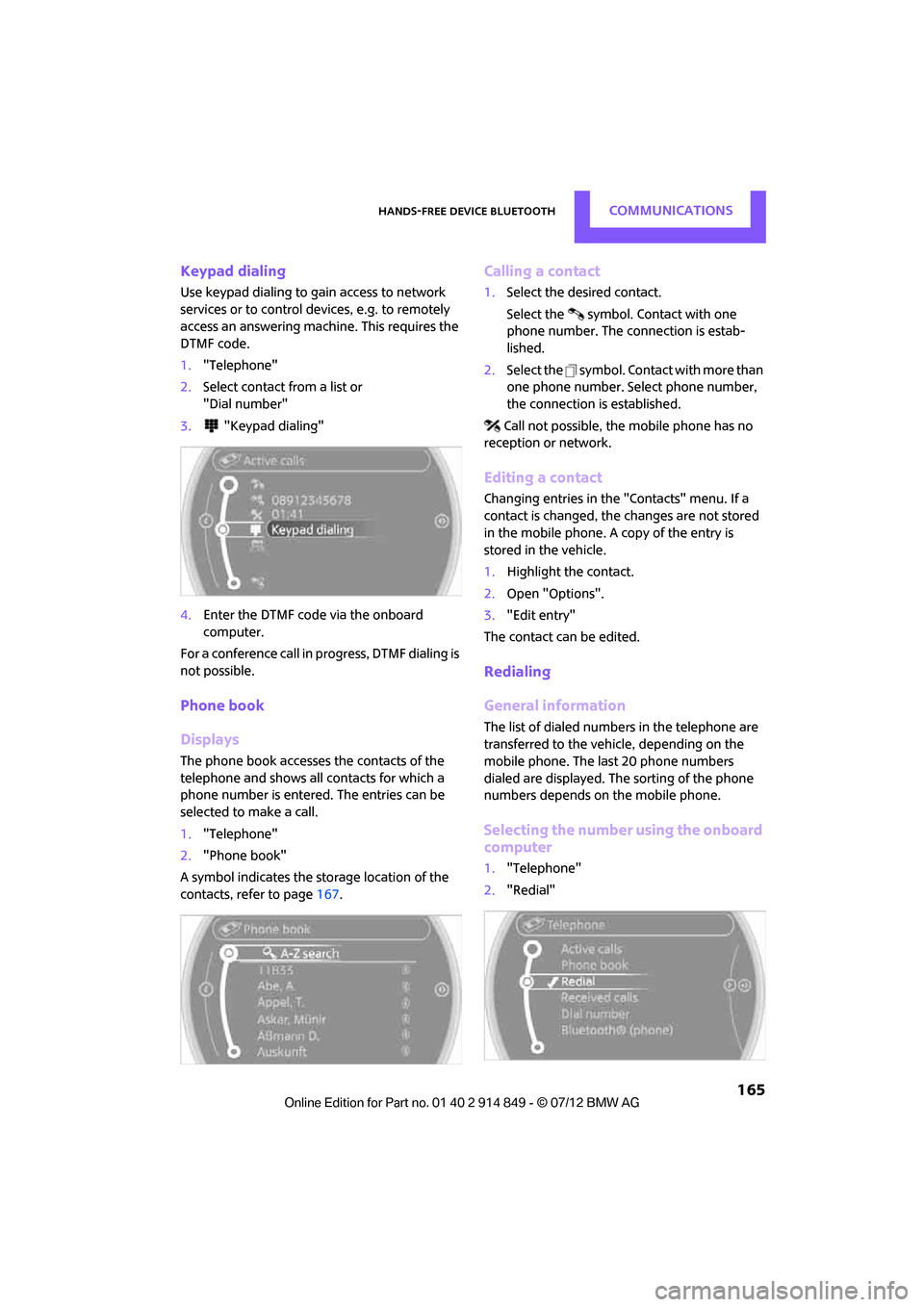
1. "Telephone"
2. "Phone book"
A symbol indicates the storage location of the
contacts, refer to page 167.
Calling a contact
1.Select the desired contact.
Select the symbol. Contact with one
phone number. The connection is estab-
lished.
2. Select the symbol. Contact with more than
one phone number. Select phone number,
the connection is established.
Call not possible, the mobile phone has no
reception or network.
Editing a contact
Changing entries in the "Contacts" menu. If a
contact is changed, the changes are not stored
in the mobile phone. A copy of the entry is
stored in the vehicle.
1. Highlight the contact.
2. Open "Options".
3. "Edit entry"
The contact can be edited.
Redialing
General information
The list of dialed numbers in the telephone are
transferred to the vehicle, depending on the
mobile phone. The last 20 phone numbers
dialed are displayed. The sorting of the phone
numbers depends on the mobile phone.
Selecting the number using the onboard
computer
1. "Telephone"
2. "Redial"
Online Edition for Part no. 01 40 2 914 849 - \251 07/12 BMW AG
Page 176 of 259

Mobile phone preparation BluetoothCOMMUNICATIONS
175
Rejecting a call
"Reject"
The caller is redirected to the mailbox if it has
been activated.
Ending a call
Press the button on the steering wheel
or
1. "Telephone"
2. "End call"
Entering phone numbers
Dialing a number
1."Telephone"
2. "Dial number"
3. Select the digits individually.
4. Select the symbol.
It is also possible to enter phone numbers by
voice.
Calls with multiple parties
General information
It is possible to switch between two calls and to
connect two calls to fo rm a conference call.
These functions must be supported by the
mobile phone and by the service provider.
Accepting a call while speaking to
another party
This function may have to be activated by the
service provider and the mobile phone may
need to be adjusted for this.
When a second call come s in during an ongoing
call, a call-waiting signal sounds.
"Accept"
The call is accepted and the existing call is put on
hold.
Establishing a second call
Establish another call during an active call.
1. "Telephone"
2. "Active calls"
3. "Hold"
The existing call is put on hold.
4. Dial the new phone number or select it from
a list.
Switching between two calls, toggling
Active call: highlighted.
The call on hold is identified with:
"on hold...".
Select the symbol to switch to the call on
hold.
Online Edition for Part no. 01 40 2 914 849 - \251 07/12 BMW AG
Page 177 of 259
COMMUNICATIONSMobile phone preparation Bluetooth
176
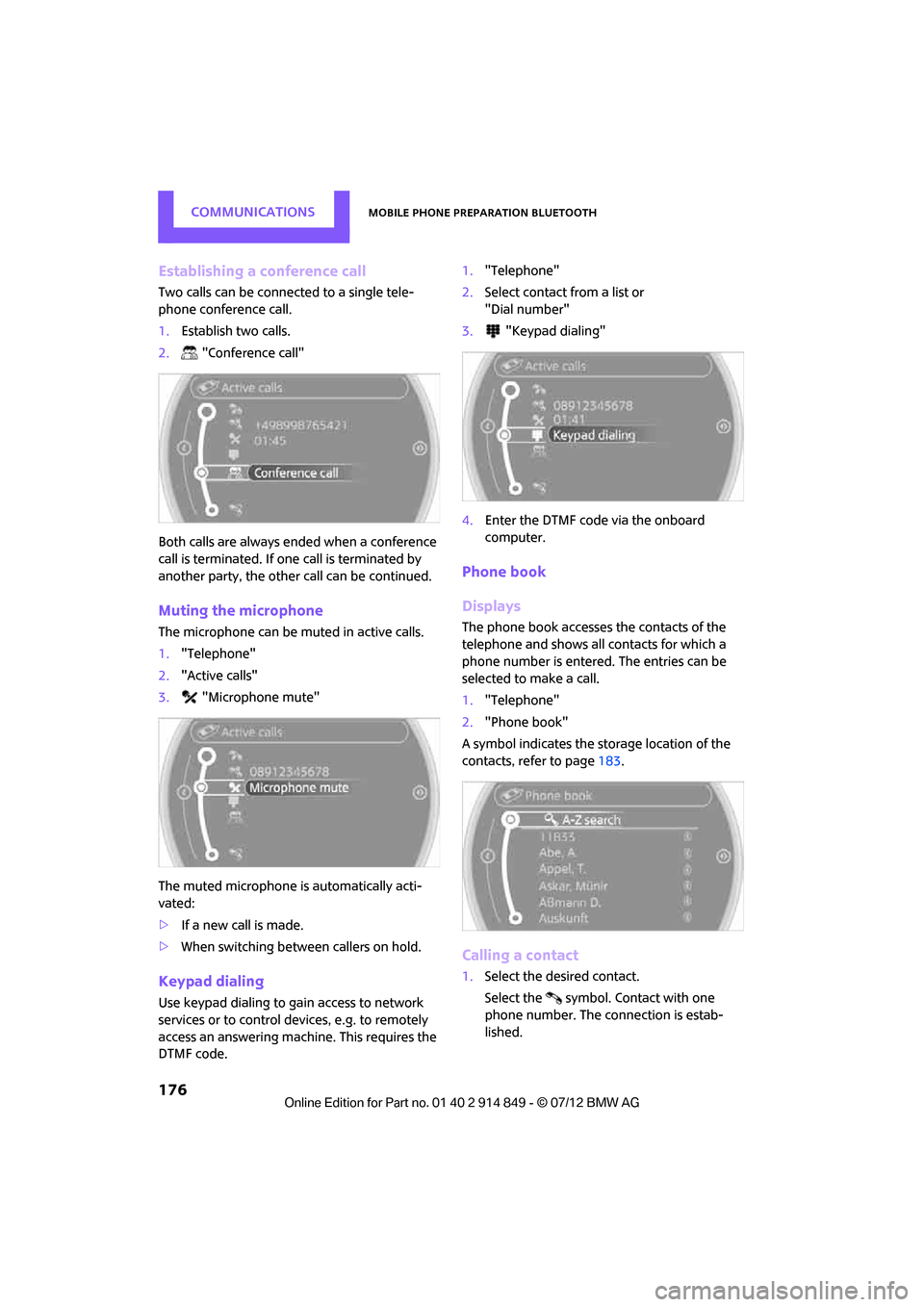
Establishing a conference call
Two calls can be connected to a single tele-
phone conference call.
1.Establish two calls.
2. "Conference call"
Both calls are always ended when a conference
call is terminated. If one call is terminated by
another party, the other call can be continued.
Muting the microphone
The microphone can be muted in active calls.
1. "Telephone"
2. "Active calls"
3. "Microphone mute"
The muted microphone is automatically acti-
vated:
> If a new call is made.
> When switching between callers on hold.
Keypad dialing
Use keypad dialing to gain access to network
services or to control de vices, e.g. to remotely
access an answering machine. This requires the
DTMF code. 1.
"Telephone"
2. Select contact from a list or
"Dial number"
3. "Keypad dialing"
4. Enter the DTMF code via the onboard
computer.
Phone book
Displays
The phone book accesses the contacts of the
telephone and shows all contacts for which a
phone number is entered. The entries can be
selected to make a call.
1."Telephone"
2. "Phone book"
A symbol indicates the st orage location of the
contacts, refer to page 183.
Calling a contact
1.Select the desired contact.
Select the symbol. Contact with one
phone number. The connection is estab-
lished.
Online Edition for Part no. 01 40 2 914 849 - \251 07/12 BMW AG
Page 186 of 259
OfficeCOMMUNICATIONS
185
1."Office"
2. "Contacts"
3. Open "Options".
4. "Configure Bluetooth®"
5. "Show images"
The display of all contact pictures is activated or
deactivated.
Deleting contacts
Only contacts that are st ored in the vehicle are
deleted. The contacts on the mobile phone can-
not be deleted.
1. "Office"
2. "Contacts"
3. Highlight the contact.
4. "Options"
5. "Delete contact" or "Delete all contacts".
Messages
General information
The displaying of text messages and e-mails
depends on whether the mobile phone supports
transmission to the vehicle. Text messages and
e-mails may not be supported by the service
provider or the function may have to be sepa-
rately activated. After a mobile phone is paired
for the first time, the transmission may take
several minutes. Messages are only displayed
completely when the vehicle is stopped.
Messages from the auxiliary phone are not
transmitted.
Displaying messages
1. "Office"
2. "Messages"
Message type
A symbol indicates the type of message.
Read message. Unread message.
Filtering message lists
A message list can be filtered if there is more
than one message type.
1.
"Filter:"
2. Select message type.
>"All"
All messages are displayed.
> "Text message"
Only text messages fr om mobile phones
are displayed.
> "E-mail"
Only text messages fr om mobile phones
are displayed.
Text message
Calling a text message sender
1. Select the desired message.
2. Select the symbol.
Saving sender in the contacts
1.Highlight the desired message.
2. Open "Options".
3. "Store as new contact" or "Add to existing
contact"
Using contact data
Contact data from deadlines, tasks, text
messages, e-mails and no tes can be stored or
selected, see page 188.
Reading text messages aloud
Reading text messages aloud, refer to page188.
SymbolMessage type
Text message
E-mail from mobile phone
Online Edition for Part no. 01 40 2 914 849 - \251 07/12 BMW AG
Page 197 of 259
MOBILITYWheels and tires
196
Wheels and tires
Vehicle equipment
In this chapter, all production, country, and
optional equipment that is offered in the model
range is described. Equipment is also described
that is not available because of, for example,
selected options or coun try version. This also
applies to safety relate d functions and systems.
Tire inflation pressures
Information for your safety
It is not merely the tire s' service life, but also
driving comfort and, to a great extent, driving
safety that depend on the condition of the tires
and the maintenance of the specified tire
pressure.
Checking pressure
Check the tire inflation pressure regularly
and correct it, if necessary: at least twice a
month and before starting long trips. If you fail
to observe this precauti on you may be driving
on tires with incorrect ti re pressures, a condition
that can not only compromise your vehicle's
driving stability, but also l e a d t o t i r e d a m a g e a n d
the risk of an accident. Do not drive with
deflated, i.e. flat tires, except when using run-
flat tires. A flat tire will seriously impair your
vehicle's handling and braking response.
Att empt s to drive o n a flat t ire can lead to lo ss of
control over the vehicle. <
Check the tire inflation pressures only on cold
tires. This means after a maximum of 1.25 miles/
2 km driving or when the vehicle has been
parked for at least 2 hou rs. When tires are warm,
the tire inflation pressure is higher.
After adjusting the tire inflation pressure,
reinitialize the Flat Tire Monitor, page 73,
or reset the Tire Pressure Monitor, page 76.<
Pressure specifications
The tables below provide all the correct inflation
pressures for the specified tire sizes at ambient
temperature.
The tire inflation pressures apply to the
tire sizes approved and the tire brands
recommended by the manufacturer of your
MINI. Your MINI dealer will be glad to advise
you. <
For correct identificati on of the right tire
inflation pressures, observe the following:
> Tire sizes for your vehicle
> Maximum allowable driving speed
Tire inflation pressures for driving up to
100 mph or 160 km/h
For normal driving up to 100 mph or 160 km/h
and to achieve optimum driving comfort, adjust
pressures to the respective tire inflation
pressures listed on the following pages in the
columns for traveling sp eeds up to a maximum
of 100 mph or 160 km/h.
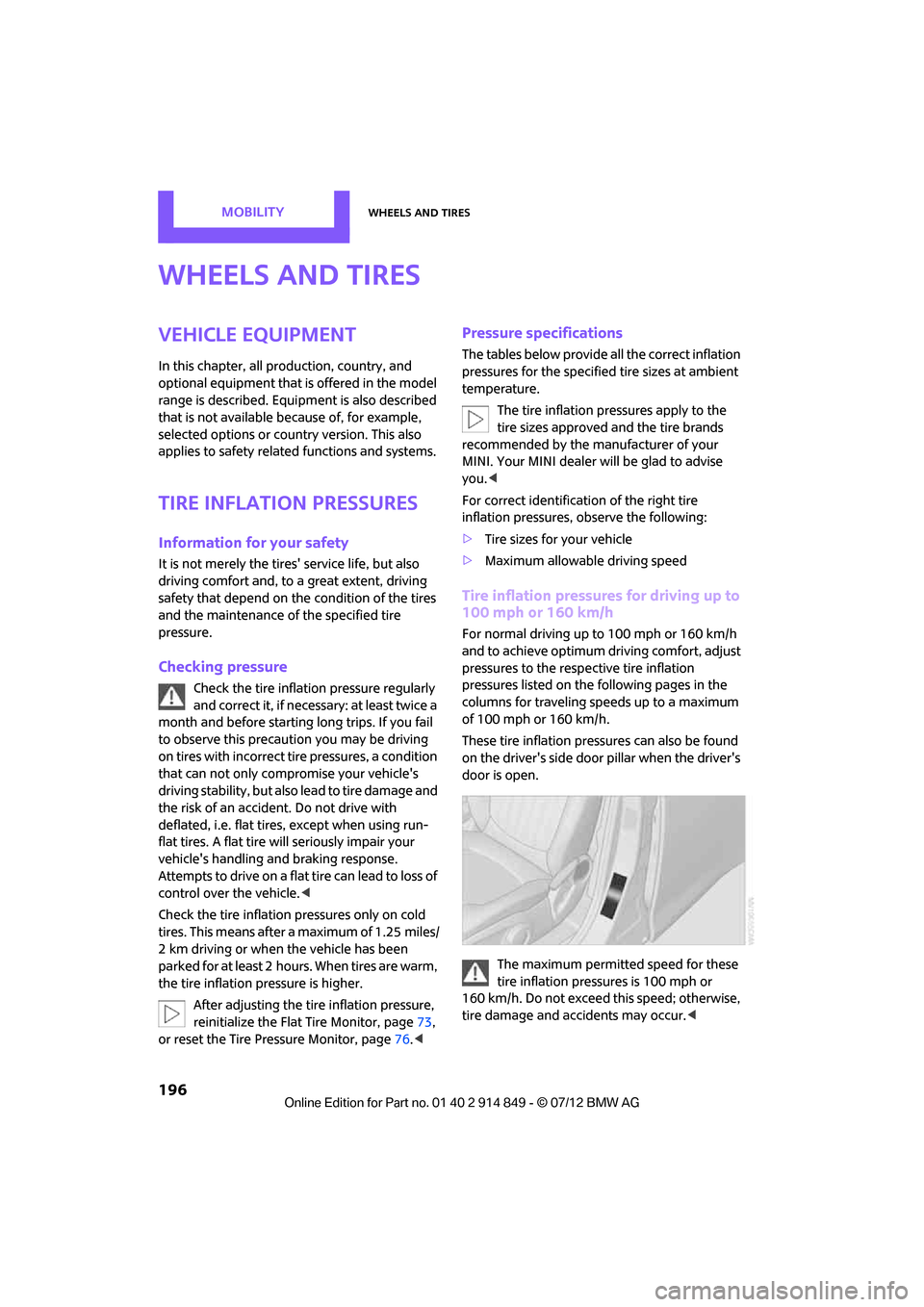
These tire inflation pre ssures can also be found
on the driver's side door pillar when the driver's
door is open.
The maximum permitted speed for these
tire inflation pressures is 100 mph or
160 km/h. Do not exceed this speed; otherwise,
tire damage and accidents may occur. <
Online Edition for Part no. 01 40 2 914 849 - \251 07/12 BMW AG
Page 202 of 259

Wheels and tiresMOBILITY
201
Tire identification marks
Knowledge of the labeling on the side of the tire
makes it easier to identify and choose the right
tires.
Tire size
Speed letter
Q = up to 100 mph/160 km/h
T = up to 118 mph/190 km/h
H = up to 131 mph/210 km/h
V = up to 150 mph/240 km/h
W = up to 167 mph/270 km/h
Y = up to 186 mph/300 km/h
Tire Identification Number
Tires with DOT codes meet the guidelines of the
US Department of Transportation.
DOT code:
Uniform Tire Quality Grading
Quality grades can be found where applicable
on the tire sidewall between tread shoulder and
maximum section width. For example:
Tread wear 200 Traction AA
Temperature A
DOT Quality Grades
Tread wear
Traction AA A B C
Temperature A B C
All passenger car tires must conform to
Federal Safety Requirements in addition
to these grades. <
Tread wear
The tread wear grade is a comparative rating
based on the wear rate of the tire when tested
under controlled conditions on a specified gov-
ernment test course. For example, a tire graded
150 would wear one and one-half (1 γ) times as
well on the government course as a tire graded
100. The relative performance of tires depends
upon the actual conditions of their use, how-
ever, and may depart si gnificantly from the
norm due to variations in driving habits, service
practices and differences in road characteristics
and climate.
Traction
The traction grades, from highest to lowest, are
AA, A, B, and C.
Those grades represent the tire's ability to stop
on wet pavement, as measured under con-
trolled conditions on specified government test
surfaces of asphalt and concrete. A tire marked C
may have poor traction performance.
The traction grade assigned to this tire is
based on straight-ahead braking traction
tests, and does not include acceleration,
cornering, hydroplaning, or peak traction
characteristics. <
Temperature
The temperature grades are A, the highest, B,
and C, representing the tire's resistance to the
generation of heat and its ability to dissipate
heat when tested under controlled conditions
on a specified indoor labo ratory test wheel. Sus-
tained high temperature can cause the material
of the tire to degenerate and reduce tire life, and
excessive temperature can lead to sudden tire
e.g.
Nominal width in mm
Aspect
ratio in Ξ
Radial belt construction
Rim diameter in inches
Load rating,
(not on ZR tires)
Speed code letter,
(before the R on ZR tires)
225/45 R 17 91 V
For instance:
Manufacturer's code
for tire make
tire size and
tire design
Tire ageDOT xxxx xxx 1012
Online Edition for Part no. 01 40 2 914 849 - \251 07/12 BMW AG
Page 204 of 259

Wheels and tiresMOBILITY
203
Otherwise, tire damage can be extremely dan-
gerous for vehicle occupants and other road
users.<
Tire age
The manufacturing date of tires is contained in
the tire coding:
DOT ... 1012 means that the tire was manufac-
tured during the 10th week of 2012.
For various reasons, such as the development of
brittleness, the manufacturer of your MINI rec-
ommends tire replacemen t after no more than
6 years, regardless of th e actual wear of the
tires.
Run-flat tires
The symbol identifying run- flat tires is a circle
with the letters RSC on the sidewall.
Run-flat tires comprise a conditionally self-sup-
porting tire and a special rim. The reinforcement
in the sidewalls ensures that the tire can con-
tinue to be used subject to certain restrictions,
even if depressurized.
For information on continuing to drive with a flat
tire, refer to Indication of a flat tire, page74.
New wheels and tires
Have new wheels and tires mounted only
by your MINI dealer or a specialized tire
shop that has specially trained personnel
working in accordance with the specifications of
the MINI manufacturer. If this work is not carried out properly, there is a danger of subsequent
damage and related safety hazards. Make sure
that the new wheels are balanced.
<
Retreaded tires
The manufacturer of your MINI recom-
mends that you avoid using retreaded
tires, as this could impair driving safety. The
causes for this include potentially different tire
casing structures and of ten wide variations in
tire age, which can result in a limited service
life.<
Correct wheels and tires
The manufacturer of your MINI recom-
mends mounting only wheels and tires
that it has specifically approved for use on your
particular model. Alth ough other wheels and
tires may theoretically have the same dimen-
sions, variations in factors such as manufactur-
ing tolerances can result in contact between tire
and bodywork, ultimately leading to serious
accidents. The manufactur er of your MINI can-
not evaluate non-approved wheels and tires to
determine if they are su ited for use, and there-
fore cannot ensure the operating safety of the
vehicle if they are mounted. <
Your MINI dealer will be glad to inform you
about the correct wheel an d tire combination for
your vehicle.
The correct combination of wheels and tires is
also necessary to ensure reliable operation of
various vehicle systems such as ABS and DSC.
To maintain good handling and vehicle
response, use only tires of a single brand and
tread configuration. After a tire has been
damaged, mount the previous wheel and tire
combination again as soon as possible.
Wheels with Tire Pressure Monitor TPM
electronics
When mounting new tires or changing over from
summer to winter tires, or vice versa, only use
wheels with TPM electronics; otherwise, the Tire
Pressure Monitor may not be able to detect a
Online Edition for Part no. 01 40 2 914 849 - \251 07/12 BMW AG