light MINI Countryman 2012 (Mini Connected) Service Manual
[x] Cancel search | Manufacturer: MINI, Model Year: 2012, Model line: Countryman, Model: MINI Countryman 2012Pages: 259, PDF Size: 3.07 MB
Page 105 of 259
DRIVING TIPSThings to remember when driving
104
You can increase the engine's braking effect by
shifting down, all the way to first gear if neces-
sary. This strategy helps you avoid placing
excessive loads on the brake system. Downshift-
ing in manual mode of the automatic trans-
mission, page52.
Never drive with the clutch held down,
with the transmission in neutral or with
the engine switched off; otherwise, engine
braking action will not be present or there will be
no power assistance to the brakes or steering.
Never allow floor mats, carpets or any other
objects to protrude into the area around the
pedals; otherwise, pedal function could be
impaired. <
Corrosion on brake rotors
When the vehicle is driven only occasionally,
during extended periods when the vehicle is not
used at all, and in op erating conditions where
brake applications are less frequent, there is an
increased tendency for corrosion to form on
rotors, while contaminants accumulate on the
brake pads. This occurs because the minimum
pressure which must be exerted by the pads
during brake applications to clean the rotors is
not reached.
Should corrosion form on the brake rotors, the
brakes will tend to respond with a pulsating
effect that even extended application will fail to
cure.
When the vehicle is parked
Condensation forms while the automatic climate
control is in operation, and then exits under the
vehicle. Traces of condensed water under the
vehicle are therefore normal.
In the MINI Cooper S, the coolant pump may
continue to run for some time after the engine is
switched off. This will generate noise in the
engine compartment.
Cargo loading
To avoid loading the tires beyond their
approved carrying capacity, never over-
load the vehicle. Overloading can lead to over-
heating and increases the rate at which damage
develops inside the tires. The ultimate result can
assume the form of a sudden blowout. <
Avoid fluid spills in the cargo area as they
could damage the vehicle. <
Expanding cargo area
Cargo area cover
Do not place any objects on the cover;
otherwise, they could endanger the car's
occupants, e.g. in the case of braking or sudden
swerving, or they may damage the cover. <
When you open the tailgate, the roll-up cover is
raised.
To load bulky luggage, the cover can be
removed.
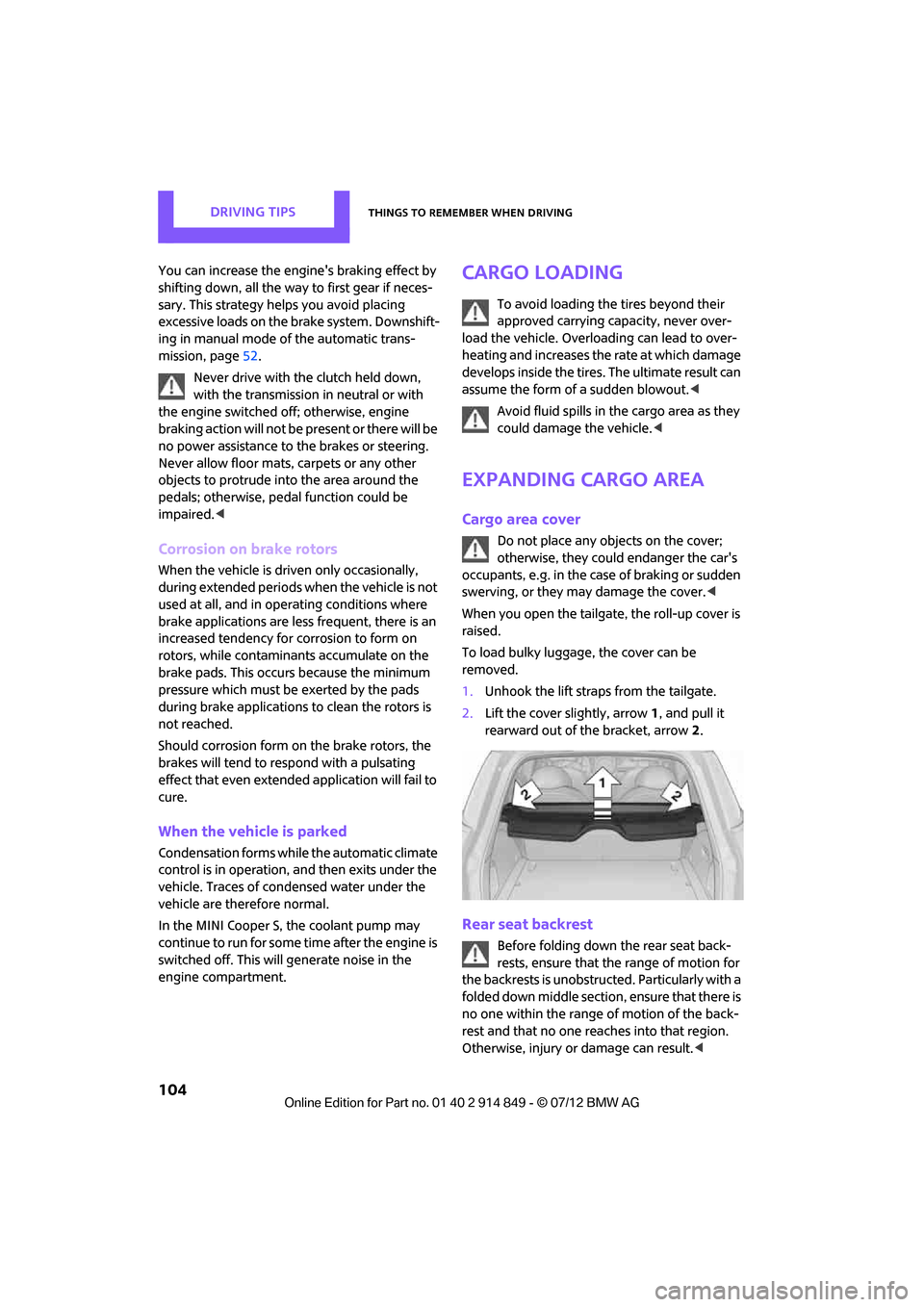
1. Unhook the lift straps from the tailgate.
2. Lift the cover slightly, arrow 1, and pull it
rearward out of the bracket, arrow 2.
Rear seat backrest
Before folding down the rear seat back-
rests, ensure that th e range of motion for
the backrests is unobstructed. Particularly with a
folded down middle section, ensure that there is
no one within the range of motion of the back-
rest and that no one re aches into that region.
Otherwise, injury or damage can result. <
Online Edition for Part no. 01 40 2 914 849 - \251 07/12 BMW AG
Page 107 of 259

DRIVING TIPSThings to remember when driving
106
Folding the privacy screen forward
1.Fold down rear seat backrests.
2. Unlock privacy screen, see above.
3. Grasp the outer sides of the privacy screen
and guide it forward onto the folded-down
rear seat backrests.
Removing
1.Removing cargo area cover, page 104.
2. Fold the privacy screen up and to the rear
and unlock it, refer to Folding the privacy
screen forward.
3. Remove it from the guides on the cargo area
floor, arrows, and remove the privacy
screen.
Flat load floor
Do not exceed a maximum load of
330 lbs/150 kg on the load floor; other-
wise, damage may result.<
Access to the storage space
Under the load floor, there is storage space, e.g.,
for the cargo net. 1.
Reach into the recess, arrow 1, at the back
edge of the load floor.
2. Lift up load floor behind and fold forwards,
arrow 2.
Before closing the tailgate, put the load floor
back on the cargo area floor.
Removing
If necessary, the load floor can be removed.
1. Fold load floor together.
2. Pull the load floor back slightly out of the
take-up.
3. Then take it out toward the top.
The folded together load floor can be placed into
the luggage compartment.
Cargo net
Ensure that the cargo net is firmly
attached; otherwise, injuries may occur. <
Before installing
1.Remove the pouch with the cargo net from
the storage compartment under the pull-out
floor panel in the cargo area.
2. Remove the cargo net from the pouch, then
unroll and unfold it.
After use, fold the cargo net together, roll it
back up in the same way, and place it in the
pouch so that it can be stowed under the
floor panel again. When doing so, make sure
that hooks and tensioning buckles do not
rest against the rod elements.
3. Unfold the cargo net until the rod elements
snap into place.
Online Edition for Part no. 01 40 2 914 849 - \251 07/12 BMW AG
Page 108 of 259
Things to remember when drivingDRIVING TIPS
107
Installing behind the front seats
1.If necessary, remove the cargo area cover.
2. Fold down the rear seat backrests, refer to
Expanding cargo area.
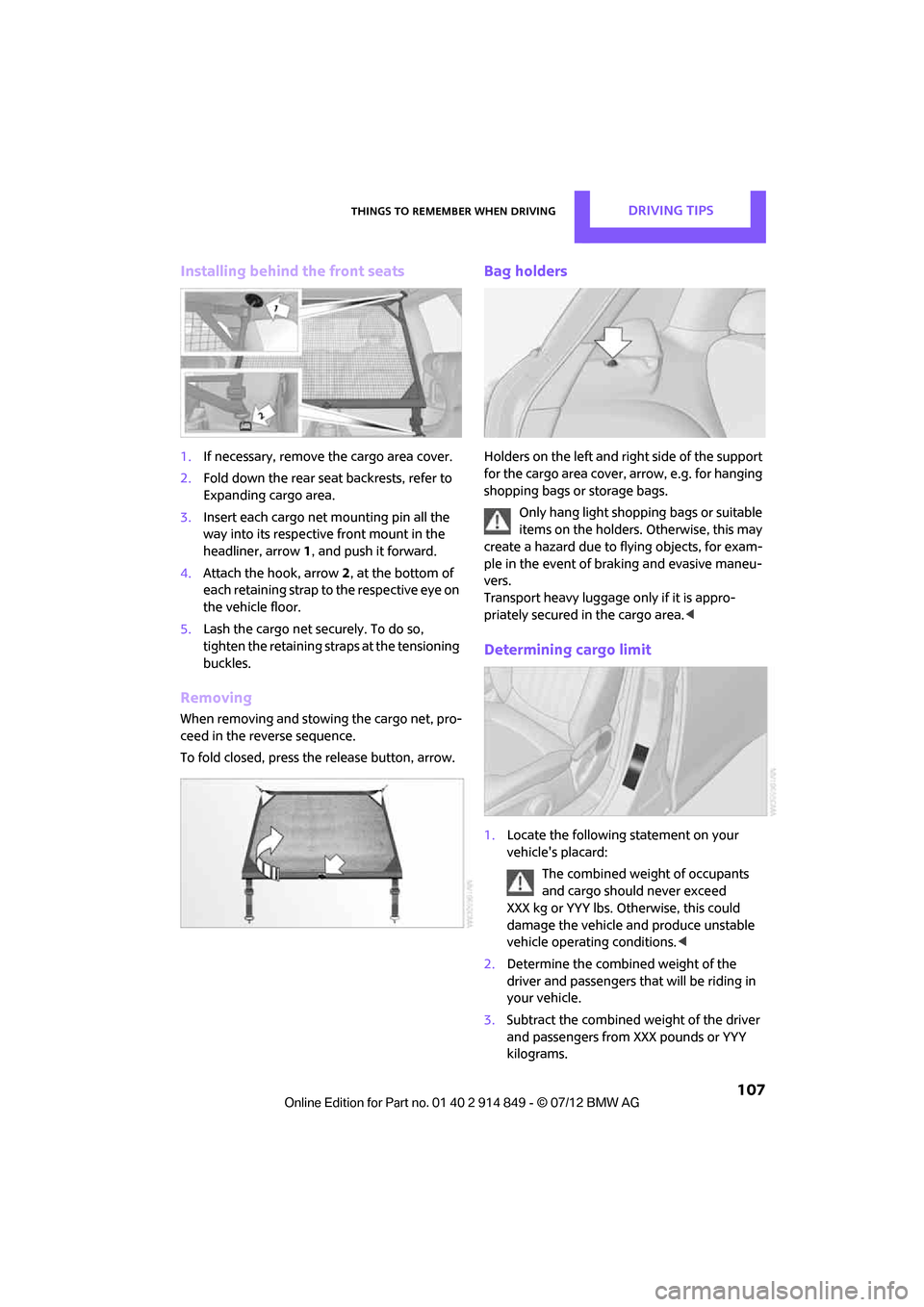
3. Insert each cargo net mounting pin all the
way into its respective front mount in the
headliner, arrow 1, and push it forward.
4. Attach the hook, arrow 2, at the bottom of
each retaining strap to the respective eye on
the vehicle floor.
5. Lash the cargo net se curely. To do so,
tighten the retaining straps at the tensioning
buckles.
Removing
When removing and stowing the cargo net, pro-
ceed in the reverse sequence.
To fold closed, press the release button, arrow.
Bag holders
Holders on the left and right side of the support
for the cargo area cover, arrow, e.g. for hanging
shopping bags or storage bags.
Only hang light shopping bags or suitable
items on the holders. Otherwise, this may
create a hazard due to flying objects, for exam-
ple in the event of braking and evasive maneu-
vers.
Transport heavy luggage only if it is appro-
priately secured in the cargo area. <
Determining cargo limit
1.Locate the following statement on your
vehicle's placard:
The combined weight of occupants
and cargo should never exceed
XXX kg or YYY lbs. Otherwise, this could
damage the vehicle and produce unstable
vehicle operating conditions. <
2. Determine the combined weight of the
driver and passengers that will be riding in
your vehicle.
3. Subtract the combined weight of the driver
and passengers from XXX pounds or YYY
kilograms.
Online Edition for Part no. 01 40 2 914 849 - \251 07/12 BMW AG
Page 109 of 259
DRIVING TIPSThings to remember when driving
108
4.The resulting figure equals the available
amount of cargo and luggage load capacity.
For example, if the XXX amount equals
1,400 lbs and there will be four 150 lbs
passengers in your vehicle, the amount of
available cargo and luggage load capacity is
650 lbs:
1,400 lbs minus 750 lbs = 650 lbs.
5. Determine the combined weight of luggage
and cargo being loaded on the vehicle. That
weight may not safely exceed the available
cargo and luggage load capacity calculated
in step 4.
6. If your vehicle will be towing a trailer, part of
the load from your trailer will be transferred
to your vehicle. Consult the manual for
transporting a trailer to determine how this
may reduce the available cargo and luggage
load capacity of your vehicle.
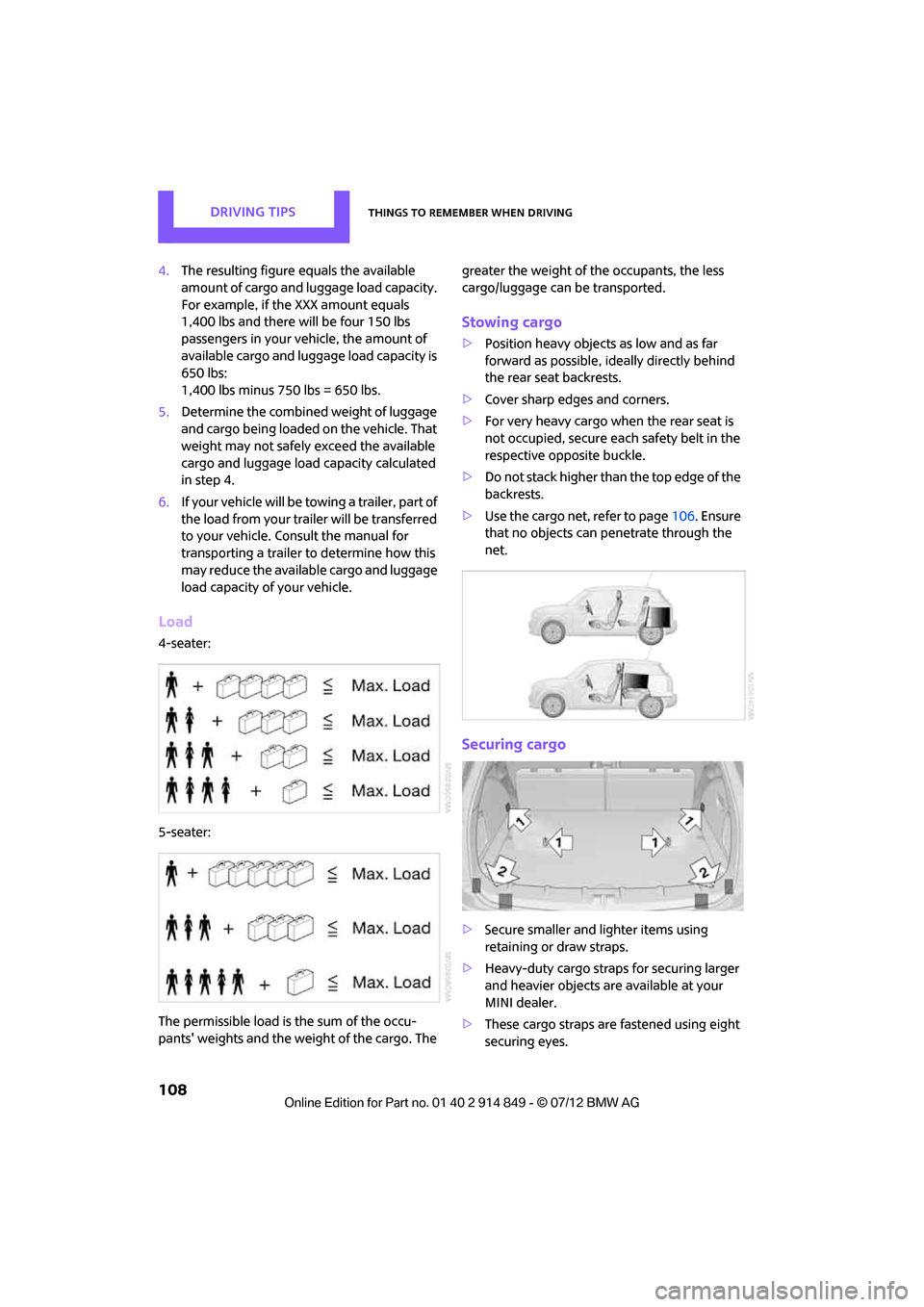
Load
4-seater:
5-seater:
The permissible load is the sum of the occu-
pants' weights and the we ight of the cargo. The greater the weight of the occupants, the less
cargo/luggage can be transported.
Stowing cargo
>
Position heavy objects as low and as far
forward as possible, ideally directly behind
the rear seat backrests.
> Cover sharp edges and corners.
> For very heavy cargo wh en the rear seat is
not occupied, secure each safety belt in the
respective opposite buckle.
> Do not stack higher than the top edge of the
backrests.
> Use the cargo net, refer to page 106. Ensure
that no objects can penetrate through the
net.
Securing cargo
> Secure smaller and lighter items using
retaining or draw straps.
> Heavy-duty cargo straps for securing larger
and heavier objects are available at your
MINI dealer.
> These cargo straps are fastened using eight
securing eyes.
Online Edition for Part no. 01 40 2 914 849 - \251 07/12 BMW AG
Page 111 of 259
DRIVING TIPSThings to remember when driving
110
Saving fuel
General information
Your vehicle incorporates numerous techno-
logies for reducing fuel consumption and
emissions.
Fuel consumption depends on a number of
different factors. Fuel consumption and environ-
mental pollution are affected by various actions,
the manner of driving and regular maintenance.
Remove unnecessary cargo
Additional weight increases fuel consumption.
Remove attached parts no longer in use
Attached parts on the ve hicle affect its aerody-
namics and increase fuel consumption.
Closing windows
Open windows increase air resistance and
therefore fuel consumption.
Check tire inflation pressure regularly
Check and, if necessary, correct tire inflation
pressure at least twice a month and before start-
ing on a long trip.
Low inflation pressure increases rolling resis-
tance and thus leads to greater fuel consump-
tion and tire wear.
Drive off immediately
Do not wait for the engine to warm up while the
vehicle remains stationary. Start driving right
away, but at moderate engi ne speeds. This is the
fastest way for the cold engine to reach its
operating temperature.
Think ahead while driving
Avoid unnecessary accelera tion and braking. by
maintaining a suitable di stance to the vehicle
driving ahead.
Looking-ahead and smooth driving reduces fuel
consumption.
Avoid high engine speeds
Use first gear only for driving off. In second and
higher gears, accelerate smoothly to a suitable
engine and road speed. In doing so, avoid high
engine speeds and shift up early.
When you reach your desired traveling speed,
shift to the highest suit able gear and drive at
constant speed.
As a rule: driving at lo w engine speeds lowers
fuel consumption and reduces wear.
Coasting
When approaching a red traffic light, take your
foot off the accelerator and let the car roll to a
stop in the highest gear possible.
On a downhill gradient, take your foot off the
accelerator and let the vehicle coast in a suitable
gear.
Fuel supply is shut off automatically when the
vehicle is coasting.
Switch off the engine during lengthy
stops
Switch off the engine when stopping for lengthy
periods, e.g. at traffic li ghts, railroad crossings or
in traffic jams.
Switch off any features that are not
currently required
Features such as air co nditioning, seat heaters
and the rear window defroster require a great
deal of energy and result in greater fuel con-
sumption, especially in city driving and during
Stop & Go operation. For this reason, switch off
these features if they are not really needed.
Have the vehicle serviced
Have your vehicle servic ed regularly to achieve
good economy and a long vehicle life. The man-
ufacturer of your MINI recommends having the
vehicle serviced by a MINI dealer. Also note the
MINI Maintenance System, page 209.
Online Edition for Part no. 01 40 2 914 849 - \251 07/12 BMW AG
Page 112 of 259

Things to remember when drivingDRIVING TIPS
111
Driving on poor roads
Your MINI with ALL4 drive is at home on any
type of street or road. It combines an all-wheel
drive system with the advantages of a normal
passenger car.Do not drive on unpaved terrain, as other-
wise the vehicle may be damaged. <
When you are driving on poor roads, there are a
few points which you shou ld strictly observe for
your own safety, for that of your passengers,
and for the safety of the vehicle:
> Familiarize yourself with the vehicle before
beginning to drive an d do not take risks
under any circumstances.
> Adapt your speed to road conditions. The
steeper and rougher the road surface is, the
lower the speed should be.
> When driving on very steep uphill or down-
hill grades, make sure in advance that the
engine oil and coolant levels are close to the
maximum mark, refer to page 206.
> While driving, watch carefully for obstacles
such as rocks or holes. Try to avoid these
obstacles whenever possible.
> Make sure that the un dercarriage does not
touch the ground, for example on hilltops
and bumpy roads. The ground clearance of
the vehicle is a maximum of approx. 6.0 in/
15 cm. Please note that the ground clear-
ance can vary depending on loading and the
driving conditions of the vehicle.
> Only drive through road surface water up to
a maximum water depth of 1 ft/30 cm and
only at walking speed; do not remain sta-
tionary.
> After driving through water at low speed,
lightly press the brake pedal several times to
dry the brakes and to prevent the braking
effect from being reduced by wetness.
> Depending on the condition of the surface, it
may be practical to briefly activate DTC, refer
to DTC Dynamic Traction Control on
page 71. >
If the drive wheels spin on one side, depress
the accelerator pedal sufficiently so that the
driving stability control systems can distrib-
ute the drive forces to the individual wheels.
After driving on poor roads, please observe the
following points to maintain the driving safety of
the vehicle:
> Clean the coarsest dirt from the body.
> Clean mud, snow, ice, etc. from the wheels
and tires and check the tires for damage.
Online Edition for Part no. 01 40 2 914 849 - \251 07/12 BMW AG
Page 117 of 259
NAVIGATIONDestination entry
116
Destination entry
General information
In entering your destination you can select from
among the following options:
>Manual destination entry, see below
> Selecting destination from address book,
page 118
> Last destin ations, page 119
> Special destinations, refer to page 120
> Entering the destinatio n via map, refer to
page 121
> Selecting home address, refer to page 119
> Entering destinatio n via voice, page122
After selecting your dest ination you can proceed
to start the route guidance, page 125.
Manual destination
entry
To make it easier to enter town/city names and
street names, you are supported with the word-
match principle, refer to page123. This makes it
possible to enter different spellings and com-
pletes your entry automatically so that stored
town/city names and st reet names can be
accessed quickly.
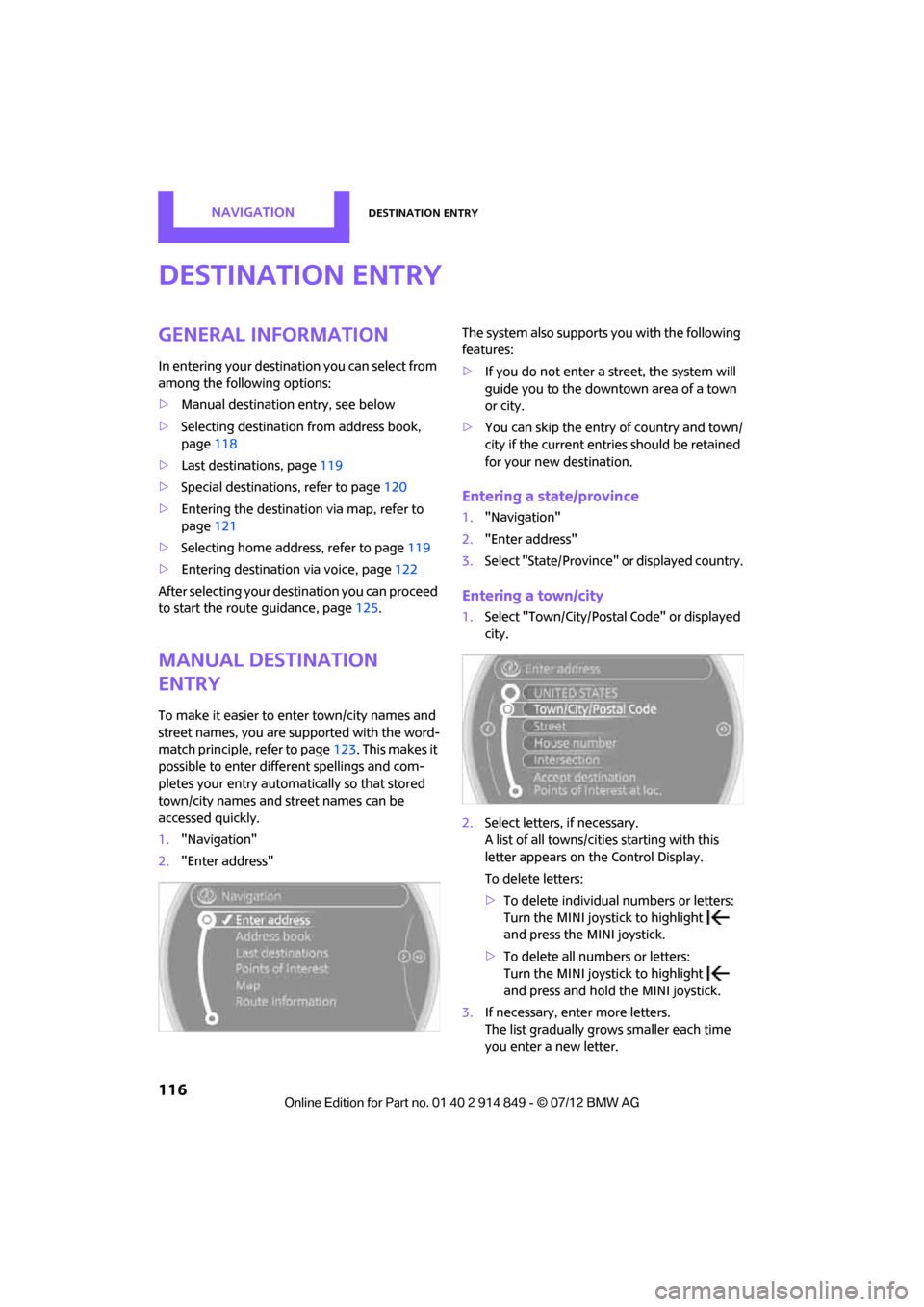
1. "Navigation"
2. "Enter address" The system also supports
you with the following
features:
> If you do not enter a street, the system will
guide you to the downtown area of a town
or city.
> You can skip the entry of country and town/
city if the current entries should be retained
for your new destination.
Entering a state/province
1."Navigation"
2. "Enter address"
3. Select "State/Province" or displayed country.
Entering a town/city
1.Select "Town/City/Postal Code" or displayed
city.
2. Select letters, if necessary.
A list of all towns/cities starting with this
letter appears on the Control Display.
To delete letters:
>To delete individual numbers or letters:
Turn the MINI joystick to highlight
and press the MINI joystick.
> To delete all numbers or letters:
Turn the MINI joystick to highlight
and press and hold the MINI joystick.
3. If necessary, enter more letters.
The list gradually grow s smaller each time
you enter a new letter.
Online Edition for Part no. 01 40 2 914 849 - \251 07/12 BMW AG
Page 118 of 259
Destination entryNAVIGATION
117
To enter spaces, if necessary:
Select the symbol.
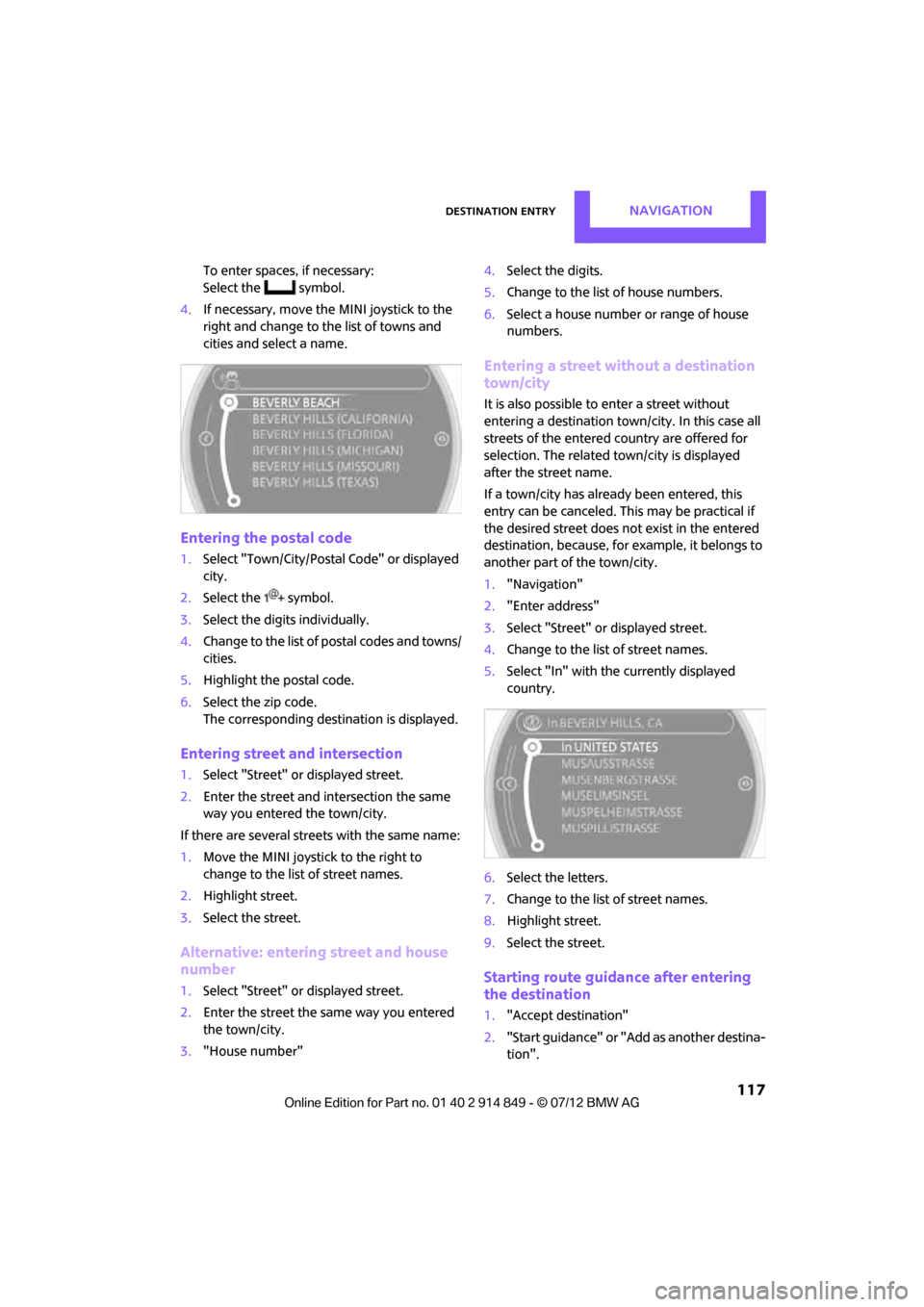
4. If necessary, move the MINI joystick to the
right and change to the list of towns and
cities and select a name.
Entering the postal code
1.Select "Town/City/Postal Code" or displayed
city.
2. Select the symbol.
3. Select the digits individually.
4. Change to the list of postal codes and towns/
cities.
5. Highlight the postal code.
6. Select the zip code.
The corresponding dest ination is displayed.
Entering street and intersection
1.Select "Street" or displayed street.
2. Enter the street and intersection the same
way you entered the town/city.
If there are several streets with the same name:
1. Move the MINI joystick to the right to
change to the list of street names.
2. Highlight street.
3. Select the street.
Alternative: entering street and house
number
1.Select "Street" or displayed street.
2. Enter the street the same way you entered
the town/city.
3. "House number" 4.
Select the digits.
5. Change to the list of house numbers.
6. Select a house number or range of house
numbers.
Entering a street without a destination
town/city
It is also possible to enter a street without
entering a destination town/city. In this case all
streets of the entered country are offered for
selection. The related town/city is displayed
after the street name.
If a town/city has already been entered, this
entry can be canceled. Th is may be practical if
the desired street does not exist in the entered
destination, because, for example, it belongs to
another part of the town/city.
1. "Navigation"
2. "Enter address"
3. Select "Street" or displayed street.
4. Change to the list of street names.
5. Select "In" with the currently displayed
country.
6. Select the letters.
7. Change to the list of street names.
8. Highlight street.
9. Select the street.
Starting route guidance after entering
the destination
1."Accept destination"
2. "Start guidance" or "Add as another destina-
tion".
Online Edition for Part no. 01 40 2 914 849 - \251 07/12 BMW AG
Page 120 of 259
Destination entryNAVIGATION
119
4.Depending on the selection, select an
existing contact from the list or the type of
address and enter the last and first name.
5. "Store in vehicle"
Editing or deleting an address
1."Navigation"
2. "Address book"
3. Highlight the entry.
4. Open "Options".
5. "Edit in Contacts" or "Delete entry".
Using home address as destination
The home address must be stored as a destina-
tion. Refer to Defining a home address,
page 167 or page 184.
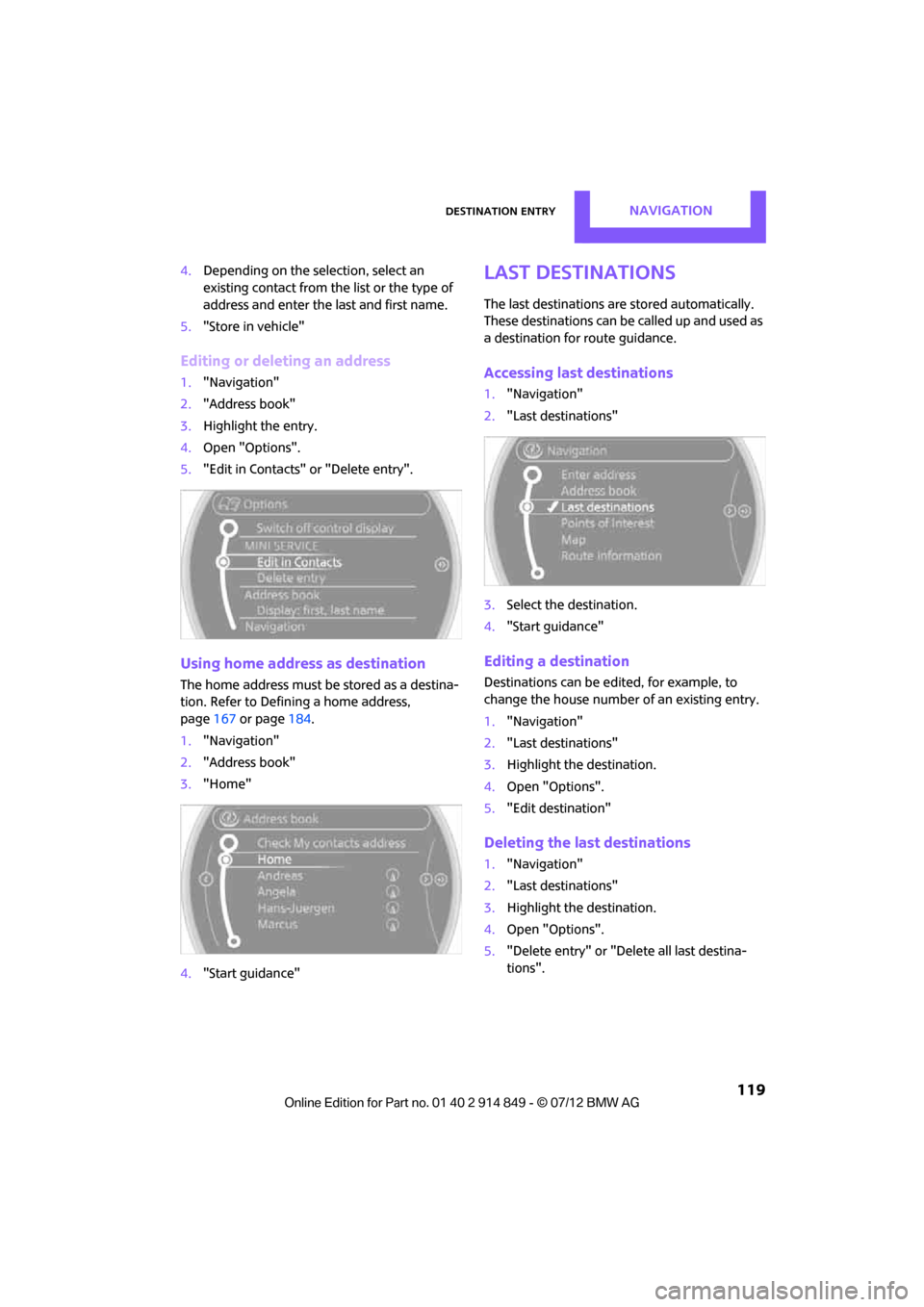
1. "Navigation"
2. "Address book"
3. "Home"
4. "Start guidance"
Last destinations
The last destinations ar e stored automatically.
These destinations can be called up and used as
a destination for route guidance.
Accessing last destinations
1. "Navigation"
2. "Last destinations"
3. Select the destination.
4. "Start guidance"
Editing a destination
Destinations can be ed ited, for example, to
change the house number of an existing entry.
1. "Navigation"
2. "Last destinations"
3. Highlight the destination.
4. Open "Options".
5. "Edit destination"
Deleting the last destinations
1."Navigation"
2. "Last destinations"
3. Highlight the destination.
4. Open "Options".
5. "Delete entry" or "Delete all last destina-
tions".
Online Edition for Part no. 01 40 2 914 849 - \251 07/12 BMW AG
Page 122 of 259
Destination entryNAVIGATION
121
The special destinations are displayed in
order of their distance from the search
point.
> Destinations of the se lected category are
displayed in the map display as symbols.
The display depends on the map scale
and the category.
3. Highlight special destination.
4. Select the special destination.
5. Select the symbol.
6. "Start guidance" or "Add as another destina-
tion".
The distance from the de stination is displayed.
Displaying special destinations in the
map
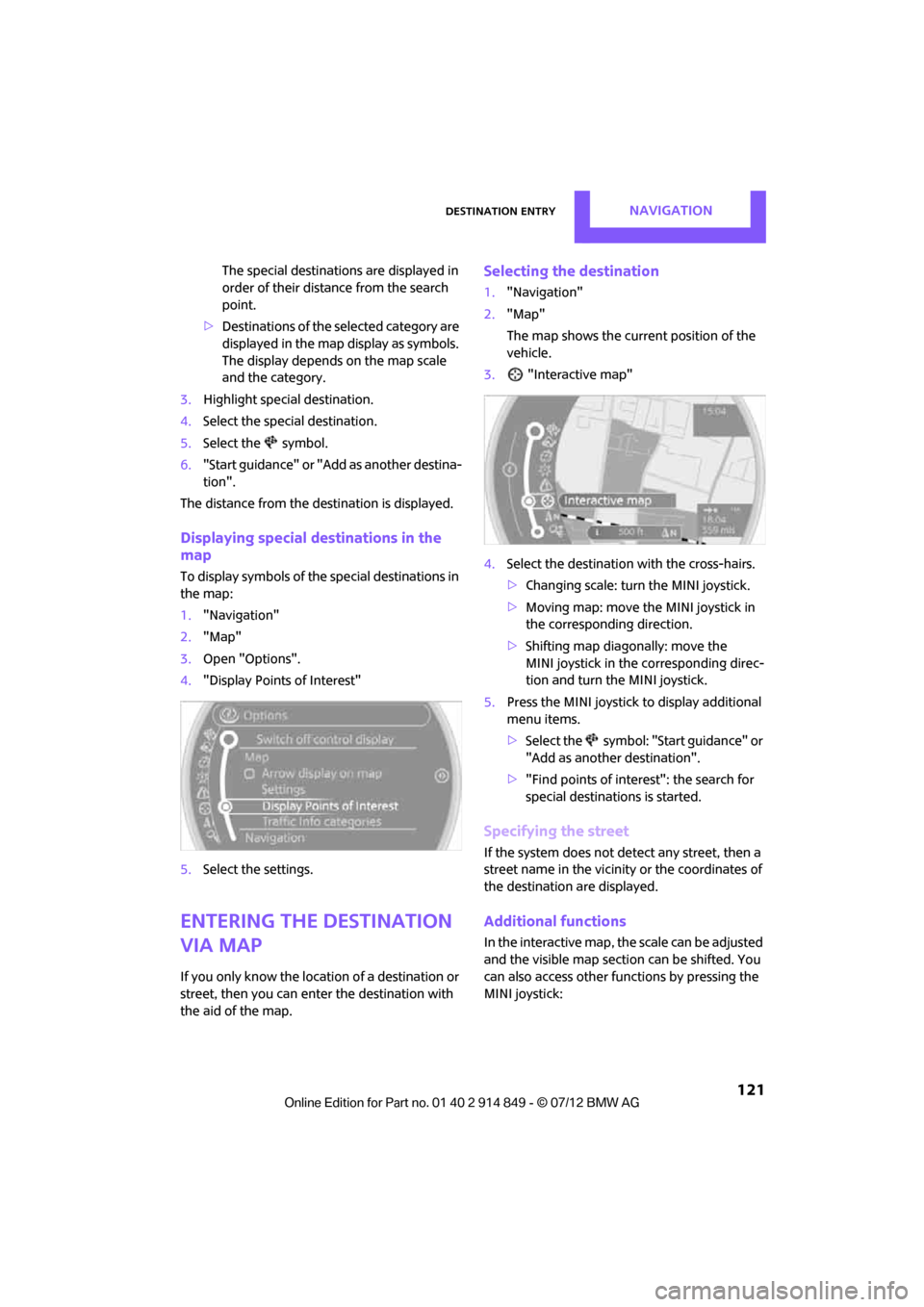
To display symbols of the special destinations in
the map:
1. "Navigation"
2. "Map"
3. Open "Options".
4. "Display Points of Interest"
5. Select the settings.
Entering the destination
via map
If you only know the location of a destination or
street, then you can enter the destination with
the aid of the map.
Selecting the destination
1."Navigation"
2. "Map"
The map shows the curre nt position of the
vehicle.
3. "Interactive map"
4. Select the destination with the cross-hairs.
> Changing scale: turn the MINI joystick.
> Moving map: move the MINI joystick in
the corresponding direction.
> Shifting map diagonally: move the
MINI joystick in the corresponding direc-
tion and turn the MINI joystick.
5. Press the MINI joystick to display additional
menu items.
>Select the symbol: "Start guidance" or
"Add as another destination".
> "Find points of interest": the search for
special destinations is started.
Specifying the street
If the system does not detect any street, then a
street name in the vicinity or the coordinates of
the destination are displayed.
Additional functions
In the interactive map, the scale can be adjusted
and the visible map sectio n can be shifted. You
can also access other func tions by pressing the
MINI joystick:
Online Edition for Part no. 01 40 2 914 849 - \251 07/12 BMW AG