radio controls MINI Countryman 2012 User Guide
[x] Cancel search | Manufacturer: MINI, Model Year: 2012, Model line: Countryman, Model: MINI Countryman 2012Pages: 201, PDF Size: 3.19 MB
Page 61 of 201

CONTROLSControls overview
60
> Distance covered: miles, km
> Temperature: 7, 6
7. Press and hold the button until the display
changes.
8. Press the button to change the format or the
measurement units.
9. Press and hold the button until the display
changes.
The settings are stored.
Resetting to factory settings
The settings for format s and units of measure
can be reset to the factory settings. The settings
are stored for the remote control currently in
use, refer also to Personal Profile on page 22.
1. Press the button in the turn signal indicator
as often as necessary until "SET/INFO" is
displayed.
2. Press and hold the button until the display
changes.
3. Press the button as often as necessary until
the symbol and "SET" are displayed.
4. Press and hold the button until the display
changes. 5.
Press the button as often as necessary until
"RESET" is displayed.
6. Press and hold the button until the display
changes to the first setting.
The settings are reset.
In Radio MINI Boost CD
Settings
You can set the radio individually:
1.Press the MENU button.
2. Press the button.
> "DIST"
Change units of measurement for
distance.
> "LANG"
Select language for display text.
> "CONSMP"
Change units of measurement for aver-
age consumption.
> "TEMP"
Change units of measurement for exter-
nal temperature.
3. Select desired menu item and press button.
Online Edition for Part no. 01 40 2 914 828 - \251 07/12 BMW AG
Page 63 of 201

CONTROLSControls overview
62
More information on the MINI Maintenance
System can be found on page149.
Clock
Setting the time
Radio MINI Boost CD:
1.Press the MENU button.
2. Press the button.
3. Press the button.
4. Select the desired menu item, "FORMAT",
"HRS" or "MIN", and then press the button.
5. Turn the knob on the right to set values.
6. Press the knob on the right to store values.
7. Press the button to exit setting
values.
Date
Setting date
Radio MINI Boost CD:
1. Press the MENU button.
2. Press the button.
3. Press the button.
4. Select the desired menu item "DD", "MM" or
"YY".
5. Turn the knob on the right to set values.
6. Press the knob on the right to store values.
7. Press the button to exit setting
values.
Check Control
The concept
The Check Control monitors vehicle functions
and alerts you to any malfunctions in the sys-
Rear brakes
Road worthiness test
Vehicle check
Brake fluid
Exit display
59
Next setting or item of
information 59
SymbolFunction
Online Edition for Part no. 01 40 2 914 828 - \251 07/12 BMW AG
Page 73 of 201
CONTROLSTechnology for driving comfort and safety
72
depending on the speed, road condition, exter-
nal temperature, vehicle load, etc.
Drive cautiously and do not exceed a
speed of 50 mph/80 km/h.
A loss of tire inflation pressure results in a
change in the handling characteristics, e.g.
reduced lane stability during braking, a longer
braking distance and alte red self-steering prop-
erties. <
Vibrations or loud no ises while driving can
indicate complete failure of the tire.
Reduce your speed and bring the vehicle to a
stop; otherwise, pieces of tire may come off,
which could result in an accident. Do not con-
tinue driving and contac t your MINI dealer.<
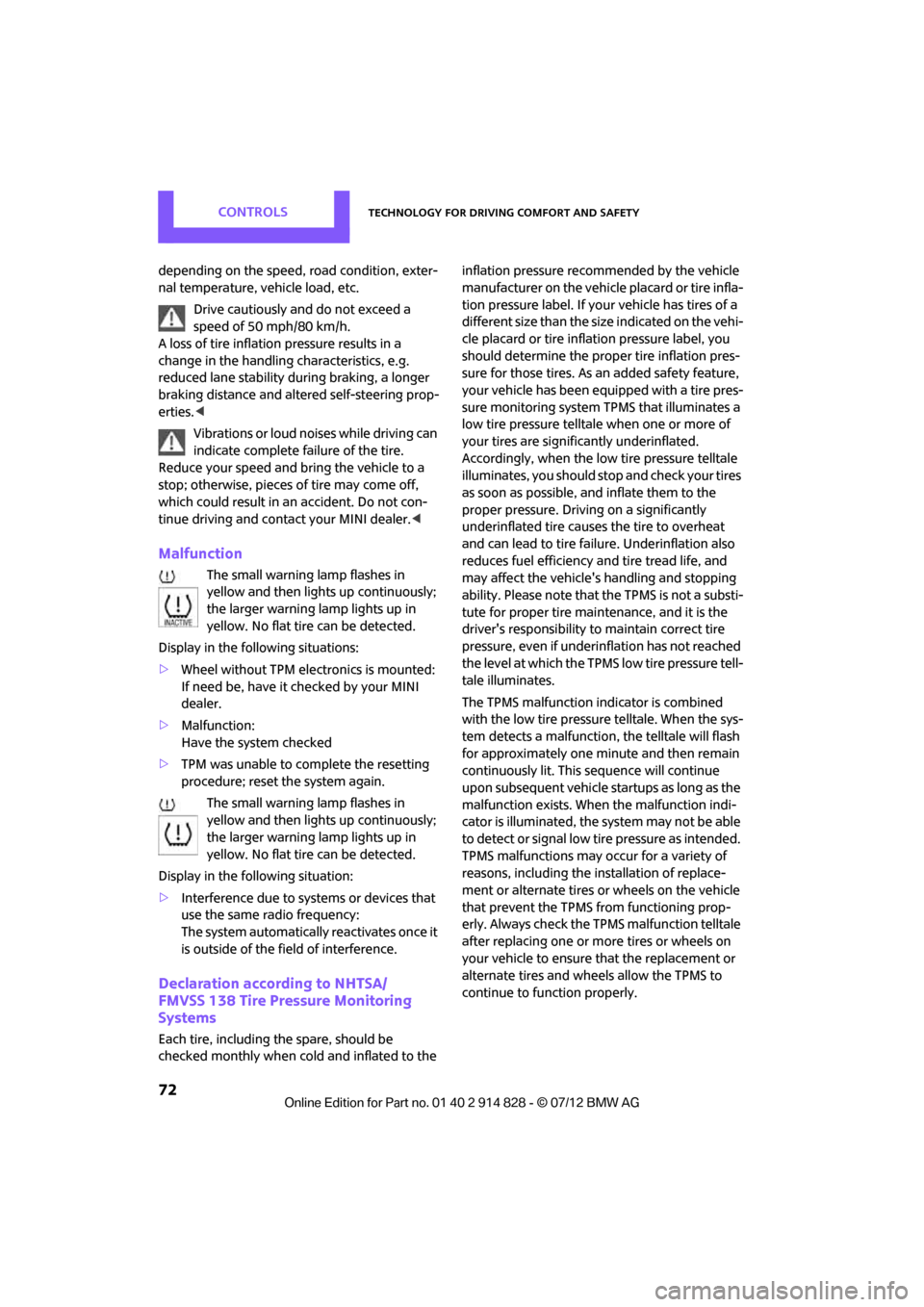
Malfunction
The small warning lamp flashes in
yellow and then lights up continuously;
the larger warning lamp lights up in
yellow. No flat tire can be detected.
Display in the following situations:
> Wheel without TPM electronics is mounted:
If need be, have it checked by your MINI
dealer.
> Malfunction:
Have the system checked
> TPM was unable to complete the resetting
procedure; reset the system again.
The small warning lamp flashes in
yellow and then lights up continuously;
the larger warning lamp lights up in
yellow. No flat tire can be detected.
Display in the following situation:
> Interference due to sy stems or devices that
use the same radio frequency:
The system automatically reactivates once it
is outside of the field of interference.
Declaration according to NHTSA/
FMVSS 138 Tire Pressure Monitoring
Systems
Each tire, including the spare, should be
checked monthly when cold and inflated to the inflation pressure recommended by the vehicle
manufacturer on the vehicle placard or tire infla-
tion pressure label. If yo
ur vehicle has tires of a
different size than the size indicated on the vehi-
cle placard or tire inflation pressure label, you
should determine the proper tire inflation pres-
sure for those tires. As an added safety feature,
your vehicle has been equipped with a tire pres-
sure monitoring system TPMS that illuminates a
low tire pressure telltal e when one or more of
your tires are significantly underinflated.
Accordingly, when the low tire pressure telltale
illuminates, you should st op and check your tires
as soon as possible, and inflate them to the
proper pressure. Driving on a significantly
underinflated tire causes the tire to overheat
and can lead to tire failure. Underinflation also
reduces fuel efficiency and tire tread life, and
may affect the vehicle's handling and stopping
ability. Please note that the TPMS is not a substi-
tute for proper tire maintenance, and it is the
driver's responsibility to maintain correct tire
pressure, even if underi nflation has not reached
the level at which the TPMS low tire pressure tell-
tale illuminates.
The TPMS malfunction indicator is combined
with the low tire pressure telltale. When the sys-
tem detects a malfunction, the telltale will flash
for approximately one minute and then remain
continuously lit. This sequence will continue
upon subsequent vehicle startups as long as the
malfunction exists. When the malfunction indi-
cator is illuminated, the system may not be able
to detect or signal low tire pressure as intended.
TPMS malfunctions may occur for a variety of
reasons, including the installation of replace-
ment or alternate tires or wheels on the vehicle
that prevent the TPMS from functioning prop-
erly. Always check the TP MS malfunction telltale
after replacing one or mo re tires or wheels on
your vehicle to ensure that the replacement or
alternate tires and wheels allow the TPMS to
continue to function properly.
Online Edition for Part no. 01 40 2 914 828 - \251 07/12 BMW AG
Page 76 of 201
Technology for driving comfort and safetyCONTROLS
75
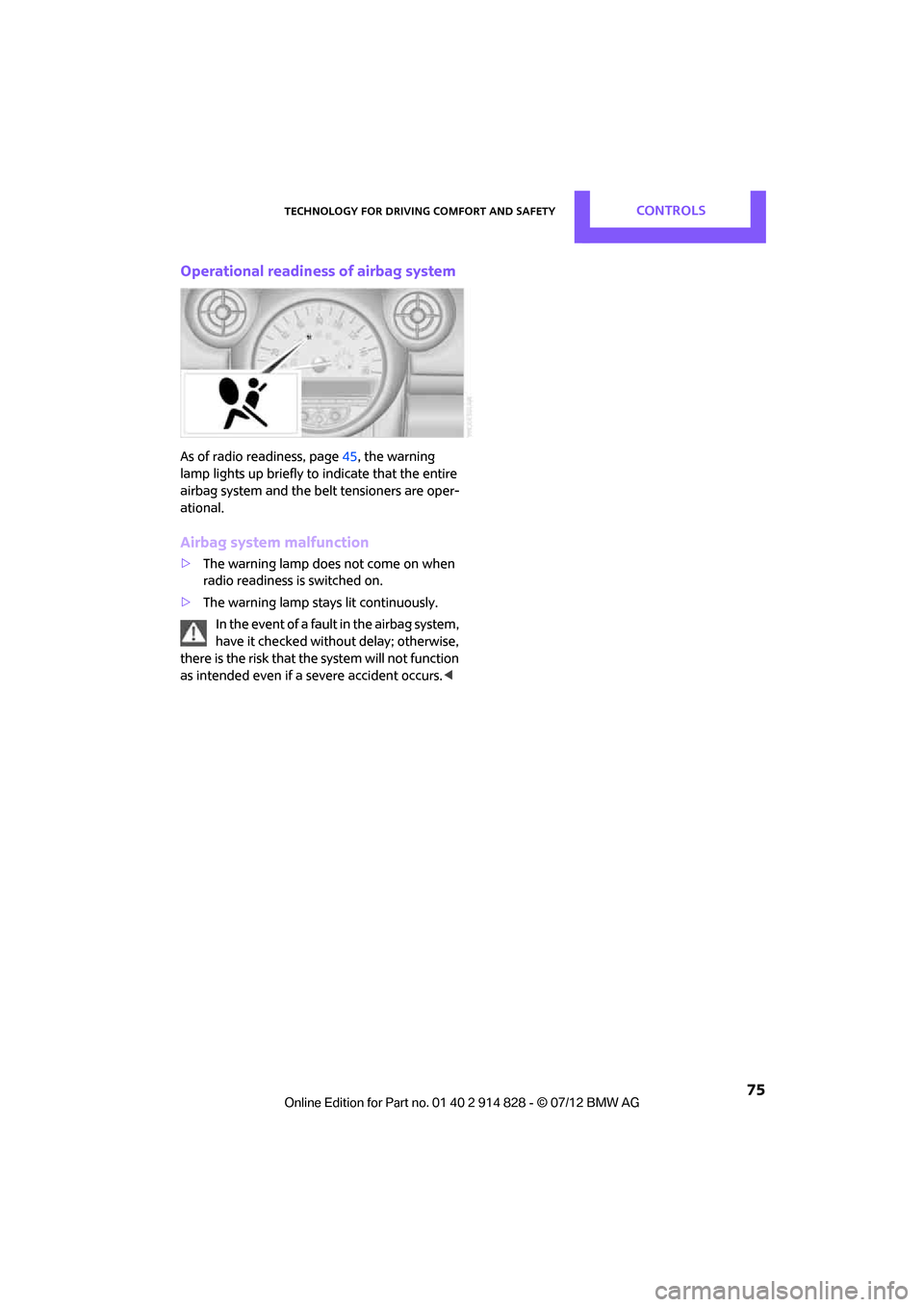
Operational readiness of airbag system
As of radio readiness, page45, the warning
lamp lights up briefly to indicate that the entire
airbag system and the belt tensioners are oper-
ational.
Airbag system malfunction
> The warning lamp does not come on when
radio readiness is switched on.
> The warning lamp stays lit continuously.
In the event of a fault in the airbag system,
have it checked without delay; otherwise,
there is the risk that the system will not function
as intended even if a severe accident occurs. <
Online Edition for Part no. 01 40 2 914 828 - \251 07/12 BMW AG
Page 109 of 201

ENTERTAINMENTRadio MINI Boost CD
108
Radio MINI Boost CD
Vehicle equipment
In this chapter, all production, country, and
optional equipment that is offered in the model
range is described. Equipment is also described
that is not available because of, for example,
selected options or coun try version. This also
applies to safety relate d functions and systems.
Switching radio on/off
Press the left rotary knob. The radio
selects the last set audio source:
>Radio
> HD Radio
> Satellite radio
> CD
> External audio device
> USB audio interface.
Listening to the radi o when the ignition
is switched off
After switching off the radio readiness, the radio
functions are available for approx. 20 minutes.
To do so, switch the radio on again.
To spare the battery, ensure that the radio
is switched off when leaving the vehicle. <
Adjusting volume
Turn left rotary knob. The setting is
stored for the remote control in use.
As soon as you make a phone call using
the hands-free device, the radio will auto-
matically be muted. <
Setting the volume for the PDC and gong
You can raise or lower the audio signals for the
PDC or gong with respect to the volume of the audio sources.
The audio signals have a set minimum and max-
imum volume, below which they can not fall and
above which they can not go.
Set the audio source to a high volume to
be able to better set the volume of the
audio signals. <
1. Press the button.
2. Press the button if necessary.
3. Press the button.
or
Press the button.
4. Select the desired vo lume and press the
knob on the right.
Setting the speed-dependent volume
The speed-dependent volume controls auto-
matically increases the volume as the speed of
the vehicle increases. You can set different levels
for increasing the volume.
1. Press the button.
2. Press the button if necessary.
3. Press the button.
4. Select the desired vo lume and press the
knob on the right.
Setting the volume for external audio
devices
Your radio has the option of connecting an
external audio device, e.g., an MP3 player, and
playing it over the loudspeakers in the vehicle.
You can set the volume by using the radio.
Connecting an external device, refer to
page 115.
Online Edition for Part no. 01 40 2 914 828 - \251 07/12 BMW AG
Page 110 of 201

Radio MINI Boost CDENTERTAINMENT
109
To adjust the volume of an external audio device
to the radio:
1. Press the MODEbutton.
2. Press the button.
3. Press the button.
4. Select the desired volume and press the
knob on the right.
Setting tone controls
You can select between the following settings:
>Bass: bass adjustment.
> Treble: treble adjustment.
> Balance: volume distribution left/right.
> Fader: volume distri bution front/back.
The tone settings are set for all audio sources at
once.
Setting the bass, treble and balance
1. Press the button.
2. Select the desired tone setting and press the
knob on the right.
3. Select the desired volume and press the
knob on the right.
Resetting tone settings
The tone settings are reset to the middle values.
1.Press the button.
2. Press the button.
Time
Setting the time, date and time format
You can set the time, date and time format, refer
to page62.
Radio
Your radio is designed for the reception of FM
and AM signals.
Listening to the radio
1.Switch on the radio, refer to page 108.
2. If necessary, press the MODEbutton.
3. Press the button.
4. Press the corresponding button as
often as necessary until the desired wave-
length band is selected.
> AM: AM and AMA
> FM: FM1/FM2 and FMA
Selecting a station
The setting is stored for the remote control in
use.
Next station
Press the … button.
The next available st ation is selected.
Selecting stations by changing the
frequency
1. Press the button.
2. Press the button each time to enter a
desired frequency.
Online Edition for Part no. 01 40 2 914 828 - \251 07/12 BMW AG
Page 191 of 201
REFERENCEEverything from A to Z
190
Child restraint systems41
Child-safety locks 44
Child seats 41
Chrome parts, care 153
Chrome parts, refer to Care 151
Cigarette lighter 93
Cleaning headlamps 52
– washer fluid 53
Clock
– setting time 62
– 12 h/24 h mode 59
Closing
– from inside 26
– from outside 23
Clothes hooks 92
Cockpit 10
Cold start, refer to Starting the engine 46
Comfort Access 30
– replacing the battery 31
– what to observe before
entering a car wash 31
Comfort area, refer to Around the center console 14
Compartment for remote control, refer to Ignition
lock 45
Compass 88
Compressed audio files 113
Computer 56
Condensation, refer to When the vehicle is parked 98
Condition Based Service CBS 149
Configuring settings, refer to
Personal Profile 22
Connecting vacuum cleaner, refer to Connecting electrical
appliances 93
Consumption, refer to Average fuel consumption 56
Controls and displays 10
Convenience operation
– windows 24
Convenient access, refer to Comfort Access 30 Convenient start, refer to
Starting the engine 46
Coolant 148
– checking level 148
– filling 148
– temperature 148
Cooling, maximum 84
Cooling fluid, refer to Coolant 148
Copyright 2
Cornering light, refer to Adaptive Light Control 78
Cruising range 56,57
Cupholders 93
Curb weight, refer to
Wei g
hts186
Current fuel consumption 57
D
Dashboard, refer to Cockpit 10
Dashboard instruments, refer
to Displays 12
Dashboard lighting, refer to Instrument lighting 79
Data 184
– capacities 187
– dimensions 185
– engine 184
– weights 186
Data memory 150
Date
– setting 62
Daytime running lights 77
DBC Dynamic Brake Control, refer to Brake Assist 65
Deactivating front passenger airbags 73
Deadlocking, refer to
Locking 24
Defect
– door lock 26
Defective
– fuel filler flap 134
Defogging windows 83,85
Defrosting windows 83,85 Defrosting windows and
removing condensation
– air conditioner 83
– automatic climate control 85
Defrosting windshield, refer to Defrosting windows 83,85
Defrost position, refer to
Defrosting windows 83,85
Differential, breaking in 96
Digital compass 88
Digital radio, refer to HD Radio 111
Dimensions 185
Dipstick, engine oil 146
Directional indicators, refer to Turn signals 50
Displacement, refer to Engine data 184
Display lighting, refer to
Instrument lighting 79
Displays 12
– instrument panel 12
Displays, care 154
Displays and controls 10
Disposal
– of coolant 148
– remote control battery 31
– vehicle battery 163
Distance remaining to service, refer to Service
requirements 61
Distance warning, refer to Park
Distance Control
PDC 64
Door key, refer to Integrated key/remote control 22
Door lock 26
Door lock, confirmation signals 24
Doors, manual operation 26
DOT Quality Grades 141
Drinks holders, refer to Cupholders 93
Drive-off assistant, refer to Hill Assist 67
Driving dynamics control, refer
to Sport button 67
Driving lamps, refer to Parking lamps/low beams 76
Online Edition for Part no. 01 40 2 914 828 - \251 07/12 BMW AG
Page 194 of 201
Everything from A to ZREFERENCE
193
Indicator and warning lamps 13,169
– Tire Pressure Monitor TPM 71
Indicator lighting, refer to
Instrument lighting 79
Individual air distribution 83
Individual settings, refer to
Personal Profile 22
Inflation pressure monitoring, refer to Tire Pressure Monitor
TPM 70
Initializing
– Flat Tire Monitor FTM 68
– glass roof, electric 32
Initializing the
– compass, see Calibration 89
Instrument lighting 79
Instrument panel, refer to Cockpit 10
Instrument panel, refer to Displays 12
Integrated key 22
Integrated universal remote control 86
Interior lamps 79
– remote control 25
Interior rearview mirror 40
– automatic dimming
feature 40
Interlock 48
Intermittent mode of the wipers 51
Internal care 153
Internet page 4
J
Jacking points 162
Jets, refer to Window washer
nozzles 52
Jumpering, refer to Jump- starting 165
Jump-starting 165
K
Key, refer to Keys/remote
controls 22
Keyless-Go, refer to Comfort Access 30
Keyless opening and closing,
refer to Comfort Access 30
Key Memory, refer to Personal Profile 22
Keypad dialing 126
Kickdown 48
– automatic transmission with
Steptronic 48
Knock control 135
L
Lamps, refer to Parking lamps/
Low beams 76
Lamps and bulbs, replacing bulbs 155
Lashing eyes, refer to Securing cargo 102
LATCH child restraint fixing
system 42
Leather care 153
LEDs light-emitting diodes 156
Length, refer to Dimensions 185
License plate lamp
– bulb replacement 159
Light
– automatic headlamp control 76
Light alloy wheels, care 153
Light-emitting diodes LEDs 156
Lighter 93
– socket 93
Lighting
– lamps and bulbs 155
– of the instruments 79
– of vehicle, refer to Lamps 76
Light switch 76
Limit 180 Listening to test, scan
– radio MINI Boost CD
110
Load 101
Load securing equipment,
refer to Securing cargo 102
Lock buttons of doors, refer to
Locking 27
Locking
– adjusting confirmation signal 24
– from inside 27
– from outside 24
– without remote control, refer
to Comfort Access 30
Locking and unlocking doors
– confirmation signals 24
– from inside 26
– from outside 23
Longlife oils
– approved motor oils 147
Low beams 76
– automatic 76
– replacing bulb 156
Lower back suppo rt, refer to
Lumbar support 35
Luggage compartment
– doors, refer to Tailgate 28
Luggage compartment
partition net, refer to Cargo
net 100
Luggage rack, re fer to Roof-
mounted luggage rack 103
Lumbar support 35
M
M+S tires, refer to Winter
tires 144
Maintenance, refer to Service
and Warranty Information
Booklet for US models and
Service Guide Booklet for
Canadian models
Maintenance system 149
Malfunction warnings, refer to
Check Control 62
Manual air distribution 83
Online Edition for Part no. 01 40 2 914 828 - \251 07/12 BMW AG
Page 197 of 201
REFERENCEEverything from A to Z
196
Safety systems
– airbags73
– Antilock Brake System ABS 65
– driving stability control systems 65
– Dynamic Stability Control
DSC 65
– safety belts 37
Safety tires, refer to Run-flat
tires 143
Satellite radio 111
– activating 112
Scan, listening to test
– radio MINI Boost CD 110
Screw thread for tow
fitting 167
Searching
– CD player 113
– radio 109
Searching for a music track
– CD 113
Seat adjustment
– mechanical 35
– rear 36
Seats 35
– adjusting the seats 35
– heating 37
– sitting safely 34
Securing the vehicle
– from inside 26
– from outside 23
Selector lever
– automatic transmission with Steptronic 48
Selector lever lock
– automatic transmission with Steptronic, refer to
Shiftlock 48
– overriding manually 49
Selector lever positions
– automatic transmission with
Steptronic 48
Service, refer to Roadside Assistance 165
Service car, refer to Roadside Assistance 165 Service data in the remote
control 149
Service Interval Display, refer to Condition Based Service
CBS 149
Service requirement display, refer to Condition Based
Service CBS 149
Service requirements 61
Settings
– clock, 12 h/24 h mode 59
Settings and information 57
Setting the date 109
Setting the time format 109
Setting tone controls 109
Shifting gears
– automatic transmission with Steptronic 49
– manual transmission 47
Shiftlock
– automatic transmission, refer to Chang
i
ng selector lever
positions 48
Shift paddles 49
Side airbags 73
Side marker lamps, replacing bulbs 158
Side turn signal
– replacing bulb 158
Side windows, refer to
Windows 32
Signal horn, refer to Horn 10
Sitting safely 34
– airbags 34
– safety belts 34
– with head restraint 34
Size, refer to Dimensions 185
Sliding/tilt sunroof
– refer to Glass roof, electric 31
Slot for remote control 45
Smokers' package, refer to Ashtray 93
Snap-in adapter
– inserting/removing 130
– use 120 Snap-in adapter, refer to
Center armrest storage
compartment 90
Snow chains 144
Socket, refer to Connecting electrical appliances 93
Socket for On-Board Diagnosis
OBD 150
Special oils, refer to Approved engine oils 147
Speed 184
– with winter tires 144
Speed-dependent volume 108
Speedo, refer to Speedometer 12
Speedometer 12
Split rear seat backrest, refer to Expanding the cargo area 98
Sport button 67
Stability control, refer to Driving stability control
systems 65
Start/Stop button 45
– starting the engine 46
– switching off the engine 46
Starting, refer to Starting the engine 46
Starting assistance, refer to
Jump-starting 165
Starting the CD player 113
Starting the engine 46
– Start/Stop button 45
Start-off assistance, refer to
– DSC 65
– Hill Assist 67
Stations, refer to Radio MINI
Boost CD 110
Status of this Ow
ner's Manual
at
time of printing 4
Steering wheel 40
– adjustment 40
– buttons on steering wheel 11
– lock 45
– shift paddles 49
Online Edition for Part no. 01 40 2 914 828 - \251 07/12 BMW AG