reset MINI Countryman 2012 User Guide
[x] Cancel search | Manufacturer: MINI, Model Year: 2012, Model line: Countryman, Model: MINI Countryman 2012Pages: 201, PDF Size: 3.19 MB
Page 72 of 201

Technology for driving comfort and safetyCONTROLS
71
get values to be monitored. The system
reset is completed during your drive, and
can be interrupted at any time. When driving
resumes, the reset is continued automati-
cally. The indicator lamp goes out after the
system reset is completed.
Message with low tire inflation pressure
The warning lamps come on in yellow
and red. An acoustic signal also sounds.
> There is a flat tire or substantial loss in
tire pressure in the displayed tire.
> The system was not reset after a wheel
change and thus issues a warning based on
the inflation pressures initialized last.
1. Reduce speed and stop the vehicle with cau-
tion. Avoid sudden braking and steering
maneuvers.
2. Check whether the vehicle is equipped with
normal tires or with run-flat tires.
Run-flat tires, refer to page 143, are identi-
fied by a circular symbol containing the let-
ters RSC on the tire sidewall.
When a low inflation pressure is reported, the
Dynamic Stability Control DSC is activated.
Actions in the event of a flat tire
Normal tires
1. Identify the damaged tire.
To do so, check the inflation pressure in all
four tires. The inflation pressure display of
the Mobility Kit, page 160, can be used for
this purpose.
If the inflation pressure is correct in all four
tires, then the Tire Pressure Monitor may not
have been reset. The system must then be
reset.
If it is not possible to identify the damaged
tire, contact your MINI dealer.
2. Use the Mobility Kit to remedy the flat tire on
the damaged wheel, refer to page 160. The use of tire sealant, e.g. Mobility Kit, can
damage the TPM wheel electronics. In this
case, have the electronics checked and
replaced if necessary at your earliest oppor-
tunity.
Run-flat tires
You can continue driving with a damaged tire at
speeds up to 50 mph/80 km/h.
If the vehicle is not equipped with run-flat
tires, do not continue driving; continuing
to drive can result in serious accidents. <
Continued driving with a flat tire
When driving with a damaged tire:
1.Avoid sudden braking and steering maneu-
vers.
2. Do not exceed a speed of 50 mph or
80 km/h.
3. At the next opportunity, check the air pres-
sure in all four tires.
If the inflation pressure is correct in all four
tires, then the Tire Pressure Monitor may not
have been reset. The system must then be
reset.
Possible driving distance with complete loss of
tire inflation pressure:
The distance it is possible to drive depends on
the load and the stress on the vehicle while
driving.
With an average load, it may be possible to drive
for approx. 50 miles/80 km.
When driving with damage d tires, the handling
characteristics change, e.g. the vehicle will skid
sooner when braking, braking distances will be
longer, or self-steering response will change.
Adapt your driving style accordingly. Avoid turn-
ing abruptly and driving over obstacles such as
curbs, potholes, etc.
Since the possible driving distance depends to a
considerable degree on the strain exerted on
the vehicle while driving, it can be shorter or,
with a gentle dr iving style, can also be longer,
Online Edition for Part no. 01 40 2 914 828 - \251 07/12 BMW AG
Page 73 of 201
CONTROLSTechnology for driving comfort and safety
72
depending on the speed, road condition, exter-
nal temperature, vehicle load, etc.
Drive cautiously and do not exceed a
speed of 50 mph/80 km/h.
A loss of tire inflation pressure results in a
change in the handling characteristics, e.g.
reduced lane stability during braking, a longer
braking distance and alte red self-steering prop-
erties. <
Vibrations or loud no ises while driving can
indicate complete failure of the tire.
Reduce your speed and bring the vehicle to a
stop; otherwise, pieces of tire may come off,
which could result in an accident. Do not con-
tinue driving and contac t your MINI dealer.<
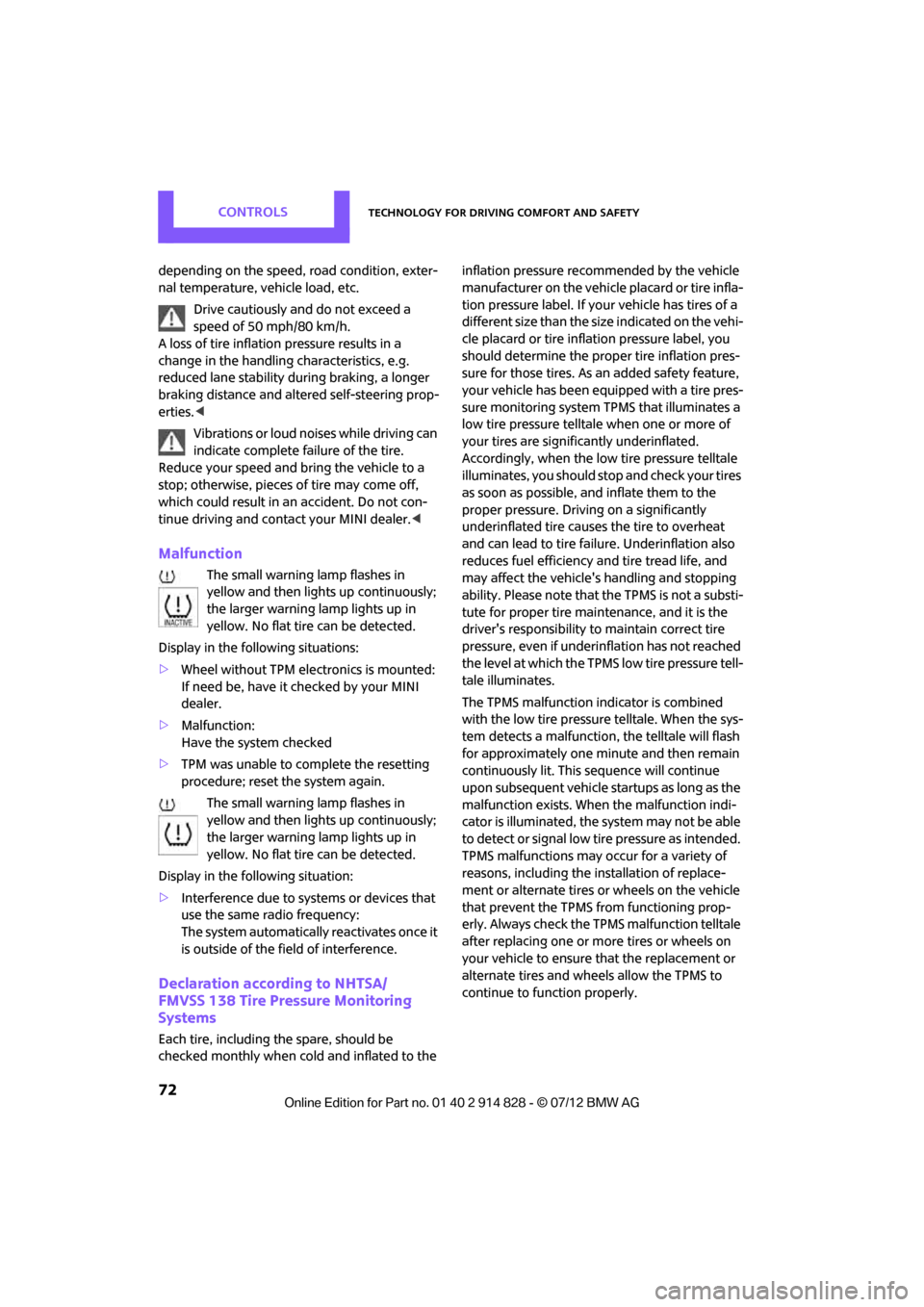
Malfunction
The small warning lamp flashes in
yellow and then lights up continuously;
the larger warning lamp lights up in
yellow. No flat tire can be detected.
Display in the following situations:
> Wheel without TPM electronics is mounted:
If need be, have it checked by your MINI
dealer.
> Malfunction:
Have the system checked
> TPM was unable to complete the resetting
procedure; reset the system again.
The small warning lamp flashes in
yellow and then lights up continuously;
the larger warning lamp lights up in
yellow. No flat tire can be detected.
Display in the following situation:
> Interference due to sy stems or devices that
use the same radio frequency:
The system automatically reactivates once it
is outside of the field of interference.
Declaration according to NHTSA/
FMVSS 138 Tire Pressure Monitoring
Systems
Each tire, including the spare, should be
checked monthly when cold and inflated to the inflation pressure recommended by the vehicle
manufacturer on the vehicle placard or tire infla-
tion pressure label. If yo
ur vehicle has tires of a
different size than the size indicated on the vehi-
cle placard or tire inflation pressure label, you
should determine the proper tire inflation pres-
sure for those tires. As an added safety feature,
your vehicle has been equipped with a tire pres-
sure monitoring system TPMS that illuminates a
low tire pressure telltal e when one or more of
your tires are significantly underinflated.
Accordingly, when the low tire pressure telltale
illuminates, you should st op and check your tires
as soon as possible, and inflate them to the
proper pressure. Driving on a significantly
underinflated tire causes the tire to overheat
and can lead to tire failure. Underinflation also
reduces fuel efficiency and tire tread life, and
may affect the vehicle's handling and stopping
ability. Please note that the TPMS is not a substi-
tute for proper tire maintenance, and it is the
driver's responsibility to maintain correct tire
pressure, even if underi nflation has not reached
the level at which the TPMS low tire pressure tell-
tale illuminates.
The TPMS malfunction indicator is combined
with the low tire pressure telltale. When the sys-
tem detects a malfunction, the telltale will flash
for approximately one minute and then remain
continuously lit. This sequence will continue
upon subsequent vehicle startups as long as the
malfunction exists. When the malfunction indi-
cator is illuminated, the system may not be able
to detect or signal low tire pressure as intended.
TPMS malfunctions may occur for a variety of
reasons, including the installation of replace-
ment or alternate tires or wheels on the vehicle
that prevent the TPMS from functioning prop-
erly. Always check the TP MS malfunction telltale
after replacing one or mo re tires or wheels on
your vehicle to ensure that the replacement or
alternate tires and wheels allow the TPMS to
continue to function properly.
Online Edition for Part no. 01 40 2 914 828 - \251 07/12 BMW AG
Page 110 of 201

Radio MINI Boost CDENTERTAINMENT
109
To adjust the volume of an external audio device
to the radio:
1. Press the MODEbutton.
2. Press the button.
3. Press the button.
4. Select the desired volume and press the
knob on the right.
Setting tone controls
You can select between the following settings:
>Bass: bass adjustment.
> Treble: treble adjustment.
> Balance: volume distribution left/right.
> Fader: volume distri bution front/back.
The tone settings are set for all audio sources at
once.
Setting the bass, treble and balance
1. Press the button.
2. Select the desired tone setting and press the
knob on the right.
3. Select the desired volume and press the
knob on the right.
Resetting tone settings
The tone settings are reset to the middle values.
1.Press the button.
2. Press the button.
Time
Setting the time, date and time format
You can set the time, date and time format, refer
to page62.
Radio
Your radio is designed for the reception of FM
and AM signals.
Listening to the radio
1.Switch on the radio, refer to page 108.
2. If necessary, press the MODEbutton.
3. Press the button.
4. Press the corresponding button as
often as necessary until the desired wave-
length band is selected.
> AM: AM and AMA
> FM: FM1/FM2 and FMA
Selecting a station
The setting is stored for the remote control in
use.
Next station
Press the … button.
The next available st ation is selected.
Selecting stations by changing the
frequency
1. Press the button.
2. Press the button each time to enter a
desired frequency.
Online Edition for Part no. 01 40 2 914 828 - \251 07/12 BMW AG
Page 111 of 201
ENTERTAINMENTRadio MINI Boost CD
110
Or, by using the knob on the right:
1.Press the button.
2. Turn the knob on the right until the desired
frequency is reached.
Automatically updating strongest
stations
Press the correspon ding button until
"Autostore" is displayed.
Several seconds may go by until the stations are
stored and one of the stations can be heard.
If you do not wish to use the Autostore
feature, you can store six stations of your
choice in the FMA or AMA memory levels.<
Playing and selecting stations, scan
You can listen to all the receivable stations for
approx. 10 seconds.
Press the button.
Interrupting the scan an d selecting a station:
Press the button.
When a traffic information station is selected,
only traffic information broadcasts will be
played.
Storing and recalling stations
Memory presets
Your radio can store 30 stations:
> FM1, FM2: six stations each of your choice
> AM: six stations each of your choice
> FMA/AMA: the six stro ngest stations auto-
matically
Storing a station
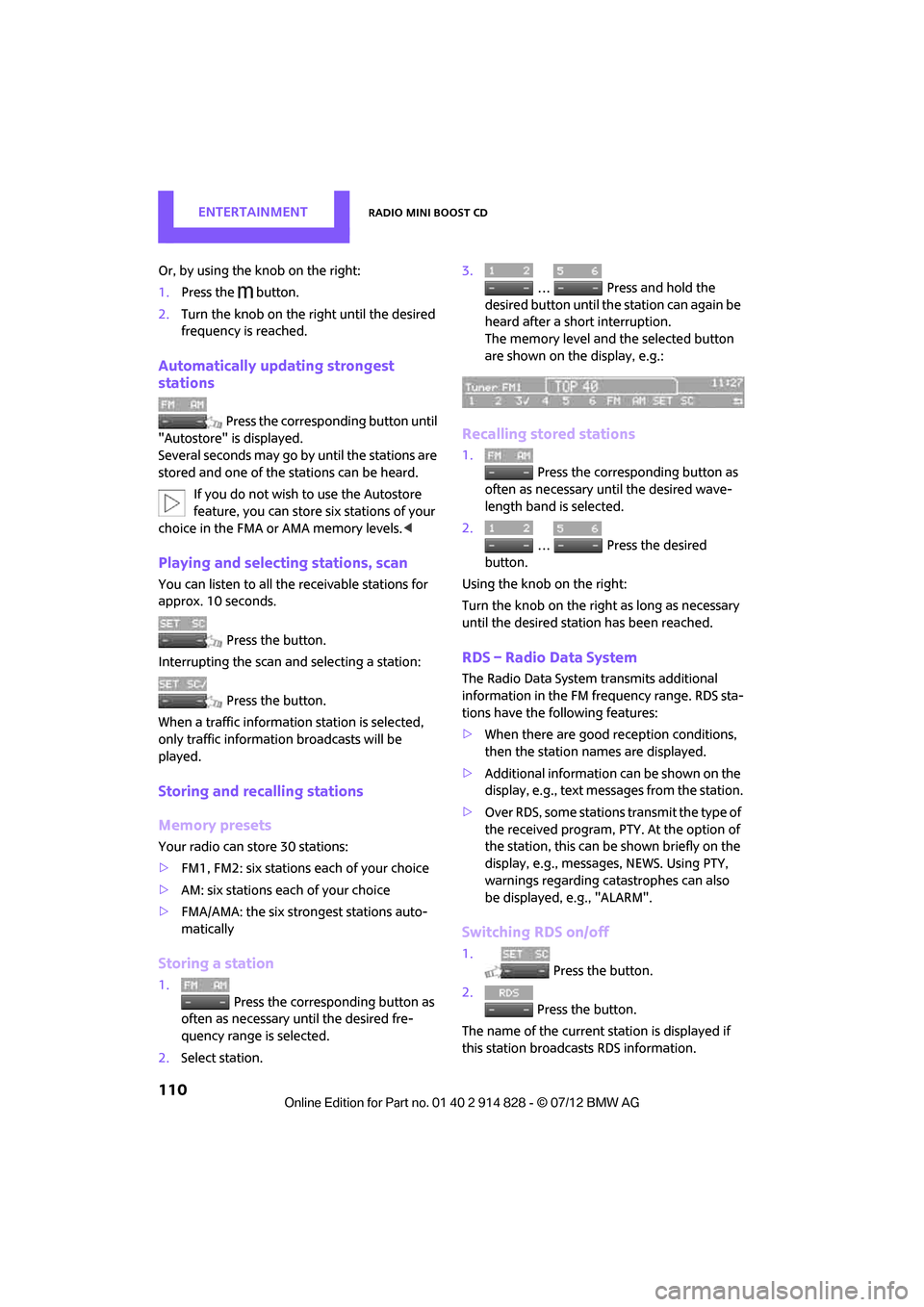
1.
Press the corresponding button as
often as necessary until the desired fre-
quency range is selected.
2. Select station. 3.
… Press and hold the
desired button until th e station can again be
heard after a short interruption.
The memory level and the selected button
are shown on the display, e.g.:
Recalling stored stations
1. Press the corresponding button as
often as necessary until the desired wave-
length band is selected.
2.
… Press the desired
button.
Using the knob on the right:
Turn the knob on the right as long as necessary
until the desired stat ion has been reached.
RDS – Radio Data System
The Radio Data System transmits additional
information in the FM frequency range. RDS sta-
tions have the following features:
>When there are good reception conditions,
then the station names are displayed.
> Additional information can be shown on the
display, e.g., text me ssages from the station.
> Over RDS, some stations transmit the type of
the received program, PTY. At the option of
the station, this can be shown briefly on the
display, e.g., message s, NEWS. Using PTY,
warnings regarding ca tastrophes can also
be displayed, e.g., "ALARM".
Switching RDS on/off
1. Press the button.
2. Press the button.
The name of the current station is displayed if
this station broadcasts RDS information.
Online Edition for Part no. 01 40 2 914 828 - \251 07/12 BMW AG
Page 123 of 201
COMMUNICATIONSTelephone
122
10Switching displays 126
> "PHONE": telephone
> "COMP": computer
> "CONFIG": adjusting
> "MINI": MINI contact
11 Radio on/off, volume
>Press: switchin g radio on/off
> Turn: adjusting volume 125
12 Ejecting CD
Pairing/unpairing mobile
phone
Overview
The pairing data of four mobile phones can be
stored simultaneously in the vehicle. When the
engine is running or the ignition is switched on,
each paired mobile phone is automatically
detected as soon as it is present in the passenger
compartment.
Requirements
>Suitable mobile ph one, refer to page120.
> Mobile phone operational.
> Bluetooth activated in vehicle, refer to
page 122, and in the mobile phone.
> Bluetooth presets in the mobile phone are
required, e.g. connection not confirmed or
visible, refer to Owner's Manual for the
mobile phone.
> A number with at least 4 and at most
16 digits has been established as the
Bluetooth passkey. Only required once for
pairing.
> Ignition switched on.
Activating/deactivating Bluetooth link
Bluetooth is not permitted everywhere. Comply
with all safety guidelines and regulations.
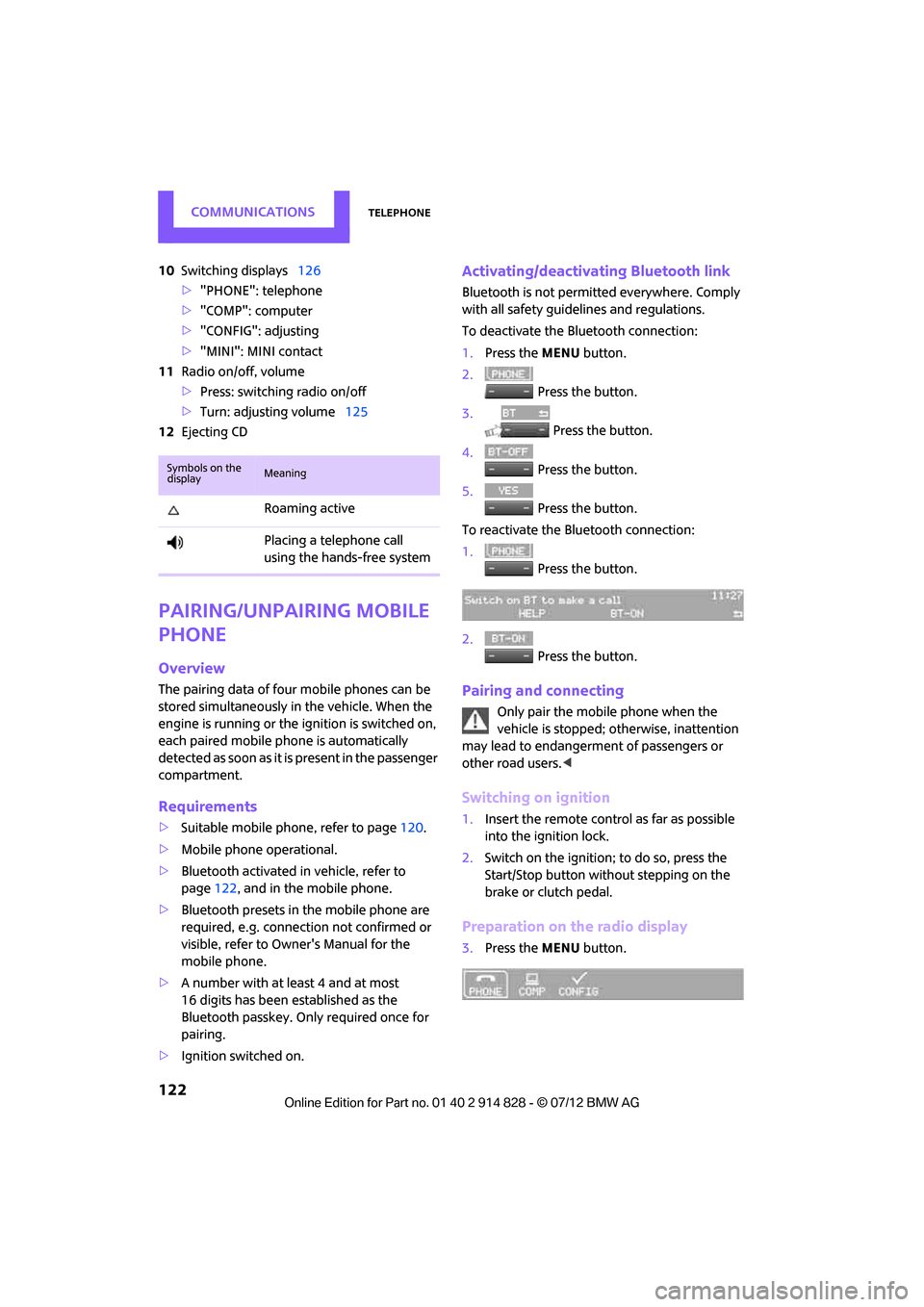
To deactivate the Bluetooth connection:
1.Press the MENU button.
2. Press the button.
3. Press the button.
4. Press the button.
5. Press the button.
To reactivate the Bluetooth connection:
1. Press the button.
2. Press the button.
Pairing and connecting
Only pair the mobile phone when the
vehicle is stopped; otherwise, inattention
may lead to endangerment of passengers or
other road users. <
Switching on ignition
1.Insert the remote control as far as possible
into the ignition lock.
2. Switch on the ignition; to do so, press the
Start/Stop button without stepping on the
brake or clutch pedal.
Preparation on the radio display
3.Press the MENU button.
Symbols on the
displayMeaning
Roaming active
Placing a telephone call
using the hands-free system
Online Edition for Part no. 01 40 2 914 828 - \251 07/12 BMW AG
Page 137 of 201
MOBILITYWheels and tires
136
Wheels and tires
Vehicle equipment
In this chapter, all production, country, and
optional equipment that is offered in the model
range is described. Equipment is also described
that is not available because of, for example,
selected options or coun try version. This also
applies to safety relate d functions and systems.
Tire inflation pressures
Information for your safety
It is not merely the tire s' service life, but also
driving comfort and, to a great extent, driving
safety that depend on the condition of the tires
and the maintenance of the specified tire pres-
sure.
Checking pressure
Check the tire inflation pressure regularly
and correct it, if necessary: at least twice a
month and before starting long trips. If you fail
to observe this precauti on you may be driving
on tires with incorrect ti re pressures, a condition
that can not only compromise your vehicle's
driving stability, but also l e a d t o t i r e d a m a g e a n d
the risk of an accident. Do not drive with
deflated, i.e. flat tires, except when using run-
flat tires. A flat tire will seriously impair your
vehicle's handling and braking response.
Att empt s to drive o n a flat t ire can lead to lo ss of
control over the vehicle. <
Check the tire inflation pressures only on cold
tires. This means after a maximum of 1.25 miles/
2 km driving or when the vehicle has been
parked for at least 2 hou rs. When tires are warm,
the tire inflation pressure is higher.
After adjusting the tire inflation pressure,
reinitialize the Flat Tire Monitor, page 68,
or reset the Tire Pressure Monitor, page 70.<
Pressure specifications
The tables below provide all the correct inflation
pressures for the specified tire sizes at ambient
temperature.
The tire inflation pressures apply to the
tire sizes approved and the tire brands
recommended by the manufacturer of your
MINI. Your MINI dealer will be glad to advise
you. <
For correct identification of the right tire infla-
tion pressures, ob serve the following:
> Tire sizes for your vehicle
> Maximum allowable driving speed
Tire inflation pressures for driving up to
100 mph or 160 km/h
For normal driving up to 100 mph or 160 km/h
and to achieve optimum driving comfort, adjust
pressures to the respective tire inflation pres-
sures listed on the follo wing pages in the col-
umns for traveling speeds up to a maximum of
100 mph or 160 km/h.
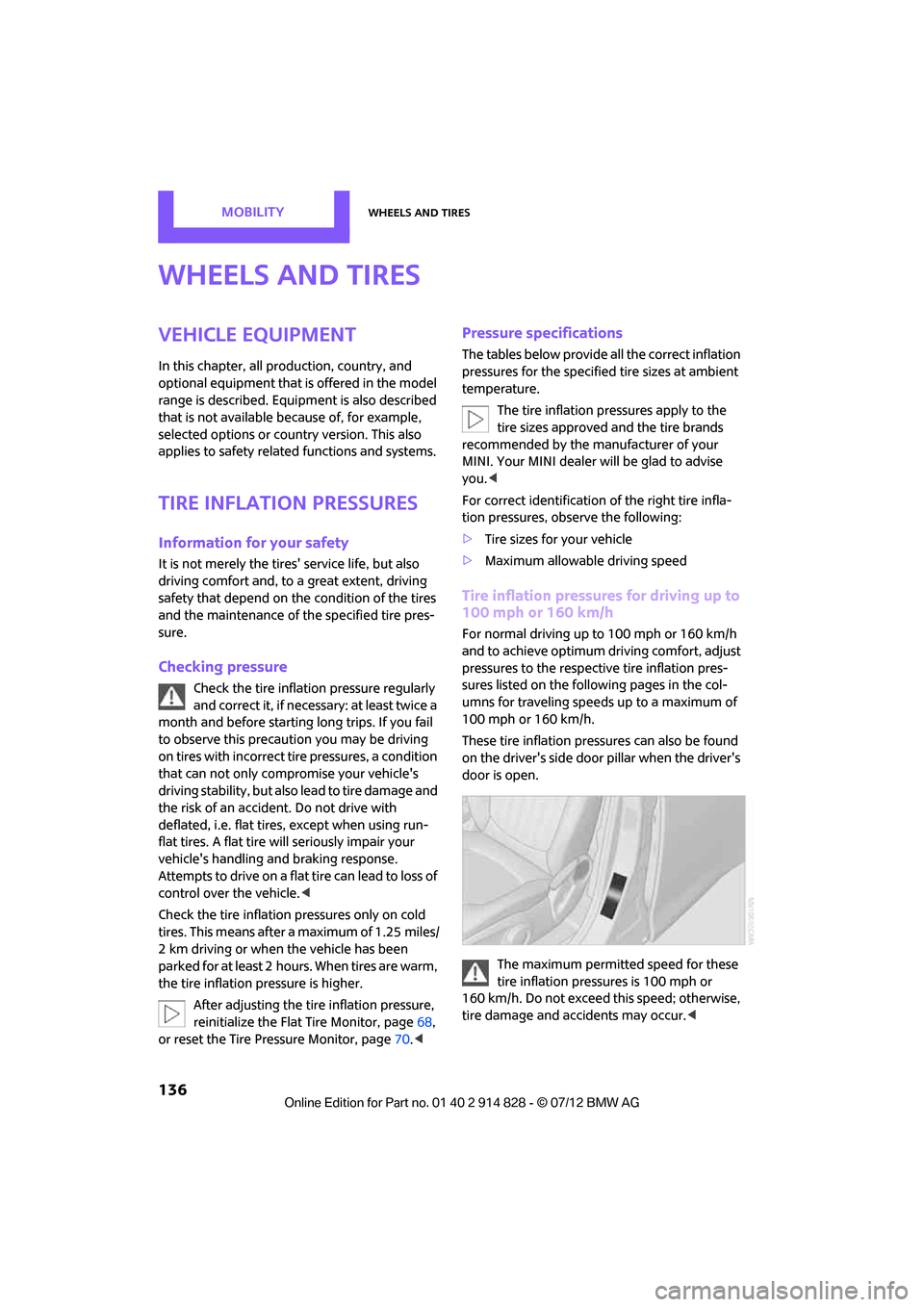
These tire inflation pre ssures can also be found
on the driver's side door pillar when the driver's
door is open.
The maximum permitted speed for these
tire inflation pressures is 100 mph or
160 km/h. Do not exceed this speed; otherwise,
tire damage and accidents may occur. <
Online Edition for Part no. 01 40 2 914 828 - \251 07/12 BMW AG
Page 178 of 201

Indicator and warning lampsMOBILITY
177
Vehicles with Flat Tire Monitor
Light up in yellow and red:
>Tire damage Carefully bring the car to a stop.
Observe the information starting on
page
68.
> Flat Tire Monitor not initialized Initialize Flat Tire Monitor, page
68.
Light up in yellow:
Flat Tire Monitor failed. Punctures are
not indicated Have the system checked.
Vehicles with Tire Pressure Monitor
Light up in yellow and red:
There is a flat tire or significant tire
pressure loss, e.g. in the front right
tire Carefully bring the car to a stop.
Observe the information starting on
page
70.
Vehicles with Tire Pressure Monitor
Light up in yellow:
Tire Pressure Monitor not initialized Check the inflation pressure and reset
the system, page
71.
The small lamp flashes yellow and
then stays on, the large lamp lights
up in yellow:
> Wheel mounted without TPM
electronics Have the system checked.
> The TPM is temporarily malfunc-
tioning due to other systems or
devices using the same radio fre-
quency.
12Cause What to do
Online Edition for Part no. 01 40 2 914 828 - \251 07/12 BMW AG
Page 196 of 201
Everything from A to ZREFERENCE
195
Power windows, refer to Windows 32
Pressure, tires 136
Pressure monitoring, tires 68
– Flat Tire Monitor 68
Pressure monitoring of tires, refer to Tire Pressure Monitor
TPM 70
Protective function, refer to Pinch protection system
– windows 33
PTY 111
Puncture
– Flat Tire Monitor 68
R
Radio
– HD Radio111
Radio key, refer to Integrated key/remote control 22
Radio MINI Boost CD
– playing stations 110
– recalling stations 110
– satellite radio 111
– searching stations 109
– storing stations 110
– switching on/off 108
– tone control 109
– volume 108
Radio position, refer to Radio readiness 45
Radio readiness 45
– switched off 46
– switched on 45
Rain sensor 51
Range, refer to Cruising range 56
RDS 110
Reading lamps 80
Rear fog lamp
– indicator lamp 169
Rear lamps
– bulb replacement 159
Rear lamps, refer to Tail
lamps 158 Rear-mounted luggage
rack 103
Rear seat backrest, folding 98
Rear seats
– adjusting 36
– folding down the backrests 98
Rearview mirror
– compass 88
Rearview mirror, refer to
Mirrors 39
Rear window
– windshield wiper 52
Rear window defroster 82,84
Rear window safety switch 33
Reception
– quality 110
– radio station 109
Recirculated-air mode 82,84
Recirculation of air, refer to Recirculated-air
mode 82,84
Reclining seat, refer to Backrest 35
Refueling 134
Rejecting a call 126
Releasing
– hood 146
Remote control 22
– battery renewal 31
– Comfort Access
30
– ga
rage door opener 86
– malfunctions 25,31
– service data 149
– tailgate 25
Replacement remote
control 22
Replacing bulbs, refer to Lamps and bulbs 155
Replacing tires, refer to New wheels and tires 143
Reporting safety defects 7
Reserve warning, refer to Fuel gauge 55
Reservoir for washer
systems 53 Reset, resetting tone
settings 109
Restraint systems
– for children 41
– refer to Safety belts 37
Reverse
– CD 113
Reverse gear
– automatic transmission with Steptronic 48
– manual transmission 47
Roadside Assistance 165
Roadside parking lamps 79
– replacing bulb 157
Road worthiness test, refer to
Service requirements 61
Roof load capacity 186
Roof-mounted luggage rack 103
Rope, refer to Tow-starting, towing away 168
RSC Run-flat System
Component, refer to Run-flat
tires 143
Rubber parts, care 153
Run-flat System Component RSC, refer to Run-flat
tires 143
Run-flat tires 143
– flat tire 69
– Flat Tire Monitor 69
– tire inflation pressure 136
– tire replacement 143
– winter tires 144
S
Safety belt
– number34
Safety Belt Reminder 39
Safety belts 37
– center belt 38
– damage 39
– indicator lamp 39
– reminder 39
– sitting safely 34
Safety belts, care 154
Online Edition for Part no. 01 40 2 914 828 - \251 07/12 BMW AG
Page 198 of 201
Everything from A to ZREFERENCE
197
Steptronic, refer to Automatic transmission with
Steptronic 47
Storage area
– cargo area 98
Storage compartments 91
Storage space
– storage compartments 91
Storing the vehicle 154
Storing tires 144
Stowage, refer to Storage compartments 91
Summer tires, re fer to Wheels
and tires 136
Switches, refer to Cockpit 10
Switching off
– engine 46
Switching off the engine 46
– Start/Stop button 45
Switching on
– CD player 108,113
– radio MINI Boost CD 108
Switching the cooling function on and off 85
Symbols 4
T
Tachometer 55
Tailgate 28
– Comfort Access 30
– opening/closing 28
– opening from outside 28
– unlocking with remote control 25
Tail lamp, refer to Tail
lamps 158
– replacing bulb 158
Tail lamps 158
Tank volume, refer to Capacities 187
Technical data 184
Technical modifications 4Telephone
120
– hands-free system 128
– installation location, refer to Center armrest 90
– voice commands 128
Temperature display
– setting the units 59
Temperature of coolant, refer to Coolant temperature 148
Temperature setting
– air conditioner 82
– automatic climate control 84
Tempomat, refer to Cruise
control 53
Tensioning straps, refer to Securing cargo 102
Third brake lamp, refer to Center brake lamp 159
Three-point safety belt 37
Tightening the lug bolts
– torque 163
Tightening torque, refer to
Tightening lug bolts 163
Time
– setting 109
Tire failure
– Flat Tire Monitor 69
– indicator/warning lamp 69
– MINI Mobility Kit 160
– run-flat tires 69
– Tire Pressure Monitor 70
Tire inflation pressure 136
– loss 69
Tire pressure mo nitoring, refer
to Flat Tire Monitor 68
Tire Pressure Monitor TPM 70
– limitations of system 70
– resetting system 70
– warning lamp 71
Tire Quality Grading 141Tires
– age
143
– breaking in 96
– changing, refe r to Changing
wheels 162
– co
n
dition 142
– damage 142
– inflation pressure 136
– inflation pressure loss 71
– minimum tread depth 142
– new tires 143
– pressure monitoring, refer to Flat Tire Monitor 68
– pressure monitoring, refer to Tire Pressure Monitor
TPM 70
– puncture 69
– size 141
– wear indicators, refer to
Minimum tread depth 142
– winter tires 144
– with emergency operation
properties 143
Tires with emergency operation properties, refer to
Run-flat tires 143
Tires with safety features, refer
to Run-flat tires 143
Tone
– middle setting 109
Torque 184
– lug bolts 163
Tow bar 167
Tow fitting 167
– screw thread 167
Tow fittings for tow-starting
and towing away 167
Towing 166
– car with automatic
transmission 167
– methods 167
Tow rope 168
Tow-starting 166
Online Edition for Part no. 01 40 2 914 828 - \251 07/12 BMW AG