phone MINI Countryman 2012 Owner's Guide
[x] Cancel search | Manufacturer: MINI, Model Year: 2012, Model line: Countryman, Model: MINI Countryman 2012Pages: 201, PDF Size: 3.19 MB
Page 129 of 201
COMMUNICATIONSTelephone
128
Dialing a phone number stored in a list
To select an entry and establish a connection:
1.Press the MENU button.
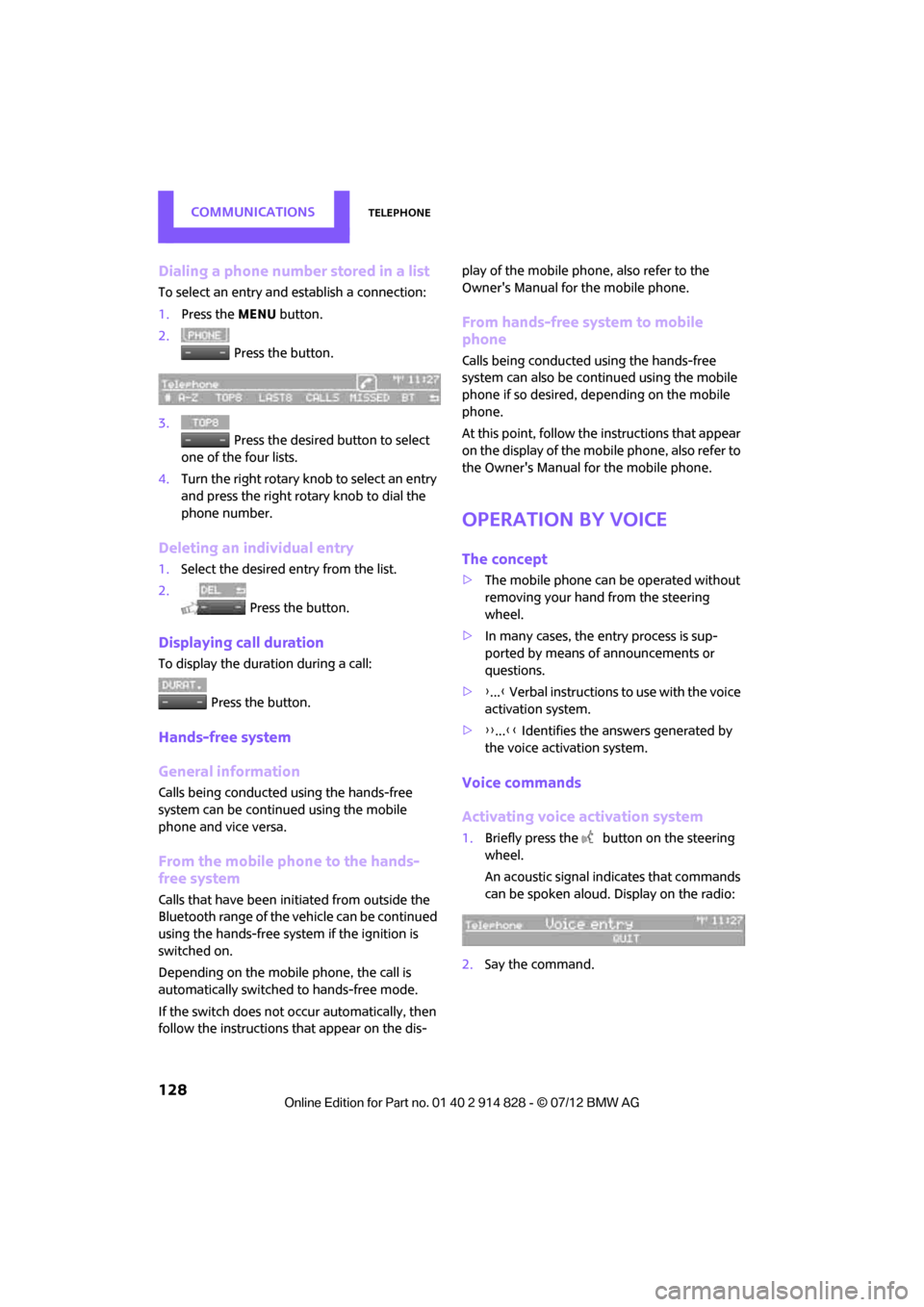
2. Press the button.
3. Press the desired button to select
one of the four lists.
4. Turn the right rotary knob to select an entry
and press the right rotary knob to dial the
phone number.
Deleting an individual entry
1.Select the desired entry from the list.
2. Press the button.
Displaying call duration
To display the duration during a call:
Press the button.
Hands-free system
General information
Calls being conducted using the hands-free
system can be continued using the mobile
phone and vice versa.
From the mobile phone to the hands-
free system
Calls that have been initiated from outside the
Bluetooth range of the ve hicle can be continued
using the hands-free system if the ignition is
switched on.
Depending on the mobile phone, the call is
automatically switched to hands-free mode.
If the switch does not occur automatically, then
follow the instructions that appear on the dis- play of the mobile phone, also refer to the
Owner's Manual for the mobile phone.
From hands-free system to mobile
phone
Calls being conducted using the hands-free
system can also be cont
inued using the mobile
phone if so desired, de pending on the mobile
phone.
At this point, follow the instructions that appear
on the display of the mobile phone, also refer to
the Owner's Manual for the mobile phone.
Operation by voice
The concept
> The mobile phone can be operated without
removing your hand from the steering
wheel.
> In many cases, the entry process is sup-
ported by means of announcements or
questions.
> {... } Verbal instructions to use with the voice
activation system.
> {{...}} Identifies the answers generated by
the voice activation system.
Voice commands
Activating voice activation system
1. Briefly press the button on the steering
wheel.
An acoustic signal indicates that commands
can be spoken aloud. Display on the radio:
2. Say the command.
Online Edition for Part no. 01 40 2 914 828 - \251 07/12 BMW AG
Page 130 of 201
TelephoneCOMMUNICATIONS
129
Finishing voice input
Press the button on the steering wheel
briefly
or
Possible commands
Having possible commands read aloud
Press the button on the steering wheel.
Possible commands are read aloud.
Each digit can be spoken individually or com-
bined into a sequence to accelerate the entry
process.
Using alternative commands
There are often a number of commands to run
a function, e.g.:
Example: dialing phone numbers
1. Briefly press the button on the steering
wheel.
2. {Dial number}
3. The system replies: {{Please say the
number }}
4. For example: {123 456 7890 }
5. The system replies: {{123 456 7890.
Continue? }}
6. {Dial }
System replies: {{Dialing number }}
Calling
Dialing phone numbers
The connection to the desired subscriber is
established.
Correcting phone number
Digit sequences can be de leted after the system
has repeated the digits.
The command can be repeated as often as nec-
essary.
Deleting phone number
All digits entered up to this point are deleted.
Redialing
Voice phone book
Depending on how the vehicle is equipped, it
may be necessary to set up a separate voice
telephone book.
Depending on the equipment you have, the
entries are imported from the mobile phone's
memory or have to be entered independently of
it. In this case, phone numbers stored in the
mobile phone cannot be accessed by voice or
stored in the mobile phone by voice.
Storing the entry
Deleting the entry
{ Cancel }.
{ Help }.
{ Dial name } or {Name }.
1. {Dial number }.
2. Say the phone number.
3. {Dial }.
{Correct number }.
{ Delete }.
{ Redial }.
1. {Save name }.
2. Say the name aloud. Do not exceed a
speaking duration of about 2 seconds.
3. Say the phone number after being
prompted to do so by the system.
4. {Save }.
1. {Delete name }.
2. Say the name when prompted.
3. Confirm prompt with {Yes }.
Online Edition for Part no. 01 40 2 914 828 - \251 07/12 BMW AG
Page 131 of 201

COMMUNICATIONSTelephone
130
Deleting all entries
Reading and selecting the entries
Selecting an entry
Adjusting volume
Turn knob during announcement.
>The volume is stored for the remote control
currently in use.
> The changed volume remains the same,
even if the volume of other audio sources is
changed.
Notes
Do not use the voice oper ation system to initiate
an emergency call. In st ressful situations, the
voice and vocal pitch can change. This can
unnecessarily delay the establishment of a tele-
phone connection.
Ambient conditions
> Say the commands, numbers and letters
smoothly and with normal volume, empha-
sis and speed.
> Always say the commands in the language
of the system.
> Keep doors, windows, glass sunroof/pan-
oramic sunroof, or convertible top closed to
avoid noise interference. >
Avoid ambient noise in the vehicle while
speaking.
MINI contact
When the ignition is on, several dealer phone
numbers can be displayed.
>"Road Assist": Roadsi de service, if you
require assistance in th e event of a flat tire.
> "Service": MINI dealer, for example if you
need to make a service appointment.
> "Cust Relat": MINI Hotline for information
about your vehicle.
Displaying phone numbers
1.Press the MENU button.
2. Press the button.
3. Turn the right rotary knob until the desired
phone number is displayed.
Snap-in adapter
The concept
The snap-in adapter makes it possible to do the
following:
>Accommodate the mobile phone.
> Recharge its battery.
> Connect to the outside antenna of the vehi-
cle.
This assures a better network connection
and constant sound quality.
General information
Detailed information on snap-in adapters that
compatibly support mobile phone functions can
be found at your MINI dealer.
1.
{Delete phonebook }.
The dialog for deleting phone book is
opened.
2. Confirm prompt with {Yes }.
3. Confirm repeated prompt with {Yes }.
1. {Read phonebook }.
The dialog for reading phone book is
opened.
2. {Dial number } when the desired entry is
read aloud.
1. {Dial name }.
2. Say the name when prompted.
3. Confirm prompt with {Yes }.
Online Edition for Part no. 01 40 2 914 828 - \251 07/12 BMW AG
Page 132 of 201
TelephoneCOMMUNICATIONS
131
Do not expose your mobile phone to extreme
ambient conditions, for example, very high tem-
peratures; otherwise, functions on your mobile
phone may not work. Follow the operating
instructions for your mobile phone.
Installation location
In the center armrest.
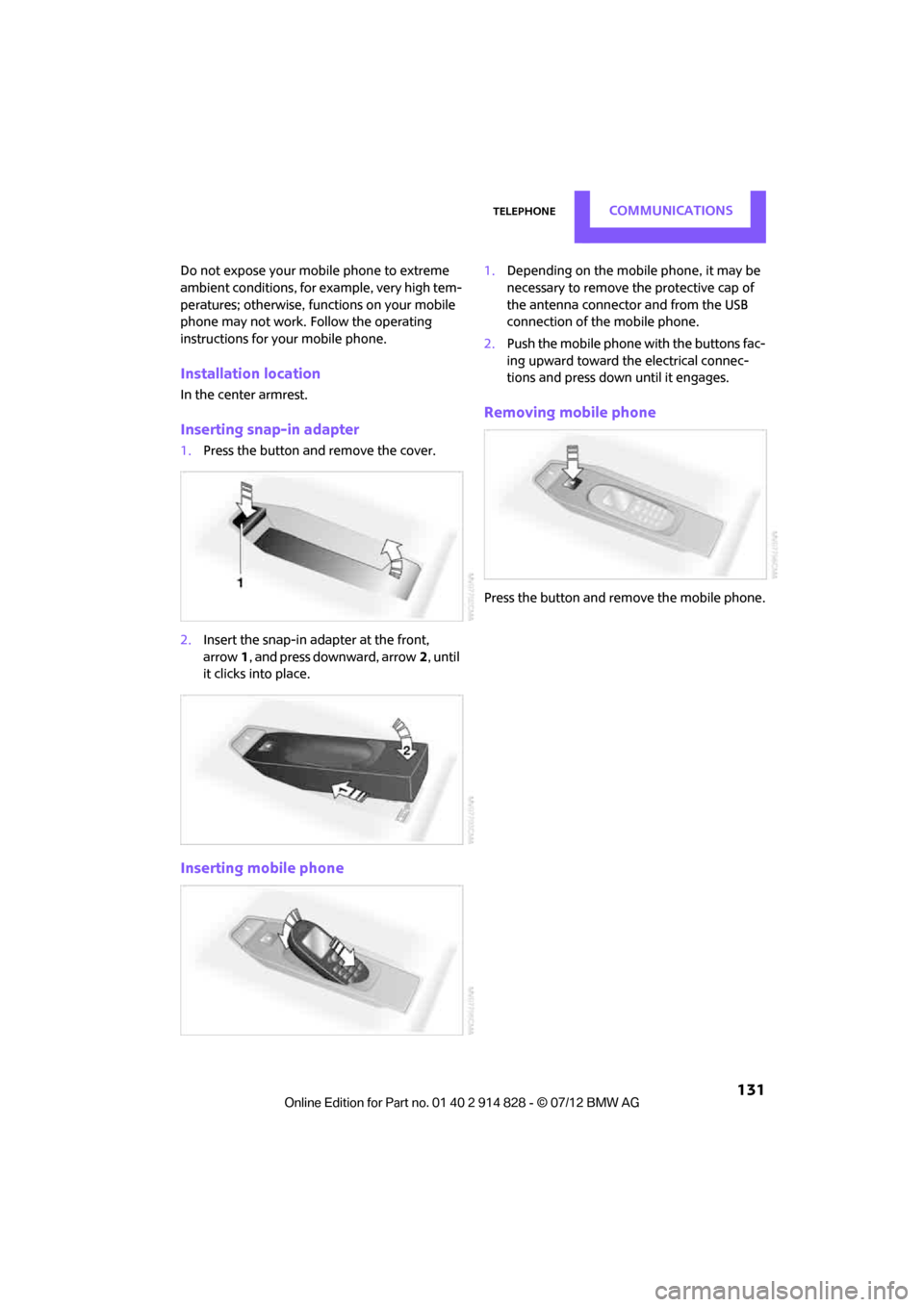
Inserting snap-in adapter
1. Press the button an d remove the cover.
2. Insert the snap-in adapter at the front,
arrow 1, and press downward, arrow 2, until
it clicks into place.
Inserting mobile phone
1. Depending on the mobile phone, it may be
necessary to remove the protective cap of
the antenna connector and from the USB
connection of the mobile phone.
2. Push the mobile phone with the buttons fac-
ing upward toward the electrical connec-
tions and press down until it engages.
Removing mobile phone
Press the button and remove the mobile phone.
Online Edition for Part no. 01 40 2 914 828 - \251 07/12 BMW AG
Page 152 of 201
CareMOBILITY
151
Care
Vehicle equipment
In this chapter, all production, country, and
optional equipment that is offered in the model
range is described. Equipment is also described
that is not available because of, for example,
selected options or count ry version. This also
applies to safety related functions and systems.
Car-care products
Regular cleaning and care helps to maintain the
value of your MINI.
The manufacturer of your MINI recommends
using manufacturer-approved products to clean
and care for your vehicle.
Your MINI dealer would be pleased to advise
you on cleaning and care products and services
for your MINI.
The ingredients of original MINI Care Pro-
ducts have been tested, and the products
have been tested in the laboratory and in prac-
tice. They offer optimum care and protection for
your vehicle.<
Do not use any cleansers containing
alcohol or solvents as these may cause
damage. <
Cleaning agents may contain hazardous
or health-damaging substances. Follow
the warning and hazard instructions on the
packaging. For interior cleaning, always open
the doors or windows of the vehicle.
Do not use any products that are not intended
for cleaning the vehicle. <
External care
Washing your vehicle
Especially during the winter months the
vehicle should be frequently washed. Dirt
and road salt can damage the vehicle.<
After washing the vehicle, apply the
brakes briefly to dry them; otherwise,
water can reduce braking efficiency over the
short term and the brake rotors can corrode. <
Car washes
Preference should be given to cloth car washes.
Do not use automatic high-pressure car
washes; otherwise, water may drip into
the vehicle around the windows. <
Before driving into the car wash, check if the
system is suitable for your MINI. Observe the
following points:
> Vehicle dimensions, page 185
> If necessary: fold in the outside mirrors,
page 39
> Maximum permissible tire width
Avoid car washes with tracks higher than
4 in/10 cm; otherwise, the chassis could
be damaged. <
Preparations for driving into the car wash:
> Unscrew the rod antenna.
> Deactivate the rain sensor to prevent unin-
tentional wiping.
> Deactivate rear window wiper and protect it
from damage. Ask the car wash operator
about measures that can be taken to protect
the wipers.
> Remove additional attachments, e.g. spoil-
ers or telephone antennas, if there is a
possibility that they could be damaged.
> Insert the remote control into the ignition
lock.
Online Edition for Part no. 01 40 2 914 828 - \251 07/12 BMW AG
Page 166 of 201

Giving and receiving assistanceMOBILITY
165
Giving and receiving assistance
Vehicle equipment
In this chapter, all production, country, and
optional equipment that is offered in the model
range is described. Equipment is also described
that is not available because of, for example,
selected options or count ry version. This also
applies to safety related functions and systems.
Roadside Assistance
Roadside Assistance is available by phone
24 hours a day in many countries. You can
obtain assistance there in the event of a vehicle
breakdown.
First aid pouch
Some of the articles co ntained in the first aid
pouch have a limited se rvice life. Therefore,
check the expiration dates of the contents
regularly and replace any items in good time, if
necessary.
The first aid pouch is located on the rear cargo
well by the left side trim panel or under the pull-
out floor panel.
Warning triangle
In the cargo area under the loading sill.
To remove, open the two clasps.
Jump-starting
If the car's own battery is flat, your MINI's engine
can be started by connecting two jumper cables
to another vehicle's battery. You can also use
the same method to help start another vehicle.
Only use jumper cables with fully-insulated
clamp handles.
Do not touch any electrically live parts
when the engine is running, or a fatal
accident may occur. Ca refully adhere to the
following sequence, both to prevent damage to
one or both vehicles, and to guard against
possible personal injuries. <
Preparation
1.Check whether the battery of the other vehi-
cle has a voltage of 12 volts and approxi-
mately the same capacitance in Ah. This
information can be found on the battery.
2. Switch off the engine of the support vehicle.
3. Switch off any consumers in both vehicles.
There must not be any contact between
the bodies of the two vehicles; otherwise,
there is a danger of shorting. <
Online Edition for Part no. 01 40 2 914 828 - \251 07/12 BMW AG
Page 190 of 201
Everything from A to ZREFERENCE
189
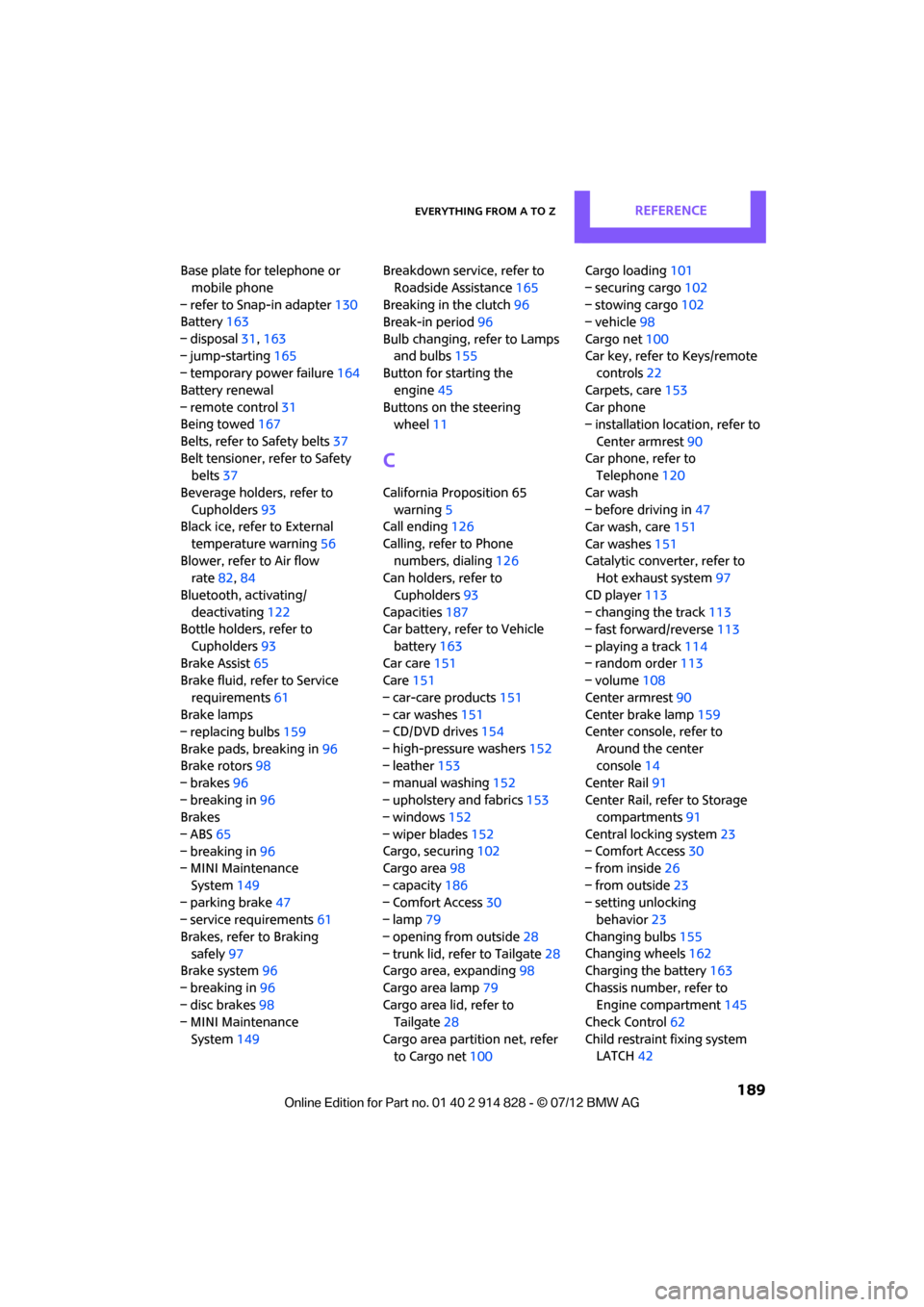
Base plate for telephone or mobile phone
– refer to Snap-in adapter 130
Battery 163
– disposal 31,163
– jump-starting 165
– temporary power failure 164
Battery renewal
– remote control 31
Being towed 167
Belts, refer to Safety belts 37
Belt tensioner, refer to Safety belts 37
Beverage holders, refer to Cupholders 93
Black ice, refer to External
temperature warning 56
Blower, refer to Air flow rate 82,84
Bluetooth, activating/ deactivating 122
Bottle holders, refer to
Cupholders 93
Brake Assist 65
Brake fluid, refer to Service
requirements 61
Brake lamps
– replacing bulbs 159
Brake pads, breaking in 96
Brake rotors 98
– brakes 96
– breaking in 96
Brakes
– ABS 65
– breaking in 96
– MINI Maintenance
System 149
– parking brake 47
– service requirements 61
Brakes, refer to Braking safely 97
Brake system 96
– breaking in 96
– disc brakes 98
– MINI Maintenance
System 149 Breakdown service, refer to
Roadside Assistance 165
Breaking in the clutch 96
Break-in period 96
Bulb changing, refer to Lamps and bulbs 155
Button for starting the
engine 45
Buttons on the steering wheel 11
C
California Proposition 65
warning 5
Call ending 126
Calling, refer to Phone numbers, dialing 126
Can holders, refer to
Cupholders 93
Capacities 187
Car battery, refer to Vehicle
battery 163
Car care 151
Care 151
– car-care products 151
– car washes 151
– CD/DVD drives 154
– high-pressure washers 152
– leather 153
– manual washing 152
– upholstery and fabrics 153
– windows 152
– wiper blades 152
Cargo, securing 102
Cargo area 98
– capacity 186
– Comfort Access 30
– lamp 79
– opening from outside 28
– trunk lid, refer to Tailgate 28
Cargo area, expanding 98
Cargo area lamp 79
Cargo area lid, refer to Tailgate 28
Cargo area partition net, refer to Cargo net 100 Cargo loading
101
– securing cargo 102
– stowing cargo 102
– vehicle 98
Cargo net 100
Car key, refer to Keys/remote controls 22
Carpets, care 153
Car phone
– installation location, refer to
Center armrest 90
Car phone, refer to Telephone 120
Car wash
– before driving in 47
Car wash, care 151
Car washes 151
Catalytic converter, refer to Hot exhaust system 97
CD player 113
– changing the track 113
– fast forward/reverse 113
– playing a track 114
– random order 113
– volume 108
Center armr
est90
Center brake lamp 159
Center console, refer to
Around the center
console 14
Center Rail 91
Center Rail, refer to Storage compartments 91
Central locking system 23
– Comfort Access 30
– from inside 26
– from outside 23
– setting unlocking behavior 23
Changing bulbs 155
Changing wheels 162
Charging the battery 163
Chassis number, refer to Engine compartment 145
Check Control 62
Child restraint fixing system LATCH 42
Online Edition for Part no. 01 40 2 914 828 - \251 07/12 BMW AG
Page 195 of 201
REFERENCEEverything from A to Z
194
Manual mode
– automatic transmission with Steptronic 49
Manual operation
– door lock 26
– fuel filler flap 134
– transmission lock, automatic
transmission 49
Manual station search 109
Manual transmission 47
Manual washing 152
Master key, refer to Integrated key/remote control 22
Maximum cooling 84
Maximum speed
– with winter tires 144
Medical assistance, refer to First aid pouch 165
Microfilter
– for air conditioner 83
– for automatic climate control 85
– MINI Maintenance System 149
Microfilter/activated-charcoal
filter
– MINI Maintenance System 149
Microphone for telephone 14
MINI Internet page 4
MINI Maintenance System 149
Mirror dimming feature 40
Mirrors 39
– exterior mirrors 39
– heating 40
– interior rearview mirror 40
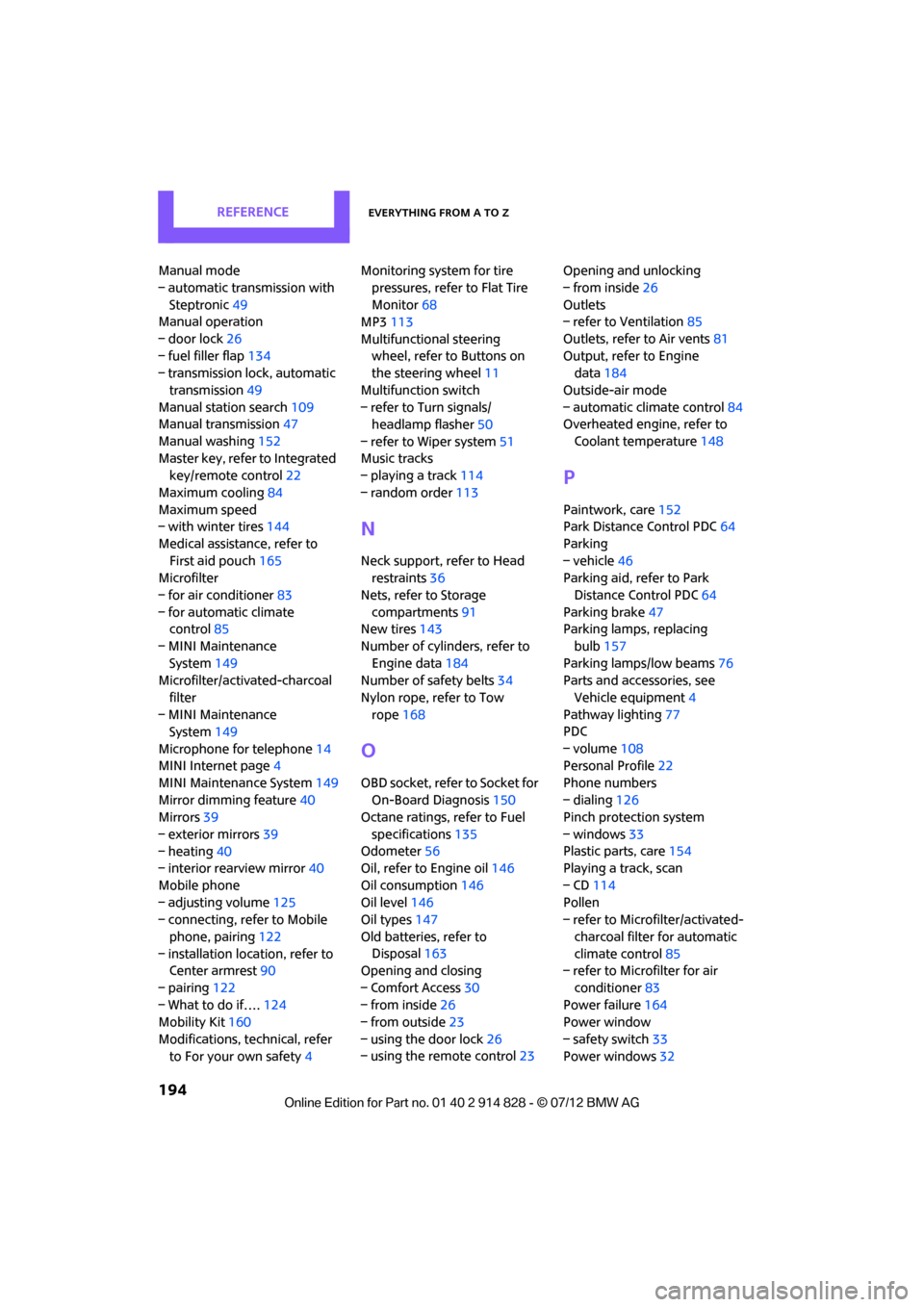
Mobile phone
– adjusting volume 125
– connecting, refer to Mobile
phone, pairing 122
– installation location, refer to Center armrest 90
– pairing 122
– What to do if…. 124
Mobility Kit 160
Modifications, technical, refer to For your own safety 4Monitoring syst
em for tire
pressures, refer to Flat Tire
Monitor 68
MP3 113
Multifunctional steering wheel, refer to Buttons on
the steering wheel 11
Multifunction switch
– refer to Turn signals/ headlamp flasher 50
– refer to Wiper system 51
Music tracks
– playing a track 114
– random order 113
N
Neck support, refer to Head
restraints 36
Nets, refer to Storage compartments 91
New tires 143
Number of cylinders, refer to Engine data 184
Number of safety belts 34
Nylon rope, refer to Tow rope 168
O
OBD socket, refer to Socket for
On-Board Diagnosis 150
Octane ratings, refer to Fuel
specifications 135
Odometer 56
Oil, refer to Engine oil 146
Oil consumption 146
Oil level 146
Oil types 147
Old batteries, refer to Disposal 163
Opening and closing
– Comfort Access 30
– from inside 26
– from outside 23
– using the door lock 26
– using the remote control 23Opening and unlocking
– from inside
26
Outlets
– refer to Ventilation 85
Outlets, refer to Air vents 81
Output, refer to Engine data 184
Outside-air mode
– automatic climate control 84
Overheated engine, refer to
Coolant temperature 148
P
Paintwork, care152
Park Distance Control PDC 64
Parking
– vehicle 46
Parking aid, refer to Park
Distance Control PDC 64
Parking brake 47
Parking lamps, replacing
bulb 157
Parking lamps/low beams 76
Parts and accessories, see
Vehicle equipment 4
Pathway lighting 77
PDC
– volume 108
Personal Profile 22
Phone numbers
– dialing 126
Pinch protection system
– windows 33
Plastic parts, care 154
Playing a track, scan
– CD 114
Pollen
– refer to Microfilter/activated-
charcoal filter for automatic
climate control 85
– refer to Microfilter for air
conditioner 83
Power failure 164
Power window
– safety switch 33
Power windows 32
Online Edition for Part no. 01 40 2 914 828 - \251 07/12 BMW AG
Page 198 of 201
Everything from A to ZREFERENCE
197
Steptronic, refer to Automatic transmission with
Steptronic 47
Storage area
– cargo area 98
Storage compartments 91
Storage space
– storage compartments 91
Storing the vehicle 154
Storing tires 144
Stowage, refer to Storage compartments 91
Summer tires, re fer to Wheels
and tires 136
Switches, refer to Cockpit 10
Switching off
– engine 46
Switching off the engine 46
– Start/Stop button 45
Switching on
– CD player 108,113
– radio MINI Boost CD 108
Switching the cooling function on and off 85
Symbols 4
T
Tachometer 55
Tailgate 28
– Comfort Access 30
– opening/closing 28
– opening from outside 28
– unlocking with remote control 25
Tail lamp, refer to Tail
lamps 158
– replacing bulb 158
Tail lamps 158
Tank volume, refer to Capacities 187
Technical data 184
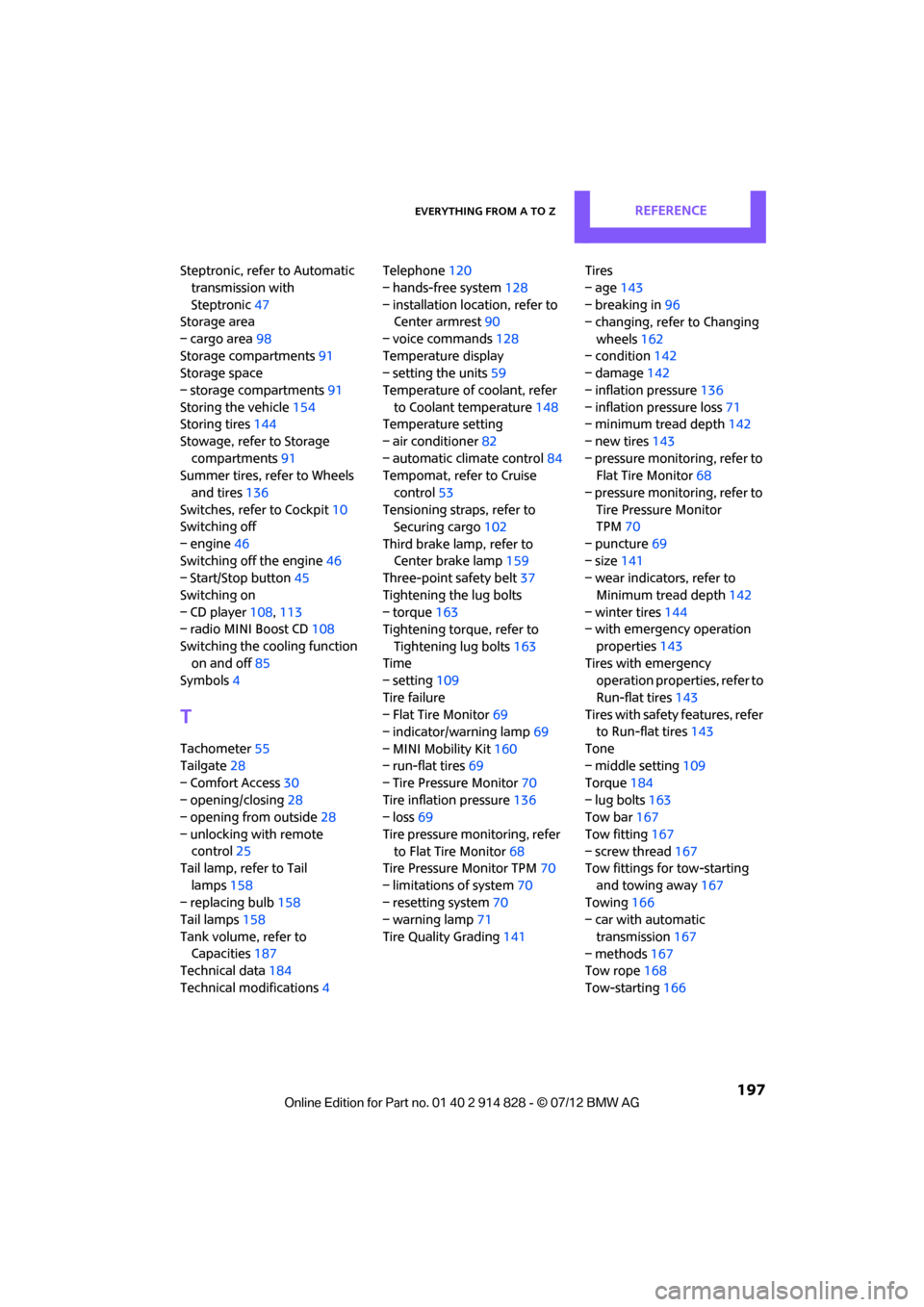
Technical modifications 4Telephone
120
– hands-free system 128
– installation location, refer to Center armrest 90
– voice commands 128
Temperature display
– setting the units 59
Temperature of coolant, refer to Coolant temperature 148
Temperature setting
– air conditioner 82
– automatic climate control 84
Tempomat, refer to Cruise
control 53
Tensioning straps, refer to Securing cargo 102
Third brake lamp, refer to Center brake lamp 159
Three-point safety belt 37
Tightening the lug bolts
– torque 163
Tightening torque, refer to
Tightening lug bolts 163
Time
– setting 109
Tire failure
– Flat Tire Monitor 69
– indicator/warning lamp 69
– MINI Mobility Kit 160
– run-flat tires 69
– Tire Pressure Monitor 70
Tire inflation pressure 136
– loss 69
Tire pressure mo nitoring, refer
to Flat Tire Monitor 68
Tire Pressure Monitor TPM 70
– limitations of system 70
– resetting system 70
– warning lamp 71
Tire Quality Grading 141Tires
– age
143
– breaking in 96
– changing, refe r to Changing
wheels 162
– co
n
dition 142
– damage 142
– inflation pressure 136
– inflation pressure loss 71
– minimum tread depth 142
– new tires 143
– pressure monitoring, refer to Flat Tire Monitor 68
– pressure monitoring, refer to Tire Pressure Monitor
TPM 70
– puncture 69
– size 141
– wear indicators, refer to
Minimum tread depth 142
– winter tires 144
– with emergency operation
properties 143
Tires with emergency operation properties, refer to
Run-flat tires 143
Tires with safety features, refer
to Run-flat tires 143
Tone
– middle setting 109
Torque 184
– lug bolts 163
Tow bar 167
Tow fitting 167
– screw thread 167
Tow fittings for tow-starting
and towing away 167
Towing 166
– car with automatic
transmission 167
– methods 167
Tow rope 168
Tow-starting 166
Online Edition for Part no. 01 40 2 914 828 - \251 07/12 BMW AG
Page 199 of 201
REFERENCEEverything from A to Z
198
TPM, refer to Tire Pressure Monitor 70
Track width, refer to Dimension 185
Traction control, refer to
– Dynamic Stability Control DSC 65
Transmission
– automatic transmission with Steptronic 47
– manual transmission 47
– overriding selector lever lock for automatic transmission
with Steptronic 49
Transporting children safely 41
Transport securing devices,
refer to Securing cargo 102
Tread depth, refer to Minimum tire tread 142
Trip-distance counter, refer to Trip odometer 56
Triple turn si gnal activation 50
Trip odometer 56
Turning circle, refer to Dimensions 185
Turn signal 50
– front, replacing bulb 157
– indicator lamp 12
– rear, replacing bulb 158
– side, replacing bulb 158
Tying down load s, refer to
Cargo loading 102
U
Uniform Tire Quality Grading
UTQR 141
Units
– average fuel consumption 59
– temperature 59
Universal garage door opener, refer to Integrated universal
remote control 86
Universal remote control 86Unlatching, refer to
Unlocking 30
Unlocking
– from inside 26
– from outside 23
– setting unlocking behavior 23
– tailgate 30
– without remote control, refer
to Comfort Access 30
Upholstery, care 153
USB audio interface 115
V
Vehicle
– battery163
– breaking in 96
– cargo loading 98
– dimensions 185
– identification number, refer to Engine compartment 145
– parking 46
– storage 154
– weight 186
Vehicle jack
– jacking points 162
Ventilation
– air conditioner 85
Ventilation, refer to Climate
control 81
Vents, refer to Air vents 81
Vents, refer to Ventilation 85
Voice commands
– telephone 128
Voice phone book 129
Volume
– gong 108
– mobile phone 125
– PDC 108
– setting speed- dependent 108
Volume of cargo area 186
W
Warning and indicator
lamps 13,169
Warning messages, refer to Check Control 62
Warning triangle 165
Washer/wiper system
– washer fluid 53
Washer fluid 53
– capacity of reservoir 53
Washer fluid reservoir 53
Waste tray, refer to Ashtray 93
Waterfall lighti ng, refer to
Ambient lighting 80
Water on roads, refer to
Driving through water 97
Wear indicators in tires, refer to Minimum tread depth 142
Weights 186
Welcome lamps 77
Wheelbase, refer to
Dimensions 185
Wheels, new 143
Wheels and tires 136
Width, refer to Dimensions 185
Windows 32
– closing 32
– convenience operation 24
– opening 32
– pinch protection system 33
– safety switch 33
Window washer, refer to Washer fluid 53
Window washer reservoir,
refer to Washer fluid
– volume, refer to Capacities 187
Window washer system 51
– washer fluid 53
– washer jets 52
Windshield
– cleaning 52
– defrosting and removing
condensation 83,85
Online Edition for Part no. 01 40 2 914 828 - \251 07/12 BMW AG