bulb MINI Countryman 2012 Owner's Manual
[x] Cancel search | Manufacturer: MINI, Model Year: 2012, Model line: Countryman, Model: MINI Countryman 2012Pages: 201, PDF Size: 3.19 MB
Page 51 of 201
CONTROLSDriving
50
The extractor hook is in the onboard
document holder or in the pouch for
the tire-changing set, page 162.<
4. Pull the loop up.
5. Move the selector lever into the desired
position by pressing the button on the front
of the selector lever.
Before manually unlo cking the selector
lever lock, firmly set the parking brake to
prevent the vehicle from rolling away. <
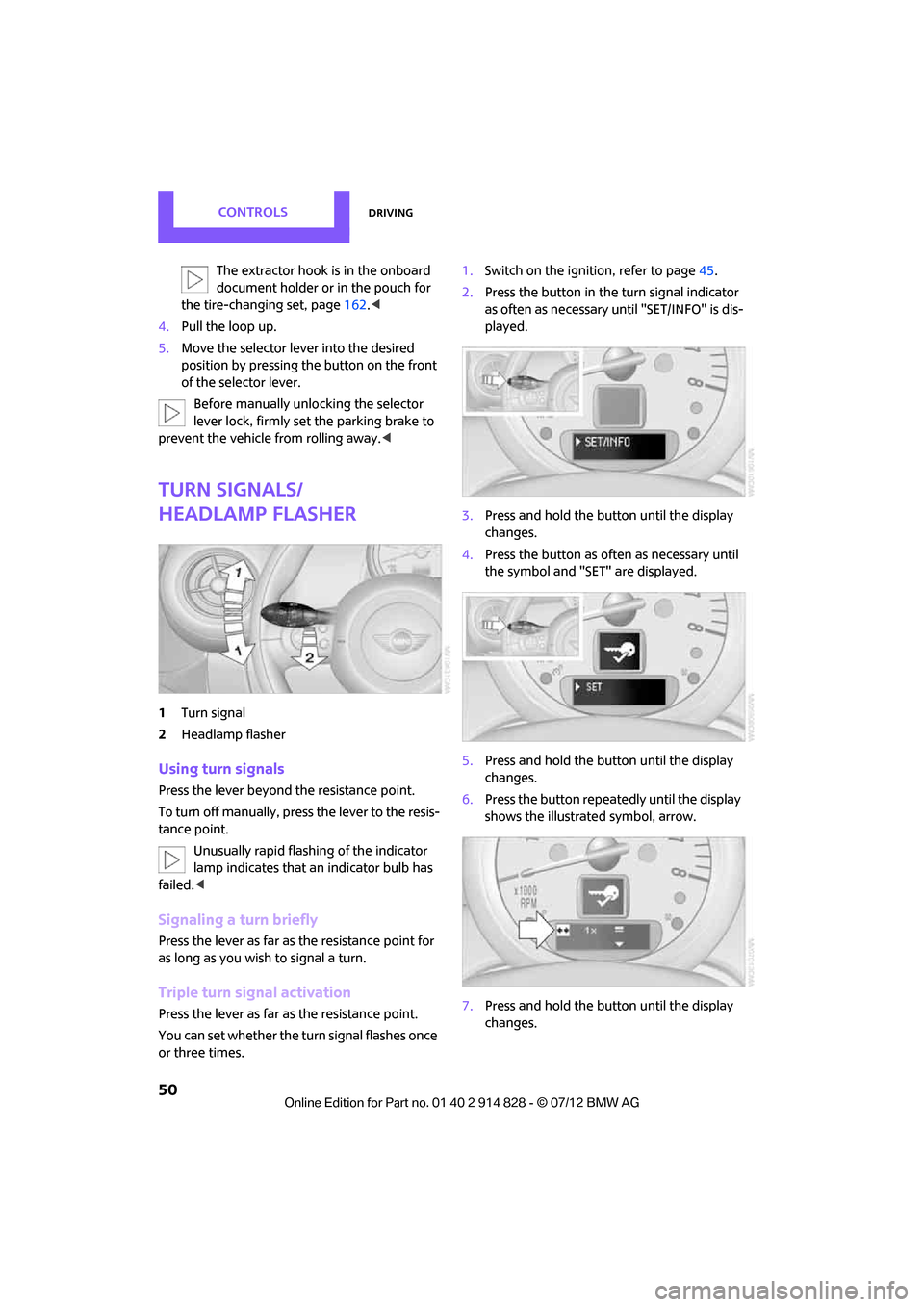
Turn signals/
headlamp flasher
1Turn signal
2 Headlamp flasher
Using turn signals
Press the lever beyond the resistance point.
To turn off manually, press the lever to the resis-
tance point. Unusually rapid flashing of the indicator
lamp indicates that an indicator bulb has
failed. <
Signaling a turn briefly
Press the lever as far as the resistance point for
as long as you wish to signal a turn.
Triple turn signal activation
Press the lever as far as the resistance point.
You can set whether the turn signal flashes once
or three times. 1.
Switch on the ignition, refer to page 45.
2. Press the button in the turn signal indicator
as often as necessary until "SET/INFO" is dis-
played.
3. Press and hold the button until the display
changes.
4. Press the button as often as necessary until
the symbol and "SET" are displayed.
5. Press and hold the button until the display
changes.
6. Press the button repeat edly until the display
shows the illustra ted symbol, arrow.
7. Press and hold the button until the display
changes.
Online Edition for Part no. 01 40 2 914 828 - \251 07/12 BMW AG
Page 156 of 201
Replacing componentsMOBILITY
155
Replacing components
Vehicle equipment
In this chapter, all production, country, and
optional equipment that is offered in the model
range is described. Equipment is also described
that is not available because of, for example,
selected options or count ry version. This also
applies to safety related functions and systems.
Wiper blades
Do not place windshield wipers on the
windshield if wiper blades are not
installed; otherwise, the windshield may be
damaged. <
Changing the front wiper blades
1.Fold out the wiper arm and hold it.
2. Press together the locking spring, arrows 1,
and fold out the wiper blade, arrow 2.
3. Pull the wiper blade forward and out of the
catch mechanism.
4. Press the new wiper blade into the fixture
until it engages audibly.
To avoid damage, make sure that the
wiper arms are against the windshield
before you open the hood. <
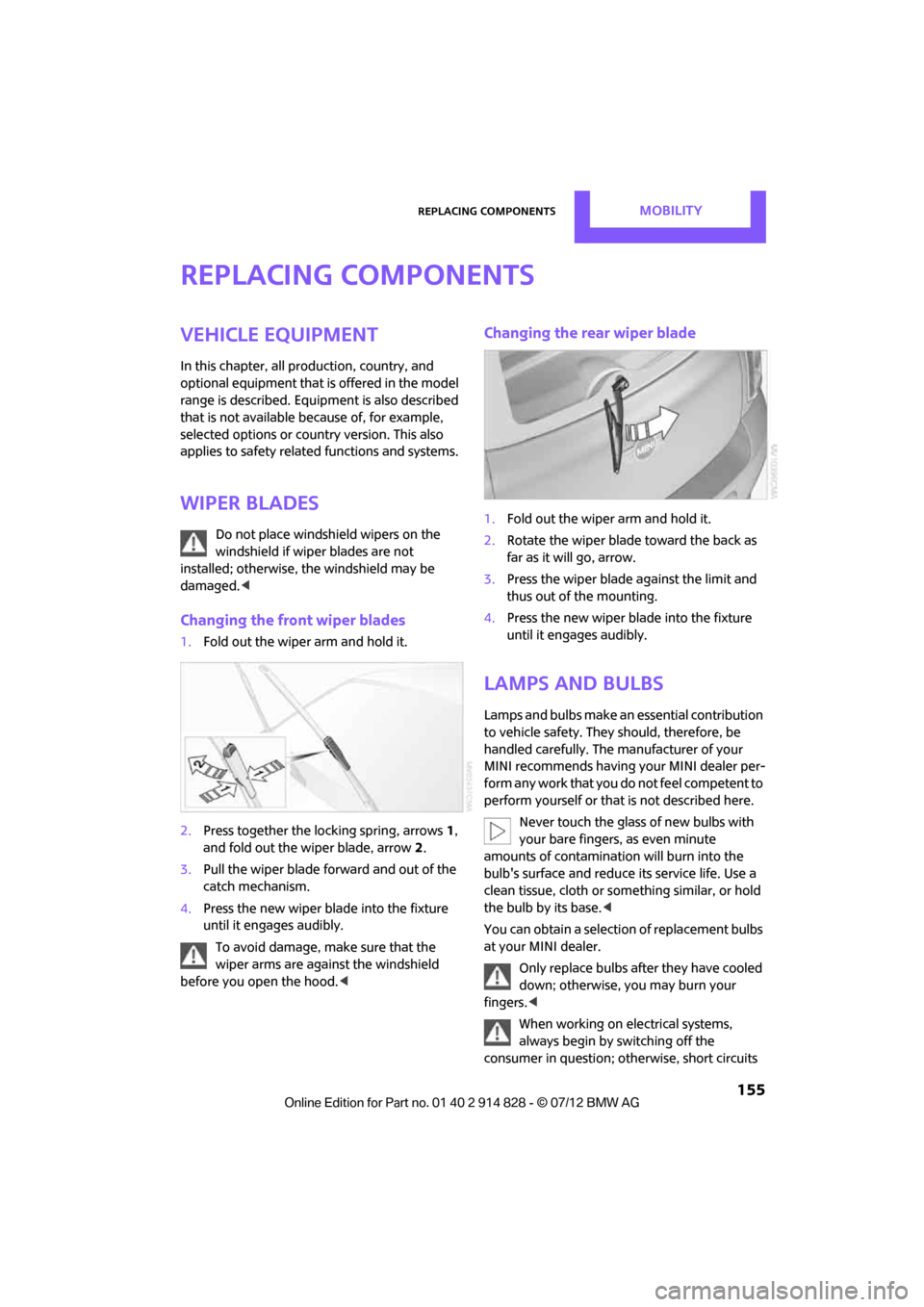
Changing the rear wiper blade
1.Fold out the wiper arm and hold it.
2. Rotate the wiper blade toward the back as
far as it will go, arrow.
3. Press the wiper blade against the limit and
thus out of the mounting.
4. Press the new wiper blade into the fixture
until it engages audibly.
Lamps and bulbs
Lamps and bulbs make an essential contribution
to vehicle safety. They should, therefore, be
handled carefully. The manufacturer of your
MINI recommends having your MINI dealer per-
form any work that you do not feel competent to
perform yourself or that is not described here.
Never touch the glass of new bulbs with
your bare fingers, as even minute
amounts of contaminatio n will burn into the
bulb's surface and reduce its service life. Use a
clean tissue, cloth or some thing similar, or hold
the bulb by its base.<
You can obtain a selectio n of replacement bulbs
at your MINI dealer.
Only replace bulbs after they have cooled
down; otherwise, you may burn your
fingers.<
When working on electrical systems,
always begin by switching off the
consumer in question; otherwise, short circuits
Online Edition for Part no. 01 40 2 914 828 - \251 07/12 BMW AG
Page 157 of 201
MOBILITYReplacing components
156
could result. To avoid possible injury or equip-
ment damage when replacing bulbs, observe
any instructions provided by the bulb manufac-
turer.<
Caring for headlamp s, refer to page152.
For any bulb replacement not described
below, contact a MINI dealer or a work-
shop that has specially trained personnel work-
ing in accordance with the specifications of the
MINI manufacturer.<
For checking and adjusting headlamp aim,
please contact your MINI dealer. <
Light-emitting diodes LEDs
Light-emitting diodes installed behind translu-
cent lenses serve as the light sources for many of
the controls and displays in your vehicle. These
light-emitting diodes are related to conven-
tional laser diodes, and legislation defines them
as Class 1 light-emitting diodes.
Do not remove the covers or expose the
eyes directly to the unfiltered light source
for several hours; otherwise, this could cause
irritation of the retina. <
Headlamp glass lens
In cool or humid weather, condensation may
occur on the interiors of the headlamps. During
trips with the headlamps on, the condensation
disappears after a short time. The headlamps do
not need to be changed.
Do not remove the condensation from head-
lamps, despite driving with lights on, and if con-
densation increases, e.g., because of water
droplets, have this checked by your MINI dealer.
Xenon lamps
The service life of these bulbs is very long and
the probability of failure very low, provided that
they are not switched on and off an excessive
number of times. If a xenon lamp fails neverthe-
less, switch on the fog lamps and continue the
journey with great care , provided that local
legislation does not prohibit this. Work on the xenon lighting system,
including lamp replacement, is only to be
carried out only by your MINI dealer. Due to high
voltage, there is a risk of fatal injury if work on
the xenon lamps is carried out improperly. <
Halogen low beams and high beams
H13 bulb, 60/55 watts
The H13 bulb is pressurized. Therefore,
wear safety glasses and protective gloves.
Otherwise, there is a risk of injury if the bulb is
damaged. <
Be careful when inst alling the cover;
otherwise, leaks co uld occur and cause
damage to the headlamp system. <
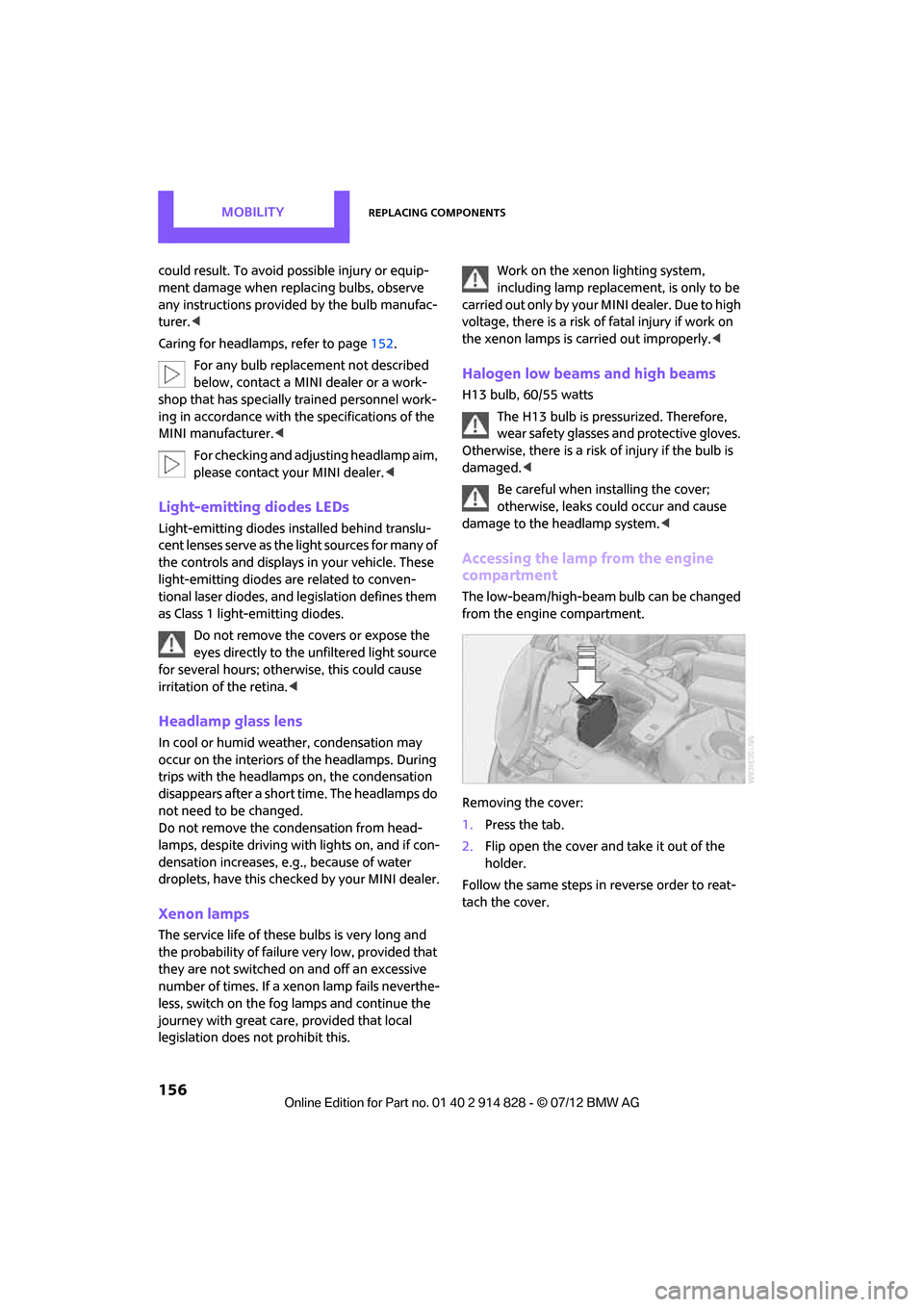
Accessing the lamp from the engine
compartment
The low-beam/high-beam bulb can be changed
from the engine compartment.
Removing the cover:
1. Press the tab.
2. Flip open the cover and take it out of the
holder.
Follow the same steps in reverse order to reat-
tach the cover.
Online Edition for Part no. 01 40 2 914 828 - \251 07/12 BMW AG
Page 158 of 201

Replacing componentsMOBILITY
157
Replacing the bulb
1.Turn the lamp counterclockwise, arrow 1,
and remove it, arrow 2.
2. Push on the catch, arrow 1, and disconnect
the connector, arrow 2.
3. To insert the new bulb and replace the
cover, proceed in reverse order.
Turn signals, parking lamps, roadside
parking lamps, and fog lamps
Accessing the lamps via the wheel well
1Turn signal
2 Parking/roadside parking/fog lamps
Replacing a turn signal bulb
21 watt bulb, P21W, if necessary PY 21 W
1.Turn in the wheel.
2. Remove cover 1.
To do so, turn the cover counterclockwise.
3. Remove the inside cover.
To do so, turn the cover counterclockwise.
4. Unscrew the bulb counterclockwise.
5. To insert the new bulb and replace the cov-
ers, proceed in reverse order.
Replacing a parking/roadside parking
lamp bulb
5watt bulb, W5W
1.Turn in the wheel.
2. Remove cover 2.
To do so, turn the cover counterclockwise.
Online Edition for Part no. 01 40 2 914 828 - \251 07/12 BMW AG
Page 159 of 201

MOBILITYReplacing components
158
3.Unscrew the upper bulb counterclockwise.
4. To insert the new bulb and replace the
cover, proceed in reverse order.
Replacing a fog lamp bulb
H8 bulb, 35 watts
1.Turn in the wheel.
2. Remove cover 2.
To do so, turn the cover counterclockwise.
3. Pull the cable connector.
4. Unscrew the lower bulb counterclockwise.
5. To insert the new bulb and replace the
cover, proceed in reverse order.
Side turn signals
5 watt bulb, W 5 W
1.Open hood.
2. Squeeze clamping clip , arrows, and remove
bulb holder.
3. Unscrew bulb coun terclockwise and
replace.
4. To insert the new bulb and replace the
cover, proceed in reverse order.
Side marker lamps
Have these bulbs replaced by your MINI dealer.
Tail lamps
Bulb P 21 W
1Brake/tail lamp
2 Turn signal
3 Brake/tail lamp
4 Backup lamps
5 Backup lamps
Online Edition for Part no. 01 40 2 914 828 - \251 07/12 BMW AG
Page 160 of 201
Replacing componentsMOBILITY
159
Changing
All bulbs are integrated in a central bulb holder.
1.Switch off the light and remove the infrared
remote control from the ignition lock.
2. Push the cover panel out from the rear of the
cargo area side trim panel and remove it.
3. Open emergency release for the fuel filler
flap, see page 134, and then push to the
side with the foam insert.
Ensure that the emergency release is not
damaged.
4. Disengage the bulb holder by pressing down
on the clamping clip, arrow 1.
5. Take out bulb holder and pull out cable,
arrow 2.
6. Exerting gentle pressure, turn bulb to the left
and remove.
7. To insert the new bulb and install the bulb
holder, proceed in reverse order. Ensure that
the lamp holder engages in all the fasteners.
8. Put foam insert in its original position and
install the emergency fuel flap release.
9. Install cover.
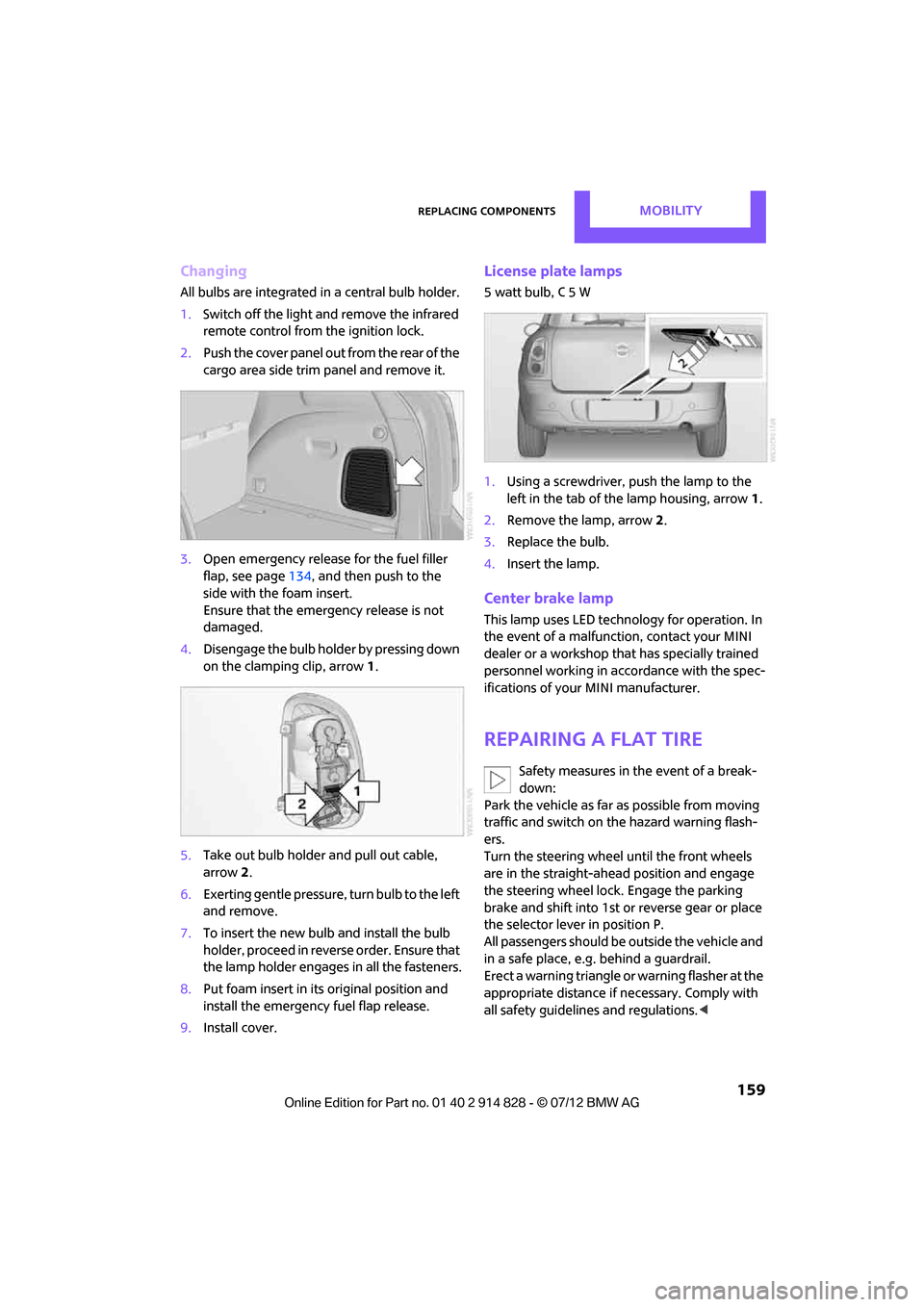
License plate lamps
5watt bulb, C5W
1.Using a screwdriver, push the lamp to the
left in the tab of the lamp housing, arrow 1.
2. Remove the lamp, arrow 2.
3. Replace the bulb.
4. Insert the lamp.
Center brake lamp
This lamp uses LED technology for operation. In
the event of a malfunction, contact your MINI
dealer or a workshop that has specially trained
personnel working in acco rdance with the spec-
ifications of your MINI manufacturer.
Repairing a flat tire
Safety measures in the event of a break-
down:
Park the vehicle as far as possible from moving
traffic and switch on the hazard warning flash-
ers.
Turn the steering wheel until the front wheels
are in the straight-ahead position and engage
the steering wheel lock. Engage the parking
brake and shift into 1st or reverse gear or place
the selector lever in position P.
All passengers should be outside the vehicle and
in a safe place, e.g. behind a guardrail.
Erect a warning triangle or warning flasher at the
appropriate distance if necessary. Comply with
all safety guidelines and regulations. <
Online Edition for Part no. 01 40 2 914 828 - \251 07/12 BMW AG
Page 180 of 201
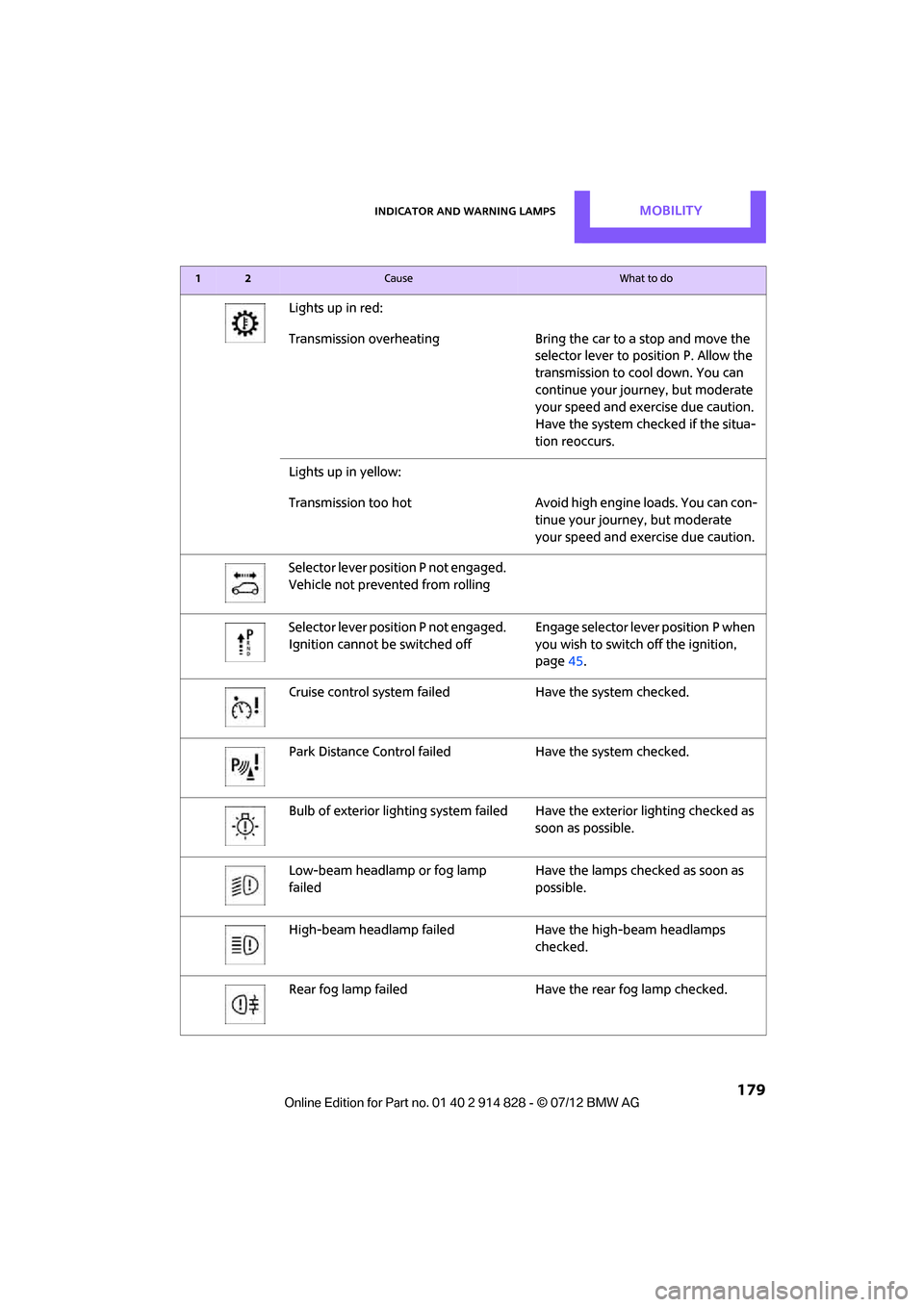
Indicator and warning lampsMOBILITY
179
Lights up in red:
Transmission overheating Bring the car to a stop and move the
selector lever to position P. Allow the
transmission to cool down. You can
continue your journey, but moderate
your speed and exercise due caution.
Have the system checked if the situa-
tion reoccurs.
Lights up in yellow:
Transmission too hot Avoid high engine loads. You can con- tinue your journey, but moderate
your speed and exercise due caution.
Selector lever position P not engaged.
Vehicle not prevented from rolling
Selector lever position P not engaged.
Ignition cannot be switched off Engage selector lever position P when
you wish to switch off the ignition,
page
45.
Cruise control system fail edHave the system checked.
Park Distance Control fail edHave the system checked.
Bulb of exterior lighting system failed Have the exterior lighting checked as
soon as possible.
Low-beam headlamp or fog lamp
failed Have the lamps checked as soon as
possible.
High-beam headlamp failed Have the high-beam headlamps
checked.
Rear fog lamp failed Have the rear fog lamp checked.
12Cause What to do
Online Edition for Part no. 01 40 2 914 828 - \251 07/12 BMW AG
Page 189 of 201
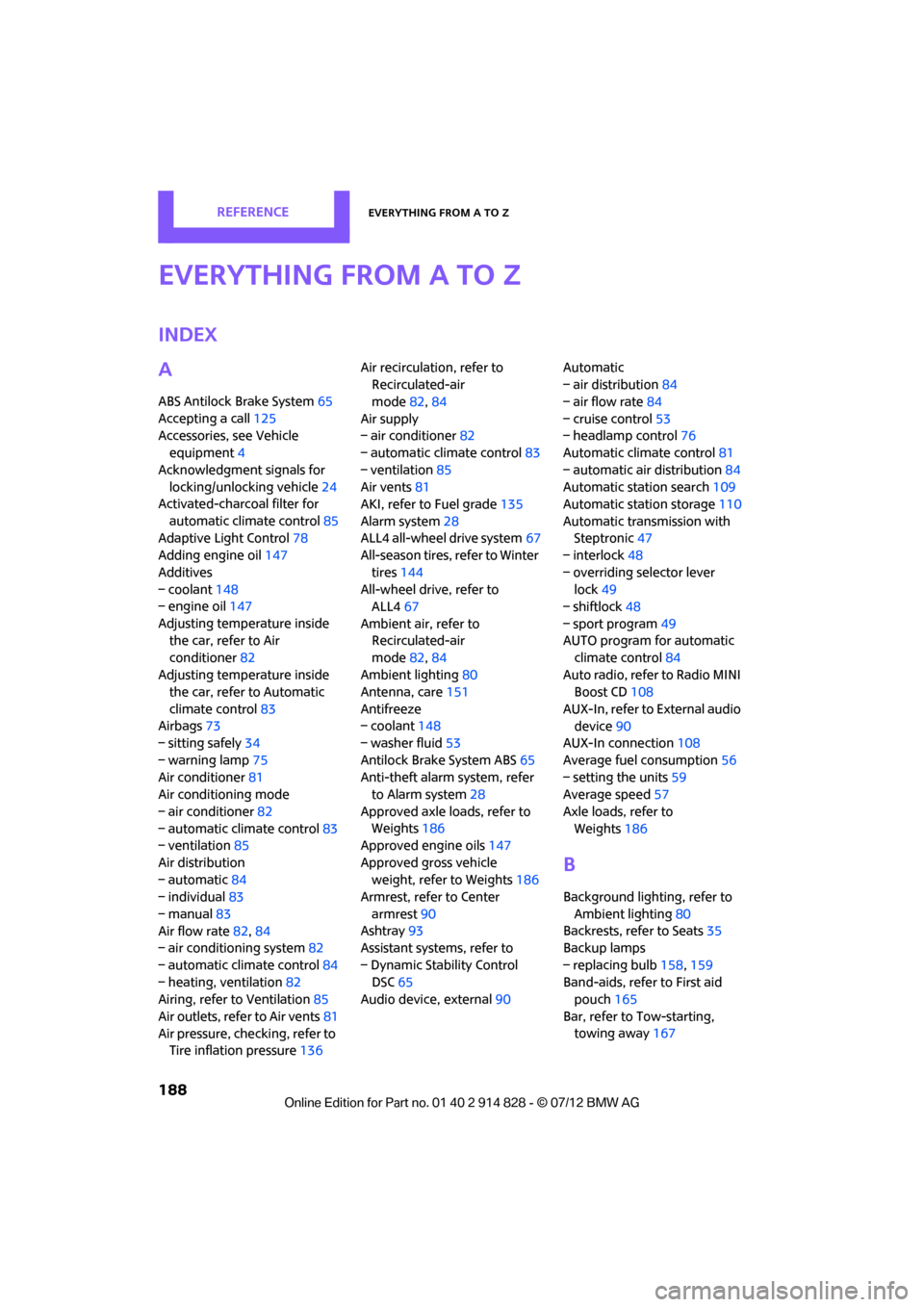
188
REFERENCEEverything from A to Z
Everything from A to Z
Index
A
ABS Antilock Brake System65
Accepting a call 125
Accessories, see Vehicle equipment 4
Acknowledgment signals for locking/unlocking vehicle 24
Activated-charcoa l filter for
automatic climate control 85
Adaptive Light Control 78
Adding engine oil 147
Additives
– coolant 148
– engine oil 147
Adjusting temperature inside the car, refer to Air
conditioner 82
Adjusting temperature inside the car, refer to Automatic
climate control 83
Airbags 73
– sitting safely 34
– warning lamp 75
Air conditioner 81
Air conditioning mode
– air conditioner 82
– automatic cl imate control83
– ventilation 85
Air distribution
– automatic 84
– individual 83
– manual 83
Air flow rate 82,84
– air conditioning system 82
– automatic cl imate control84
– heating, ventilation 82
Airing, refer to Ventilation85
Air outlets, refer to Air vents 81
Air pressure, checking, refer to Tire inflation pressure 136Air recirculation, refer to
Recirculated-air
mode 82,84
Air supply
– air conditioner 82
– automatic climate control 83
– ventilation 85
Air vents 81
AKI, refer to Fuel grade 135
Alarm system 28
ALL4 all-wheel drive system 67
All-season tires, refer to Winter
tires 144
All-wheel drive, refer to ALL4 67
Ambient air, refer to Recirculated-air
mode 82,
84
Am bient li
ghti
ng80
Antenna, care 151
Antifreeze
– coolant 148
– washer fluid 53
Antilock Brake System ABS 65
Anti-theft alarm system, refer to Alarm system 28
Approved axle loads, refer to Weights 186
Approved engine oils 147
Approved gross vehicle weight, refer to Weights 186
Armrest, refer to Center
armrest 90
Ashtray 93
Assistant systems, refer to
– Dynamic Stability Control DSC 65
Audio device, external 90Automatic
– air distribution
84
– air flow rate 84
– cruise control 53
– headlamp control 76
Automatic climate control 81
– automatic air distribution 84
Automatic station search 109
Automatic station storage 110
Automatic transmission with Steptronic 47
– interlock 48
– overriding selector lever lock 49
– shiftlock 48
– sport program 49
AUTO program for automatic climate control 84
Auto radio, refer to Radio MINI Boost CD 108
AUX-In, refer to External audio device 90
AUX-In connection 108
Average fuel consumption 56
– setting the units 59
Average speed 57
Axle loads, refer to Weights 186
B
Background lighting, refer to
Ambient lighting 80
Backrests, refer to Seats 35
Backup lamps
– replacing bulb 158,159
Band-aids, refer to First aid pouch 165
Bar, refer to Tow-starting, towing away 167
Online Edition for Part no. 01 40 2 914 828 - \251 07/12 BMW AG
Page 190 of 201
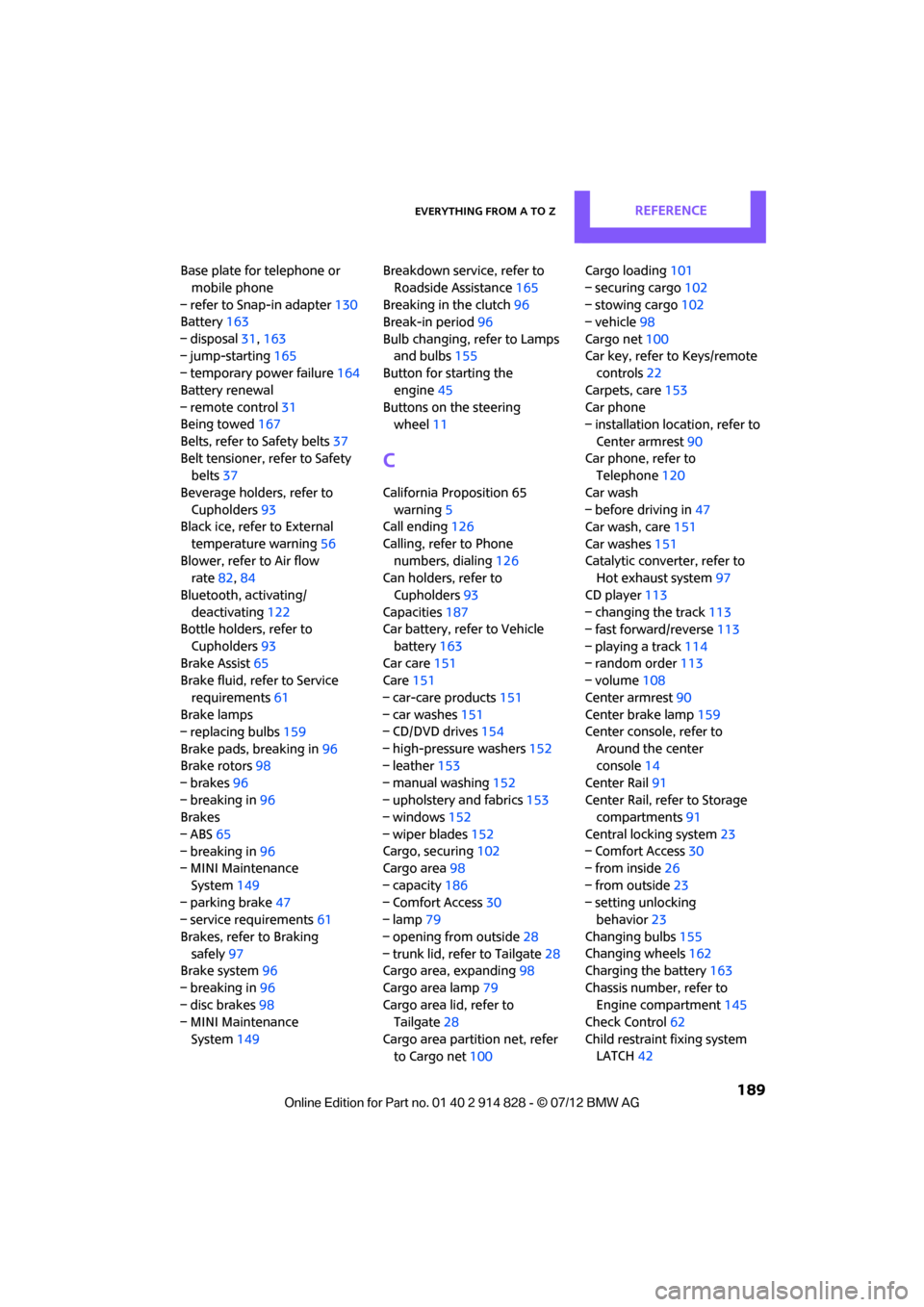
Everything from A to ZREFERENCE
189
Base plate for telephone or mobile phone
– refer to Snap-in adapter 130
Battery 163
– disposal 31,163
– jump-starting 165
– temporary power failure 164
Battery renewal
– remote control 31
Being towed 167
Belts, refer to Safety belts 37
Belt tensioner, refer to Safety belts 37
Beverage holders, refer to Cupholders 93
Black ice, refer to External
temperature warning 56
Blower, refer to Air flow rate 82,84
Bluetooth, activating/ deactivating 122
Bottle holders, refer to
Cupholders 93
Brake Assist 65
Brake fluid, refer to Service
requirements 61
Brake lamps
– replacing bulbs 159
Brake pads, breaking in 96
Brake rotors 98
– brakes 96
– breaking in 96
Brakes
– ABS 65
– breaking in 96
– MINI Maintenance
System 149
– parking brake 47
– service requirements 61
Brakes, refer to Braking safely 97
Brake system 96
– breaking in 96
– disc brakes 98
– MINI Maintenance
System 149 Breakdown service, refer to
Roadside Assistance 165
Breaking in the clutch 96
Break-in period 96
Bulb changing, refer to Lamps and bulbs 155
Button for starting the
engine 45
Buttons on the steering wheel 11
C
California Proposition 65
warning 5
Call ending 126
Calling, refer to Phone numbers, dialing 126
Can holders, refer to
Cupholders 93
Capacities 187
Car battery, refer to Vehicle
battery 163
Car care 151
Care 151
– car-care products 151
– car washes 151
– CD/DVD drives 154
– high-pressure washers 152
– leather 153
– manual washing 152
– upholstery and fabrics 153
– windows 152
– wiper blades 152
Cargo, securing 102
Cargo area 98
– capacity 186
– Comfort Access 30
– lamp 79
– opening from outside 28
– trunk lid, refer to Tailgate 28
Cargo area, expanding 98
Cargo area lamp 79
Cargo area lid, refer to Tailgate 28
Cargo area partition net, refer to Cargo net 100 Cargo loading
101
– securing cargo 102
– stowing cargo 102
– vehicle 98
Cargo net 100
Car key, refer to Keys/remote controls 22
Carpets, care 153
Car phone
– installation location, refer to
Center armrest 90
Car phone, refer to Telephone 120
Car wash
– before driving in 47
Car wash, care 151
Car washes 151
Catalytic converter, refer to Hot exhaust system 97
CD player 113
– changing the track 113
– fast forward/reverse 113
– playing a track 114
– random order 113
– volume 108
Center armr
est90
Center brake lamp 159
Center console, refer to
Around the center
console 14
Center Rail 91
Center Rail, refer to Storage compartments 91
Central locking system 23
– Comfort Access 30
– from inside 26
– from outside 23
– setting unlocking behavior 23
Changing bulbs 155
Changing wheels 162
Charging the battery 163
Chassis number, refer to Engine compartment 145
Check Control 62
Child restraint fixing system LATCH 42
Online Edition for Part no. 01 40 2 914 828 - \251 07/12 BMW AG
Page 192 of 201
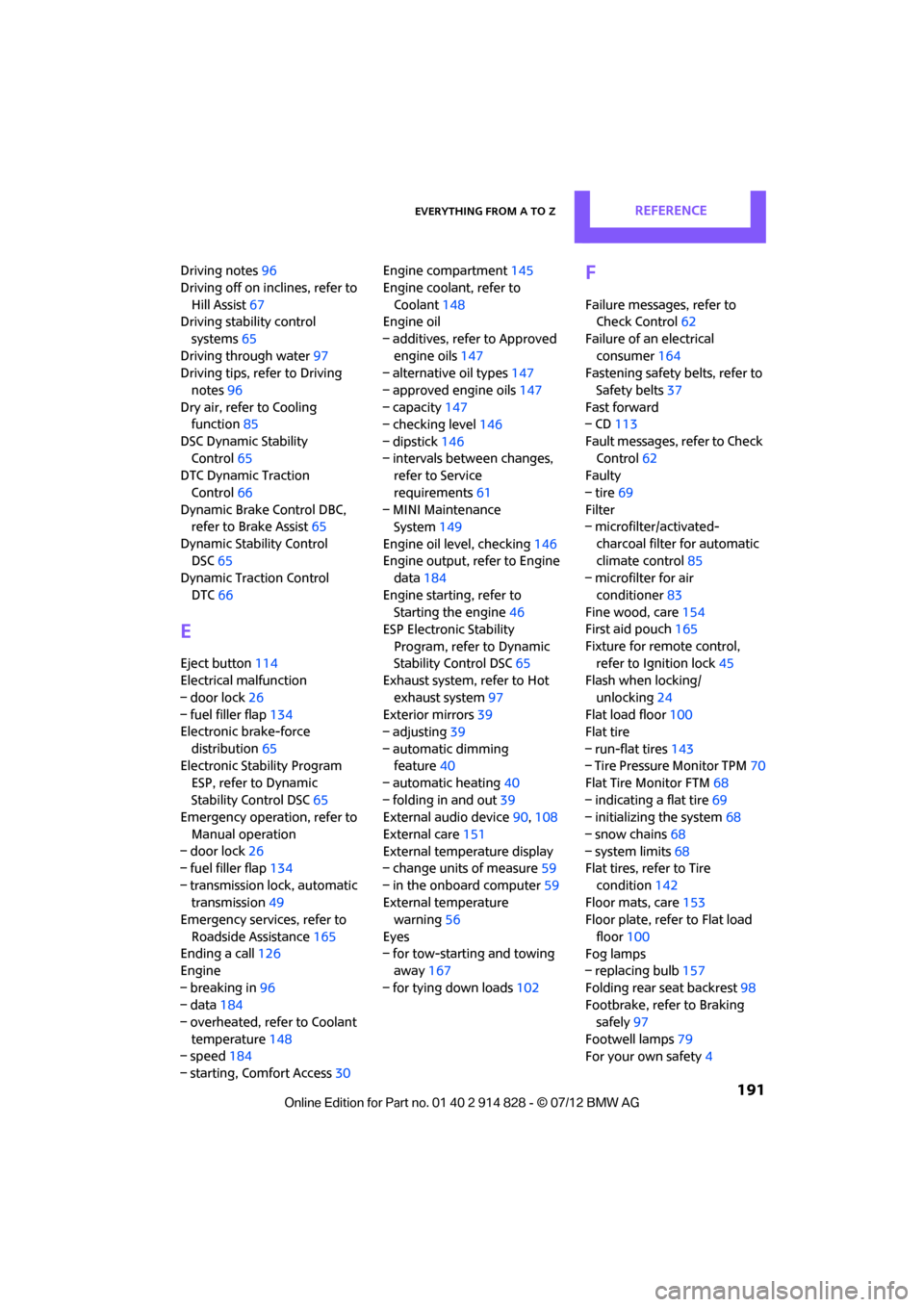
Everything from A to ZREFERENCE
191
Driving notes96
Driving off on inclines, refer to Hill Assist 67
Driving stability control
systems 65
Driving through water 97
Driving tips, refer to Driving
notes 96
Dry air, refer to Cooling function 85
DSC Dynamic Stability Control 65
DTC Dynamic Traction
Control 66
Dynamic Brake Control DBC, refer to Brake Assist 65
Dynamic Stability Control DSC 65
Dynamic Traction Control
DTC 66
E
Eject button 114
Electrical malfunction
– door lock 26
– fuel filler flap 134
Electronic brake-force
distribution 65
Electronic Stability Program
ESP, refer to Dynamic
Stability Control DSC 65
Emergency operation, refer to
Manual operation
– door lock 26
– fuel filler flap 134
– transmission lock, automatic transmission 49
Emergency services, refer to
Roadside Assistance 165
Ending a call 126
Engine
– breaking in 96
– data 184
– overheated, refer to Coolant
temperature 148
– speed 184
– starting, Comfort Access 30Engine compartment
145
Engine coolant, refer to Coolant 148
Engine oil
– additives, refer to Approved engine oils 147
– alternative oil types 147
– approved engine oils 147
– capacity 147
– checking level 146
– dipstick 146
– intervals between changes, refer to Service
requirements 61
– MINI Maintenance System 149
Engine oil level, checking 146
Engine output, refer to Engine data 184
Engine starting, refer to Starting the engine 46
ESP Electronic Stability
Program, refer to Dynamic
Stability Control DSC 65
Exhaust system, refer to Hot
exhaust system 97
Exterior mirrors 39
– adjusting 39
– automatic dimming feature 40
– automatic heating 40
– folding in and out 39
External audio device 90,108
External care 151
External temperature display
– change units of measure 59
– in the onboard computer 59
External tem peratur
e
warning 56
Eyes
– for tow-starting and towing away 167
– for tying down loads 102
F
Failure messages, refer to
Check Control 62
Failure of an electrical consumer 164
Fastening safety be lts, refer to
Safety belts 37
Fast forward
– CD 113
Fault messages, refer to Check
Control 62
Faulty
– tire 69
Filter
– microfilter/activated-
charcoal filter for automatic
climate control 85
– microfilter for air
conditioner 83
Fine wood, care 154
First aid pouch 165
Fixture for remote control, refer to Ignition lock 45
Flash when locking/
unlocking 24
Flat load floor 100
Flat tire
– run-flat tires 143
– Tire Pressure Monitor TPM 70
Flat Tire Monitor FTM 68
– indicating a flat tire 69
– initializing the system 68
– snow chains 68
– system limits 68
Flat tires, refer to Tire
condition 142
Floor mats, care 153
Floor plate, refe r to Flat load
floor 100
Fog lamps
– replacing bulb 157
Folding rear seat backrest 98
Footbrake, refer to Braking safely 97
Footwell lamps 79
For your own safety 4
Online Edition for Part no. 01 40 2 914 828 - \251 07/12 BMW AG