door lock MINI Countryman 2014 User Guide
[x] Cancel search | Manufacturer: MINI, Model Year: 2014, Model line: Countryman, Model: MINI Countryman 2014Pages: 218, PDF Size: 5.45 MB
Page 48 of 218
Attaching the upper retaining strap to
the mounting point1.Slide the head restraint upward.2.Center seat: fold the cargo area floor for‐
ward.3.Guide the upper retaining strap between
the supports of the head restraint.4.Attach the upper retaining strap to the
mounting point with the hook.5.Slide the head restraint into the bottom po‐
sition.6.Pull the upper retaining strap taut.
MINI Countryman: lock‐
ing doors and windows
Rear doors
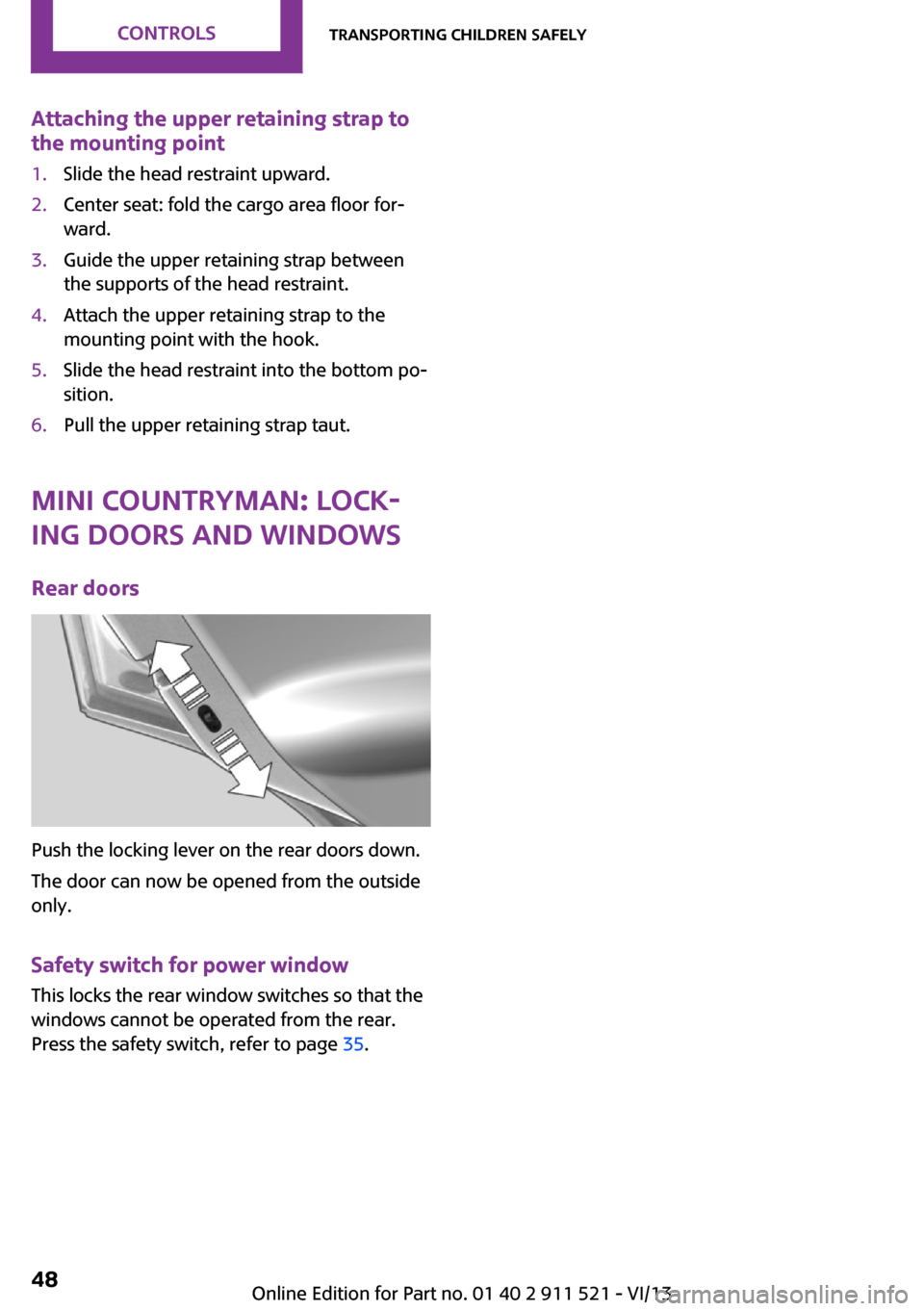
Push the locking lever on the rear doors down.
The door can now be opened from the outside
only.
Safety switch for power window This locks the rear window switches so that the
windows cannot be operated from the rear.
Press the safety switch, refer to page 35.
Seite 48ControlsTransporting children safely48
Online Edition for Part no. 01 40 2 911 521 - VI/13
Page 49 of 218
DrivingVehicle equipmentThis chapter describes all series equipment as
well as country-specific and special equipment
offered for this model series.Therefore, it also
describes equipment that may not be found in
your vehicle, for instance due to the selected
special equipment or the country version. This
also applies to safety-related functions and sys‐
tems.
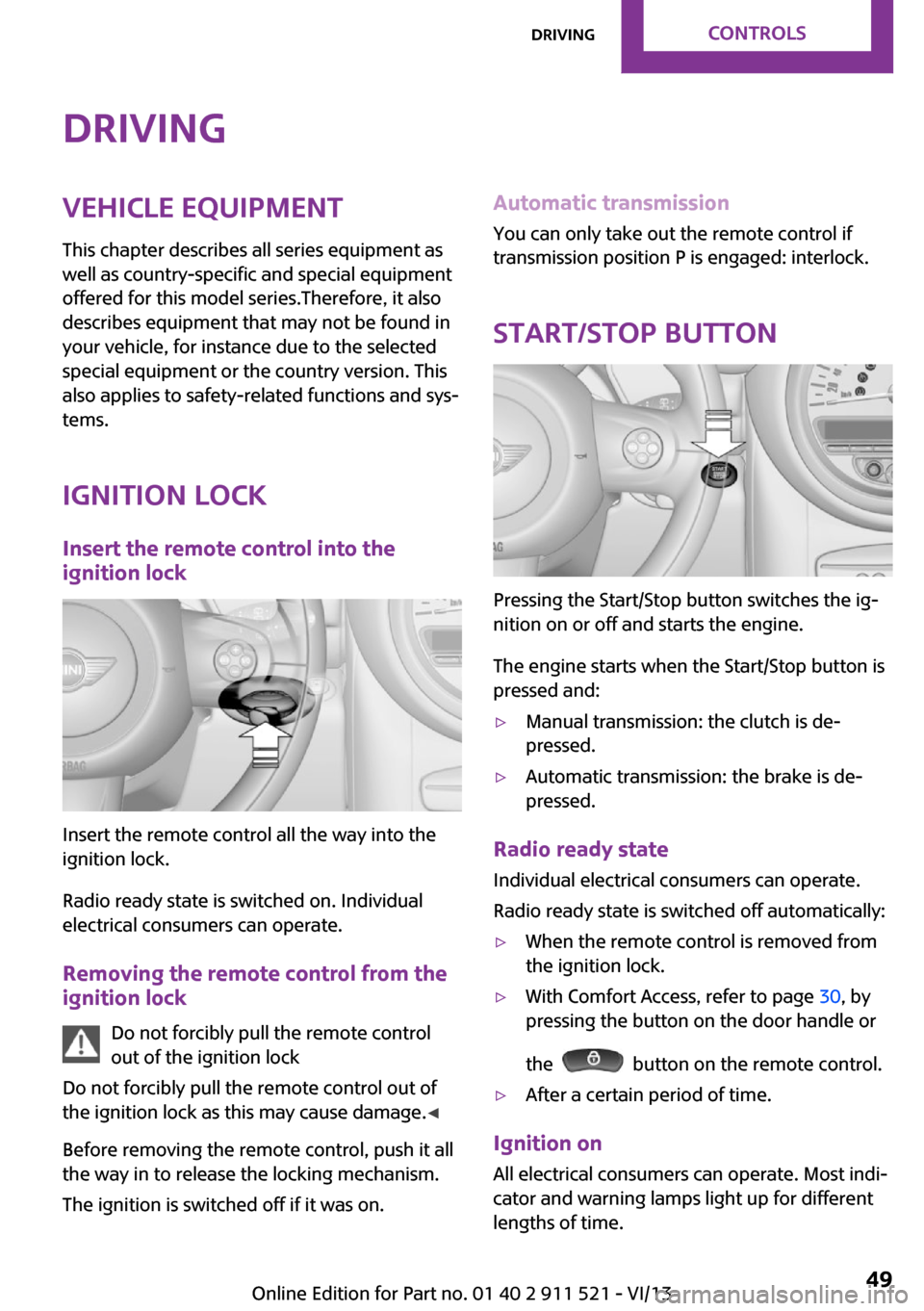
Ignition lock Insert the remote control into the
ignition lock
Insert the remote control all the way into the
ignition lock.
Radio ready state is switched on. Individual
electrical consumers can operate.
Removing the remote control from the
ignition lock
Do not forcibly pull the remote control
out of the ignition lock
Do not forcibly pull the remote control out of
the ignition lock as this may cause damage. ◀
Before removing the remote control, push it all
the way in to release the locking mechanism.
The ignition is switched off if it was on.
Automatic transmission
You can only take out the remote control if
transmission position P is engaged: interlock.
Start/Stop button
Pressing the Start/Stop button switches the ig‐
nition on or off and starts the engine.
The engine starts when the Start/Stop button is
pressed and:
▷Manual transmission: the clutch is de‐
pressed.▷Automatic transmission: the brake is de‐
pressed.
Radio ready state
Individual electrical consumers can operate.
Radio ready state is switched off automatically:
▷When the remote control is removed from
the ignition lock.▷With Comfort Access, refer to page 30, by
pressing the button on the door handle or
the
button on the remote control.
▷After a certain period of time.
Ignition on All electrical consumers can operate. Most indi‐
cator and warning lamps light up for different
lengths of time.
Seite 49DrivingControls49
Online Edition for Part no. 01 40 2 911 521 - VI/13
Page 50 of 218
To save battery power when the engine is off,
switch off the ignition and any unnecessary
electronic systems/power consumers.
Radio ready state and ignition off All indicator and warning lamps in the displays
go out.
The ignition switches off automatically when
the driver's door is opened. Pressing the Start/
Stop button again switches the ignition back
on.
For example, the ignition is not switched off in
the following situations:▷Depress the clutch or brake pedal.▷The low beams are switched on
Starting the engine
General information Enclosed areas
Do not let the engine run in enclosed
areas; otherwise, breathing of exhaust fumes
may lead to loss of consciousness and death.
The exhaust gases contain carbon monoxide,
an odorless and colorless but highly toxic gas. ◀
Unattended vehicle
Do not leave the car unattended with the
engine running; otherwise, it presents a poten‐
tial source of danger.
Before leaving the car with the engine running,
shift to neutral or engage transmission posi‐
tion P and set the handbrake firmly; otherwise,
the vehicle may begin to roll. ◀
Frequent starting in quick succession
Avoid repeated futile attempts at starting
the car and avoid starting the car frequently in
quick succession. Otherwise, the fuel is not
burned or is inadequately burned, and there is
the danger of overheating and damaging the
catalytic converter. ◀
Do not wait for the engine to warm-up while
the vehicle remains stationary; start driving
right away, but at moderate engine speeds.
Do not depress the accelerator when starting
the engine.
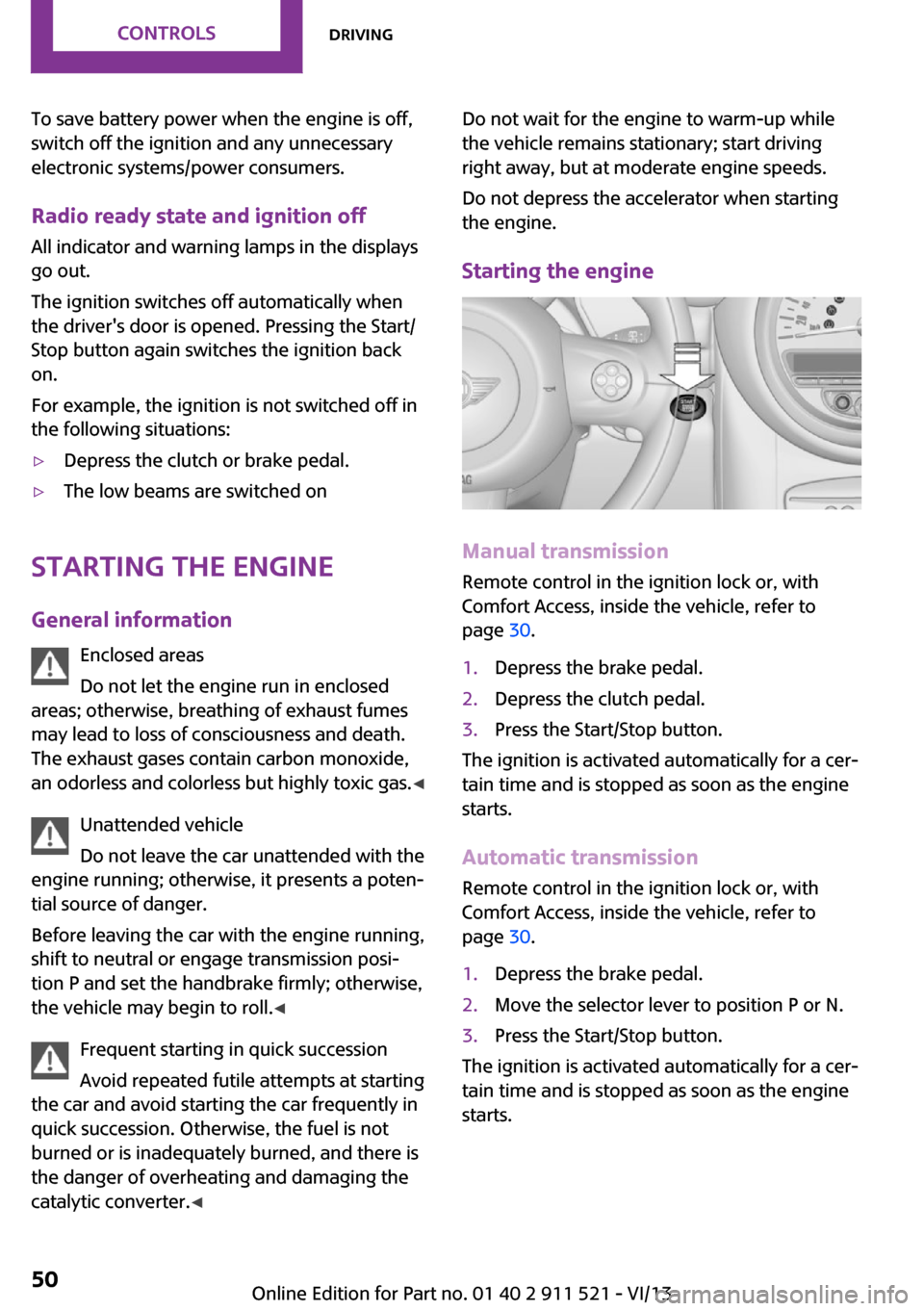
Starting the engine
Manual transmission
Remote control in the ignition lock or, with
Comfort Access, inside the vehicle, refer to
page 30.
1.Depress the brake pedal.2.Depress the clutch pedal.3.Press the Start/Stop button.
The ignition is activated automatically for a cer‐
tain time and is stopped as soon as the engine
starts.
Automatic transmission
Remote control in the ignition lock or, with
Comfort Access, inside the vehicle, refer to
page 30.
1.Depress the brake pedal.2.Move the selector lever to position P or N.3.Press the Start/Stop button.
The ignition is activated automatically for a cer‐
tain time and is stopped as soon as the engine
starts.
Seite 50ControlsDriving50
Online Edition for Part no. 01 40 2 911 521 - VI/13
Page 187 of 218
▷Remove additional attachments, for in‐
stance a spoiler or telephone antenna, if
there is a risk that these may be damaged.▷Insert the remote control into the ignition
lock.
Automatic transmission
Before driving into the car wash, note the fol‐
lowing to ensure that the vehicle can roll:
1.Insert the remote control into the ignition
lock, even with Comfort Access.2.Move the selector lever to position N.3.Release the handbrake.4.Switch the engine off.5.Leave the remote control in the ignition
lock so that the vehicle can roll.
Hand car wash
If washing the vehicle by hand, use copious
quantities of water and car shampoo if neces‐
sary. Clean the vehicle with a sponge or a
washing brush by applying gentle pressure.
Before cleaning the windshield, deactivate the
rain sensor to avoid unintentional wiper activa‐
tion or switch off the ignition.
Adhere to the local regulations regarding
washing cars by hand.
Headlamps
Do not rub dry and do not use abrasive or caus‐
tic cleansers. Soak areas that have been soiled,
e.g., due to insects, with shampoo and rinse off
with copious quantities of water.
Thaw ice with a window deicer; do not use an
ice scraper.
Windows Clean the outside and inside surfaces of the
windows and the mirror glasses with window
cleaner.
Do not clean mirror glass with cleaners contain‐
ing quartz.
Wiper blades
Clean with soapy water and replace regularly to
avoid streaking.
Wax and preservative residue and soiling on
the windows cause streaking during window
wiping and lead to premature wear on the
wiper blades and malfunctions of the rain sen‐
sor.
Vehicle care Car care products
Regular cleaning and care contributes signifi‐
cantly to vehicle value retention.
The manufacturer recommends using cleaning
and care products from MINI, since these have
been tested and approved.
Original MINI CareProducts have been tested
on materials, in the laboratory, and in the field,
and offer optimum care and protection for MINI
vehicles.
Do not use cleansers that contain alcohol
or solvents
Do not use cleansers that contain alcohol or
solvents, such as lacquer thinners, heavy-duty
grease removers, fuel, or such; this could lead
to surface damage. ◀
Car care and cleaning products
Follow the instructions on the container.
When cleaning the interior, open the doors or
windows.
Only use products intended for cleaning vehi‐
cles.
Cleansers can contain substances that are dan‐
gerous and harmful to your health. ◀Seite 187CareMobility187
Online Edition for Part no. 01 40 2 911 521 - VI/13
Page 210 of 218
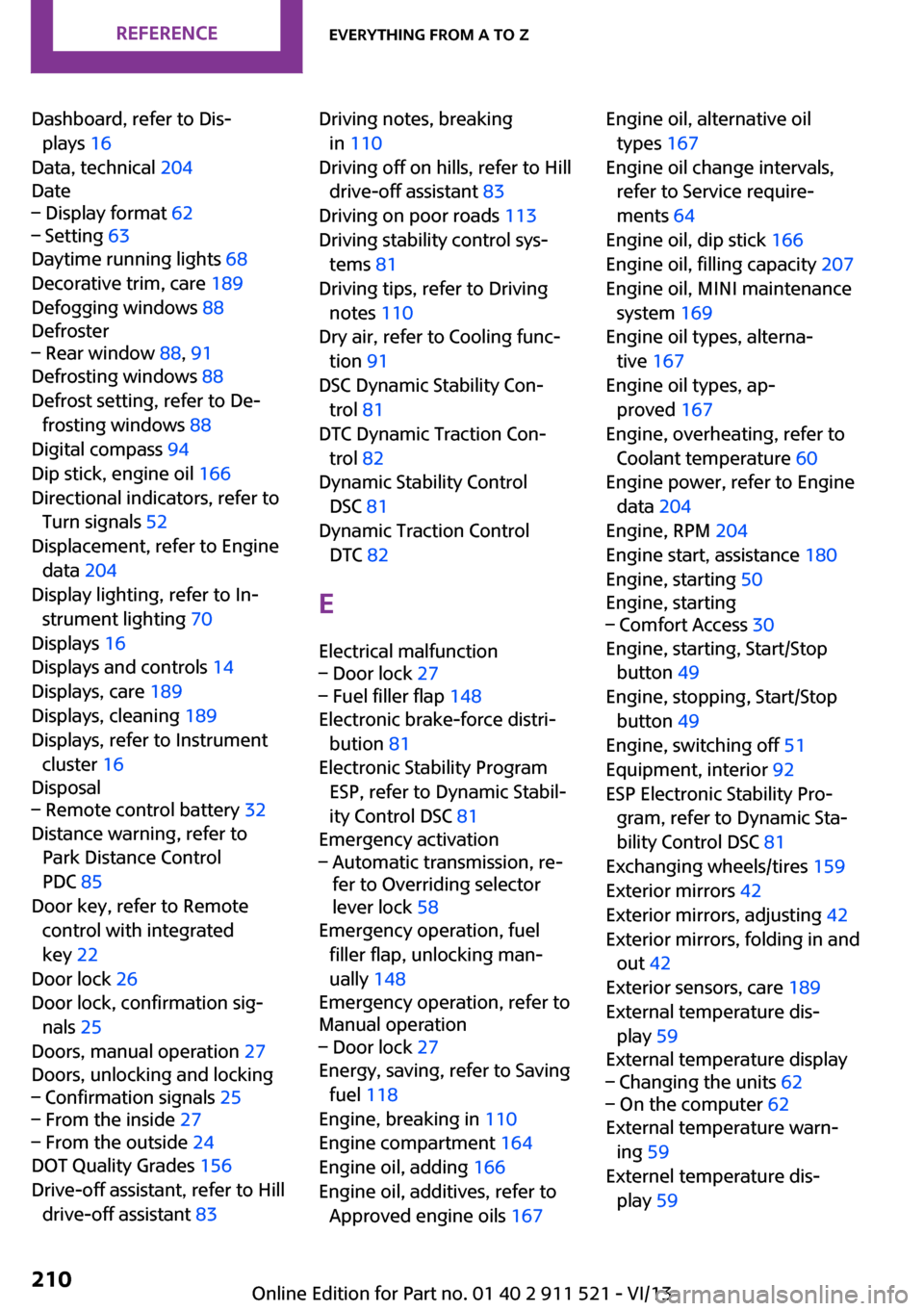
Dashboard, refer to Dis‐plays 16
Data, technical 204
Date– Display format 62– Setting 63
Daytime running lights 68
Decorative trim, care 189
Defogging windows 88
Defroster
– Rear window 88, 91
Defrosting windows 88
Defrost setting, refer to De‐ frosting windows 88
Digital compass 94
Dip stick, engine oil 166
Directional indicators, refer to Turn signals 52
Displacement, refer to Engine data 204
Display lighting, refer to In‐ strument lighting 70
Displays 16
Displays and controls 14
Displays, care 189
Displays, cleaning 189
Displays, refer to Instrument cluster 16
Disposal
– Remote control battery 32
Distance warning, refer to
Park Distance Control
PDC 85
Door key, refer to Remote control with integrated
key 22
Door lock 26
Door lock, confirmation sig‐ nals 25
Doors, manual operation 27
Doors, unlocking and locking
– Confirmation signals 25– From the inside 27– From the outside 24
DOT Quality Grades 156
Drive-off assistant, refer to Hill drive-off assistant 83
Driving notes, breaking
in 110
Driving off on hills, refer to Hill drive-off assistant 83
Driving on poor roads 113
Driving stability control sys‐ tems 81
Driving tips, refer to Driving notes 110
Dry air, refer to Cooling func‐ tion 91
DSC Dynamic Stability Con‐ trol 81
DTC Dynamic Traction Con‐ trol 82
Dynamic Stability Control DSC 81
Dynamic Traction Control DTC 82
E Electrical malfunction– Door lock 27– Fuel filler flap 148
Electronic brake-force distri‐
bution 81
Electronic Stability Program ESP, refer to Dynamic Stabil‐
ity Control DSC 81
Emergency activation
– Automatic transmission, re‐
fer to Overriding selector
lever lock 58
Emergency operation, fuel
filler flap, unlocking man‐
ually 148
Emergency operation, refer to
Manual operation
– Door lock 27
Energy, saving, refer to Saving
fuel 118
Engine, breaking in 110
Engine compartment 164
Engine oil, adding 166
Engine oil, additives, refer to Approved engine oils 167
Engine oil, alternative oil
types 167
Engine oil change intervals, refer to Service require‐
ments 64
Engine oil, dip stick 166
Engine oil, filling capacity 207
Engine oil, MINI maintenance system 169
Engine oil types, alterna‐ tive 167
Engine oil types, ap‐ proved 167
Engine, overheating, refer to Coolant temperature 60
Engine power, refer to Engine data 204
Engine, RPM 204
Engine start, assistance 180
Engine, starting 50
Engine, starting– Comfort Access 30
Engine, starting, Start/Stop
button 49
Engine, stopping, Start/Stop button 49
Engine, switching off 51
Equipment, interior 92
ESP Electronic Stability Pro‐ gram, refer to Dynamic Sta‐
bility Control DSC 81
Exchanging wheels/tires 159
Exterior mirrors 42
Exterior mirrors, adjusting 42
Exterior mirrors, folding in and out 42
Exterior sensors, care 189
External temperature dis‐ play 59
External temperature display
– Changing the units 62– On the computer 62
External temperature warn‐
ing 59
Externel temperature dis‐ play 59
Seite 210ReferenceEverything from A to Z210
Online Edition for Part no. 01 40 2 911 521 - VI/13
Page 211 of 218
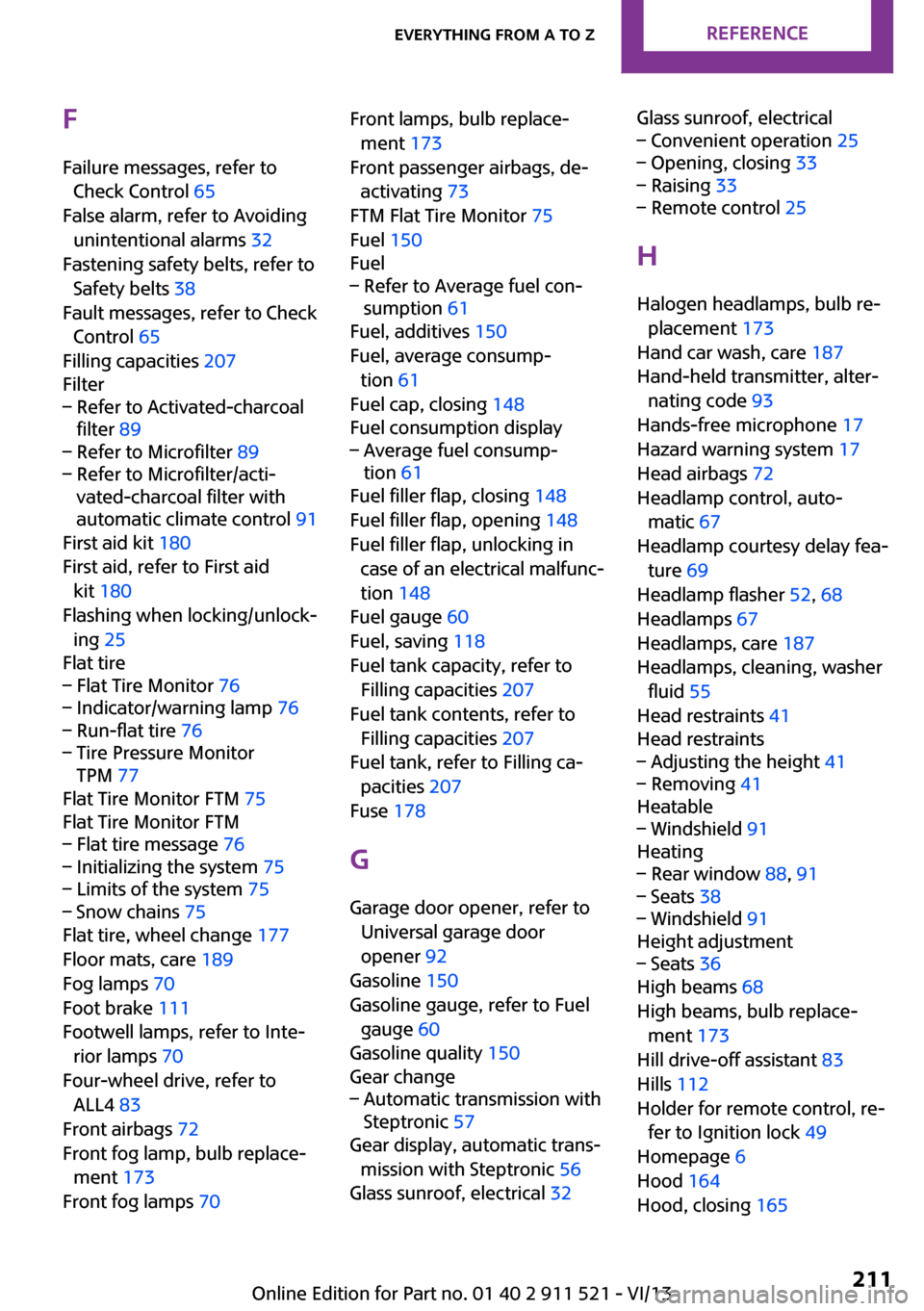
FFailure messages, refer to Check Control 65
False alarm, refer to Avoiding unintentional alarms 32
Fastening safety belts, refer to Safety belts 38
Fault messages, refer to Check Control 65
Filling capacities 207
Filter– Refer to Activated-charcoal
filter 89– Refer to Microfilter 89– Refer to Microfilter/acti‐
vated-charcoal filter with
automatic climate control 91
First aid kit 180
First aid, refer to First aid kit 180
Flashing when locking/unlock‐ ing 25
Flat tire
– Flat Tire Monitor 76– Indicator/warning lamp 76– Run-flat tire 76– Tire Pressure Monitor
TPM 77
Flat Tire Monitor FTM 75
Flat Tire Monitor FTM
– Flat tire message 76– Initializing the system 75– Limits of the system 75– Snow chains 75
Flat tire, wheel change 177
Floor mats, care 189
Fog lamps 70
Foot brake 111
Footwell lamps, refer to Inte‐ rior lamps 70
Four-wheel drive, refer to ALL4 83
Front airbags 72
Front fog lamp, bulb replace‐ ment 173
Front fog lamps 70
Front lamps, bulb replace‐
ment 173
Front passenger airbags, de‐ activating 73
FTM Flat Tire Monitor 75
Fuel 150
Fuel– Refer to Average fuel con‐
sumption 61
Fuel, additives 150
Fuel, average consump‐ tion 61
Fuel cap, closing 148
Fuel consumption display
– Average fuel consump‐
tion 61
Fuel filler flap, closing 148
Fuel filler flap, opening 148
Fuel filler flap, unlocking in case of an electrical malfunc‐
tion 148
Fuel gauge 60
Fuel, saving 118
Fuel tank capacity, refer to Filling capacities 207
Fuel tank contents, refer to Filling capacities 207
Fuel tank, refer to Filling ca‐ pacities 207
Fuse 178
G Garage door opener, refer to Universal garage door
opener 92
Gasoline 150
Gasoline gauge, refer to Fuel gauge 60
Gasoline quality 150
Gear change
– Automatic transmission with
Steptronic 57
Gear display, automatic trans‐
mission with Steptronic 56
Glass sunroof, electrical 32
Glass sunroof, electrical– Convenient operation 25– Opening, closing 33– Raising 33– Remote control 25
H
Halogen headlamps, bulb re‐ placement 173
Hand car wash, care 187
Hand-held transmitter, alter‐ nating code 93
Hands-free microphone 17
Hazard warning system 17
Head airbags 72
Headlamp control, auto‐ matic 67
Headlamp courtesy delay fea‐ ture 69
Headlamp flasher 52, 68
Headlamps 67
Headlamps, care 187
Headlamps, cleaning, washer fluid 55
Head restraints 41
Head restraints
– Adjusting the height 41– Removing 41
Heatable
– Windshield 91
Heating
– Rear window 88, 91– Seats 38– Windshield 91
Height adjustment
– Seats 36
High beams 68
High beams, bulb replace‐ ment 173
Hill drive-off assistant 83
Hills 112
Holder for remote control, re‐ fer to Ignition lock 49
Homepage 6
Hood 164
Hood, closing 165
Seite 211Everything from A to ZReference211
Online Edition for Part no. 01 40 2 911 521 - VI/13
Page 212 of 218
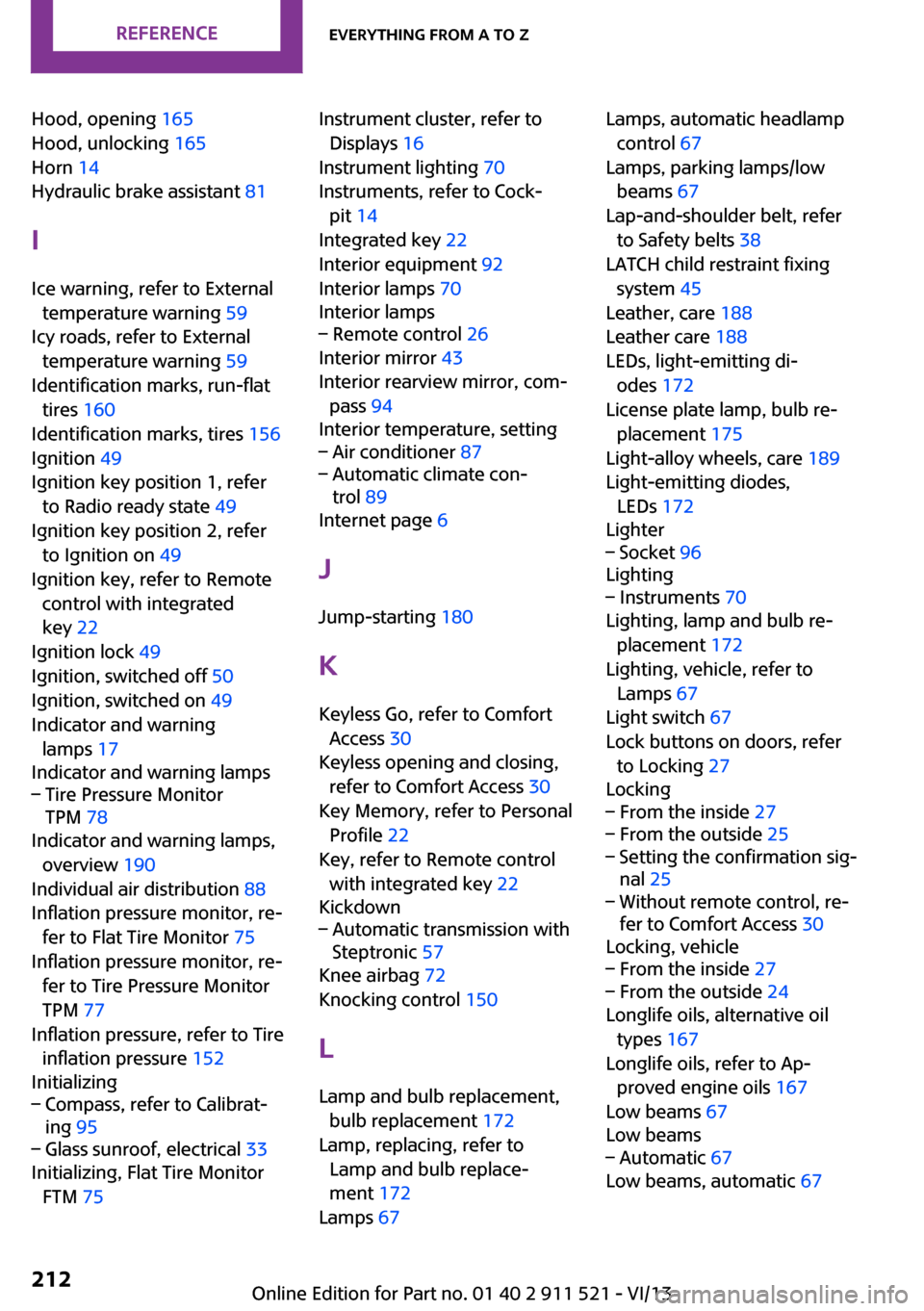
Hood, opening 165
Hood, unlocking 165
Horn 14
Hydraulic brake assistant 81
I
Ice warning, refer to External temperature warning 59
Icy roads, refer to External temperature warning 59
Identification marks, run-flat tires 160
Identification marks, tires 156
Ignition 49
Ignition key position 1, refer to Radio ready state 49
Ignition key position 2, refer to Ignition on 49
Ignition key, refer to Remote control with integrated
key 22
Ignition lock 49
Ignition, switched off 50
Ignition, switched on 49
Indicator and warning lamps 17
Indicator and warning lamps– Tire Pressure Monitor
TPM 78
Indicator and warning lamps,
overview 190
Individual air distribution 88
Inflation pressure monitor, re‐ fer to Flat Tire Monitor 75
Inflation pressure monitor, re‐ fer to Tire Pressure Monitor
TPM 77
Inflation pressure, refer to Tire inflation pressure 152
Initializing
– Compass, refer to Calibrat‐
ing 95– Glass sunroof, electrical 33
Initializing, Flat Tire Monitor
FTM 75
Instrument cluster, refer to
Displays 16
Instrument lighting 70
Instruments, refer to Cock‐ pit 14
Integrated key 22
Interior equipment 92
Interior lamps 70
Interior lamps– Remote control 26
Interior mirror 43
Interior rearview mirror, com‐ pass 94
Interior temperature, setting
– Air conditioner 87– Automatic climate con‐
trol 89
Internet page 6
J Jump-starting 180
K
Keyless Go, refer to Comfort Access 30
Keyless opening and closing, refer to Comfort Access 30
Key Memory, refer to Personal Profile 22
Key, refer to Remote control with integrated key 22
Kickdown
– Automatic transmission with
Steptronic 57
Knee airbag 72
Knocking control 150
L Lamp and bulb replacement, bulb replacement 172
Lamp, replacing, refer to Lamp and bulb replace‐
ment 172
Lamps 67
Lamps, automatic headlamp
control 67
Lamps, parking lamps/low beams 67
Lap-and-shoulder belt, refer to Safety belts 38
LATCH child restraint fixing system 45
Leather, care 188
Leather care 188
LEDs, light-emitting di‐ odes 172
License plate lamp, bulb re‐ placement 175
Light-alloy wheels, care 189
Light-emitting diodes, LEDs 172
Lighter– Socket 96
Lighting
– Instruments 70
Lighting, lamp and bulb re‐
placement 172
Lighting, vehicle, refer to Lamps 67
Light switch 67
Lock buttons on doors, refer to Locking 27
Locking
– From the inside 27– From the outside 25– Setting the confirmation sig‐
nal 25– Without remote control, re‐
fer to Comfort Access 30
Locking, vehicle
– From the inside 27– From the outside 24
Longlife oils, alternative oil
types 167
Longlife oils, refer to Ap‐ proved engine oils 167
Low beams 67
Low beams
– Automatic 67
Low beams, automatic 67
Seite 212ReferenceEverything from A to Z212
Online Edition for Part no. 01 40 2 911 521 - VI/13
Page 213 of 218
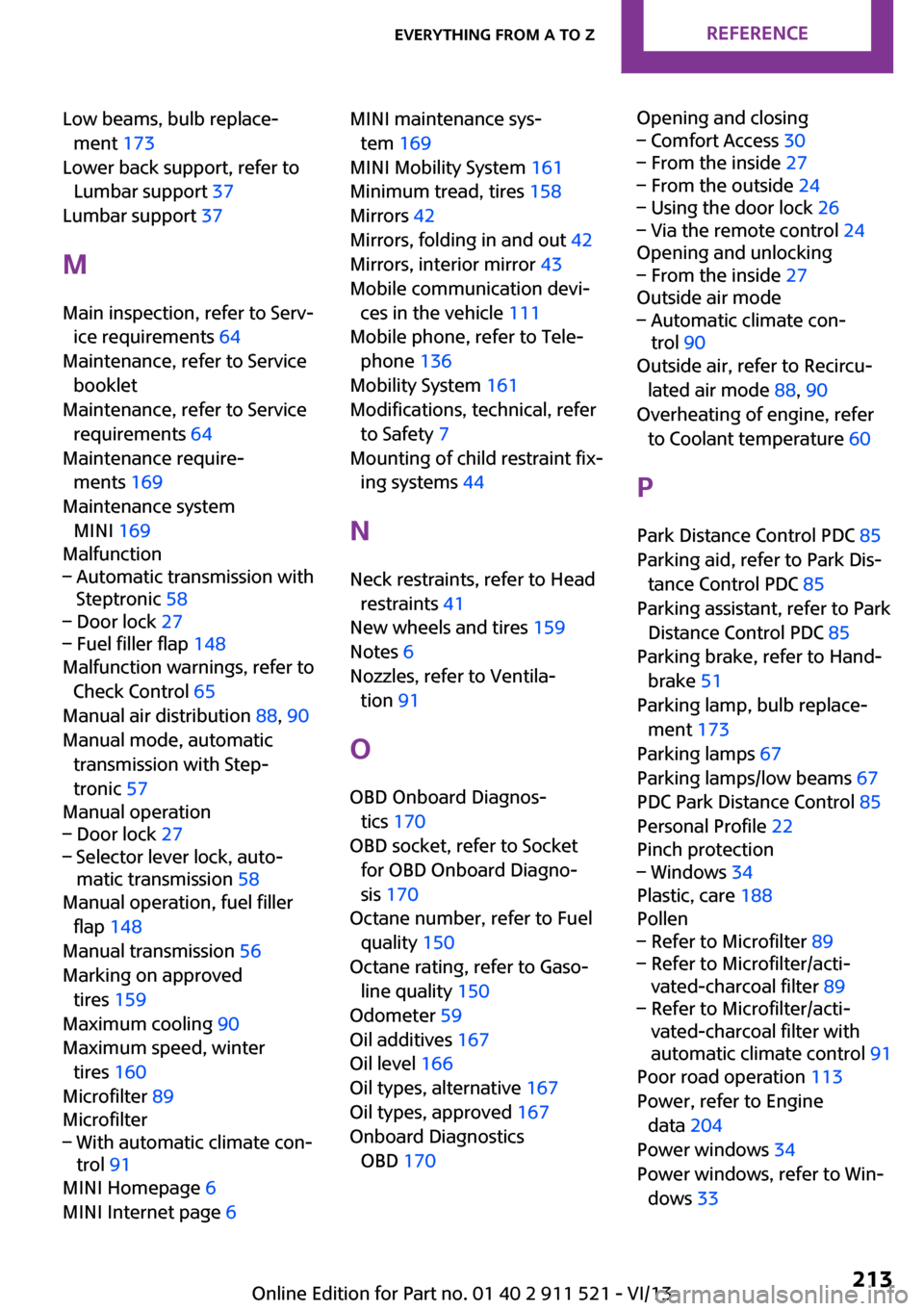
Low beams, bulb replace‐ment 173
Lower back support, refer to Lumbar support 37
Lumbar support 37
M
Main inspection, refer to Serv‐ ice requirements 64
Maintenance, refer to Service booklet
Maintenance, refer to Service requirements 64
Maintenance require‐ ments 169
Maintenance system MINI 169
Malfunction– Automatic transmission with
Steptronic 58– Door lock 27– Fuel filler flap 148
Malfunction warnings, refer to
Check Control 65
Manual air distribution 88, 90
Manual mode, automatic transmission with Step‐
tronic 57
Manual operation
– Door lock 27– Selector lever lock, auto‐
matic transmission 58
Manual operation, fuel filler
flap 148
Manual transmission 56
Marking on approved tires 159
Maximum cooling 90
Maximum speed, winter tires 160
Microfilter 89
Microfilter
– With automatic climate con‐
trol 91
MINI Homepage 6
MINI Internet page 6
MINI maintenance sys‐
tem 169
MINI Mobility System 161
Minimum tread, tires 158
Mirrors 42
Mirrors, folding in and out 42
Mirrors, interior mirror 43
Mobile communication devi‐ ces in the vehicle 111
Mobile phone, refer to Tele‐ phone 136
Mobility System 161
Modifications, technical, refer to Safety 7
Mounting of child restraint fix‐ ing systems 44
N Neck restraints, refer to Head restraints 41
New wheels and tires 159
Notes 6
Nozzles, refer to Ventila‐ tion 91
O
OBD Onboard Diagnos‐ tics 170
OBD socket, refer to Socket for OBD Onboard Diagno‐
sis 170
Octane number, refer to Fuel quality 150
Octane rating, refer to Gaso‐ line quality 150
Odometer 59
Oil additives 167
Oil level 166
Oil types, alternative 167
Oil types, approved 167
Onboard Diagnostics OBD 170 Opening and closing– Comfort Access 30– From the inside 27– From the outside 24– Using the door lock 26– Via the remote control 24
Opening and unlocking
– From the inside 27
Outside air mode
– Automatic climate con‐
trol 90
Outside air, refer to Recircu‐
lated air mode 88, 90
Overheating of engine, refer to Coolant temperature 60
P Park Distance Control PDC 85
Parking aid, refer to Park Dis‐ tance Control PDC 85
Parking assistant, refer to Park Distance Control PDC 85
Parking brake, refer to Hand‐ brake 51
Parking lamp, bulb replace‐ ment 173
Parking lamps 67
Parking lamps/low beams 67
PDC Park Distance Control 85
Personal Profile 22
Pinch protection
– Windows 34
Plastic, care 188
Pollen
– Refer to Microfilter 89– Refer to Microfilter/acti‐
vated-charcoal filter 89– Refer to Microfilter/acti‐
vated-charcoal filter with
automatic climate control 91
Poor road operation 113
Power, refer to Engine data 204
Power windows 34
Power windows, refer to Win‐ dows 33
Seite 213Everything from A to ZReference213
Online Edition for Part no. 01 40 2 911 521 - VI/13