electrical MINI Countryman 2014 User Guide
[x] Cancel search | Manufacturer: MINI, Model Year: 2014, Model line: Countryman, Model: MINI Countryman 2014Pages: 218, PDF Size: 5.45 MB
Page 181 of 218
jumper cables with fully insulated clamp han‐
dles.
To prevent personal injury or damage to both
vehicles, adhere strictly to the following proce‐
dure.
Do not touch live parts
To avoid the risk of potentially fatal injury,
always avoid all contact with electrical compo‐
nents while the engine is running. ◀
Preparation1.Check whether the battery of the other ve‐
hicle has a voltage of 12 volts and approxi‐
mately the same capacitance in Ah. This in‐
formation can be found on the battery.2.Switch off the engine of the assisting vehi‐
cle.3.Switch off any electronic systems/power
consumers in both vehicles.
Bodywork contact between vehicles
There must not be any contact between
the bodies of the two vehicles, otherwise there
is a danger of shorting. ◀
Connecting jumper cables
Connecting order
Connect the jumper cables in the correct
order; otherwise, there is the danger of injury
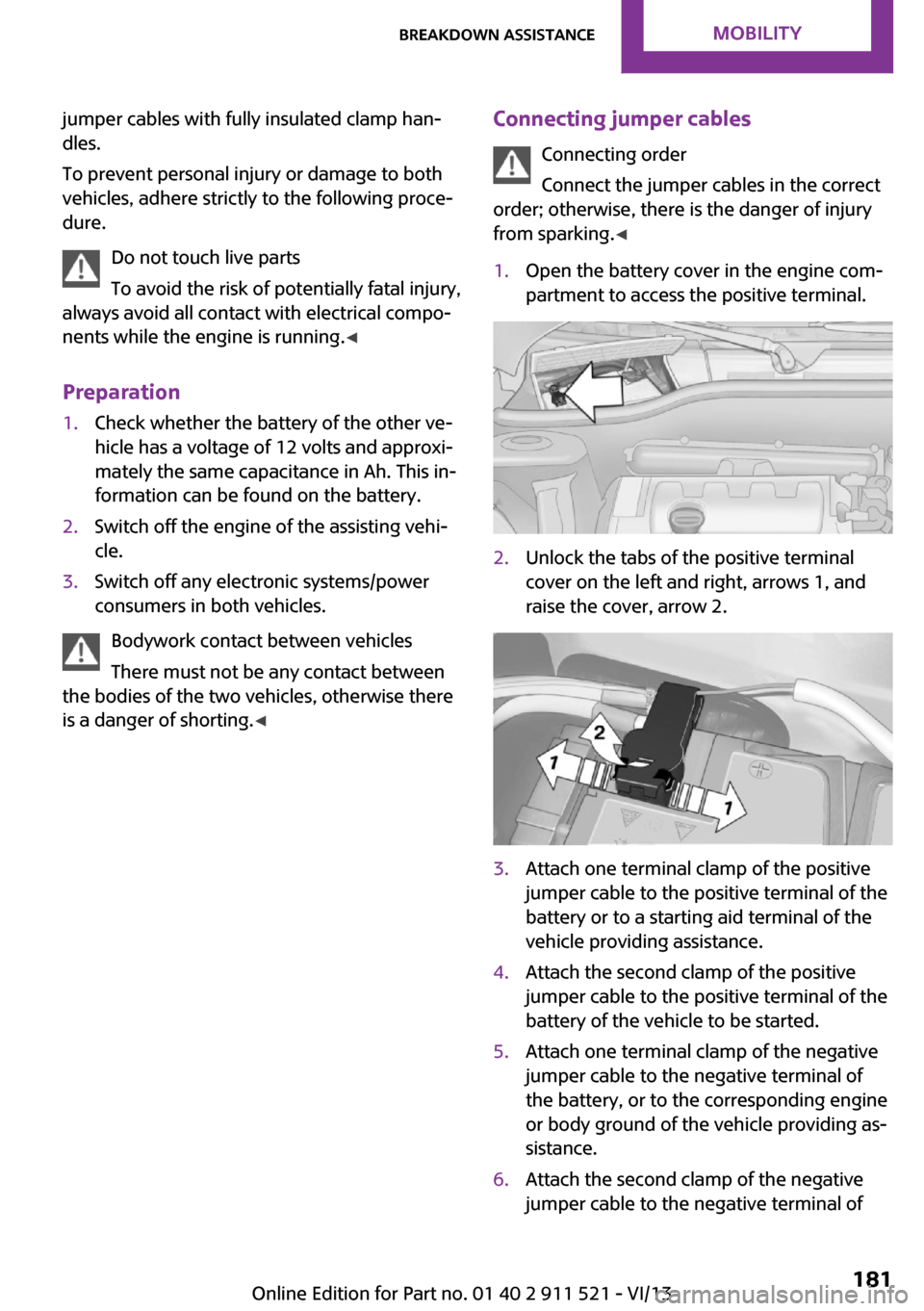
from sparking. ◀1.Open the battery cover in the engine com‐
partment to access the positive terminal.2.Unlock the tabs of the positive terminal
cover on the left and right, arrows 1, and
raise the cover, arrow 2.3.Attach one terminal clamp of the positive
jumper cable to the positive terminal of the
battery or to a starting aid terminal of the
vehicle providing assistance.4.Attach the second clamp of the positive
jumper cable to the positive terminal of the
battery of the vehicle to be started.5.Attach one terminal clamp of the negative
jumper cable to the negative terminal of
the battery, or to the corresponding engine
or body ground of the vehicle providing as‐
sistance.6.Attach the second clamp of the negative
jumper cable to the negative terminal ofSeite 181Breakdown assistanceMobility181
Online Edition for Part no. 01 40 2 911 521 - VI/13
Page 189 of 218
Chrome surfacesCarefully clean components such as the radia‐
tor grille or door handles with an ample supply
of water, possibly with shampoo added, partic‐
ularly when they have been exposed to road
salt. For additional treatment, use a chrome
polish.
Light-alloy wheels
When cleaning the wheels on the vehicle, only
use a neutral wheel rim cleaner with a pH value
of 5 to 9.
Do not use abrasive cleaners or a steam jet hot‐
ter than 140 ℉/60 ℃; otherwise, damage may
result. Adhere to the manufacturer instructions.
Aggressive, acidic, or alkaline cleaners may de‐
stroy the protective coating of neighboring
components such as the brake disc.
Exterior sensors The sensors on the outside of the vehicle, such
as for Park Distance Control, must be kept clean
and free of ice to ensure that they remain fully
functional.
Decorative trim Clean decorative trims and fine wood compo‐
nents with a moist cloth only. Then dry with a
soft cloth.
Safety belts Dirty belt straps impede the reeling action and
thus have a negative impact on safety.
No chemical cleaning
Do not clean chemically; this can destroy
the webbing. ◀
Carpets/floor mats No objects in the area around the pedals
Keep floor mats, carpets, and any other
objects out of the area of motion of the pedals;
otherwise, the function of the pedals could be
impeded while drivingDo not place additional floor mats over existing
mats or other objects.
Only use floor mats that have been approved
for the vehicle and can be properly fixed in
place.
Ensure that the floor mats are securely fastened
again when they are returned after being re‐
moved, such as for cleaning. ◀
Floor mats can be removed for cleaning.
If they are very dirty, clean with a microfiber
cloth and water or an interior cleaner. To pre‐
vent matting of the carpet, rub back and forth
in the direction of travel only.
Displays
To clean the displays, such as the radio or dis‐
play elements, use an antistatic microfiber
cloth.
Cleaning displays
Do not use chemical or household cleans‐
ers.
Keep all fluids and moisture away from the
unit.
Otherwise, they could affect or damage surfa‐
ces or electrical components.
Avoid pressing too hard when cleaning and do
not use abrasive materials; otherwise, damage
can result. ◀
CD/DVD drives No cleaning CD
Do not use cleaning CDs; otherwise, parts
of the drive may become damaged. ◀
Long-term vehicle storage
Your service center can advise you on what to
consider when storing the vehicle for longer
than three months.Seite 189CareMobility189
Online Edition for Part no. 01 40 2 911 521 - VI/13
Page 193 of 218
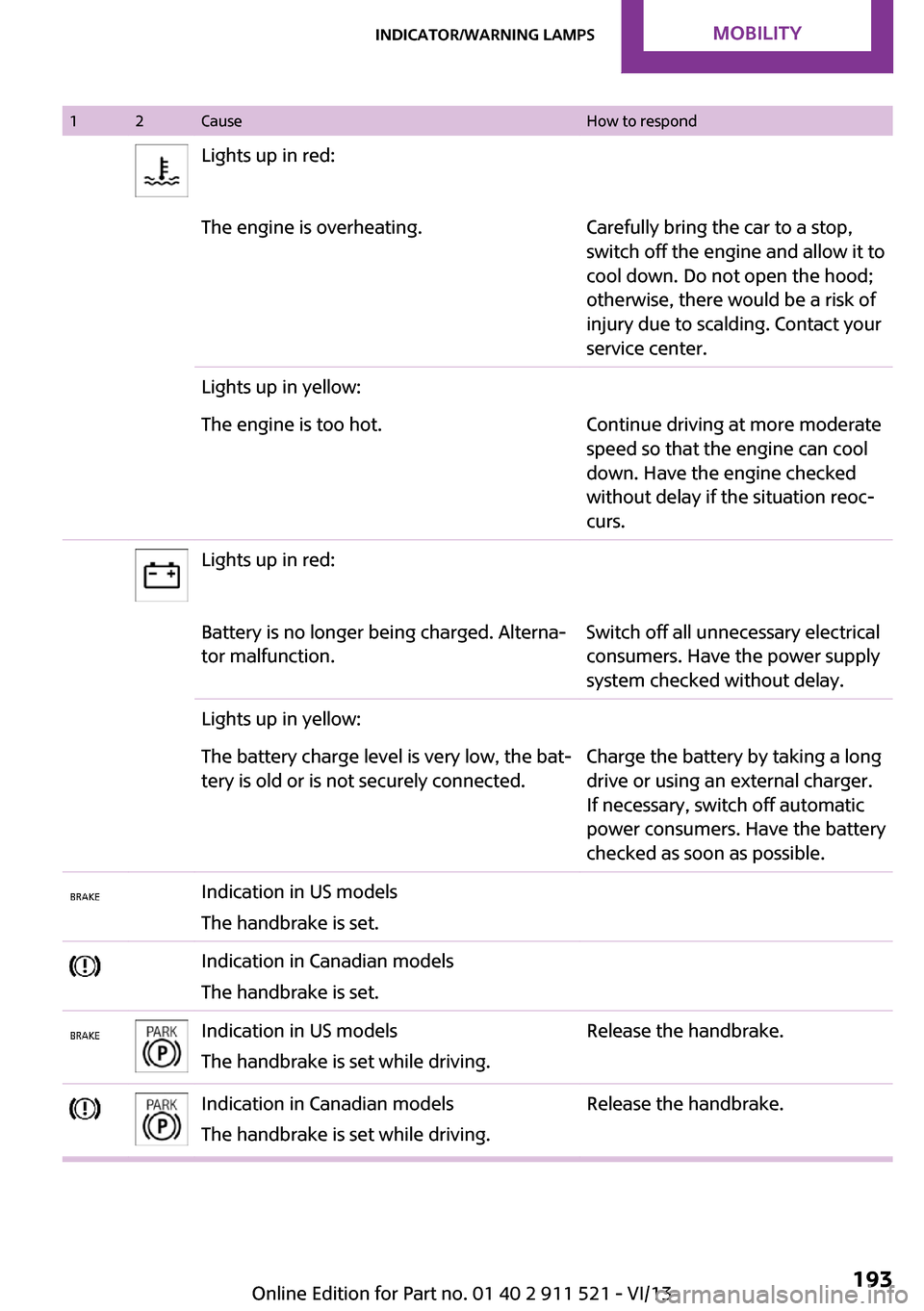
12CauseHow to respondLights up in red:The engine is overheating.Carefully bring the car to a stop,
switch off the engine and allow it to
cool down. Do not open the hood;
otherwise, there would be a risk of
injury due to scalding. Contact your
service center.Lights up in yellow:The engine is too hot.Continue driving at more moderate
speed so that the engine can cool
down. Have the engine checked
without delay if the situation reoc‐
curs.Lights up in red:Battery is no longer being charged. Alterna‐
tor malfunction.Switch off all unnecessary electrical
consumers. Have the power supply
system checked without delay.Lights up in yellow:The battery charge level is very low, the bat‐
tery is old or is not securely connected.Charge the battery by taking a long
drive or using an external charger.
If necessary, switch off automatic
power consumers. Have the battery
checked as soon as possible.Indication in US models
The handbrake is set.Indication in Canadian models
The handbrake is set.Indication in US models
The handbrake is set while driving.Release the handbrake.Indication in Canadian models
The handbrake is set while driving.Release the handbrake.Seite 193Indicator/warning lampsMobility193
Online Edition for Part no. 01 40 2 911 521 - VI/13
Page 210 of 218
Dashboard, refer to Dis‐plays 16
Data, technical 204
Date– Display format 62– Setting 63
Daytime running lights 68
Decorative trim, care 189
Defogging windows 88
Defroster
– Rear window 88, 91
Defrosting windows 88
Defrost setting, refer to De‐ frosting windows 88
Digital compass 94
Dip stick, engine oil 166
Directional indicators, refer to Turn signals 52
Displacement, refer to Engine data 204
Display lighting, refer to In‐ strument lighting 70
Displays 16
Displays and controls 14
Displays, care 189
Displays, cleaning 189
Displays, refer to Instrument cluster 16
Disposal
– Remote control battery 32
Distance warning, refer to
Park Distance Control
PDC 85
Door key, refer to Remote control with integrated
key 22
Door lock 26
Door lock, confirmation sig‐ nals 25
Doors, manual operation 27
Doors, unlocking and locking
– Confirmation signals 25– From the inside 27– From the outside 24
DOT Quality Grades 156
Drive-off assistant, refer to Hill drive-off assistant 83
Driving notes, breaking
in 110
Driving off on hills, refer to Hill drive-off assistant 83
Driving on poor roads 113
Driving stability control sys‐ tems 81
Driving tips, refer to Driving notes 110
Dry air, refer to Cooling func‐ tion 91
DSC Dynamic Stability Con‐ trol 81
DTC Dynamic Traction Con‐ trol 82
Dynamic Stability Control DSC 81
Dynamic Traction Control DTC 82
E Electrical malfunction– Door lock 27– Fuel filler flap 148
Electronic brake-force distri‐
bution 81
Electronic Stability Program ESP, refer to Dynamic Stabil‐
ity Control DSC 81
Emergency activation
– Automatic transmission, re‐
fer to Overriding selector
lever lock 58
Emergency operation, fuel
filler flap, unlocking man‐
ually 148
Emergency operation, refer to
Manual operation
– Door lock 27
Energy, saving, refer to Saving
fuel 118
Engine, breaking in 110
Engine compartment 164
Engine oil, adding 166
Engine oil, additives, refer to Approved engine oils 167
Engine oil, alternative oil
types 167
Engine oil change intervals, refer to Service require‐
ments 64
Engine oil, dip stick 166
Engine oil, filling capacity 207
Engine oil, MINI maintenance system 169
Engine oil types, alterna‐ tive 167
Engine oil types, ap‐ proved 167
Engine, overheating, refer to Coolant temperature 60
Engine power, refer to Engine data 204
Engine, RPM 204
Engine start, assistance 180
Engine, starting 50
Engine, starting– Comfort Access 30
Engine, starting, Start/Stop
button 49
Engine, stopping, Start/Stop button 49
Engine, switching off 51
Equipment, interior 92
ESP Electronic Stability Pro‐ gram, refer to Dynamic Sta‐
bility Control DSC 81
Exchanging wheels/tires 159
Exterior mirrors 42
Exterior mirrors, adjusting 42
Exterior mirrors, folding in and out 42
Exterior sensors, care 189
External temperature dis‐ play 59
External temperature display
– Changing the units 62– On the computer 62
External temperature warn‐
ing 59
Externel temperature dis‐ play 59
Seite 210ReferenceEverything from A to Z210
Online Edition for Part no. 01 40 2 911 521 - VI/13
Page 211 of 218
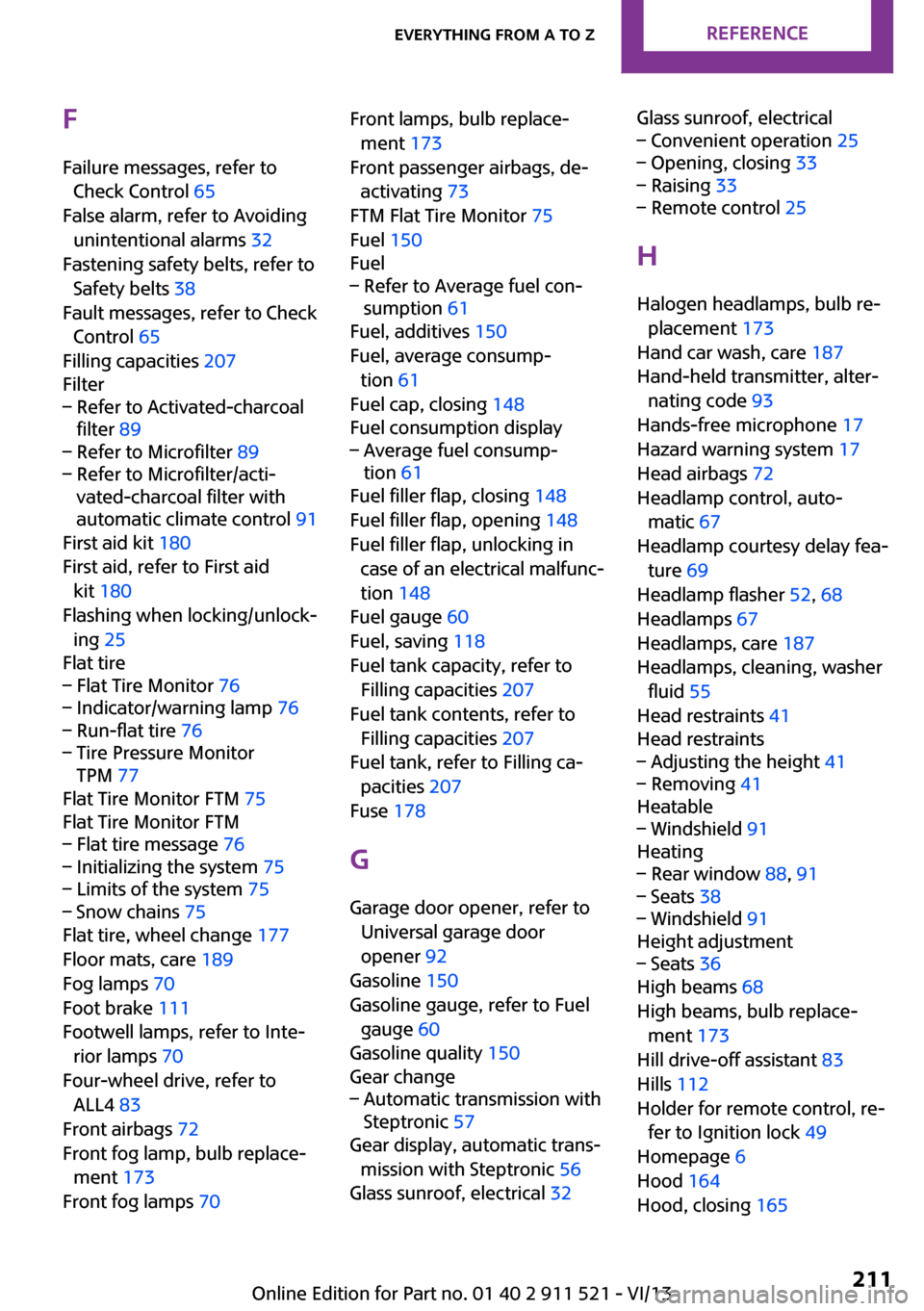
FFailure messages, refer to Check Control 65
False alarm, refer to Avoiding unintentional alarms 32
Fastening safety belts, refer to Safety belts 38
Fault messages, refer to Check Control 65
Filling capacities 207
Filter– Refer to Activated-charcoal
filter 89– Refer to Microfilter 89– Refer to Microfilter/acti‐
vated-charcoal filter with
automatic climate control 91
First aid kit 180
First aid, refer to First aid kit 180
Flashing when locking/unlock‐ ing 25
Flat tire
– Flat Tire Monitor 76– Indicator/warning lamp 76– Run-flat tire 76– Tire Pressure Monitor
TPM 77
Flat Tire Monitor FTM 75
Flat Tire Monitor FTM
– Flat tire message 76– Initializing the system 75– Limits of the system 75– Snow chains 75
Flat tire, wheel change 177
Floor mats, care 189
Fog lamps 70
Foot brake 111
Footwell lamps, refer to Inte‐ rior lamps 70
Four-wheel drive, refer to ALL4 83
Front airbags 72
Front fog lamp, bulb replace‐ ment 173
Front fog lamps 70
Front lamps, bulb replace‐
ment 173
Front passenger airbags, de‐ activating 73
FTM Flat Tire Monitor 75
Fuel 150
Fuel– Refer to Average fuel con‐
sumption 61
Fuel, additives 150
Fuel, average consump‐ tion 61
Fuel cap, closing 148
Fuel consumption display
– Average fuel consump‐
tion 61
Fuel filler flap, closing 148
Fuel filler flap, opening 148
Fuel filler flap, unlocking in case of an electrical malfunc‐
tion 148
Fuel gauge 60
Fuel, saving 118
Fuel tank capacity, refer to Filling capacities 207
Fuel tank contents, refer to Filling capacities 207
Fuel tank, refer to Filling ca‐ pacities 207
Fuse 178
G Garage door opener, refer to Universal garage door
opener 92
Gasoline 150
Gasoline gauge, refer to Fuel gauge 60
Gasoline quality 150
Gear change
– Automatic transmission with
Steptronic 57
Gear display, automatic trans‐
mission with Steptronic 56
Glass sunroof, electrical 32
Glass sunroof, electrical– Convenient operation 25– Opening, closing 33– Raising 33– Remote control 25
H
Halogen headlamps, bulb re‐ placement 173
Hand car wash, care 187
Hand-held transmitter, alter‐ nating code 93
Hands-free microphone 17
Hazard warning system 17
Head airbags 72
Headlamp control, auto‐ matic 67
Headlamp courtesy delay fea‐ ture 69
Headlamp flasher 52, 68
Headlamps 67
Headlamps, care 187
Headlamps, cleaning, washer fluid 55
Head restraints 41
Head restraints
– Adjusting the height 41– Removing 41
Heatable
– Windshield 91
Heating
– Rear window 88, 91– Seats 38– Windshield 91
Height adjustment
– Seats 36
High beams 68
High beams, bulb replace‐ ment 173
Hill drive-off assistant 83
Hills 112
Holder for remote control, re‐ fer to Ignition lock 49
Homepage 6
Hood 164
Hood, closing 165
Seite 211Everything from A to ZReference211
Online Edition for Part no. 01 40 2 911 521 - VI/13
Page 212 of 218
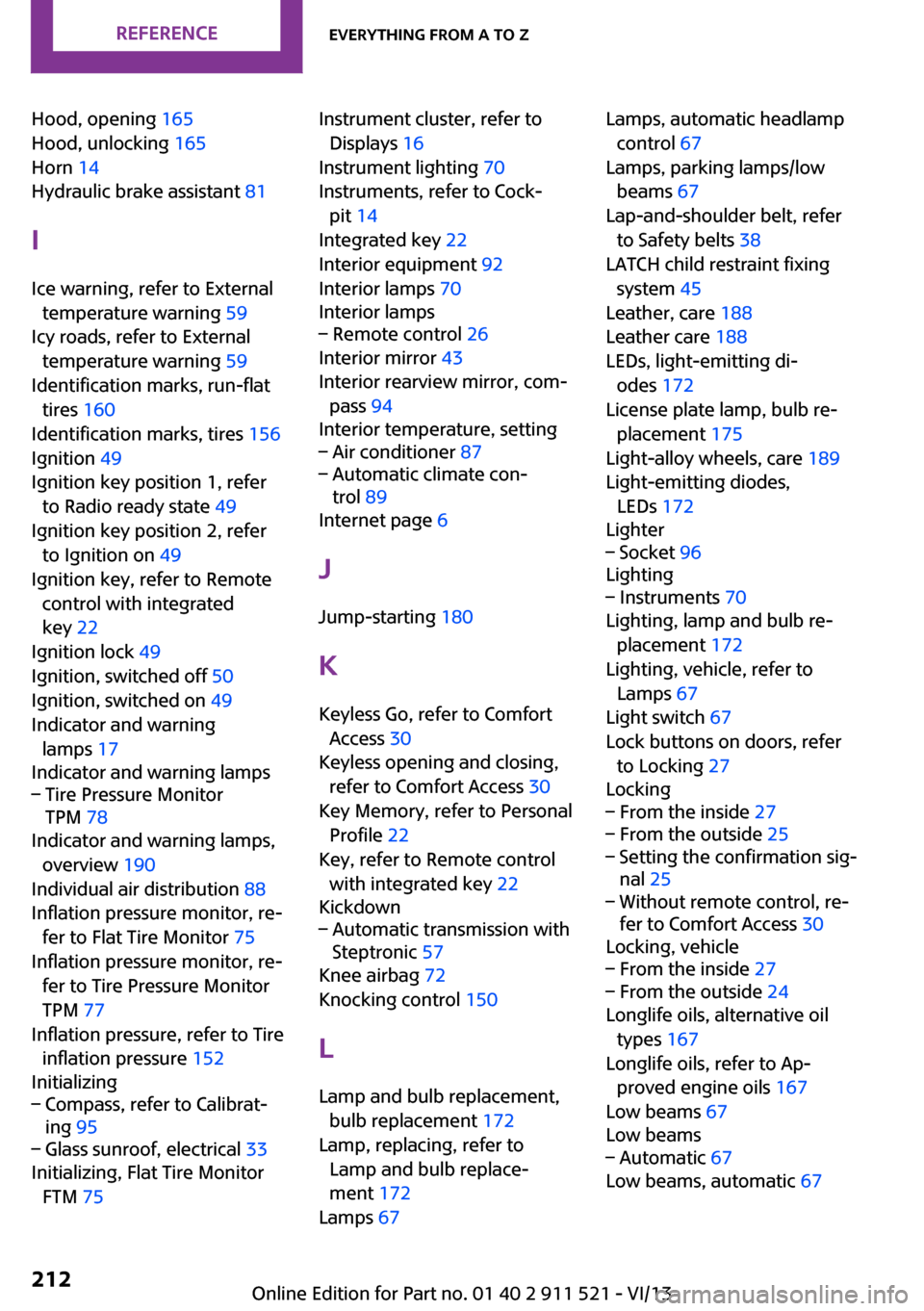
Hood, opening 165
Hood, unlocking 165
Horn 14
Hydraulic brake assistant 81
I
Ice warning, refer to External temperature warning 59
Icy roads, refer to External temperature warning 59
Identification marks, run-flat tires 160
Identification marks, tires 156
Ignition 49
Ignition key position 1, refer to Radio ready state 49
Ignition key position 2, refer to Ignition on 49
Ignition key, refer to Remote control with integrated
key 22
Ignition lock 49
Ignition, switched off 50
Ignition, switched on 49
Indicator and warning lamps 17
Indicator and warning lamps– Tire Pressure Monitor
TPM 78
Indicator and warning lamps,
overview 190
Individual air distribution 88
Inflation pressure monitor, re‐ fer to Flat Tire Monitor 75
Inflation pressure monitor, re‐ fer to Tire Pressure Monitor
TPM 77
Inflation pressure, refer to Tire inflation pressure 152
Initializing
– Compass, refer to Calibrat‐
ing 95– Glass sunroof, electrical 33
Initializing, Flat Tire Monitor
FTM 75
Instrument cluster, refer to
Displays 16
Instrument lighting 70
Instruments, refer to Cock‐ pit 14
Integrated key 22
Interior equipment 92
Interior lamps 70
Interior lamps– Remote control 26
Interior mirror 43
Interior rearview mirror, com‐ pass 94
Interior temperature, setting
– Air conditioner 87– Automatic climate con‐
trol 89
Internet page 6
J Jump-starting 180
K
Keyless Go, refer to Comfort Access 30
Keyless opening and closing, refer to Comfort Access 30
Key Memory, refer to Personal Profile 22
Key, refer to Remote control with integrated key 22
Kickdown
– Automatic transmission with
Steptronic 57
Knee airbag 72
Knocking control 150
L Lamp and bulb replacement, bulb replacement 172
Lamp, replacing, refer to Lamp and bulb replace‐
ment 172
Lamps 67
Lamps, automatic headlamp
control 67
Lamps, parking lamps/low beams 67
Lap-and-shoulder belt, refer to Safety belts 38
LATCH child restraint fixing system 45
Leather, care 188
Leather care 188
LEDs, light-emitting di‐ odes 172
License plate lamp, bulb re‐ placement 175
Light-alloy wheels, care 189
Light-emitting diodes, LEDs 172
Lighter– Socket 96
Lighting
– Instruments 70
Lighting, lamp and bulb re‐
placement 172
Lighting, vehicle, refer to Lamps 67
Light switch 67
Lock buttons on doors, refer to Locking 27
Locking
– From the inside 27– From the outside 25– Setting the confirmation sig‐
nal 25– Without remote control, re‐
fer to Comfort Access 30
Locking, vehicle
– From the inside 27– From the outside 24
Longlife oils, alternative oil
types 167
Longlife oils, refer to Ap‐ proved engine oils 167
Low beams 67
Low beams
– Automatic 67
Low beams, automatic 67
Seite 212ReferenceEverything from A to Z212
Online Edition for Part no. 01 40 2 911 521 - VI/13