fuel consumption MINI Countryman 2015 Owner's Manual (Mini Connected)
[x] Cancel search | Manufacturer: MINI, Model Year: 2015, Model line: Countryman, Model: MINI Countryman 2015Pages: 283, PDF Size: 6.76 MB
Page 33 of 283
▷While the vehicle is being unlocked, the re‐
mote control is recognized and the settings
stored with it are called up and imple‐
mented.▷Your personal settings will be recognized
and called up again even if the vehicle has
been used in the meantime by someone
else with another remote control.▷The individual settings are stored for no
more than three remote controls.
Personal Profile settings
The following functions and settings can be
stored in a profile.
More information on the settings can be found
under:
▷Response of the central locking system
when the car is being unlocked, refer to
page 32.▷Automatic locking of the vehicle, refer to
page 35.▷Triple turn signal activation, refer to
page 60.▷Settings for the displays on the onboard
monitor, in the speedometer, and in the
tachometer:▷12h/24h clock format, refer to
page 71.▷Date format, refer to page 72.▷Brightness of the Control Display, refer
to page 73.▷Language on the Control Display, refer
to page 72.▷Units of measure for fuel consumption,
distance covered/remaining distances,
and temperature, refer to page 71.▷Light settings:▷Headlamp courtesy delay feature, refer
to page 78.▷Daytime running lights, refer to
page 78.▷Automatic climate control, refer to
page 101: AUTO program, activating/deac‐
tivating the cooling function, setting the
temperature, air volume, and air distribu‐
tion.▷Entertainment:▷Tone settings, refer to page 154.▷Volume, refer to page 154.
Central locking system
The concept
The central locking system becomes active
when the driver's door is closed.
The system simultaneously engages and re‐
leases the locks on the following:
▷Doors.▷Tailgate.▷Fuel filler flap.
Operating from the outside
▷Via the remote control.▷Via the door lock.▷In cars with Comfort Access, via the door
handles on the driver's and front passenger
sides.
The following takes place simultaneously when
locking/unlocking the vehicle via the remote
control:
▷Depending on the vehicle equipment, the
anti-theft protection is switched on and off
as well. The anti-theft protection makes it
impossible to unlock the doors using the
lock buttons or door handles.▷The welcome lamps, interior lamps, and
ambient lighting are switched on and off.▷The alarm system is armed or disarmed, re‐
fer to page 39.Seite 31Opening and closingCONTROLS31
Online Edition for Part no. 01 40 2 961 110 - II/15
Page 70 of 283

Tachometer
It is imperative that you avoid engine speeds in
the red warning field. In this range, the fuel
supply is interrupted to protect the engine.
Coolant temperature A warning lamp will come on if the coolant, and
therefore the engine, becomes too hot. In addi‐
tion, a message will appear on the Control Dis‐
play.
Check the coolant level, refer to page 232.
Fuel gauge
The arrow next to the fuel pump symbol on the
fuel gauge indicates the side of the vehicle with
the fuel filler flap.
The vehicle inclination may cause the display to
vary.
Notes on refueling, refer to page 212.
Filling capacities, refer to page 261.
Range
After the reserve range is reached:▷The remaining LEDs change from orange to
red, arrow.▷A message is briefly displayed on the Con‐
trol Display.▷The remaining range is shown on the tach‐
ometer.▷When a dynamic driving style is used, such
as when corners are taken rapidly, engine
functions are not ensured.
The message appears continuously below a
range of approx. 30 miles/50 km.
Refuel promptly
At the latest, refuel at a range below
30 miles/50 km; otherwise, the engine function
is not ensured and damage may occur. ◀
Computer
Opening information in the tachometer
Press the button on the turn indicator lever.
Overview of the information
The following information is displayed consecu‐
tively by repeatedly pressing the button on the
turn indicator lever:
▷Range.▷Average fuel consumption.▷Current fuel consumption.▷Average speed.Seite 68CONTROLSDisplays68
Online Edition for Part no. 01 40 2 961 110 - II/15
Page 71 of 283
To set the corresponding units of measure, re‐
fer to page 71.
Information in detail
Range
Displays the estimated cruising range available
with the remaining fuel.
It is calculated based on your driving style over
the last 18 miles/30 km.
Average fuel consumption
This is calculated for the period during which
the engine is running.
With the trip computer, refer to page 69, the
average consumption can be displayed for an
additional distance.
To reset the average consumption: press the
button on the turn indicator lever for ap‐
prox. 2 seconds.
Current fuel consumption Displays the current fuel consumption. You can
check whether you are currently driving in an
efficient and environmentally-friendly manner.
Average speed Periods in which the vehicle was parked and
the engine was switched off manually are not
included in the average speed calculations.
With the trip computer, refer to page 69, the
average speed can be displayed for an addi‐
tional distance.
To reset the average speed: press the button
on the turn indicator lever for approx. 2 sec‐
onds.
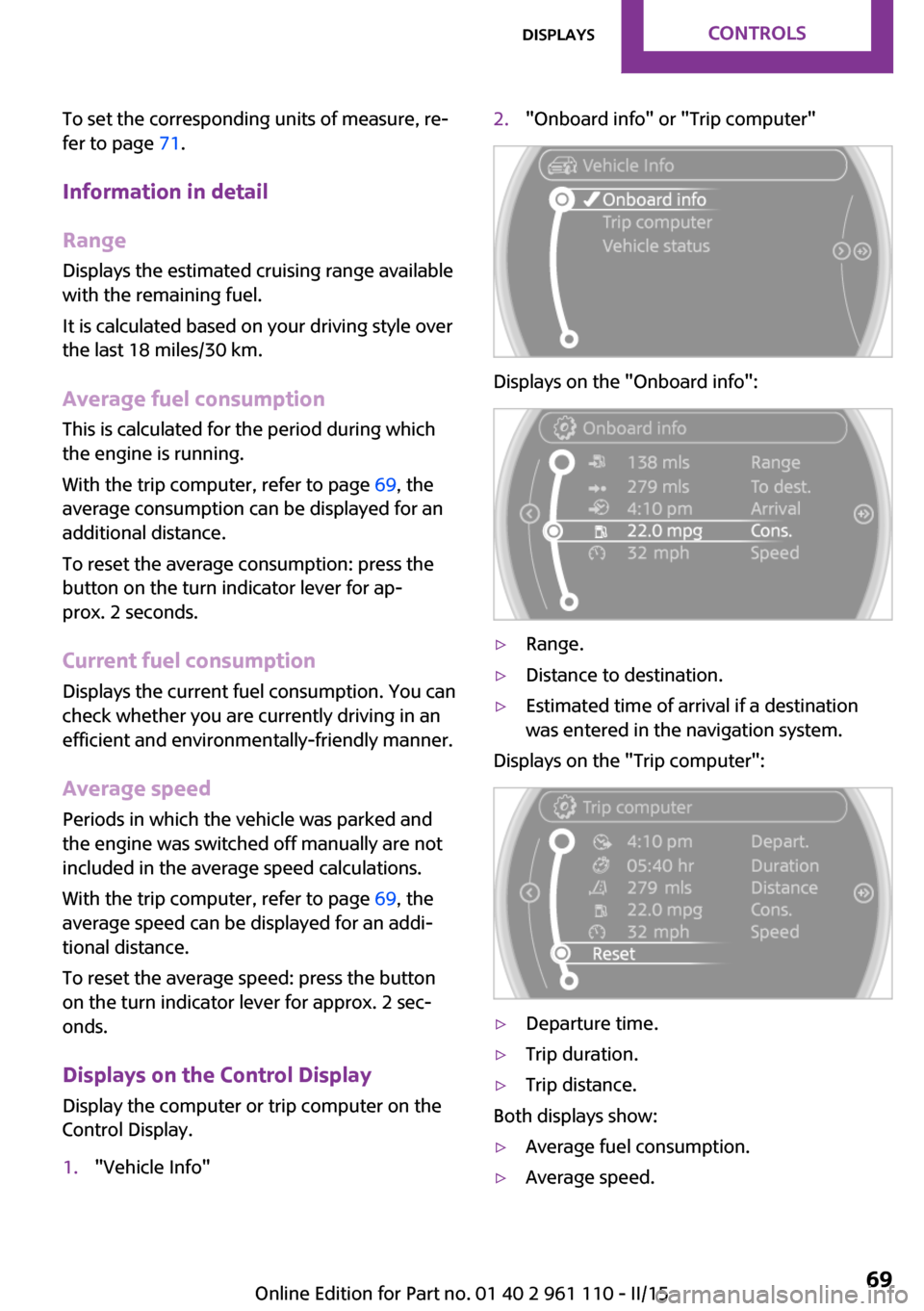
Displays on the Control Display Display the computer or trip computer on the
Control Display.1."Vehicle Info"2."Onboard info" or "Trip computer"
Displays on the "Onboard info":
▷Range.▷Distance to destination.▷Estimated time of arrival if a destination
was entered in the navigation system.
Displays on the "Trip computer":
▷Departure time.▷Trip duration.▷Trip distance.
Both displays show:
▷Average fuel consumption.▷Average speed.Seite 69DisplaysCONTROLS69
Online Edition for Part no. 01 40 2 961 110 - II/15
Page 72 of 283
Resetting the fuel consumption and
speed
Resetting the values for average speed and
average fuel consumption:1.Select the respective menu item and press
the MINI joystick.2.Press the MINI joystick again to confirm
your selection.
Resetting the trip computer
Resetting all values:
1."Vehicle Info"2."Trip computer"3."Reset"
Settings and information
Operating concept
Some settings and information can only be cre‐
ated or opened while the ignition is switched
on, the vehicle is standing, and the doors are
closed.
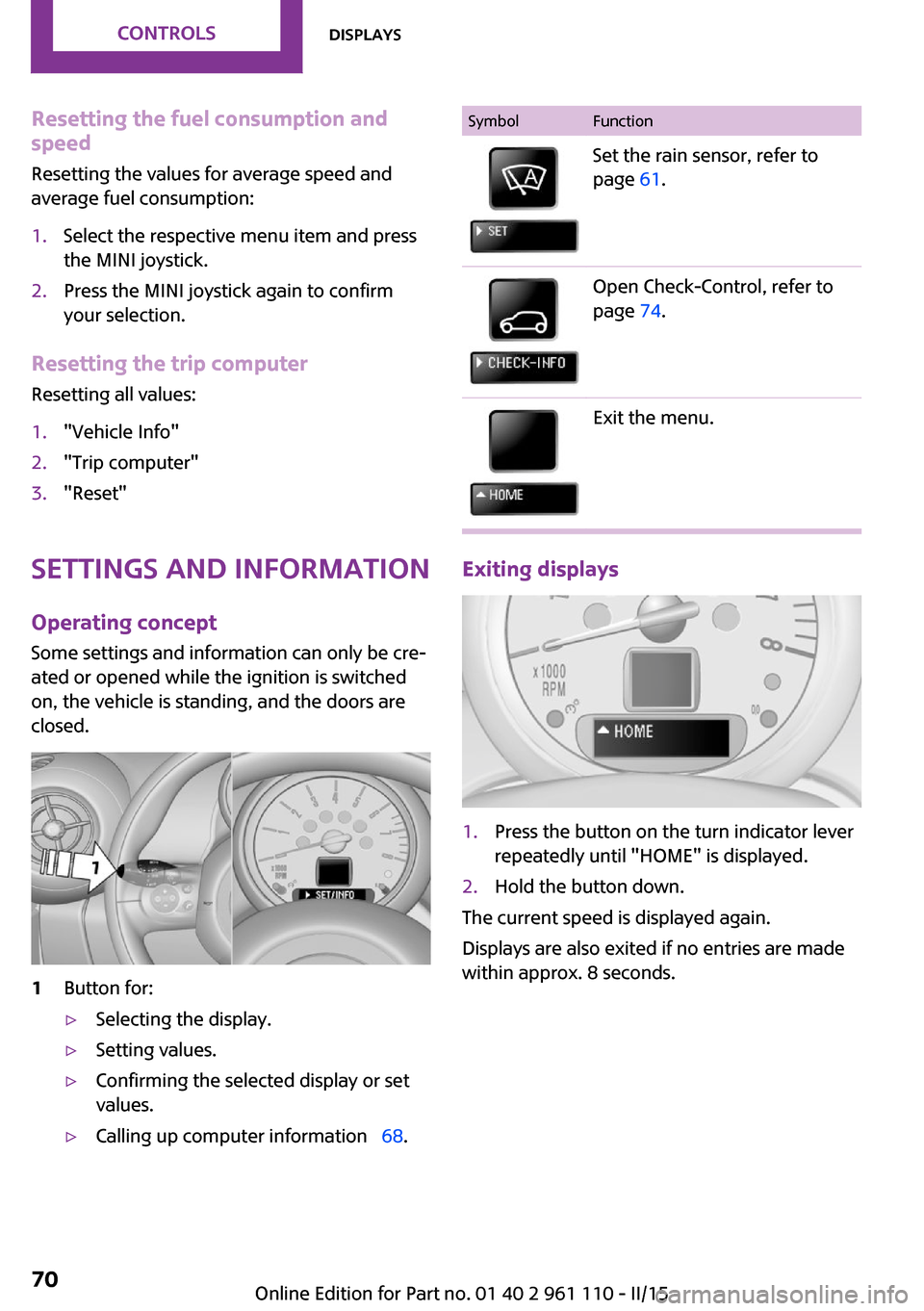
1Button for:▷Selecting the display.▷Setting values.▷Confirming the selected display or set
values.▷Calling up computer information 68.SymbolFunctionSet the rain sensor, refer to
page 61.Open Check-Control, refer to
page 74.Exit the menu.
Exiting displays
1.Press the button on the turn indicator lever
repeatedly until "HOME" is displayed.2.Hold the button down.
The current speed is displayed again.
Displays are also exited if no entries are made
within approx. 8 seconds.
Seite 70CONTROLSDisplays70
Online Edition for Part no. 01 40 2 961 110 - II/15
Page 130 of 283

Saving fuelVehicle equipment
This chapter describes all series equipment as
well as country-specific and special equipment
offered for this model series. Therefore, it also
describes equipment that may not be found in
your vehicle, for instance due to the selected
special equipment or the country version. This
also applies to safety-related functions and sys‐
tems.
When using the features and systems described
here, adhere to local regulations.
General information
Your vehicle contains advanced technology for
the reduction of fuel consumption and emis‐
sions.
Fuel consumption depends on a number of dif‐
ferent factors. The implementation of certain measures, driving style and regular mainte‐nance can have an influence on fuel consump‐
tion and on the environmental impact.
Remove unnecessary cargo Additional weight increases fuel consumption.
Remove attached parts following use Remove unneeded auxiliary mirrors, roof or
rear luggage racks after use.
Attached parts on the vehicle impair the aero‐
dynamics and increase the fuel consumption.
Close both windows Open windows causes higher air resistance and
thus increases fuel consumption.Check the tire inflation pressure
regularly
Check and, if necessary, correct the tire infla‐
tion pressure, refer to page 216, at least twice
a month and before starting on a long trip.
Low tire inflation pressure increases rolling re‐
sistance and thus raises fuel consumption and
tire wear.
Drive away without delay
Do not wait for the engine to warm-up while
the vehicle remains stationary. Start driving
right away, but at moderate engine speeds.
This is the fastest way for the cold engine to
reach its operating temperature.
Look well ahead when drivingAvoid unnecessary acceleration and braking. To
achieve this, maintain a suitable distance to the
vehicle driving ahead of you.
Driving smoothly and looking ahead reduces
fuel consumption.
Avoid high engine speeds Use 1st gear to get the vehicle in motion. Be‐
ginning with 2nd gear, accelerate rapidly. When
accelerating, shift up before reaching high en‐
gine speeds.
When you reach the desired speed, shift into
the highest applicable gear and drive with the
engine speed as low as possible and at a con‐
stant speed.
As a rule: driving at low engine speeds lowers
fuel consumption and reduces wear.
Use coasting conditions
When approaching a red light, take your foot
off the accelerator and coast to a halt in the
highest applicable gear.Seite 128DRIVING TIPSSaving fuel128
Online Edition for Part no. 01 40 2 961 110 - II/15
Page 232 of 283
Engine oilEngine oil
Vehicle equipment This chapter describes all series equipment as
well as country-specific and special equipment
offered for this model series. Therefore, it also
describes equipment that may not be found in
your vehicle, for instance due to the selected
special equipment or the country version. This
also applies to safety-related functions and sys‐
tems.
When using the features and systems described
here, adhere to local regulations.
General information
Engine oil consumption depends on the driving
style and the conditions of use. A highly sporty
driving style, for example, results in considera‐
bly higher engine oil consumption.
Therefore, regularly check the engine oil level
after refueling.
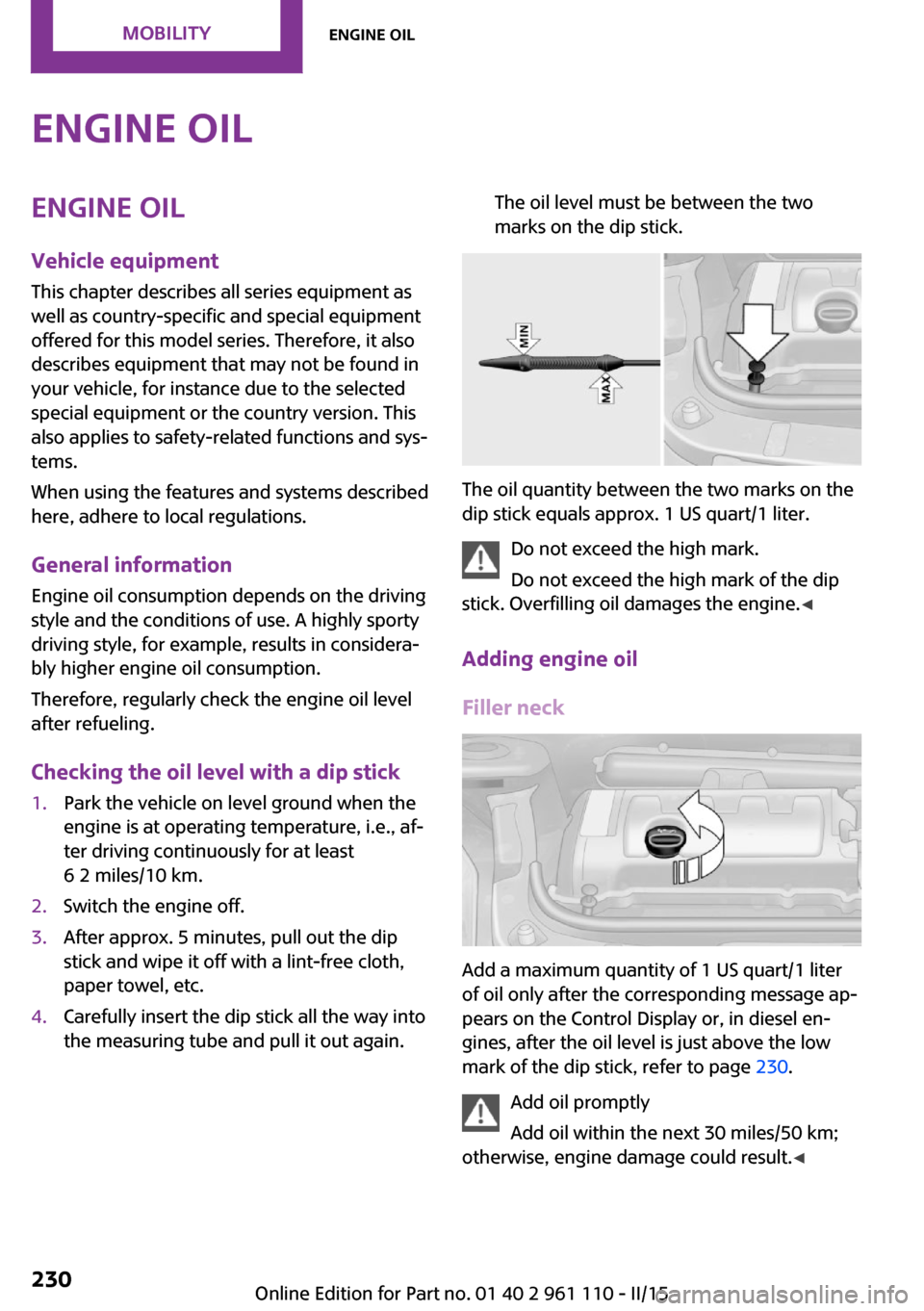
Checking the oil level with a dip stick1.Park the vehicle on level ground when the
engine is at operating temperature, i.e., af‐
ter driving continuously for at least
6 2 miles/10 km.2.Switch the engine off.3.After approx. 5 minutes, pull out the dip
stick and wipe it off with a lint-free cloth,
paper towel, etc.4.Carefully insert the dip stick all the way into
the measuring tube and pull it out again.The oil level must be between the two
marks on the dip stick.
The oil quantity between the two marks on the
dip stick equals approx. 1 US quart/1 liter.
Do not exceed the high mark.
Do not exceed the high mark of the dip
stick. Overfilling oil damages the engine. ◀
Adding engine oil
Filler neck
Add a maximum quantity of 1 US quart/1 liter
of oil only after the corresponding message ap‐
pears on the Control Display or, in diesel en‐
gines, after the oil level is just above the low
mark of the dip stick, refer to page 230.
Add oil promptly
Add oil within the next 30 miles/50 km;
otherwise, engine damage could result. ◀
Seite 230MOBILITYEngine oil230
Online Edition for Part no. 01 40 2 961 110 - II/15
Page 270 of 283
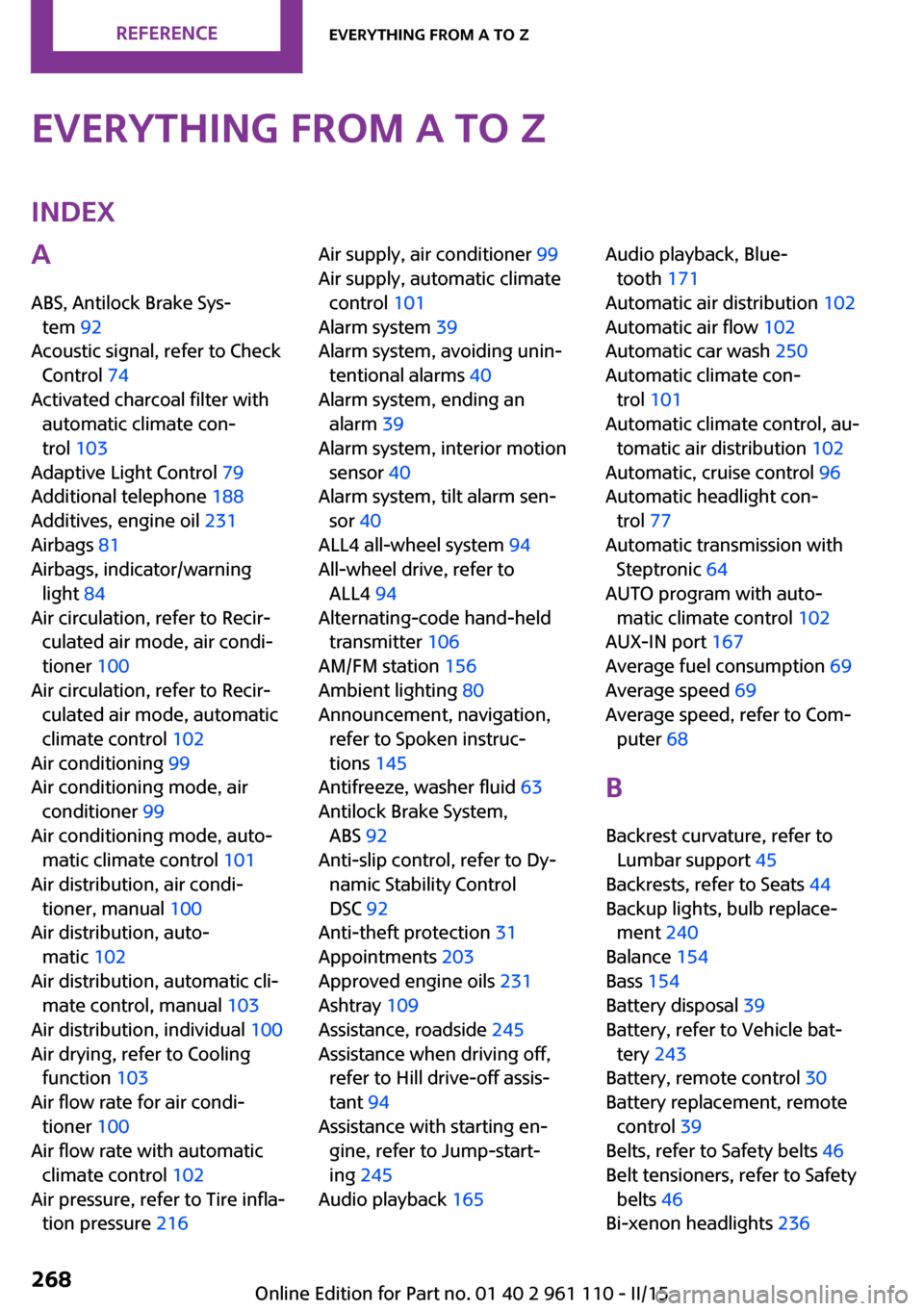
Everything from A to ZIndexA
ABS, Antilock Brake Sys‐ tem 92
Acoustic signal, refer to Check Control 74
Activated charcoal filter with automatic climate con‐
trol 103
Adaptive Light Control 79
Additional telephone 188
Additives, engine oil 231
Airbags 81
Airbags, indicator/warning light 84
Air circulation, refer to Recir‐ culated air mode, air condi‐
tioner 100
Air circulation, refer to Recir‐ culated air mode, automatic
climate control 102
Air conditioning 99
Air conditioning mode, air conditioner 99
Air conditioning mode, auto‐ matic climate control 101
Air distribution, air condi‐ tioner, manual 100
Air distribution, auto‐ matic 102
Air distribution, automatic cli‐ mate control, manual 103
Air distribution, individual 100
Air drying, refer to Cooling function 103
Air flow rate for air condi‐ tioner 100
Air flow rate with automatic climate control 102
Air pressure, refer to Tire infla‐ tion pressure 216 Air supply, air conditioner 99
Air supply, automatic climate control 101
Alarm system 39
Alarm system, avoiding unin‐ tentional alarms 40
Alarm system, ending an alarm 39
Alarm system, interior motion sensor 40
Alarm system, tilt alarm sen‐ sor 40
ALL4 all-wheel system 94
All-wheel drive, refer to ALL4 94
Alternating-code hand-held transmitter 106
AM/FM station 156
Ambient lighting 80
Announcement, navigation, refer to Spoken instruc‐
tions 145
Antifreeze, washer fluid 63
Antilock Brake System, ABS 92
Anti-slip control, refer to Dy‐ namic Stability Control
DSC 92
Anti-theft protection 31
Appointments 203
Approved engine oils 231
Ashtray 109
Assistance, roadside 245
Assistance when driving off, refer to Hill drive-off assis‐
tant 94
Assistance with starting en‐ gine, refer to Jump-start‐
ing 245
Audio playback 165 Audio playback, Blue‐
tooth 171
Automatic air distribution 102
Automatic air flow 102
Automatic car wash 250
Automatic climate con‐ trol 101
Automatic climate control, au‐ tomatic air distribution 102
Automatic, cruise control 96
Automatic headlight con‐ trol 77
Automatic transmission with Steptronic 64
AUTO program with auto‐ matic climate control 102
AUX-IN port 167
Average fuel consumption 69
Average speed 69
Average speed, refer to Com‐ puter 68
B Backrest curvature, refer to Lumbar support 45
Backrests, refer to Seats 44
Backup lights, bulb replace‐ ment 240
Balance 154
Bass 154
Battery disposal 39
Battery, refer to Vehicle bat‐ tery 243
Battery, remote control 30
Battery replacement, remote control 39
Belts, refer to Safety belts 46
Belt tensioners, refer to Safety belts 46
Bi-xenon headlights 236 Seite 268REFERENCEEverything from A to Z268
Online Edition for Part no. 01 40 2 961 110 - II/15
Page 272 of 283
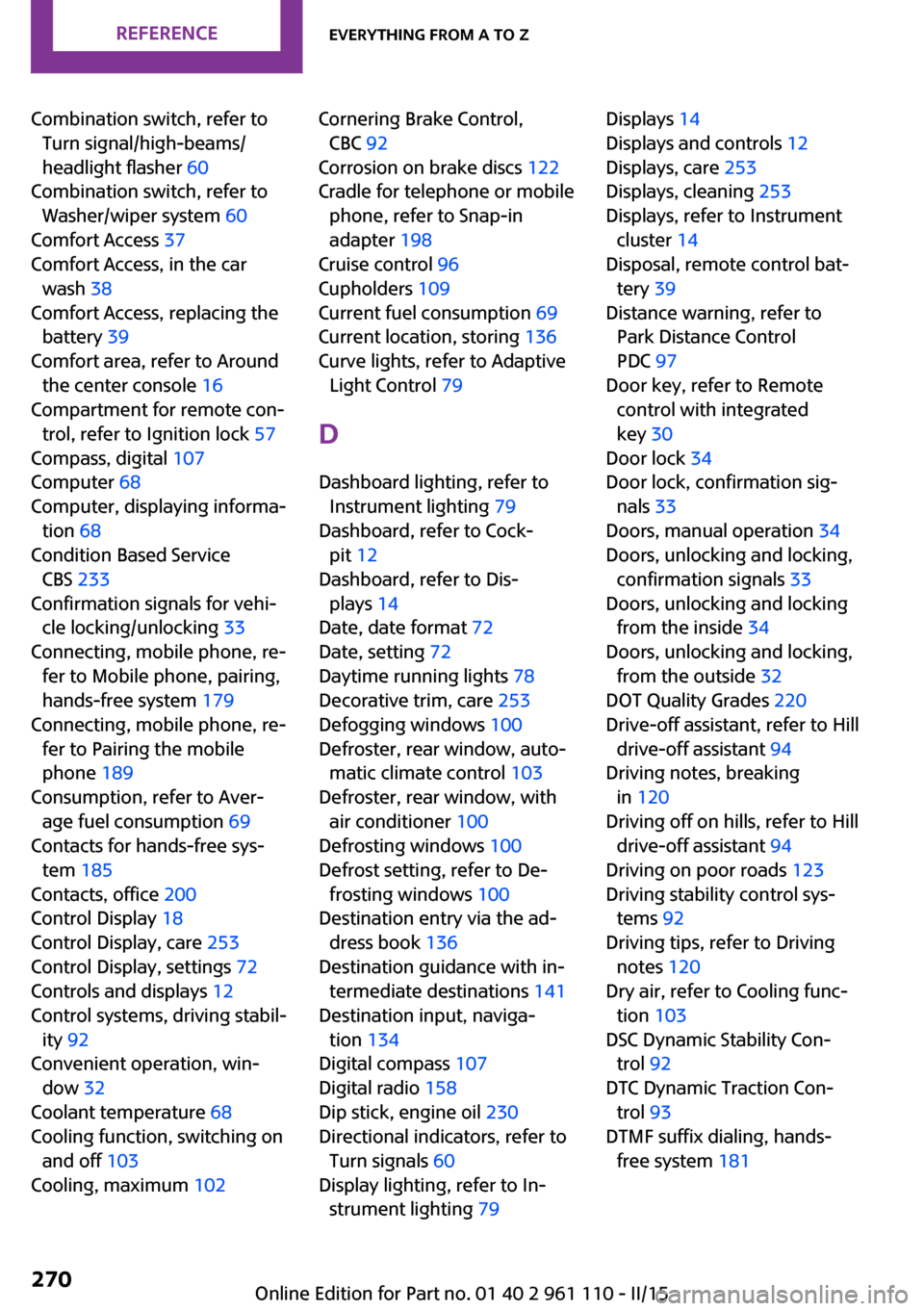
Combination switch, refer toTurn signal/high-beams/
headlight flasher 60
Combination switch, refer to Washer/wiper system 60
Comfort Access 37
Comfort Access, in the car wash 38
Comfort Access, replacing the battery 39
Comfort area, refer to Around the center console 16
Compartment for remote con‐ trol, refer to Ignition lock 57
Compass, digital 107
Computer 68
Computer, displaying informa‐ tion 68
Condition Based Service CBS 233
Confirmation signals for vehi‐ cle locking/unlocking 33
Connecting, mobile phone, re‐ fer to Mobile phone, pairing,
hands-free system 179
Connecting, mobile phone, re‐ fer to Pairing the mobile
phone 189
Consumption, refer to Aver‐ age fuel consumption 69
Contacts for hands-free sys‐ tem 185
Contacts, office 200
Control Display 18
Control Display, care 253
Control Display, settings 72
Controls and displays 12
Control systems, driving stabil‐ ity 92
Convenient operation, win‐ dow 32
Coolant temperature 68
Cooling function, switching on and off 103
Cooling, maximum 102 Cornering Brake Control,
CBC 92
Corrosion on brake discs 122
Cradle for telephone or mobile phone, refer to Snap-in
adapter 198
Cruise control 96
Cupholders 109
Current fuel consumption 69
Current location, storing 136
Curve lights, refer to Adaptive Light Control 79
D Dashboard lighting, refer to Instrument lighting 79
Dashboard, refer to Cock‐ pit 12
Dashboard, refer to Dis‐ plays 14
Date, date format 72
Date, setting 72
Daytime running lights 78
Decorative trim, care 253
Defogging windows 100
Defroster, rear window, auto‐ matic climate control 103
Defroster, rear window, with air conditioner 100
Defrosting windows 100
Defrost setting, refer to De‐ frosting windows 100
Destination entry via the ad‐ dress book 136
Destination guidance with in‐ termediate destinations 141
Destination input, naviga‐ tion 134
Digital compass 107
Digital radio 158
Dip stick, engine oil 230
Directional indicators, refer to Turn signals 60
Display lighting, refer to In‐ strument lighting 79 Displays 14
Displays and controls 12
Displays, care 253
Displays, cleaning 253
Displays, refer to Instrument cluster 14
Disposal, remote control bat‐ tery 39
Distance warning, refer to Park Distance Control
PDC 97
Door key, refer to Remote control with integrated
key 30
Door lock 34
Door lock, confirmation sig‐ nals 33
Doors, manual operation 34
Doors, unlocking and locking, confirmation signals 33
Doors, unlocking and locking from the inside 34
Doors, unlocking and locking, from the outside 32
DOT Quality Grades 220
Drive-off assistant, refer to Hill drive-off assistant 94
Driving notes, breaking in 120
Driving off on hills, refer to Hill drive-off assistant 94
Driving on poor roads 123
Driving stability control sys‐ tems 92
Driving tips, refer to Driving notes 120
Dry air, refer to Cooling func‐ tion 103
DSC Dynamic Stability Con‐ trol 92
DTC Dynamic Traction Con‐ trol 93
DTMF suffix dialing, hands- free system 181 Seite 270REFERENCEEverything from A to Z270
Online Edition for Part no. 01 40 2 961 110 - II/15
Page 274 of 283
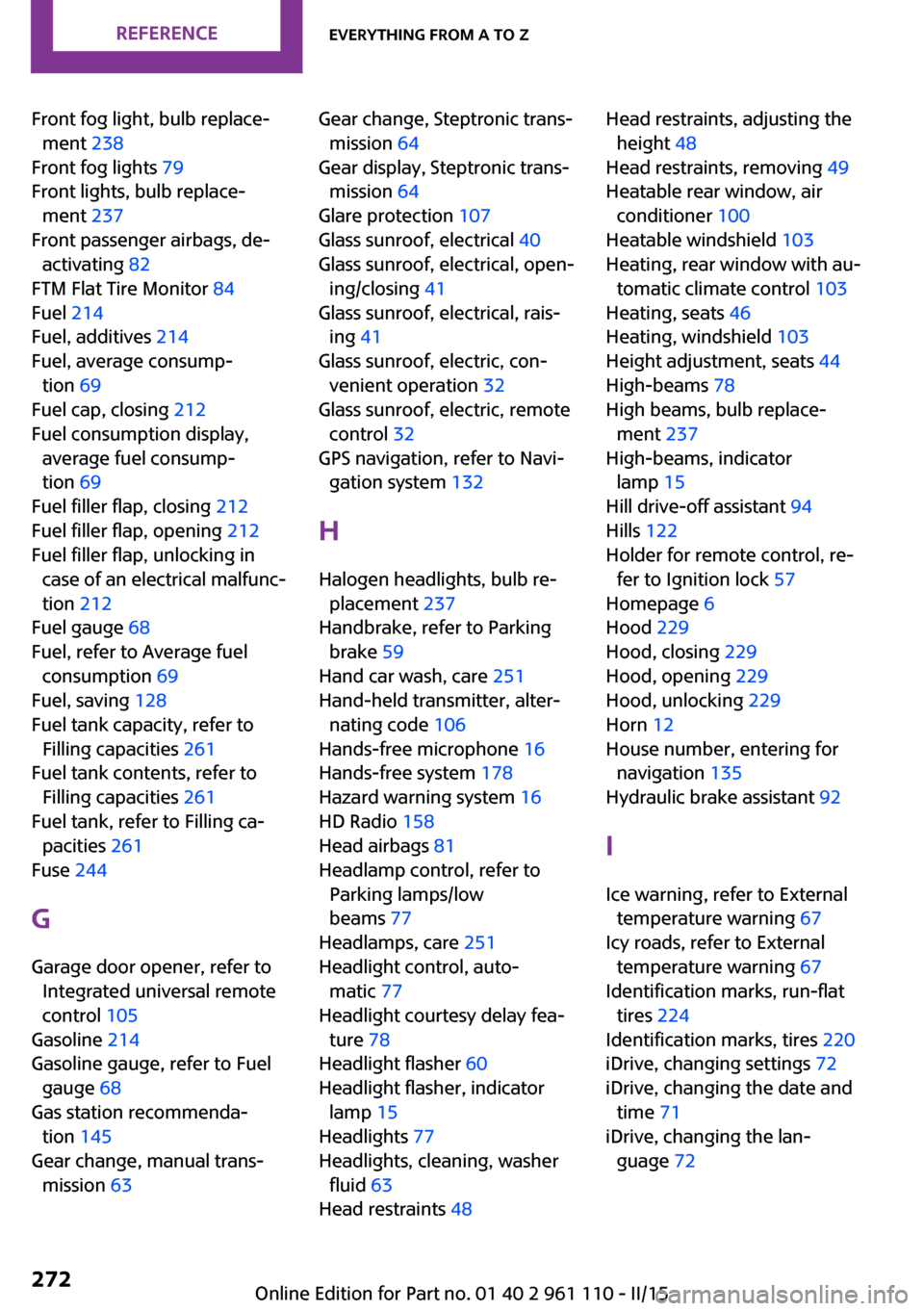
Front fog light, bulb replace‐ment 238
Front fog lights 79
Front lights, bulb replace‐ ment 237
Front passenger airbags, de‐ activating 82
FTM Flat Tire Monitor 84
Fuel 214
Fuel, additives 214
Fuel, average consump‐ tion 69
Fuel cap, closing 212
Fuel consumption display, average fuel consump‐
tion 69
Fuel filler flap, closing 212
Fuel filler flap, opening 212
Fuel filler flap, unlocking in case of an electrical malfunc‐
tion 212
Fuel gauge 68
Fuel, refer to Average fuel consumption 69
Fuel, saving 128
Fuel tank capacity, refer to Filling capacities 261
Fuel tank contents, refer to Filling capacities 261
Fuel tank, refer to Filling ca‐ pacities 261
Fuse 244
G Garage door opener, refer to Integrated universal remote
control 105
Gasoline 214
Gasoline gauge, refer to Fuel gauge 68
Gas station recommenda‐ tion 145
Gear change, manual trans‐ mission 63 Gear change, Steptronic trans‐
mission 64
Gear display, Steptronic trans‐ mission 64
Glare protection 107
Glass sunroof, electrical 40
Glass sunroof, electrical, open‐ ing/closing 41
Glass sunroof, electrical, rais‐ ing 41
Glass sunroof, electric, con‐ venient operation 32
Glass sunroof, electric, remote control 32
GPS navigation, refer to Navi‐ gation system 132
H Halogen headlights, bulb re‐ placement 237
Handbrake, refer to Parking brake 59
Hand car wash, care 251
Hand-held transmitter, alter‐ nating code 106
Hands-free microphone 16
Hands-free system 178
Hazard warning system 16
HD Radio 158
Head airbags 81
Headlamp control, refer to Parking lamps/low
beams 77
Headlamps, care 251
Headlight control, auto‐ matic 77
Headlight courtesy delay fea‐ ture 78
Headlight flasher 60
Headlight flasher, indicator lamp 15
Headlights 77
Headlights, cleaning, washer fluid 63
Head restraints 48 Head restraints, adjusting the
height 48
Head restraints, removing 49
Heatable rear window, air conditioner 100
Heatable windshield 103
Heating, rear window with au‐ tomatic climate control 103
Heating, seats 46
Heating, windshield 103
Height adjustment, seats 44
High-beams 78
High beams, bulb replace‐ ment 237
High-beams, indicator lamp 15
Hill drive-off assistant 94
Hills 122
Holder for remote control, re‐ fer to Ignition lock 57
Homepage 6
Hood 229
Hood, closing 229
Hood, opening 229
Hood, unlocking 229
Horn 12
House number, entering for navigation 135
Hydraulic brake assistant 92
I Ice warning, refer to External temperature warning 67
Icy roads, refer to External temperature warning 67
Identification marks, run-flat tires 224
Identification marks, tires 220
iDrive, changing settings 72
iDrive, changing the date and time 71
iDrive, changing the lan‐ guage 72 Seite 272REFERENCEEverything from A to Z272
Online Edition for Part no. 01 40 2 961 110 - II/15