phone MINI Countryman 2016 (Mini Connected) User Guide
[x] Cancel search | Manufacturer: MINI, Model Year: 2016, Model line: Countryman, Model: MINI Countryman 2016Pages: 282, PDF Size: 6.79 MB
Page 136 of 282

Add, refer to page 142, a destination as a
further destination.
Address book
Create contacts, refer to page 185.
Selecting a destination from the
address book
1."Navigation"2."Address book"
Contacts with addresses are displayed if
these addresses have been checked as des‐
tinations in the contacts.
If the contacts with addresses from the mo‐
bile phone are not displayed, they first
need to be checked as destinations, refer to
page 187.3.Select a contact in the list or, if desired, with
"A-Z search".4."Business address" or "Home address"Storing the destination in the address
book
After entering the destination, store the desti‐
nation in the address book.1."Navigation"2."Map"3."Guidance"4.Open "Options".5."Store as new contact" or "Add to existing
contact"6.Select an existing contact, if available.7."Business address" or "Home address"8.Enter "Last name" and, if necessary, "First
name".9."Store in vehicle"
Storing the position
The current position can be stored in the ad‐
dress book.
1."Navigation"2.Open "Options".Seite 136NAVIGATIONDestination entry136
Online Edition for Part no. 01 40 2 964 459 - VI/15
Page 138 of 282
Editing the destination
Destinations can be edited, for example to
change the house number of an existing entry.1."Navigation"2."Last destinations"3.Highlight the destination.4.Open "Options".5."Edit destination"
Deleting the last destinations
1."Navigation"2."Last destinations"3.Highlight the destination.4.Open "Options".5."Delete entry" or "Delete all last
destinations"
Special destinations
General information
Even with the latest navigation data, informa‐
tion on individual Points of Interest may have
changed; for example, gas stations might not
be in operation.
Opening the search for Points of
Interest
Selection of Points of Interest, such as hotels or
tourist attractions.
1."Navigation"2."Points of Interest"3.Select the search function.
A-Z search
1."A-Z search"2."Town/City"3.Select or enter the town/city.4."Category"5.Select the category.6."Category details"
For some Points of Interest, it may be possi‐
ble to select multiple category details.
Move the MINI joystick to the left to leave
the category details.7."Keyword"8.Enter the keyword.
A list of the Points of Interest is displayed.9.Select a special destination.
Details are displayed.
If multiple details are stored, you can leaf
through the pages.
If a phone number is available, a connec‐
tion can be established if necessary.10. Select the symbol.11."Start guidance" or "Add as another
destination"
Add a destination as a further destination,
refer to page 142.
Category search
1."Category search"2."Search destination"3.Select or enter the town/city.4."Category"5.Select the category.6."Category details"
For some Points of Interest, it may be possi‐
ble to select multiple category details.
Move the MINI joystick to the left to leave
the category details.7."Start search"
A list of the Points of Interest is displayed.8.Select a special destination.
Details are displayed.
If multiple details are stored, you can leaf
through the pages.Seite 138NAVIGATIONDestination entry138
Online Edition for Part no. 01 40 2 964 459 - VI/15
Page 139 of 282

If a phone number is available, a connec‐
tion can be established if necessary.9. Select the symbol.10."Start guidance" or "Add as another
destination"
Add a destination as a further destination,
refer to page 142.
Position of Points of Interest
When entering the search location, various op‐
tions can be selected.
▷"At current location"▷"At destination"▷"At different location"▷If destination guidance is active: "Along
route"
Starting the search for Points of Interest
1."Start search"2.A list of the Points of Interest is displayed.▷"At current location"
The Points of Interest are listed accord‐
ing to their distance and are displayed
with a directional arrow pointing to the
destination.▷"At destination", "At different location", "Along route"
Special destinations are listed according
to their distance from the location
where the search is being performed.▷Destinations of the selected category
are displayed in the map view as sym‐bols. The display depends on the map
scale and the category.3.Highlight the special destination.4.Select a special destination.5. Select the symbol.6."Start guidance" or "Add as another
destination"
The direct distance to destination is dis‐
played.
Displaying Points of Interest in the map
To display symbols of the Points of Interest in
the map view:
1."Navigation"2."Map"3.Open "Options".4."Display Points of Interest"5.Select the setting.
Destination entry by map
General information If only the location of the destination town/city
or street is known, the destination can be en‐
tered using the map.
Selecting the destination
1."Navigation"2."Map"
The current position of the vehicle is dis‐
played on the map.Seite 139Destination entryNAVIGATION139
Online Edition for Part no. 01 40 2 964 459 - VI/15
Page 146 of 282

This volume is independent of the volume of
the audio sources.
Settings are stored for the remote control cur‐
rently in use.
Map view
Selecting the map view
1."Navigation"2."Map"
Overview
1Function bar2Route section with traffic obstruction3Traffic sign for traffic obstruction4Planned route5Current location6Upper status field7Lower status field
Lines in the map Streets and routes are displayed in different
colors and styles depending on their classifica‐
tion. Dashed lines represent railways and ferry
connections. Country borders are indicated by
thin lines.
Traffic obstructions
Small triangles along the planned route indicate
route sections with traffic obstructions, de‐
pending on the map scale. The direction of the
triangles indicates the direction of the obstruc‐
tion.
The traffic signs indicate the significance of the
obstruction.▷Red traffic sign: the obstruction affects the
planned route or direction.▷Gray traffic sign: the obstruction does not
affect the planned route or direction.
Traffic bulletins, refer to page 147.
Planned route After destination guidance is started, the plan‐
ned route is displayed on the map.
Status fields
To show/hide: press the MINI joystick.
▷Upper status field: time, telephone, and en‐
tertainment details.▷Lower status field: symbol for active desti‐
nation guidance, status of traffic bulletins,
time of arrival, and distance to destination.
Function bar
The following functions are available in the
function bar:
SymbolFunction Start/end destination guidance. Switch spoken instructions on/
off. Change the route criteria. Search for a special destina‐
tion.Seite 146NAVIGATIONDestination guidance146
Online Edition for Part no. 01 40 2 964 459 - VI/15
Page 154 of 282
ToneVehicle features and op‐
tions
This chapter describes all standard, country-
specific and optional features offered with the
series. It also describes features that are not
necessarily available in your car, e. g., due to
the selected options or country versions. This
also applies to safety-related functions and sys‐
tems.
When using the features and systems described
here, adhere to local regulations.
General information The sound settings are stored for the remote
control currently in use.
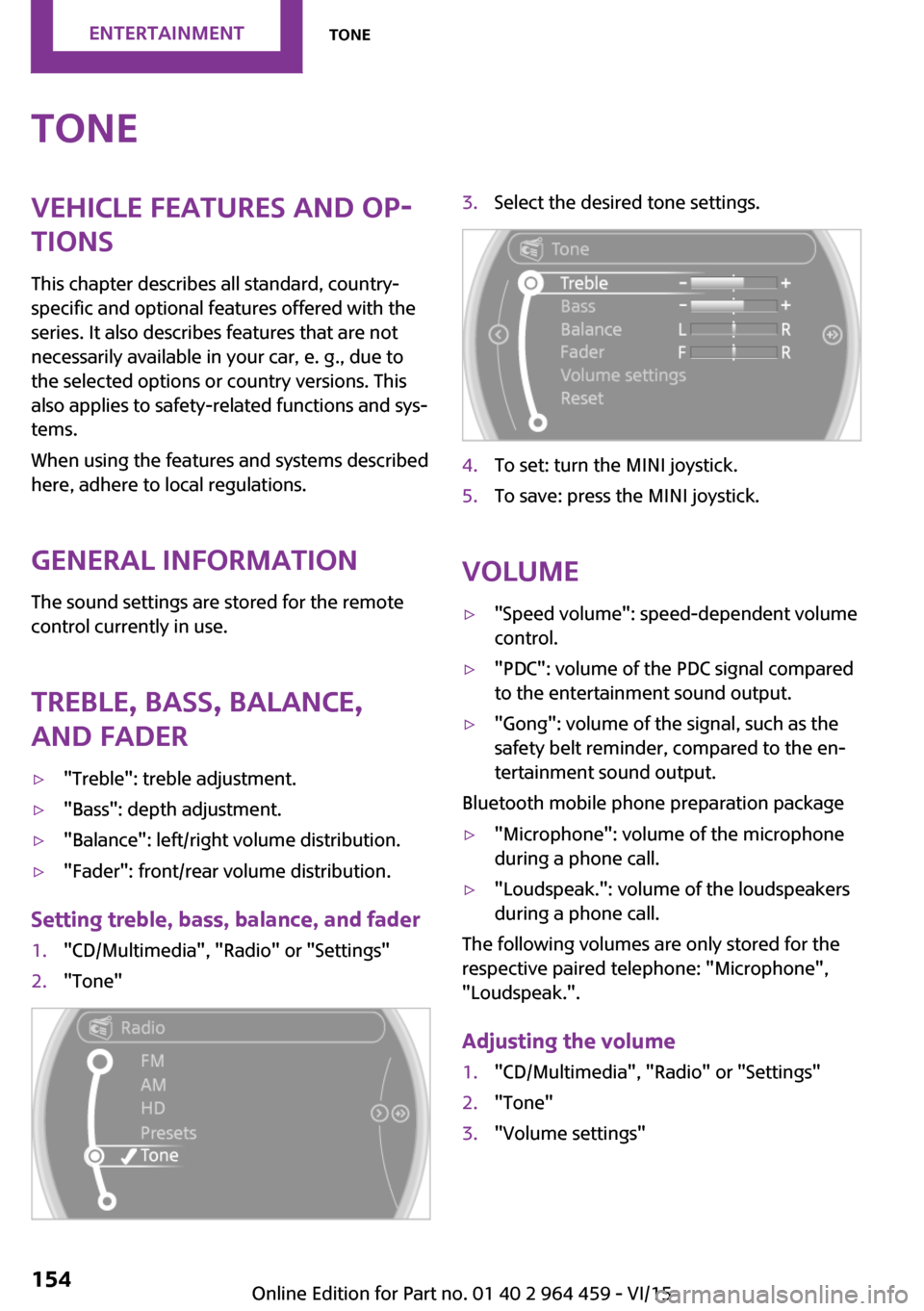
Treble, bass, balance,
and fader▷"Treble": treble adjustment.▷"Bass": depth adjustment.▷"Balance": left/right volume distribution.▷"Fader": front/rear volume distribution.
Setting treble, bass, balance, and fader
1."CD/Multimedia", "Radio" or "Settings"2."Tone"3.Select the desired tone settings.4.To set: turn the MINI joystick.5.To save: press the MINI joystick.
Volume
▷"Speed volume": speed-dependent volume
control.▷"PDC": volume of the PDC signal compared
to the entertainment sound output.▷"Gong": volume of the signal, such as the
safety belt reminder, compared to the en‐
tertainment sound output.
Bluetooth mobile phone preparation package
▷"Microphone": volume of the microphone
during a phone call.▷"Loudspeak.": volume of the loudspeakers
during a phone call.
The following volumes are only stored for the
respective paired telephone: "Microphone",
"Loudspeak.".
Adjusting the volume
1."CD/Multimedia", "Radio" or "Settings"2."Tone"3."Volume settings"Seite 154ENTERTAINMENTTone154
Online Edition for Part no. 01 40 2 964 459 - VI/15
Page 158 of 282
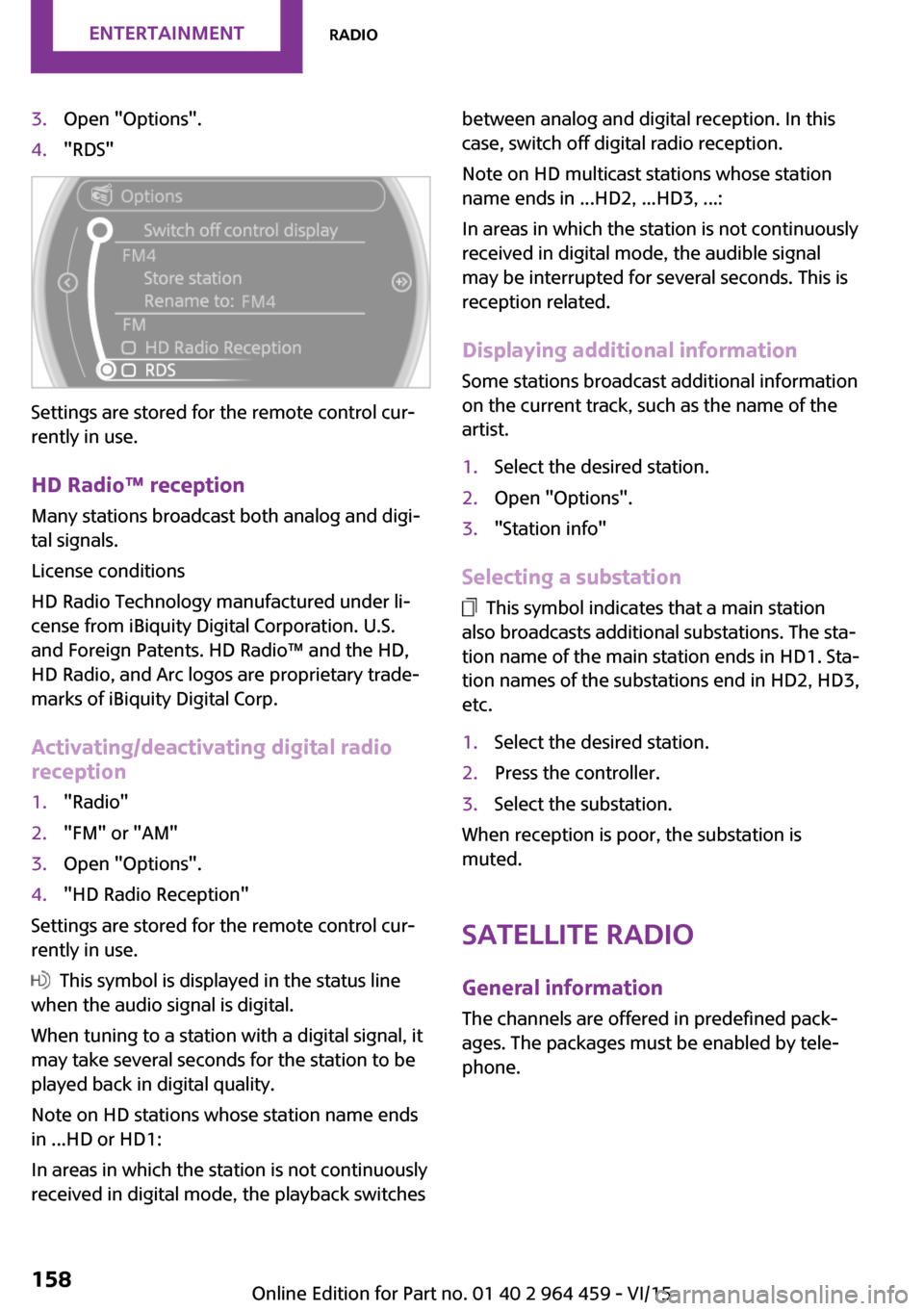
3.Open "Options".4."RDS"
Settings are stored for the remote control cur‐
rently in use.
HD Radio™ reception
Many stations broadcast both analog and digi‐
tal signals.
License conditions
HD Radio Technology manufactured under li‐
cense from iBiquity Digital Corporation. U.S.
and Foreign Patents. HD Radio™ and the HD,
HD Radio, and Arc logos are proprietary trade‐
marks of iBiquity Digital Corp.
Activating/deactivating digital radio
reception
1."Radio"2."FM" or "AM"3.Open "Options".4."HD Radio Reception"
Settings are stored for the remote control cur‐
rently in use.
This symbol is displayed in the status line
when the audio signal is digital.
When tuning to a station with a digital signal, it
may take several seconds for the station to be
played back in digital quality.
Note on HD stations whose station name ends
in ...HD or HD1:
In areas in which the station is not continuously
received in digital mode, the playback switches
between analog and digital reception. In this
case, switch off digital radio reception.
Note on HD multicast stations whose station
name ends in ...HD2, ...HD3, ...:
In areas in which the station is not continuously
received in digital mode, the audible signal
may be interrupted for several seconds. This is
reception related.
Displaying additional information
Some stations broadcast additional information
on the current track, such as the name of the
artist.1.Select the desired station.2.Open "Options".3."Station info"
Selecting a substation
This symbol indicates that a main station
also broadcasts additional substations. The sta‐
tion name of the main station ends in HD1. Sta‐
tion names of the substations end in HD2, HD3,
etc.
1.Select the desired station.2.Press the controller.3.Select the substation.
When reception is poor, the substation is
muted.
Satellite radioGeneral information
The channels are offered in predefined pack‐
ages. The packages must be enabled by tele‐
phone.
Seite 158ENTERTAINMENTRadio158
Online Edition for Part no. 01 40 2 964 459 - VI/15
Page 159 of 282

Navigation bar overviewSymbolFunction Change the list view. Select the category. Direct channel entry Timeshift Open the My Favorites category/
open a favorite. Manage the favorites. Traffic Jump
Managing a subscription
To be able to enable or unsubscribe from the
channels, you must have reception. It is usually
at its best when you have an unobstructed view
of the sky. The channel name is displayed in the
status line.
Enabling channelsThe Unsubscribed Channels category contains
all disabled channels.
1."Radio"2."Satellite radio"3. "Category"4.Select the Unsubscribed Channels category.5.Select the desired channel.The phone number and an electronic serial
number, ESN, are displayed.6.Select the phone number to have the chan‐
nel enabled.
You can unsubscribe from the channels again
via this phone number.
Unsubscribing from channels
1."Radio"2."Satellite radio"3.Open "Options".4."Manage subscription"5.The phone number and an electronic serial
number, ESN, are displayed.6.Call Sirius to unsubscribe from the channels.
Selecting channels
You can only listen to enabled channels.
The selected channel is stored for the remote
control currently in use.
Seite 159RadioENTERTAINMENT159
Online Edition for Part no. 01 40 2 964 459 - VI/15
Page 161 of 282

Opening the timeshift function1."Radio"2."Satellite radio"3. "Replay - Time shift"▷The red arrow shows the current playback
position.▷The time difference to the live broadcast is
displayed next to the buffer bar.▷For live transmissions "live".
Timeshift menu
SymbolFunction Go to the live broadcast Playback/pause Next track Previous track Fast forward Reverse Automatic timeshift deactivated/
activated
Automatic timeshift
When the function is activated, audio playback
is stopped automatically in the event of:
▷Incoming and outgoing telephone calls.▷Activation of the voice activation system.▷Muting.The audio playback then continues with a time
delay.
Activating1."Radio"2."Satellite radio"3. "Replay - Time shift"4. "Automatic time shift"
Deactivating
"Automatic time shift"
Storing favorites Up to 30 favorites can be stored in the favorites
list. Available favorites are artist, track, game,
league, and team.
Storing the artist, track, or game
It is only possible to store favorites that are cur‐
rently being broadcast. The channel informa‐
tion must be available.
1."Radio"2."Satellite radio"3.If necessary, open "All channels" or the de‐
sired category.4.Select the desired channel.5.Press the MINI joystick again.6.Select the artist, track, or game.
Storing the league or team
Leagues or teams can be added to the favorites
from a selection list.
1."Radio"2."Satellite radio"3. "Manage favorites"Seite 161RadioENTERTAINMENT161
Online Edition for Part no. 01 40 2 964 459 - VI/15
Page 167 of 282
that some CDs cannot be played or can only be
played to a limited extent.
MACROVISION
This product contains copyrighted technology
that is based on multiple registered US patents
and the intellectual property of the Macrovision
Corporation and other manufacturers. The use
of this copy protection must be approved by
Macrovision. Media protected by this product -
unless otherwise agreed with Macrovision -
may only be used for private purposes. Copying
of this technology is prohibited.
External devices Overview
Various external devices can be connected with
the vehicle. Depending on how the device is
connected to the vehicle, it may be possible to
operate it using the MINI joystick.SymbolMeaning AUX-IN port USB audio interface Music interface for smartphones Bluetooth audio
AUX-IN port
Overview
▷For connecting audio devices, e.g., MP3
player. The sound is output on the vehicle
loudspeakers.▷Recommendation: use medium tone and
volume settings on the audio device. The
tone depends on the quality of the audio
files.Connecting
The AUX-IN port is in the center
console.
Connect the headphone connec‐
tor or line-out connector of the
device to the AUX-IN port.
Ensure that the connector is inserted all the
way into the AUX-IN port.
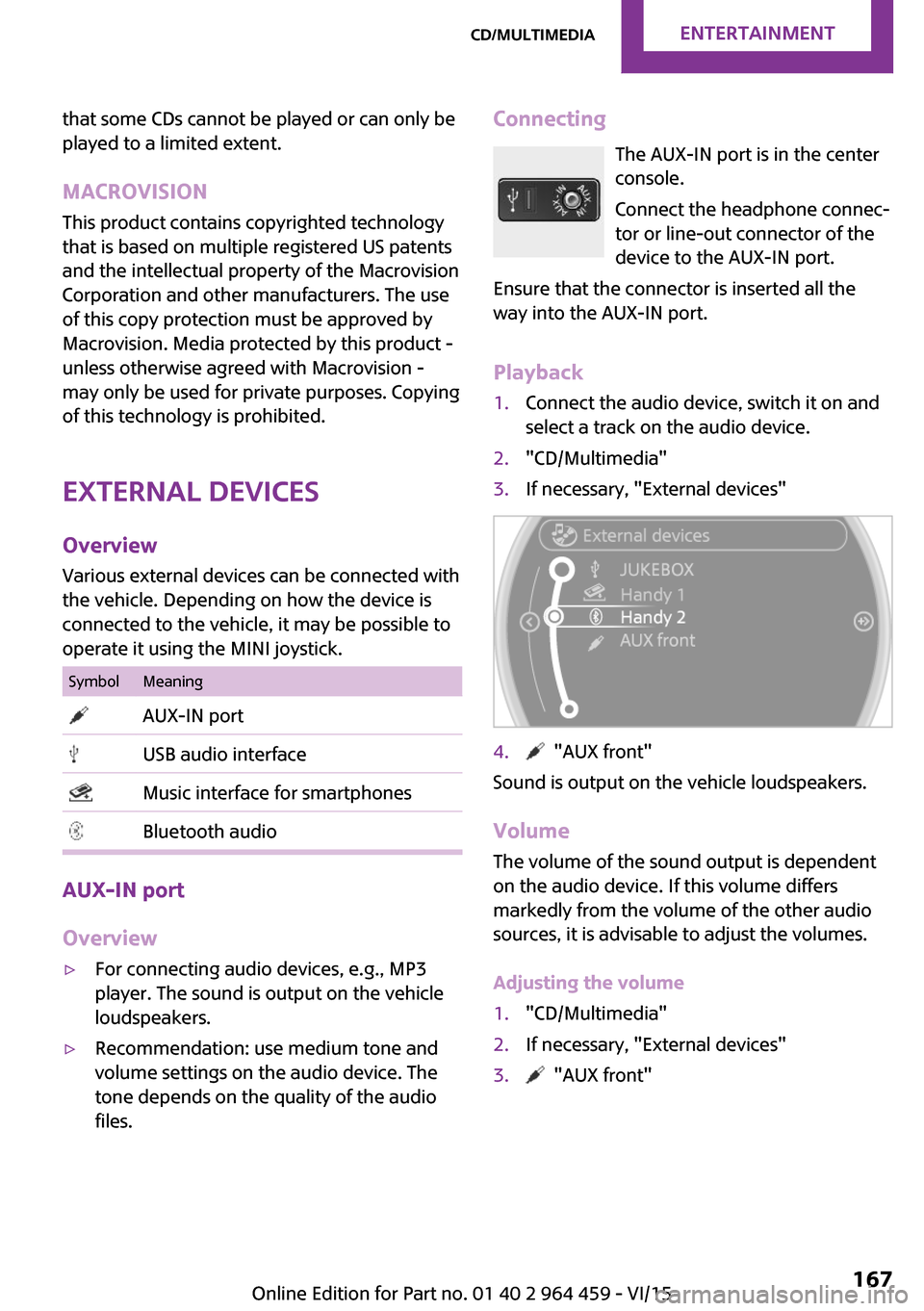
Playback1.Connect the audio device, switch it on and
select a track on the audio device.2."CD/Multimedia"3.If necessary, "External devices"4. "AUX front"
Sound is output on the vehicle loudspeakers.
Volume
The volume of the sound output is dependent
on the audio device. If this volume differs
markedly from the volume of the other audio
sources, it is advisable to adjust the volumes.
Adjusting the volume
1."CD/Multimedia"2.If necessary, "External devices"3. "AUX front"Seite 167CD/multimediaENTERTAINMENT167
Online Edition for Part no. 01 40 2 964 459 - VI/15
Page 168 of 282

4."Volume"5.Turn the MINI joystick until the desired vol‐
ume is set and press the MINI joystick.
USB audio interface/music interface for
smartphones
Overview
It is possible to connect external audio devices.
They are operated via the onboard monitor.
The sound is output on the vehicle loudspeak‐
ers.
Connectors for external devices
▷Connection via USB audio interface: Apple
iPod/iPhone, USB devices, e.g., MP3 play‐
ers, USB flash drives, or mobile phones that
are supported by the USB audio interface.▷Connection via snap-in adapter, when
equipped with the music interface for
smartphones: Apple iPhone or mobile
phones.
Playback is only possible if no audio device
is connected to the analog AUX-IN port.
Due to the large number of different audio de‐
vices available on the market, it cannot be en‐
sured that every audio device/mobile phone is
operable on the vehicle.
Ask a dealer’s service center or another quali‐
fied service center or repair shop about com‐
patible audio devices/mobile phones.
Audio files
Standard audio files can be played back:
▷MP3.▷WMA.▷WAV (PCM).▷AAC, M4A.▷Without the voice activation system: play‐
back lists: M3U▷With the voice activation system: playback
lists: M3U, WPL, PLS
Video files
Standard video files can be played back with a
compatible Apple device:
▷MPEG4▷H.264
File system
Standard file systems for USB devices are sup‐
ported. The FAT 32 format is recommended.
Connecting The USB audio interface is in the
center console.
Connection of Apple iPod/iPhone via USB
audio interface
To connect the iPod, use the special cable
adapter for the Apple iPod. Further information
is available from a dealer’s service center or an‐
other qualified service center or repair shop or
on the Internet: www.mini.com/connectivity
Connect the Apple iPod/iPhone with the AUX-
IN port and USB interface.
The Apple iPod/iPhone menu structure is sup‐
ported by the USB audio interface.
Seite 168ENTERTAINMENTCD/multimedia168
Online Edition for Part no. 01 40 2 964 459 - VI/15