USB MINI Countryman 2016 Owner's Manual (Mini Connected)
[x] Cancel search | Manufacturer: MINI, Model Year: 2016, Model line: Countryman, Model: MINI Countryman 2016Pages: 282, PDF Size: 6.79 MB
Page 17 of 282
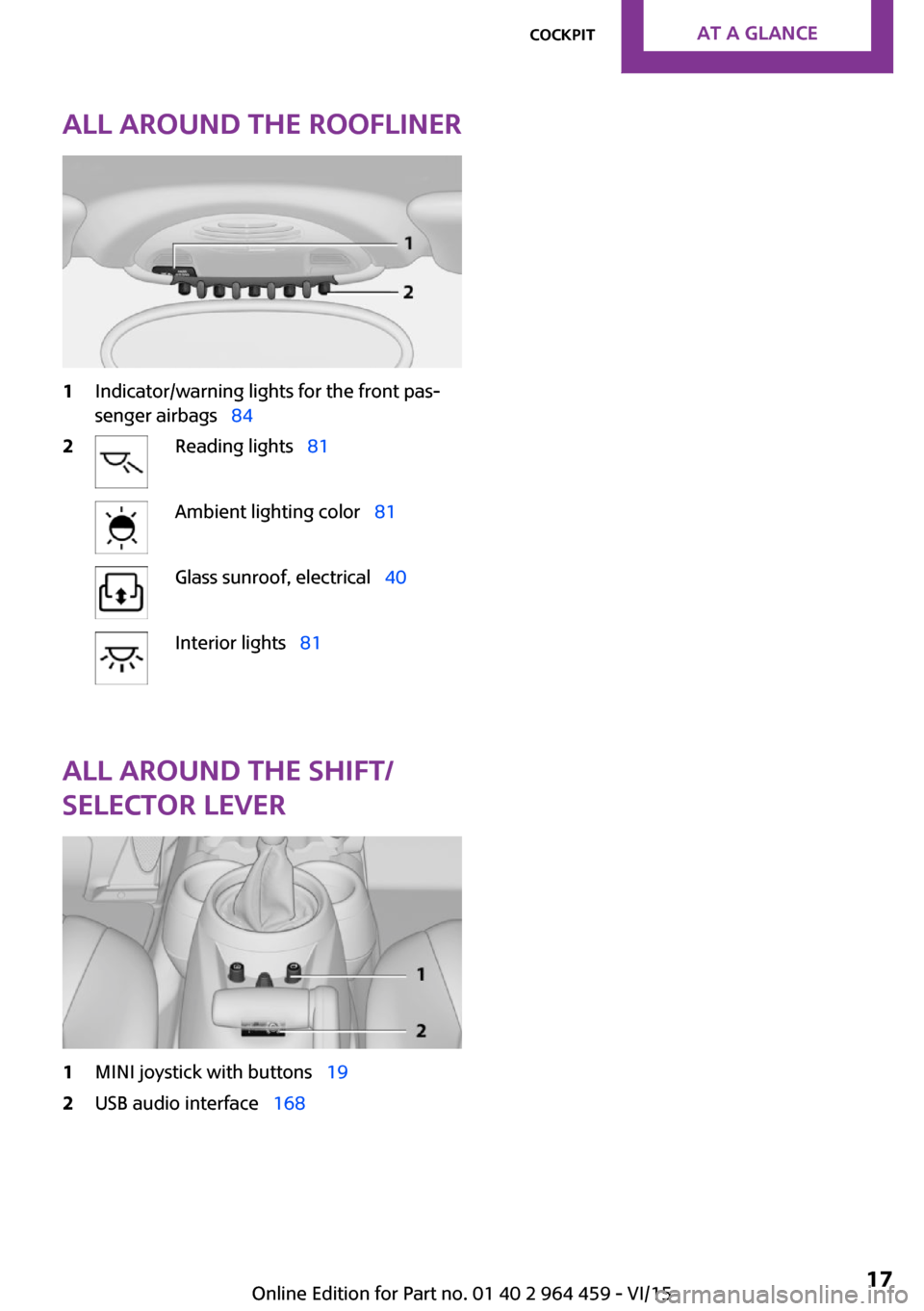
All around the roofliner1Indicator/warning lights for the front pas‐
senger airbags 842Reading lights 81Ambient lighting color 81Glass sunroof, electrical 40Interior lights 81
All around the shift/
selector lever
1MINI joystick with buttons 192USB audio interface 168Seite 17CockpitAT A GLANCE17
Online Edition for Part no. 01 40 2 964 459 - VI/15
Page 22 of 282
▷Time.▷Current entertainment source.▷Sound output, on/off.▷Wireless network reception strength.▷Telephone status.▷Traffic bulletin reception.
Check Control messages and entries using the
voice activation system temporarily hide the
status information.
Status field symbols
The symbols are grouped into various catego‐
ries.
Radio symbols
SymbolMeaning HD Radio™ is switched on. Satellite radio is switched on.
Telephone symbols
SymbolMeaning Incoming or outgoing call. Wireless network reception strength
Symbol flashes: searching for network. Wireless network is not available. Bluetooth is switched on. Roaming is active. Text message, e-mail was received.
Entertainment symbols
SymbolMeaning CD player. AUX-IN port.SymbolMeaning USB audio interface. Music interface for smartphones.
Additional symbols
SymbolMeaning Spoken instructions are switched off.
Entering letters and
numbers
General information
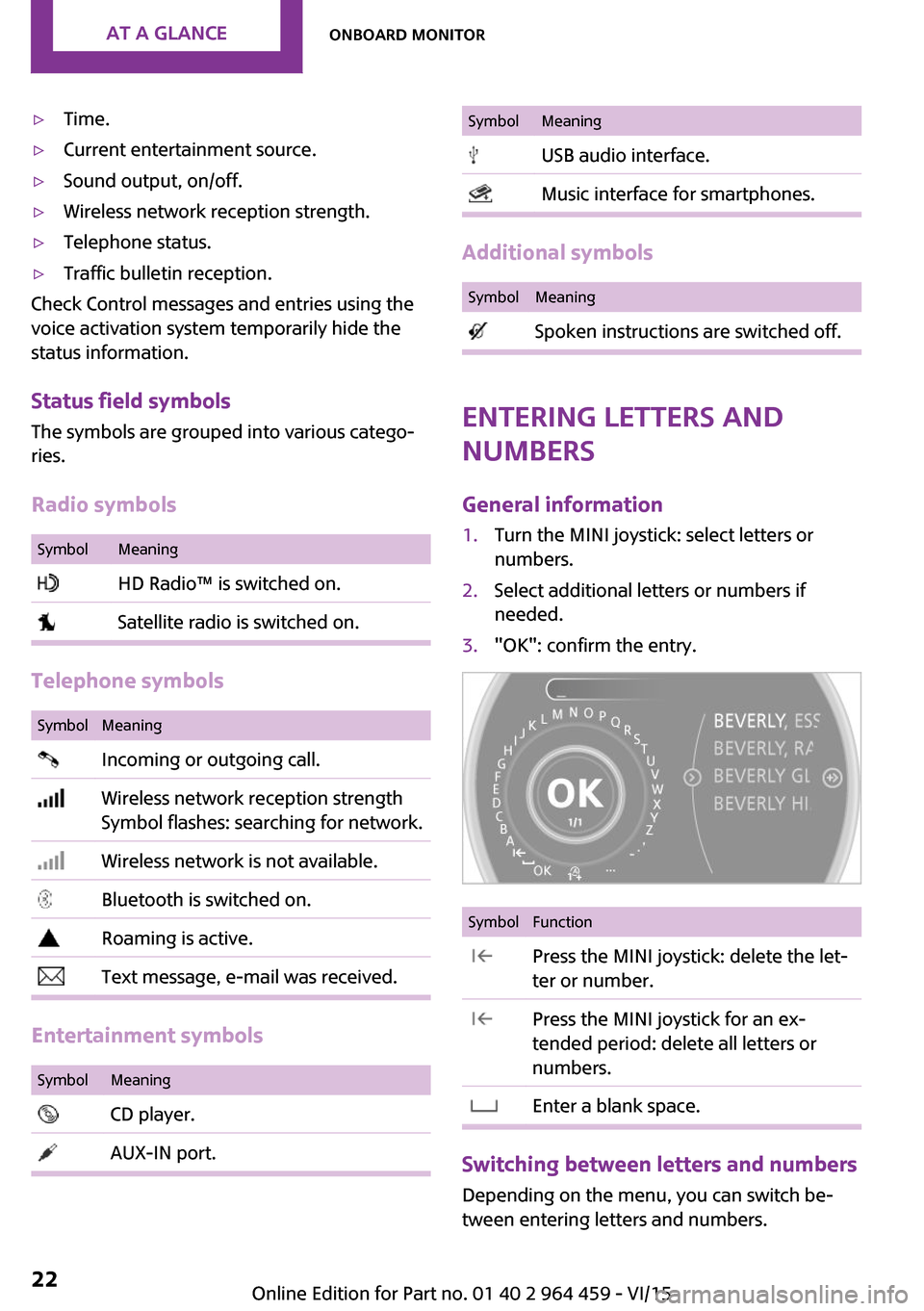
1.Turn the MINI joystick: select letters or
numbers.2.Select additional letters or numbers if
needed.3."OK": confirm the entry.SymbolFunction Press the MINI joystick: delete the let‐
ter or number. Press the MINI joystick for an ex‐
tended period: delete all letters or
numbers. Enter a blank space.
Switching between letters and numbers
Depending on the menu, you can switch be‐
tween entering letters and numbers.
Seite 22AT A GLANCEOnboard monitor22
Online Edition for Part no. 01 40 2 964 459 - VI/15
Page 116 of 282

Ventilation
Depending on the vehicle's equipment, the
glove compartment can be ventilated and, if the cooling function is switched on, cooled.
Opening
Turn the switch in the direction of the arrow.
ClosingMove the switch to the vertical position by
turning it in the opposite direction of the arrow.
Depending on the temperature setting of the
air conditioning or automatic climate control,
high temperatures may occur in the glove com‐
partment.
USB interface for data transfer Updating the navigation data, refer to
page 132, from the USB medium via the USB
interface in the glove compartment.
Observe the following when connecting:
▷Do not use force when plugging the con‐
nector into the USB interface.▷Do not connect devices such as fans or
lights to the USB interface.▷Do not connect USB hard drives.▷Do not use the USB interface to recharge
external devices.
Center armrest
The center armrest between the front seats
contains a storage compartment or a cover for
the snap-in adapter, refer to page 198, de‐
pending on the equipment.
Do not position tall accessory parts directly on
the center rail of the center armrest; otherwise,
they may be damaged when the center arm‐
rest is opened or closed.
Center armrest front
Opening
Press the button, arrow, and pull up the lid.
Center rail
Rail segment
The rail segment can be used to secure various
objects that are placed into the rail against slip‐
ping, such as a ball point pen or smartphone.
In addition, the connection cable of the smart‐
phone can be secured using the rail segment.
1.Twist the rail segment, arrow 1, to remove
it.2.Insert the connection cable centrally into
the recess, arrow 2.Seite 116CONTROLSStorage compartments116
Online Edition for Part no. 01 40 2 964 459 - VI/15
Page 133 of 282
▷After the updating process is complete, the
system restarts.▷Remove the medium with the navigation
data after the update.
Performing the update
1.Depending on the equipment: insert the
USB device with the navigation data into
the USB interface in the glove compartment
or in the USB audio interface.2.Follow the instructions on the Control Dis‐
play.3.Enter the authorization code of the USB de‐
vice with the navigation data.4.Drive off.
The update starts after the authorization code
is entered.
When the update is completed, the system re‐
starts.
Seite 133Navigation systemNAVIGATION133
Online Edition for Part no. 01 40 2 964 459 - VI/15
Page 167 of 282
that some CDs cannot be played or can only be
played to a limited extent.
MACROVISION
This product contains copyrighted technology
that is based on multiple registered US patents
and the intellectual property of the Macrovision
Corporation and other manufacturers. The use
of this copy protection must be approved by
Macrovision. Media protected by this product -
unless otherwise agreed with Macrovision -
may only be used for private purposes. Copying
of this technology is prohibited.
External devices Overview
Various external devices can be connected with
the vehicle. Depending on how the device is
connected to the vehicle, it may be possible to
operate it using the MINI joystick.SymbolMeaning AUX-IN port USB audio interface Music interface for smartphones Bluetooth audio
AUX-IN port
Overview
▷For connecting audio devices, e.g., MP3
player. The sound is output on the vehicle
loudspeakers.▷Recommendation: use medium tone and
volume settings on the audio device. The
tone depends on the quality of the audio
files.Connecting
The AUX-IN port is in the center
console.
Connect the headphone connec‐
tor or line-out connector of the
device to the AUX-IN port.
Ensure that the connector is inserted all the
way into the AUX-IN port.
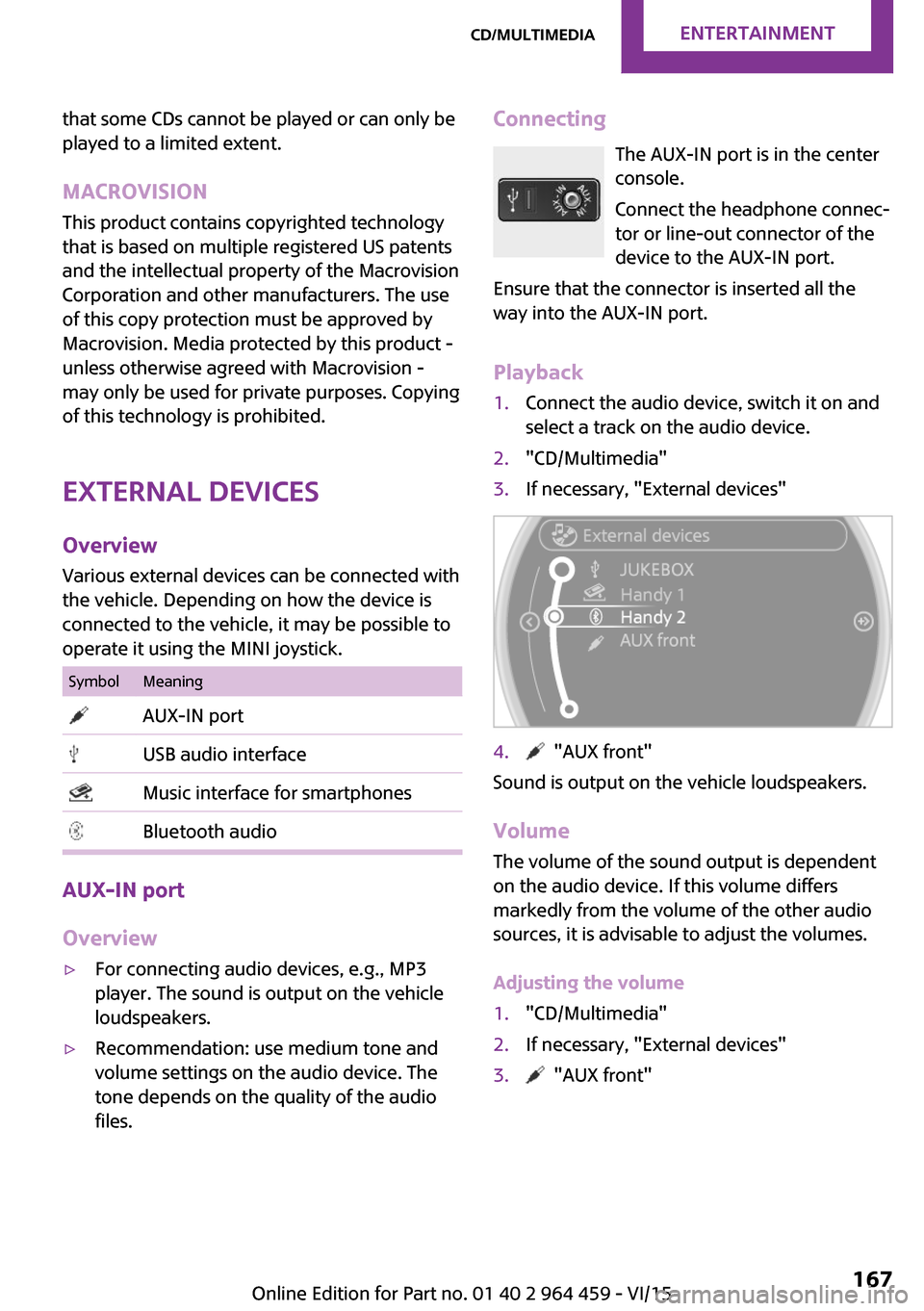
Playback1.Connect the audio device, switch it on and
select a track on the audio device.2."CD/Multimedia"3.If necessary, "External devices"4. "AUX front"
Sound is output on the vehicle loudspeakers.
Volume
The volume of the sound output is dependent
on the audio device. If this volume differs
markedly from the volume of the other audio
sources, it is advisable to adjust the volumes.
Adjusting the volume
1."CD/Multimedia"2.If necessary, "External devices"3. "AUX front"Seite 167CD/multimediaENTERTAINMENT167
Online Edition for Part no. 01 40 2 964 459 - VI/15
Page 168 of 282

4."Volume"5.Turn the MINI joystick until the desired vol‐
ume is set and press the MINI joystick.
USB audio interface/music interface for
smartphones
Overview
It is possible to connect external audio devices.
They are operated via the onboard monitor.
The sound is output on the vehicle loudspeak‐
ers.
Connectors for external devices
▷Connection via USB audio interface: Apple
iPod/iPhone, USB devices, e.g., MP3 play‐
ers, USB flash drives, or mobile phones that
are supported by the USB audio interface.▷Connection via snap-in adapter, when
equipped with the music interface for
smartphones: Apple iPhone or mobile
phones.
Playback is only possible if no audio device
is connected to the analog AUX-IN port.
Due to the large number of different audio de‐
vices available on the market, it cannot be en‐
sured that every audio device/mobile phone is
operable on the vehicle.
Ask a dealer’s service center or another quali‐
fied service center or repair shop about com‐
patible audio devices/mobile phones.
Audio files
Standard audio files can be played back:
▷MP3.▷WMA.▷WAV (PCM).▷AAC, M4A.▷Without the voice activation system: play‐
back lists: M3U▷With the voice activation system: playback
lists: M3U, WPL, PLS
Video files
Standard video files can be played back with a
compatible Apple device:
▷MPEG4▷H.264
File system
Standard file systems for USB devices are sup‐
ported. The FAT 32 format is recommended.
Connecting The USB audio interface is in the
center console.
Connection of Apple iPod/iPhone via USB
audio interface
To connect the iPod, use the special cable
adapter for the Apple iPod. Further information
is available from a dealer’s service center or an‐
other qualified service center or repair shop or
on the Internet: www.mini.com/connectivity
Connect the Apple iPod/iPhone with the AUX-
IN port and USB interface.
The Apple iPod/iPhone menu structure is sup‐
ported by the USB audio interface.
Seite 168ENTERTAINMENTCD/multimedia168
Online Edition for Part no. 01 40 2 964 459 - VI/15
Page 169 of 282
Connection of a USB device via the USB
audio interface
Connect using a flexible adapter cable to pro‐
tect the USB audio interface and the USB device
against physical damage.
Connect the USB device to the USB interface.
After connecting for the first time
Information on all music tracks, e.g. artist or
type of music, as well as playback lists are
transmitted into the vehicle. This may take
some time, depending on the USB device and
the number of tracks.
During transmission, the tracks can be called up
via the file directory.
Number of tracks
Information from up to four USB devices or for
approx. 26,000 tracks can be stored in the ve‐
hicle. If a fifth device is connected or if more
than 26,000 tracks are stored, information on
existing tracks may be deleted.
Copy protection
Music tracks with integrated Digital Rights Man‐
agement (DRM) cannot be played.
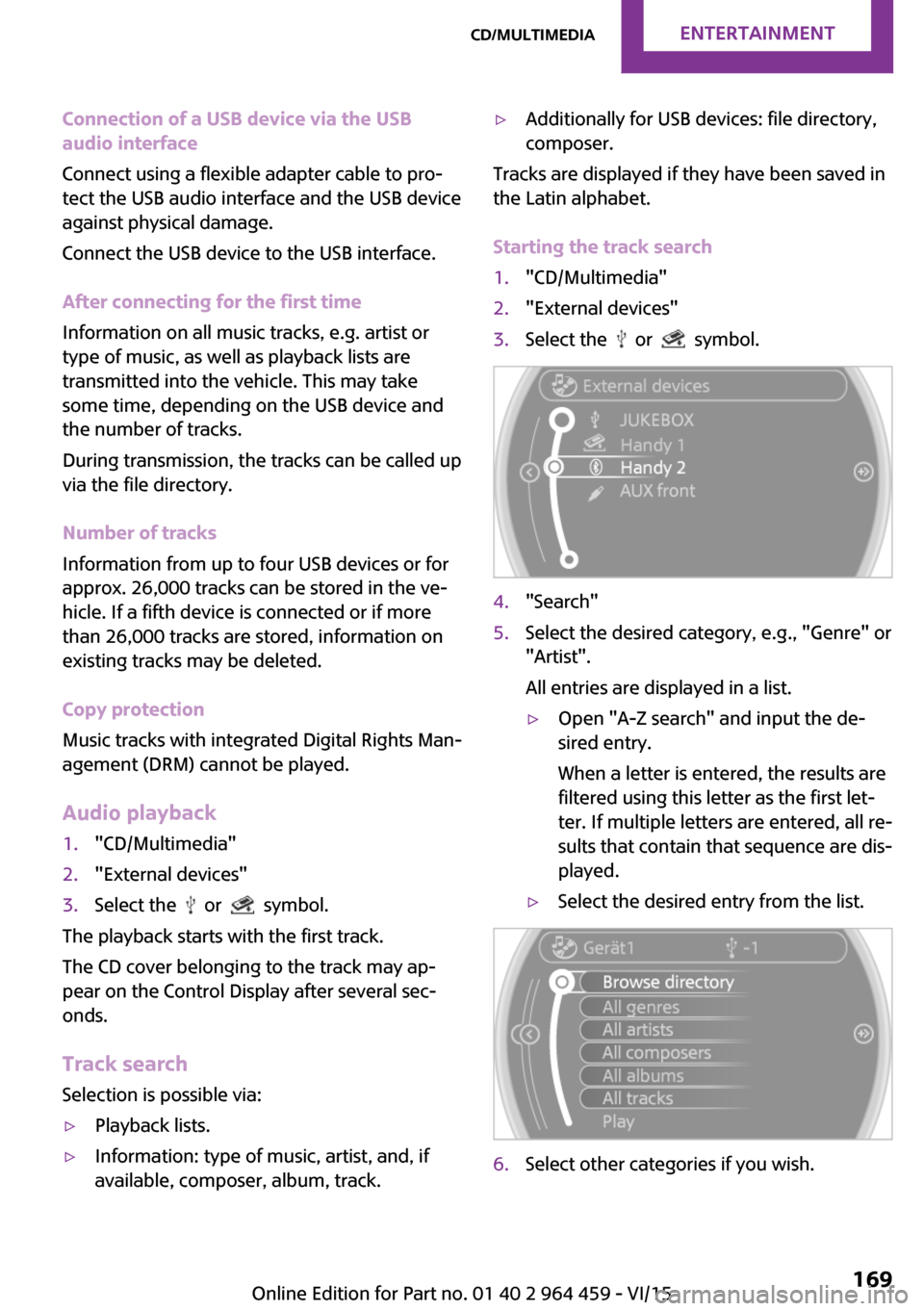
Audio playback1."CD/Multimedia"2."External devices"3.Select the or symbol.
The playback starts with the first track.
The CD cover belonging to the track may ap‐
pear on the Control Display after several sec‐
onds.
Track search
Selection is possible via:
▷Playback lists.▷Information: type of music, artist, and, if
available, composer, album, track.▷Additionally for USB devices: file directory,
composer.
Tracks are displayed if they have been saved in
the Latin alphabet.
Starting the track search
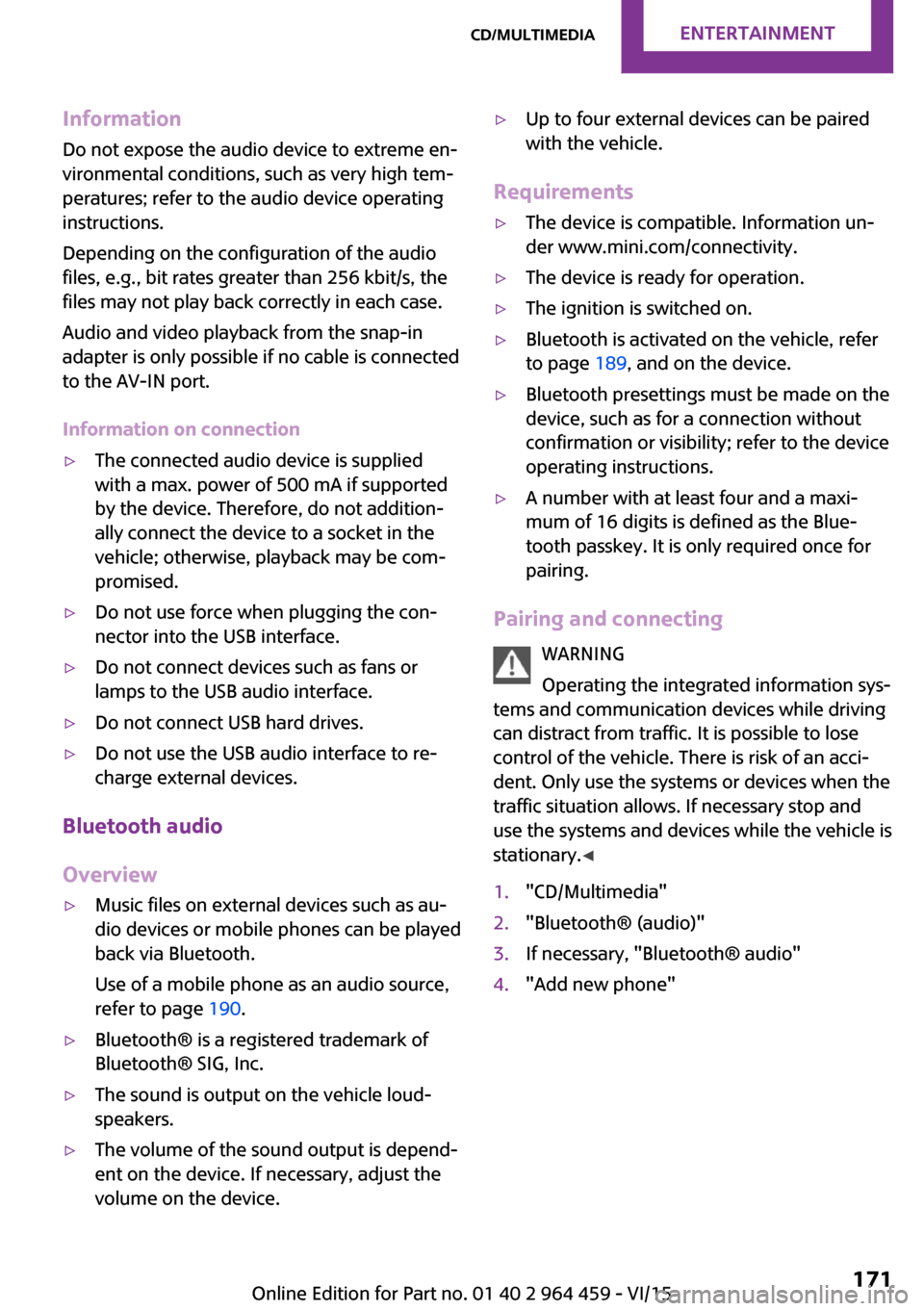
1."CD/Multimedia"2."External devices"3.Select the or symbol.4."Search"5.Select the desired category, e.g., "Genre" or
"Artist".
All entries are displayed in a list.▷Open "A-Z search" and input the de‐
sired entry.
When a letter is entered, the results are
filtered using this letter as the first let‐
ter. If multiple letters are entered, all re‐
sults that contain that sequence are dis‐
played.▷Select the desired entry from the list.6.Select other categories if you wish.Seite 169CD/multimediaENTERTAINMENT169
Online Edition for Part no. 01 40 2 964 459 - VI/15
Page 171 of 282
InformationDo not expose the audio device to extreme en‐
vironmental conditions, such as very high tem‐ peratures; refer to the audio device operating
instructions.
Depending on the configuration of the audio
files, e.g., bit rates greater than 256 kbit/s, the
files may not play back correctly in each case.
Audio and video playback from the snap-in
adapter is only possible if no cable is connected
to the AV-IN port.
Information on connection▷The connected audio device is supplied
with a max. power of 500 mA if supported
by the device. Therefore, do not addition‐
ally connect the device to a socket in the
vehicle; otherwise, playback may be com‐
promised.▷Do not use force when plugging the con‐
nector into the USB interface.▷Do not connect devices such as fans or
lamps to the USB audio interface.▷Do not connect USB hard drives.▷Do not use the USB audio interface to re‐
charge external devices.
Bluetooth audio
Overview
▷Music files on external devices such as au‐
dio devices or mobile phones can be played
back via Bluetooth.
Use of a mobile phone as an audio source,
refer to page 190.▷Bluetooth® is a registered trademark of
Bluetooth® SIG, Inc.▷The sound is output on the vehicle loud‐
speakers.▷The volume of the sound output is depend‐
ent on the device. If necessary, adjust the
volume on the device.▷Up to four external devices can be paired
with the vehicle.
Requirements
▷The device is compatible. Information un‐
der www.mini.com/connectivity.▷The device is ready for operation.▷The ignition is switched on.▷Bluetooth is activated on the vehicle, refer
to page 189, and on the device.▷Bluetooth presettings must be made on the
device, such as for a connection without
confirmation or visibility; refer to the device
operating instructions.▷A number with at least four and a maxi‐
mum of 16 digits is defined as the Blue‐
tooth passkey. It is only required once for
pairing.
Pairing and connecting
WARNING
Operating the integrated information sys‐
tems and communication devices while driving
can distract from traffic. It is possible to lose
control of the vehicle. There is risk of an acci‐
dent. Only use the systems or devices when the
traffic situation allows. If necessary stop and
use the systems and devices while the vehicle is
stationary. ◀
1."CD/Multimedia"2."Bluetooth® (audio)"3.If necessary, "Bluetooth® audio"4."Add new phone"Seite 171CD/multimediaENTERTAINMENT171
Online Edition for Part no. 01 40 2 964 459 - VI/15
Page 175 of 282
center or another qualified service center or re‐
pair shop.
Software Update The vehicle supports various external devices
depending on the current software version.
With a software update, the vehicle can support
new mobile phones or new external device, for
example.
Software updates and related current informa‐
tion is available at www.mini.com/connectivity.
Displaying the current version
The currently installed software is displayed.1."Settings"2."Software update"3."Show current version"
Updating the software
The software may only be updated when the
vehicle is stationary.
1.Store the file for the software-update in the
main director of a USB flash drive.2.Insert the USB flash drive into the USB au‐
dio interface in the center console. An up‐
date via the USB interface in the glove com‐
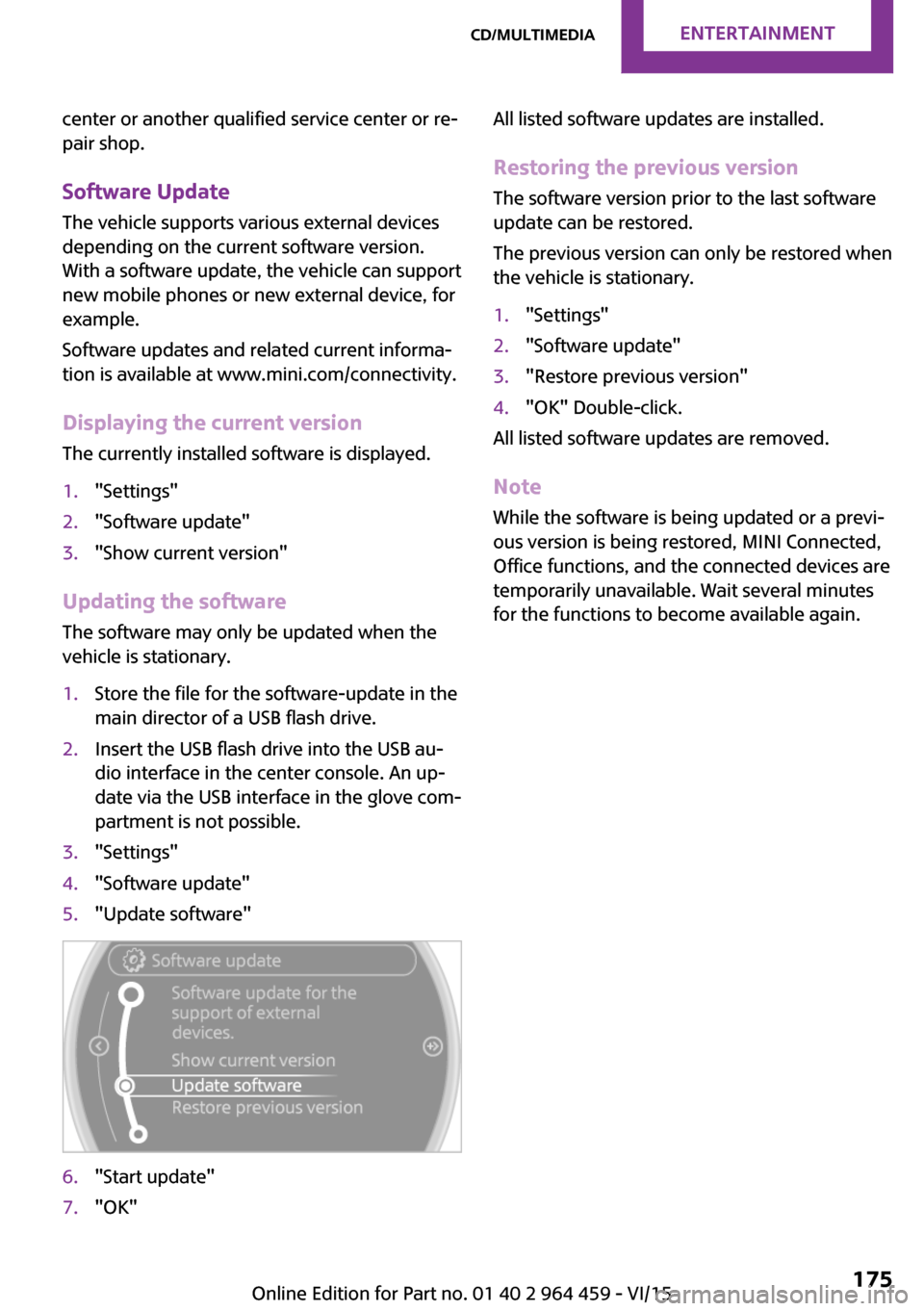
partment is not possible.3."Settings"4."Software update"5."Update software"6."Start update"7."OK"All listed software updates are installed.
Restoring the previous version The software version prior to the last software
update can be restored.
The previous version can only be restored when
the vehicle is stationary.1."Settings"2."Software update"3."Restore previous version"4."OK" Double-click.
All listed software updates are removed.
Note While the software is being updated or a previ‐
ous version is being restored, MINI Connected,
Office functions, and the connected devices are
temporarily unavailable. Wait several minutes for the functions to become available again.
Seite 175CD/multimediaENTERTAINMENT175
Online Edition for Part no. 01 40 2 964 459 - VI/15
Page 198 of 282

Saving an entry in the contacts1.Highlight the entry.2.Open "Options".3."Store as new contact" or "Add to existing
contact"4.Select the contact if necessary.5.Select the type of number: "Home",
"Business", "Mobile" or "Other"6.Complete the entries if necessary.7."Store contact"
Snap-in adapter
General information For more information about snap-in adapters
that support the functions of the mobile phone
in a compatible way, contact a dealer's service
center or another qualified service center or re‐
pair shop.
Information At high temperatures, the charging function of
the mobile phone may be limited and functions
may not be executed.
When using the mobile phone via the vehicle,
note the operating instructions of the mobile
phone.
Installation position
In the center armrest.
Inserting/removing the snap-in adapter1.Press the button, arrow 1, and remove the
cover, arrow 2.2.Insert the snap-in adapter at the front, ar‐
row 1, and press down, arrow 2, until it en‐
gages.
To remove:
To remove the snap-in adapter, press the but‐
ton.
Inserting the mobile phone
1.Depending on the mobile phone, remove
the protective cap from the antenna con‐
nector and from the USB connection of the
mobile phone.2.With the buttons facing up, slide the mobile
phone up toward the electrical contacts, ar‐Seite 198COMMUNICATIONBluetooth mobile phone preparation package198
Online Edition for Part no. 01 40 2 964 459 - VI/15