battery MINI Coupe 2012 Owner's Guide
[x] Cancel search | Manufacturer: MINI, Model Year: 2012, Model line: Coupe, Model: MINI Coupe 2012Pages: 218, PDF Size: 3.84 MB
Page 137 of 218
COMMUNICATIONSTelephone
136
Dialing a phone number stored in a list
To select an entry and establish a connection:
1.Press the MENU button.
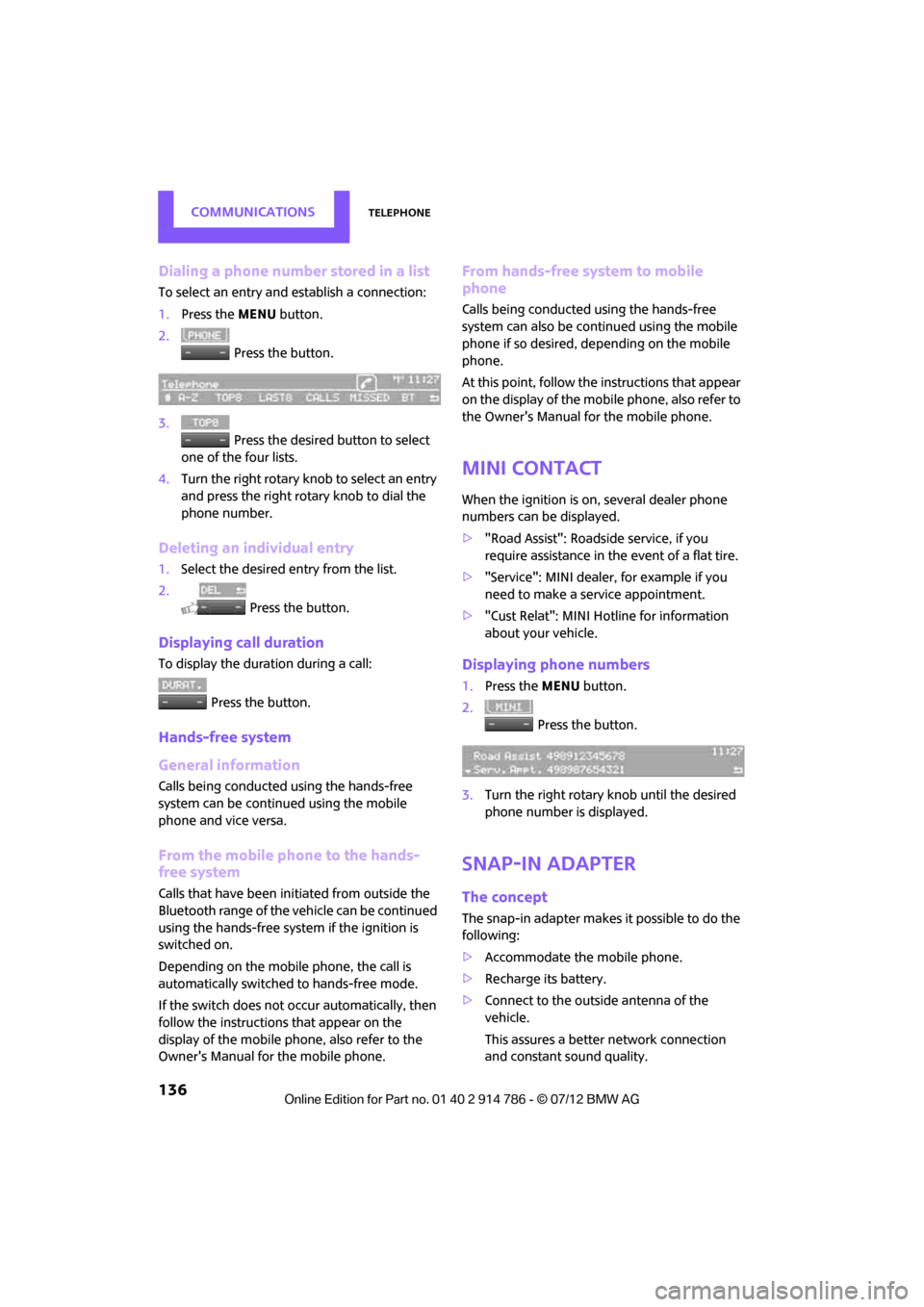
2. Press the button.
3. Press the desired button to select
one of the four lists.
4. Turn the right rotary knob to select an entry
and press the right rotary knob to dial the
phone number.
Deleting an individual entry
1.Select the desired entry from the list.
2. Press the button.
Displaying call duration
To display the duration during a call:
Press the button.
Hands-free system
General information
Calls being conducted using the hands-free
system can be continued using the mobile
phone and vice versa.
From the mobile phone to the hands-
free system
Calls that have been initiated from outside the
Bluetooth range of the ve hicle can be continued
using the hands-free system if the ignition is
switched on.
Depending on the mobile phone, the call is
automatically switched to hands-free mode.
If the switch does not occur automatically, then
follow the instructions that appear on the
display of the mobile phone, also refer to the
Owner's Manual for the mobile phone.
From hands-free system to mobile
phone
Calls being conducted using the hands-free
system can also be cont inued using the mobile
phone if so desired, de pending on the mobile
phone.
At this point, follow the instructions that appear
on the display of the mobile phone, also refer to
the Owner's Manual for the mobile phone.
MINI contact
When the ignition is on, several dealer phone
numbers can be displayed.
> "Road Assist": Roadsi de service, if you
require assistance in th e event of a flat tire.
> "Service": MINI dealer, for example if you
need to make a service appointment.
> "Cust Relat": MINI Hotline for information
about your vehicle.
Displaying phone numbers
1.Press the MENU button.
2. Press the button.
3. Turn the right rotary knob until the desired
phone number is displayed.
Snap-in adapter
The concept
The snap-in adapter makes it possible to do the
following:
>Accommodate the mobile phone.
> Recharge its battery.
> Connect to the outside antenna of the
vehicle.
This assures a better network connection
and constant sound quality.
Online Edition for Part no. 01 40 2 914 786 - \251 07/12 BMW AG
Page 156 of 218
Engine compartmentMOBILITY
155
Engine compartment
Vehicle equipment
In this chapter, all production, country, and
optional equipment that is offered in the model
range is described. Equipment is also described
that is not available because of, for example,
selected options or count ry version. This also
applies to safety related functions and systems.
General information
Never attempt to perform any service or
repair operations on your vehicle without
the required professional technical training. If
you do not know how to follow the specified
instructions, then have the work carried out by
your MINI dealer. If this work is not carried out
properly, there is a danger of subsequent
damage and related safety hazards. <
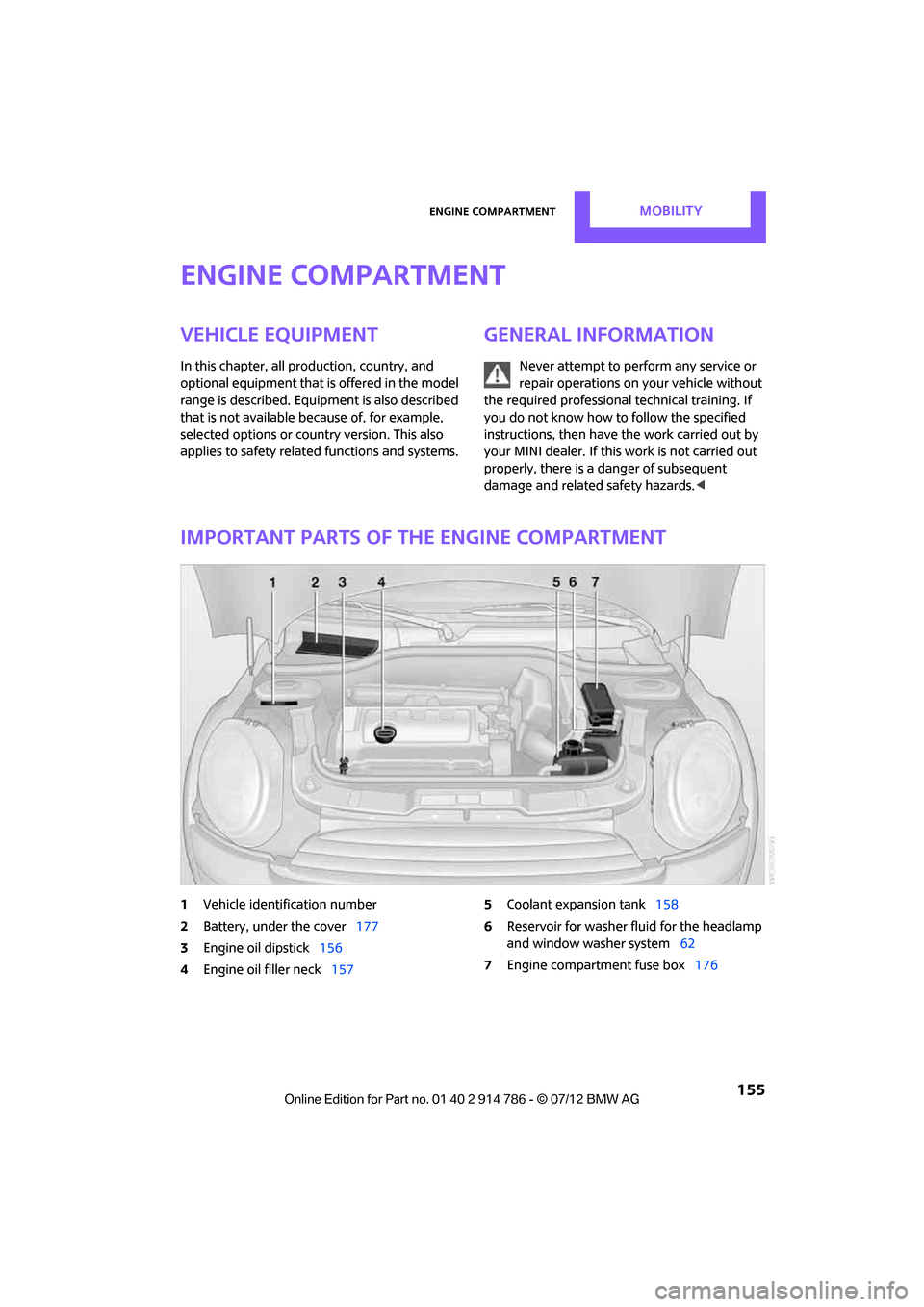
Important parts of the engine compartment
1Vehicle identification number
2 Battery, under the cover 177
3 Engine oil dipstick 156
4 Engine oil filler neck 157 5
Coolant expansion tank 158
6 Reservoir for washer fl uid for the headlamp
and window washer system 62
7 Engine compartment fuse box 176
Online Edition for Part no. 01 40 2 914 786 - \251 07/12 BMW AG
Page 176 of 218
Replacing componentsMOBILITY
175
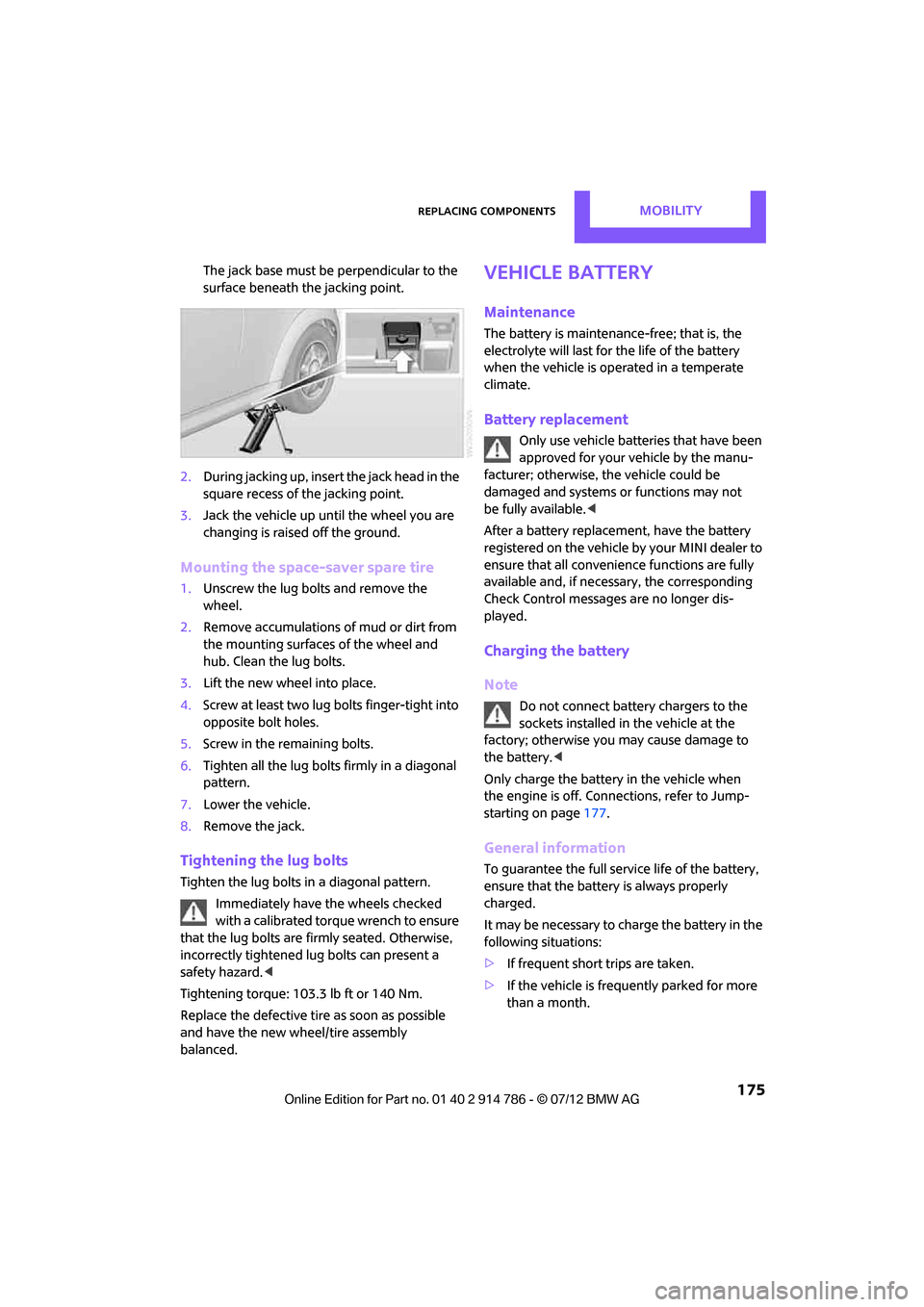
The jack base must be perpendicular to the
surface beneath the jacking point.
2. During jacking up, insert the jack head in the
square recess of the jacking point.
3. Jack the vehicle up until the wheel you are
changing is raised off the ground.
Mounting the space-saver spare tire
1.Unscrew the lug bolts and remove the
wheel.
2. Remove accumulations of mud or dirt from
the mounting surfaces of the wheel and
hub. Clean the lug bolts.
3. Lift the new wheel into place.
4. Screw at least two lug bolts finger-tight into
opposite bolt holes.
5. Screw in the remaining bolts.
6. Tighten all the lug bolts firmly in a diagonal
pattern.
7. Lower the vehicle.
8. Remove the jack.
Tightening the lug bolts
Tighten the lug bolts in a diagonal pattern.
Immediately have the wheels checked
with a calibrated torque wrench to ensure
that the lug bolts are firmly seated. Otherwise,
incorrectly tightened lug bolts can present a
safety hazard. <
Tightening torque: 103.3 lb ft or 140 Nm.
Replace the defective tire as soon as possible
and have the new wheel/tire assembly
balanced.
Vehicle battery
Maintenance
The battery is maintenance-free; that is, the
electrolyte will last for the life of the battery
when the vehicle is operated in a temperate
climate.
Battery replacement
Only use vehicle batteries that have been
approved for your vehicle by the manu-
facturer; otherwise, the vehicle could be
damaged and systems or functions may not
be fully available. <
After a battery replacement, have the battery
registered on the vehicle by your MINI dealer to
ensure that all convenie nce functions are fully
available and, if nece ssary, the corresponding
Check Control messages are no longer dis-
played.
Charging the battery
Note
Do not connect battery chargers to the
sockets installed in the vehicle at the
factory; otherwise you may cause damage to
the battery. <
Only charge the battery in the vehicle when
the engine is off. Connections, refer to Jump-
starting on page 177.
General information
To guarantee the full service life of the battery,
ensure that the battery is always properly
charged.
It may be necessary to charge the battery in the
following situations:
>If frequent short trips are taken.
> If the vehicle is frequently parked for more
than a month.
Online Edition for Part no. 01 40 2 914 786 - \251 07/12 BMW AG
Page 177 of 218
MOBILITYReplacing components
176
Disposal
After replacing old batteries, return the
used batteries to your MINI dealer or to
a recycling center. Maint ain the battery in an
upright position for transport and storage.
Always secure the battery against tipping over
during transport. <
Power failure
After a temporary power loss, some equipment
may not be fully function al and may require ini-
tialization. Individual settings are also lost and
must be reprogrammed:
> Time and date
These values must be updated, page 73.
> Radio
In some cases, statio ns may have to be
stored again, page 118.
Fuses
Do not attempt to repair a blown fuse or
replace it with a fuse of a different color or
Ampere rating. To do this could cause a fire in
the vehicle resulting from a circuit overload.
Have fuses replaced by your MINI dealer. <
A fuse assignment diag ram is located on the
inside of the fuse box cover panels.
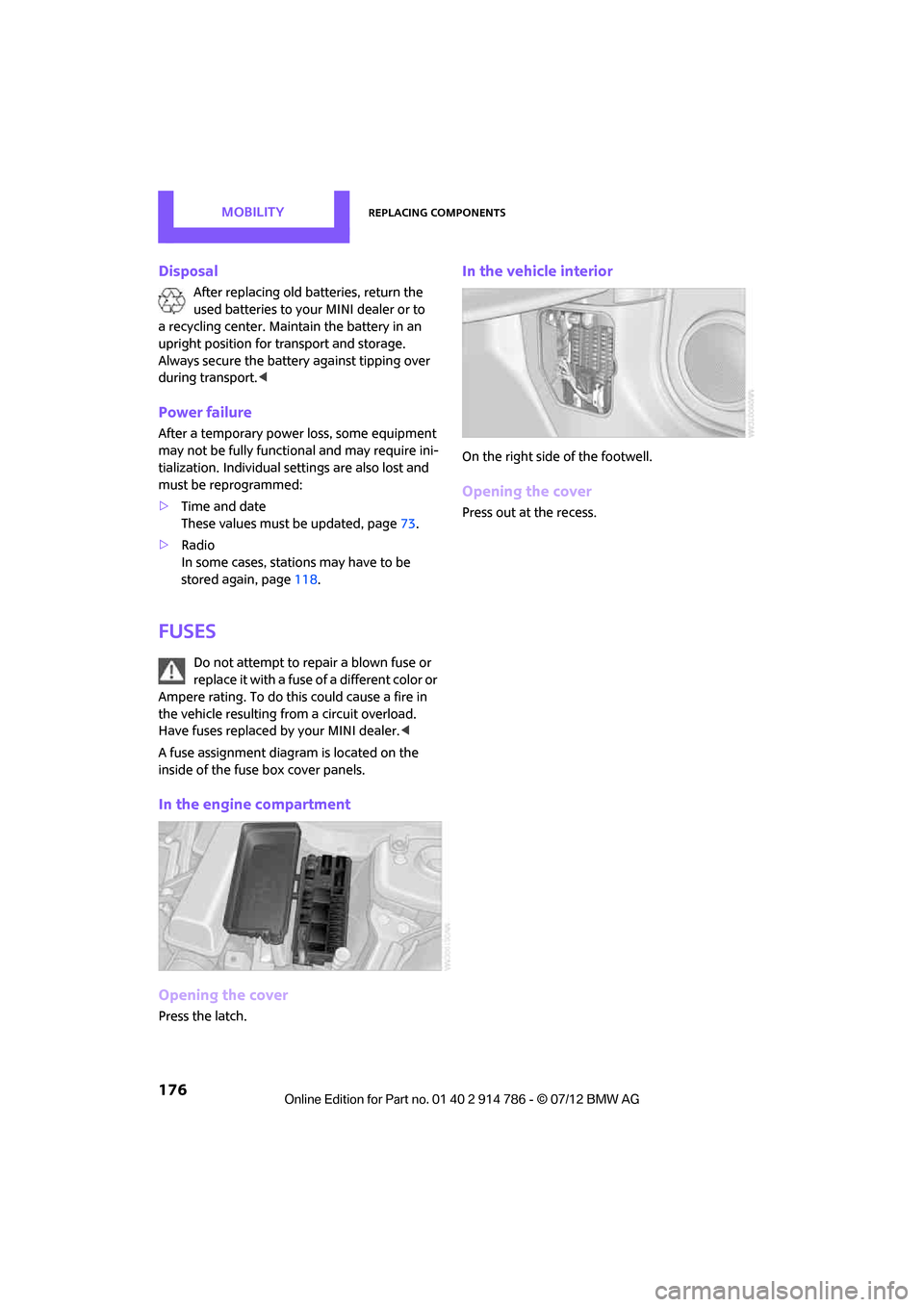
In the engine compartment
Opening the cover
Press the latch.
In the vehicle interior
On the right side of the footwell.
Opening the cover
Press out at the recess.
Online Edition for Part no. 01 40 2 914 786 - \251 07/12 BMW AG
Page 178 of 218
Giving and receiving assistanceMOBILITY
177
Giving and receiving assistance
Vehicle equipment
In this chapter, all production, country, and
optional equipment that is offered in the model
range is described. Equipment is also described
that is not available because of, for example,
selected options or count ry version. This also
applies to safety related functions and systems.
Roadside Assistance
Roadside Assistance is available by phone
24 hours a day in many countries. You can
receive assistance there in the event of an
emergency.
First aid pouch
Some of the articles co ntained in the first aid
pouch have a limited se rvice life. Therefore,
check the expiration dates of the contents
regularly and replace any items in good time,
if necessary.
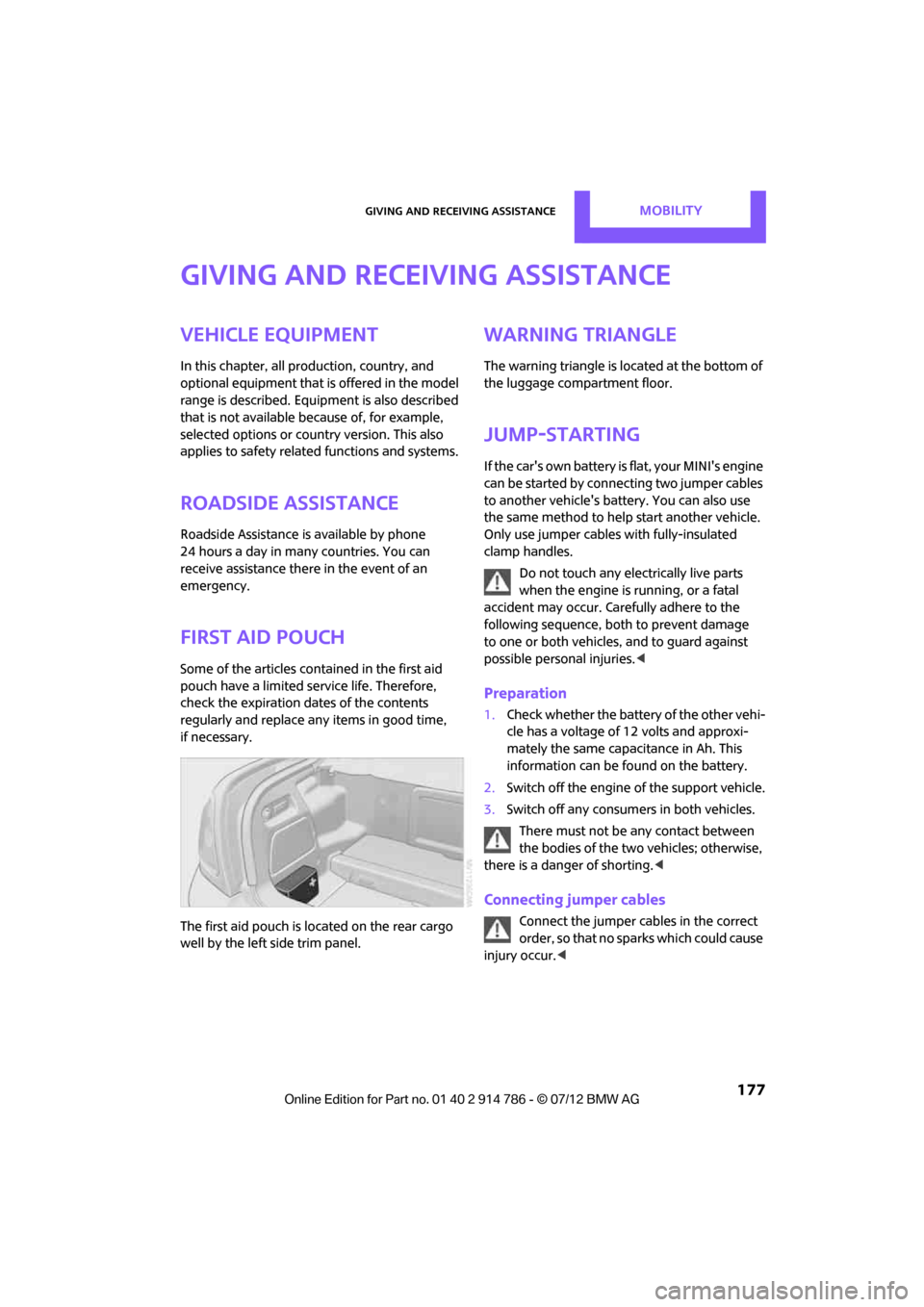
The first aid pouch is located on the rear cargo
well by the left side trim panel.
Warning triangle
The warning triangle is located at the bottom of
the luggage compartment floor.
Jump-starting
If the car's own battery is flat, your MINI's engine
can be started by connecting two jumper cables
to another vehicle's battery. You can also use
the same method to help start another vehicle.
Only use jumper cables with fully-insulated
clamp handles.
Do not touch any electrically live parts
when the engine is running, or a fatal
accident may occur. Ca refully adhere to the
following sequence, both to prevent damage
to one or both vehicles, and to guard against
possible personal injuries. <
Preparation
1.Check whether the battery of the other vehi-
cle has a voltage of 12 volts and approxi-
mately the same capacitance in Ah. This
information can be found on the battery.
2. Switch off the engine of the support vehicle.
3. Switch off any consumers in both vehicles.
There must not be any contact between
the bodies of the two vehicles; otherwise,
there is a danger of shorting. <
Connecting jumper cables
Connect the jumper cables in the correct
o r d e r , s o t h a t n o s parks which could cause
injury occur. <
Online Edition for Part no. 01 40 2 914 786 - \251 07/12 BMW AG
Page 179 of 218
MOBILITYGiving and receiving assistance
178
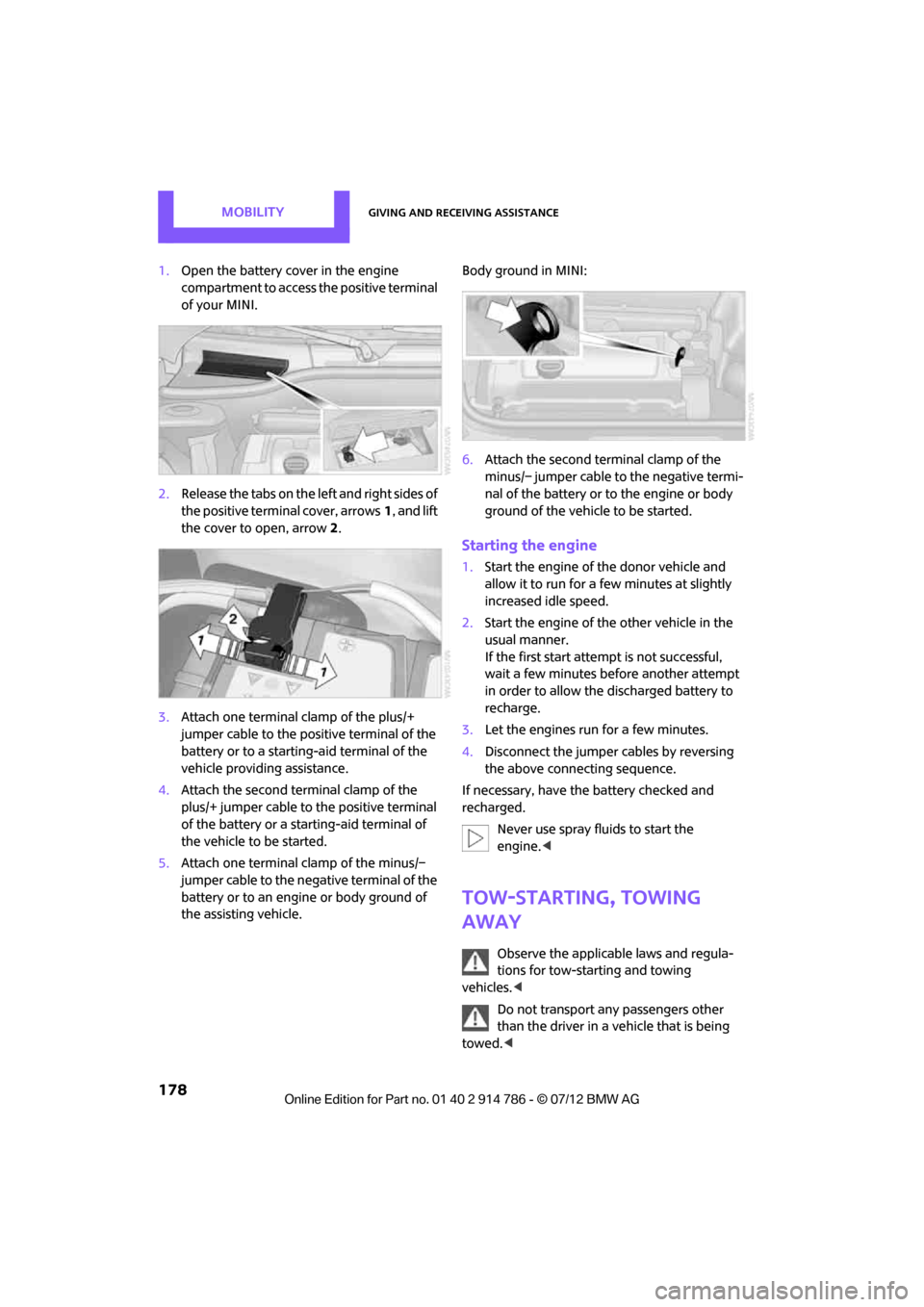
1.Open the battery cover in the engine
compartment to access the positive terminal
of your MINI.
2. Release the tabs on the left and right sides of
the positive terminal cover, arrows 1, and lift
the cover to open, arrow 2.
3. Attach one terminal clamp of the plus/+
jumper cable to the positive terminal of the
battery or to a starting-aid terminal of the
vehicle providing assistance.
4. Attach the second terminal clamp of the
plus/+ jumper cable to the positive terminal
of the battery or a starting-aid terminal of
the vehicle to be started.
5. Attach one terminal clamp of the minus/–
jumper cable to the negative terminal of the
battery or to an engine or body ground of
the assisting vehicle. Body ground in MINI:
6.
Attach the second te rminal clamp of the
minus/– jumper cable to the negative termi-
nal of the battery or to the engine or body
ground of the vehicle to be started.
Starting the engine
1. Start the engine of the donor vehicle and
allow it to run for a few minutes at slightly
increased idle speed.
2. Start the engine of the other vehicle in the
usual manner.
If the first start attempt is not successful,
wait a few minutes before another attempt
in order to allow the discharged battery to
recharge.
3. Let the engines run for a few minutes.
4. Disconnect the jumper cables by reversing
the above connecting sequence.
If necessary, have the battery checked and
recharged. Never use spray fluids to start the
engine. <
Tow-starting, towing
away
Observe the applicable laws and regula-
tions for tow-starting and towing
vehicles. <
Do not transport any passengers other
than the driver in a vehicle that is being
towed. <
Online Edition for Part no. 01 40 2 914 786 - \251 07/12 BMW AG
Page 185 of 218
MOBILITYIndicator and warning lamps
184
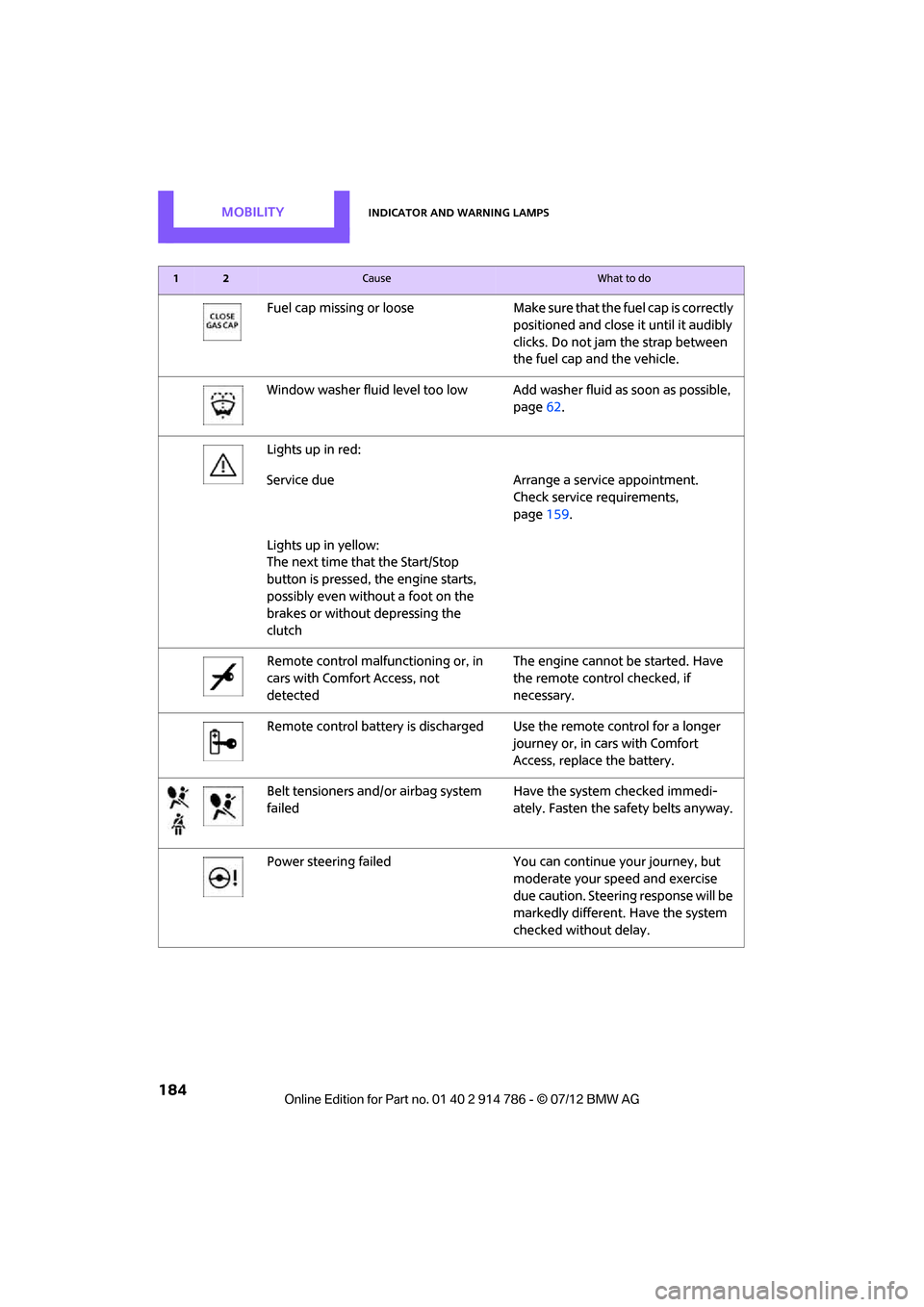
Fuel cap missing or looseMake sure that the fuel cap is correctly
positioned and close it until it audibly
clicks. Do not jam the strap between
the fuel cap and the vehicle.
Window washer fluid level too low Add washer fluid as soon as possible,
page 62.
Lights up in red:
Service due Arrange a service appointment.
Check service requirements,
page 159.
Lights up in yellow:
The next time that the Start/Stop
button is pressed, the engine starts,
possibly even without a foot on the
brakes or without depressing the
clutch
Remote control malfunctioning or, in
cars with Comfort Access, not
detected The engine cannot be started. Have
the remote control checked, if
necessary.
Remote control battery is discharged Use the remote control for a longer journey or, in cars with Comfort
Access, replace the battery.
Belt tensioners and/ or airbag system
failed Have the system checked immedi-
ately. Fasten the safety belts anyway.
Power steering failed You can continue your journey, but
moderate your speed and exercise
due caution. Steering response will be
markedly different. Have the system
checked without delay.
12Cause What to do
Online Edition for Part no. 01 40 2 914 786 - \251 07/12 BMW AG
Page 187 of 218
MOBILITYIndicator and warning lamps
186
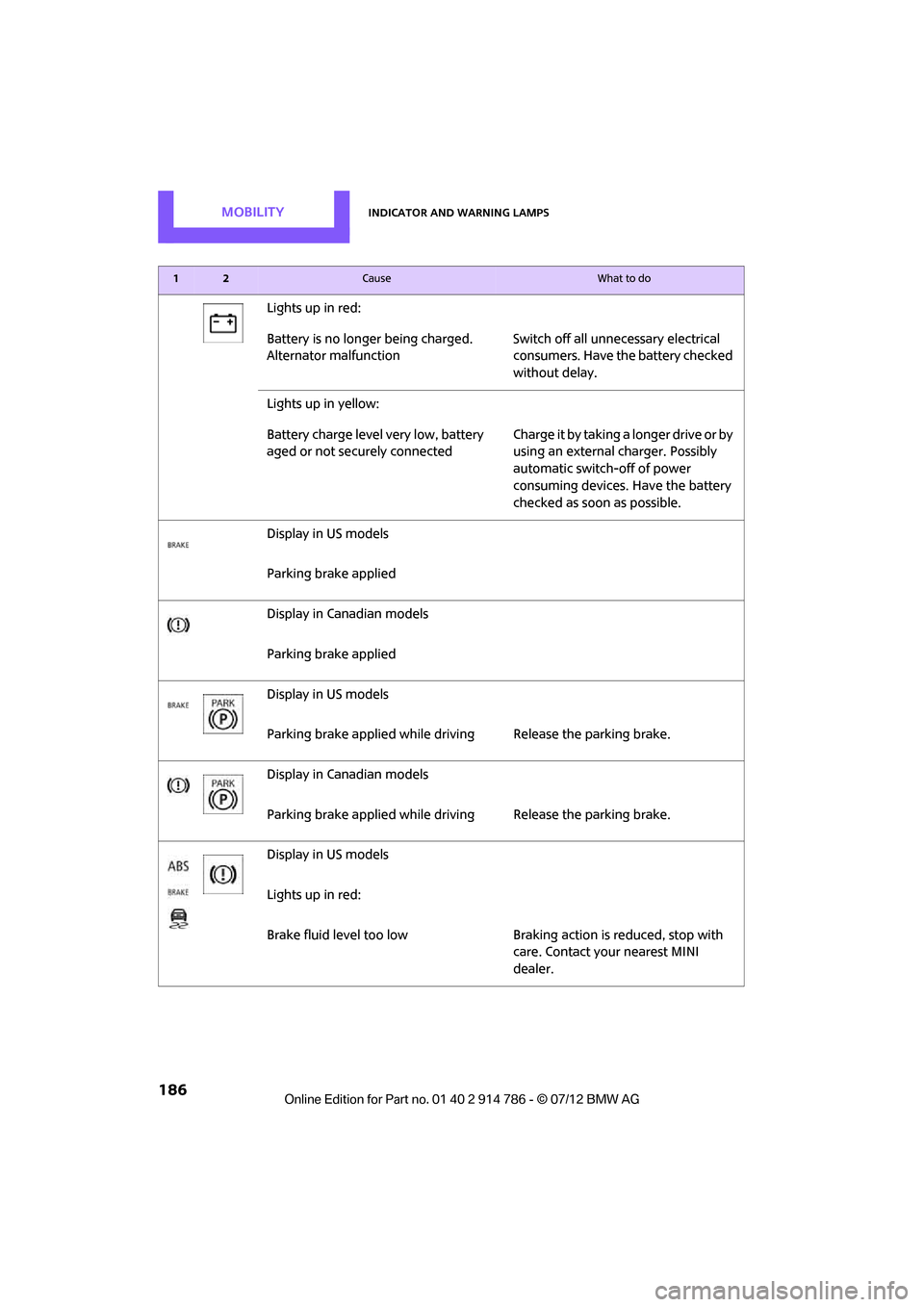
Lights up in red:
Battery is no longer being charged.
Alternator malfunctionSwitch off all unnecessary electrical
consumers. Have the battery checked
without delay.
Lights up in yellow:
Battery charge level very low, battery
aged or not securely connected C h a r g e i t b y t a k i n g a longer drive or by
using an external charger. Possibly
automatic switch-off of power
consuming devices. Have the battery
checked as soon as possible.
Display in US models
Parking brake applied
Display in Canadian models
Parking brake applied
Display in US models
Parking brake applied while driv ing Release the parking brake.
Display in Canadian models
Parking brake applied while driv ing Release the parking brake.
Display in US models
Lights up in red:
Brake fluid level too low Braking action is reduced, stop with
care. Contact your nearest MINI
dealer.
12Cause What to do
Online Edition for Part no. 01 40 2 914 786 - \251 07/12 BMW AG
Page 208 of 218
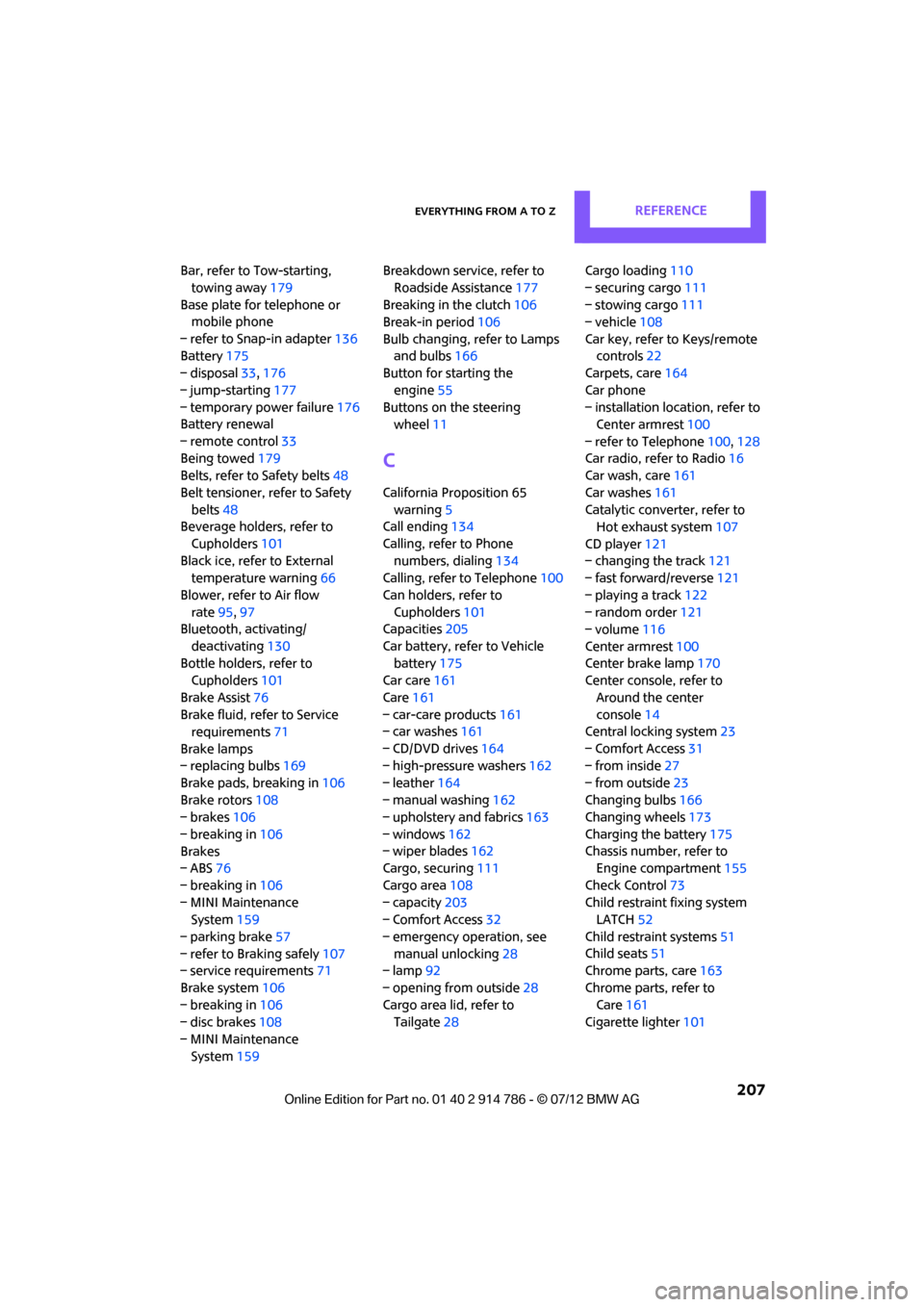
Everything from A to ZREFERENCE
207
Bar, refer to Tow-starting, towing away 179
Base plate for telephone or mobile phone
– refer to Snap-in adapter 136
Battery 175
– disposal 33,176
– jump-starting 177
– temporary power failure 176
Battery renewal
– remote control 33
Being towed 179
Belts, refer to Safety belts 48
Belt tensioner, refer to Safety belts 48
Beverage holders, refer to
Cupholders 101
Black ice, refer to External temperature warning 66
Blower, refer to Air flow rate 95,97
Bluetooth, activating/
deactivating 130
Bottle holders, refer to Cupholders 101
Brake Assist 76
Brake fluid, refer to Service requirements 71
Brake lamps
– replacing bulbs 169
Brake pads, breaking in 106
Brake rotors 108
– brakes 106
– breaking in 106
Brakes
– ABS 76
– breaking in 106
– MINI Maintenance System 159
– parking brake 57
– refer to Braking safely 107
– service requirements 71
Brake system 106
– breaking in 106
– disc brakes 108
– MINI Maintenance System 159 Breakdown service, refer to
Roadside Assistance 177
Breaking in the clutch 106
Break-in period 106
Bulb changing, refer to Lamps and bulbs 166
Button for starting the
engine 55
Buttons on the steering wheel 11
C
California Proposition 65
warning 5
Call ending 134
Calling, refer to Phone numbers, dialing 134
Calling, refer to Telephone 100
Can holders, refer to Cupholders 101
Capacities 205
Car battery, refer to Vehicle battery 175
Car care 161
Care 161
– car-care products 161
– car washes 161
– CD/DVD drives 164
– high-pressure washers 162
– leather 164
– manual washing 162
– upholstery and fabrics 163
– windows 162
– wiper blades 162
Cargo, securing 111
Cargo area 108
– capacity 203
– Comfort Access 32
– emergency operation, see manual unlocking 28
– lamp 92
– opening from outside 28
Cargo area lid, refer to Tailgate 28 Cargo loading
110
– securing cargo 111
– stowing cargo 111
– vehicle 108
Car key, refer to Keys/remote controls 22
Carpets, care 164
Car phone
– installation location, refer to Center armrest 100
– refer to Telephone 100,128
Car radio, refer to Radio 16
Car wash, care 161
Car washes 161
Catalytic converter, refer to Hot exhaust system 107
CD player 121
– changing the track 121
– fast forward/reverse 121
– playing a track 122
– random order 121
– volume 116
Center armrest 100
Ce
nter brake lamp 170
Center console, refer to
Around the center
console 14
Central locking system 23
– Comfort Access 31
– from inside 27
– from outside 23
Changing bulbs 166
Changing wheels 173
Charging the battery 175
Chassis number, refer to Engine compartment 155
Check Control 73
Child restraint fixing system LATCH 52
Child restraint systems 51
Child seats 51
Chrome parts, care 163
Chrome parts, refer to Care 161
Cigarette lighter 101
Online Edition for Part no. 01 40 2 914 786 - \251 07/12 BMW AG
Page 209 of 218
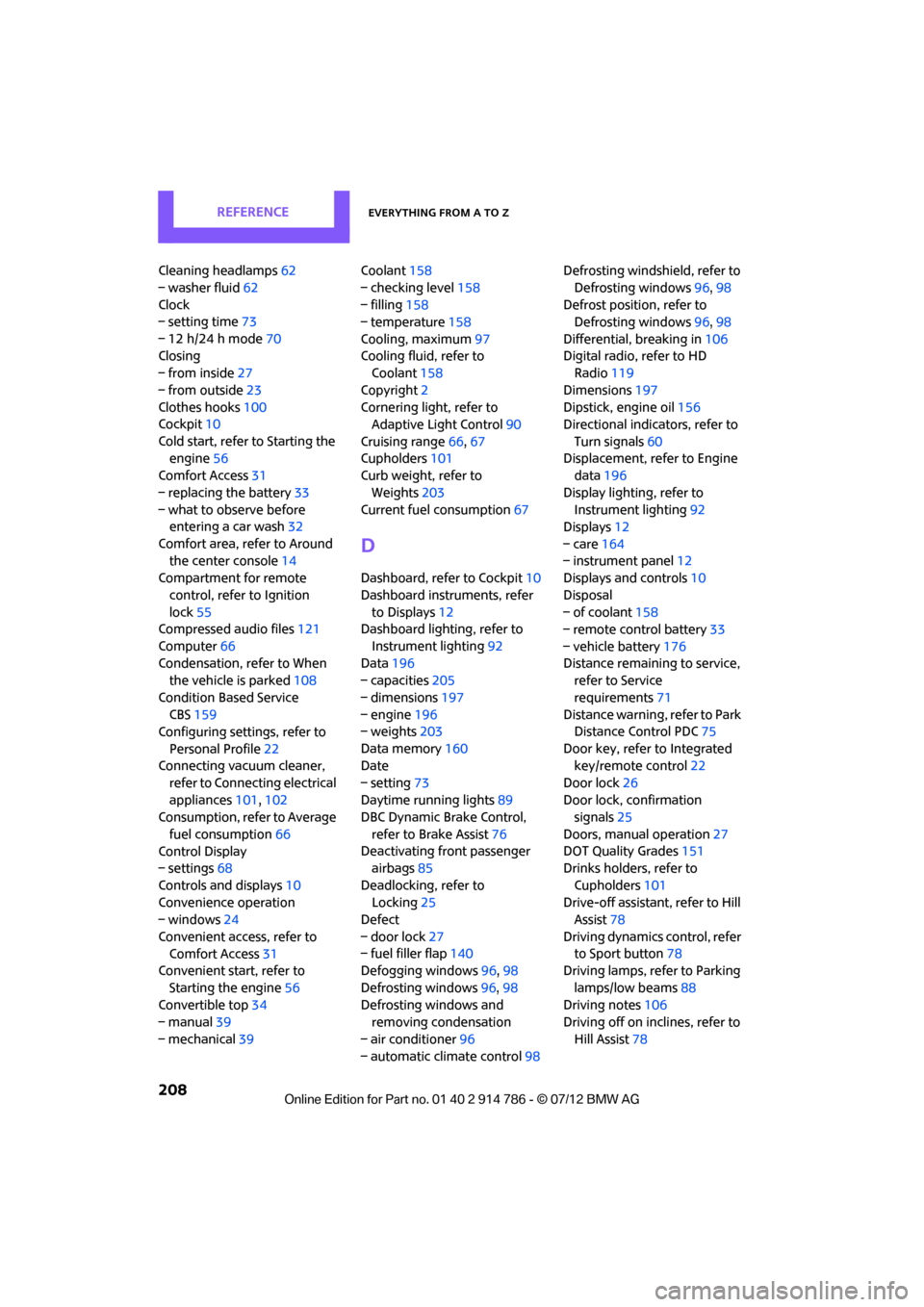
REFERENCEEverything from A to Z
208
Cleaning headlamps62
– washer fluid 62
Clock
– setting time 73
– 12 h/24 h mode 70
Closing
– from inside 27
– from outside 23
Clothes hooks 100
Cockpit 10
Cold start, refer to Starting the engine 56
Comfort Access 31
– replacing the battery 33
– what to observe before entering a car wash 32
Comfort area, refer to Around the center console 14
Compartment for remote
control, refer to Ignition
lock 55
Compressed audio files 121
Computer 66
Condensation, refer to When the vehicle is parked 108
Condition Based Service CBS 159
Configuring settings, refer to
Personal Profile 22
Connecting vacuum cleaner,
refer to Connecting electrical
appliances 101,102
Consumption, refer to Average
fuel consumption 66
Control Display
– settings 68
Controls and displays 10
Convenience operation
– windows 24
Convenient access, refer to Comfort Access 31
Convenient start, refer to
Starting the engine 56
Convertible top 34
– manual 39
– mechanical 39 Coolant
158
– checking level 158
– filling 158
– temperature 158
Cooling, maximum 97
Cooling fluid, refer to Coolant 158
Copyright 2
Cornering light, refer to Adaptive Light Control 90
Cruising range 66,67
Cupholders 101
Curb weight, refer to
Weights 203
Current fuel consumption 67
D
Dashboard, refer to Cockpit
10
Dashboard instruments, refer to Displays 12
Dashboard lighting, refer to
Instrument lighting 92
Data 196
– capacities 205
– dimensions 197
– engine 196
– weights 203
Data memory 160
Date
– setting 73
Daytime running lights 89
DBC Dynamic Brake Control,
refer to Brake Assist 76
Deactivating front passenger airbags 85
Deadlocking, refer to Locking 25
Defect
– door lock 27
– fuel filler flap 140
Defogging windows 96,98
Defrosting windows 96,98
Defrosting windows and removing condensation
– air conditioner 96
– automatic climate control 98Defrosting windshield, refer to
Defrosting windows 96,98
Defrost positi on, refer to
Defrosting windows 96,98
Differential, breaking in 106
Digital radio, refer to HD Radio 119
Dimensions 197
Dipstick, engine oil 156
Directional indicators, refer to
Turn signals 60
Displacement, refer to Engine data 196
Display lighting, refer to Instrument lighting 92
Displays 12
– care 164
– instrument panel 12
Displays and controls 10
Disposal
– of coolant 158
– remote control battery 33
– vehicle battery 176
Distance remaining to service, refer to Service
requirements 71
Distance warning, refer
to Park
Distance Control PDC 75
Door key, refer to Integrated key/remote control 22
Door lock 26
Door lock, confirmation signals 25
Doors, manual operation 27
DOT Quality Grades 151
Drinks holders, refer to
Cupholders 101
Drive-off assistant, refer to Hill Assist 78
Driving dynamics control, refer to Sport button 78
Driving lamps, refer to Parking
lamps/low beams 88
Driving notes 106
Driving off on inclines, refer to
Hill Assist 78
Online Edition for Part no. 01 40 2 914 786 - \251 07/12 BMW AG