warning light MINI Coupe 2013 Owner's Guide
[x] Cancel search | Manufacturer: MINI, Model Year: 2013, Model line: Coupe, Model: MINI Coupe 2013Pages: 292, PDF Size: 7.02 MB
Page 242 of 292

Socket for OBD Onboard
Diagnosis
Primary components in the vehicle emissions
can be checked via the OBD socket using a de‐
vice.
Emissions The warning lamps light up. The vehicle
is producing higher emissions. You can
continue your journey, but moderate
your speed and exercise due caution. Have the
vehicle checked as soon as possible.
Under certain circumstances, one of the lamps
flashes or lights up continuously. This indicates
that there is excessive misfiring or a malfunc‐
tion in the engine. If this happens, reduce the
vehicle speed and drive to the next service cen‐
ter promptly. Serious engine misfiring within a
brief period can seriously damage emission
control components, in particular the catalytic
converter. In addition, the mechanical engine
components may become damaged.
If the fuel filler cap is not properly tight‐
ened, the OBD system may conclude that fuel vapor is escaping; this will
cause a display to light up. If the filler cap is
then tightened, the display should go out in a
few days.
Seite 242MobilityMaintenance242
Online Edition for Part no. 01 40 2 919 017 - II/13
Page 252 of 292

3.Mount the new wheel.4.Screw in at least two bolts crosswise.5.Screw in the remaining lug bolts.6.Fully tighten all lug bolts in a diagonal pat‐
tern.7.Lower the vehicle.8.Remove the jack.
Retightening the lug bolts
Retighten the lug bolts diagonally.
Checking that the lug bolts are tight
Always have the lug bolts checked with a
calibrated torque wrench as soon as possible to
ensure that they are tightened to the specified
torque. Otherwise, incorrectly tightened lug
bolts are a hidden safety risk. ◀
The tightening torque equals
103.3 lb ft/140 Nm.
Replace the defective tire as soon as possible
and have the new wheel balanced.
Vehicle battery Maintenance
The battery is maintenance-free, i.e., the elec‐
trolyte will last for the life of the battery in tem‐
perate climate conditions.
The service center will be happy to answer any
questions on the battery.
Battery replacement Use approved vehicle batteries
Only use vehicle batteries that have been
approved for your vehicle by the manufacturer;
otherwise, the vehicle could be damaged and
systems or functions may not be fully availa‐
ble. ◀
Have the vehicle battery registered by the serv‐
ice center after it is replaced to ensure that all comfort functions are available without restric‐
tions and that any associated Check Control
messages are no longer displayed.
Charging the battery
Note Do not connect the charger to the socket
Do not connect the battery charger to the
socket installed in the vehicle at the factory as
this could damage the battery. ◀
Only charge the battery in the vehicle when the
engine is switched off. Connections, refer to
page 254.
General information Ensure that the battery is sufficiently charged to
achieve the full battery life.
It may be necessary to charge the battery in
the following cases:▷When the vehicle is frequently used to
travel short distances.▷When the vehicle has not been driven for
more than one month.
Power failure
After a temporary power failure, some equip‐
ment will be restricted in its use and will need
to be reinitialized. In addition, certain individual
settings will be lost and must be updated:
▷Time and date: the values must be up‐
dated, refer to page 79.▷Radio: the stations need to be stored again,
refer to page 161.▷Onboard monitor: full functionality will be
restored after some time.
Indicator/warning lamps
Lights up red: the vehicle battery is no
longer being charged. Alternator mal‐
function.
Switch off all unnecessary electrical consumers.
Have the battery checked immediately.
Seite 252MobilityReplacing components252
Online Edition for Part no. 01 40 2 919 017 - II/13
Page 257 of 292

Being towedFollow the towing instructions
Follow all towing instructions, or vehicle
damage or accidents may occur. ◀
▷Make sure that the ignition is switched on;
otherwise, the low beams, tail lamps, turn
signals, and windshield wipers may be un‐
available.▷Do not tow the vehicle with the rear axle
tilted, as the front wheels could turn.▷When the engine is stopped, there is no
power assist. Consequently, more force
needs to be applied when braking and
steering.▷▷Larger steering wheel movements are re‐
quired.▷Switch on the hazard warning system, de‐
pending on local regulations.
Manual transmission
Gearshift lever in neutral position.
Automatic transmission Towing vehicles with an automatic trans‐
mission
Only transport vehicles with an automatic
transmission on tow trucks or with raised front
wheels; otherwise, the transmission may be
damaged. ◀
Towing with a tow bar
Light towing vehicle
The towing vehicle must not be lighter
than your vehicle, or it will not be possible to
control vehicle response. ◀
Correctly attach the tow bar
Only secure the tow bar on the tow fit‐
tings; damage can occur when it is secured on
other parts of the vehicle. ◀
The tow fittings used should be on the same
side on both vehicles.
Should it prove impossible to avoid mounting
the tow bar at an offset angle, please observe
the following:▷Clearance and maneuvering capability will
be sharply limited during cornering.▷The tow bar will generate lateral forces if it
is attached offset.
Towing with a tow rope
When starting to tow the vehicle, make sure
that the tow rope is taut.
To avoid jerking and the associated stresses on
the vehicle components when towing, always
use nylon ropes or nylon straps.
Attaching the tow rope correctly
Only secure the tow rope on the tow fit‐
ting; otherwise, damage can occur when it is
secured on other parts of the vehicle. ◀
Seite 257Breakdown assistanceMobility257
Online Edition for Part no. 01 40 2 919 017 - II/13
Page 280 of 292
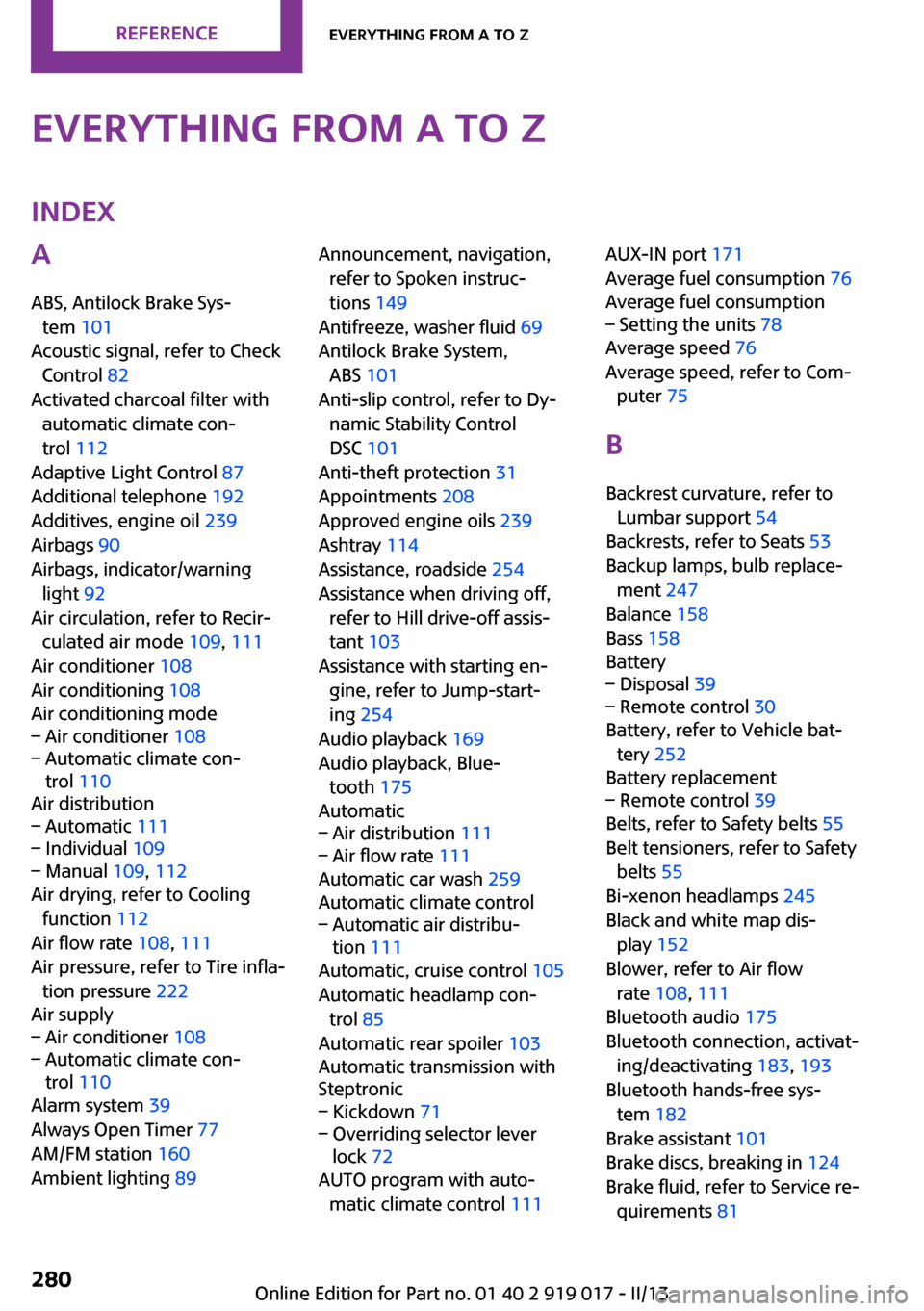
Everything from A to ZIndexA
ABS, Antilock Brake Sys‐ tem 101
Acoustic signal, refer to Check Control 82
Activated charcoal filter with automatic climate con‐
trol 112
Adaptive Light Control 87
Additional telephone 192
Additives, engine oil 239
Airbags 90
Airbags, indicator/warning light 92
Air circulation, refer to Recir‐ culated air mode 109, 111
Air conditioner 108
Air conditioning 108
Air conditioning mode– Air conditioner 108– Automatic climate con‐
trol 110
Air distribution
– Automatic 111– Individual 109– Manual 109, 112
Air drying, refer to Cooling
function 112
Air flow rate 108, 111
Air pressure, refer to Tire infla‐ tion pressure 222
Air supply
– Air conditioner 108– Automatic climate con‐
trol 110
Alarm system 39
Always Open Timer 77
AM/FM station 160
Ambient lighting 89
Announcement, navigation,
refer to Spoken instruc‐
tions 149
Antifreeze, washer fluid 69
Antilock Brake System, ABS 101
Anti-slip control, refer to Dy‐ namic Stability Control
DSC 101
Anti-theft protection 31
Appointments 208
Approved engine oils 239
Ashtray 114
Assistance, roadside 254
Assistance when driving off, refer to Hill drive-off assis‐
tant 103
Assistance with starting en‐ gine, refer to Jump-start‐
ing 254
Audio playback 169
Audio playback, Blue‐ tooth 175
Automatic– Air distribution 111– Air flow rate 111
Automatic car wash 259
Automatic climate control
– Automatic air distribu‐
tion 111
Automatic, cruise control 105
Automatic headlamp con‐ trol 85
Automatic rear spoiler 103
Automatic transmission with
Steptronic
– Kickdown 71– Overriding selector lever
lock 72
AUTO program with auto‐
matic climate control 111
AUX-IN port 171
Average fuel consumption 76
Average fuel consumption– Setting the units 78
Average speed 76
Average speed, refer to Com‐ puter 75
B Backrest curvature, refer to Lumbar support 54
Backrests, refer to Seats 53
Backup lamps, bulb replace‐ ment 247
Balance 158
Bass 158
Battery
– Disposal 39– Remote control 30
Battery, refer to Vehicle bat‐
tery 252
Battery replacement
– Remote control 39
Belts, refer to Safety belts 55
Belt tensioners, refer to Safety belts 55
Bi-xenon headlamps 245
Black and white map dis‐ play 152
Blower, refer to Air flow rate 108, 111
Bluetooth audio 175
Bluetooth connection, activat‐ ing/deactivating 183, 193
Bluetooth hands-free sys‐ tem 182
Brake assistant 101
Brake discs, breaking in 124
Brake fluid, refer to Service re‐ quirements 81
Seite 280ReferenceEverything from A to Z280
Online Edition for Part no. 01 40 2 919 017 - II/13
Page 282 of 292
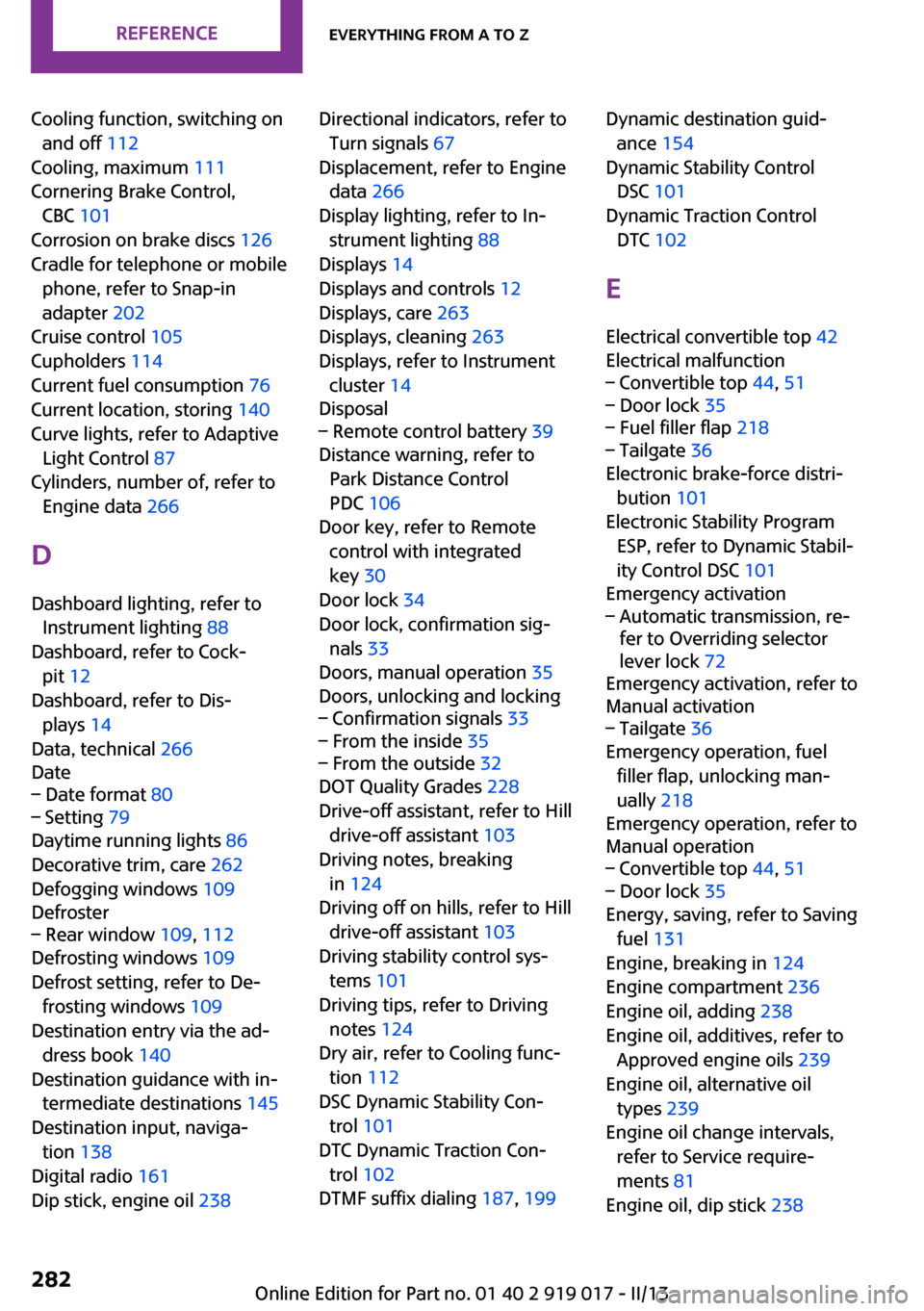
Cooling function, switching onand off 112
Cooling, maximum 111
Cornering Brake Control, CBC 101
Corrosion on brake discs 126
Cradle for telephone or mobile phone, refer to Snap-in
adapter 202
Cruise control 105
Cupholders 114
Current fuel consumption 76
Current location, storing 140
Curve lights, refer to Adaptive Light Control 87
Cylinders, number of, refer to Engine data 266
D
Dashboard lighting, refer to Instrument lighting 88
Dashboard, refer to Cock‐ pit 12
Dashboard, refer to Dis‐ plays 14
Data, technical 266
Date– Date format 80– Setting 79
Daytime running lights 86
Decorative trim, care 262
Defogging windows 109
Defroster
– Rear window 109, 112
Defrosting windows 109
Defrost setting, refer to De‐ frosting windows 109
Destination entry via the ad‐ dress book 140
Destination guidance with in‐ termediate destinations 145
Destination input, naviga‐ tion 138
Digital radio 161
Dip stick, engine oil 238
Directional indicators, refer to
Turn signals 67
Displacement, refer to Engine data 266
Display lighting, refer to In‐ strument lighting 88
Displays 14
Displays and controls 12
Displays, care 263
Displays, cleaning 263
Displays, refer to Instrument cluster 14
Disposal– Remote control battery 39
Distance warning, refer to
Park Distance Control
PDC 106
Door key, refer to Remote control with integrated
key 30
Door lock 34
Door lock, confirmation sig‐ nals 33
Doors, manual operation 35
Doors, unlocking and locking
– Confirmation signals 33– From the inside 35– From the outside 32
DOT Quality Grades 228
Drive-off assistant, refer to Hill drive-off assistant 103
Driving notes, breaking in 124
Driving off on hills, refer to Hill drive-off assistant 103
Driving stability control sys‐ tems 101
Driving tips, refer to Driving notes 124
Dry air, refer to Cooling func‐ tion 112
DSC Dynamic Stability Con‐ trol 101
DTC Dynamic Traction Con‐ trol 102
DTMF suffix dialing 187, 199
Dynamic destination guid‐
ance 154
Dynamic Stability Control DSC 101
Dynamic Traction Control DTC 102
E
Electrical convertible top 42
Electrical malfunction– Convertible top 44, 51– Door lock 35– Fuel filler flap 218– Tailgate 36
Electronic brake-force distri‐
bution 101
Electronic Stability Program ESP, refer to Dynamic Stabil‐
ity Control DSC 101
Emergency activation
– Automatic transmission, re‐
fer to Overriding selector
lever lock 72
Emergency activation, refer to
Manual activation
– Tailgate 36
Emergency operation, fuel
filler flap, unlocking man‐
ually 218
Emergency operation, refer to
Manual operation
– Convertible top 44, 51– Door lock 35
Energy, saving, refer to Saving
fuel 131
Engine, breaking in 124
Engine compartment 236
Engine oil, adding 238
Engine oil, additives, refer to Approved engine oils 239
Engine oil, alternative oil types 239
Engine oil change intervals, refer to Service require‐
ments 81
Engine oil, dip stick 238
Seite 282ReferenceEverything from A to Z282
Online Edition for Part no. 01 40 2 919 017 - II/13
Page 284 of 292
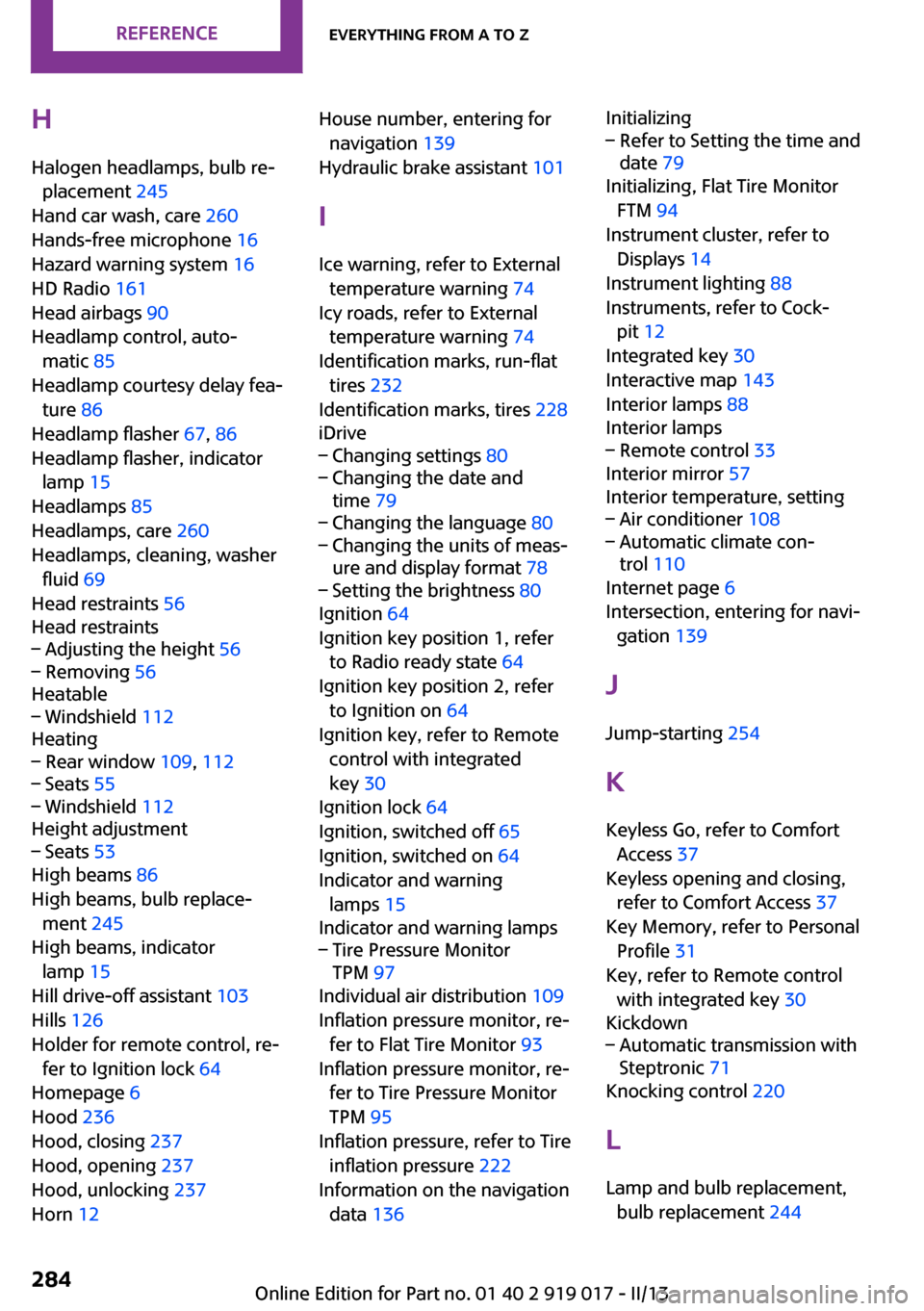
HHalogen headlamps, bulb re‐ placement 245
Hand car wash, care 260
Hands-free microphone 16
Hazard warning system 16
HD Radio 161
Head airbags 90
Headlamp control, auto‐ matic 85
Headlamp courtesy delay fea‐ ture 86
Headlamp flasher 67, 86
Headlamp flasher, indicator lamp 15
Headlamps 85
Headlamps, care 260
Headlamps, cleaning, washer fluid 69
Head restraints 56
Head restraints– Adjusting the height 56– Removing 56
Heatable
– Windshield 112
Heating
– Rear window 109, 112– Seats 55– Windshield 112
Height adjustment
– Seats 53
High beams 86
High beams, bulb replace‐ ment 245
High beams, indicator lamp 15
Hill drive-off assistant 103
Hills 126
Holder for remote control, re‐ fer to Ignition lock 64
Homepage 6
Hood 236
Hood, closing 237
Hood, opening 237
Hood, unlocking 237
Horn 12
House number, entering for
navigation 139
Hydraulic brake assistant 101
I
Ice warning, refer to External temperature warning 74
Icy roads, refer to External temperature warning 74
Identification marks, run-flat tires 232
Identification marks, tires 228
iDrive– Changing settings 80– Changing the date and
time 79– Changing the language 80– Changing the units of meas‐
ure and display format 78– Setting the brightness 80
Ignition 64
Ignition key position 1, refer to Radio ready state 64
Ignition key position 2, refer to Ignition on 64
Ignition key, refer to Remote control with integrated
key 30
Ignition lock 64
Ignition, switched off 65
Ignition, switched on 64
Indicator and warning lamps 15
Indicator and warning lamps
– Tire Pressure Monitor
TPM 97
Individual air distribution 109
Inflation pressure monitor, re‐ fer to Flat Tire Monitor 93
Inflation pressure monitor, re‐ fer to Tire Pressure Monitor
TPM 95
Inflation pressure, refer to Tire inflation pressure 222
Information on the navigation data 136
Initializing– Refer to Setting the time and
date 79
Initializing, Flat Tire Monitor
FTM 94
Instrument cluster, refer to Displays 14
Instrument lighting 88
Instruments, refer to Cock‐ pit 12
Integrated key 30
Interactive map 143
Interior lamps 88
Interior lamps
– Remote control 33
Interior mirror 57
Interior temperature, setting
– Air conditioner 108– Automatic climate con‐
trol 110
Internet page 6
Intersection, entering for navi‐ gation 139
J
Jump-starting 254
K Keyless Go, refer to Comfort Access 37
Keyless opening and closing, refer to Comfort Access 37
Key Memory, refer to Personal Profile 31
Key, refer to Remote control with integrated key 30
Kickdown
– Automatic transmission with
Steptronic 71
Knocking control 220
L Lamp and bulb replacement, bulb replacement 244
Seite 284ReferenceEverything from A to Z284
Online Edition for Part no. 01 40 2 919 017 - II/13
Page 285 of 292
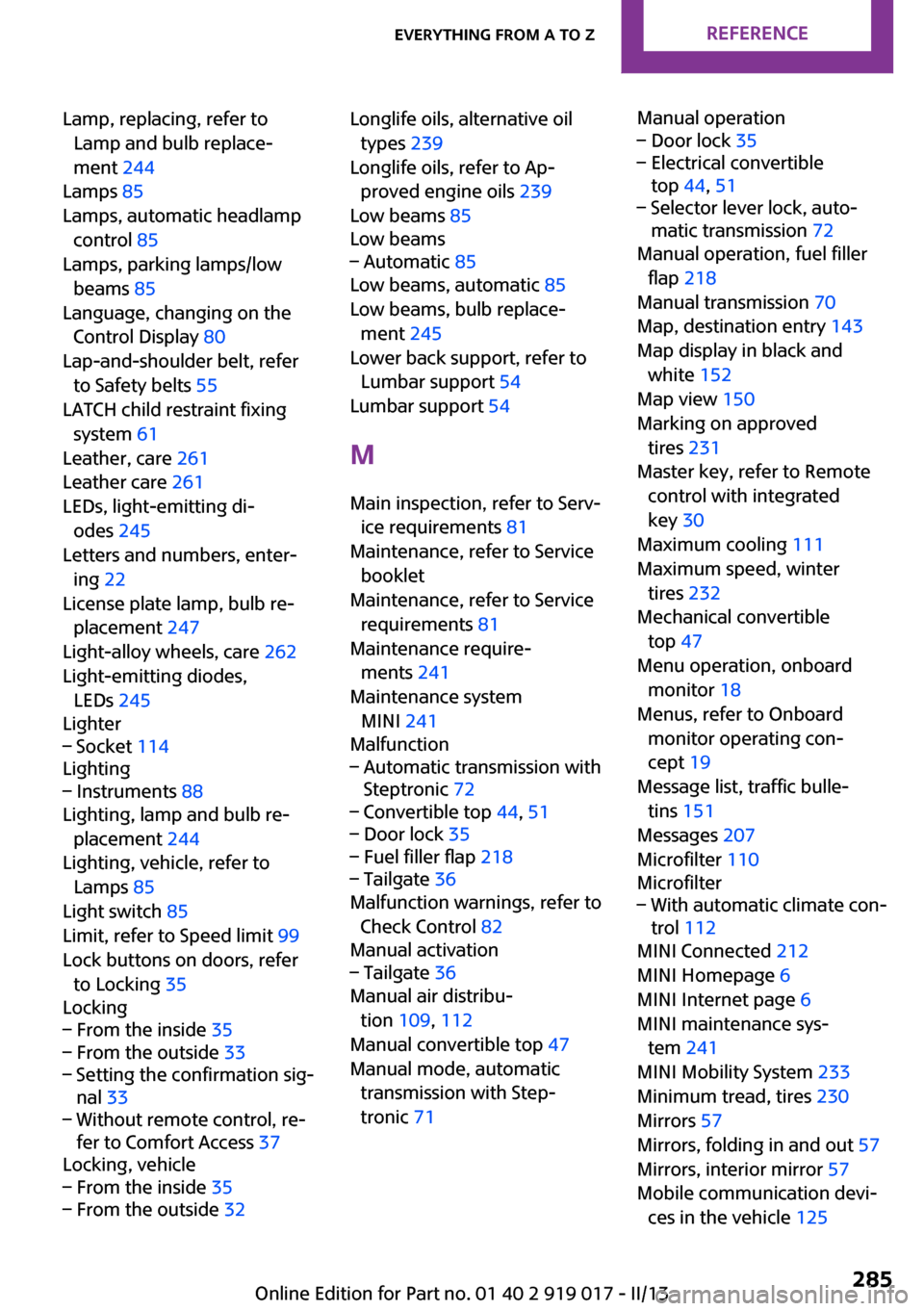
Lamp, replacing, refer toLamp and bulb replace‐
ment 244
Lamps 85
Lamps, automatic headlamp control 85
Lamps, parking lamps/low beams 85
Language, changing on the Control Display 80
Lap-and-shoulder belt, refer to Safety belts 55
LATCH child restraint fixing system 61
Leather, care 261
Leather care 261
LEDs, light-emitting di‐ odes 245
Letters and numbers, enter‐ ing 22
License plate lamp, bulb re‐ placement 247
Light-alloy wheels, care 262
Light-emitting diodes, LEDs 245
Lighter– Socket 114
Lighting
– Instruments 88
Lighting, lamp and bulb re‐
placement 244
Lighting, vehicle, refer to Lamps 85
Light switch 85
Limit, refer to Speed limit 99
Lock buttons on doors, refer to Locking 35
Locking
– From the inside 35– From the outside 33– Setting the confirmation sig‐
nal 33– Without remote control, re‐
fer to Comfort Access 37
Locking, vehicle
– From the inside 35– From the outside 32Longlife oils, alternative oil
types 239
Longlife oils, refer to Ap‐ proved engine oils 239
Low beams 85
Low beams– Automatic 85
Low beams, automatic 85
Low beams, bulb replace‐ ment 245
Lower back support, refer to Lumbar support 54
Lumbar support 54
M
Main inspection, refer to Serv‐ ice requirements 81
Maintenance, refer to Service booklet
Maintenance, refer to Service requirements 81
Maintenance require‐ ments 241
Maintenance system MINI 241
Malfunction
– Automatic transmission with
Steptronic 72– Convertible top 44, 51– Door lock 35– Fuel filler flap 218– Tailgate 36
Malfunction warnings, refer to
Check Control 82
Manual activation
– Tailgate 36
Manual air distribu‐
tion 109, 112
Manual convertible top 47
Manual mode, automatic transmission with Step‐
tronic 71
Manual operation– Door lock 35– Electrical convertible
top 44, 51– Selector lever lock, auto‐
matic transmission 72
Manual operation, fuel filler
flap 218
Manual transmission 70
Map, destination entry 143
Map display in black and white 152
Map view 150
Marking on approved tires 231
Master key, refer to Remote control with integrated
key 30
Maximum cooling 111
Maximum speed, winter tires 232
Mechanical convertible top 47
Menu operation, onboard monitor 18
Menus, refer to Onboard monitor operating con‐
cept 19
Message list, traffic bulle‐ tins 151
Messages 207
Microfilter 110
Microfilter
– With automatic climate con‐
trol 112
MINI Connected 212
MINI Homepage 6
MINI Internet page 6
MINI maintenance sys‐ tem 241
MINI Mobility System 233
Minimum tread, tires 230
Mirrors 57
Mirrors, folding in and out 57
Mirrors, interior mirror 57
Mobile communication devi‐ ces in the vehicle 125
Seite 285Everything from A to ZReference285
Online Edition for Part no. 01 40 2 919 017 - II/13
Page 287 of 292
Rear fog lamps, indicatorlamp 15
Rear lamps, refer to Tail lamps 247
Rear spoiler 103
Rearview mirror, refer to Mir‐ rors 57
Rear window de‐ froster 109, 112
Recirculated air mode 109, 111
Recommended tire brands 231
Redialing 188, 200
Releasing, refer to Unlock‐ ing 38
Remaining range for service, refer to Service require‐
ments 81
Remaining range, refer to Range 76
Reminders 210
Remote control– Battery replacement 39– Comfort Access 37– Malfunctions 33, 39– Tailgate 33
Remote control, removing
from the ignition lock 64
Remote control, service data 241
Remote inquiry 187, 199
Replacement remote con‐ trol 30
Replacing wheels/tires 231
Reporting safety defects 9
Reserve warning, refer to Fuel gauge 75
Reservoir for washer fluid, re‐ fer to Washer fluid reser‐
voir 69
Restraining systems
– Refer to Safety belts 55
Restraint systems for chil‐
dren 59
Retreaded tires 231
Reverse gear, manual trans‐
mission 70
Road, avoiding 147
Road detour 147
Roadside Assistance 254
Roadside parking lamp, bulb replacement 246
Roadside parking lamps 86
RON gasoline quality 220
RON, refer to Fuel quality 220
Route 148
Route criteria, route 147
Route, displaying 148
Route section, bypassing 148
RPM, refer to Engine data 266
Rubber seals, care 262
Run-flat tires 232
Run-flat tires– Flat tire 94
Run-flat tires, tire inflation
pressure 222
Running lights, refer to Park‐ ing lamps/low beams 85
S Safe braking 126
Safety 7
Safety belts 55
Safety belts
– Damage 56
Safety belts, care 262
Safety belts, indicator/warning lamp 56
Safety belts, reminder 56
Safety systems
– Safety belts 55
Safety systems, airbags 90
Satellite radio 162
Saving fuel 131
Scale, changing during navi‐ gation 151
Screen, see Control Display 18
Seat adjustment
– Manual 53
Seat belts
– Refer to Safety belts 55Seat heating 55
Seats– Adjusting 53– Heating 55– Sitting safely 53
Selector lever, automatic
transmission with Step‐
tronic 71
Selector lever lock, overrid‐ ing 72
Selector lever lock, refer to Changing selector lever posi‐
tions, Shiftlock 71
Selector lever positions, auto‐ matic transmission with
Steptronic 71
Service and warranty 7
Service data in the remote control 241
Service interval display, refer to Condition Based Service
CBS 241
Service interval display, refer to Service requirements 81
Service requirements 81
Service requirements, CBS Condition Based Service 241
Settings
– Changing on the Control Dis‐
play 80– Language 80
Settings and information 77
Settings, configuring, refer to Personal Profile 31
Setting the clock, 12h/24h for‐ mat 79
Shifting
– Automatic transmission with
Steptronic 71
Shifting, manual transmis‐
sion 70
Shift lever
– Automatic transmission with
Steptronic 71
Shift paddles on the steering
wheel 72
Seite 287Everything from A to ZReference287
Online Edition for Part no. 01 40 2 919 017 - II/13
Page 289 of 292
Torque, refer to Enginedata 266
Towing another vehicle 256
Towing, being towed 256
Town/city, navigation 138
Tow-starting 256
TPM, refer to Tire Pressure Monitor 95
Traction control 102
Traffic bulletins, naviga‐ tion 151
Transmission– Overriding selector lever
lock in case of automatic
transmission with Step‐
tronic 72
Transmission lock
– Refer to Changing selector
lever positions 71
Transmission, manual 70
Transporting children safely 59
Treble, tone 158
Trip-distance counter, refer to Trip odometer 74
Triple turn signal activa‐ tion 67
Trip odometer 74
Trips, planning 145
Trunk
– Opening from the inside 36
Trunk lid
– Emergency activation, refer
to Unlocking manually 36
Trunk lid, refer to Tailgate 35
Trunk, refer to Cargo area 35
Turning lamps, refer to Adap‐ tive Light Control 87
Turn signal
– Indicator lamp 14
Turn signal, bulb replace‐
ment 246
Turn signals 67
Turn signals, triple turn signal activation 67
U
Uniform Tire Quality Grading/ UTQG 228
Units– Average fuel consump‐
tion 78– Temperature 78
Units of measure, changing on
Control Display 78
Unlocking
– From the inside 35– From the outside 32– Tailgate 38– Without remote control, re‐
fer to Comfort Access 37
Update, software 178
Upholstery care 261
Upholstery material care 261
V
Vehicle
– Identification num‐
ber 182, 192
Vehicle battery 252
Vehicle, breaking in 124
Vehicle care 260
Vehicle care, refer to Care 259
Vehicle equipment 6
Vehicle paintwork, care 261
Vehicle storage 263
Vehicle, switching off 66
Vehicle wash 259
Ventilation
– Air conditioning 113
Version of the navigation
data 136
Video playback, iPhone 174
Video playback, snap-in adapter 174
Voice activation
– Navigation 144
Voice activation, short com‐
mands 274
Voice activation system 24
Volume, setting 158
W Warning and indicator lamps 15
Warning messages, refer to Check Control 82
Warning signal volumes 158
Warning triangle 254
Washer/wiper system 67
Washer/wiper system, rain sensor 68
Washer/wiper system, washer fluid 69
Washer fluid 69
Washer fluid reservoir 69
Washing, vehicle 259
Welcome lamps 86
Wheel change 249
Wheels and tires 222
Wheels, changing 231
Wheels, Flat Tire Monitor FTM 93
Wind baffle, refer to Wind de‐ flector 46, 52
Wind deflector 46, 52
Windows– Closing 41– Convenient operation 32– Opening 41
Windows, care 260
Windows, defrosting and de‐ fogging 109
Windshield
– Defrosting and defog‐
ging 109
Windshield, defrosting, refer
to Defrosting windows 109
Windshield wash 67
Windshield washer fluid 69
Windshield wash, reservoir for washer fluid 69
Windshield wash, washer fluid 69
Windshield wiper blades, changing 243
Seite 289Everything from A to ZReference289
Online Edition for Part no. 01 40 2 919 017 - II/13