lights MINI Hardtop 2 Door 2004 User Guide
[x] Cancel search | Manufacturer: MINI, Model Year: 2004, Model line: Hardtop 2 Door, Model: MINI Hardtop 2 Door 2004Pages: 152, PDF Size: 1.41 MB
Page 65 of 152

63
OVERVIEW REPAIRS OPERATIONCONTROLS DATA INDEX
FLAT TIRE MONITORFlat tireIndicator lamp:
The indicator lamp in the display
elements flashes. In addition, an
acoustic signal sounds.
1. Reduce speed and stop the vehicle with
caution. Avoid hard brake applications
and steering maneuvers
2. Determine which tire is damaged
If this cannot be determined, con-
tact your MINI Dealer.<
3. Replace the damaged tire, refer to
Changing tires on page 117, or repair the
flat tire using the MINI Moblity System,
refer to page 121.
Vehicles with Run Flat tires:
1. Reduce vehicle speed carefully to under
50 mph / 80 km/h. Avoid hard brake
applications and steering maneuvers.
Do not exceed a speed of 50 mph /
80 km/h
Since Run Flat tires are reinforced
on the flanks, it is usually not pos-
sible to detect a loss of pressure from
the outside, refer to Run Flat tires on
page 93.<
2. To continue driving, follow the instruc-
tions on driving with damaged tires on
page 93.System malfunctionIndicator lamp:
The symbol in the instrument clus-
ter lights up. The Flat Tire Monitor
is malfunctioning or out of order.
Please contact your MINI Dealer.
Page 67 of 152
65
OVERVIEW REPAIRS OPERATIONCONTROLS DATA INDEX
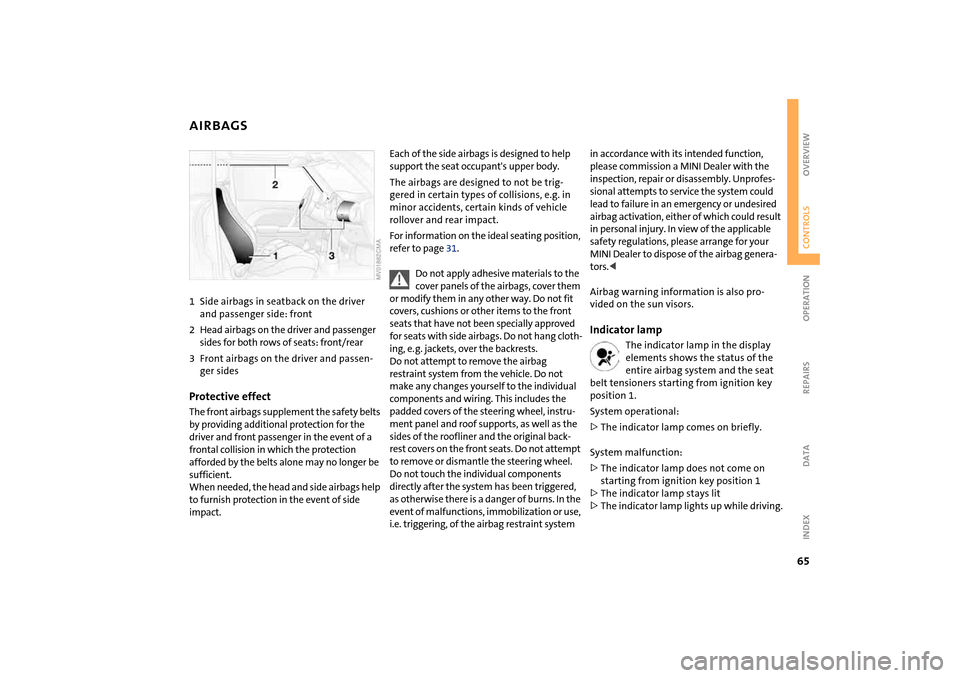
AIRBAGS1Side airbags in seatback on the driver
and passenger side: front
2Head airbags on the driver and passenger
sides for both rows of seats: front/rear
3Front airbags on the driver and passen-
ger sidesProtective effectThe front airbags supplement the safety belts
by providing additional protection for the
driver and front passenger in the event of a
frontal collision in which the protection
afforded by the belts alone may no longer be
sufficient.
When needed, the head and side airbags help
to furnish protection in the event of side
impact.
Each of the side airbags is designed to help
support the seat occupant's upper body.
The airbags are designed to not be trig-
gered in certain types of collisions, e.g. in
minor accidents, certain kinds of vehicle
rollover and rear impact.
For information on the ideal seating position,
refer to page 31.
Do not apply adhesive materials to the
cover panels of the airbags, cover them
or modify them in any other way. Do not fit
covers, cushions or other items to the front
seats that have not been specially approved
for seats with side airbags. Do not hang cloth-
ing, e. g. jackets, over the backrests.
Do not attempt to remove the airbag
restraint system from the vehicle. Do not
make any changes yourself to the individual
components and wiring. This includes the
padded covers of the steering wheel, instru-
ment panel and roof supports, as well as the
sides of the roofliner and the original back-
rest covers on the front seats. Do not attempt
to remove or dismantle the steering wheel.
Do not touch the individual components
directly after the system has been triggered,
as otherwise there is a danger of burns. In the
event of malfunctions, immobilization or use,
i.e. triggering, of the airbag restraint system
in accordance with its intended function,
please commission a MINI Dealer with the
inspection, repair or disassembly. Unprofes-
sional attempts to service the system could
lead to failure in an emergency or undesired
airbag activation, either of which could result
in personal injury. In view of the applicable
safety regulations, please arrange for your
MINI Dealer to dispose of the airbag genera-
tors.<
Airbag warning information is also pro-
vided on the sun visors.Indicator lamp
The indicator lamp in the display
elements shows the status of the
entire airbag system and the seat
belt tensioners starting from ignition key
position 1.
System operational:
>The indicator lamp comes on briefly.
System malfunction:
>The indicator lamp does not come on
starting from ignition key position 1
>The indicator lamp stays lit
>The indicator lamp lights up while driving.
Page 70 of 152
68
AIR CONDITIONING SYSTEM
*
Air supply
You can select blower speeds
from 1 to 4. Position 0: fan is
turned off. The button for recir-
culated air mode fully blocks the
supply of air from outside.
Heating and ventilation operate as of
position 1.
Temperature
Turn to the right, red, to increase
the temperature of the passen-
ger compartment.
Rapid heating: turn to the
extreme right. Then select a pleasant inte-
rior temperature.
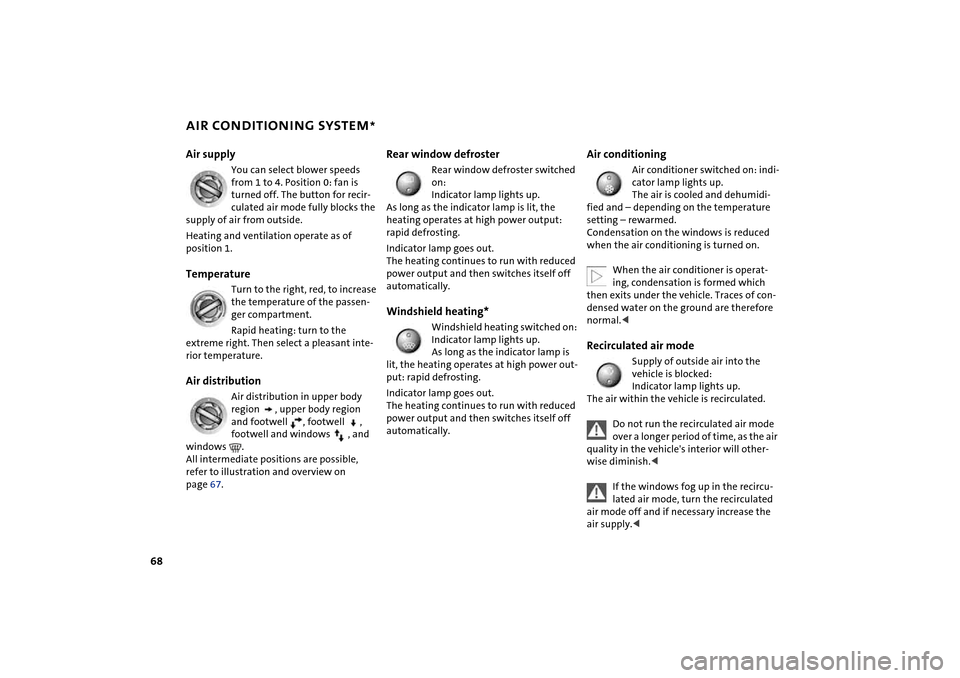
Air distribution
Air distribution in upper body
region , upper body region
and footwell , footwell ,
footwell and windows , and
windows .
All intermediate positions are possible,
refer to illustration and overview on
page 67.
Rear window defroster
Rear window defroster switched
on:
Indicator lamp lights up.
As long as the indicator lamp is lit, the
heating operates at high power output:
rapid defrosting.
Indicator lamp goes out.
The heating continues to run with reduced
power output and then switches itself off
automatically.
Windshield heating*
Windshield heating switched on:
Indicator lamp lights up.
As long as the indicator lamp is
lit, the heating operates at high power out-
put: rapid defrosting.
Indicator lamp goes out.
The heating continues to run with reduced
power output and then switches itself off
automatically.
Air conditioning
Air conditioner switched on: indi-
cator lamp lights up.
The air is cooled and dehumidi-
fied and – depending on the temperature
setting – rewarmed.
Condensation on the windows is reduced
when the air conditioning is turned on.
When the air conditioner is operat-
ing, condensation is formed which
then exits under the vehicle. Traces of con-
densed water on the ground are therefore
normal.<
Recirculated air mode
Supply of outside air into the
vehicle is blocked:
Indicator lamp lights up.
The air within the vehicle is recirculated.
Do not run the recirculated air mode
over a longer period of time, as the air
quality in the vehicle's interior will other-
wise diminish.<
If the windows fog up in the recircu-
lated air mode, turn the recirculated
air mode off and if necessary increase the
air supply.<
Page 73 of 152
71
OVERVIEW REPAIRS OPERATIONCONTROLS DATA INDEX
AUTOMATIC CLIMATE CONTROL
*
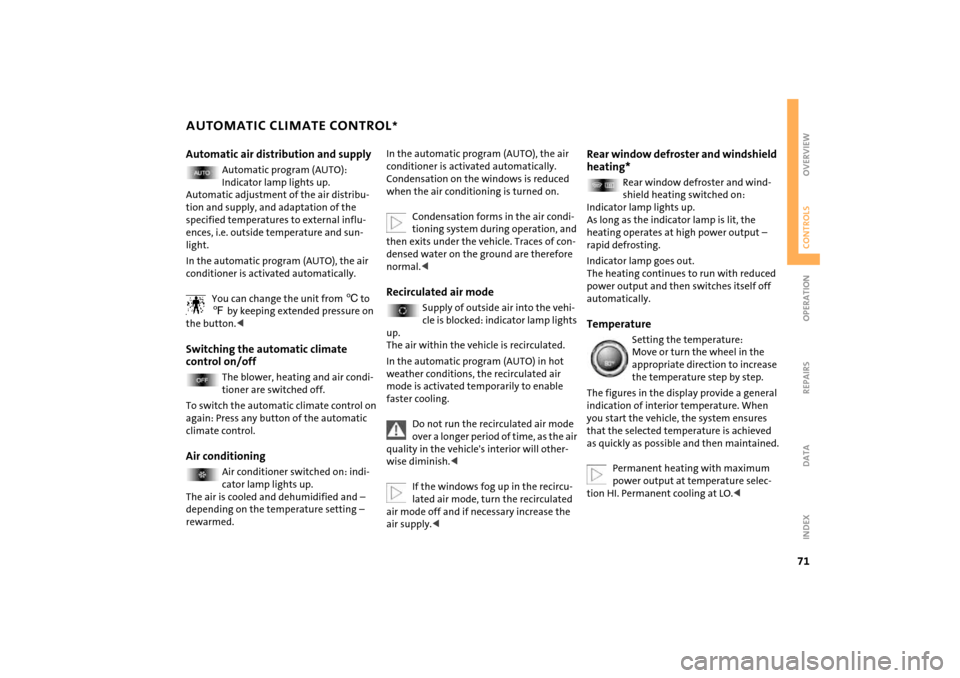
Automatic air distribution and supply
Automatic program (AUTO):
Indicator lamp lights up.
Automatic adjustment of the air distribu-
tion and supply, and adaptation of the
specified temperatures to external influ-
ences, i.e. outside temperature and sun-
light.
In the automatic program (AUTO), the air
conditioner is activated automatically.
You can change the unit from 6 to
7 by keeping extended pressure on
the button.<
Switching the automatic climate
control on/off
The blower, heating and air condi-
tioner are switched off.
To switch the automatic climate control on
again: Press any button of the automatic
climate control.
Air conditioning
Air conditioner switched on: indi-
cator lamp lights up.
The air is cooled and dehumidified and –
depending on the temperature setting –
rewarmed.
In the automatic program (AUTO), the air
conditioner is activated automatically.
Condensation on the windows is reduced
when the air conditioning is turned on.
Condensation forms in the air condi-
tioning system during operation, and
then exits under the vehicle. Traces of con-
densed water on the ground are therefore
normal.
cle is blocked: indicator lamp lights
up.
The air within the vehicle is recirculated.
In the automatic program (AUTO) in hot
weather conditions, the recirculated air
mode is activated temporarily to enable
faster cooling.
Do not run the recirculated air mode
over a longer period of time, as the air
quality in the vehicle's interior will other-
wise diminish.<
If the windows fog up in the recircu-
lated air mode, turn the recirculated
air mode off and if necessary increase the
air supply.<
Rear window defroster and windshield
heating*
Rear window defroster and wind-
shield heating switched on:
Indicator lamp lights up.
As long as the indicator lamp is lit, the
heating operates at high power output –
rapid defrosting.
Indicator lamp goes out.
The heating continues to run with reduced
power output and then switches itself off
automatically.
Temperature
Setting the temperature:
Move or turn the wheel in the
appropriate direction to increase
the temperature step by step.
The figures in the display provide a general
indication of interior temperature. When
you start the vehicle, the system ensures
that the selected temperature is achieved
as quickly as possible and then maintained.
Permanent heating with maximum
power output at temperature selec-
tion HI. Permanent cooling at LO.<
Page 76 of 152

74
ASHTRAY, DRINKS HOLDERS CIGARETTE LIGHTER, 12 V POWER SUPPLY AshtrayThe ashtray is located in one of the bever-
age holders in the center console.
In the rear, an ashtray can also be fitted in
the beverage holder at the end of the cen-
ter console.Beverage holders There are two beverage holders at the front
of the center console. Another is located at
the end of the center console in the rear.
From ignition key position 1:
Press the cigarette lighter in.
Remove as soon as the lighter jumps back
out.
Hold or touch the hot cigarette
lighter by the knob only. Holding or
touching it in other areas could result in
burns.
flashlights, car vacuum cleaners, etc., up to
a rating of approx. 200 watts at 12 volts.
Avoid damaging the socket with plugs of
different shapes or sizes.
A second 12 V socket is on the left-hand
side of the cargo area.
When the vehicle is equipped with a MINI
Mobility System, the 12 V socket is also for
supplying the compressor.
Page 88 of 152
86
BRAKE SYSTEMBrake fluid levelIf the brake fluid level is too low and brake
pedal travel has become longer, there may
be a defect in one of the brake system's
hydraulic circuits.
Proceed to the nearest MINI Dealer.
Higher brake application pressure
may be necessary under these conditions,
there may be a slight pull to one side, and
brake pedal travel may be longer. Please
remember to adapt your driving style
accordingly.
vehicle is not used at all, and in operating
conditions where brake applications are
less frequent, there is an increased ten-
dency for corrosion of the brake rotors and
accumulation of contamination on the
brake pads. This occurs because the mini-
mal pressure that must be exerted by the
pads to clean the rotors by brake applica-
tions is not reached.
Corrosion on brake rotors is signaled by a
running or pulsation during braking; even
extended subsequent braking will not cure
this phenomenon.
It is a good idea to periodically dry the
brakes with a gentle application when driv-
ing in rain and on wet roads. Monitor traffic
conditions to ensure that this maneuver
does not endanger other road users. The
resulting heat dries the brake rotor and the
brake pads. Then if braking effect is
needed, it is immediately available.
Extended or steep mountain descents
should be driven in the gear or in the driv-
ing position in which only minimal periodic
brake application is required. This helps
avoid placing excessive loads on the brake
system. Stay within the allowable speed
range, refer to page 54.
Do not coast with the clutch pressed
or with the transmission or selector
lever in Neutral. Do not coast with the
engine switched off. The engine provides
no braking effect when the transmission is
in Neutral, and there is no power-assist for
braking when the engine is switched off.<
Brake padsBrake pad sensors in the left brake pads of
the front axle and in the right brake pads of
the rear axle monitor the brake pad condi-
tion. When the brake pads reach the wear
limit, the brake wear warning lights up,
refer to page 16.
For your own safety: use brake pads
which the manufacturer of your MINI
has approved for your particular vehicle
model. The manufacturer of your MINI can-
not evaluate non-approved brake pads to
determine if they are suitable for use, and
therefore cannot ensure the operating
safety of the vehicle in the event of their
use.<
Page 145 of 152
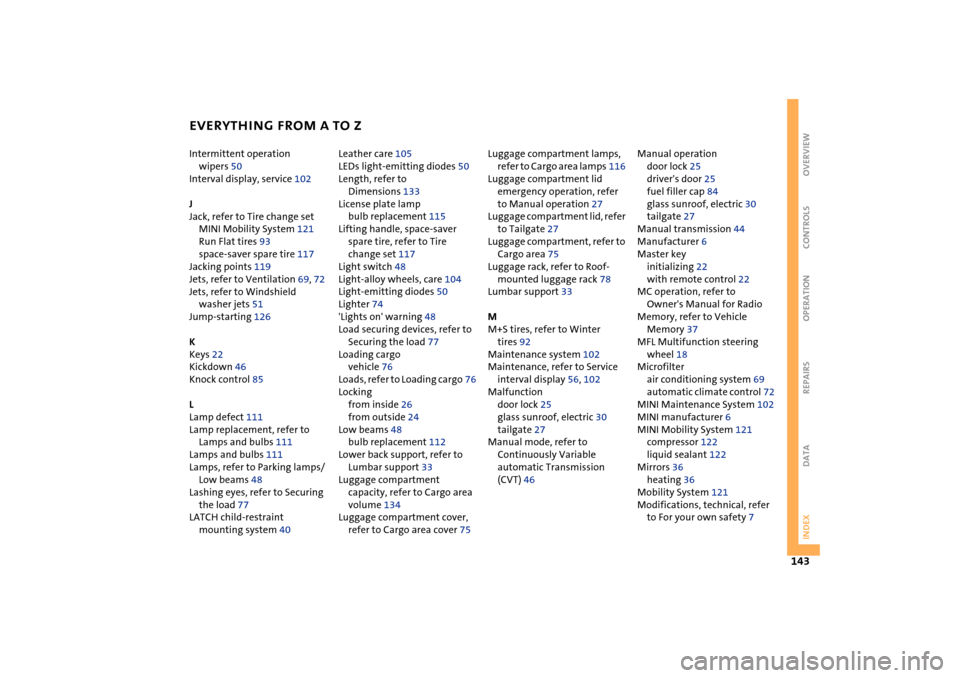
EVERYTHING FROM A TO Z
143
OVERVIEW REPAIRS OPERATION CONTROLS DATA INDEX
Intermittent operation
wipers 50
Interval display, service 102
J
Jack, refer to Tire change set
MINI Mobility System 121
Run Flat tires 93
space-saver spare tire 117
Jacking points 119
Jets, refer to Ventilation 69, 72
Jets, refer to Windshield
washer jets 51
Jump-starting 126
K
Keys 22
Kickdown 46
Knock control 85
L
Lamp defect 111
Lamp replacement, refer to
Lamps and bulbs 111
Lamps and bulbs 111
Lamps, refer to Parking lamps/
Low beams 48
Lashing eyes, refer to Securing
the load 77
LATCH child-restraint
mounting system 40 Leather care 105
LEDs light-emitting diodes 50
Length, refer to
Dimensions 133
License plate lamp
bulb replacement 115
Lifting handle, space-saver
spare tire, refer to Tire
change set 117
Light switch 48
Light-alloy wheels, care 104
Light-emitting diodes 50
Lighter 74
'Lights on' warning 48
Load securing devices, refer to
Securing the load 77
Loading cargo
vehicle 76
Loads, refer to Loading cargo 76
Locking
from inside 26
from outside 24
Low beams 48
bulb replacement 112
Lower back support, refer to
Lumbar support 33
Luggage compartment
capacity, refer to Cargo area
volume 134
Luggage compartment cover,
refer to Cargo area cover 75 Luggage compartment lamps,
refer to Cargo area lamps 116
Luggage compartment lid
emergency operation, refer
to Manual operation 27
Luggage compartment lid, refer
to Tailgate 27
Luggage compartment, refer to
Cargo area 75
Luggage rack, refer to Roof-
mounted luggage rack 78
Lumbar support 33
M
M+S tires, refer to Winter
tires 92
Maintenance system 102
Maintenance, refer to Service
interval display 56, 102
Malfunction
door lock 25
glass sunroof, electric 30
tailgate 27
Manual mode, refer to
Continuously Variable
automatic Transmission
(CVT) 46 Manual operation
door lock 25
driver's door 25
fuel filler cap 84
glass sunroof, electric 30
tailgate 27
Manual transmission 44
Manufacturer 6
Master key
initializing 22
with remote control 22
MC operation, refer to
Owner's Manual for Radio
Memory, refer to Vehicle
Memory 37
MFL Multifunction steering
wheel 18
Microfilter
air conditioning system 69
automatic climate control 72
MINI Maintenance System 102
MINI manufacturer 6
MINI Mobility System 121
compressor 122
liquid sealant 122
Mirrors 36
heating 36
Mobility System 121
Modifications, technical, refer
to For your own safety 7