battery MINI Hardtop 2 Door 2010 (Mini Connected) User Guide
[x] Cancel search | Manufacturer: MINI, Model Year: 2010, Model line: Hardtop 2 Door, Model: MINI Hardtop 2 Door 2010Pages: 230, PDF Size: 4.02 MB
Page 91 of 230
MOBILITYAT A GLANCE CONTROLS DRIVING TIPS ENTERTAINMENT
89
NAVIGATION REFERENCE
Switching off
Press the lever up or down to the pressure point.
Fog lamps*
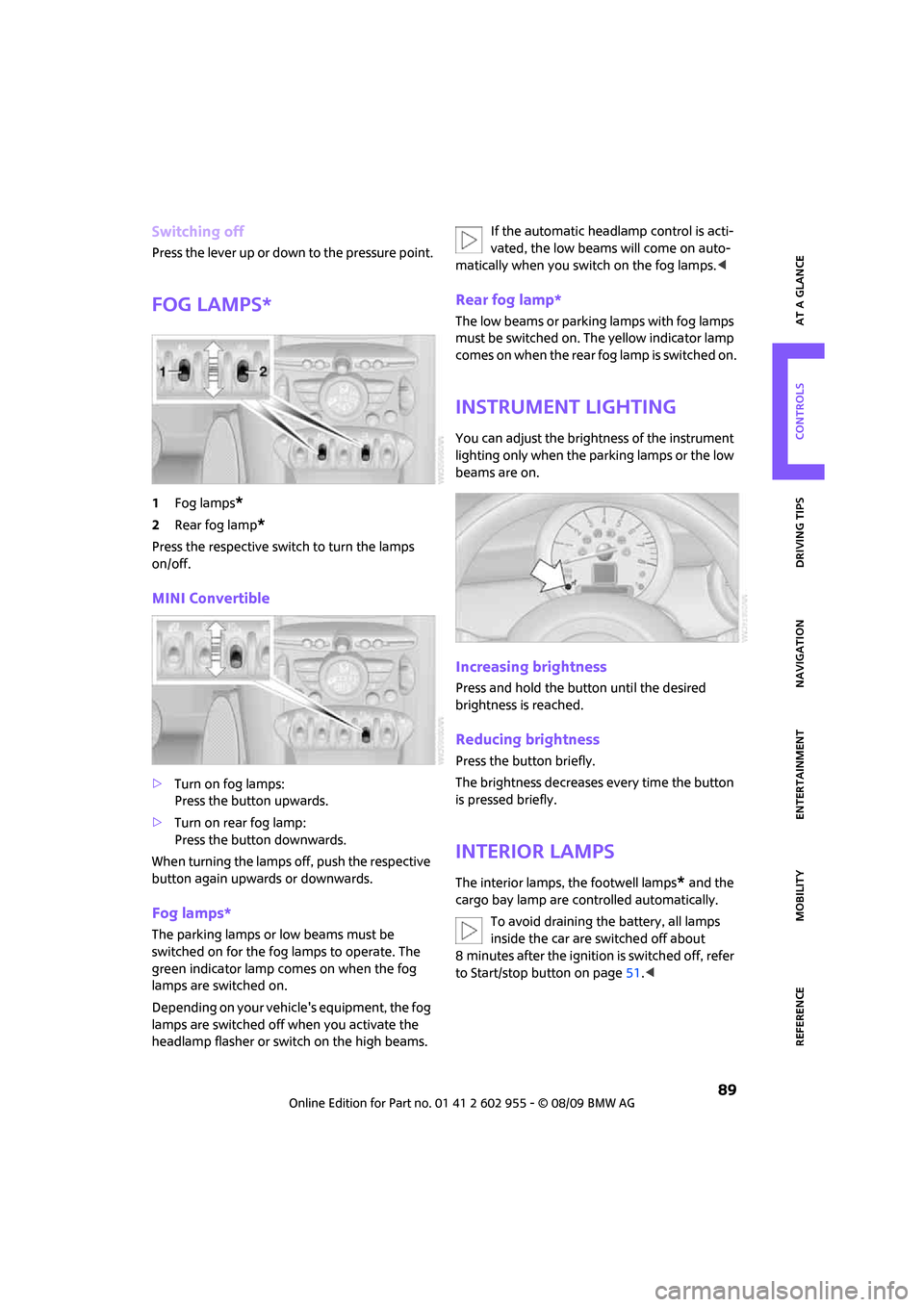
1Fog lamps*
2Rear fog lamp*
Press the respective switch to turn the lamps
on/off.
MINI Convertible
>Turn on fog lamps:
Press the button upwards.
>Turn on rear fog lamp:
Press the button downwards.
When turning the lamps off, push the respective
button again upwards or downwards.
Fog lamps*
The parking lamps or low beams must be
switched on for the fog lamps to operate. The
green indicator lamp comes on when the fog
lamps are switched on.
Depending on your vehicle's equipment, the fog
lamps are switched off when you activate the
headlamp flasher or switch on the high beams.If the automatic headlamp control is acti-
vated, the low beams will come on auto-
matically when you switch on the fog lamps.<
Rear fog lamp*
The low beams or parking lamps with fog lamps
must be switched on. The yellow indicator lamp
comes on when the rear fog lamp is switched on.
Instrument lighting
You can adjust the brightness of the instrument
lighting only when the parking lamps or the low
beams are on.
Increasing brightness
Press and hold the button until the desired
brightness is reached.
Reducing brightness
Press the button briefly.
The brightness decreases every time the button
is pressed briefly.
Interior lamps
The interior lamps, the footwell lamps* and the
cargo bay lamp are controlled automatically.
To avoid draining the battery, all lamps
inside the car are switched off about
8 minutes after the ignition is switched off, refer
to Start/stop button on page51.<
Page 94 of 230
Climate
92
Automatic climate
control
Comfortable interior climate
AUTO program6 offers the ideal air distribution
and air flow rate for almost all conditions, refer
to AUTO program below. All you need to do is
select an interior temperature which is comfort-
able for you.
The following sections inform you in detail about
how to adjust the settings.
Most settings are stored for the remote control
currently in use, refer also to Personal Profile set-
tings on page26.
Air flow rate, manual
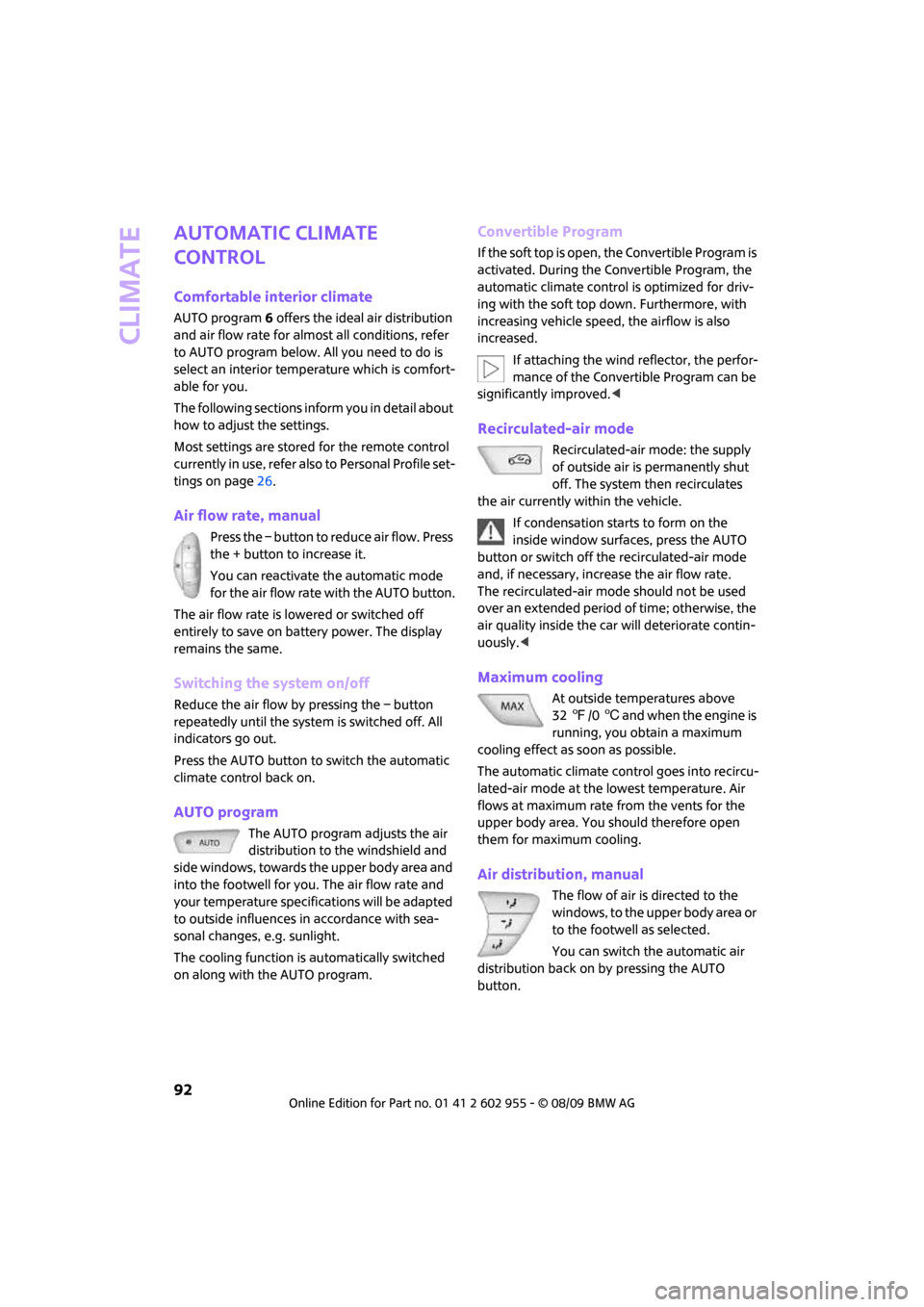
Press the – button to reduce air flow. Press
the + button to increase it.
You can reactivate the automatic mode
for the air flow rate with the AUTO button.
The air flow rate is lowered or switched off
entirely to save on battery power. The display
remains the same.
Switching the system on/off
Reduce the air flow by pressing the – button
repeatedly until the system is switched off. All
indicators go out.
Press the AUTO button to switch the automatic
climate control back on.
AUTO program
The AUTO program adjusts the air
distribution to the windshield and
side windows, towards the upper body area and
into the footwell for you. The air flow rate and
your temperature specifications will be adapted
to outside influences in accordance with sea-
sonal changes, e.g. sunlight.
The cooling function is automatically switched
on along with the AUTO program.
Convertible Program
If the soft top is open, the Convertible Program is
activated. During the Convertible Program, the
automatic climate control is optimized for driv-
ing with the soft top down. Furthermore, with
increasing vehicle speed, the airflow is also
increased.
If attaching the wind reflector, the perfor-
mance of the Convertible Program can be
significantly improved.<
Recirculated-air mode
Recirculated-air mode: the supply
of outside air is permanently shut
off. The system then recirculates
the air currently within the vehicle.
If condensation starts to form on the
inside window surfaces, press the AUTO
button or switch off the recirculated-air mode
and, if necessary, increase the air flow rate.
The recirculated-air mode should not be used
over an extended period of time; otherwise, the
air quality inside the car will deteriorate contin-
uously.<
Maximum cooling
At outside temperatures above
327/06 and when the engine is
running, you obtain a maximum
cooling effect as soon as possible.
The automatic climate control goes into recircu-
lated-air mode at the lowest temperature. Air
flows at maximum rate from the vents for the
upper body area. You should therefore open
them for maximum cooling.
Air distribution, manual
The flow of air is directed to the
windows, to the upper body area or
to the footwell as selected.
You can switch the automatic air
distribution back on by pressing the AUTO
button.
Page 137 of 230
MOBILITYAT A GLANCE CONTROLS DRIVING TIPS ENTERTAINMENT
135
NAVIGATION REFERENCE
What to do if …
What to do if …
>a navigation DVD is inserted, but an instruc-
tion to insert the DVD appears on the Control
Display?
The navigation DVD may not be the correct
DVD for the navigation system. This infor-
mation is indicated on the DVD label.
>you request the current position of your
vehicle, but do not receive a precise display?
The system is unable to receive enough GPS
signals at your current position due to
obstructions, your current position is not yet
available on your navigation DVD, or the sys-
tem is in the process of calculating your cur-
rent position. As a rule, reception is guaran-
teed when you are in the open.
>the destination guidance does not accept a
destination?
The data of the destination is not stored on
the navigation DVD that is loaded. Choose a
destination as close as possible to the origi-
nal one.
>the destination guidance does not accept an
address without the street name?
On the navigation DVD, no downtown area
can be determined for the city or town
entered. Enter any street, or a destination
such as the railway station in the selected
town, and then start the destination
guidance.
>you want to enter a destination for the des-
tination guidance, but it is not possible to
select the letters for your desired entry?
The data of the destination is not stored on
the navigation DVD that is loaded. In this
case, the system will not offer you any letters
to choose from. Choose a destination as
close as possible to the original one.
>the system stops furnishing directions on
which way to turn as you approach intersec-
tions?
You are driving in an area that has not yet
been completely recorded on the navigation
DVD. Instead of an arrow indicating a turn, you will see an arrow which indicates the
general direction of your planned route. Or
you have left the recommended route and
the system requires a few seconds to calcu-
late a new recommended route.
>the navigation system does not react to
entries?
If the battery was disconnected, it takes
about 10 minutes before the system is once
again operational.
Page 179 of 230

MOBILITYAT A GLANCE CONTROLS DRIVING TIPS ENTERTAINMENT
177
NAVIGATION REFERENCE
Important parts of the engine compartment
1Battery, under the cover197
2Engine oil dipstick177
3Engine oil filler neck1784Coolant expansion tank178
5Reservoir for washer fluid for the headlamp
and window washer system57
6Engine compartment fuse box195
Engine oil
The engine oil consumption is dependent on
driving style and driving conditions.
Checking engine oil level
1.With the vehicle's engine at normal operat-
ing temperature, i.e. after uninterrupted
driving for at least 6 miles/10 km, park the
vehicle on a level surface.
2.Switch off the engine.
3.Pull the dipstick out after approx. 5 minutes
and wipe it off with a lint-free cloth, paper
towel or similar material.
4.Carefully push the dipstick all the way into
the guide tube and pull it out again.
The oil level should be between the two
marks on the dipstick.The oil quantity corresponding to the difference
between the two marks on the dipstick is 1 US
quart/1 liter.
Do not fill beyond the upper mark on the
dipstick. Excess oil will damage the
engine.<
Page 197 of 230
MOBILITYAT A GLANCE CONTROLS DRIVING TIPS ENTERTAINMENT
195
NAVIGATION REFERENCE
Vehicle battery
Maintenance
The battery is 100 % maintenance-free, the
electrolyte will last for the life of the battery
when the vehicle is operated in a temperate
climate.
Battery replacement
Only use vehicle batteries that have been
approved for your vehicle by the manu-
facturer; otherwise, the vehicle could be dam-
aged and systems or functions may not be fully
available.<
After a battery replacement, have the battery
registered on the vehicle by your dealer to
ensure that all comfort functions are fully
available.
Charging the battery
Only charge the battery in the vehicle when the
engine is off. Connections, refer to Jump-start-
ing on page196.
Disposal
After replacing old batteries, return the
used batteries to your MINI dealer or to a
recycling point. Maintain the battery in an
upright position for transport and storage.
Always secure the battery against tipping over
during transport.<
Power failure
After a temporary power loss, some equipment
may not be fully functional and may require ini-
tialization. Individual settings are also lost and
must be reprogrammed:
>Time and date
These values must be updated, page68.
>Radio
In some cases, stations may have to be
stored again, page143.
>Navigation system
Operability must be waited for, page112.>Glass sunroof
*, electric
It may only be possible to raise the sunroof,
if applicable. The system must be initialized.
Contact your nearest MINI dealer.
Fuses
Do not attempt to repair a blown fuse or
replace it with a fuse of a different color or
Ampere rating. To do this could cause a fire in
the vehicle resulting from a circuit overload.
Have the fuse changed only by a MINI dealer or
a workshop that has specially trained personnel
working in accordance with the specifications of
the MINI manufacturer.<
A fuse allocation diagram is located on the inside
of the fuse box cover panels.
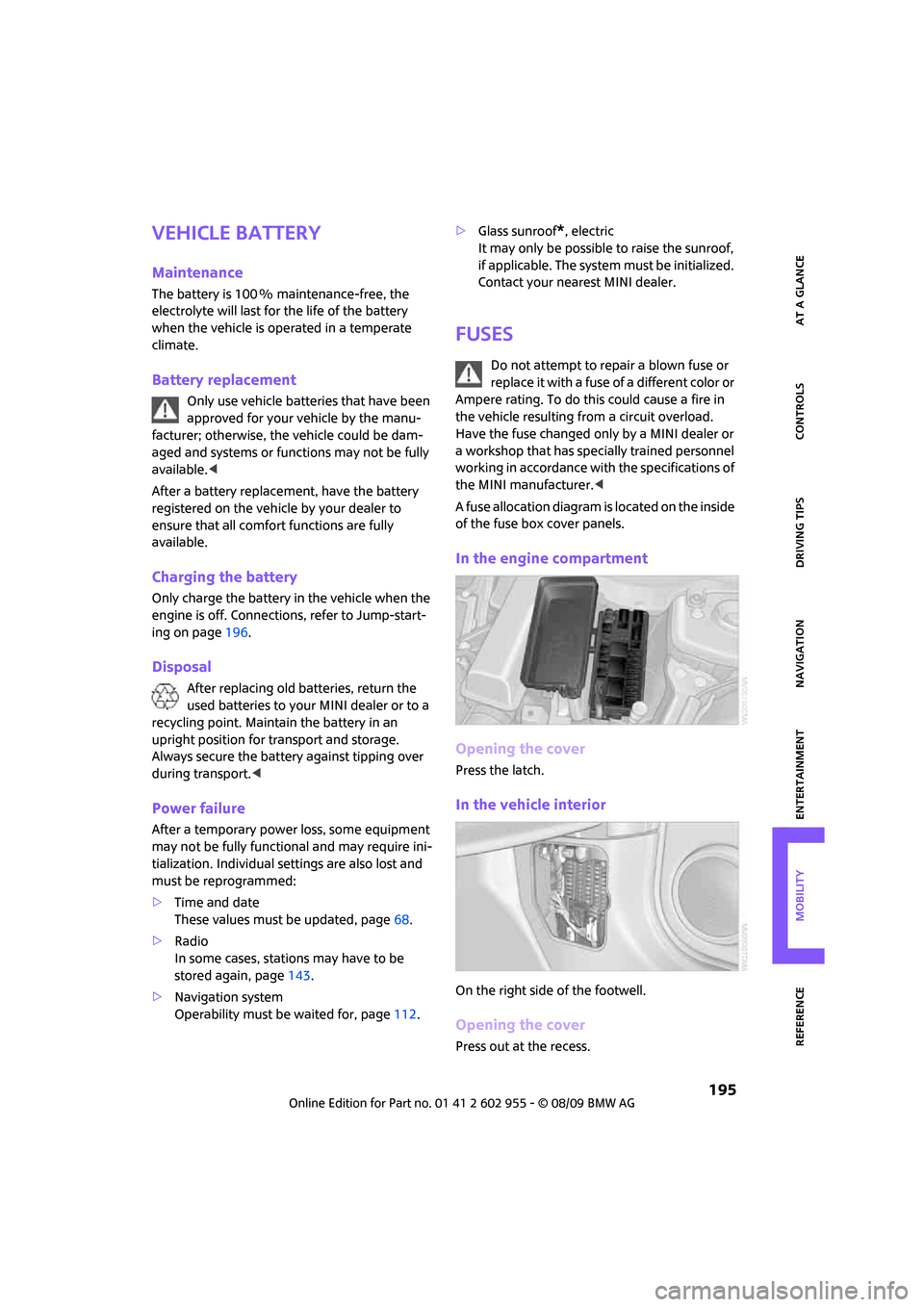
In the engine compartment
Opening the cover
Press the latch.
In the vehicle interior
On the right side of the footwell.
Opening the cover
Press out at the recess.
Page 198 of 230

Giving and receiving assistance
196
Giving and receiving assistance
Roadside Assistance
The Roadside Assistance service is there to assist
you around the clock in the event of a break-
down, including on weekends and public
holidays.
The phone numbers of the Roadside Assistance
in your home country can be found in the Con-
tact brochure.
First aid pouch*
Some of the articles contained in the first aid
pouch have a limited service life. Therefore,
check the expiration dates of the contents regu-
larly and replace any items in good time, if nec-
essary.
By way of example, the illustration shows the
cargo bay in the MINI.
The first aid pouch is located on the cargo bay
floor by the left side trim panel.
Warning triangle*
MINI
On the inside of the tailgate.
Press the tab to take it out.
MINI Convertible
The warning triangle is located at the bottom of
the luggage compartment floor.
Jump-starting
If the car's own battery is flat, your MINI's engine
can be started by connecting two jumper cables
to another vehicle's battery. You can also use
the same method to help start another vehicle.
Only use jumper cables with fully-insulated
clamp handles.
Do not touch any electrically live parts
when the engine is running, or a fatal acci-
dent may occur. Carefully adhere to the follow-
ing sequence, both to prevent damage to one or
both vehicles, and to guard against possible per-
sonal injuries.<
Preparation
1.Check whether the battery of the other vehi-
cle has a voltage of 12 volts and approxi-
mately the same capacitance in Ah. This
information can be found on the battery.
2.Switch off the engine of the support vehicle.
3.Switch off any consumers in both vehicles.
Page 199 of 230
MOBILITYAT A GLANCE CONTROLS DRIVING TIPS ENTERTAINMENT
197
NAVIGATION REFERENCE
There must not be any contact between
the bodies of the two vehicles; otherwise,
there is a danger of shorting.<
Connecting jumper cables
Connect the jumper cables in the correct
order, so that no sparks which could cause
injury occur.<
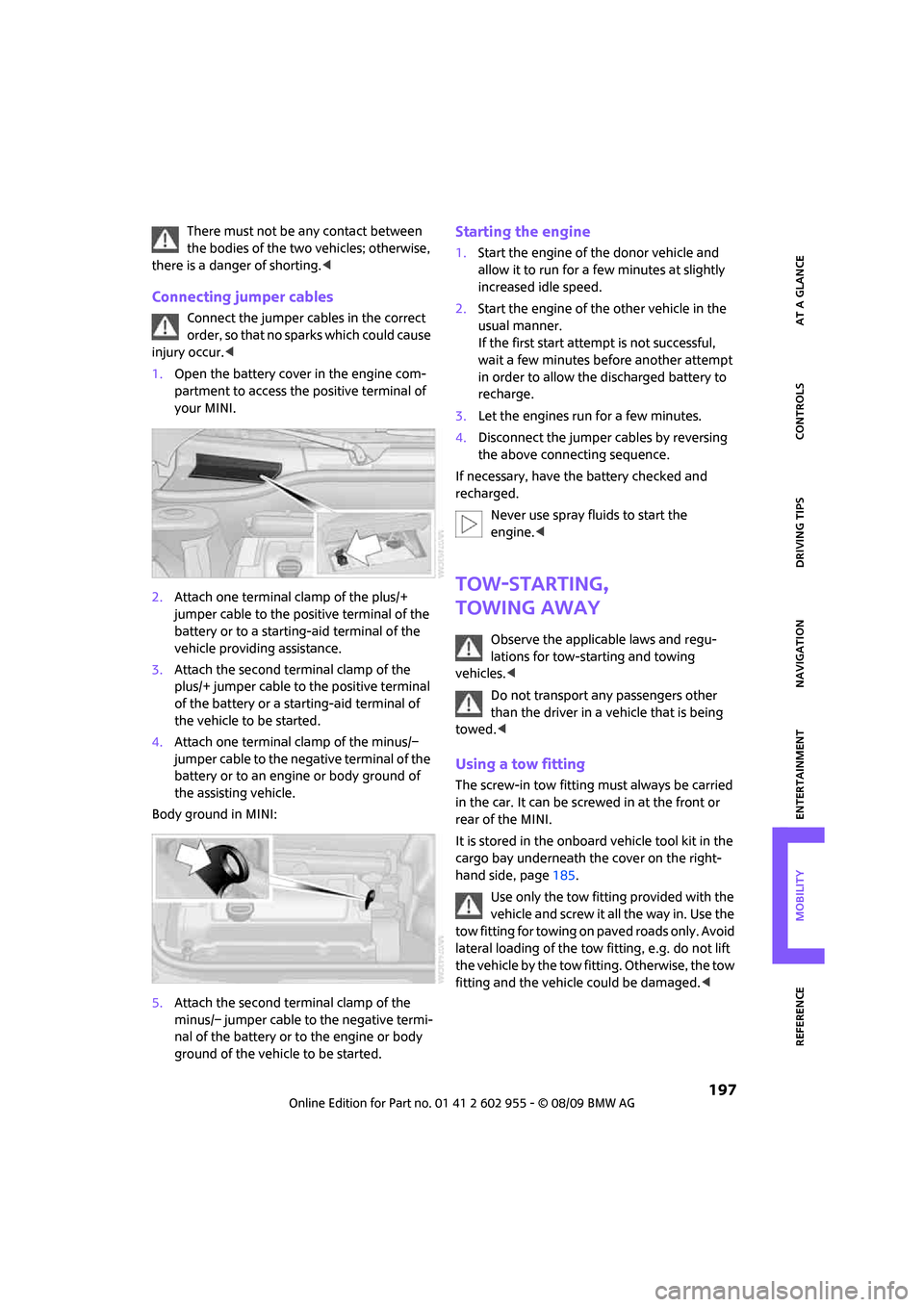
1.Open the battery cover in the engine com-
partment to access the positive terminal of
your MINI.
2.Attach one terminal clamp of the plus/+
jumper cable to the positive terminal of the
battery or to a starting-aid terminal of the
vehicle providing assistance.
3.Attach the second terminal clamp of the
plus/+ jumper cable to the positive terminal
of the battery or a starting-aid terminal of
the vehicle to be started.
4.Attach one terminal clamp of the minus/–
jumper cable to the negative terminal of the
battery or to an engine or body ground of
the assisting vehicle.
Body ground in MINI:
5.Attach the second terminal clamp of the
minus/– jumper cable to the negative termi-
nal of the battery or to the engine or body
ground of the vehicle to be started.
Starting the engine
1.Start the engine of the donor vehicle and
allow it to run for a few minutes at slightly
increased idle speed.
2.Start the engine of the other vehicle in the
usual manner.
If the first start attempt is not successful,
wait a few minutes before another attempt
in order to allow the discharged battery to
recharge.
3.Let the engines run for a few minutes.
4.Disconnect the jumper cables by reversing
the above connecting sequence.
If necessary, have the battery checked and
recharged.
Never use spray fluids to start the
engine.<
Tow-starting,
towing away
Observe the applicable laws and regu-
lations for tow-starting and towing
vehicles.<
Do not transport any passengers other
than the driver in a vehicle that is being
towed.<
Using a tow fitting
The screw-in tow fitting must always be carried
in the car. It can be screwed in at the front or
rear of the MINI.
It is stored in the onboard vehicle tool kit in the
cargo bay underneath the cover on the right-
hand side, page185.
Use only the tow fitting provided with the
vehicle and screw it all the way in. Use the
tow fitting for towing on paved roads only. Avoid
lateral loading of the tow fitting, e.g. do not lift
the vehicle by the tow fitting. Otherwise, the tow
fitting and the vehicle could be damaged.<
Page 215 of 230
213
MOBILITYAT A GLANCE CONTROLS DRIVING TIPS ENTERTAINMENT NAVIGATION REFERENCE
"Avoid highways" in
navigation124
Avoid highways in
navigation124
"Avoid tollroads" in
navigation124
Axle loads, refer to
Weights205
B
Background lighting, refer to
Ambient lighting90
Backrests, refer to Seats42
Backup lamps
– replacing bulb188,189
Balance, tone control139
Band-aids, refer to First aid
pouch196
Bar, refer to Tow-starting,
towing away198
Bass sounds, refer to Tone
control139
Bass sounds, refer to Treble
and bass139
Bass, tone control139
Battery195
– charging195
– disposal35,195
– jump-starting196
– temporary power failure195
Battery renewal
– remote control35
Being towed198
Belt tensioner, refer to Safety
belts45
Belts, refer to Safety belts45
Beverage holders, refer to
Cupholders97
Blower, refer to Air flow rate92
Bonnet176
Bottle holders, refer to
Cupholders97
Brake Assist76
Brake fluid, refer to Service
requirements65Brake lamps
– replacing bulbs189
Brake pads, breaking in102
Brake rotors103
– brakes102
– breaking in102
Brake system102
– breaking in102
– disc brakes103
– MINI Maintenance
System179
Brakes
– ABS76
– breaking in102
– MINI Maintenance
System179
– parking brake52
– service requirements65
Brakes, refer to Braking
safely103
Breakdown service, refer to
Roadside Assistance196
Break-in period
102
Breaking in the clutch102
"Brightness"on the Control
Display74
Bulb changing, refer to Lamps
and bulbs185
Button for starting the
engine51
Buttons on the steering
wheel11
C
California Proposition 65
warning5
Can holders, refer to
Cupholders97
Capacities206
Car battery, refer to Vehicle
battery195
Car care181
"Car Data"63
Car key, refer to Keys/remote
controls26Car phone
– installation location, refer to
Center armrest96
– refer to separate Owner's
Manual
Car radio, refer to Radio141
Car wash, care181
Car washes181
Care181
– car washes181
– car-care products181
– CD/DVD drives184
– external181
– high-pressure washers182
– internal183
– leather183
– manual washing182
– upholstery and fabrics183
– windows182
– wiper blades182
Cargo area
– capacity205
Cargo bay104
– Comfort Access34
– cover104
– lamp89
– opening from outside31
Cargo bay, expanding104
Cargo bay lamp89
Cargo bay lid, refer to
Tailgate31
Cargo loading105
– securing cargo106
– stowing cargo106
– vehicle104
Cargo, securing106
Carpets, care183
Catalytic converter, refer to
Hot exhaust system102
"Categories"147
"CD"138,149
Page 216 of 230
From A to Z
214
CD changer149
– controls138
– fast forward/reverse152
– playing a track151
– random order152
– repeating a track151
– selecting a CD149
– selecting a track150
– switching on/off138
– tone control139
– volume139
CD player149
– controls138
– fast forward/reverse152
– playing a track151
– random order152
– repeating a track151
– selecting a track150
– switching on/off138
– tone control139
– volume139
Center armrest96
Center brake lamp189
Center console, refer to
Around the center
console14
"Central locking"28
Central locking system27
– Comfort Access33
– from inside30
– from outside27
Changing bulbs185
Changing the language on the
Control Display73
Changing the measurement
units on the Control
Display65
Changing wheels192
Chassis number, refer to
Engine compartment177
Check Control70
"Check Control messages"72
Child restraint systems48
Child seats48
Child-restraint fixing system
LATCH49
Chock, folding
– space-saver spare tire192
Chrome parts, care183Chrome parts, refer to
Care181
Cigarette lighter97
Cleaning headlamps57
– washer fluid58
Clock60
– 12h/24h mode
69
– hour signal69
– setting time68
Closing
– from inside30
– from outside27
Clothes hooks97
Cockpit10
Cold start, refer to Starting the
engine52
Comfort Access33
– replacing the battery35
Comfort access
– what to observe before
entering a car wash34
Comfort area, refer to Around
the center console14
Compact disc, refer to
– CD changer149
– CD player149
Compartment for remote
control, refer to Ignition
lock51
Computer61
– displays on Control
Display62
– hour signal69
Condensation, refer to When
the vehicle is parked103
Condition Based Service
CBS179
Configuring settings, refer to
Personal Profile26
Confirmation signals for
vehicle locking/unlocking28
Connecting vacuum cleaner,
refer to Connecting electrical
appliances98
Consumption indicator
– average fuel consumption61
Consumption, refer to Average
fuel consumption61Control Display
– settings64
– switching off/on20
Control Display, refer to
Onboard monitor16
Control stick, refer to Onboard
monitor16
Control unit, refer to Onboard
monitor16
Controls and displays10
Convenient access, refer to
Comfort Access33
Convenient operation
– convertible top30
– windows28
Convenient start, refer to
Starting the engine52
Convertible top37
Coolant178
– checking level178
– filling178
Coolant temperature61
Cooling fluid, refer to
Coolant178
Cooling, maximum92
Copyright2
Country of destination for
navigation115
Cross-hairs in navigation119
Cruise control
– indicator lamp13
Cruising range61
Cupholders97
Curb weight, refer to
Weights205
Current fuel consumption62
"Current position"134
Current position
– displaying134
– entering122
– storing122
D
Dashboard instruments, refer
to Displays12
Dashboard lighting, refer to
Instrument lighting89
Page 217 of 230
215
MOBILITYAT A GLANCE CONTROLS DRIVING TIPS ENTERTAINMENT NAVIGATION REFERENCE
Dashboard, refer to Cockpit10
Data202
– capacities206
– dimensions203
– engine202
– weights205
Data recorders180
"Date"70
Date
– setting69
– setting format70
"Date format"70
"Daytime running lamps"88
Daytime running lights88
DBC Dynamic Brake Control,
refer to Brake Assist76
Deactivating front passenger
airbags85
Deadlocking, refer to
Locking28
Defect
– door lock30
– fuel filler flap162
Defogging windows93
Defrost position, refer to
Defrosting windows93
Defrosting windows93
Defrosting windows and
removing condensation
– automatic climate control93
Destination address
– deleting123
– entering114,117
Destination for navigation
– destination list121
– entry114
– home address123
– manual entry114,117
– selecting from address
book122
– selecting using
information120
– selecting via map119
– storing122Destination guidance126
– changing specified route124
– displaying route127
– distance and arrival126
– interrupting126
– starting126
– taking detours130
– terminating/continuing126
– voice instructions129
– volume for voice
instructions129
Destination list for navigation
system121
Destinations recently driven
to121
Detour, refer to Driving around
a traffic congestion134
Differential, breaking in102
Digital clock60
Digital radio, refer to HD
Radio144
Dimensions203
Dipstick, engine oil177
Direction instructions, refer to
Voice instructions129
Directional indicators, refer to
Turn signals55
Directory for navigation, refer
to Address book121
Displacement, refer to Engine
data202
Display lighting, refer to
Instrument lighting89
"Display off"20
Display, refer to Onboard
monitor controls16
Displays12
– instrument combination12
– on the Control Display16
Displays and controls10
Displays, care184
Disposal
– of coolant178
– remote control battery35
– vehicle battery195
"Dist. to dest."63Distance remaining to service,
refer to Service
requirements65
Distance warning, refer to Park
Distance Control PDC75
Diving stability control
systems76
Door key, refer to Integrated
key/remote control26
Door lock29
Door lock, confirmation
signals28
"Door locks"28,30
Doors, manual operation30
DOT Quality Grades172
Drinks holders, refer to
Cupholders97
Drive-off assistant, refer to Hill
Assist78
Driving around a traffic
congestion134
Driving dynamics control, refer
to Sport button78
Driving lamps, refer to Parking
lamps/low beams87
Driving notes102
Driving off on inclines, refer to
Hill Assist78
Driving route, refer to
Displaying route127
Driving through water103
Driving tips, refer to Driving
notes102
Dry air, refer to Cooling
function93
DTC Dynamic Traction Control
DTC77
DVD for navigation112
Dynamic Brake Control DBC,
refer to Brake Assist76
Dynamic Stability Control
DSC76
Dynamic Traction Control77
E
Eject button, refer to Buttons
on the CD player138