light MINI Hardtop 2 Door 2015 (Mini Connected) Owner's Guide
[x] Cancel search | Manufacturer: MINI, Model Year: 2015, Model line: Hardtop 2 Door, Model: MINI Hardtop 2 Door 2015Pages: 244, PDF Size: 11.11 MB
Page 79 of 244
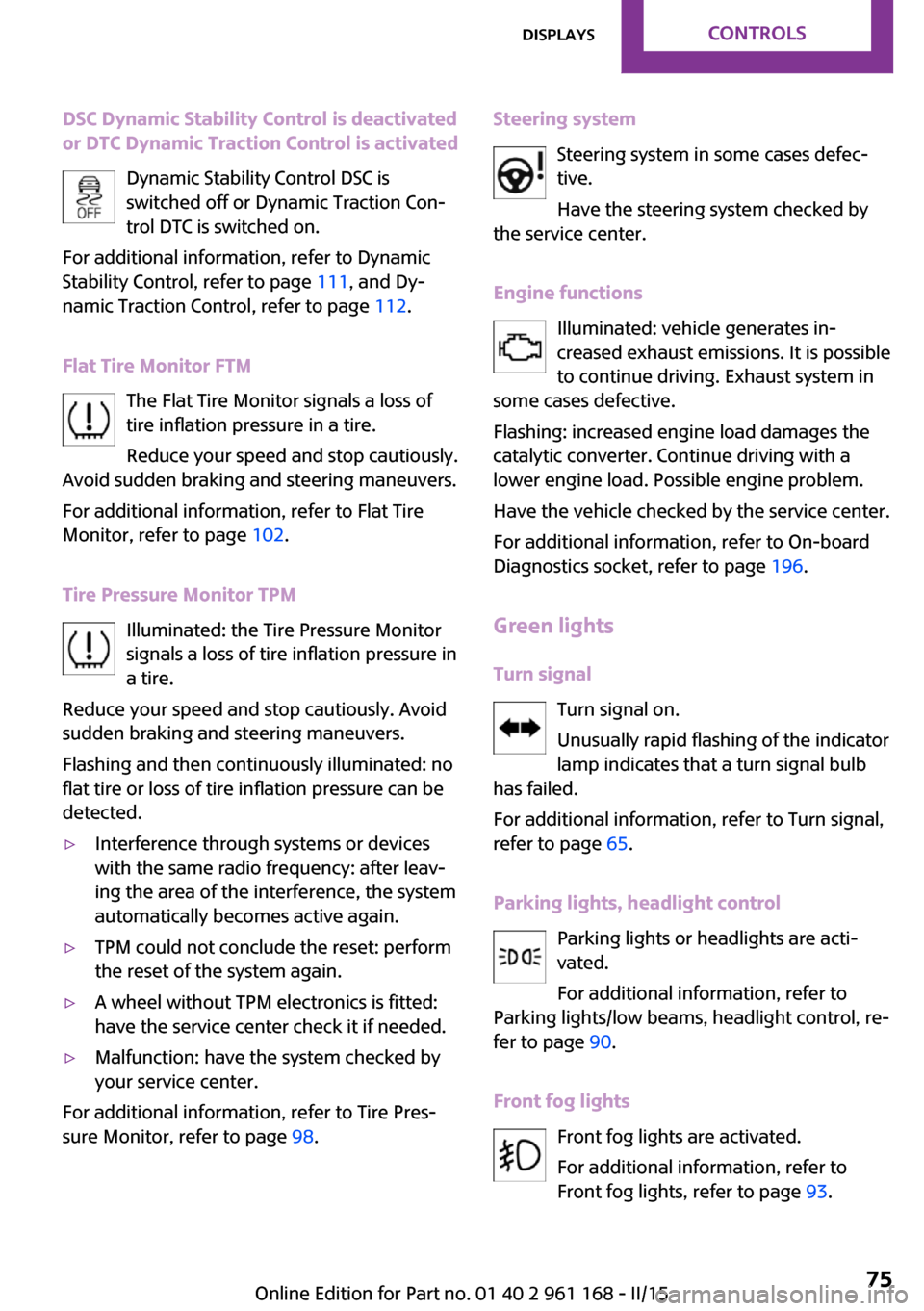
DSC Dynamic Stability Control is deactivated
or DTC Dynamic Traction Control is activated
Dynamic Stability Control DSC is
switched off or Dynamic Traction Con‐
trol DTC is switched on.
For additional information, refer to Dynamic
Stability Control, refer to page 111, and Dy‐
namic Traction Control, refer to page 112.
Flat Tire Monitor FTM The Flat Tire Monitor signals a loss of
tire inflation pressure in a tire.
Reduce your speed and stop cautiously.
Avoid sudden braking and steering maneuvers.
For additional information, refer to Flat Tire
Monitor, refer to page 102.
Tire Pressure Monitor TPM Illuminated: the Tire Pressure Monitor
signals a loss of tire inflation pressure in
a tire.
Reduce your speed and stop cautiously. Avoid
sudden braking and steering maneuvers.
Flashing and then continuously illuminated: no
flat tire or loss of tire inflation pressure can be
detected.▷Interference through systems or devices
with the same radio frequency: after leav‐
ing the area of the interference, the system
automatically becomes active again.▷TPM could not conclude the reset: perform
the reset of the system again.▷A wheel without TPM electronics is fitted:
have the service center check it if needed.▷Malfunction: have the system checked by
your service center.
For additional information, refer to Tire Pres‐
sure Monitor, refer to page 98.
Steering system
Steering system in some cases defec‐tive.
Have the steering system checked by
the service center.
Engine functions Illuminated: vehicle generates in‐
creased exhaust emissions. It is possible
to continue driving. Exhaust system in
some cases defective.
Flashing: increased engine load damages the
catalytic converter. Continue driving with a
lower engine load. Possible engine problem.
Have the vehicle checked by the service center.
For additional information, refer to On-board
Diagnostics socket, refer to page 196.
Green lights
Turn signal Turn signal on.
Unusually rapid flashing of the indicator
lamp indicates that a turn signal bulb
has failed.
For additional information, refer to Turn signal,
refer to page 65.
Parking lights, headlight control Parking lights or headlights are acti‐
vated.
For additional information, refer to
Parking lights/low beams, headlight control, re‐
fer to page 90.
Front fog lights Front fog lights are activated.
For additional information, refer to
Front fog lights, refer to page 93.Seite 75DisplaysCONTROLS75
Online Edition for Part no. 01 40 2 961 168 - II/15
Page 80 of 244

High-beam AssistantHigh-beam Assistant is switched on.
High beams are activated and off auto‐
matically as a function of the traffic sit‐
uation.
For additional information, refer to High-beam
Assistant, refer to page 92.
Cruise control The system is switched on. It maintains
the speed that was set using the control
elements on the steering wheel.
Blue lights
High beams High beams are activated.
For additional information, refer to High
beams, refer to page 65.
General lamps At least one Check Control message is
displayed or is stored. The symbol is
shown in the display of the instrument
cluster.
Text messages
Text messages in combination with a symbol in
the instrument cluster explain a Check Control
message and the meaning of the indicator and
warning lights.
Supplementary text messages Additional information, such as on the cause of
an error or the required action, can be called up
via Check Control.
With urgent messages the added text will be
automatically displayed on the Control Display.Symbols
Within the supplementary text, the following
functions can be selected independent of the
check control message.▷ Display additional information about
the Check Control message in the
Integrated Owner's Manual.▷ "Service request"
Contact the service partner.▷ "Roadside Assistance"
Contact Roadside Assistance.
Hiding Check Control messages
Press the onboard computer button on the turn
signal lever.
▷Some Check Control messages are dis‐
played continuously and are not cleared
until the malfunction is eliminated. If sev‐
eral malfunctions occur at once, the mes‐
sages are displayed consecutively.
These messages can be faded for approx.
8 seconds. After this time, they are dis‐
played again automatically.▷Other Check Control messages are faded
automatically after approx. 20 seconds.
They are stored and can be displayed again
later.Seite 76CONTROLSDisplays76
Online Edition for Part no. 01 40 2 961 168 - II/15
Page 84 of 244
The system assists the driver and does not re‐
place the human eye. ◀
At a glance
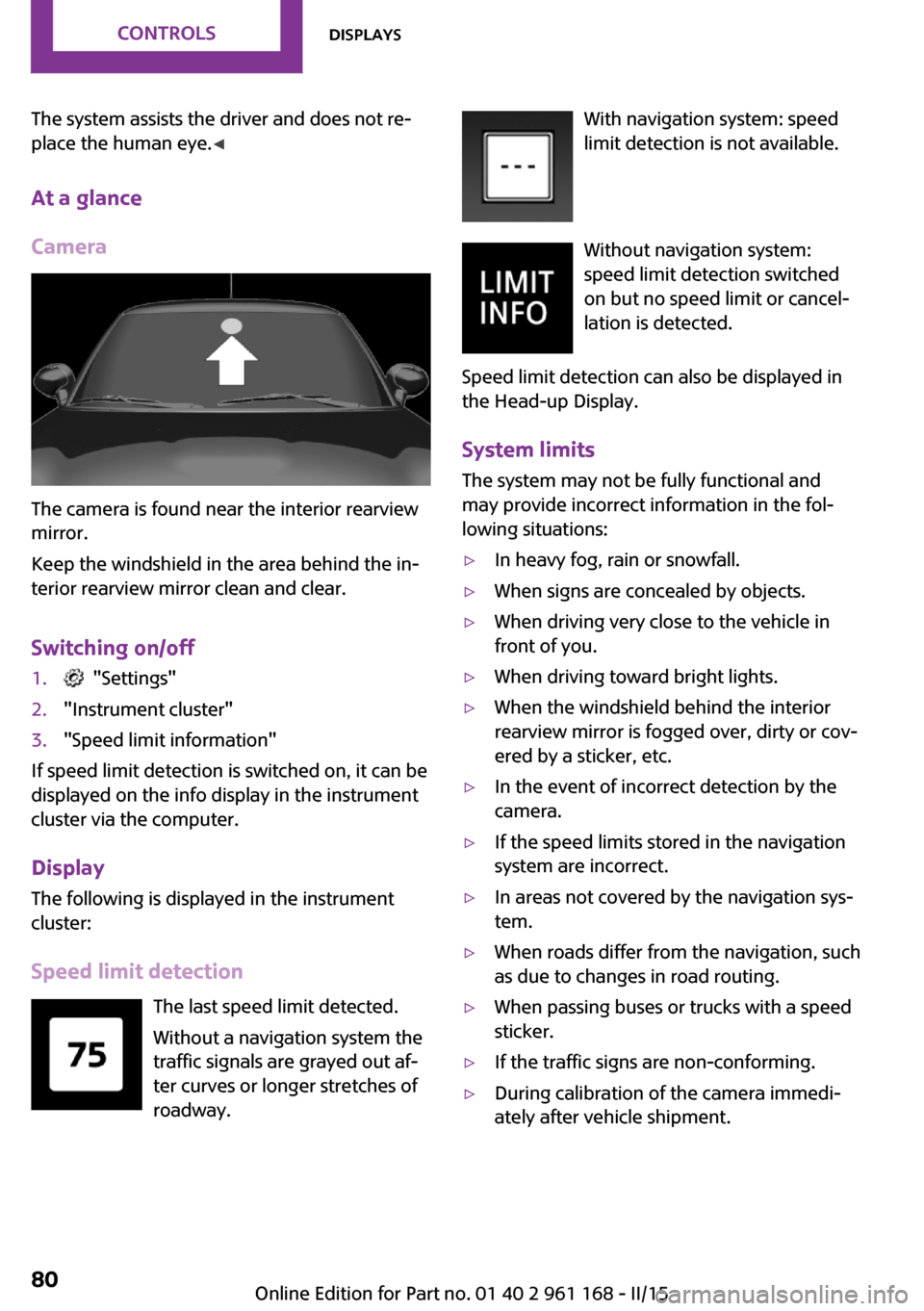
Camera
The camera is found near the interior rearview
mirror.
Keep the windshield in the area behind the in‐
terior rearview mirror clean and clear.
Switching on/off
1. "Settings"2."Instrument cluster"3."Speed limit information"
If speed limit detection is switched on, it can be
displayed on the info display in the instrument
cluster via the computer.
Display The following is displayed in the instrumentcluster:
Speed limit detection The last speed limit detected.Without a navigation system the
traffic signals are grayed out af‐
ter curves or longer stretches of
roadway.
With navigation system: speed
limit detection is not available.
Without navigation system:
speed limit detection switched
on but no speed limit or cancel‐
lation is detected.
Speed limit detection can also be displayed in
the Head-up Display.
System limits The system may not be fully functional and
may provide incorrect information in the fol‐
lowing situations:▷In heavy fog, rain or snowfall.▷When signs are concealed by objects.▷When driving very close to the vehicle in
front of you.▷When driving toward bright lights.▷When the windshield behind the interior
rearview mirror is fogged over, dirty or cov‐
ered by a sticker, etc.▷In the event of incorrect detection by the
camera.▷If the speed limits stored in the navigation
system are incorrect.▷In areas not covered by the navigation sys‐
tem.▷When roads differ from the navigation, such
as due to changes in road routing.▷When passing buses or trucks with a speed
sticker.▷If the traffic signs are non-conforming.▷During calibration of the camera immedi‐
ately after vehicle shipment.Seite 80CONTROLSDisplays80
Online Edition for Part no. 01 40 2 961 168 - II/15
Page 89 of 244

Language
Setting the language
To set the language on the Control Display:1. "Settings"2."Language/Units"3."Language:"4.Select the desired language.
Settings are stored for the profile currently in
use.
Setting the voice dialog
Voice dialog for the voice activation system, re‐
fer to page 28.
Units of measure
Setting the units of measure
To set the units for fuel consumption, route/
distance and temperature:
1. "Settings"2."Language/Units"3.Select the desired menu item.4.Select the desired unit.
Settings are stored for the profile currently in
use.
Brightness
Setting the brightness To set the brightness of the Control Display:
1. "Settings"2."Control display"3."Brightness"4.Turn the controller until the desired bright‐
ness is set.5.Press the controller.
Settings are stored for the profile currently in
use.
Depending on the light conditions, the bright‐
ness settings may not be clearly visible.
LED ring on the central
instrument cluster
The concept
The LED ring displays light animations to repre‐
sent specific functions.
Basic displays
Basic functions, for example the tachometer,
can be set to be displayed continually if so de‐
sired.
Event displays Functions that are only displayed temporarily,
for example the volume or temperature set‐ tings, can be set as event displays.
Several vehicle assistance functions can also be displayed on the LED ring. This display corre‐
sponds with the displays of the function in the
respective display.
Example: tachometer Like the tachometer in the instrument cluster,
the light animations of the tachometer's basic
display show the current RPMs and the respec‐
tive RPM warning margins.
Display▷Arrow 1: current RPM.▷Arrow 2: prewarning field.Seite 85DisplaysCONTROLS85
Online Edition for Part no. 01 40 2 961 168 - II/15
Page 90 of 244

▷Arrow 3: warning field.
Switching on/off LED ring
1. "Settings"2."Center Instrument"3."Center Instrument"
Adjusting the LED ring
1. "Settings"2."Center Instrument"3."Basic display" or "Event display"4.Select desired setting.
Setting the brightnessThe brightness can be adjusted when night
lighting is active in the instrument cluster.
1. "Settings"2."Center Instrument"3."Brightness"4.Turn the controller.
Settings are stored for the profile currently in
use.
Head-up Display
The concept
This system projects important information into
the driver's field of vision, e.g., the speed.
The driver can quickly absorb information and
concentrate on the traffic situation.
Hints
Do not move the moving parts manually
Do not move the moving parts manually,
and keep the area of movement of these parts
clear; otherwise, the system is damaged. ◀
Do not place objects on the Head-up Dis‐
play
Do not place any objects on the Head-up Dis‐
play, attach them to components of the system
or insert them in the system, or else the system
can be damaged. ◀
Keep the closing path clear
Monitor retraction of the projection lens
of the Head-up Display and make sure that the
closing path is clear; otherwise, injuries may re‐
sult. ◀
Follow the instructions for cleaning the Head-
up Display, refer to page 217.
Display visibility
The visibility of the displays in the Head-up Dis‐
play is influenced by the following factors:▷Certain sitting positions.▷Objects on the cover of the Head-up Dis‐
play.▷Sunglasses with certain polarization filters.▷Wet roads.▷Unfavorable light conditions.
Switching on/off
When switching on, the projection lens of the
Head-up Display is extended. When switching
off, the projection lens of the Head-up Display
is retracted again.
Seite 86CONTROLSDisplays86
Online Edition for Part no. 01 40 2 961 168 - II/15
Page 91 of 244
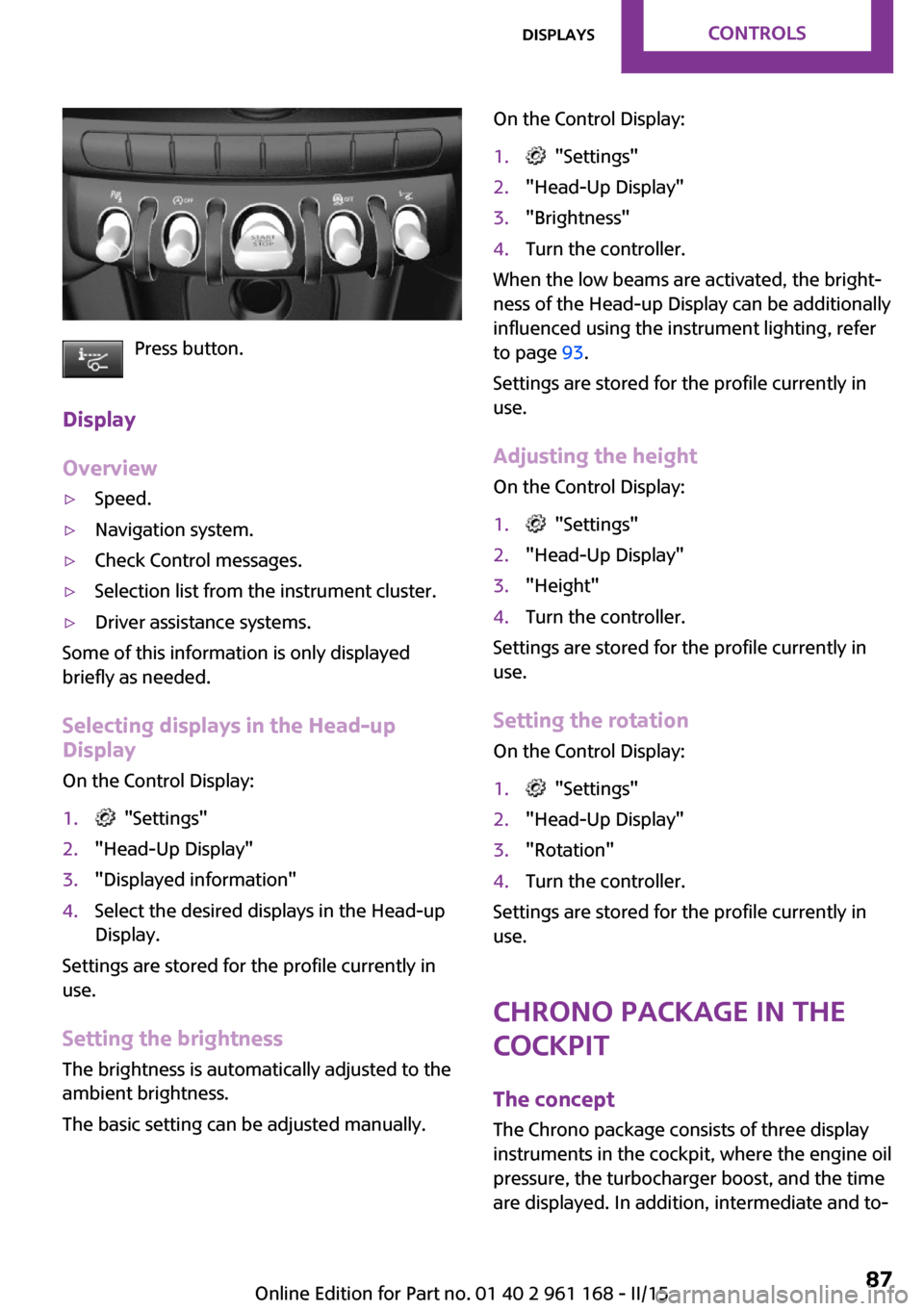
Press button.
Display
Overview
▷Speed.▷Navigation system.▷Check Control messages.▷Selection list from the instrument cluster.▷Driver assistance systems.
Some of this information is only displayed
briefly as needed.
Selecting displays in the Head-up
Display
On the Control Display:
1. "Settings"2."Head-Up Display"3."Displayed information"4.Select the desired displays in the Head-up
Display.
Settings are stored for the profile currently in
use.
Setting the brightnessThe brightness is automatically adjusted to the
ambient brightness.
The basic setting can be adjusted manually.
On the Control Display:1. "Settings"2."Head-Up Display"3."Brightness"4.Turn the controller.
When the low beams are activated, the bright‐
ness of the Head-up Display can be additionally
influenced using the instrument lighting, refer
to page 93.
Settings are stored for the profile currently in
use.
Adjusting the height
On the Control Display:
1. "Settings"2."Head-Up Display"3."Height"4.Turn the controller.
Settings are stored for the profile currently in
use.
Setting the rotation
On the Control Display:
1. "Settings"2."Head-Up Display"3."Rotation"4.Turn the controller.
Settings are stored for the profile currently in
use.
Chrono package in the
cockpit
The concept
The Chrono package consists of three display instruments in the cockpit, where the engine oil
pressure, the turbocharger boost, and the time
are displayed. In addition, intermediate and to‐
Seite 87DisplaysCONTROLS87
Online Edition for Part no. 01 40 2 961 168 - II/15
Page 92 of 244

tal times can be measured using the stop
watch.
The display elements of the Chrono package
mainly support a sporty driving style, e,g, on
racetracks.
Overview1Engine oil pressure display2Turbocharger boost display3Time/stop watch
Engine oil pressure
The current engine oil pressure is displayed.
Turbocharger boostThe current boost of the turbocharger is dis‐
played.
Stop watch
General information
The stop watch contains the following features:
▷Measuring the total time.▷Measuring and storing of up to nine lap
times.▷Displaying the time.
The red indicator light indicates that the
stop watch is active.
Overview, buttons▷MODE button, arrow 1.▷START/STOP button, arrow 2.▷RESET/LAP buttons, arrow 3.
Displaying the measured times
The times measured using the stop watch are
shown in minutes and seconds on the display.
For times greater than 60 minutes, the num‐ bers of hours and the minutes with seconds are
alternatively displayed.
If the stop watch is running, the seconds are
also shown using a seconds pointer in the scale
of the display element.
Measuring the total time
1.Press button, arrow 2, to start the stop
watch.2.Press button, arrow 2, again to stop the
stop watch.
Lap times
General information
It is possible to measure and store up to nine
lap times. Older lap times are overwritten.
Measuring and storing a lap time
1.Press button, arrow 2, to start the stop
watch.2.Press button, arrow 3, to measure and store
a lap time.
The lap time is briefly shown in the display
and via the seconds pointer of the stopSeite 88CONTROLSDisplays88
Online Edition for Part no. 01 40 2 961 168 - II/15
Page 94 of 244

LightsVehicle features and op‐
tions
This chapter describes all standard, country-
specific and optional features offered with the series. It also describes features that are notnecessarily available in your car, e. g., due to
the selected options or country versions. This
also applies to safety-related functions and sys‐
tems. The respectively applicable country provi‐
sions must be observed when using the respec‐
tive features and systems.
Overview1Rear fog lights2Front fog lights3Depending on the equipment: automatic
headlight control, cornering lights, High-
beam Assistant, welcome lights, daytime
running lights4Lights off, daytime running lights5Parking lights / daytime running lights6Depending on the equipment: low beams,
welcome lights, High-beam Assistant7Instrument lightingParking lights, corner‐
ing lights and roadside
parking lights
General information Position of switch:
, ,
If the driver door is opened with the ignition
switched off, the exterior lighting is automati‐
cally switched off at these switch settings.
Parking lights
Position of switch
: the vehicle's lights
light up on all sides, e.g., for parking.
Do not use the parking lights for extended peri‐
ods; otherwise, the battery may become dis‐
charged and it would then be impossible to
start the engine.
When parking you better turn on just the road-
side parking light.
Low beams
Position of switch
with the ignition
switched on: the low beams light up.
Roadside parking lights
The vehicle can be illuminated on one side.
Seite 90CONTROLSLights90
Online Edition for Part no. 01 40 2 961 168 - II/15
Page 95 of 244

Switching on
With the ignition switched off, press the lever
either up or down past the resistance point for
approx. 2 seconds.
Switch off Briefly press the lever to the resistance point in
the opposite direction.
Welcome lights and
headlight courtesy de‐
lay feature
Welcome lights When the vehicle is parked, leave the switch in
position
or : parking and interior lights
come on briefly when the vehicle is unlocked
depending on the ambient brightness.
Activating/deactivating
1. "Settings"2."Lighting"3."Welcome lights"
Settings are stored for the profile currently in
use.
Headlight courtesy delay feature
The low beams stay lit for a short while after
the radio-ready state is switched off if the lights
are turned off and the headlight flasher is
switched on.
Setting the duration
1. "Settings"2."Lighting"3."Pathway lighting:"4.Set length of time.
Settings are stored for the profile currently in
use.
Automatic headlight
control
Position of switch
: the low beams are acti‐
vated and off automatically, e.g., in tunnels, in
twilight or if there is precipitation. The indicator
lamp in the instrument cluster lights up.
A blue sky with the sun low on the horizon can
cause the lights to be switched on.
The low beams always stay on when the fog
lights are activated.
Personal responsibility
The automatic headlight control cannot
serve as a substitute for your personal judg‐
ment in determining when to turn the lights on
in response to ambient lighting conditions.
E. g. the sensors are unable to detect fog or
hazy weather. To avoid safety risks under these
conditions, you should always switch on the
lights manually. ◀
Daytime running lights
With the ignition switched on, the daytime run‐
ning lights light up in position
, or
. After the ignition is switched off, the park‐
ing lights light up in position
.
Activating/deactivating
In some countries, daytime running lights are
mandatory, so it may not be possible to deacti‐
vate the daytime running lights.
On the Control Display:
1. "Settings"2."Lighting"3."Daytime running lamps"
Settings are stored for the remote control cur‐
rently in use.
Seite 91LightsCONTROLS91
Online Edition for Part no. 01 40 2 961 168 - II/15
Page 96 of 244
Cornering lamp
Position of switch
: going around corners,
the cornering lamp also lights the interior area
of the curve. Below a speed of approx.
25 mph/40 km/h when the flasher is switched
on and the steering angle is detected, there is
automatic activation.
Malfunction
A Check Control message is displayed.
Cornering light is disrupted or failed. Have the
system checked as soon as possible.
High-beam Assistant The concept
When the low beams are activated, this system
automatically switches the high beams on and
off. The procedure is controlled by a camera on
the front of the interior rearview mirror. The as‐
sistant ensures that the high beams are acti‐
vated whenever the traffic situation allows. The
driver can intervene at any time and switch the
high beams on and off as usual.
Note Personal responsibility
The High-beam Assistant cannot serve as
a substitute for the driver's personal judgment
of when to use the high beams. Therefore,
manually reel off the high beams in situations
where required to avoid a safety risk. ◀
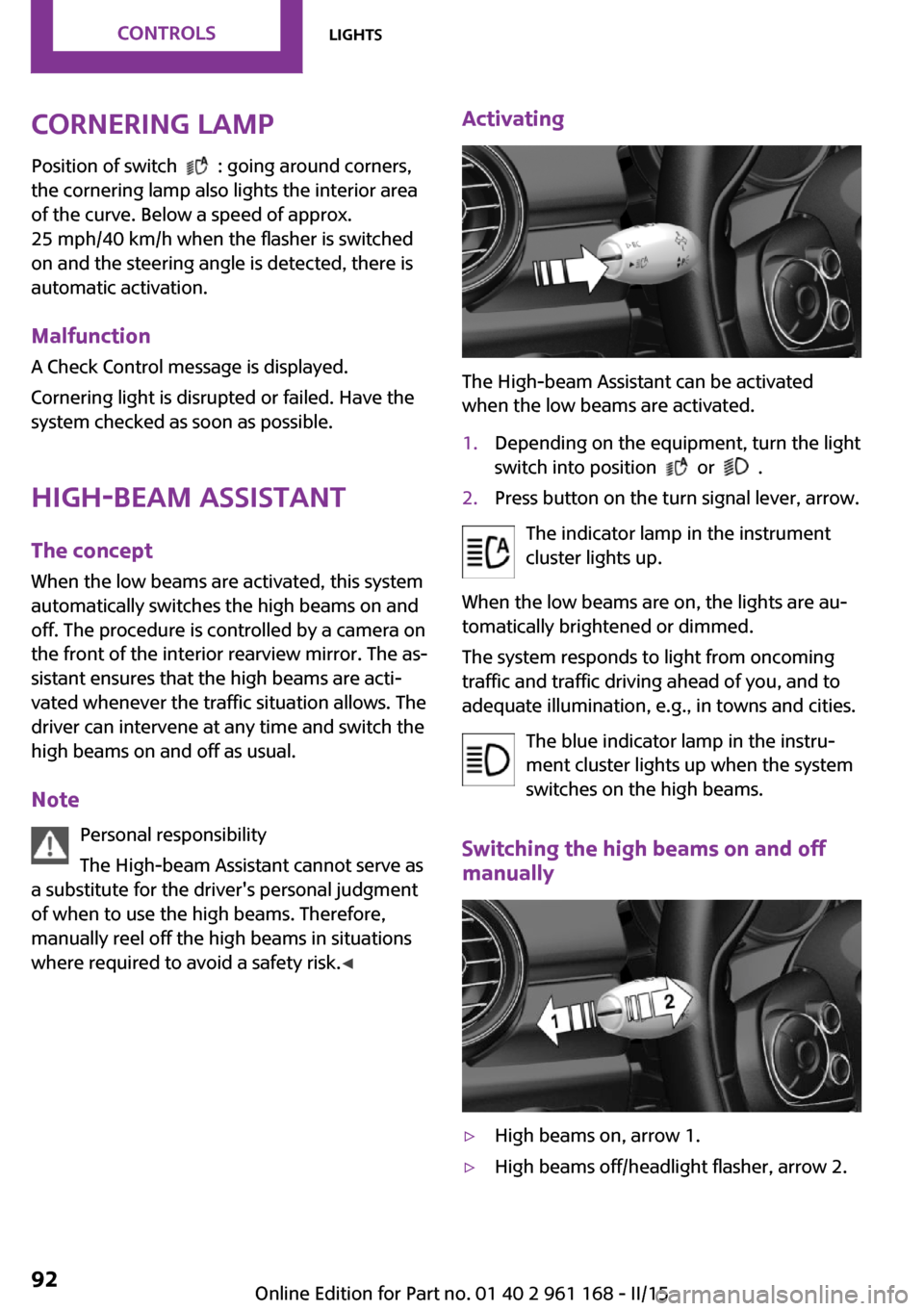
Activating
The High-beam Assistant can be activated
when the low beams are activated.
1.Depending on the equipment, turn the light
switch into position
or .
2.Press button on the turn signal lever, arrow.
The indicator lamp in the instrument
cluster lights up.
When the low beams are on, the lights are au‐
tomatically brightened or dimmed.
The system responds to light from oncoming
traffic and traffic driving ahead of you, and to
adequate illumination, e.g., in towns and cities.
The blue indicator lamp in the instru‐
ment cluster lights up when the system
switches on the high beams.
Switching the high beams on and off
manually
▷High beams on, arrow 1.▷High beams off/headlight flasher, arrow 2.Seite 92CONTROLSLights92
Online Edition for Part no. 01 40 2 961 168 - II/15