phone MINI Hardtop 2 Door 2015 Owner's Guide
[x] Cancel search | Manufacturer: MINI, Model Year: 2015, Model line: Hardtop 2 Door, Model: MINI Hardtop 2 Door 2015Pages: 251, PDF Size: 11.4 MB
Page 170 of 251
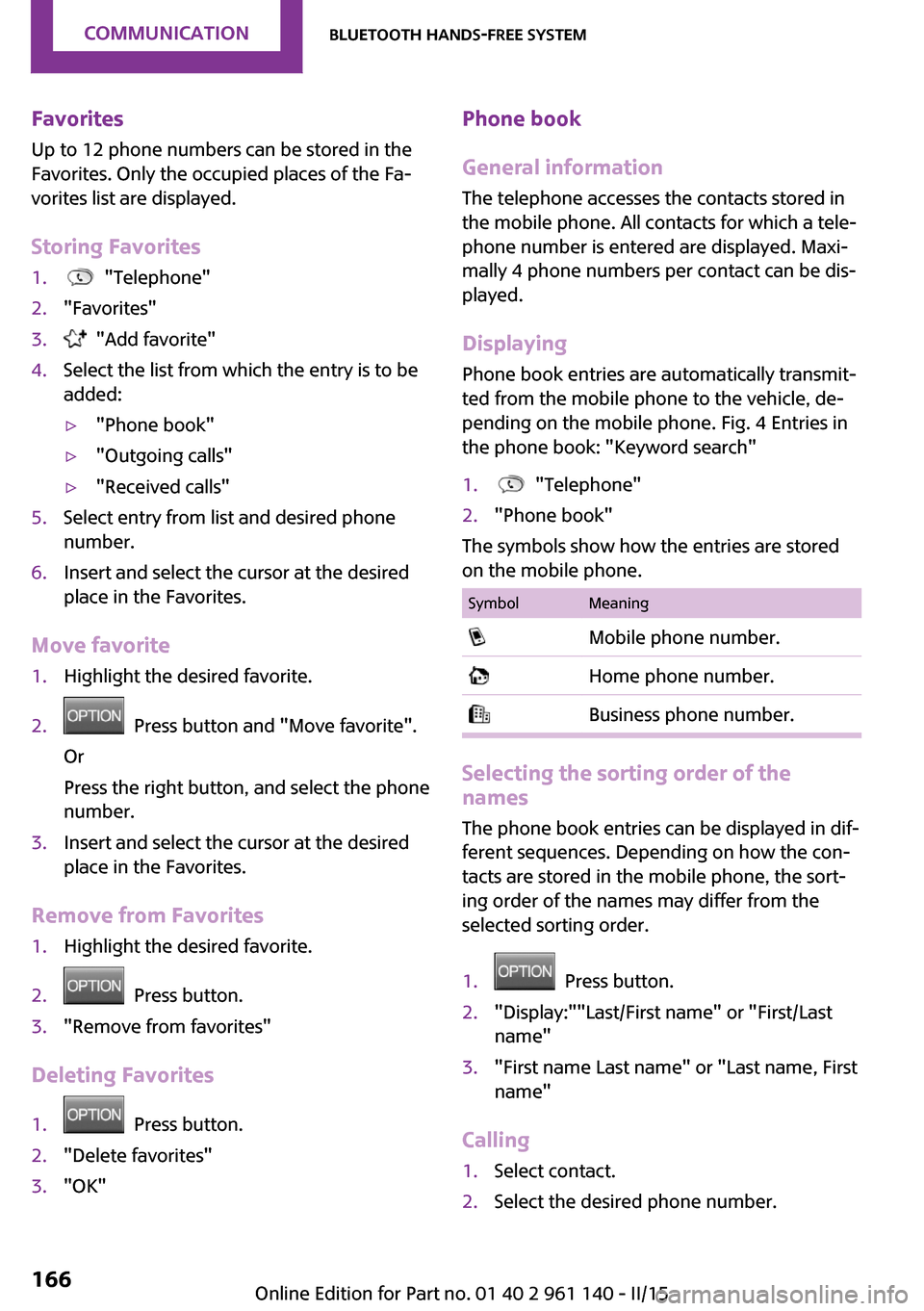
Favorites
Up to 12 phone numbers can be stored in the
Favorites. Only the occupied places of the Fa‐
vorites list are displayed.
Storing Favorites1. "Telephone"2."Favorites"3. "Add favorite"4.Select the list from which the entry is to be
added:▷"Phone book"▷"Outgoing calls"▷"Received calls"5.Select entry from list and desired phone
number.6.Insert and select the cursor at the desired
place in the Favorites.
Move favorite
1.Highlight the desired favorite.2. Press button and "Move favorite".
Or
Press the right button, and select the phone
number.3.Insert and select the cursor at the desired
place in the Favorites.
Remove from Favorites
1.Highlight the desired favorite.2. Press button.3."Remove from favorites"
Deleting Favorites
1. Press button.2."Delete favorites"3."OK"Phone book
General information
The telephone accesses the contacts stored in
the mobile phone. All contacts for which a tele‐
phone number is entered are displayed. Maxi‐
mally 4 phone numbers per contact can be dis‐
played.
Displaying
Phone book entries are automatically transmit‐
ted from the mobile phone to the vehicle, de‐
pending on the mobile phone. Fig. 4 Entries in
the phone book: "Keyword search"1. "Telephone"2."Phone book"
The symbols show how the entries are stored
on the mobile phone.
SymbolMeaning Mobile phone number. Home phone number. Business phone number.
Selecting the sorting order of the
names
The phone book entries can be displayed in dif‐
ferent sequences. Depending on how the con‐
tacts are stored in the mobile phone, the sort‐
ing order of the names may differ from the
selected sorting order.
1. Press button.2."Display:""Last/First name" or "First/Last
name"3."First name Last name" or "Last name, First
name"
Calling
1.Select contact.2.Select the desired phone number.Seite 166COMMUNICATIONBluetooth hands-free system166
Online Edition for Part no. 01 40 2 961 140 - II/15
Page 171 of 251
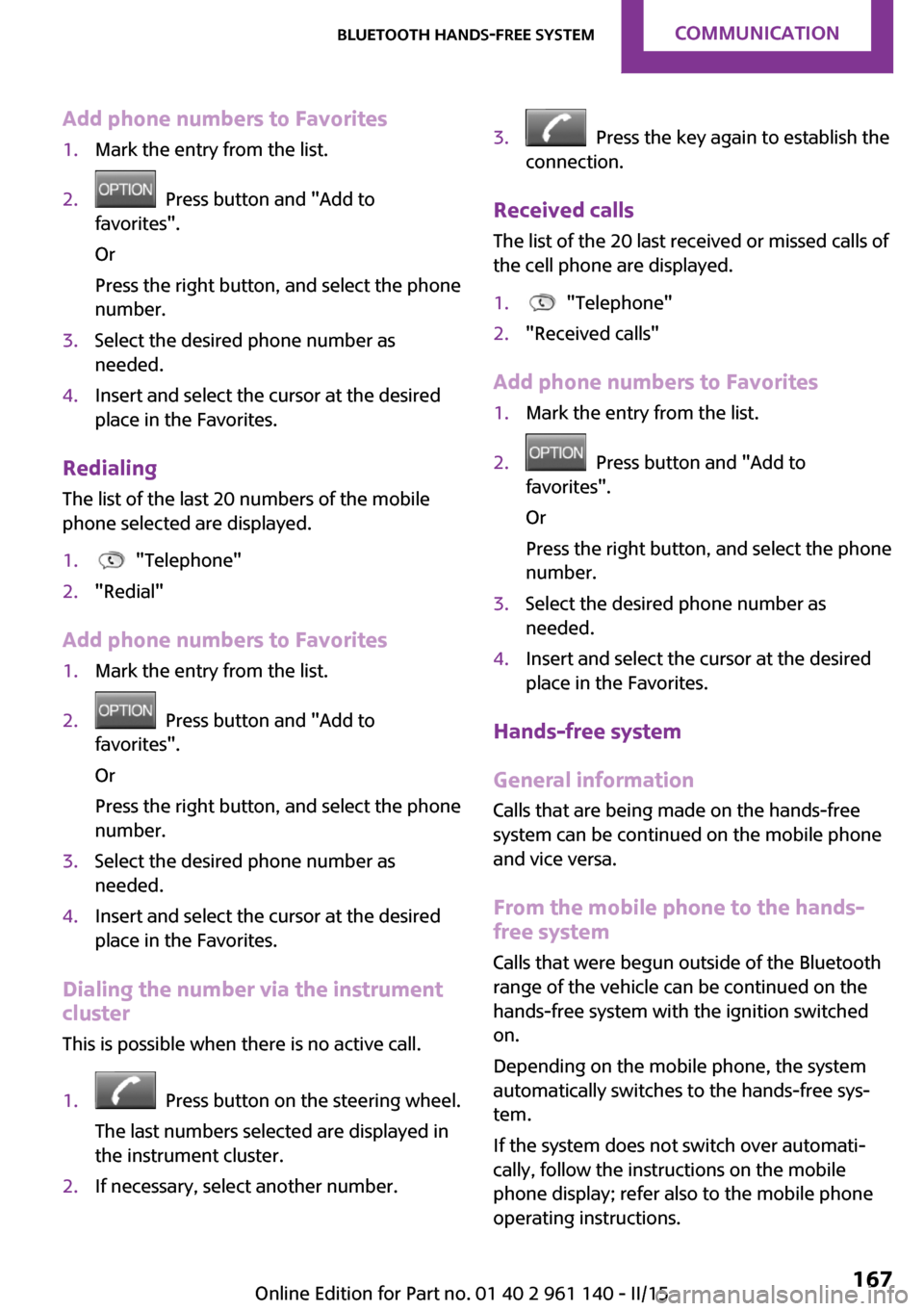
Add phone numbers to Favorites1.Mark the entry from the list.2. Press button and "Add to
favorites".
Or
Press the right button, and select the phone
number.3.Select the desired phone number as
needed.4.Insert and select the cursor at the desired
place in the Favorites.
Redialing
The list of the last 20 numbers of the mobile
phone selected are displayed.
1. "Telephone"2."Redial"
Add phone numbers to Favorites
1.Mark the entry from the list.2. Press button and "Add to
favorites".
Or
Press the right button, and select the phone
number.3.Select the desired phone number as
needed.4.Insert and select the cursor at the desired
place in the Favorites.
Dialing the number via the instrument
cluster
This is possible when there is no active call.
1. Press button on the steering wheel.
The last numbers selected are displayed in
the instrument cluster.2.If necessary, select another number.3. Press the key again to establish the
connection.
Received calls
The list of the 20 last received or missed calls of
the cell phone are displayed.
1. "Telephone"2."Received calls"
Add phone numbers to Favorites
1.Mark the entry from the list.2. Press button and "Add to
favorites".
Or
Press the right button, and select the phone
number.3.Select the desired phone number as
needed.4.Insert and select the cursor at the desired
place in the Favorites.
Hands-free system
General information
Calls that are being made on the hands-free
system can be continued on the mobile phone
and vice versa.
From the mobile phone to the hands-
free system
Calls that were begun outside of the Bluetooth
range of the vehicle can be continued on the
hands-free system with the ignition switched
on.
Depending on the mobile phone, the system
automatically switches to the hands-free sys‐
tem.
If the system does not switch over automati‐
cally, follow the instructions on the mobile
phone display; refer also to the mobile phone
operating instructions.
Seite 167Bluetooth hands-free systemCOMMUNICATION167
Online Edition for Part no. 01 40 2 961 140 - II/15
Page 172 of 251
From the hands-free system to the
mobile phone
Calls that are made on the hands-free system
can in some cases be continued on the mobile
phone; this depends on the mobile phone.
Follow the instructions on the mobile phone
display; refer also to the mobile phone operat‐
ing instructions.Seite 168COMMUNICATIONBluetooth hands-free system168
Online Edition for Part no. 01 40 2 961 140 - II/15
Page 242 of 251
Everything from A to ZIndexA
ABS, Antilock Brake Sys‐ tem 94
ACC, Active Cruise Control 98
Acceleration Assistant, refer to Launch Control 58
Activated-charcoal filter 117
Active Cruise Control, ACC 98
Additives, oil 193
Adjustments, seats/head re‐ straints 35
Adjustments, steering wheel 42
After washing vehicle 217
Airbags 78
Airbags, indicator/warning light 79
Air circulation, refer to Recir‐ culated-air mode 113, 117
Air conditioner 112
Air, dehumidifying, refer to Cooling function 113, 116
Air distribution, manual 113, 116
Air flow, air conditioner 113
Air flow, automatic climate control 116
Air pressure, tires 176
Air vents, refer to Ventila‐ tion 118
Alarm system 30
Alarm triggering 30
Alarm, unintentional 31
All around the center con‐ sole 16
All around the roofliner 17
All around the steering wheel 14
All-season tires, refer to Win‐ ter tires 184 Alternating-code hand-held
transmitter 120
Alternative oil types 194
Antifreeze, washer fluid 54
Antilock Brake System, ABS 94
Anti-slip control, refer to DSC 94
Apple iPod/iPhone 155
Approved axle load 223
Approved engine oils, see Suitable engine oil
types 194
Ash tray 123
Assistance when driving off 97
Assist system, refer to Intelli‐ gent Safety 86
AUTO intensity 116
Automatic car wash 216
Automatic climate con‐ trol 115
Automatic Curb Monitor 41
Automatic deactivation, front- seat passenger airbags 80
Automatic headlight con‐ trol 74
Automatic locking 29
Automatic recirculated-air control 117
Automatic transmission with Steptronic 55
AUTO program, automatic cli‐ mate control 116
AUTO program, intensity 116
Auto Start/Stop function 49
AUX-IN port 154
Average fuel consumption 68
Average speed 68
Axle loads, weights 223 B
Backrest curvature, refer to Lumbar support 36
Balance 148
Band-aids, refer to First aid kit 211
Bar for tow-starting/ towing 214
Bass 148
Battery replacement, vehicle battery 209
Battery, vehicle 209
Belts, safety belts 37
Beverage holder, cu‐ pholder 128
Bluetooth, refer to Hands-free system 162
Bonus range, GREEN mode 143
Bottle holder, refer to Cu‐ pholder 128
Brake assistant 94
Brake discs, break-in 134
Brake pads, break-in 134
Braking, hints 135
Breakdown assistance 211
Break-in 134
Bug light 201
Bulb replacement 200
Bulb replacement, front 201
Bulb replacement, rear 203
Bulb replacement, side 206
Bulbs and lights 200
Button, RES 100
Button, Start/Stop 47
Bypassing, refer to Jump- starting 211 Seite 238REFERENCEEverything from A to Z238
Online Edition for Part no. 01 40 2 961 140 - II/15
Page 246 of 251

Interior rearview mirror, man‐ually dimmable 41
Internet site 6
Interval display, service re‐ quirements 65
Interval mode 53
J Jacking points for the vehicle jack 207
Joystick, Steptronic transmis‐ sion 56
Jump-starting 211
K
Key/remote control 22
Keyless Go, refer to Comfort Access 27
Key Memory, refer to Personal Profile 23
Kickdown, Steptronic trans‐ mission 56
Knee airbag 79
L Lamp replacement 200
Lamp replacement, front 201
Lamp replacement, rear 203
Lamp replacement, side 206
Language, setting 69
Lashing eyes, securing cargo 138
LATCH child restraint sys‐ tem 44
Launch Control 58
Leather, care 217
LED bug light 201
LED headlights 201
LED ring, central instrument cluster 70
LEDs, light-emitting di‐ odes 200 License Texts and Certifica‐
tions 231
Light 73
Light-alloy wheels, care 218
Light-emitting diodes, LEDs 200
Lighter 123
Lighting 73
Lights and bulbs 200
Light switch 73
Load 138
Loading 137
Lock, door 26
Locking/unlocking via door lock 26
Locking/unlocking with re‐ mote control 24
Locking, automatic 29
Locking, settings 29
Lock, power window 32
Locks, doors, and windows 46
Low beams 73
Low beams, automatic, refer to High-beam Assistant 75
Lower back support, mechani‐ cal 36
Luggage rack, refer to Roof- mounted luggage rack 138
Lumbar support, mechani‐ cal 36
M Maintenance 197
Maintenance require‐ ments 197
Maintenance, service require‐ ments 65
Maintenance system, MINI 197
Make-up mirror 123
Malfunction displays, see Check Control 60
Manual air distribu‐ tion 113, 116
Manual air flow 113, 116 Manual mode, transmis‐
sion 56
Manual operation, door lock 26
Manual operation, exterior mirrors 41
Manual operation, fuel filler flap 172
Manual operation, Park Dis‐ tance Control PDC 107
Manual transmission 55
Manufacturer of the MINI 7
Marking on approved tires 183
Marking, run-flat tires 184
Master key, refer to Remote control 22
Maximum cooling 116
Maximum speed, display 66
Maximum speed, winter tires 184
Medical kit 211
Menu in instrument cluster 67
Messages, see Check Con‐ trol 60
Microfilter 114, 117
MID - program, driving dy‐ namics 96
MINI maintenance sys‐ tem 197
Minimum tread, tires 182
Mirrors 40
Mobile communication devi‐ ces in the vehicle 135
Mobile phone 162
Mobility System 185
Mode, GREEN Mode 142
Modifications, technical, refer to Safety 7
Moisture in headlight 200
Mounting of child restraint systems 43
Multifunction steering wheel, buttons 14 Seite 242REFERENCEEverything from A to Z242
Online Edition for Part no. 01 40 2 961 140 - II/15
Page 247 of 251

NNeck restraints, front, refer to Head restraints 38
Neck restraints, rear, refer to Head restraints 39
New wheels and tires 183
Nylon rope for tow-starting/ towing 214
O
OBD Onboard Diagnos‐ tics 198
Octane rating, refer to Recom‐ mended fuel grade 174
Odometer 64
Oil 192
Oil, adding 193
Oil additives 193
Oil change 194
Oil change interval, service re‐ quirements 65
Oil filler neck 193
Oil types, alternative 194
Oil types, approved 194
Old batteries, disposal 210
On-board computer 67
Onboard Diagnostics OBD 198
Onboard vehicle tool kit 199
Opening/closing via door lock 26
Opening/closing with remote control 24
Optional equipment, standard equipment 6
Outside air, refer to Automatic recirculated-air control 117
Own safety 7
P Paint, vehicle 217
Panoramic glass sunroof 32
Parallel parking assistant 108 Park Distance Control
PDC 106
Parked vehicle, condensa‐ tion 136
Parking aid, refer to PDC 106
Parking assistant 108
Parking brake 51
Parking lights 73
Passenger side mirror, tilting downward 41
PDC Park Distance Con‐ trol 106
Pedestrian warning with city braking function 90
Performance Control 95
Personal Profile 23
Phone 162
Pinch protection system, glass sunroof 33
Pinch protection system, win‐ dows 32
Plastic, care 218
Power failure 209
Power windows 31
Pressure, tire air pressure 176
Pressure warning, tires 84
Profile, refer to Personal Pro‐ file 23
Protective function, glass sun‐ roof 33
Protective function, win‐ dows 32
R
Radiator fluid 195
Radio, AM/FM stations 149
Radio, Apple iPod/iPhone 155
Radio, AUX-IN port 154
Radio, control ele‐ ments 149, 154
Radio, external devices 154
Radio, FM/AM 149
Radio, muting 149
Radio-operated key, refer to Remote control 22 Radio, overview 149, 154
Radio ready state 47
Radio, satellite radio 152
Radio, save stations 151
Radio, USB audio inter‐ face 155
Rain sensor 53
Rear fog lights 76
Rear lights 203
Rear luggage rack 139
Rearview mirror 40
Rear window de‐ froster 114, 117
Recirculated-air filter 117
Recirculated-air mode 113, 117
Recommended fuel grade 174
Recommended tire brands 183
Refueling 172
Remaining range 64
Remote control/key 22
Remote control, blocking 23
Remote control, malfunc‐ tion 25
Remote control, replacing the battery 22
Remote control, univer‐ sal 119
Replacement fuse 210
Replacing parts 199
Replacing the battery, remote control 22
Replacing wheels/tires 183
Reporting safety defects 9
RES button 100
Reserve warning, refer to Range 64
Resetting the tone set‐ tings 148
Reset, Tire Pressure Monitor TPM 82
Retaining straps, securing cargo 138
Retreaded tires 183 Seite 243Everything from A to ZREFERENCE243
Online Edition for Part no. 01 40 2 961 140 - II/15