door lock MINI Paceman 2013 User Guide
[x] Cancel search | Manufacturer: MINI, Model Year: 2013, Model line: Paceman, Model: MINI Paceman 2013Pages: 275, PDF Size: 4.23 MB
Page 51 of 275
CONTROLSDriving
50
Driving
Vehicle equipment
In this chapter, all production, country, and
optional equipment that is offered in the model
range is described. Equipment is also described
that is not available because of, for example,
selected options or coun try version. This also
applies to safety relate d functions and systems.
Ignition lock
Inserting the key into the ignition lock
Insert the key all the way into the ignition lock.
Radio readiness
Individual electrical consumers can operate.
Removing the key from the ignition lock
Press in the key briefly. It is ejected slightly.
At the same time:
>The ignition is switched off if it was on
beforehand.
Automatic transmission
The key can only be removed if the selector lever
is in position P: interlock.
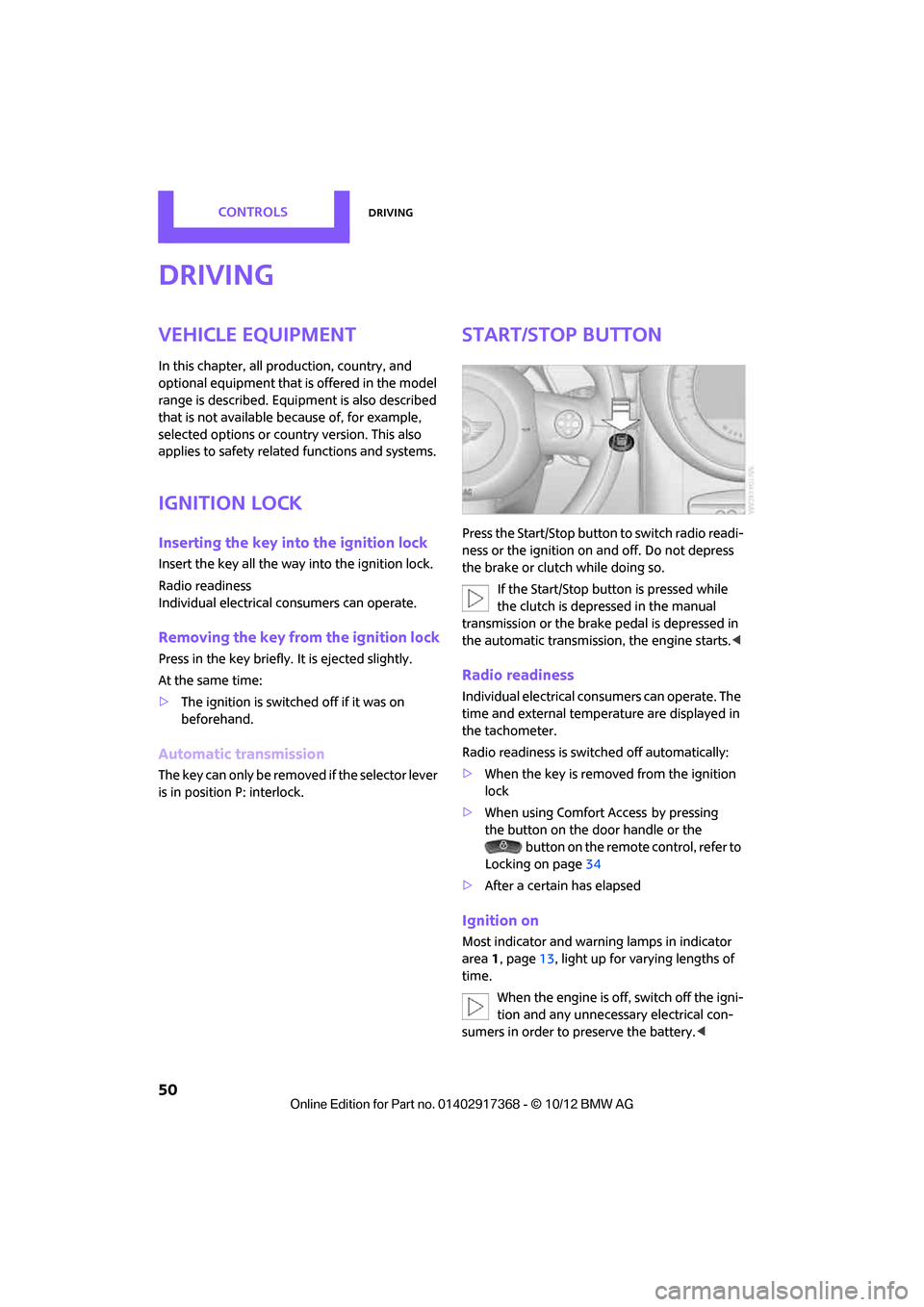
Start/Stop button
Press the Start/Stop button to switch radio readi-
ness or the ignition on and off. Do not depress
the brake or clutch while doing so.
If the Start/Stop button is pressed while
the clutch is depressed in the manual
transmission or the brake pedal is depressed in
the automatic transmission, the engine starts. <
Radio readiness
Individual electrical consumers can operate. The
time and external temperature are displayed in
the tachometer.
Radio readiness is switched off automatically:
>When the key is removed from the ignition
lock
> When using Comfort Access
by pressing
the button on the door handle or the
button on the remote control, refer to
Locking on page 34
> After a certain has elapsed
Ignition on
Most indicator and warn ing lamps in indicator
area 1, page 13, light up for varying lengths of
time.
When the engine is off, switch off the igni-
tion and any unnecessary electrical con-
sumers in order to preserve the battery. <
00320051004F004C00510048000300280047004C0057004C005200510003
Page 52 of 275
DrivingCONTROLS
51
Radio readiness and ignition off
All indicator and warning lamps in the displays
go out.
The ignition switches off automatically if the
driver's door is opened. Pressing the Start/Stop
button again switches the ignition back on.
The ignition is not switched off in situations such
as the following:
>The clutch or brake is depressed
> The low beams are switched on
Starting the engine
Do not allow the engine to run in enclosed
areas; otherwise, inhalation of the noxious
exhaust gases can lead to loss of consciousness
and death. Exhaust gases contain carbon mon-
oxide, an odorless and colorless, but highly toxic
gas. Never leave an unattended vehicle with the
engine running; otherwise, such a vehicle repre-
sents a potential safety hazard.
Before leaving the car while the engine is run-
ning, place the transmission in neutral or move
the selector lever to position P and forcefully
apply the parking brake to prevent the car from
moving. <
Avoid frequent starting in quick succes-
sion or repeated start attempts in which
the engine does not start. Otherwise, the fuel is
not burned or inadequately burned and there is
a danger of overheating and damaging the cat-
alytic converter. <
Do not let the engine warm up with the vehicle
at a standstill. Move of f immediately at a moder-
ate engine speed.
When starting the engine, do not depress the
accelerator pedal.
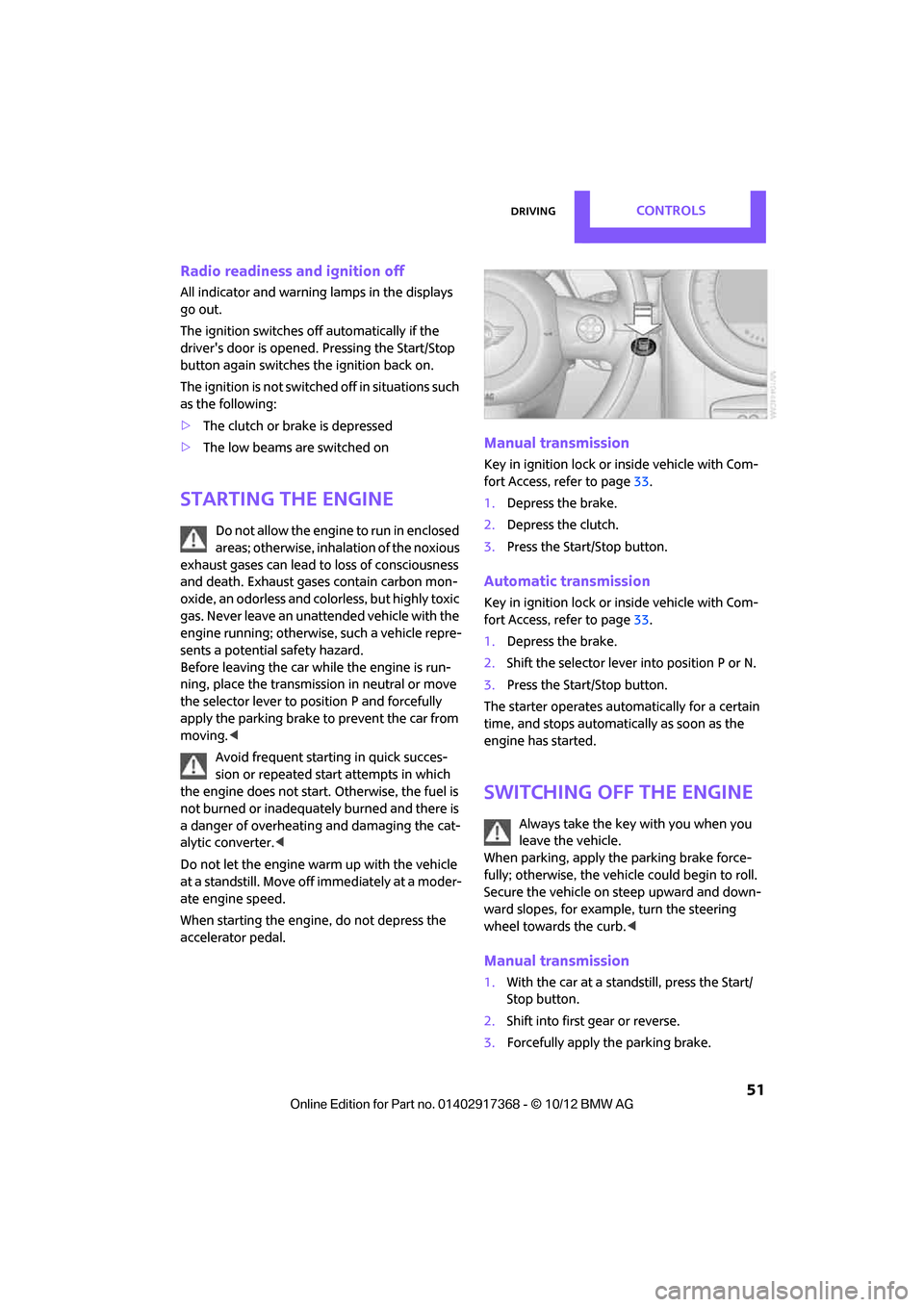
Manual transmission
Key in ignition lock or inside vehicle with Com-
fort Access, refer to page 33.
1. Depress the brake.
2. Depress the clutch.
3. Press the Start/Stop button.
Automatic transmission
Key in ignition lock or inside vehicle with Com-
fort Access, refer to page 33.
1. Depress the brake.
2. Shift the selector lever into position P or N.
3. Press the Start/Stop button.
The starter operates auto matically for a certain
time, and stops automatically as soon as the
engine has started.
Switching off the engine
Always take the key with you when you
leave the vehicle.
When parking, apply the parking brake force-
fully; otherwise, the vehicle could begin to roll.
Secure the vehicle on steep upward and down-
ward slopes, for example, turn the steering
wheel towards the curb. <
Manual transmission
1.With the car at a standstill, press the Start/
Stop button.
2. Shift into first gear or reverse.
3. Forcefully apply the parking brake.
00320051004F004C00510048000300280047004C0057004C005200510003
Page 99 of 275
CONTROLSPractical interior accessories
98
Center armrest front
Opening
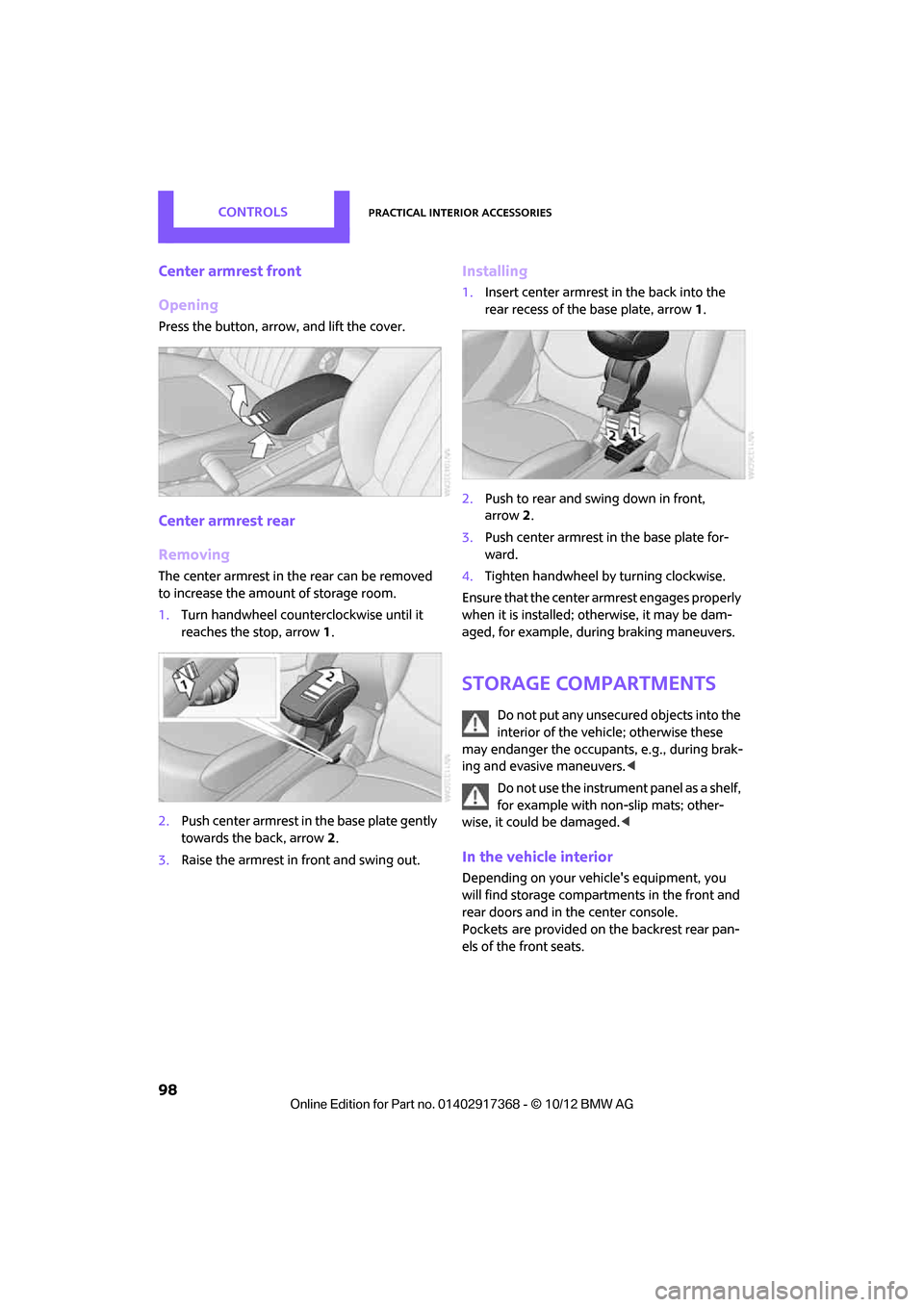
Press the button, arrow, and lift the cover.
Center armrest rear
Removing
The center armrest in the rear can be removed
to increase the amount of storage room.
1.Turn handwheel counterclockwise until it
reaches the stop, arrow 1.
2. Push center armrest in the base plate gently
towards the back, arrow 2.
3. Raise the armrest in front and swing out.
Installing
1.Insert center armrest in the back into the
rear recess of the base plate, arrow 1.
2. Push to rear and swing down in front,
arrow 2.
3. Push center armrest in the base plate for-
ward.
4. Tighten handwheel by turning clockwise.
Ensure that the center armrest engages properly
when it is installed; ot herwise, it may be dam-
aged, for example, during braking maneuvers.
Storage compartments
Do not put any unsecured objects into the
interior of the vehicle; otherwise these
may endanger the occupant s, e.g., during brak-
ing and evasive maneuvers. <
Do not use the instrument panel as a shelf,
for example with non-slip mats; other-
wise, it could be damaged. <
In the vehicle interior
Depending on your vehicle's equipment, you
will find storage compartments in the front and
rear doors and in the center console.
Pockets
are provided on the backrest rear pan-
els of the front seats.
00320051004F004C00510048000300280047004C0057004C005200510003
Page 260 of 275

Short commands for the voice activation systemREFERENCE
259
Accessing speed limit settings{Speed }
Activating lighting {Lighting }
Selecting the door lock {Door locks }
FunctionCommand
00320051004F004C00510048000300280047004C0057004C005200510003
Page 264 of 275

Everything from A to ZREFERENCE
263
DBC Dynamic Brake Control, refer to Brake Assist 72
Deactivating front passenger airbags 82
Deadlocking, refer to Locking 28
Defect
– door lock 29
Defective
– fuel filler flap 200
Defining a home address 189
Defogging windows 89,91
Defrosting windows 89,91
Defrosting windows and removing condensation
– air conditioner 89
– automatic climate control 91
Defrosting windshield, refer to Defrosting windows 89,91
Defrost position, refer to Defrosting windows 89,91
Deleting contacts 173,190
Destination address
– entering 120,126
Destination for navigation
– entering 120
– entering via map 125
Differential, breaking in 104
Digital compass 95
Digital radio, refer to HD
Radio 144
Dimensions 246
Dipstick, engine oil 215
Directional indicators, refer to Turn signals 55
Direction announcements,
refer to Voice
instructions 133
Direction instructions, refer to
Voice instructions 133
Directory for navigation, refer to Address book 122
Displacement, refer to Engine data 244
Display, refer to Onboard
computer controls 16Displaying contact
pictures 190
Displaying contacts 172
Displaying special
destinations 125
Display lighting, refer to Instrument lighting 86
Displays 12
– instrument combination 12
– on the Control Display 16
Displays, care 223
Disp lays and controls
10
Disp osal
– of
coolant 217
– remote control battery 35
– vehicle battery 234
Distance, refe r to Computer 62
Distance remaining to service, refer to Service
requirements 64
Distance to dest ination, refer
to Computer 62
Distance warning, refer to Park Distance Control PDC 71
Door key, refer to Integrated
key/remote control 26
Door lock 29
Door lock, confirmation
signals 28
Doors, manual operation 29
DOT Quality Grades 210
Drinks holders, refer to Cupholders 100
Drive-off assistant, refer to Hill
Assist 74
Driving dynamics control, refer
to Sport button 74
Driving lamps, refer to Parking lamps/low beams 84
Driving notes 104
Driving off on inclines, refer to Hill Assist 74
Driving stability control systems 72
Driving through water 105
Driving tips, refer to Driving notes 104 Dry air, refer to Cooling
function 91
DSC Dynamic Stability Control 72
DTC Dynamic Traction Control 73
Dynamic Brake Control DBC,
refer to Brake Assist 72
Dynamic route guidance 136
Dynamic Stability Control
DSC 72
Dynamic Traction Control DTC 73
E
Editing a contact 172
Eject button, refer to Buttons on the CD player 140
Electrical malfunction
– door lock 29
– fuel filler flap 200
Electronic brake-force distribution 72
Electronic Stability Program
ESP, refer to Dynamic
Stability Control DSC 72
E-mail 191
Emergency operation, refer to Manual operation
– door lock 29
– fuel filler flap 200
– transmission lock, automatic
transmission 54
Emergency services, refer to Roadside Assistance 236
Ending a call 168,180
Engine
– breaking in 104
– data 244
– overheated, refer to Coolant temperature 217
– speed 244
– starting, Comfort Access 33
Engine compartment 214
Engine coolant, refer to Coolant 217
00320051004F004C00510048000300280047004C0057004C005200510003
Page 265 of 275
REFERENCEEverything from A to Z
264
Engine malfunction
– indicator lamp13
Engine oil
– additives, refer to Approved
engine oils 216
– alternative oil types 216
– approved engine oils 216
– capacity 216
– checking level 215
– dipstick 215
– intervals between changes, refer to Service
requirements 64
– MINI Maintenance System 218
Engine oil level, checking 215
Engine output, refer to Engine data 244
Engine starti ng, refer to
Starting the engine 51
Entering destination 120
Entering intersection 121
Entertainment sound output on/off 140
Entry map for destination 125
ESP Electronic Stability Program, refer to Dynamic
Stability Control DSC 72
Exhaust system, refer to Hot exhaust system 105
Exterior mirrors 44
– adjusting 44
– automatic dimming
feature 45
– automatic heating 45
– folding in and out 44
External audio device 97
External audio device, refer to AUX-In connection 153
External care 220
External devices
– random play sequence 156
– Software update 161
External temperature display
– change units of measure 64
– in the onboard computer 64External temperature
warning 61
Eyes
– for tow-starting and towing
away 238
– for tying down loads 112
F
Failure messages, refer to
Check Control 67
Failure of an electrical consumer 234
Fastening safety belts, refer to Safety belts 42
Fastest route for
navigation 129
Fast forward
– CD player 152
Fault messages, refer to Check Control 67
Faulty
– tire 76
Filter
– microfilter/activated-
charcoal filter for automatic
climate control 91
– microfilter for air
conditioner 89
Fine wood, care 223
First aid pouch 236
Fixture for remote control, refer to Ignition lock 50
Flash when locking/ unlocking 28
Flat load floor 109
Flat tire
– run-flat tires 212
– Tire Pressure Monitor TPM 77
Flat Tire Monitor FTM 75
– indicating a flat tire 76
– initializing the system 75
– snow chains 75
– system limits 75
Flat tires, refer to Tire
condition 211
Floor mats, care 222 Floor plate, refer to Flat load
floor 109
FM, waveband 143
Fog lamps
– replacing bulb 226
Folding rear seat backrest 106
Footbrake, refer to Braking
safely 105
Footwell lamps 87
For your own safety 4
Four-wheel drive, refer to ALL4 74
Front airbags 81
Front fog lamps 86
– replacing bulb 226
Front seat adjustment 39
Frost on windows, refer to Defrosting windows 89,91
FTM, refer to Flat Tire
Monitor 75
Fuel 201
– gauge 60
– high-quality brands 201
– quality 201
– specificati
o
ns201
– tank capacity 251
Fuel clock, refer to Fuel gauge 60
Fuel consumption display
– average fuel consumption 61
Fuel display, refer to Fuel gauge 60
Fuel filler flap 200
– releasing in the event of electrical malfunction 200
Fuses 234
G
Garage door opener, refer to
Integrated universal remote
control 93
Gasoline
– refer to Average fuel consumption 61
Gasoline, refer to Required fuel 201
00320051004F004C00510048000300280047004C0057004C005200510003
Page 267 of 275
REFERENCEEverything from A to Z
266
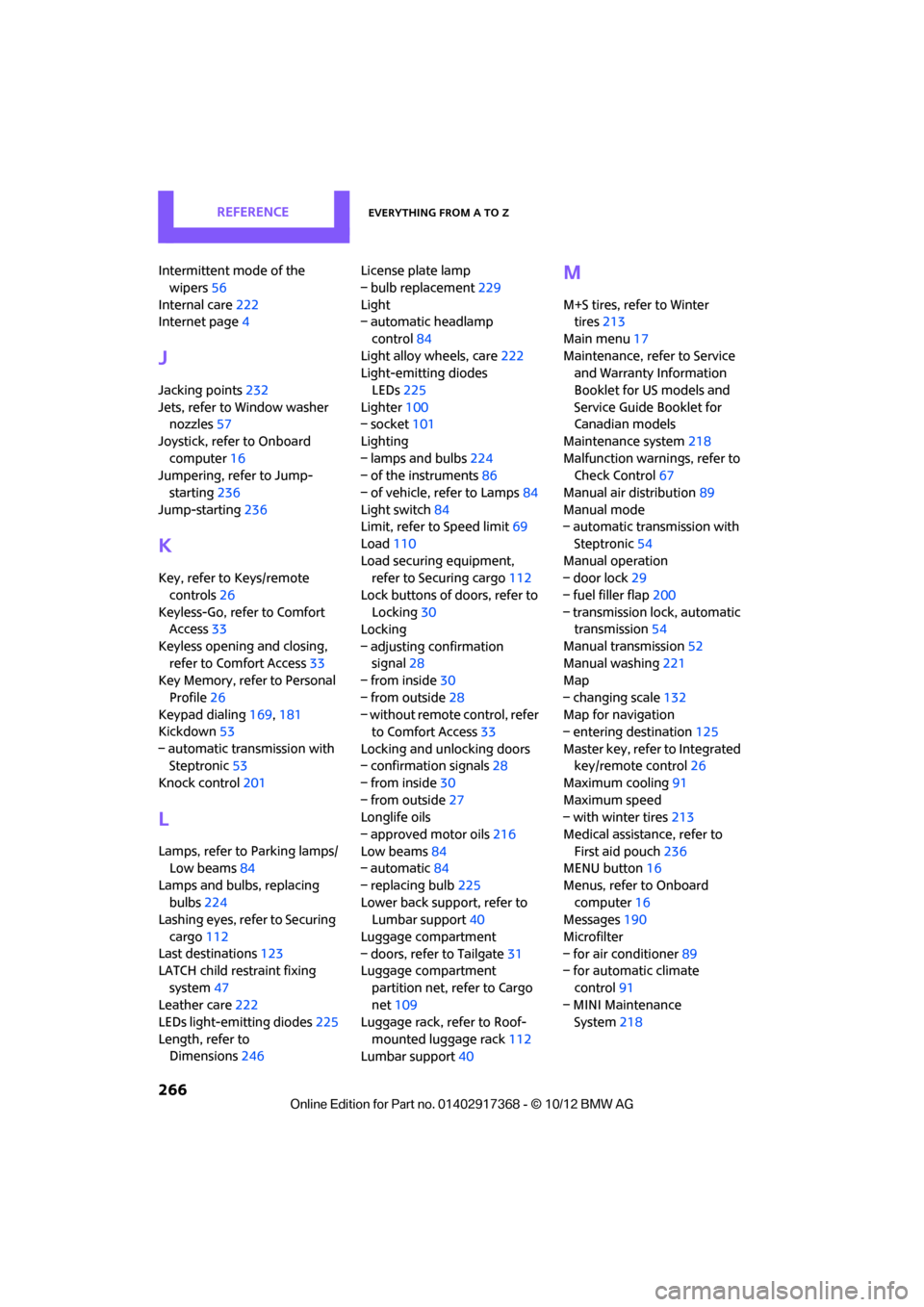
Intermittent mode of the wipers 56
Internal care 222
Internet page 4
J
Jacking points 232
Jets, refer to Window washer nozzles 57
Joystick, refer to Onboard computer 16
Jumpering, refer to Jump-
starting 236
Jump-starting 236
K
Key, refer to Keys/remote
controls 26
Keyless-Go, refer to Comfort Access 33
Keyless opening and closing, refer to Comfort Access 33
Key Memory, refer to Personal
Profile 26
Keypad dialing 169,181
Kickdown 53
– automatic transmission with Steptronic 53
Knock control 201
L
Lamps, refer to Parking lamps/
Low beams 84
Lamps and bulbs, replacing bulbs 224
Lashing eyes, refer to Securing
cargo 112
Last destinations 123
LATCH child restraint fixing
system 47
Leather care 222
LEDs light-emitting diodes 225
Length, refer to Dimensions 246 License plate lamp
– bulb replacement
229
Light
– automatic headlamp
control 84
Light alloy wheels, care 222
Light-emitting diodes
LEDs 225
Lighter 100
– socket 101
Lighting
– lamps and bulbs 224
– of the instruments 86
– of vehicle, refer to Lamps 84
Light switch 84
Limit, refer to Speed limit 69
Load 110
Load securing equipment, refer to Securing cargo 112
Lock buttons of doors, refer to Locking 30
Locking
– adjusting confirmation signal 28
– from inside 30
– from outside 28
– without remote control, refer
to Comfort Access 33
Locking and unlocking doors
– confirmation signals 28
– from inside 30
– from outside 27
Longlife oils
– approved motor oils 216
Low beams 84
– automatic 84
– replacing bulb 225
Lower back support, refer to Lumbar support 40
Luggage compartment
– doors, refer to Tailgate 31
Luggage compartment
partition net, refer to Cargo
net 109
Luggage rack, refer to Roof-
mounted luggage rack 112
Lumbar support 40
M
M+S tires, refer to Winter
tires 213
Main menu 17
Maintenance, refer to Service and Warranty Information
Booklet for US models and
Service Guide Booklet for
Canadian models
Maintenance system 218
Malfunction warnings, refer to Check Control 67
Manual air distribution 89
Manual mode
– automatic transmission with
Steptronic 54
Manual operation
– door lock 29
– fuel filler flap 200
– transmission lock, automatic transmission 54
Manual transmission 52
Manual washing 221
Map
– changing scale 132
Map for navigation
– entering destination 125
Master key, refer to Integrated key/remote control 26
Maximum cooling 91
Maximum speed
– with winter tires 213
Medical assistance, refer to First aid pouch 236
MENU button 16
Menus, refer to Onboard computer 16
Messages 190
Microfilter
– for air conditioner 89
– for automatic climate
control 91
– MINI Maintenance System 218
00320051004F004C00510048000300280047004C0057004C005200510003
Page 268 of 275

Everything from A to ZREFERENCE
267
Microfilter/activated-charcoal filter
– MINI Maintenance System 218
Microphone for telephone 14
MINI Connected 195
MINI Internet page 4
MINI joystick, refer to Onboard computer 16
MINI Maintenance System 218
Mirror dimming feature 45
Mirrors 44
– exterior mirrors 44
– heating 45
– interior rearview mirror 45
Mobile phone
– adjusting volume 167,179
– connecting, refer to Mobile phone, pairing 164,175
– installation location, refer to Center armrest 97
– pairing 164,175
– what to do if…. 166,178
Mobile phone, installation location, refer to Center
armrest 97
Mobile phone preparation Bluetooth 174
Mobility Kit 230
Modifications, te chnical, refer
to For your own safety 4
Monitor, refer to MINI controls with navigation 16
Monitoring system for tire pressures, refer to Flat Tire
Monitor 75
Multifunctional steering wheel, refer to Buttons on
the steering wheel 11
Multifunction switch
– refer to Turn signals/ headlamp flasher 55
– refer to Wiper system 55N
Navigation
– storing current position 122
Navigation data 118
Navigation destination
– entering manually 120,126
– home address 123
Navigation instructions, refer to Switching voice
instructions on/off 133
Navigation system 118
– address book 122
– bypassing a route section 130
– continuing route
guidance 129
– destination entry 120
– dynamic route guidance 136
– entering a destination manually 120,126
– planning a trip 127
– route list 130
– selecting destination via map 125
– selecting route criteria 129
– special destinations 124
– starting route guidance 129
– terminating route guidance 129
– voice instructions 133
– volume adjustment 133
Neck support, refer to Head
restraints 41
Nets, refer to Storage compartments 98
New tires 212
North-facing map 131
Notes 192
Number of cylinders, refer to Engine data 244
Number of safety belts 38
Nylon rope, refer to Tow rope 239
O
OBD socket, refer to Socket for
On-Board Diagnosis 219
Octane ratings, refer to Fuel specifications 201
Odometer 61
Office 187
– current office 187
– what to do if…. 193
Oil, refer to Engine oil 215
Oil consumption 215
Oil level 215
Oil types 216
Old batteries, refer to Disposal 234
Onboard computer 16
– changing language 69
– menu guidance 17
– operating principles 16
– overview 16
– status information 19
Opening and closing
– Comfort Access 33
– from inside 30
– from outside 27
– using the door lock 29
– using the remote control 27
Opening and unlocking
– from inside 30
Options, selecting for navigation 129
Orientation menu, refer to
Main menu 17
Outlets
– refer to Ventilation 92
Output, refer to Engine data 244
Outside-air mode
– automatic climate control 90
Overheated engine, refer to Coolant temperature 217
00320051004F004C00510048000300280047004C0057004C005200510003
Page 273 of 275
REFERENCEEverything from A to Z
272
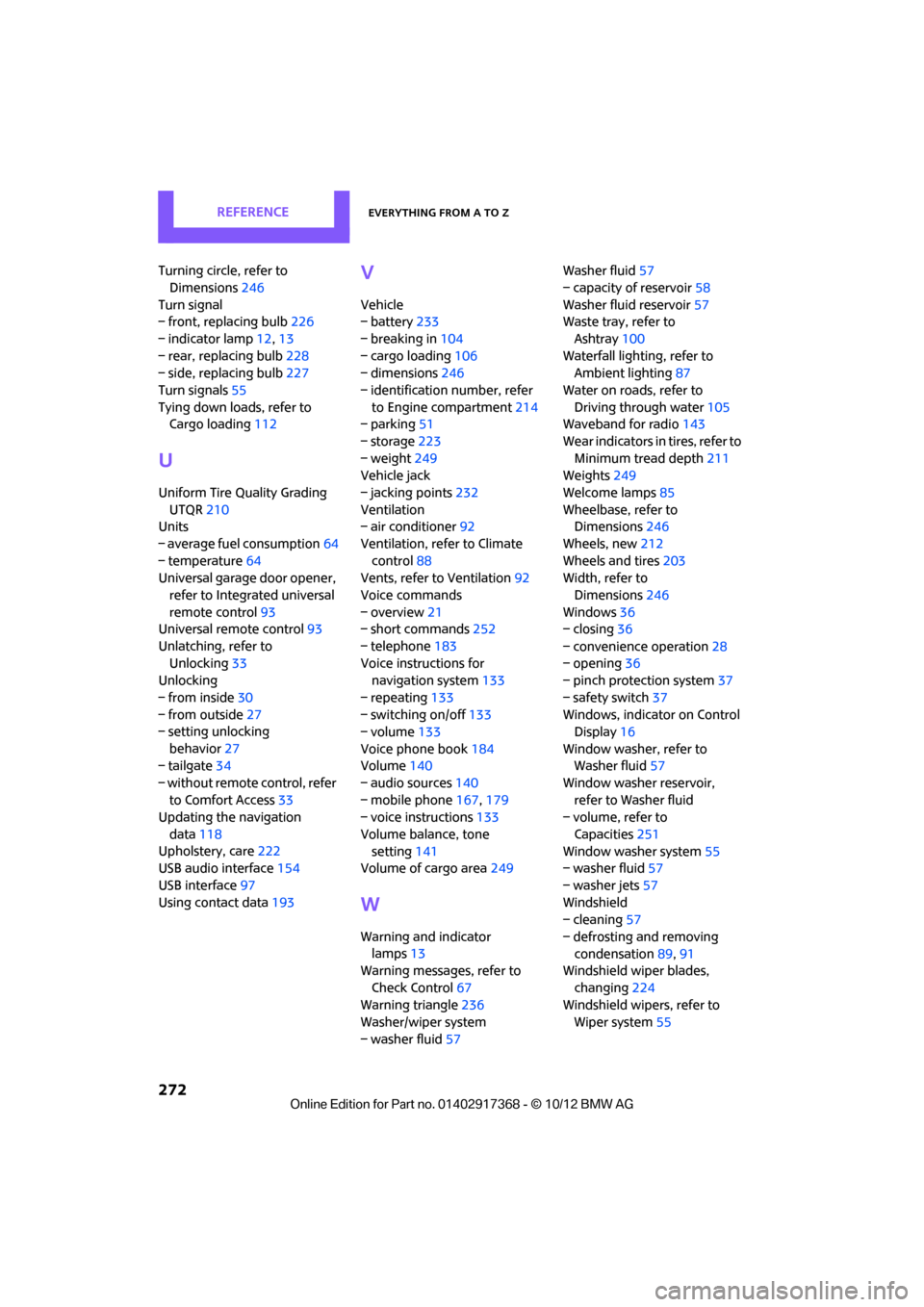
Turning circle, refer to Dimensions 246
Turn signal
– front, replacing bulb 226
– indicator lamp 12,13
– rear, replacing bulb 228
– side, replacing bulb 227
Turn signals 55
Tying down load s, refer to
Cargo loading 112
U
Uniform Tire Quality Grading
UTQR 210
Units
– average fuel consumption 64
– temperature 64
Universal garage door opener,
refer to Integrated universal
remote control 93
Universal remote control 93
Unlatching, refer to Unlocking 33
Unlocking
– from inside 30
– from outside 27
– setting unlocking
behavior 27
– tailgate 34
– without remote control, refer to Comfort Access 33
Updating the navigation
data 118
Upholstery, care 222
USB audio interface 154
USB interface 97
Using contact data 193
V
Vehicle
– battery233
– breaking in 104
– cargo loading 106
– dimensions 246
– identification number, refer to Engine compartment 214
– parking 51
– storage 223
– weight 249
Vehicle jack
– jacking points 232
Ventilation
– air conditioner 92
Ventilation, refer to Climate control 88
Vents, refer to Ventilation 92
Voice commands
– overview 21
– short commands 252
– telephone 183
Voice instructions for navigation system 133
– repeating 133
– switching on/off 133
– volume 133
Voice phone book 184
Volume 140
– audio sources 140
– mobile phone 167,179
– voice instructions 133
Volume balance, tone setting 141
Volume of cargo area 249
W
Warning and indicator
lamps 13
Warning messages, refer to
Check Control 67
Warning triangle 236
Washer/wiper system
– washer fluid 57 Washer fluid
57
– capacity of reservoir 58
Washer fluid reservoir 57
Waste tray, refer to
Ashtray 100
Waterfall lighti ng, refer to
Ambient lighting 87
Water on roads, refer to Driving through water 105
Waveband for radio 143
Wear indicators in tires, refer to Minimum tread depth 211
Weights 249
Welcome lamps 85
Wheelbase, refer to Dimensions 246
Wheels, new 212
Wheels and tires 203
Width, refer to
Dimensions 246
Windows 36
– closing 36
– convenience operation 28
– opening 36
– pinch protection system 37
– safety switch 37
Windows, indicator on Control Display 16
Window washer, refer to Washer fluid 57
Window washer reservoir, refer to Washer fluid
– volume, refer to
Capacities 251
Window washer system 55
– washer fluid 57
– washer jets 57
Windshield
– cleaning 57
– defrosting and removing condensation 89,91
Windshield wiper blades,
changing 224
Windshield wipers, refer to Wiper system 55
00320051004F004C00510048000300280047004C0057004C005200510003