ABS MITSUBISHI ASX 2009 1.G User Guide
[x] Cancel search | Manufacturer: MITSUBISHI, Model Year: 2009, Model line: ASX, Model: MITSUBISHI ASX 2009 1.GPages: 368, PDF Size: 8.13 MB
Page 190 of 368
Anti-lock brake system (ABS)
E00607101046
The
anti-lock brake system (ABS) helps prevent
the wheels from locking up when braking. This
helps maintain vehicle drivability and steering
wheel handling.
Driving hints
l Always keep a safe distance from the vehicle
in front of you. Even if your vehicle is equip-
ped with ABS, leave a greater braking dis-
tance when:
• Driving on gravel or snow-covered roads.
• Driving with tyre chains installed.
• Driving on uneven road surfaces.
l Operation of ABS is not restricted to situa-
tions where brakes are applied suddenly.
This system may also prevent the wheels
from locking when you drive over manholes,
steel roadwork plates, road markings, or any
uneven road surface.
l When the ABS is activated, you may feel the
brake pedal pulsation and the vibrations of
the vehicle body and steering wheel. It may
also feel as if the pedal resists being pressed.
In this situation, simply hold the brake ped-
al down firmly. Do not pump the brake,
which will result in reduced braking per-
formance.
l An operation noise is emitted from the en-
gine compartment or you can feel a shock
from the brake pedal when start driving im-
mediately after starting the engine. These are
normal sounds or operations that the ABS
makes when performing a self-check. It does
not indicate a malfunction. l
The ABS can be used after the vehicle has
reached a speed over approximately 10 km/h
(6 mph). It stops working when the vehicle
slows below approximately 5 km/h (3 mph). CAUTION
l
The
ABS cannot prevent accidents. It is
your responsibility to take safety precau-
tions and to drive carefully.
l To prevent failure of the ABS, be sure all
4 wheels and tyres are the same size and
the same type.
l Do not install any aftermarket limited-
slip differential (LSD) on your vehicle.
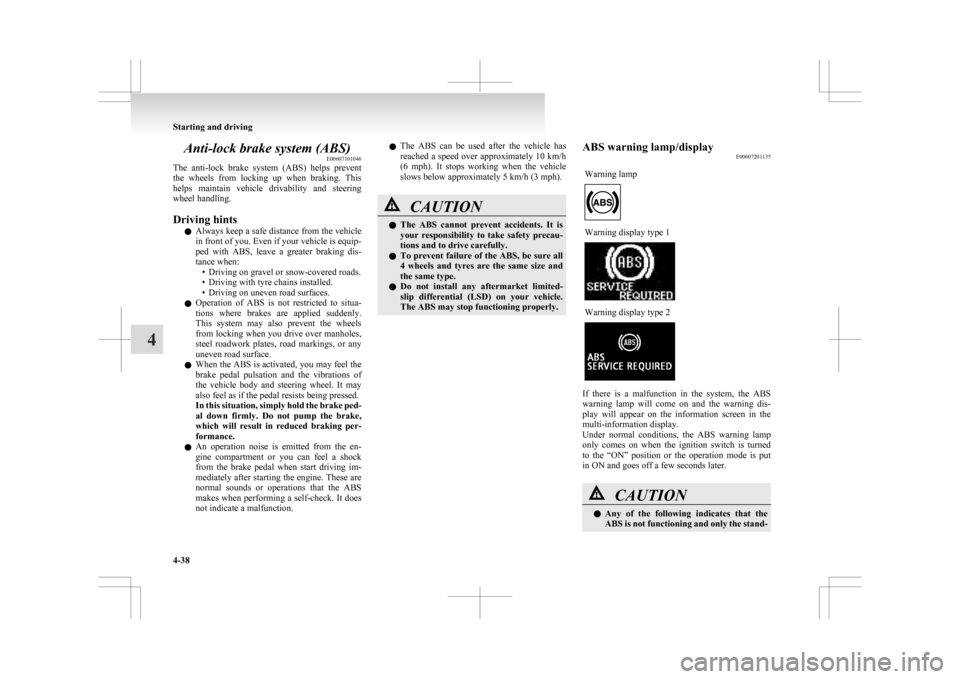
The ABS may stop functioning properly. ABS warning lamp/display
E00607201135
Warning lamp Warning display type 1
Warning display type 2
If there is a malfunction in the system, the ABS
warning
lamp will come on and the warning dis-
play will appear on the information screen in the
multi-information display.
Under normal conditions, the ABS warning lamp
only comes on when the ignition switch is turned
to the “ON” position or the operation mode is put
in ON and goes off a few seconds later. CAUTION
l
Any
of the following indicates that the
ABS is not functioning and only the stand- Starting and driving
4-38
4
Page 191 of 368
CAUTION
ard brake system is working. (The stand-
ard
brake system is functioning normal-
ly.) If this happens, we recommend you to
have your vehicle inspected as soon as pos-
sible. • When the ignition switch is turned tothe “ON” position or the operation
mode is put in ON, the warning lamp
does not come on or it remains on and
does not go off.
• The warning lamp comes on while driv- ing
• The warning display appears while driving
If the warning lamp/display illuminate
while driving E00607301295
If only the ABS warning lamp/display illuminate
Avoid
hard braking and high-speed driving. Stop
the vehicle in a safe place.
Restart the engine and check to see whether the
lamp goes out after a few minutes driving; if it then
remains off during driving, there is no problem.
However, if the warning lamp/display do not disap-
pear, or if they come on again when the vehicle is
driven, we recommend you to have the vehicle
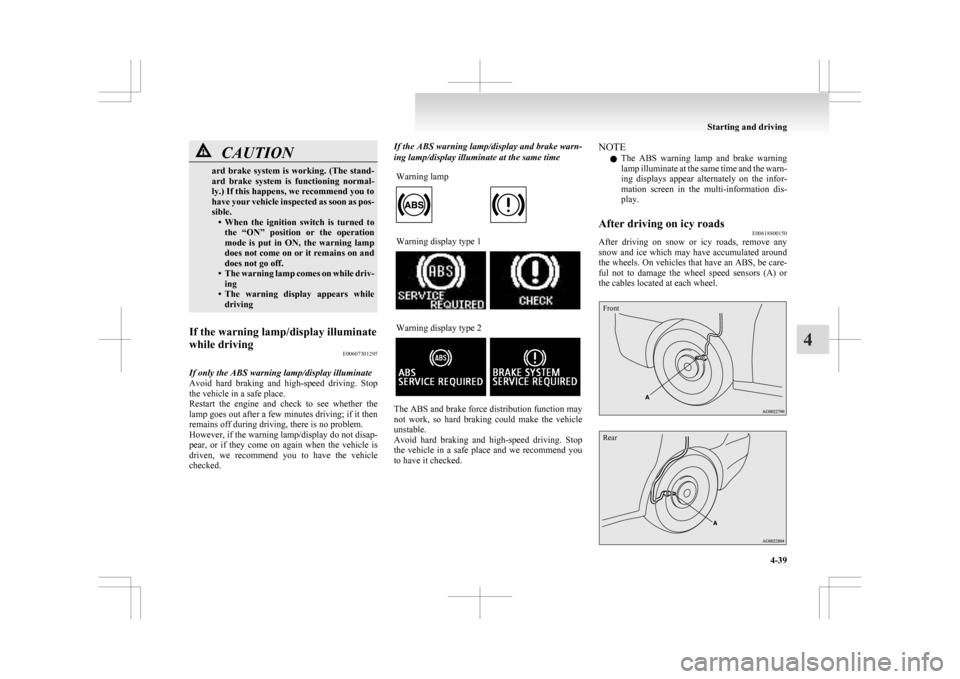
checked. If the ABS warning lamp/display and brake warn-
ing lamp/display illuminate at the same time
Warning lamp Warning display type 1
Warning display type 2
The ABS and brake force distribution function may
not
work, so hard braking could make the vehicle
unstable.
Avoid hard braking and high-speed driving. Stop
the vehicle in a safe place and we recommend you
to have it checked. NOTE
l The
ABS warning lamp and brake warning
lamp illuminate at the same time and the warn-
ing displays appear alternately on the infor-
mation screen in the multi-information dis-
play.
After driving on icy roads E00618800150
After driving on snow or icy roads, remove any
snow
and ice which may have accumulated around
the wheels. On vehicles that have an ABS, be care-
ful not to damage the wheel speed sensors (A) or
the cables located at each wheel.
Front
Rear Starting and driving
4-39 4
Page 192 of 368
Electric power steering system
(EPS) E00629200037
The
electric power steering system (EPS) uses an
electric motor to assist the turning of the steering
wheel.
NOTE
l During repeated full-lock turning of the steer-
ing wheel (for example, while you are ma-
noeuvring the vehicle into a parking space),
a protection function may be activated to pre-
vent overheating of the power steering sys-
tem. This function will make the steering
wheel gradually harder to turn. In this event,
limit your turning of the steering wheel for a
while. When the system has cooled down,
the steering action will return to normal.
l If you turn the steering wheel while the vehi-
cle is stationary with the headlamps on, the
headlamps may become dim. This behaviour
is not abnormal. The headlamps will return
to their original brightness after a short while.
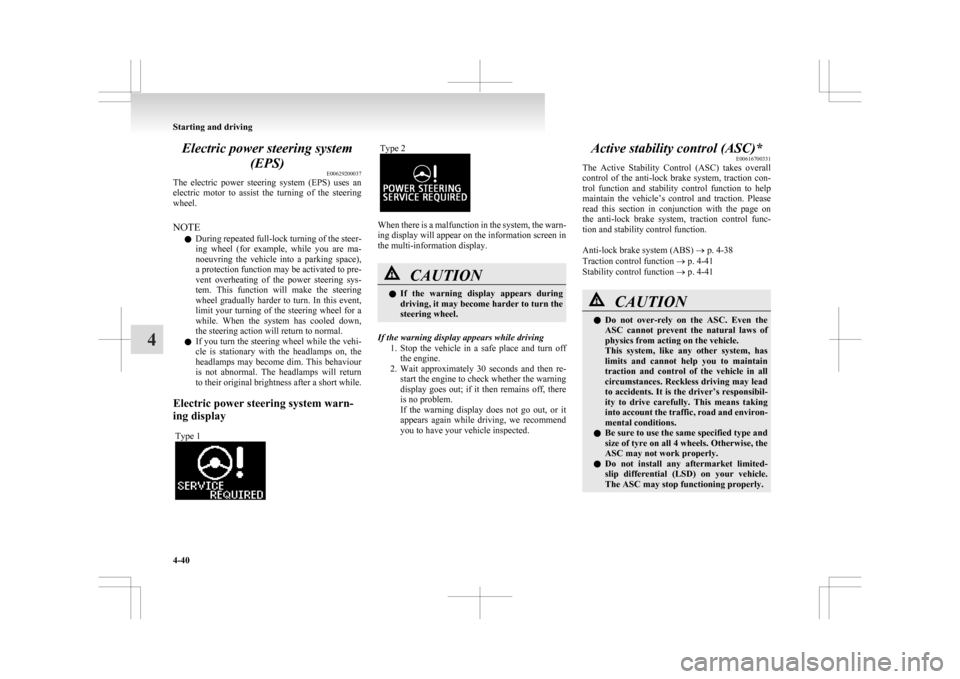
Electric power steering system warn-
ing display Type 1 Type 2
When there is a malfunction in the system, the warn-
ing display will appear on the information screen in
the multi-information display.
CAUTION
l
If
the warning display appears during
driving, it may become harder to turn the
steering wheel.
If the warning display appears while driving 1. Stop
the vehicle in a safe place and turn off
the engine.
2. Wait approximately 30 seconds and then re- start the engine to check whether the warning
display goes out; if it then remains off, there
is no problem.
If the warning display does not go out, or it
appears again while driving, we recommend
you to have your vehicle inspected. Active stability control (ASC)*
E00616700331
The
Active Stability Control (ASC) takes overall
control of the anti-lock brake system, traction con-
trol function and stability control function to help
maintain the vehicle’s control and traction. Please
read this section in conjunction with the page on
the anti-lock brake system, traction control func-
tion and stability control function.
Anti-lock brake system (ABS) ® p. 4-38
Traction control function ® p. 4-41
Stability control function ® p. 4-41 CAUTION
l
Do
not over-rely on the ASC. Even the
ASC cannot prevent the natural laws of
physics from acting on the vehicle.
This system, like any other system, has
limits and cannot help you to maintain
traction and control of the vehicle in all
circumstances. Reckless driving may lead
to accidents. It is the driver’s responsibil-
ity to drive carefully. This means taking
into account the traffic, road and environ-
mental conditions.
l Be sure to use the same specified type and
size of tyre on all 4 wheels. Otherwise, the
ASC may not work properly.
l Do not install any aftermarket limited-
slip differential (LSD) on your vehicle.
The ASC may stop functioning properly. Starting and driving
4-40
4
Page 200 of 368
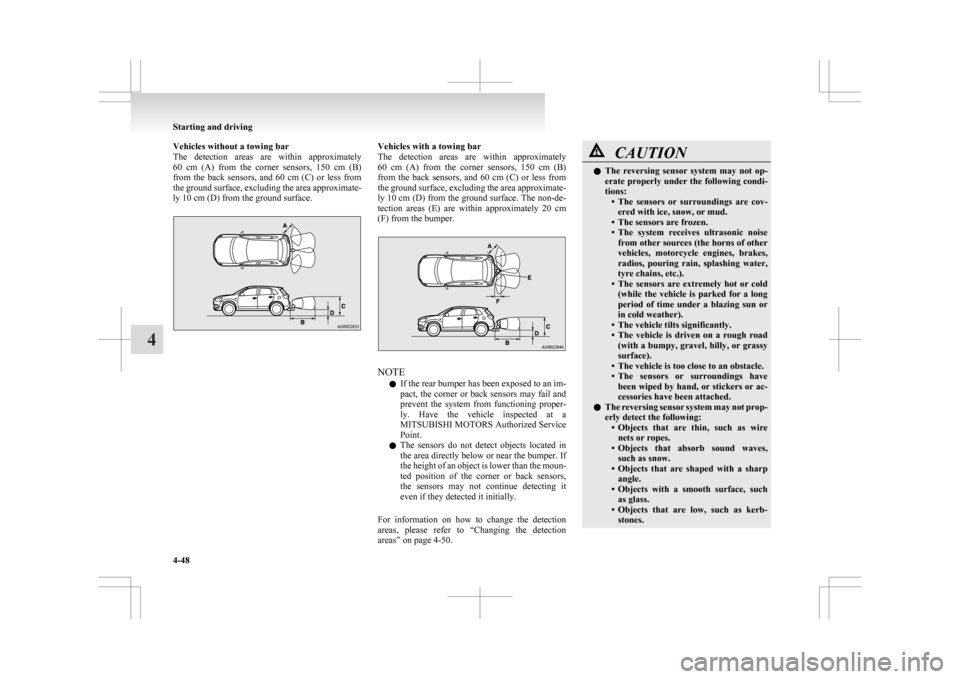
Vehicles without a towing bar
The
detection areas are within approximately
60 cm (A) from the corner sensors, 150 cm (B)
from the back sensors, and 60 cm (C) or less from
the ground surface, excluding the area approximate-
ly 10 cm (D) from the ground surface. Vehicles with a towing bar
The
detection areas are within approximately
60 cm (A) from the corner sensors, 150 cm (B)
from the back sensors, and 60 cm (C) or less from
the ground surface, excluding the area approximate-
ly 10 cm (D) from the ground surface. The non-de-
tection areas (E) are within approximately 20 cm
(F) from the bumper. NOTE
l If
the rear bumper has been exposed to an im-
pact, the corner or back sensors may fail and
prevent the system from functioning proper-
ly. Have the vehicle inspected at a
MITSUBISHI MOTORS Authorized Service
Point.
l The sensors do not detect objects located in
the area directly below or near the bumper. If
the height of an object is lower than the moun-
ted position of the corner or back sensors,
the sensors may not continue detecting it
even if they detected it initially.
For information on how to change the detection
areas, please refer to “Changing the detection
areas” on page 4-50. CAUTION
l
The
reversing sensor system may not op-
erate properly under the following condi-
tions: • The sensors or surroundings are cov-ered with ice, snow, or mud.
• The sensors are frozen.
• The system receives ultrasonic noise from other sources (the horns of other
vehicles, motorcycle engines, brakes,
radios, pouring rain, splashing water,
tyre chains, etc.).
• The sensors are extremely hot or cold (while the vehicle is parked for a long
period of time under a blazing sun or
in cold weather).
• The vehicle tilts significantly.
• The vehicle is driven on a rough road (with a bumpy, gravel, hilly, or grassy
surface).
• The vehicle is too close to an obstacle.
• The sensors or surroundings have been wiped by hand, or stickers or ac-
cessories have been attached.
l The reversing sensor system may not prop-
erly detect the following:
• Objects that are thin, such as wirenets or ropes.
• Objects that absorb sound waves, such as snow.
• Objects that are shaped with a sharp angle.
• Objects with a smooth surface, such as glass.
• Objects that are low, such as kerb- stones. Starting and driving
4-48
4
Page 205 of 368
NOTE
l We
recommend you to use a genuine
MITSUBISHI roof carrier, since the brackets
to be used have a special shape.
For details, we recommend you to consult a
MITSUBISHI MOTORS Authorized Service
Point.
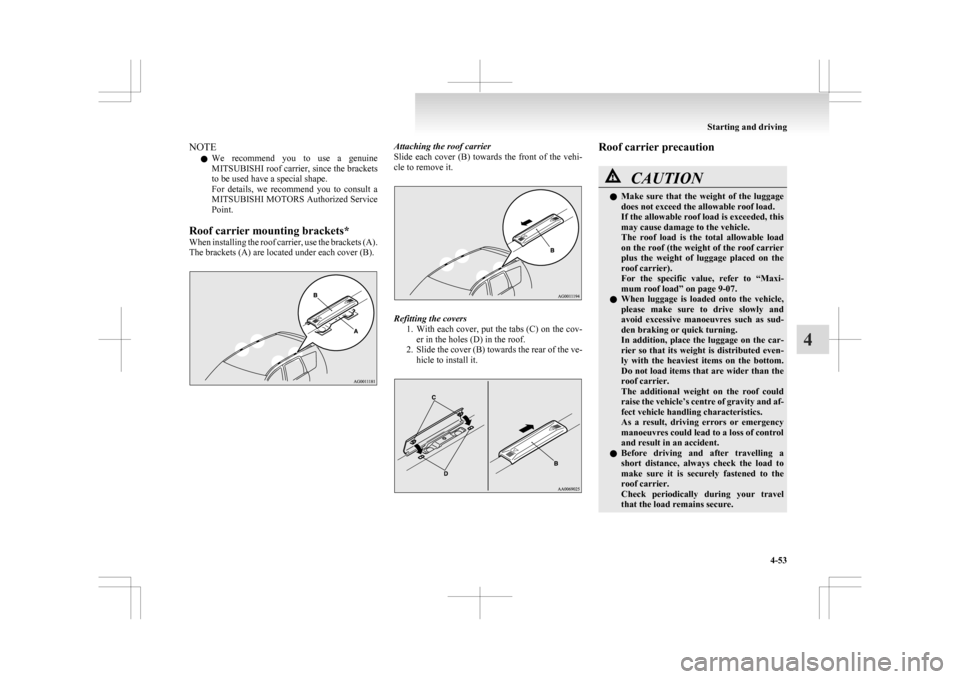
Roof carrier mounting brackets*
When installing the roof carrier, use the brackets (A).
The brackets (A) are located under each cover (B). Attaching the roof carrier
Slide
each cover (B) towards the front of the vehi-
cle to remove it. Refitting the covers
1. With
each cover, put the tabs (C) on the cov-
er in the holes (D) in the roof.
2. Slide the cover (B) towards the rear of the ve- hicle to install it. Roof carrier precaution
CAUTION
l
Make
sure that the weight of the luggage
does not exceed the allowable roof load.
If the allowable roof load is exceeded, this
may cause damage to the vehicle.
The roof load is the total allowable load
on the roof (the weight of the roof carrier
plus the weight of luggage placed on the
roof carrier).
For the specific value, refer to “Maxi-
mum roof load” on page 9-07.
l When luggage is loaded onto the vehicle,
please make sure to drive slowly and
avoid excessive manoeuvres such as sud-
den braking or quick turning.
In addition, place the luggage on the car-
rier so that its weight is distributed even-
ly with the heaviest items on the bottom.
Do not load items that are wider than the
roof carrier.
The additional weight on the roof could
raise the vehicle’s centre of gravity and af-
fect vehicle handling characteristics.
As a result, driving errors or emergency
manoeuvres could lead to a loss of control
and result in an accident.
l Before driving and after travelling a
short distance, always check the load to
make sure it is securely fastened to the
roof carrier.
Check periodically during your travel
that the load remains secure. Starting and driving
4-53 4
Page 282 of 368
WARNING
l If the battery has to be charged while fit-
ted in the vehicle, disconnect the vehicle
side negative (-) terminal connected to the
battery.
l Keep sparks, cigarettes and flames away
from the battery because the battery may
produce an explosion.
l Use adequate ventilation when charging
or using the battery in an enclosed space.
l Remove all the caps before charging the
battery.
l Electrolyte is corrosive diluted sulphuric
acid.
If electrolyte (battery acid) comes into con-
tact with your hands, eyes, clothes and
the painted surface of your vehicle, it
should be thoroughly flushed with water.
If electrolyte gets in your eyes, flush them
with water immediately and thoroughly,
and get prompt medical attention.
NOTE l If
the vehicle is put in motion without fully
charging the battery, it might cause the loss
of smooth engine operation and the anti-lock
brake warning lamp to illuminate.
Refer to “Anti-lock brake system (ABS)” on
page 4-38. Engine overheating
E00800602269
When
the engine is overheating, the information
screen in the multi-information display will be in-
terrupted and the engine coolant temperature warn-
ing display will appear. Also “ ” will blink.
If
this occurs, take the following corrective meas-
ures: 1. Stop the vehicle in a safe place.
2. Check whether steam is coming from the en-gine compartment.
[If steam does not come from the engine com-
partment]
With the engine still running, raise the bon-
net to ventilate the engine compartment.
NOTE l For vehicles equipped with the Auto Stop &
Go (AS&G) system, press the “Auto Stop &
Go (AS&G) OFF” switch to deactivate the
Auto Stop & Go (AS&G) system before stop-
ping the vehicle.
Refer to “To deactivate” on page 4-20.
[If steam is coming from the engine compart-
ment]
Stop the engine, and when the steam stops,
raise the bonnet to ventilate the engine com-
partment. Restart the engine. WARNING
l Do
not open the bonnet while steam is com-
ing from the engine compartment. It
could cause steam or hot water to spurt
out, causing burns. Hot water could spurt
out even when there is no steam coming
out, and some parts will be very hot. Be
very careful when opening the bonnet.
l Be careful of hot steam, which could
cause the cap on the engine reserve tank
to blow off.
l Do not attempt to remove the radiator
cap (petrol-powered vehicles) or reserve
tank cap (diesel-powered vehicles) while
the engine is hot.
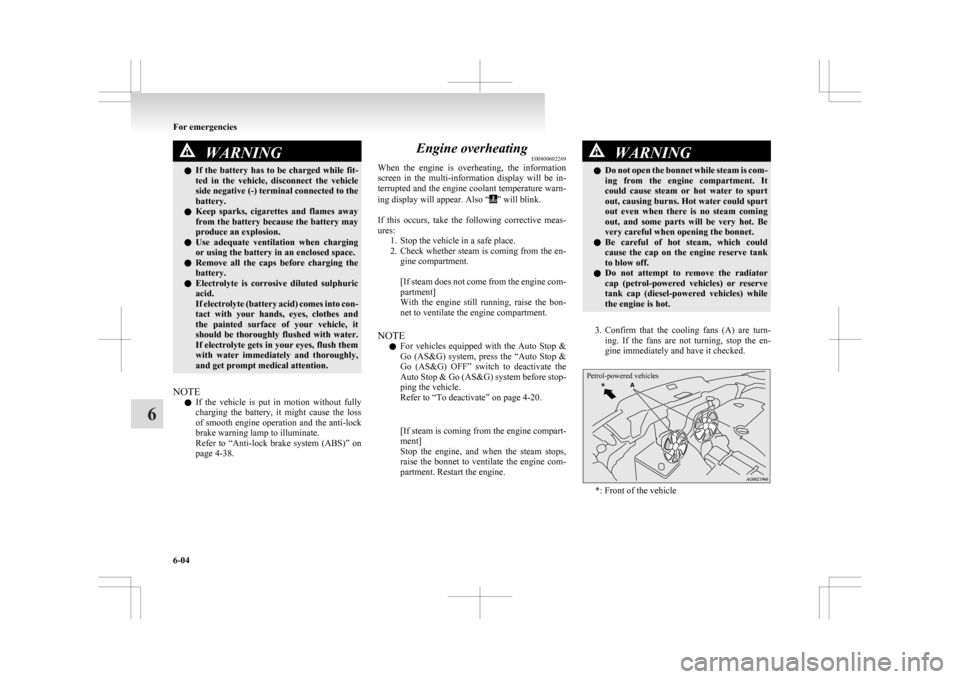
3. Confirm
that the cooling fans (A) are turn- ing. If the fans are not turning, stop the en-
gine immediately and have it checked.
Petrol-powered vehicles *: Front of the vehicleFor emergencies
6-04
6
Page 296 of 368
3. Have your damaged tyre repaired as soon as
possible.
To store the tools and jack E00803800154
Reverse the removing procedure when storing the
jack, jack bar and wheel nut wrench.
Refer
to “Tools, jack and tyre repair kit” on page
6-06.
Wheel covers* E00801300621
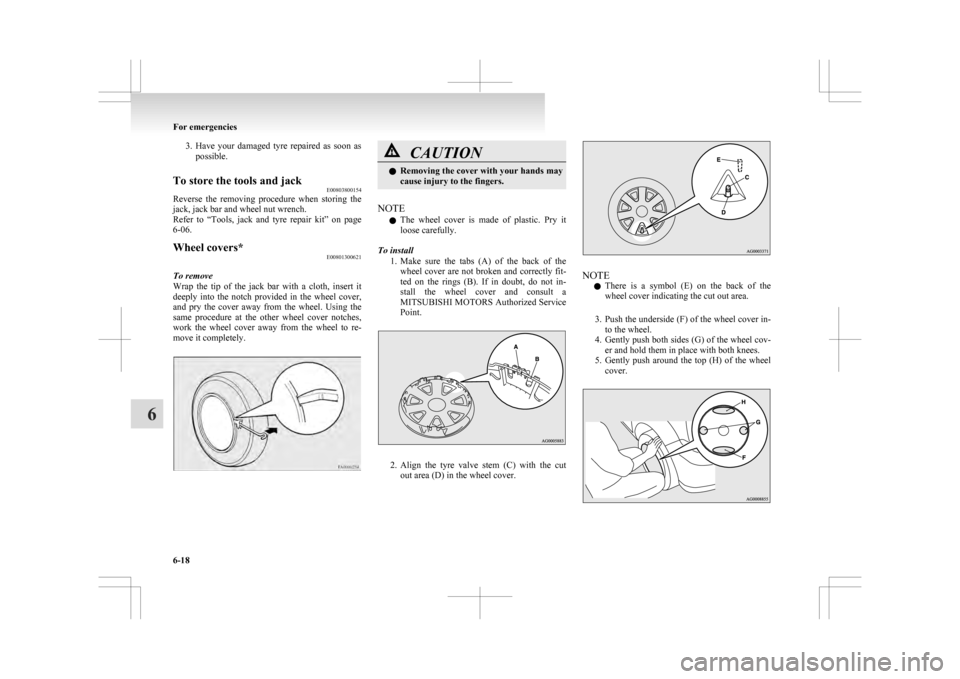
To remove
Wrap
the tip of the jack bar with a cloth, insert it
deeply into the notch provided in the wheel cover,
and pry the cover away from the wheel. Using the
same procedure at the other wheel cover notches,
work the wheel cover away from the wheel to re-
move it completely. CAUTION
l
Removing
the cover with your hands may
cause injury to the fingers.
NOTE l The
wheel cover is made of plastic. Pry it
loose carefully.
To install 1. Make sure the tabs (A) of the back of thewheel cover are not broken and correctly fit-
ted on the rings (B). If in doubt, do not in-
stall the wheel cover and consult a
MITSUBISHI MOTORS Authorized Service
Point. 2. Align
the tyre valve stem (C) with the cut
out area (D) in the wheel cover. NOTE
l There
is a symbol (E) on the back of the
wheel cover indicating the cut out area.
3. Push the underside (F) of the wheel cover in- to the wheel.
4. Gently push both sides (G) of the wheel cov- er and hold them in place with both knees.
5. Gently push around the top (H) of the wheel cover. For emergencies
6-18
6
Page 300 of 368
Refer to “Tools,
jack and tyre repair kit” on
page 6-06.
When installing the bumper lid, align the
hook with the cut out area on the vehicle,
and firmly insert.
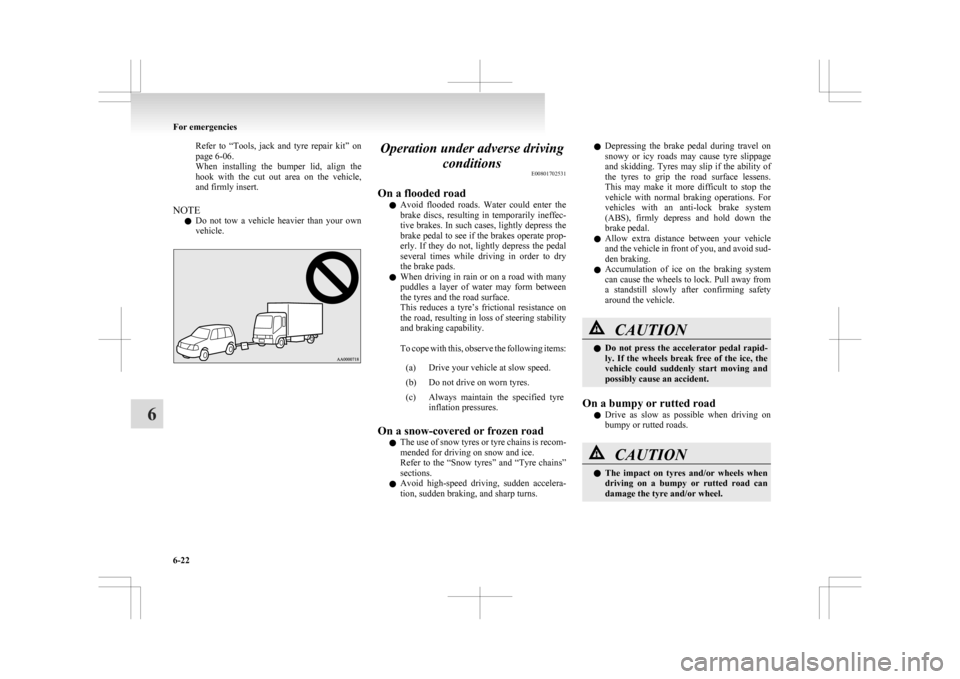
NOTE l Do not tow a vehicle heavier than your own
vehicle. Operation under adverse driving
conditions E00801702531
On a flooded road l Avoid
flooded roads. Water could enter the
brake discs, resulting in temporarily ineffec-
tive brakes. In such cases, lightly depress the
brake pedal to see if the brakes operate prop-
erly. If they do not, lightly depress the pedal
several times while driving in order to dry
the brake pads.
l When driving in rain or on a road with many
puddles a layer of water may form between
the tyres and the road surface.
This reduces a tyre’s frictional resistance on
the road, resulting in loss of steering stability
and braking capability.
To cope with this, observe the following items:
(a) Drive your vehicle at slow speed.
(b) Do not drive on worn tyres.
(c) Always maintain the specified tyre inflation pressures.
On a snow-covered or frozen road l The
use of snow tyres or tyre chains is recom-
mended for driving on snow and ice.
Refer to the “Snow tyres” and “Tyre chains”
sections.
l Avoid high-speed driving, sudden accelera-
tion, sudden braking, and sharp turns. l
Depressing
the brake pedal during travel on
snowy or icy roads may cause tyre slippage
and skidding. Tyres may slip if the ability of
the tyres to grip the road surface lessens.
This may make it more difficult to stop the
vehicle with normal braking operations. For
vehicles with an anti-lock brake system
(ABS), firmly depress and hold down the
brake pedal.
l Allow extra distance between your vehicle
and the vehicle in front of you, and avoid sud-
den braking.
l Accumulation of ice on the braking system
can cause the wheels to lock. Pull away from
a standstill slowly after confirming safety
around the vehicle. CAUTION
l
Do
not press the accelerator pedal rapid-
ly. If the wheels break free of the ice, the
vehicle could suddenly start moving and
possibly cause an accident.
On a bumpy or rutted road l Drive
as slow as possible when driving on
bumpy or rutted roads. CAUTION
l
The
impact on tyres and/or wheels when
driving on a bumpy or rutted road can
damage the tyre and/or wheel. For emergencies
6-22
6
Page 357 of 368

4
4-wheel drive operation 4-31
AAccessory (Installation) 04
Accessory socket 5-61
Active stability control (ASC)
4-40
Additional equipment 8-17
Air conditioning 5-03 Important operation tips for the air condition-
ing 5-09
Air purifier 5-10
Airbag 2-24
Antenna 5-39
Anti-lock brake system (ABS) 4-38 Display 4-38
Warning lamp 4-38
Ashtray 5-60
Assist grips 5-70
Audio 5-10 Error codes 5-35
External audio input function 5-32
Handling of compact discs 5-38
Steering wheel audio remote control
switches 5-33
Auto Stop & Go (AS&G) system 4-17
Automatic transmission Fluid 9-14
Selector lever operation 4-24
Selector lever position 4-25
Sports mode 4-26
BBattery 8-08
Charge warning lamp 3-42 Discharged battery (Emergency starting) 6-02
Disposal information for used batteries
06
Specification 9-11
Bluetooth® 2.0 interface 5-41
Bonnet 8-03
Bottle holder 5-69
Brake assist system 4-36
Brake Anti-lock brake 4-38
Braking 4-34
Fluid 8-07,9-14
Parking brake 4-06
Bulb capacity 8-23
C Capacities 9-14
Card holder 5-59,5-66
Cargo loads 4-52
Catalytic converter
8-02
Cautions on handling of 4-wheel drive vehi-
cles 4-33
Central door locks 1-22
Charge warning lamp 3-42
Chassis number 9-02
Check engine warning lamp 3-41
Child restraint 2-15
Child-protection rear doors 1-25
Cigarette lighter 5-60
Cleaning Exterior of your vehicle 7-03
Interior of your vehicle 7-02
Clock 5-39
Clutch Fluid 8-07
Coat hook 5-70
Combination headlamps and dipper switch 3-44
Coolant (engine) 8-06,9-14
Cruise control 4-43 Cup holder 5-68
D Daytime running lamps
Bulb capacity
8-24
Replacement 8-30
Demister (rear window) 3-57
Diesel particulate filter (DPF) 4-15
Dimensions 9-04
Dipper (High/Low beam change) 3-47
Doors Central door locks 1-22
Child-protection 1-25
Dead Lock System 1-23
Lock and unlock 1-21
Driving, alcohol and drugs 4-02
E Economical driving 4-02
Electric power steering system (EPS)
4-40
Electric window control 1-34
Electrical system 9-11
Electronic immobilizer (Anti-theft starting sys-
tem) 1-03
Electronically controlled 4WD system 4-29
Emergency starting 6-02
Emergency stop signal system 4-37
Engine specifications 9-10
Engine switch 1-11
Engine Coolant 8-06,9-14
Number 9-02
Oil 8-04
Oil and filter 9-14
Overheating 6-04
Specifications 9-10 Alphabetical index
1