Oll level MITSUBISHI ASX 2009 1.G User Guide
[x] Cancel search | Manufacturer: MITSUBISHI, Model Year: 2009, Model line: ASX, Model: MITSUBISHI ASX 2009 1.GPages: 368, PDF Size: 8.13 MB
Page 204 of 368
NOTE
l It
is possible to set the display language of
the screen to English, Spanish, French, Ger-
man, Italian, Swedish, Dutch, Danish or Por-
tuguese.
For details, please refer to the separate own-
er’s manual for “MITSUBISHI Multi Com-
munication System (MMCS)”.
l When the vehicle is tilting because of the num-
ber of people in the vehicle, the weight and
positioning of luggage, and/or the condition
of the road surface, the lines in the view
from the rear-view camera may not be accu-
rately positioned relative to the actual road.
l The lines in the view from the rear-view cam-
era are based on a level, flat road surface. Do
not use them as a guide for distances to solid
objects.
l Because the rear-view camera has a special
lens, the lines on the ground between parking
spaces may not look parallel on the screen.
l In the following situations, the screen indica-
tion may be difficult to see. There is no ab-
normality.
• Low light (nighttime)
• When the light of the sun or the lightfrom a vehicle’s headlamps shines direct-
ly into the lens
→ When an extremely bright spot is
shown on the screen, colour smearing* (a
characteristic of CCD cameras) can occur.
*: Colour smearing: When an extremely
bright spot (for example, sunlight that has re-
flected off the bumper) is shown on the
screen, it appears to leave a vertical trail.
l If the camera is hot and is then cooled by
rain or a car wash, the lens can mist up. This
phenomenon does not indicate a malfunction. l
It is not possible to fully see obstacles when
the lens is dirty. If the lens becomes contami-
nated by water droplets, snow, mud or oil,
wipe off the contamination, taking care not
to scratch the lens.
l Please observe the following cautions. Ignor-
ing them could lead to a camera malfunction.
• Do not subject the camera to physicalshock.
• Do not apply wax to the camera.
• Do not splash the camera with boiling wa- ter.
• Do not disassemble the camera. Cargo loads
E00609901383
Cargo loads precautions CAUTION
l
Do
not load cargo or luggage higher than
the top of the seatback. Be sure that your
cargo or luggage cannot move once your
vehicle is moving. Having the driver’s vi-
sion blocked, and your cargo being
thrown inside the cabin if you suddenly
have to brake can cause a serious acci-
dent or injury.
l Load heavy cargo or luggage in the front
of the vehicle. If the load in the back of
the vehicle is too heavy, steering may be-
come unstable.
Loading a roof carrier CAUTION
l
Use
a roof carrier that properly fits your
vehicle. Do not load luggage directly onto
the roof. For installation, refer to the in-
struction manual accompanying the roof
carrier.
l When attaching/removing the roof carri-
er and loading/removing luggage, do not
apply excessive pressure on a single point.
Depending on how and where the force is
applied, this may cause dents on the vehi-
cle roof. Starting and driving
4-52
4
Page 206 of 368
NOTE
l To
prevent wind noise or reduction in fuel
economy, remove the roof carrier when not
in use.
l Remove the roof carrier before using an auto-
matic car wash.
l Be sure that adequate clearance is main-
tained for raising the tailgate when installing
a roof carrier. Trailer towing
E00610000459
In
order to tow a trailer with your vehicle, have a
trailer towing device that meets all relevant regula-
tions in your area, mounted consult a
MITSUBISHI MOTORS Authorized Service Point.
The regulations concerning the towing of a trailer
may differ from country to country. You are ad-
vised to obey the regulations in each area. CAUTION
l
Danger of Accident!
A
towing bar should be fitted according
to MITSUBISHI MOTORS guidelines.
Maximum towable weight with brake
and maximum trailer-nose weight
Never
exceed the maximum towable weight with
brake and the maximum trailer-nose weight as lis-
ted in the specifications.
(Refer to page 9-07.)
If you tow a trailer at an altitude of more than
1,000 m above sea-level, reduce your weight by
10 % of the gross combination weight for every in-
crease of 1,000 m above sea-level, as the engine out-
put is lowered owing to decrease in atmospheric
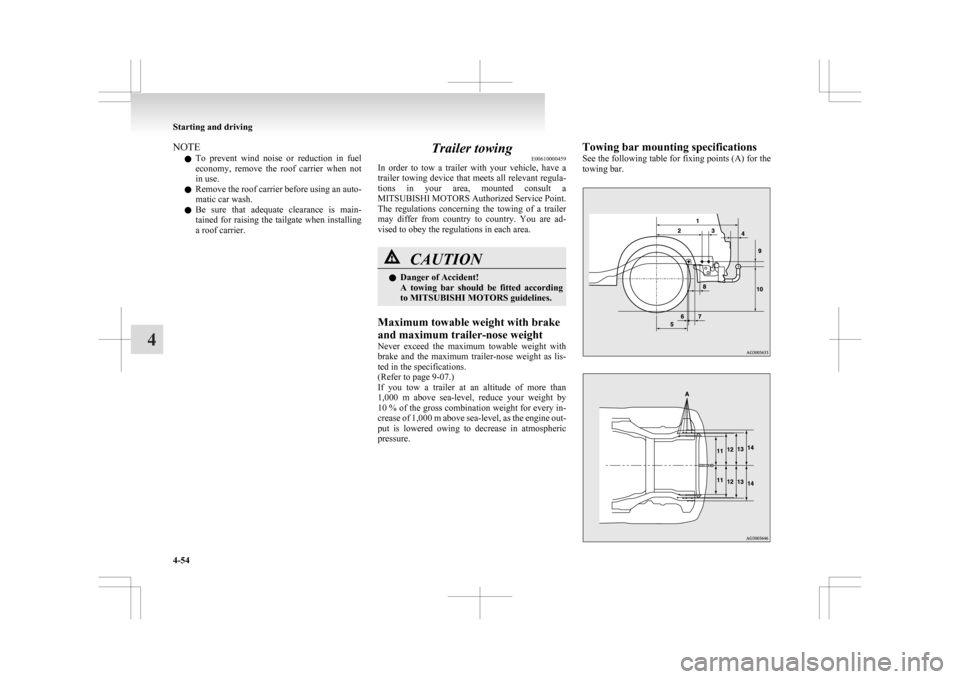
pressure. Towing bar mounting specifications
See
the following table for fixing points (A) for the
towing bar. Starting and driving
4-54
4
Page 213 of 368
l
On vehicles with the automatic air condition-
ing, when the engine coolant temperature
rises to a certain level, the air selection is au-
tomatically switched to the recirculation posi-
tion and the indication lamp (A) comes on.
At this time, the system will not switch to the
outside position even if the air selection
switch is pushed.
Customizing the air selection E00732500107
Functions can be changed as desired, as stated below.
l Enable automatic air control
•
Heater/Manual air conditioning:When the system operates, the air selec-
tion switch will be automatically control-
led.
• Automatic air conditioning: When the mode selection dial or blower
speed selection dial is turned to the “AU-
TO” position, the air selection switch is al-
so controlled automatically.
l Disable automatic air control
• Heater/Manual air conditioning:Even when the system operates, the air se-
lection switch will not be automatically
controlled.
• Automatic air conditioning: Even when the mode selection dial or
blower speed selection dial is turned to
the “AUTO” position, the air selection
switch is not controlled automatically.
l Setting change method
Hold down the air selection switch for about
10 seconds or more.
When the setting is changed, a sound is emit-
ted and the indication lamp flashes. • When
the setting is changed from enable
to disable 3 sounds are emitted and the in-
dication lamp flashes 3 times.
• When the setting is changed from disable to enable 2 sounds are emitted and the in-
dication lamp flashes 3 times.
NOTE l The factory setting is “Enable automatic air
control.”
l When the mode selection dial is turned to
“ ”,
in order to prevent misting of the win-
dows the ventilator automatically switches to
outside air even if “Disable automatic air con-
trol” is set.
Air conditioning switch (Air conditioning) E00701500909
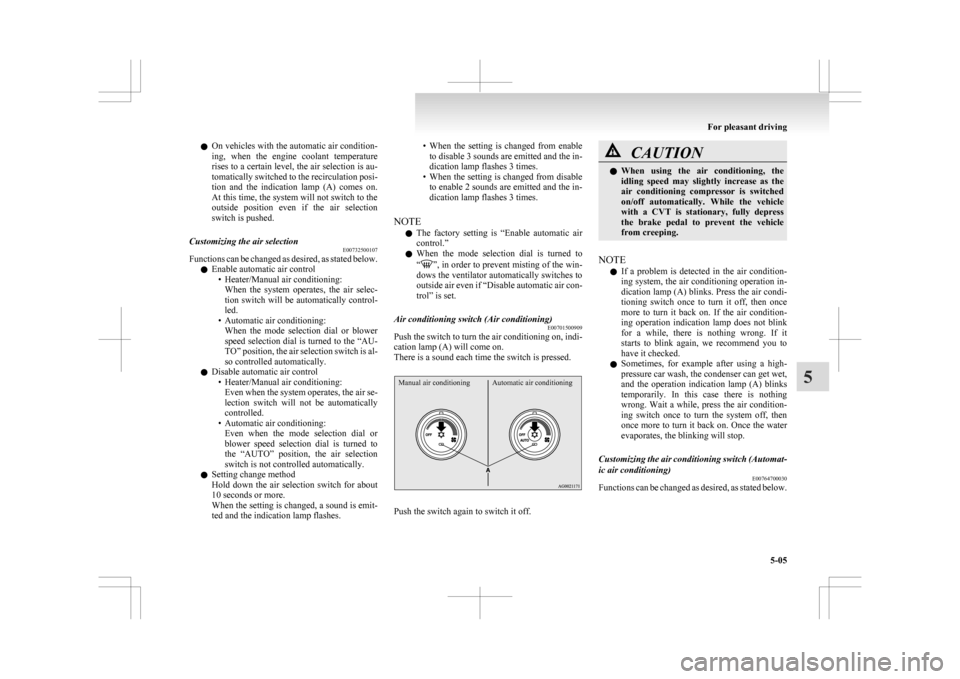
Push the switch to turn the air conditioning on, indi-
cation lamp (A) will come on.
There is a sound each time the switch is pressed.
Manual air conditioning Automatic air conditioning Push the switch again to switch it off. CAUTION
l
When
using the air conditioning, the
idling speed may slightly increase as the
air conditioning compressor is switched
on/off automatically. While the vehicle
with a CVT is stationary, fully depress
the brake pedal to prevent the vehicle
from creeping.
NOTE l If
a problem is detected in the air condition-
ing system, the air conditioning operation in-
dication lamp (A) blinks. Press the air condi-
tioning switch once to turn it off, then once
more to turn it back on. If the air condition-
ing operation indication lamp does not blink
for a while, there is nothing wrong. If it
starts to blink again, we recommend you to
have it checked.
l Sometimes, for example after using a high-
pressure car wash, the condenser can get wet,
and the operation indication lamp (A) blinks
temporarily. In this case there is nothing
wrong. Wait a while, press the air condition-
ing switch once to turn the system off, then
once more to turn it back on. Once the water
evaporates, the blinking will stop.
Customizing the air conditioning switch (Automat-
ic air conditioning) E00764700030
Functions can be changed as desired, as stated below. For pleasant driving
5-05 5
Page 223 of 368
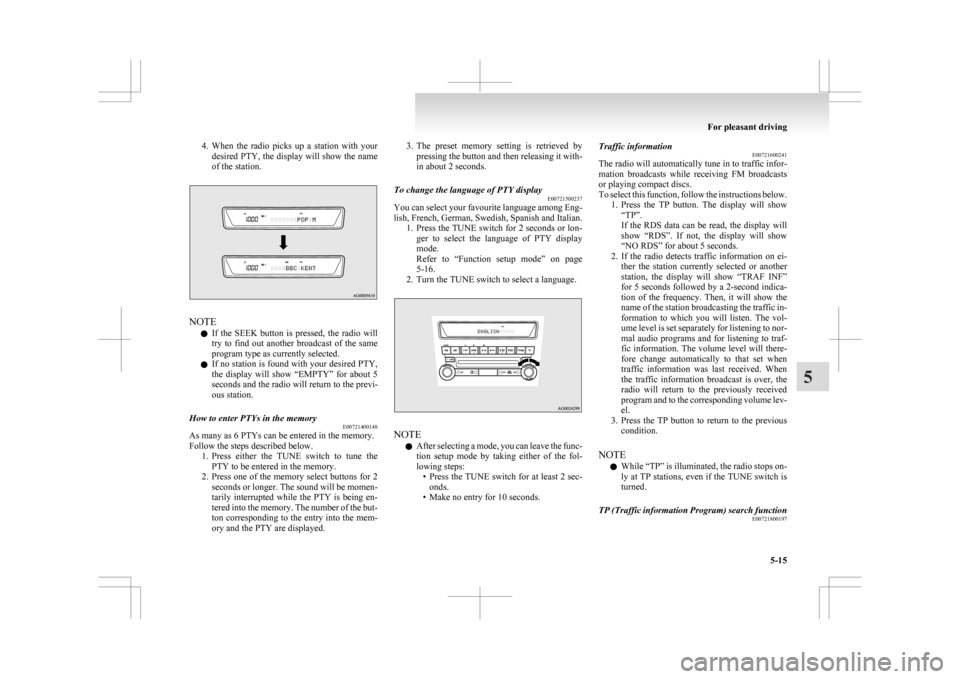
4. When the radio picks up a station with your
desired PTY, the display will show the name
of the station. NOTE
l If
the SEEK button is pressed, the radio will
try to find out another broadcast of the same
program type as currently selected.
l If no station is found with your desired PTY,
the display will show “EMPTY” for about 5
seconds and the radio will return to the previ-
ous station.
How to enter PTYs in the memory E00721400148
As many as 6 PTYs can be entered in the memory.
Follow the steps described below.
1. Press
either the TUNE switch to tune the
PTY to be entered in the memory.
2. Press one of the memory select buttons for 2 seconds or longer. The sound will be momen-
tarily interrupted while the PTY is being en-
tered into the memory. The number of the but-
ton corresponding to the entry into the mem-
ory and the PTY are displayed. 3. The
preset memory setting is retrieved by
pressing the button and then releasing it with-
in about 2 seconds.
To change the language of PTY display E00721500237
You can select your favourite language among Eng-
lish,
French, German, Swedish, Spanish and Italian.
1. Press the TUNE switch for 2 seconds or lon- ger to select the language of PTY display
mode.
Refer to “Function setup mode” on page
5-16.
2. Turn the TUNE switch to select a language. NOTE
l After
selecting a mode, you can leave the func-
tion setup mode by taking either of the fol-
lowing steps: • Press the TUNE switch for at least 2 sec-onds.
• Make no entry for 10 seconds. Traffic information
E00721600241
The
radio will automatically tune in to traffic infor-
mation broadcasts while receiving FM broadcasts
or playing compact discs.
To select this function, follow the instructions below. 1. Press the TP button. The display will show“TP”.
If the RDS data can be read, the display will
show “RDS”. If not, the display will show
“NO RDS” for about 5 seconds.
2. If the radio detects traffic information on ei- ther the station currently selected or another
station, the display will show “TRAF INF”
for 5 seconds followed by a 2-second indica-
tion of the frequency. Then, it will show the
name of the station broadcasting the traffic in-
formation to which you will listen. The vol-
ume level is set separately for listening to nor-
mal audio programs and for listening to traf-
fic information. The volume level will there-
fore change automatically to that set when
traffic information was last received. When
the traffic information broadcast is over, the
radio will return to the previously received
program and to the corresponding volume lev-
el.
3. Press the TP button to return to the previous condition.
NOTE l While “TP” is illuminated, the radio stops on-
ly at TP stations, even if the TUNE switch is
turned.
TP (Traffic information Program) search function E00721800197
For pleasant driving
5-15 5
Page 224 of 368
The traffic information program standby function
is
turned on (with the TP indicator shown on the dis-
play) and after about 45 seconds since the RDS in-
dicator turns off due to weak signal or the tuning
station is changed over from a TP station to a sta-
tion which does not broadcast traffic information,
the sound will beep 5 times and seeks out a TP sta-
tion in all frequencies automatically.
The TP search function can be turned ON and OFF.
Refer to “Function setup mode” on page 5-16.
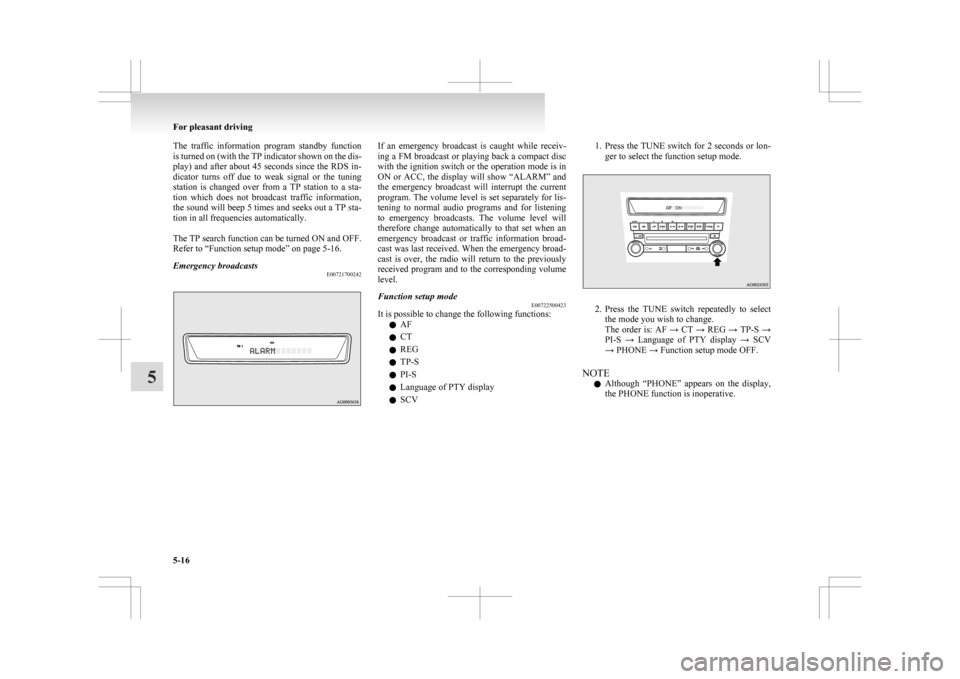
Emergency broadcasts E00721700242 If an emergency broadcast is caught while receiv-
ing
a FM broadcast or playing back a compact disc
with the ignition switch or the operation mode is in
ON or ACC, the display will show “ALARM” and
the emergency broadcast will interrupt the current
program. The volume level is set separately for lis-
tening to normal audio programs and for listening
to emergency broadcasts. The volume level will
therefore change automatically to that set when an
emergency broadcast or traffic information broad-
cast was last received. When the emergency broad-
cast is over, the radio will return to the previously
received program and to the corresponding volume
level.
Function setup mode E00722500423
It is possible to change the following functions:
l AF
l CT
l REG
l TP-S
l PI-S
l Language of PTY display
l SCV 1. Press the TUNE switch for 2 seconds or lon-
ger to select the function setup mode. 2. Press
the TUNE switch repeatedly to select
the mode you wish to change.
The order is: AF → CT → REG → TP-S →
PI-S → Language of PTY display → SCV
→ PHONE → Function setup mode OFF.
NOTE l Although “PHONE” appears on the display,
the PHONE function is inoperative. For pleasant driving
5-16
5
Page 235 of 368
NOTE
l If
the confirmation function is active, the
voice guide confirms if the genre is correct.
If the genre is correct, say “Yes”. If not, say
“No”. After the voice guide says “Genre not
found, please try again,” the system returns
to step 2.
Refer to “Confirmation function setting” on
page 5-43.
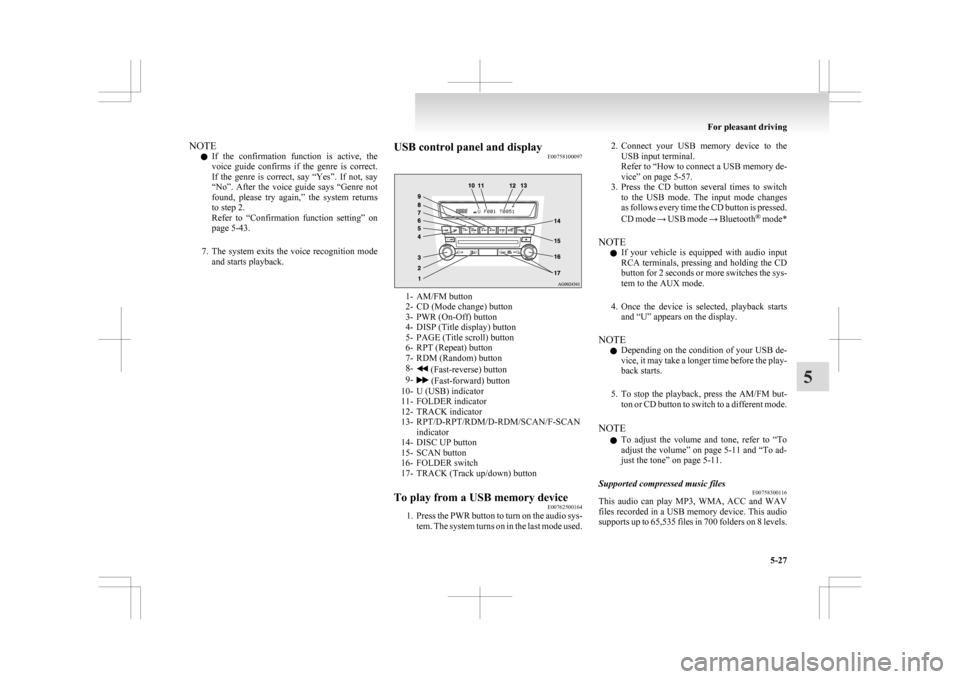
7. The system exits the voice recognition mode and starts playback. USB control panel and display
E00758100097 1- AM/FM button
2-
CD (Mode change) button
3- PWR (On-Off) button
4- DISP (Title display) button
5- PAGE (Title scroll) button
6- RPT (Repeat) button
7- RDM (Random) button
8- (Fast-reverse) button
9- (Fast-forward) button
10-
U (USB) indicator
11- FOLDER indicator
12- TRACK indicator
13- RPT/D-RPT/RDM/D-RDM/SCAN/F-SCAN indicator
14- DISC UP button
15- SCAN button
16- FOLDER switch
17- TRACK (Track up/down) button
To play from a USB memory device E00762500164
1. Press
the PWR button to turn on the audio sys-
tem. The system turns on in the last mode used. 2. Connect
your USB memory device to the
USB input terminal.
Refer to “How to connect a USB memory de-
vice” on page 5-57.
3. Press the CD button several times to switch to the USB mode. The input mode changes
as follows every time the CD button is pressed.
CD mode → USB mode → Bluetooth ®
mode*
NOTE l If your vehicle is equipped with audio input
RCA terminals, pressing and holding the CD
button for 2 seconds or more switches the sys-
tem to the AUX mode.
4. Once the device is selected, playback starts and “U” appears on the display.
NOTE l Depending on the condition of your USB de-
vice, it may take a longer time before the play-
back starts.
5. To stop the playback, press the AM/FM but- ton or CD button to switch to a different mode.
NOTE l To adjust the volume and tone, refer to “To
adjust the volume” on page 5-11 and “To ad-
just the tone” on page 5-11.
Supported compressed music files E00758300116
This audio can play MP3, WMA, ACC and WAV
files
recorded in a USB memory device. This audio
supports up to 65,535 files in 700 folders on 8 levels. For pleasant driving
5-27 5
Page 267 of 368
l
Do not connect to the USB input terminal
any device (hard disk, card reader, memory
reader, etc.) other than the connectable devi-
ces specified in the previous section.
The device and/or data may be damaged. If
any of these devices was connected by mis-
take, remove it after turning the ignition
switch to the “LOCK” position or putting the
operation mode in OFF.
File specifications E00762400017
You can play music files of the following specifica-
tions
that are saved in a USB memory device or oth-
er device supporting mass storage class. Item Condition
File format MP3, WMA, AAC,
WAV
Maximum number of
levels
(including the
root) Level 8
Number of folders 700
Number of files 65,535 Sun visors
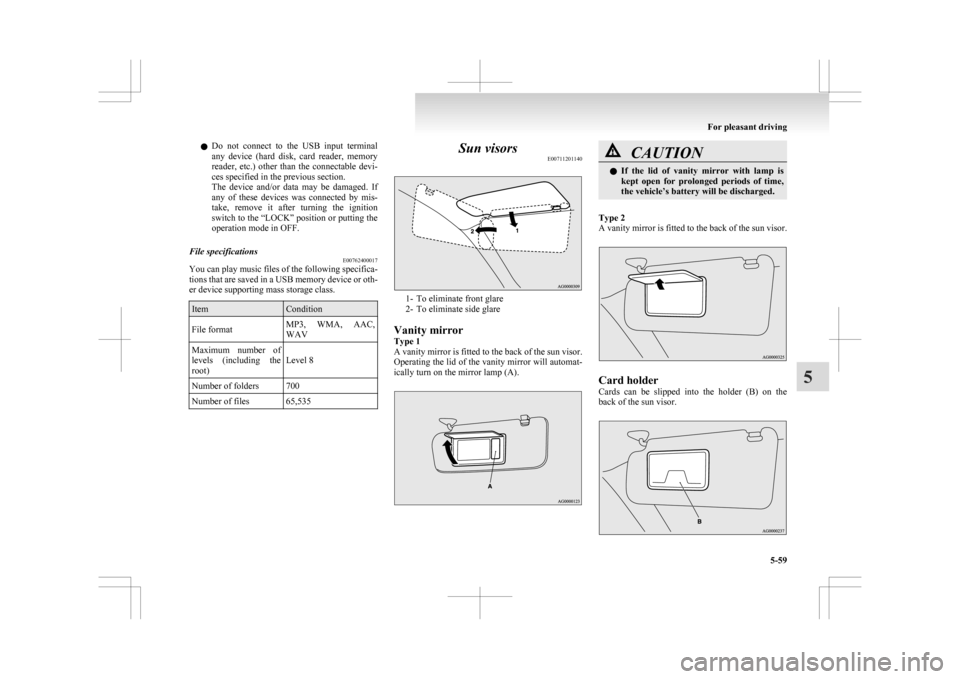
E00711201140 1- To eliminate front glare
2-
To eliminate side glare
Vanity mirror
Type 1
A vanity mirror is fitted to the back of the sun visor.
Operating the lid of the vanity mirror will automat-
ically turn on the mirror lamp (A). CAUTION
l
If
the lid of vanity mirror with lamp is
kept open for prolonged periods of time,
the vehicle’s battery will be discharged.
Type 2
A
vanity mirror is fitted to the back of the sun visor. Card holder
Cards
can be slipped into the holder (B) on the
back of the sun visor. For pleasant driving
5-59 5
Page 272 of 368
The brightness of the sunshade illumination can be
adjusted
to 3 different levels when the ignition
switch or the operation mode is in ON or ACC.
Each time you press the switch, the brightness
switches in sequence from high → middle → low
→ off → high.
NOTE
l The brightness can be adjusted even when
the ignition switch is in the “LOCK” posi-
tion or the operation mode is in OFF, provi-
ded that the sunshade illumination is turned
on.
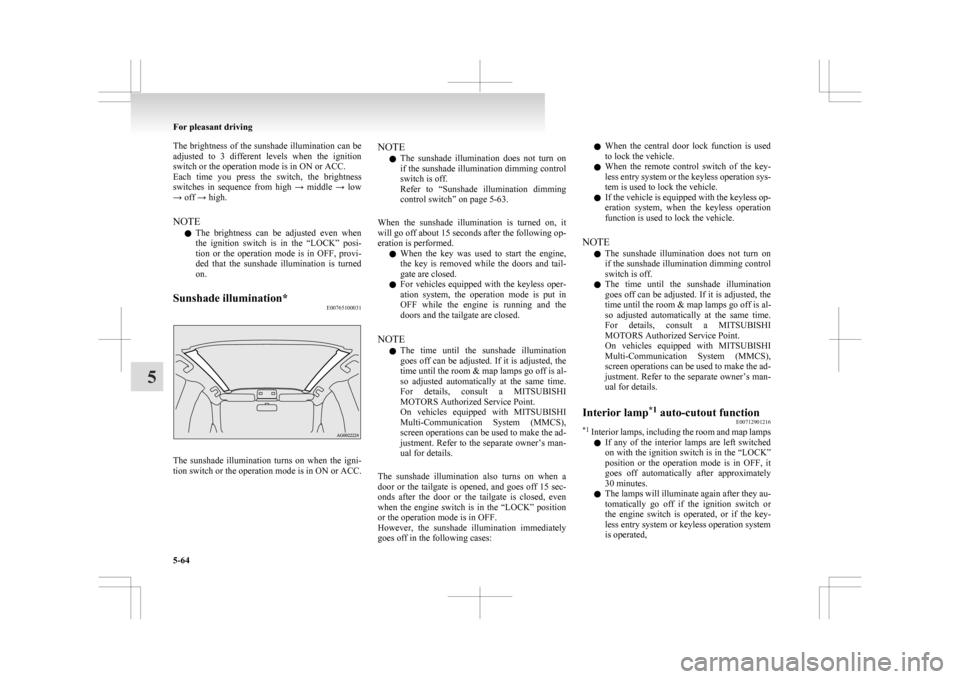
Sunshade illumination* E00765100031The sunshade illumination turns on when the igni-
tion
switch or the operation mode is in ON or ACC. NOTE
l The
sunshade illumination does not turn on
if the sunshade illumination dimming control
switch is off.
Refer to “Sunshade illumination dimming
control switch” on page 5-63.
When the sunshade illumination is turned on, it
will go off about 15 seconds after the following op-
eration is performed. l When the key was used to start the engine,
the key is removed while the doors and tail-
gate are closed.
l For vehicles equipped with the keyless oper-
ation system, the operation mode is put in
OFF while the engine is running and the
doors and the tailgate are closed.
NOTE l The time until the sunshade illumination
goes off can be adjusted. If it is adjusted, the
time until the room & map lamps go off is al-
so adjusted automatically at the same time.
For details, consult a MITSUBISHI
MOTORS Authorized Service Point.
On vehicles equipped with MITSUBISHI
Multi-Communication System (MMCS),
screen operations can be used to make the ad-
justment. Refer to the separate owner’s man-
ual for details.
The sunshade illumination also turns on when a
door or the tailgate is opened, and goes off 15 sec-
onds after the door or the tailgate is closed, even
when the engine switch is in the “LOCK” position
or the operation mode is in OFF.
However, the sunshade illumination immediately
goes off in the following cases: l
When the central door lock function is used
to lock the vehicle.
l When the remote control switch of the key-
less entry system or the keyless operation sys-
tem is used to lock the vehicle.
l If the vehicle is equipped with the keyless op-
eration system, when the keyless operation
function is used to lock the vehicle.
NOTE l The sunshade illumination does not turn on
if the sunshade illumination dimming control
switch is off.
l The time until the sunshade illumination
goes off can be adjusted. If it is adjusted, the
time until the room & map lamps go off is al-
so adjusted automatically at the same time.
For details, consult a MITSUBISHI
MOTORS Authorized Service Point.
On vehicles equipped with MITSUBISHI
Multi-Communication System (MMCS),
screen operations can be used to make the ad-
justment. Refer to the separate owner’s man-
ual for details.
Interior lamp *1
auto-cutout function
E00712901216
*1
Interior lamps, including the room and map lamps
l If any of the interior lamps are left switched
on with the ignition switch is in the “LOCK”
position or the operation mode is in OFF, it
goes off automatically after approximately
30 minutes.
l The lamps will illuminate again after they au-
tomatically go off if the ignition switch or
the engine switch is operated, or if the key-
less entry system or keyless operation system
is operated, For pleasant driving
5-64
5
Page 280 of 368
If the vehicle breaks down
E00800101108
If
the vehicle breaks down on the road, move it to
the shoulder and turn on the hazard warning flash-
ers and set up a warning triangle, flashing lamp, etc.
Refer to “Hazard warning flasher switch” on page
3-50.
If the engine stops/fails
Vehicle operation and control are affected if the en-
gine stops.
Before moving the vehicle to a safe area, be aware
of the following:
l The brake booster becomes inoperative and
the pedal effort will increase. Press down the
brake pedal harder than usual.
l Since the power steering system is no longer
operative, the steering wheel feels heavy
when turning it. Emergency starting
E00800502503
If
the engine cannot be started because the battery
is weak or dead, the battery from another vehicle
can be used with jumper cables to start the engine. WARNING
l To
start the engine using jumper cables
connected to another vehicle, perform the
correct procedures according to the in-
struction below. Incorrect procedures
could result in a fire or explosion or dam-
age to the vehicles. CAUTION
l
Do
not attempt to start the engine by pull-
ing or pushing the vehicle.
It could damage your vehicle.
l Always wear protective eye goggles when
working near the battery.
l Keep the battery out of the reach of chil-
dren.
1. Get
the vehicles close enough so the jumper cables can reach, but be sure the vehicles
aren’t touching each other. CAUTION
l
Check
the other vehicle. It must have a 12-
volt battery.
If the other system isn’t 12-volt, shorting
can damage both vehicles. 2. Turn
off all lamps, heater and other electrical
loads.
3. Set the parking brake firmly on each vehicle. Put an A/T, CVT in “P” (PARK) or a M/T in
“N” (Neutral).
4. Turn the ignition switch to the “LOCK” posi- tion or put the operation mode in OFF. WARNING
l Perform
step 4 on both vehicles before-
hand.
Make sure that the cables or your clothes
cannot be caught by the fan or drive belt.
Personal injury could result.
5. Make
sure battery electrolyte is at the proper level.
Refer to “Battery” on page 8-08. WARNING
l If
electrolyte fluid is not visible, or ap-
pears to be frozen, Do Not Attempt Jump
Starting!
A battery might rupture or explode if the
temperature is below the freezing point
or if it is not filled to the proper level.
6. Connect
one end of one jumper cable to the positive (+) terminal of the discharged bat-
tery (A), and the other end to the positive (+)
terminal of the booster battery (B).
For emergencies
6-02
6
Page 290 of 368
l
A tyre in which puncture sealant has been
used should ideally be replaced with a new
one. If you wish to have such a tyre properly
repaired for reuse, please contact a
MITSUBISHI MOTORS Authorized Service
Point or another specialist. Note that a proper
repair is impossible following an emergency
repair if the puncture hole cannot be located.
l Wipe away any sealant that gets on the
wheel. Provided the valve is replaced with a
new one, the wheel can be reused.
l The manufacturer is unable to guarantee that
all tyre punctures can be repaired with the
tyre repair kit, in particular cuts or perfora-
tions with a diameter of more than 4 mm or
away from the tyre’s tread. The manufacturer
is not liable for damage sustained through im-
proper use of the tyre repair kit.
l The manufacturer is not liable for damage sus-
tained through re-use of any tyre in which
tyre sealant has been used. How to change a tyre
E00801202637
Before
changing a tyre, first stop your vehicle in a
safe, flat location. 1. Park the vehicle on level and stable ground,free of loose pebbles, etc.
2. Set the parking brake firmly.
3. On vehicles with M/T, stop the engine and move the gearshift lever to the “R” (Reverse)
position.
On vehicles with CVT, move the selector lev-
er to the “P” (PARK) position and stop the en-
gine.
4. Turn on the hazard warning flashers and set up a warning triangle, flashing signal lamp,
etc., at an adequate distance from the vehi-
cle, and have all your passengers leave the ve-
hicle.
NOTE l The warning triangle and flashing signal
lamp do not come with your vehicle. It is rec-
ommended that you keep one in the vehicle
for use if needed.
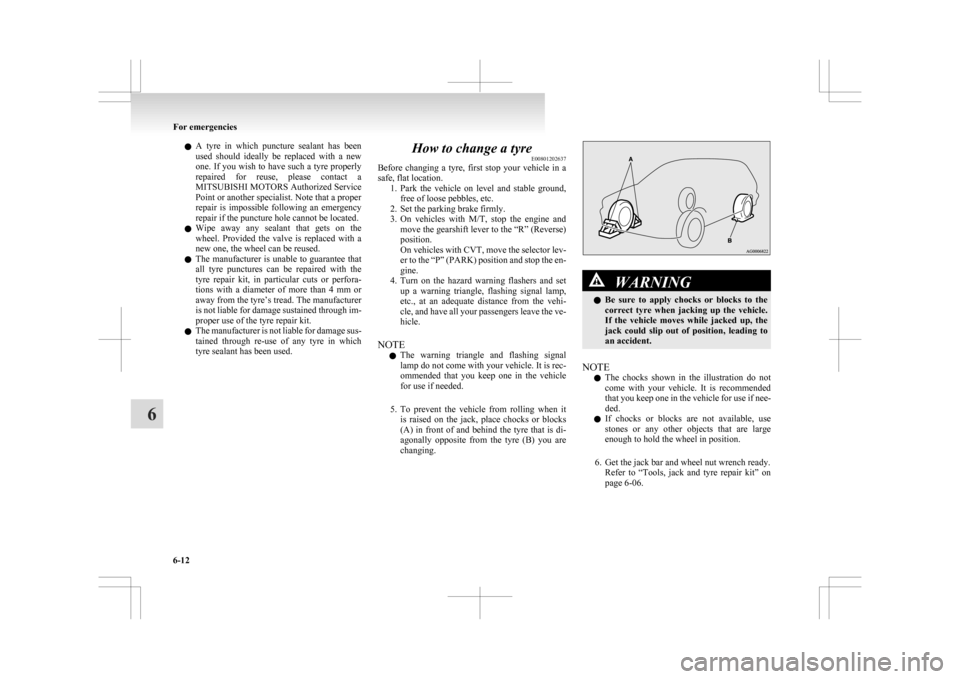
5. To prevent the vehicle from rolling when it is raised on the jack, place chocks or blocks
(A) in front of and behind the tyre that is di-
agonally opposite from the tyre (B) you are
changing. WARNING
l Be
sure to apply chocks or blocks to the
correct tyre when jacking up the vehicle.
If the vehicle moves while jacked up, the
jack could slip out of position, leading to
an accident.
NOTE l The
chocks shown in the illustration do not
come with your vehicle. It is recommended
that you keep one in the vehicle for use if nee-
ded.
l If chocks or blocks are not available, use
stones or any other objects that are large
enough to hold the wheel in position.
6. Get the jack bar and wheel nut wrench ready. Refer to “Tools, jack and tyre repair kit” on
page 6-06. For emergencies
6-12
6