Fuel MITSUBISHI COLT 2009 10.G User Guide
[x] Cancel search | Manufacturer: MITSUBISHI, Model Year: 2009, Model line: COLT, Model: MITSUBISHI COLT 2009 10.GPages: 273, PDF Size: 17.28 MB
Page 80 of 273
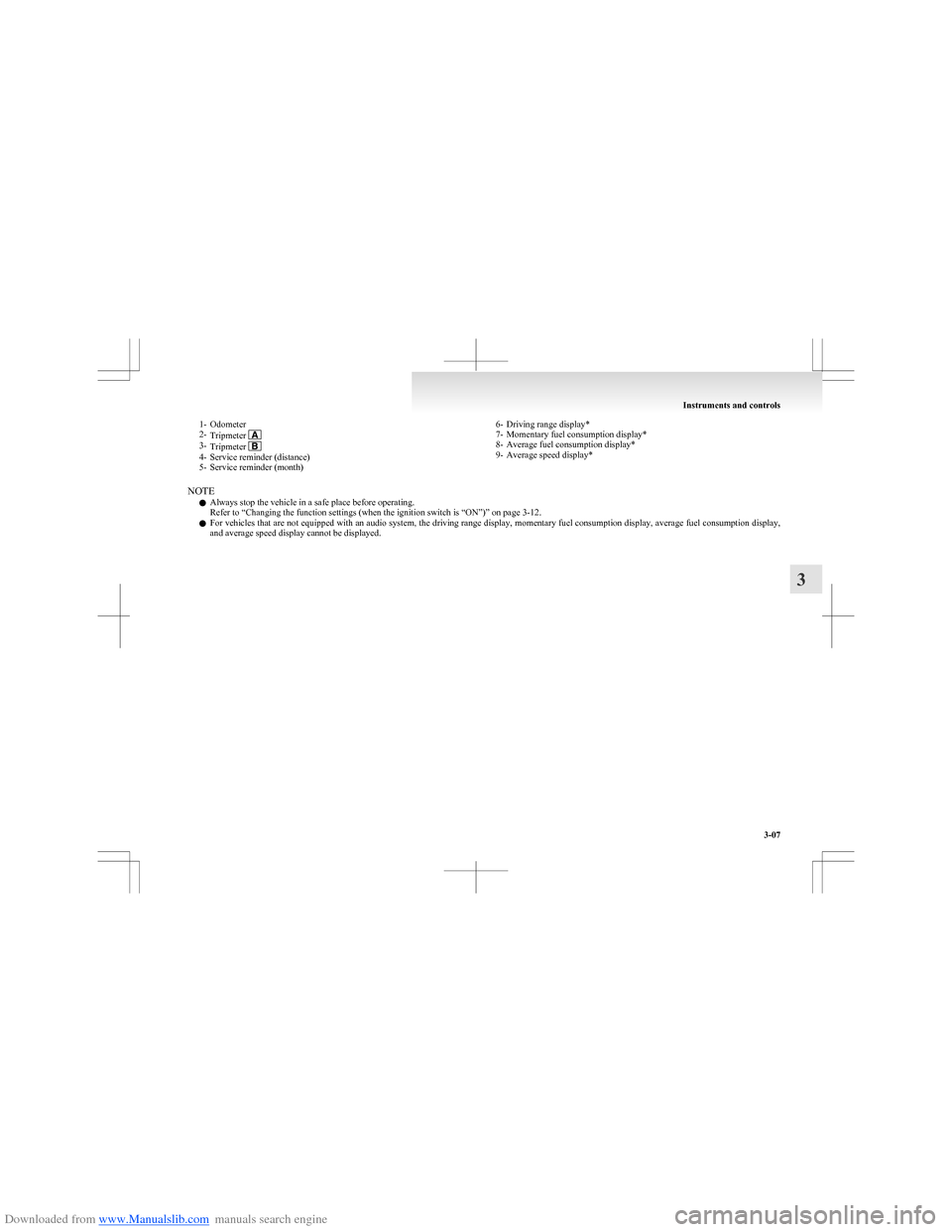
Downloaded from www.Manualslib.com manuals search engine 1- Odometer
2- Tripmeter
3-Tripmeter 4- Service reminder (distance)
5- Service reminder (month)
6- Driving range display*
7- Momentary fuel consumption display*
8- Average fuel consumption display*
9- Average speed display*
NOTE
l Always stop the vehicle in a safe place before operating.
Refer to “Changing the function settings (when the ignition switch is “ON”)” on page 3-12.
l For vehicles that are not equipped with an audio system, the driving range display, momentary fuel consumption display, average fuel consumption display,
and average speed display cannot be displayed.
Instruments and controls
3-07
3
Page 81 of 273
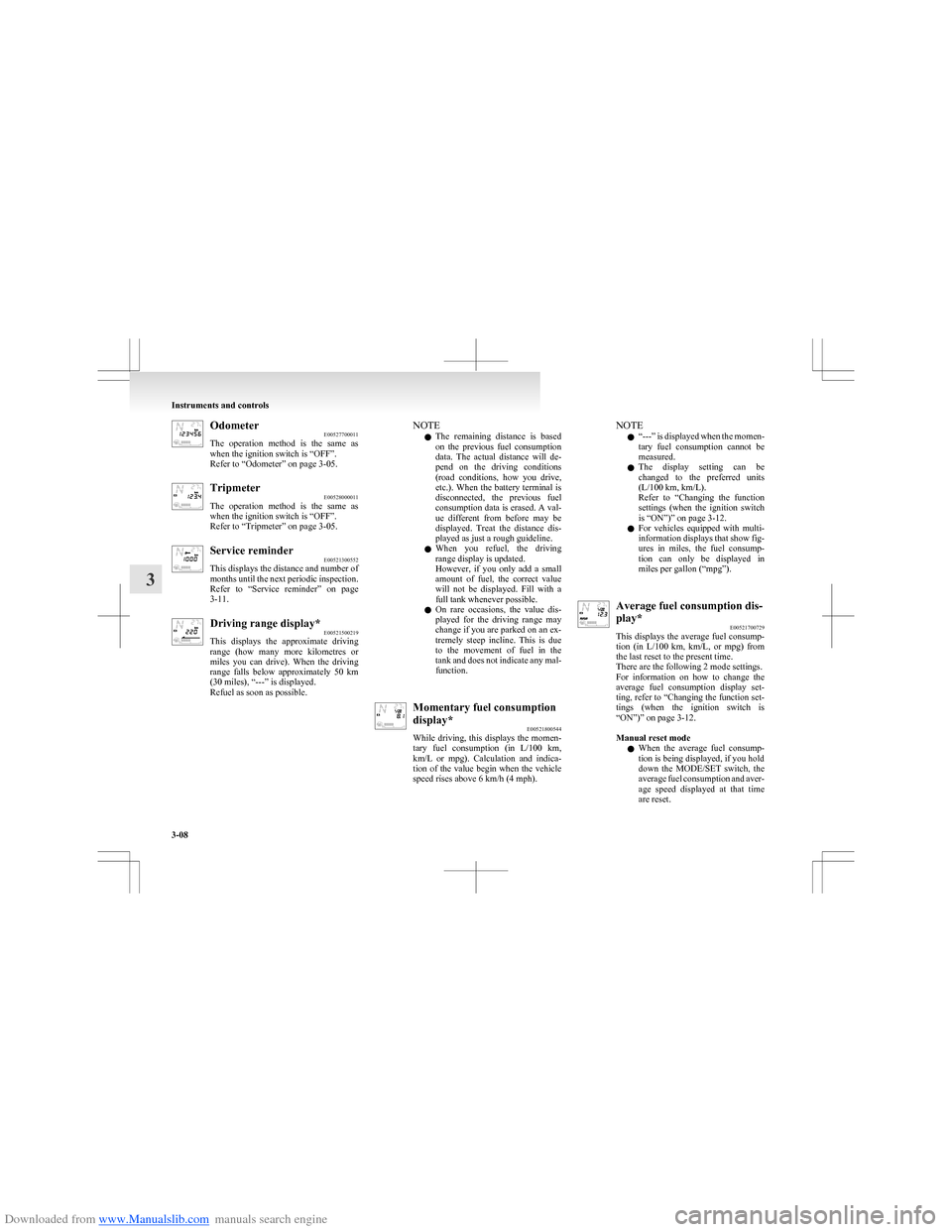
Downloaded from www.Manualslib.com manuals search engine OdometerE00527700011
The operation method is the same as
when the ignition switch is “OFF”.
Refer to “Odometer” on page 3-05.Tripmeter E00528000011
The operation method is the same as
when the ignition switch is “OFF”.
Refer to “Tripmeter” on page 3-05.Service reminder E00521300552
This displays the distance and number of
months until the next periodic inspection.
Refer to “Service reminder” on page
3-11.Driving range display* E00521500219
This displays the approximate driving
range (how many more kilometres or
miles you can drive). When the driving
range falls below approximately 50 km
(30 miles), “---” is displayed.
Refuel as soon as possible.NOTE
l The remaining distance is based
on the previous fuel consumption
data. The actual distance will de-
pend on the driving conditions
(road conditions, how you drive,
etc.). When the battery terminal is
disconnected, the previous fuel
consumption data is erased. A val-
ue different from before may be
displayed. Treat the distance dis-
played as just a rough guideline.
l When you refuel, the driving
range display is updated.
However, if you only add a small
amount of fuel, the correct value
will not be displayed. Fill with a
full tank whenever possible.
l On rare occasions, the value dis-
played for the driving range may
change if you are parked on an ex-
tremely steep incline. This is due
to the movement of fuel in the
tank and does not indicate any mal-
function.Momentary fuel consumption
display* E00521800544
While driving, this displays the momen-
tary fuel consumption (in L/100 km ,
km/L or mpg). Calculation and indica-
tion of the value begin when the vehicle
speed rises above 6 km/h (4 mph).NOTE
l “
---” is displayed when the momen-
tary fuel consumption cannot be
measured.
l The display setting can be
changed to the preferred units
(L/100 km, km/L).
Refer to “Changing the function
settings (when the ignition switch
is “ON”)” on page 3-12.
l For vehicles equipped with multi-
information displays that show fig-
ures in miles, the fuel consump-
tion can only be displayed in
miles per gallon (“mpg”).Average fuel consumption dis-
play* E00521700729
This displays the average fuel consump-
tion (in L/100 km, km/L, or mpg) from
the last reset to the present time.
There are the following 2 mode settings.
For information on how to change the
average fuel consumption display set-
ting, refer to “Changing the function set-
tings (when the ignition switch is
“ON”)” on page 3-12.
Manual reset mode
l When the average fuel consump-
tion is being displayed, if you hold
down the MODE/SET switch, the
average fuel consumption and aver-
age speed displayed at that time
are reset.
Instruments and controls
3-08
3
Page 82 of 273
Downloaded from www.Manualslib.com manuals search engine lWhen the ignition switch is switch-
ed from “ACC” or “LOCK” to
“ON”, the mode setting is automat-
ically switched from manual to au-
to.
Switching to auto occurs automati-
cally. If switching to manual
mode is done, however, the data
from the last reset is displayed.
Auto reset mode l When the average fuel consump-
tion is being displayed, if you hold
down the MODE/SET switch, the
average fuel consumption and aver-
age speed displayed at that time
are reset.
l If the ignition switch is at “ACC”
or “LOCK” for about 4 hours or
longer, the average fuel consump-
tion display is automatically reset.
NOTE l “
---” is displayed when the aver-
age fuel consumption cannot be
measured.
l The initial (default) setting is “Au-
to reset mode”.
l The average fuel consumption de-
pends on the driving condition
(road condition, driving behavior,
etc.). The displayed fuel consump-
tion may vary from the actual fuel
consumption. Treat the fuel con-
sumption displayed as just a rough
guideline.l The memory of the auto reset
mode or manual reset mode for
the average fuel consumption dis-
play is erased if the battery is dis-
connected.
l The display setting can be
changed to the preferred units
(L/100 km, km/L).
Refer to “Changing the function
settings (when the ignition switch
is “ON”)” on page 3-12.
l For vehicles equipped with multi-
information displays that show fig-
ures in miles, the fuel consump-
tion can only be displayed in
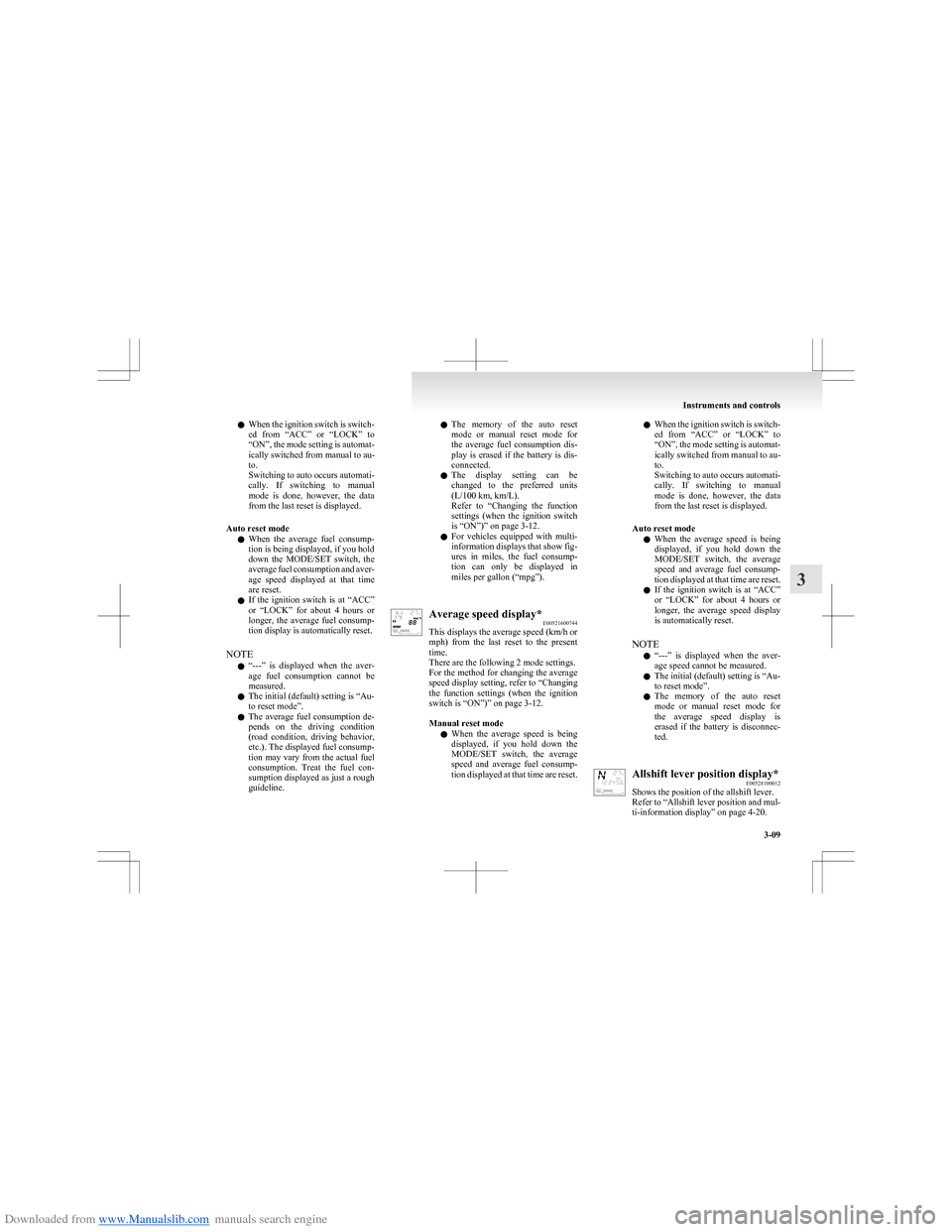
miles per gallon (“mpg”).Average speed display* E00521600744
This displays the average speed (km/h or
mph ) from the last reset to the present
time.
There are the following 2 mode settings.
For the method for changing the average
speed display setting, refer to “Changing
the function settings (when the ignition
switch is “ON”)” on page 3-12.
Manual reset mode
l When the average speed is being
displayed, if you hold down the
MODE/SET switch, the average
speed and average fuel consump-
tion displayed at that time are reset.l When the ignition switch is switch-
ed from “ACC” or “LOCK” to
“ON”, the mode setting is automat-
ically switched from manual to au-
to.
Switching to auto occurs automati-
cally. If switching to manual
mode is done, however, the data
from the last reset is displayed.
Auto reset mode l When the average speed is being
displayed, if you hold down the
MODE/SET switch, the average
speed and average fuel consump-
tion displayed at that time are reset.
l If the ignition switch is at “ACC”
or “LOCK” for about 4 hours or
longer, the average speed display
is automatically reset.
NOTE l “
---” is displayed when the aver-
age speed cannot be measured.
l The initial (default) setting is “Au-
to reset mode”.
l The memory of the auto reset
mode or manual reset mode for
the average speed display is
erased if the battery is disconnec-
ted.Allshift lever position display* E00528100012
Shows the position of the allshift lever.
Refer to “Allshift lever position and mul-
ti-information display” on page 4-20.
Instruments and controls
3-09
3
Page 83 of 273
Downloaded from www.Manualslib.com manuals search engine Outside temperature displayE00528400015
This displays the temperature outside the
vehicle.
NOTE l The display setting can be
changed to the preferred units ( °C
or °F).
Refer to “Changing the function
settings (when the ignition switch
is “ON”)” on page 3-12.
l The outside temperature can be dis-
played in a range of -40°C to 50°C
(-40°F to 122°F).
l Depending on factors such as the
driving conditions, the displayed
temperature may vary from the ac-
tual outside temperature.Frozen road warning E00528500016
If the outside air temperature drops be-
low approx. 3°C, the alarm sounds and
the outside air temperature warning sym-
bol flashes for about 10 seconds.CAUTIONl There is a danger the road
might be icy, even when this
symbol is not flashing, so please
take care when driving.Gearshift indicator* E00528600020
The gearshift indicator (if so equipped)
shows recommended gearshift points for
fuel-efficient driving.
Refer to “Changing gears” on page
4-17.
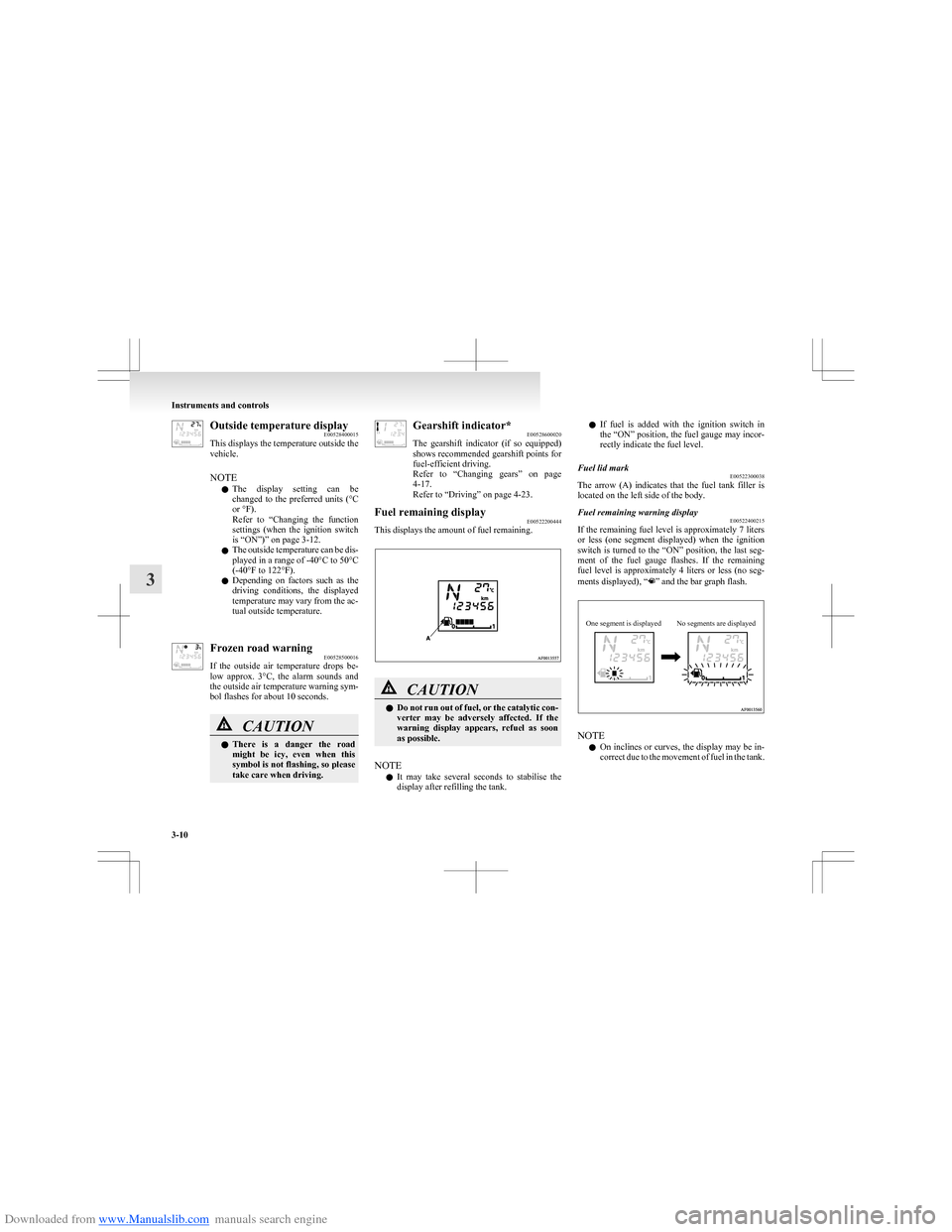
Refer to “Driving” on page 4-23.Fuel remaining display E00522200444
This displays the amount of fuel remaining.
CAUTIONlDo not run out of fuel, or the catalytic con-
verter may be adversely affected. If the
warning display appears, refuel as soon
as possible.
NOTE
l It may take several seconds to stabilise the
display after refilling the tank.
l If fuel is added with the ignition switch in
the “ON” position, the fuel gauge may incor-
rectly indicate the fuel level.Fuel lid mark E00522300038
The arrow (A) indicates that the fuel tank filler is
located on the left side of the body.
Fuel remaining warning display E00522400215
If the remaining fuel level is approximately 7 liters
or less (one segment displayed) when the ignition
switch is turned to the “ON” position, the last seg-
ment of the fuel gauge flashes. If the remaining
fuel level is approximately 4 liters or less (no seg-
ments displayed), “
” and the bar graph flash.
One segment is displayedNo segments are displayed
NOTE
l On inclines or curves, the display may be in-
correct due to the movement of fuel in the tank.
Instruments and controls
3-10
3
Page 85 of 273
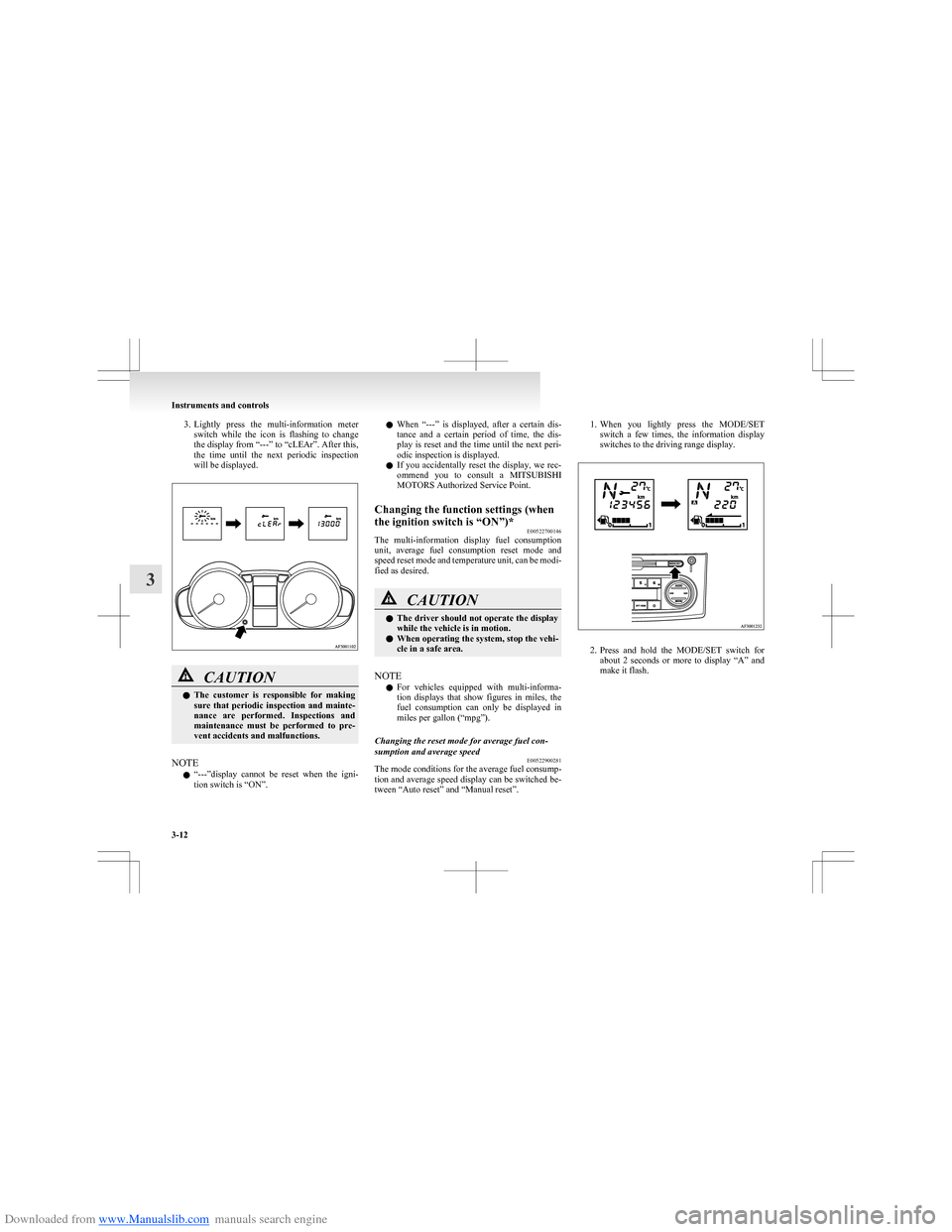
Downloaded from www.Manualslib.com manuals search engine 3.Lightly press the multi-information meter
switch while the icon is flashing to change
the display from “---” to “cLEAr”. After this,
the time until the next periodic inspection
will be displayed.CAUTIONl The customer is responsible for making
sure that periodic inspection and mainte-
nance are performed. Inspections and
maintenance must be performed to pre-
vent accidents and malfunctions.
NOTE
l “
---”display cannot be reset when the igni-
tion switch is “ON”.
l When “---” is displayed, after a certain dis-
tance and a certain period of time, the dis-
play is reset and the time until the next peri-
odic inspection is displayed.
l If you accidentally reset the display, we rec-
ommend you to consult a MITSUBISHI
MOTORS Authorized Service Point.Changing the function settings (when
the ignition switch is “ON”)* E00522700146
The multi-information display fuel consumption
unit, average fuel consumption reset mode and
speed reset mode and temperature unit, can be modi-
fied as desired.
CAUTIONl The driver should not operate the display
while the vehicle is in motion.
l When operating the system, stop the vehi-
cle in a safe area.
NOTE
l For vehicles equipped with multi-informa-
tion displays that show figures in miles, the
fuel consumption can only be displayed in
miles per gallon (“mpg”).
Changing the reset mode for average fuel con-
sumption and average speed E00522900281
The mode conditions for the average fuel consump-
tion and average speed display can be switched be-
tween “Auto reset” and “Manual reset”.
1. When you lightly press the MODE/SET
switch a few times, the information display
switches to the driving range display.
2. Press and hold the MODE/SET switch for
about 2 seconds or more to display “A” and
make it flash.
Instruments and controls
3-12
3
Page 86 of 273
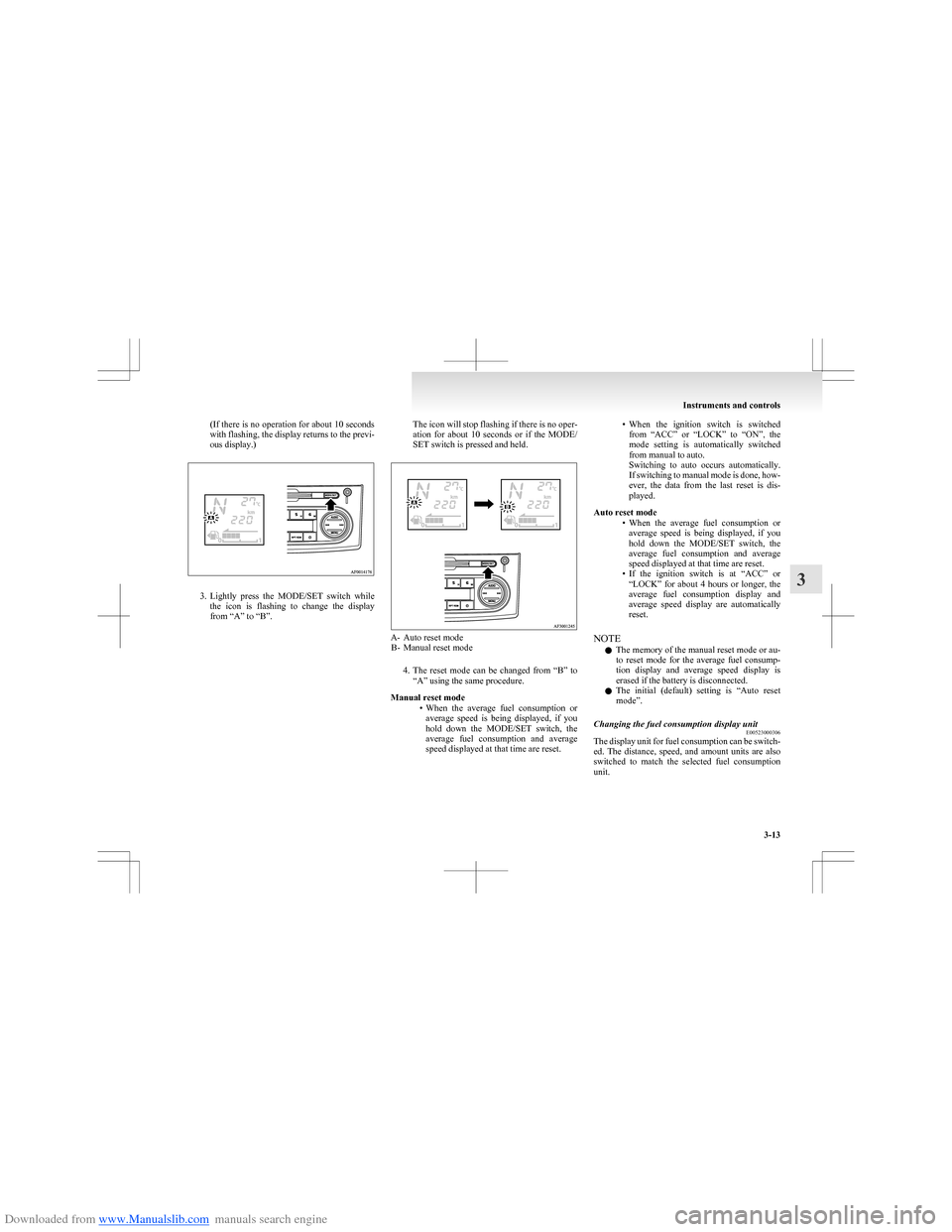
Downloaded from www.Manualslib.com manuals search engine (If there is no operation for about 10 seconds
with flashing, the display returns to the previ-
ous display.)
3. Lightly press the MODE/SET switch while
the icon is flashing to change the display
from “A” to “B”.
The icon will stop flashing if there is no oper-
ation for about 10 seconds or if the MODE/
SET switch is pressed and held.
A- Auto reset mode B- Manual reset mode
4.The reset mode can be changed from “B” to
“A” using the same procedure.
Manual reset mode •When the average fuel consumption or
average speed is being displayed, if you
hold down the MODE/SET switch, the
average fuel consumption and average
speed displayed at that time are reset.
• When the ignition switch is switched
from “ACC” or “LOCK” to “ON”, the
mode setting is automatically switched
from manual to auto.
Switching to auto occurs automatically.
If switching to manual mode is done, how-
ever, the data from the last reset is dis-
played.
Auto reset mode •When the average fuel consumption or
average speed is being displayed, if you
hold down the MODE/SET switch, the
average fuel consumption and average
speed displayed at that time are reset.
• If the ignition switch is at “ACC” or
“LOCK” for about 4 hours or longer, the
average fuel consumption display and
average speed display are automatically
reset.
NOTE l The memory of the manual reset mode or au-
to reset mode for the average fuel consump-
tion display and average speed display is
erased if the battery is disconnected.
l The initial (default) setting is “Auto reset
mode”.Changing the fuel consumption display unit E00523000306
The display unit for fuel consumption can be switch-
ed. The distance, speed, and amount units are also
switched to match the selected fuel consumption
unit.
Instruments and controls
3-13
3
Page 87 of 273
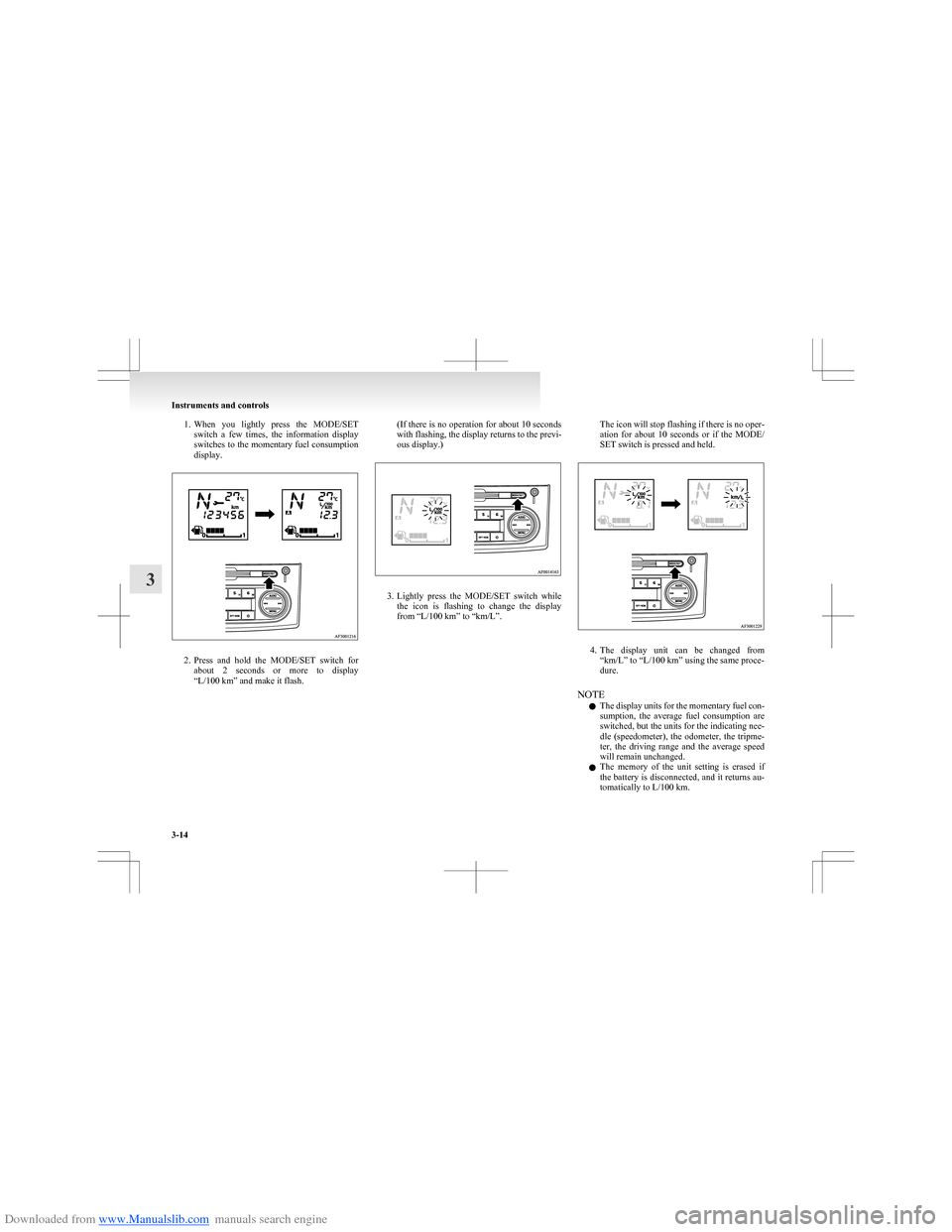
Downloaded from www.Manualslib.com manuals search engine 1.When you lightly press the MODE/SET
switch a few times, the information display
switches to the momentary fuel consumption
display.
2. Press and hold the MODE/SET switch for
about 2 seconds or more to display
“L/100 km” and make it flash.
( If there is no operation for about 10 seconds
with flashing, the display returns to the previ-
ous display.)
3. Lightly press the MODE/SET switch while
the icon is flashing to change the display
from “L/100 km” to “km/L”.
The icon will stop flashing if there is no oper-
ation for about 10 seconds or if the MODE/
SET switch is pressed and held.
4. The display unit can be changed from
“km/L” to “L/100 km” using the same proce-
dure.
NOTE l The display units for the momentary fuel con-
sumption, the average fuel consumption are
switched, but the units for the indicating nee-
dle (speedometer), the odometer, the tripme-
ter, the driving range and the average speed
will remain unchanged.
l The memory of the unit setting is erased if
the battery is disconnected, and it returns au-
tomatically to L/100 km.
Instruments and controls
3-14
3
Page 91 of 273
Downloaded from www.Manualslib.com manuals search engine CAUTIONFurthermore, the vehicle
should be brought immediately
to a stop in a safe location and
we recommend you to have it
checked. •The brake warning lamp
does not illuminate when
the parking brake is applied
or does not turn off when
the parking brake is re-
leased.
• The ABS warning lamp and
brake warning lamp illumi-
nate at the same time.
For details, refer to “ABS
warning lamp” on page
4-28.
• The brake warning lamp re-
mains illuminated during
driving.
l The vehicle should be brought
to a halt in the following man-
ner when brake performance
has deteriorated. •Depress the brake pedal
harder than usual.
Even if the brake pedal
moves down to the very end
of its possible stroke, keep it
pressed down hard.CAUTION• Should the brakes fail, use
engine braking to reduce
your speed and pull the park-
ing brake lever.
Depress the brake pedal to
operate the stop lamp to
alert the vehicles behind you.Check engine warning lamp E00502601683
This lamp is a part of an onboard diag-
nostic system which monitors the emis-
sions, engine or automated manual trans-
mission control system/AS&G control
system.
If a problem is detected in one of these
systems, this lamp illuminates and a buz-
zer sounds.
Although your vehicle will usually be
drivable and not need towing, we recom-
mend you to have the system checked as
soon as possible.
This lamp will also illuminate for a few
seconds when the ignition switch is
turned to the “ON” position. If it does
not go off after a few seconds, we recom-
mend you to have the vehicle checked.CAUTIONl Prolonged driving with this
lamp on may cause further dam-
age to the emission control sys-
tem. It could also affect fuel
economy and drivability.
l If the lamp does not illuminate
when the ignition switch is
turned to the “ON” position,
we recommend you to have the
system checked.
l If the lamp illuminates while
the engine is running, avoid
driving at high speeds and we
recommend you to have the sys-
tem checked.
During vehicle operation with
the lamp illuminated, the vehi-
cle may not accelerate when
you depress the accelerator ped-
al.
NOTE
l The engine electronic control mod-
ule accommodating the onboard di-
agnostic system has various fault
data (especially about the exhaust
emission) stored.
This data will be erased if a bat-
tery cable is disconnected which
will make a rapid diagnosis diffi-
cult. Do not disconnect a battery
cable when the check engine warn-
ing lamp is ON.
Instruments and controls
3-18
3
Page 105 of 273
Downloaded from www.Manualslib.com manuals search engine Economical drivingE00600100763
For economical driving, there are some technical re-
quirements that have to be met. The prerequisite
for low fuel consumption is a properly adjusted en-
gine. In order to achieve longer life of the vehicle
and the most economical operation, we recommend
you to have the vehicle checked at regular intervals
in accordance with the service standards.
Fuel economy and generation of exhaust gas and
noise are highly influenced by personal driving hab-
its as well as the particular operating conditions.
The following points should be observed in order
to minimize wear of brakes, tyres and engine as
well as to reduce environmental pollution.
Starting
Avoid rapid acceleration and sudden starts; such op-
eration will result in higher fuel consumption.
Shifting
Shift only at an appropriate speed and engine
speed. Always use the highest gear possible.
City traffic
Frequent starting and stopping increases the aver-
age fuel consumption. Use roads with smooth traf-
fic flow whenever possible. When driving on con-
gested roads, avoid use of a low gear at high en-
gine speeds.
Idling
The vehicle consumes fuel even during idling.
Avoid extended idling whenever possible.Speed
The higher the vehicle speed, the more fuel con-
sumed. Avoid driving at full speed. Even a slight re-
lease of the accelerator pedal will save a significant
amount of fuel.
Tyre inflation pressure
Check the tyre inflation pressures at regular inter-
vals. Low tyre inflation pressure increases road re-
sistance and fuel consumption. In addition, low
tyre pressures adversely affect tyre wear and driv-
ing stability.
Load
Do not drive with unnecessary articles in the lug-
gage compartment. Especially during city driving
where frequent starting and stopping is necessary,
the increased weight of the vehicle will greatly af-
fect fuel consumption. Also avoid driving with un-
necessary luggage, etc., on the roof; the increased
air resistance will increase fuel consumption.
Cold engine starting
Starting of a cold engine consumes more fuel.
Unnecessary fuel consumption is also caused by
keeping a hot engine running. After the engine is
started, commence driving as soon as possible.
Air conditioning*
The use of the air conditioning will increase the
fuel consumption.Driving, alcohol and drugs E00600200012
Driving after drinking alcohol is one of the most fre-
quent causes of accidents.
Your driving ability can be seriously impaired even
with blood alcohol levels far below the legal mini-
mum. If you have been drinking, don’t drive. Ride
with a designated non-drinking driver, call a cab or
a friend, or use public transportation.
Drinking coffee or taking a cold shower will not
make you sober.
Similarly, prescription and nonprescription drugs af-
fect your alertness, perception and reaction time.
Consult with your doctor or pharmacist before driv-
ing while under the influence of any of these medi-
cations.WARNINGl NEVER DRINK AND DRIVE.
Your perceptions are less accurate, your
reflexes are slower and your judgment is
impaired.
Starting and driving
4-02
4
Page 114 of 273
Downloaded from www.Manualslib.com manuals search engine CAUTIONlIf the engine is stopped while driving, the
brake servomechanism will cease to func-
tion and braking efficiency will deterio-
rate. Also, the power steering system will
not function and it will require greater
manual effort to operate the steering.
l Do not leave the key in the “ON” position
for a long time when the engine is not run-
ning, doing so will cause the battery to be
discharged.
l Do not turn the key to the “START” posi-
tion when the engine is running, doing so
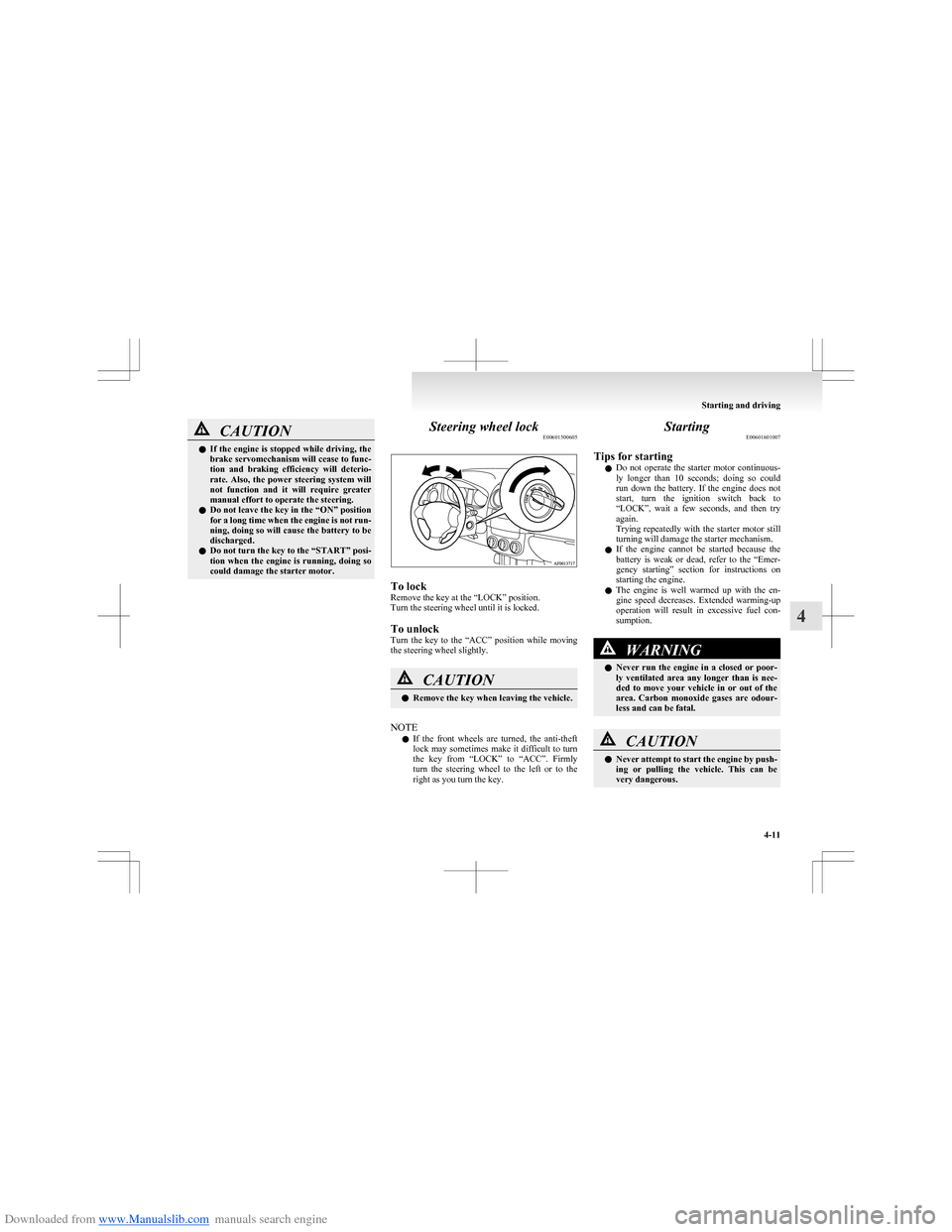
could damage the starter motor.Steering wheel lock E00601500605
To lock
Remove the key at the “LOCK” position.
Turn the steering wheel until it is locked.
To unlock
Turn the key to the “ACC” position while moving
the steering wheel slightly.
CAUTIONl Remove the key when leaving the vehicle.
NOTE
l If the front wheels are turned, the anti-theft
lock may sometimes make it difficult to turn
the key from “LOCK” to “ACC”. Firmly
turn the steering wheel to the left or to the
right as you turn the key.
Starting E00601601007
Tips for starting l Do not operate the starter motor continuous-
ly longer than 10 seconds; doing so could
run down the battery. If the engine does not
start, turn the ignition switch back to
“LOCK”, wait a few seconds, and then try
again.
Trying repeatedly with the starter motor still
turning will damage the starter mechanism.
l If the engine cannot be started because the
battery is weak or dead, refer to the “Emer-
gency starting” section for instructions on
starting the engine.
l The engine is well warmed up with the en-
gine speed decreases. Extended warming-up
operation will result in excessive fuel con-
sumption.WARNINGl Never run the engine in a closed or poor-
ly ventilated area any longer than is nee-
ded to move your vehicle in or out of the
area. Carbon monoxide gases are odour-
less and can be fatal.CAUTIONl Never attempt to start the engine by push-
ing or pulling the vehicle. This can be
very dangerous.
Starting and driving
4-11
4