display MITSUBISHI L200 2010 4.G User Guide
[x] Cancel search | Manufacturer: MITSUBISHI, Model Year: 2010, Model line: L200, Model: MITSUBISHI L200 2010 4.GPages: 369, PDF Size: 30.72 MB
Page 99 of 369
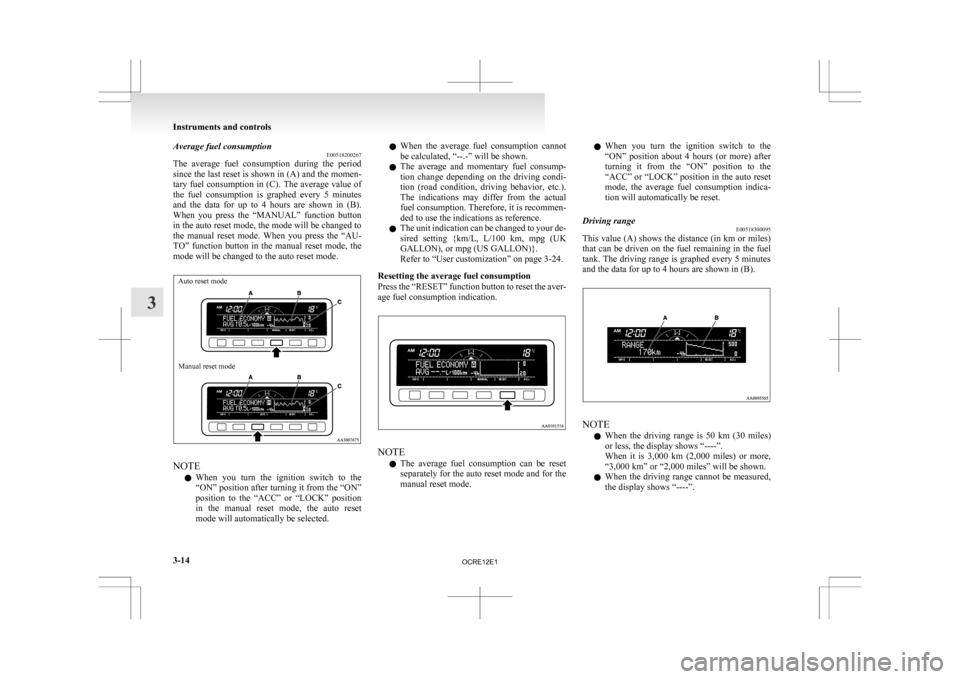
Average fuel consumption
E00518200267
The
average fuel consumption during the period
since the last reset is shown in (A) and the momen-
tary fuel consumption in (C). The average value of
the fuel consumption is graphed every 5 minutes
and the data for up to 4 hours are shown in (B).
When you press the “MANUAL” function button
in the auto reset mode, the mode will be changed to
the manual reset mode. When you press the “AU-
TO” function button in the manual reset mode, the
mode will be changed to the auto reset mode.
Auto reset mode
Manual reset mode NOTE
l When
you turn the ignition switch to the
“ON” position after turning it from the “ON”
position to the “ACC” or “LOCK” position
in the manual reset mode, the auto reset
mode will automatically be selected. l
When
the average fuel consumption cannot
be calculated, “--.-” will be shown.
l The average and momentary fuel consump-
tion change depending on the driving condi-
tion (road condition, driving behavior, etc.).
The indications may differ from the actual
fuel consumption. Therefore, it is recommen-
ded to use the indications as reference.
l The unit indication can be changed to your de-
sired setting {km/L, L/100 km, mpg (UK
GALLON), or mpg (US GALLON)}.
Refer to “User customization” on page 3-24.
Resetting the average fuel consumption
Press the “RESET” function button to reset the aver-
age fuel consumption indication. NOTE
l The
average fuel consumption can be reset
separately for the auto reset mode and for the
manual reset mode. l
When
you turn the ignition switch to the
“ON” position about 4 hours (or more) after
turning it from the “ON” position to the
“ACC” or “LOCK” position in the auto reset
mode, the average fuel consumption indica-
tion will automatically be reset.
Driving range E00518300095
This value (A) shows the distance (in km or miles)
that
can be driven on the fuel remaining in the fuel
tank. The driving range is graphed every 5 minutes
and the data for up to 4 hours are shown in (B). NOTE
l When
the driving range is 50 km (30 miles)
or less, the display shows “----”.
When it is 3,000 km (2,000 miles) or more,
“3,000 km” or “2,000 miles” will be shown.
l When the driving range cannot be measured,
the display shows “----”. Instruments and controls
3-14
3
OCRE12E1
Page 100 of 369
l
The driving range is shown based on the ac-
cumulated fuel consumption data, however,
may be changed depending on the driving con-
dition (road condition, driving behavior,
etc.). If the battery terminals are disconnec-
ted, the accumulated fuel consumption data
will be erased. It is recommended to use the
indication as reference.
l When the vehicle is fueled, the driving range
will be updated. However, if the amount of
fueling is small, the indication may not be cor-
rect. Therefore, fill up the tank as much as
possible in case of fueling.
l When the vehicle is stopped on a steep slope,
the value of the driving range may increase.
This is caused by the fuel movement inside
the tank on the slope and is not deemed as a
failure.
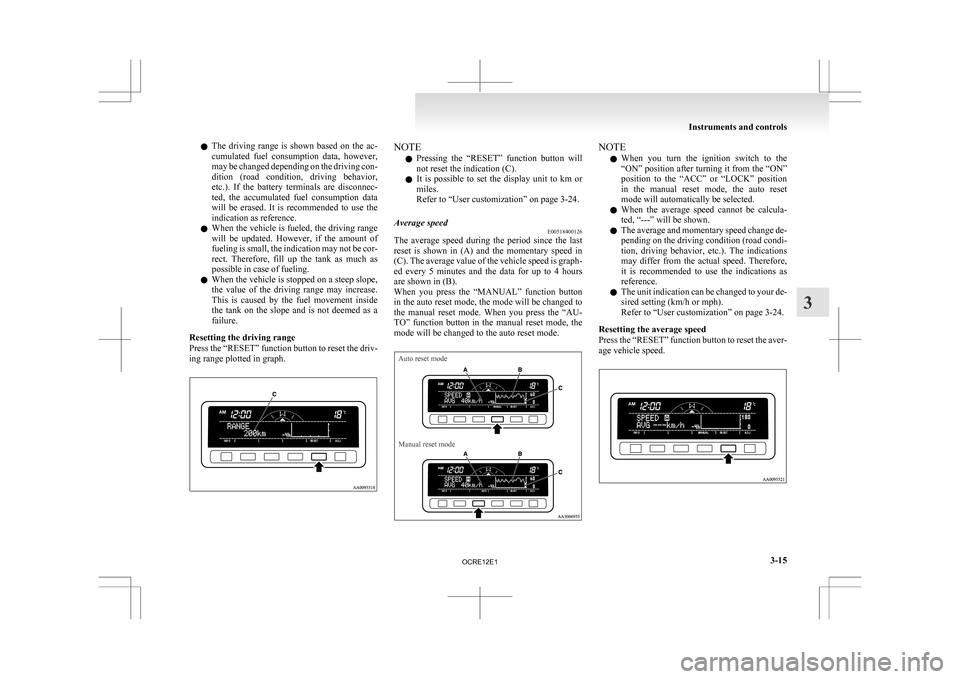
Resetting the driving range
Press the “RESET” function button to reset the driv-
ing range plotted in graph. NOTE
l Pressing
the “RESET” function button will
not reset the indication (C).
l It is possible to set the display unit to km or
miles.
Refer to “User customization” on page 3-24.
Average speed E00518400126
The average speed during the period since the last
reset
is shown in (A) and the momentary speed in
(C). The average value of the vehicle speed is graph-
ed every 5 minutes and the data for up to 4 hours
are shown in (B).
When you press the “MANUAL” function button
in the auto reset mode, the mode will be changed to
the manual reset mode. When you press the “AU-
TO” function button in the manual reset mode, the
mode will be changed to the auto reset mode.
Auto reset mode
Manual reset mode NOTE
l When
you turn the ignition switch to the
“ON” position after turning it from the “ON”
position to the “ACC” or “LOCK” position
in the manual reset mode, the auto reset
mode will automatically be selected.
l When the average speed cannot be calcula-
ted, “---” will be shown.
l The average and momentary speed change de-
pending on the driving condition (road condi-
tion, driving behavior, etc.). The indications
may differ from the actual speed. Therefore,
it is recommended to use the indications as
reference.
l The unit indication can be changed to your de-
sired setting (km/h or mph).
Refer to “User customization” on page 3-24.
Resetting the average speed
Press the “RESET” function button to reset the aver-
age vehicle speed. Instruments and controls
3-15 3
OCRE12E1
Page 101 of 369
NOTE
l The
average speed can be reset separately for
the auto reset mode and for the manual reset
mode.
l When you turn the ignition switch to the
“ON” position about 4 hours (or more) after
turning it from the “ON” position to the
“ACC” or “LOCK” position in the auto reset
mode, the average speed indication will auto-
matically be reset.
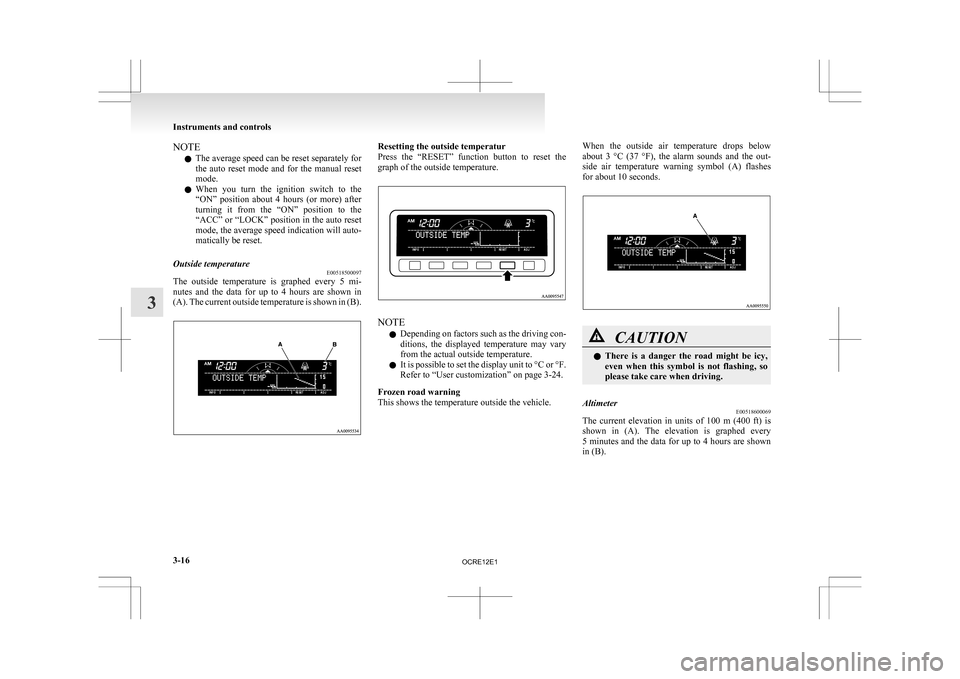
Outside temperature E00518500097
The outside temperature is graphed every 5 mi-
nutes
and the data for up to 4 hours are shown in
(A). The current outside temperature is shown in (B). Resetting the outside temperatur
Press
the “RESET” function button to reset the
graph of the outside temperature. NOTE
l Depending
on factors such as the driving con-
ditions, the displayed temperature may vary
from the actual outside temperature.
l It is possible to set the display unit to °C or °F.
Refer to “User customization” on page 3-24.
Frozen road warning
This shows the temperature outside the vehicle. When the outside air temperature drops below
about
3 °C (37 °F), the alarm sounds and the out-
side air temperature warning symbol (A) flashes
for about 10 seconds. CAUTION
l
There
is a danger the road might be icy,
even when this symbol is not flashing, so
please take care when driving.
Altimeter E00518600069
The current elevation in units of 100 m (400 ft) is
shown
in (A). The elevation is graphed every
5 minutes and the data for up to 4 hours are shown
in (B). Instruments and controls
3-16
3
OCRE12E1
Page 102 of 369
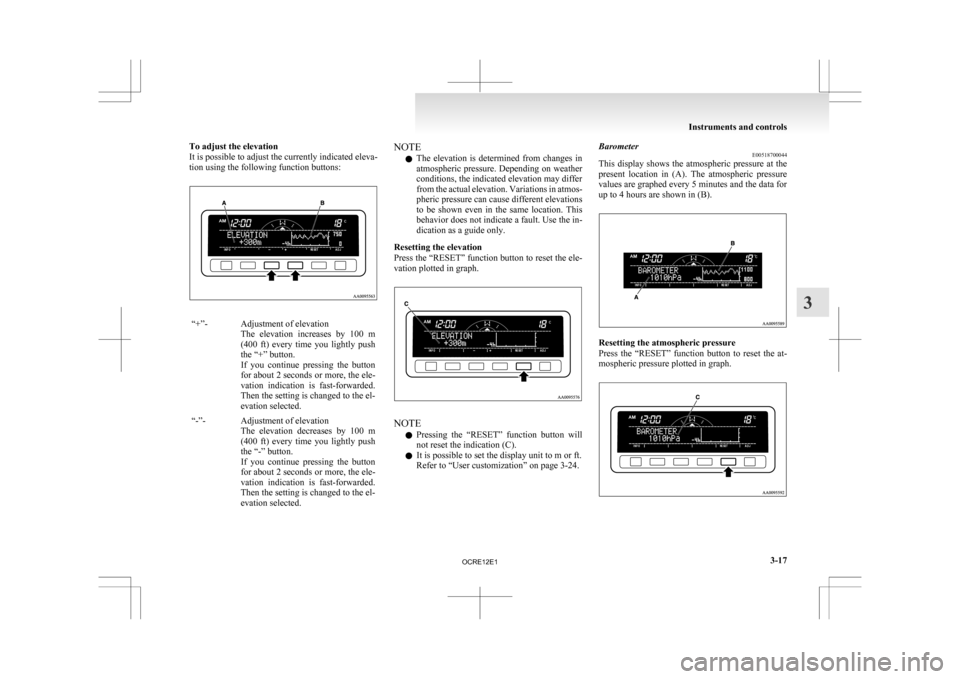
To adjust the elevation
It is possible to adjust the currently indicated eleva-
tion using the following function buttons:
“+”- Adjustment of elevation
The elevation increases by 100 m
(400 ft) every time you lightly push
the “+” button.
If you continue pressing the button
for about 2 seconds or more, the ele-
vation indication is fast-forwarded.
Then the setting is changed to the el-
evation selected.
“-”- Adjustment of elevation The
elevation decreases by 100 m
(400 ft) every time you lightly push
the “-” button.
If you continue pressing the button
for about 2 seconds or more, the ele-
vation indication is fast-forwarded.
Then the setting is changed to the el-
evation selected. NOTE
l The
elevation is determined from changes in
atmospheric pressure. Depending on weather
conditions, the indicated elevation may differ
from the actual elevation. Variations in atmos-
pheric pressure can cause different elevations
to be shown even in the same location. This
behavior does not indicate a fault. Use the in-
dication as a guide only.
Resetting the elevation
Press the “RESET” function button to reset the ele-
vation plotted in graph. NOTE
l Pressing
the “RESET” function button will
not reset the indication (C).
l It is possible to set the display unit to m or ft.
Refer to “User customization” on page 3-24. Barometer
E00518700044
This
display shows the atmospheric pressure at the
present location in (A). The atmospheric pressure
values are graphed every 5 minutes and the data for
up to 4 hours are shown in (B). Resetting the atmospheric pressure
Press
the “RESET” function button to reset the at-
mospheric pressure plotted in graph. Instruments and controls
3-17 3
OCRE12E1
Page 103 of 369
NOTE
l Pressing
the “RESET” function button will
not reset the indication (C).
l It is possible to set the display unit to hPa,
mb, kPa, or inHg.
Refer to “User customization” on page 3-24.
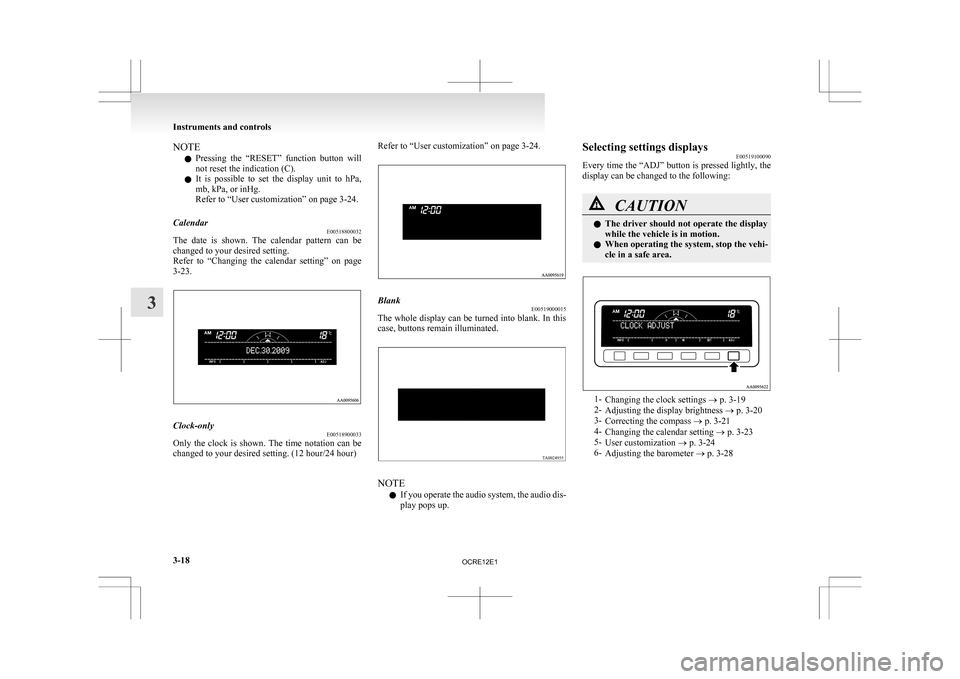
Calendar E00518800032
The date is shown. The calendar pattern can be
changed to your desired setting.
Refer
to “Changing the calendar setting” on page
3-23. Clock-only
E00518900033
Only the clock is shown. The time notation can be
changed to your desired setting. (12 hour/24 hour) Refer to “User customization” on page 3-24.
Blank
E00519000015
The whole display can be turned into blank. In this
case, buttons remain illuminated. NOTE
l If
you operate the audio system, the audio dis-
play pops up. Selecting settings displays
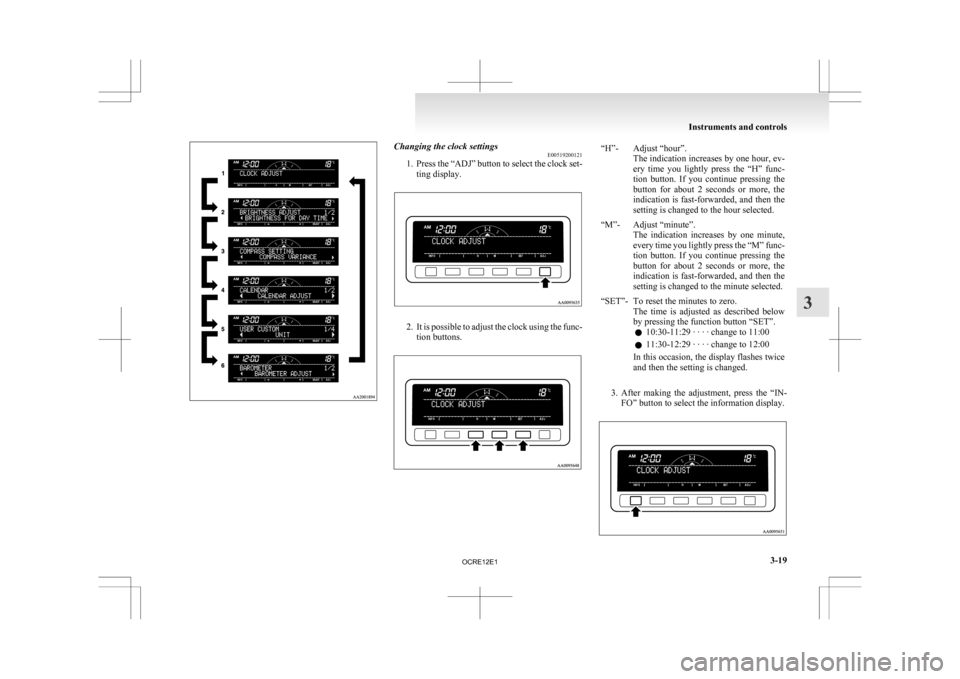
E00519100090
Every
time the “ADJ” button is pressed lightly, the
display can be changed to the following: CAUTION
l
The
driver should not operate the display
while the vehicle is in motion.
l When operating the system, stop the vehi-
cle in a safe area. 1-
Changing the clock settings
® p. 3-19
2- Adjusting the display brightness ® p. 3-20
3- Correcting the compass ® p. 3-21
4- Changing the calendar setting ® p. 3-23
5- User customization ® p. 3-24
6- Adjusting the barometer ® p. 3-28 Instruments and controls
3-18
3
OCRE12E1
Page 104 of 369
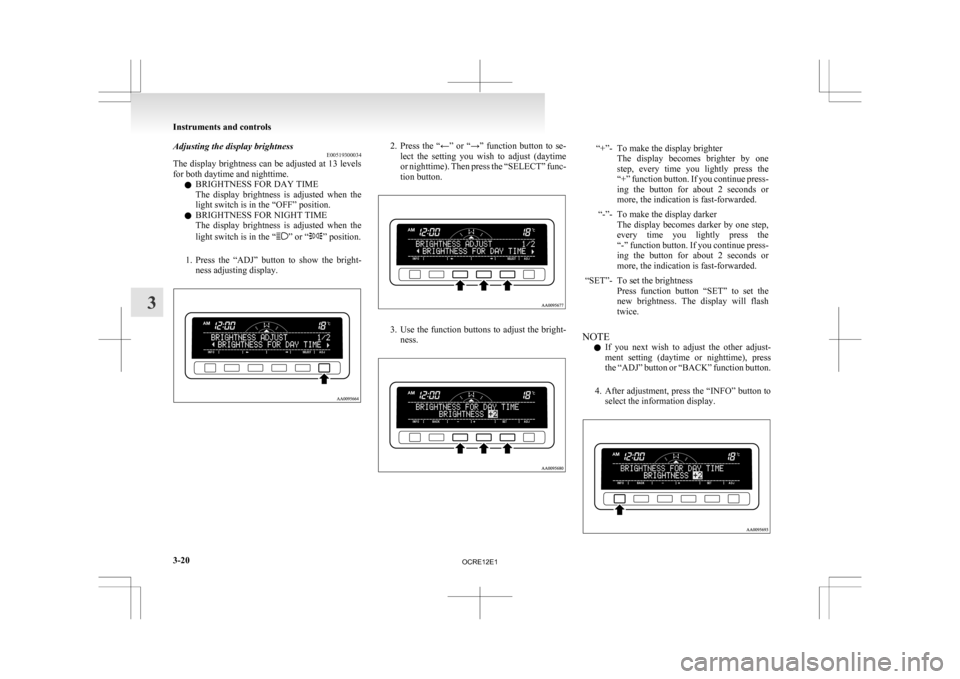
Changing the clock settings
E00519200121
1. Press
the “ADJ” button to select the clock set-
ting display. 2. It
is possible to adjust the clock using the func-
tion buttons. “H”- Adjust “hour”.
The
indication increases by one hour, ev-
ery time you lightly press the “H” func-
tion button. If you continue pressing the
button for about 2 seconds or more, the
indication is fast-forwarded, and then the
setting is changed to the hour selected.
“M”- Adjust “minute”. The
indication increases by one minute,
every time you lightly press the “M” func-
tion button. If you continue pressing the
button for about 2 seconds or more, the
indication is fast-forwarded, and then the
setting is changed to the minute selected.
“SET”- To reset the minutes to zero. The
time is adjusted as described below
by pressing the function button “SET”.
l 10:30-11:29 · · · · change to 11:00
l 11:30-12:29 · · · · change to 12:00
In this occasion, the display flashes twice
and then the setting is changed.
3. After
making the adjustment, press the “IN- FO” button to select the information display. Instruments and controls
3-19 3
OCRE12E1
Page 105 of 369
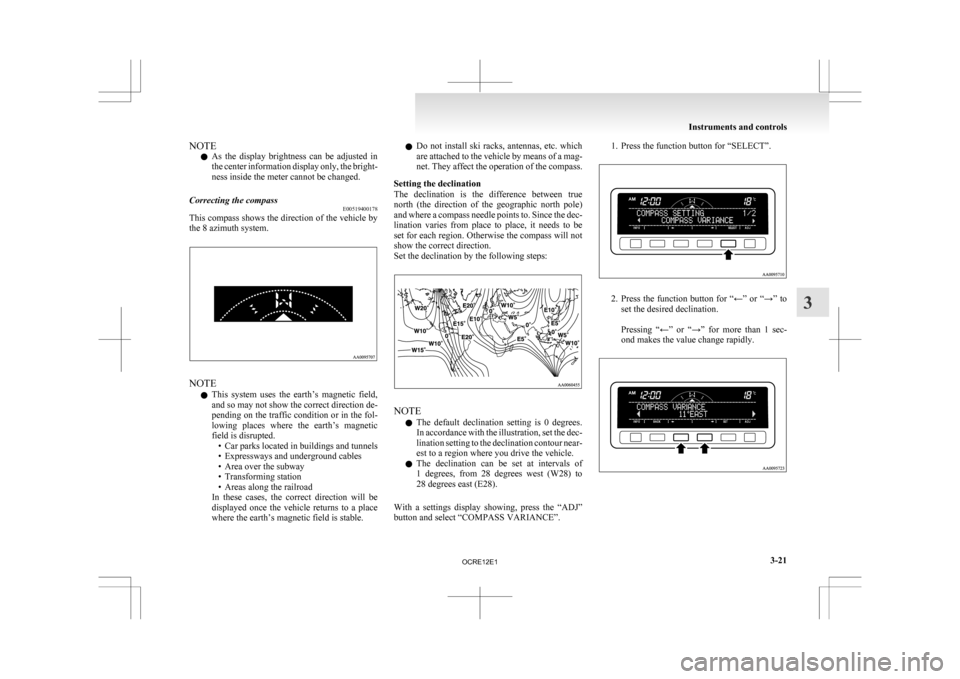
Adjusting the display brightness
E00519300034
The
display brightness can be adjusted at 13 levels
for both daytime and nighttime.
l BRIGHTNESS FOR DAY TIME
The display brightness is adjusted when the
light switch is in the “OFF” position.
l BRIGHTNESS FOR NIGHT TIME
The display brightness is adjusted when the
light switch is in the “ ” or “ ” position.
1. Press
the “ADJ” button to show the bright-
ness adjusting display. 2. Press
the “←” or “→” function button to se-
lect the setting you wish to adjust (daytime
or nighttime). Then press the “SELECT” func-
tion button. 3. Use
the function buttons to adjust the bright-
ness. “+”- To make the display brighter
The
display becomes brighter by one
step, every time you lightly press the
“+” function button. If you continue press-
ing the button for about 2 seconds or
more, the indication is fast-forwarded.
“-”- To make the display darker The
display becomes darker by one step,
every time you lightly press the
“-” function button. If you continue press-
ing the button for about 2 seconds or
more, the indication is fast-forwarded.
“SET”- To set the brightness Press
function button “SET” to set the
new brightness. The display will flash
twice.
NOTE l If
you next wish to adjust the other adjust-
ment setting (daytime or nighttime), press
the “ADJ” button or “BACK” function button.
4. After adjustment, press the “INFO” button to select the information display. Instruments and controls
3-20
3
OCRE12E1
Page 106 of 369
NOTE
l As
the display brightness can be adjusted in
the center information display only, the bright-
ness inside the meter cannot be changed.
Correcting the compass E00519400178
This compass shows the direction of the vehicle by
the 8 azimuth
system.NOTE
l This
system uses the earth’s magnetic field,
and so may not show the correct direction de-
pending on the traffic condition or in the fol-
lowing places where the earth’s magnetic
field is disrupted. • Car parks located in buildings and tunnels
• Expressways and underground cables
• Area over the subway
• Transforming station
• Areas along the railroad
In these cases, the correct direction will be
displayed once the vehicle returns to a place
where the earth’s magnetic field is stable. l
Do
not install ski racks, antennas, etc. which
are attached to the vehicle by means of a mag-
net. They affect the operation of the compass.
Setting the declination
The declination is the difference between true
north (the direction of the geographic north pole)
and where a compass needle points to. Since the dec-
lination varies from place to place, it needs to be
set for each region. Otherwise the compass will not
show the correct direction.
Set the declination by the following steps: NOTE
l The
default declination setting is 0 degrees.
In accordance with the illustration, set the dec-
lination setting to the declination contour near-
est to a region where you drive the vehicle.
l The declination can be set at intervals of
1 degrees, from 28 degrees west (W28) to
28 degrees east (E28).
With a settings display showing, press the “ADJ”
button and select “COMPASS VARIANCE”. 1. Press the function button for “SELECT”.
2. Press
the function button for “←” or “→” to
set the desired declination.
Pressing “←” or “→” for more than 1 sec-
ond makes the value change rapidly. Instruments and controls
3-21 3
OCRE12E1
Page 107 of 369
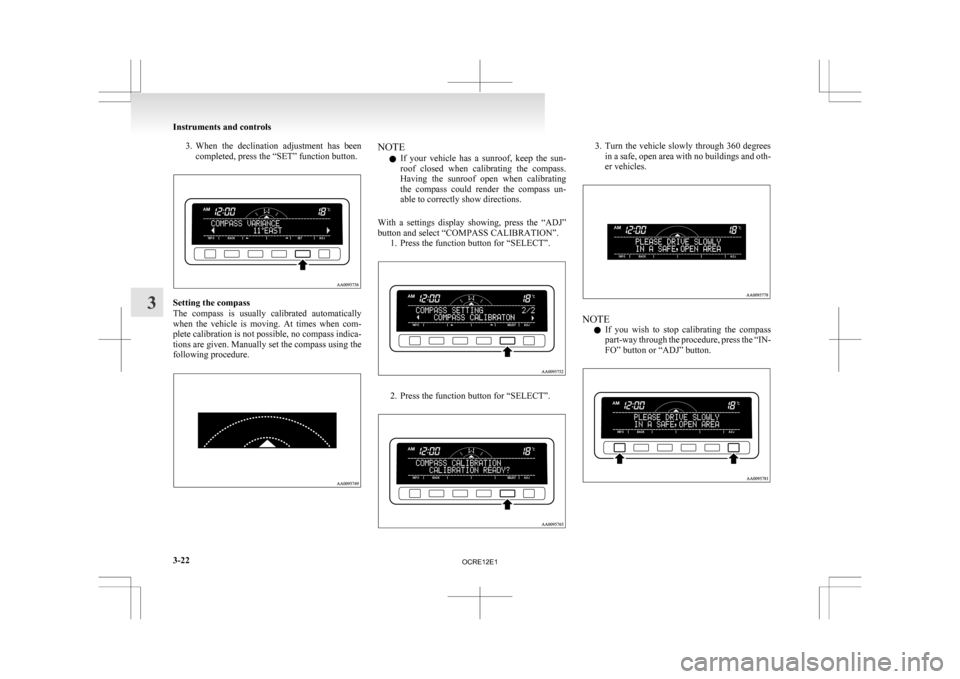
3. When the declination adjustment has been
completed, press the “SET” function button. Setting the compass
The
compass is usually calibrated automatically
when the vehicle is moving. At times when com-
plete calibration is not possible, no compass indica-
tions are given. Manually set the compass using the
following procedure. NOTE
l If
your vehicle has a sunroof, keep the sun-
roof closed when calibrating the compass.
Having the sunroof open when calibrating
the compass could render the compass un-
able to correctly show directions.
With a settings display showing, press the “ADJ”
button and select “COMPASS CALIBRATION”. 1. Press the function button for “SELECT”. 2. Press the function button for “SELECT”. 3. Turn the vehicle slowly through 360 degrees
in a safe, open area with no buildings and oth-
er vehicles. NOTE
l If
you wish to stop calibrating the compass
part-way through the procedure, press the “IN-
FO” button or “ADJ” button. Instruments and controls
3-22
3
OCRE12E1
Page 108 of 369
NOTE
l The
“Completed the calibration”. message
may be displayed even if you terminate the
turn before it is complete and return to the ve-
hicle’s original direction. The compass may
not be properly calibrated in this case, so you
must turn the vehicle through at least
360 degrees.
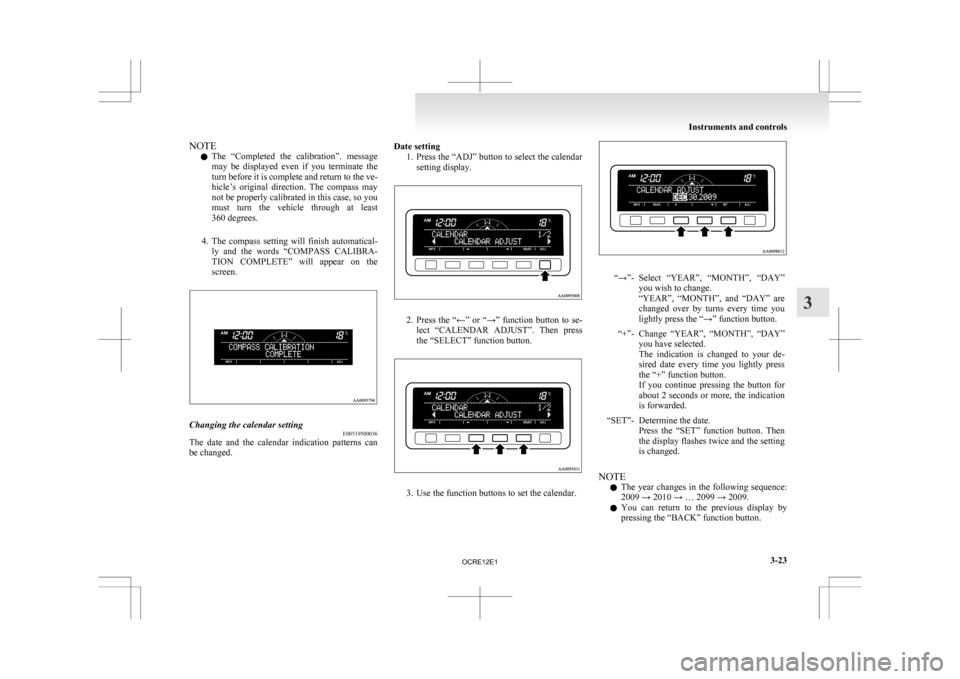
4. The compass setting will finish automatical- ly and the words “COMPASS CALIBRA-
TION COMPLETE” will appear on the
screen. Changing the calendar setting
E00519500036
The date and the calendar indication patterns can
be changed. Date setting
1. Press the “ADJ” button to select the calendar
setting display. 2. Press
the “←” or “→” function button to se-
lect “CALENDAR ADJUST”. Then press
the “SELECT” function button. 3. Use the function buttons to set the calendar. “→”- Select “YEAR”, “MONTH”, “DAY”
you wish to change.
“YEAR”,
“MONTH”, and “DAY” are
changed over by turns every time you
lightly press the “→” function button.
“+”- Change “YEAR”, “MONTH”, “DAY” you have selected.
The
indication is changed to your de-
sired date every time you lightly press
the “+” function button.
If you continue pressing the button for
about 2 seconds or more, the indication
is forwarded.
“SET”- Determine the date. Press
the “SET” function button. Then
the display flashes twice and the setting
is changed.
NOTE l The
year changes in the following sequence:
2009 → 2010 → … 2099 → 2009.
l You can return to the previous display by
pressing the “BACK” function button. Instruments and controls
3-23 3
OCRE12E1