light MITSUBISHI L200 2010 4.G Service Manual
[x] Cancel search | Manufacturer: MITSUBISHI, Model Year: 2010, Model line: L200, Model: MITSUBISHI L200 2010 4.GPages: 369, PDF Size: 30.72 MB
Page 184 of 369
Ventilators
.................................................................................... 5-02
Heater/Manual air conditioning* ..................................................5-03
Automatic air conditioning* ......................................................... 5-08
Important operation tips for the air conditioning
..........................5-12
Air purifier*.................................................................................. 5-12
LW/MW/FM electronic tuning radio with CD player* ................5-13
To play tracks from USB device* ................................................5-27
To play tracks from a Bluetooth ®
device (vehicles with
Bluetooth ®
2.0 interface)..........................................................5-36
To use the external audio input function* ....................................5-39
Steering wheel remote control switch* ........................................5-40
Error codes.................................................................................... 5-42
Error codes (iPod)......................................................................... 5-44
Error codes (USB memory device) ..............................................5-46
Audio system anti-theft feature .................................................... 5-48
Handling of compact discs ........................................................... 5-48
Antenna......................................................................................... 5-50
Link System* ................................................................................ 5-51
Bluetooth ®
2.0 interface* ............................................................. 5-51
USB input terminal* ..................................................................... 5-67
Sun visors..................................................................................... 5-69
Vanity mirror* .............................................................................. 5-70
Ashtray..........................................................................................5-70
Cigarette lighter ............................................................................ 5-71
Accessory socket*........................................................................ 5-72
Digital clock* ............................................................................... 5-73
Interior lamps ................................................................................ 5-73
Storage spaces...............................................................................5-75
Cup holder*.................................................................................. 5-78
Bottle holder ................................................................................. 5-79 Convenient hook
........................................................................... 5-80
Coat hook*.................................................................................... 5-80
First-aid kit and warning triangle securing bands* ......................5-80 For pleasant driving
5
OCRE12E1
Page 188 of 369
CAUTION
l
Normally, use the “ ” (outside) posi-
tion to keep the windscreen and side win-
dows clear and quickly remove fog or
frost from the windscreen.
If high cooling performance is desired, or
if the outside air is dusty or otherwise con-
taminated, use the “ ”
(recirculation)
position. Set the air selection lever to the
“ ”
(outside) position periodically to in-
crease ventilation so that the windows do
not become fogged up.
l Use of the “ ”
(recirculation) position
for extended time may cause the windows
to fog up.
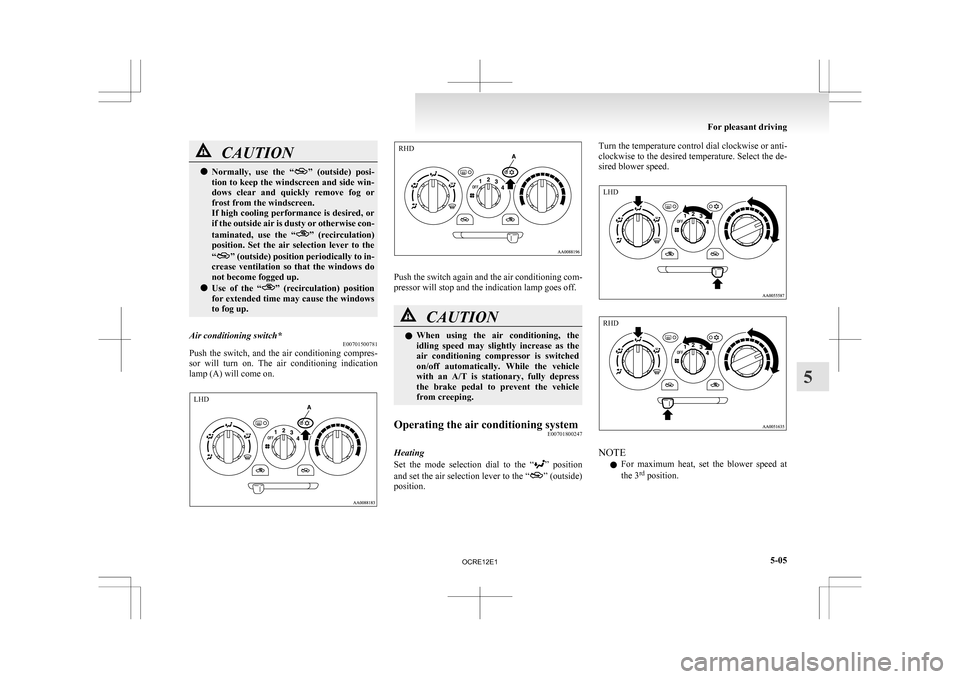
Air conditioning switch* E00701500781
Push the switch, and the air conditioning compres-
sor
will turn on. The air conditioning indication
lamp (A) will come on. Push the switch again and the air conditioning com-
pressor will stop and the indication lamp goes off.
CAUTION
l
When
using the air conditioning, the
idling speed may slightly increase as the
air conditioning compressor is switched
on/off automatically. While the vehicle
with an A/T is stationary, fully depress
the brake pedal to prevent the vehicle
from creeping.
Operating the air conditioning system E00701800247
Heating
Set
the mode selection dial to the “ ”
position
and set the air selection lever to the “ ” (outside)
position. Turn the temperature control dial clockwise or anti-
clockwise
to the desired temperature. Select the de-
sired blower speed. NOTE
l For
maximum heat, set the blower speed at
the 3 rd
position. For pleasant driving
5-05 5 LHD RHD LHD RHD
OCRE12E1
Page 189 of 369
Cooling (vehicles with air conditioning)
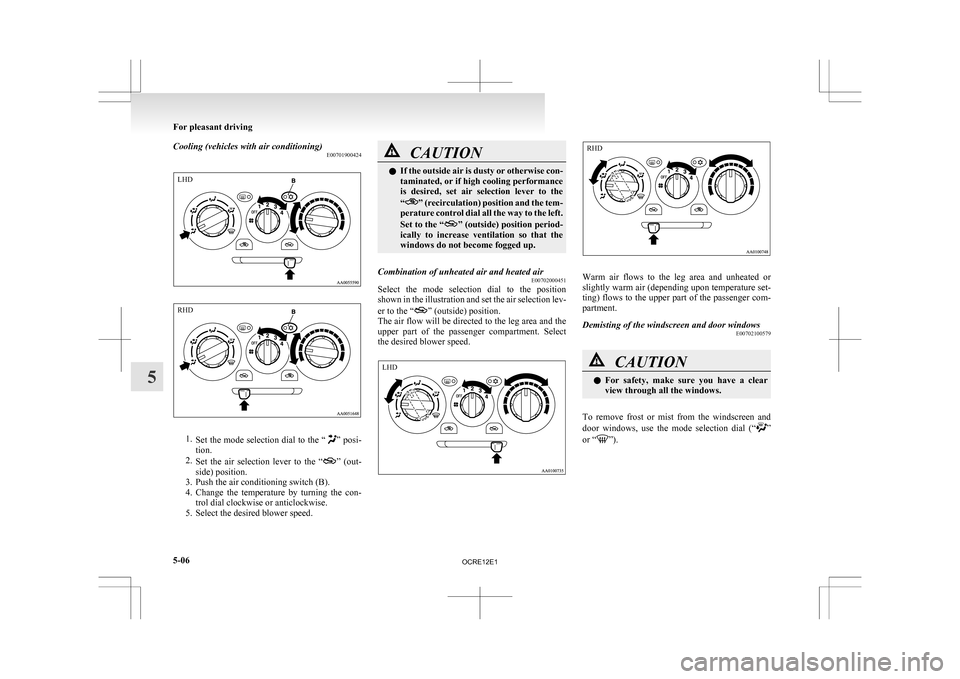
E007019004241.
Set the mode selection dial to the “ ” posi-
tion.
2. Set the air selection lever to the “ ”
(out-
side) position.
3. Push the air conditioning switch (B).
4. Change the temperature by turning the con- trol dial clockwise or anticlockwise.
5. Select the desired blower speed. CAUTION
l
If
the outside air is dusty or otherwise con-
taminated, or if high cooling performance
is desired, set air selection lever to the
“ ”
(recirculation) position and the tem-
perature control dial all the way to the left.
Set to the “ ”
(outside) position period-
ically to increase ventilation so that the
windows do not become fogged up.
Combination of unheated air and heated air E00702000451
Select the mode selection dial to the position
shown
in the illustration and set the air selection lev-
er to the “ ” (outside) position.
The
air flow will be directed to the leg area and the
upper part of the passenger compartment. Select
the desired blower speed. Warm air flows to the leg area and unheated or
slightly
warm air (depending upon temperature set-
ting) flows to the upper part of the passenger com-
partment.
Demisting of the windscreen and door windows E00702100579 CAUTION
l
For
safety, make sure you have a clear
view through all the windows.
To remove frost or mist from the windscreen and
door
windows, use the mode selection dial (“ ”
or “ ”).For pleasant driving
5-06
5LHD RHD LHD RHD
OCRE12E1
Page 193 of 369
l
Recirculated air {Indication lamp (A) is ON}
Air
is recirculated inside the passenger com-
partment. CAUTION
l
Normally, use the outside position to keep
the
windscreen and side windows clear
and quickly remove fog or frost from the
windscreen.
If high cooling performance is desired, or
if the outside air is dusty or otherwise con-
taminated use the recirculation position.
Switch to the outside position periodically
to increase ventilation so that the win-
dows do not become fogged up.
l Use of the recirculation position for exten-
ded time may cause the windows to fog up. Air conditioning switch
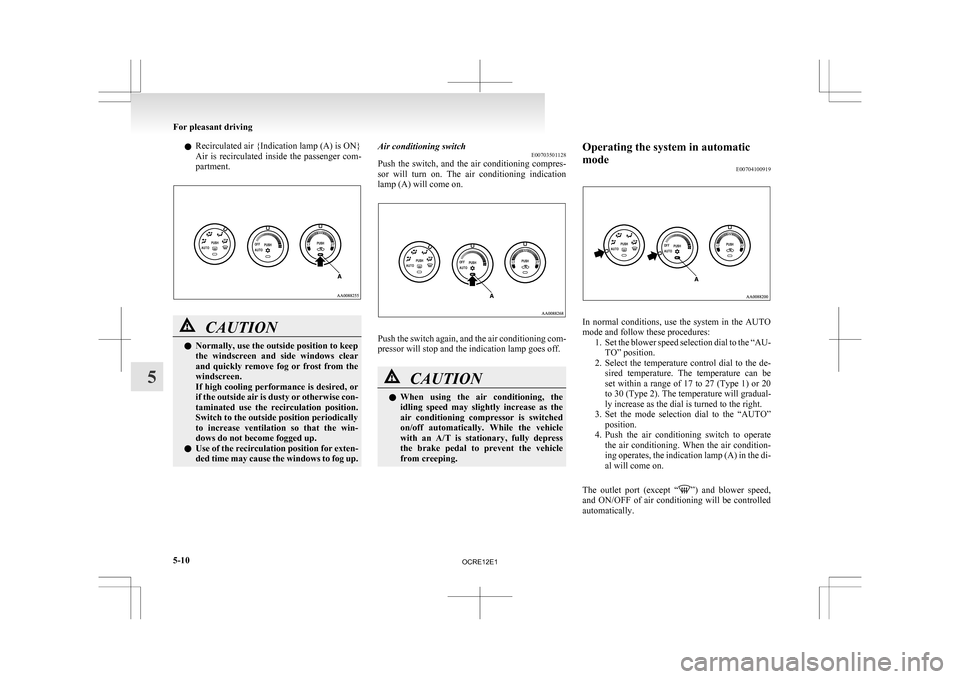
E00703501128
Push
the switch, and the air conditioning compres-
sor will turn on. The air conditioning indication
lamp (A) will come on. Push the switch again, and the air conditioning com-
pressor will stop and the indication lamp goes off.
CAUTION
l
When
using the air conditioning, the
idling speed may slightly increase as the
air conditioning compressor is switched
on/off automatically. While the vehicle
with an A/T is stationary, fully depress
the brake pedal to prevent the vehicle
from creeping. Operating the system in automatic
mode
E00704100919 In normal conditions, use the system in the AUTO
mode and follow these procedures:
1. Set
the blower speed selection dial to the “AU-
TO” position.
2. Select the temperature control dial to the de- sired temperature. The temperature can be
set within a range of 17 to 27 (Type 1) or 20
to 30 (Type 2). The temperature will gradual-
ly increase as the dial is turned to the right.
3. Set the mode selection dial to the “AUTO” position.
4. Push the air conditioning switch to operate the air conditioning. When the air condition-
ing operates, the indication lamp (A) in the di-
al will come on.
The outlet port (except “ ”)
and blower speed,
and ON/OFF of air conditioning will be controlled
automatically. For pleasant driving
5-10
5
OCRE12E1
Page 202 of 369
AF (Alternative Frequencies) function
E00720900061
The
AF function finds a station broadcasting the
same program and selects the station with the stron-
gest signal of AF lists.
The AF function is turned on (with the AF indica-
tor (12) shown on the display) at all times unless
you manually switch it off.
The AF function can be turned ON and OFF.
Refer to “Function setup mode” on page 5-21.
CT (Clock Time) function E00721000131
The clock can be set automatically by using the sig-
nal
from the local RDS stations. Refer to “Adjust-
ing the time” on page 3-12.
REG (Regional) function E00721100057
REG function limits to receive the stations broad-
casting regional programs.
Regional
programming and regional networks are
organized differently depending on the country or
area (they may be changed according to the hour,
state, or broadcast area), so if you don’t want to re-
ceive the regional programs automatically, you can
set up REG ON not to receive regional programs.
The REG function can be turned ON and OFF.
Refer to “Function setup mode” on page 5-21.
PI (Program Identification) search function E00721200221
When travelling long distance and the recalled pre-
set
station is weak, the radio searches another fre-
quency broadcasting the same programming with
the same PI code in AF list. If there are no frequencies broadcasting the same
programming,
the radio searches a frequency broad-
casting the regional programming. The radio suc-
ceeds in searching the regional programming, then
the display shows the REG indicator (11).
If the radio does not succeed in searching the re-
gional programming, the radio returns to the recal-
led preset station.
The PI function can be turned ON and OFF.
Refer to “Function setup mode” on page 5-21.
NOTE
l While searching, the audio system is muted.
The display shows “WAIT” or “SEARCH”.
PTY (Program type) E00721300349
RDS broadcasts are classified according to pro-
gram
type (PTY) as follows. Use the TUNE/SEEK
button (3 or 4) to select your desired PTY.
1. NEWS
2. AFFAIRS (Current affairs)
3. INFO (Information)
4. SPORT
5. EDUCATE (Education)
6. DRAMA
7. CULTURE
8. SCIENCE
9. VARIED
10. POP M (Pop music)
11. ROCK M (Rock music)
12. EASY M (Easy music)
13. LIGHT M (Light classics)
14. CLASSICS
15. OTHER M (Other music)
16. WEATHER (Weather information)
17. FINANCE
18. CHILDREN 19. SOCIAL
20.
RELIGION
21. PHONE IN
22. TRAVEL
23. LEISURE
24. JAZZ
25. COUNTRY
26. NATION M (National music)
27. OLDIES
28. FOLK M (Folk music)
29. DOCUMENT
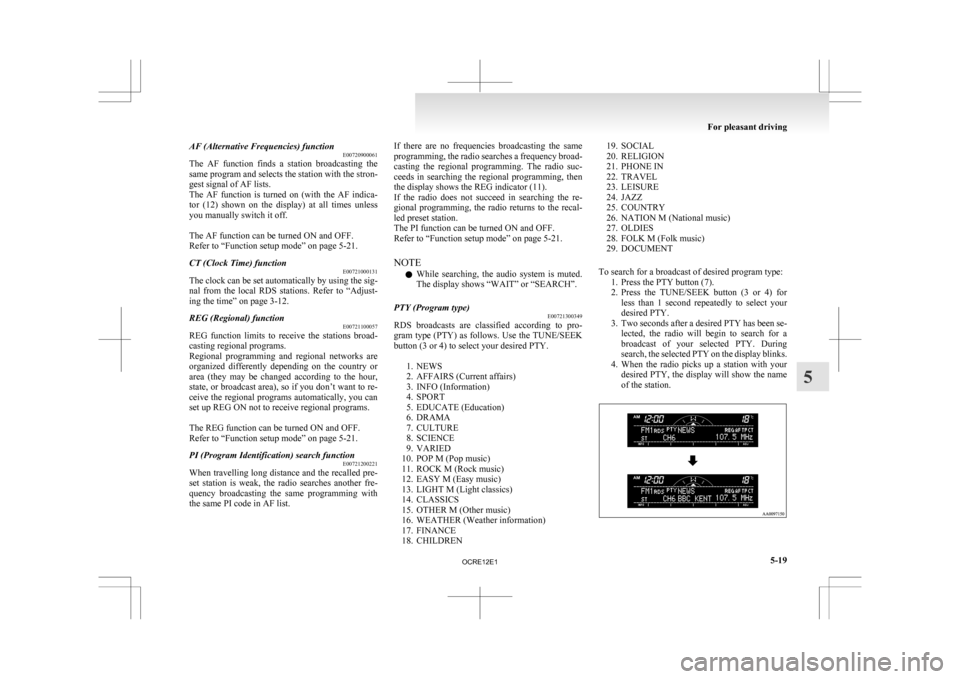
To search for a broadcast of desired program type: 1. Press the PTY button (7).
2. Press the TUNE/SEEK button (3 or 4) forless than 1 second repeatedly to select your
desired PTY.
3. Two seconds after a desired PTY has been se- lected, the radio will begin to search for a
broadcast of your selected PTY. During
search, the selected PTY on the display blinks.
4. When the radio picks up a station with your desired PTY, the display will show the name
of the station. For pleasant driving
5-19 5
OCRE12E1
Page 232 of 369
l
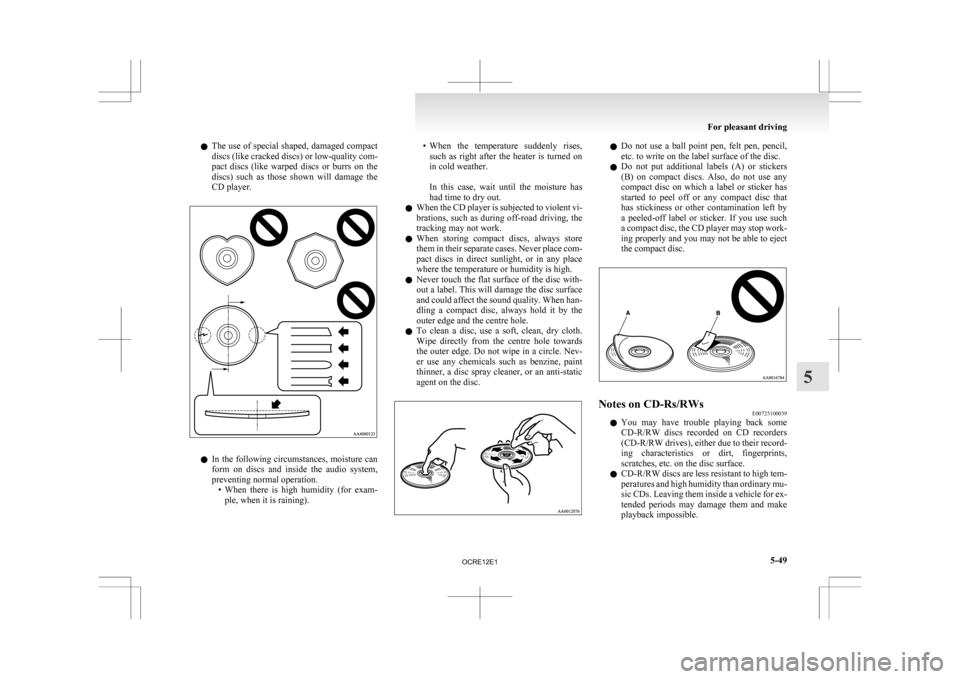
The use of special shaped, damaged compact
discs (like cracked discs) or low-quality com-
pact discs (like warped discs or burrs on the
discs) such as those shown will damage the
CD player. l
In
the following circumstances, moisture can
form on discs and inside the audio system,
preventing normal operation. • When there is high humidity (for exam-ple, when it is raining). • When
the temperature suddenly rises,
such as right after the heater is turned on
in cold weather.
In this case, wait until the moisture has
had time to dry out.
l When the CD player is subjected to violent vi-
brations, such as during off-road driving, the
tracking may not work.
l When storing compact discs, always store
them in their separate cases. Never place com-
pact discs in direct sunlight, or in any place
where the temperature or humidity is high.
l Never touch the flat surface of the disc with-
out a label. This will damage the disc surface
and could affect the sound quality. When han-
dling a compact disc, always hold it by the
outer edge and the centre hole.
l To clean a disc, use a soft, clean, dry cloth.
Wipe directly from the centre hole towards
the outer edge. Do not wipe in a circle. Nev-
er use any chemicals such as benzine, paint
thinner, a disc spray cleaner, or an anti-static
agent on the disc. l
Do not use a ball point pen, felt pen, pencil,
etc. to write on the label surface of the disc.
l Do not put additional labels (A) or stickers
(B) on compact discs. Also, do not use any
compact disc on which a label or sticker has
started to peel off or any compact disc that
has stickiness or other contamination left by
a peeled-off label or sticker. If you use such
a compact disc, the CD player may stop work-
ing properly and you may not be able to eject
the compact disc. Notes on CD-Rs/RWs
E00725100039
l You
may have trouble playing back some
CD-R/RW discs recorded on CD recorders
(CD-R/RW drives), either due to their record-
ing characteristics or dirt, fingerprints,
scratches, etc. on the disc surface.
l CD-R/RW discs are less resistant to high tem-
peratures and high humidity than ordinary mu-
sic CDs. Leaving them inside a vehicle for ex-
tended periods may damage them and make
playback impossible. For pleasant driving
5-49 5
OCRE12E1
Page 254 of 369
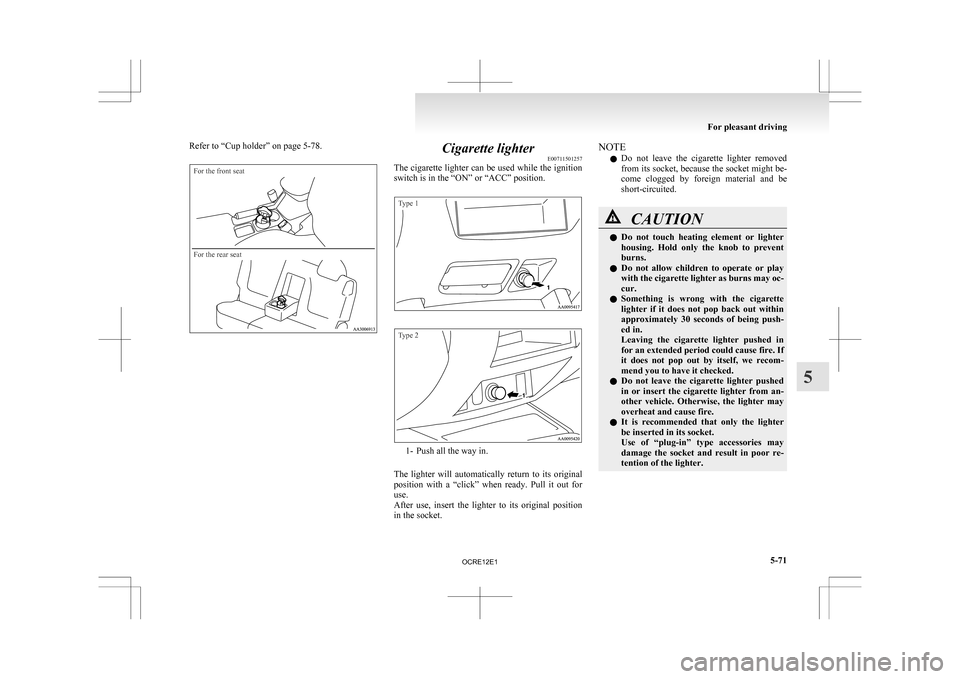
Refer to “Cup holder” on page 5-78.For the front seat
For the rear seat
Cigarette lighter
E00711501257
The
cigarette lighter can be used while the ignition
switch is in the “ON” or “ACC” position.
Type 1
Type 2 1- Push all the way in.
The
lighter will automatically return to its original
position with a “click” when ready. Pull it out for
use.
After use, insert the lighter to its original position
in the socket. NOTE
l Do
not leave the cigarette lighter removed
from its socket, because the socket might be-
come clogged by foreign material and be
short-circuited. CAUTION
l
Do
not touch heating element or lighter
housing. Hold only the knob to prevent
burns.
l Do not allow children to operate or play
with the cigarette lighter as burns may oc-
cur.
l Something is wrong with the cigarette
lighter if it does not pop back out within
approximately 30 seconds of being push-
ed in.
Leaving the cigarette lighter pushed in
for an extended period could cause fire. If
it does not pop out by itself, we recom-
mend you to have it checked.
l Do not leave the cigarette lighter pushed
in or insert the cigarette lighter from an-
other vehicle. Otherwise, the lighter may
overheat and cause fire.
l It is recommended that only the lighter
be inserted in its socket.
Use of “plug-in” type accessories may
damage the socket and result in poor re-
tention of the lighter. For pleasant driving
5-71 5
OCRE12E1
Page 255 of 369
CAUTION
l
When the cigarette lighter socket is used
as a power source for an electric appli-
ance, be sure that the electric appliance
operates at 12 V and has an electric ca-
pacity of 120 W or less. In addition, long
use of the electric appliance without run-
ning the engine may run down the battery. Accessory socket*
E00711601160
The
accessory socket can be used while the igni-
tion switch is in the “ON” or “ACC” position.
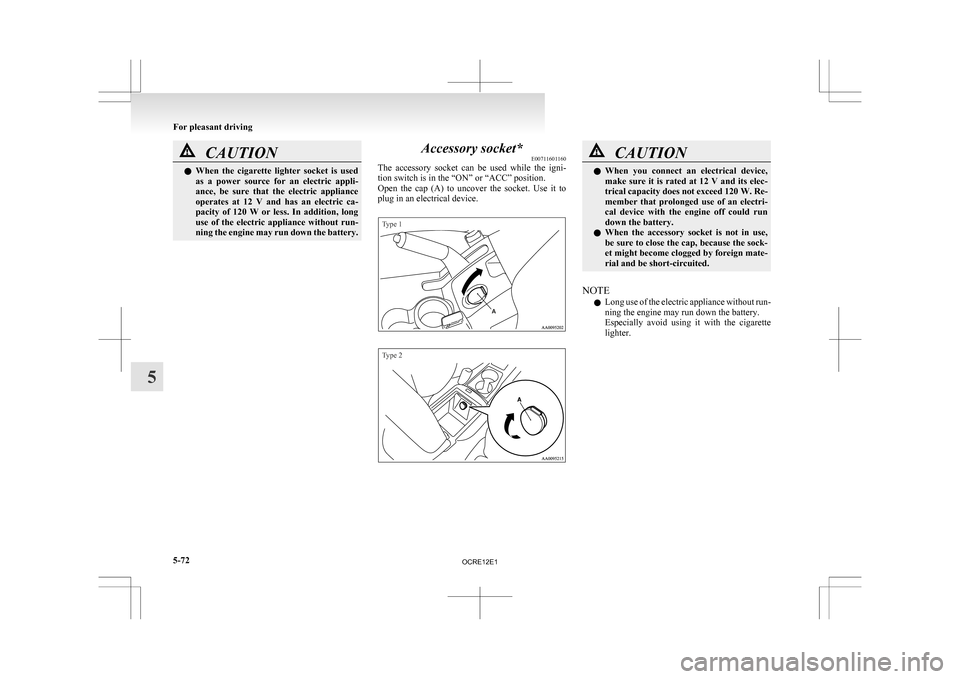
Open the cap (A) to uncover the socket. Use it to
plug in an electrical device.
Type 1
Type 2 CAUTION
l
When
you connect an electrical device,
make sure it is rated at 12 V and its elec-
trical capacity does not exceed 120 W. Re-
member that prolonged use of an electri-
cal device with the engine off could run
down the battery.
l When the accessory socket is not in use,
be sure to close the cap, because the sock-
et might become clogged by foreign mate-
rial and be short-circuited.
NOTE l Long
use of the electric appliance without run-
ning the engine may run down the battery.
Especially avoid using it with the cigarette
lighter. For pleasant driving
5-72
5
OCRE12E1
Page 256 of 369
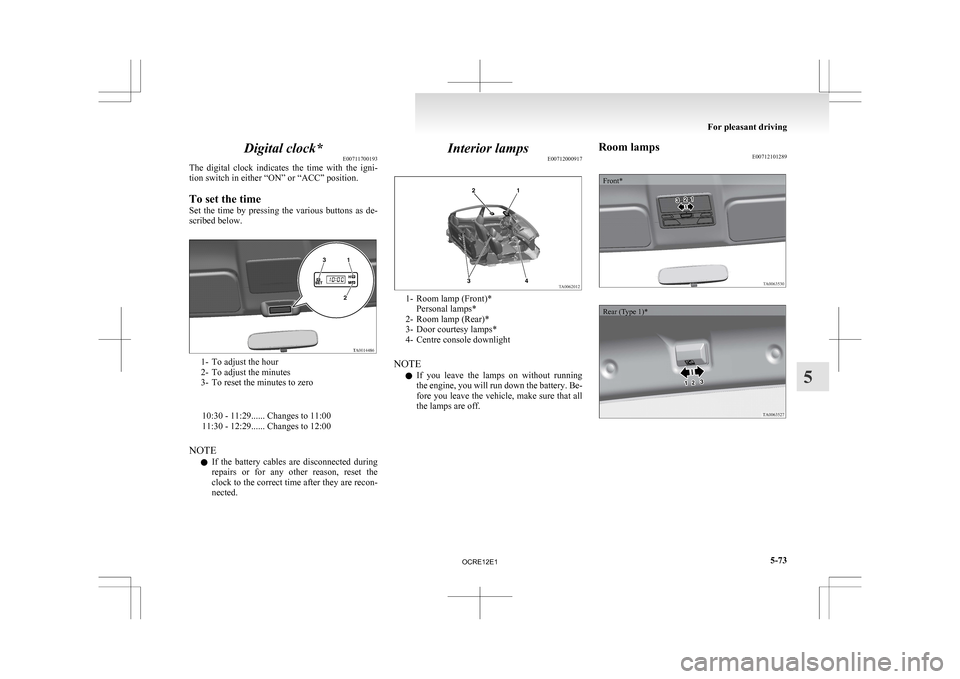
Digital clock*
E00711700193
The
digital clock indicates the time with the igni-
tion switch in either “ON” or “ACC” position.
To set the time
Set the time by pressing the various buttons as de-
scribed below. 1- To adjust the hour
2-
To adjust the minutes
3- To reset the minutes to zero
10:30 - 11:29...... Changes to 11:00
11:30 - 12:29...... Changes to 12:00
NOTE l If the battery cables are disconnected during
repairs or for any other reason, reset the
clock to the correct time after they are recon-
nected. Interior lamps
E00712000917 1- Room lamp (Front)*
Personal lamps*
2-
Room lamp (Rear)*
3- Door courtesy lamps*
4- Centre console downlight
NOTE l If you leave the lamps on without running
the engine, you will run down the battery. Be-
fore you leave the vehicle, make sure that all
the lamps are off. Room lamps
E00712101289
Front*
Rear (Type 1)* For pleasant driving
5-73 5
OCRE12E1
Page 258 of 369
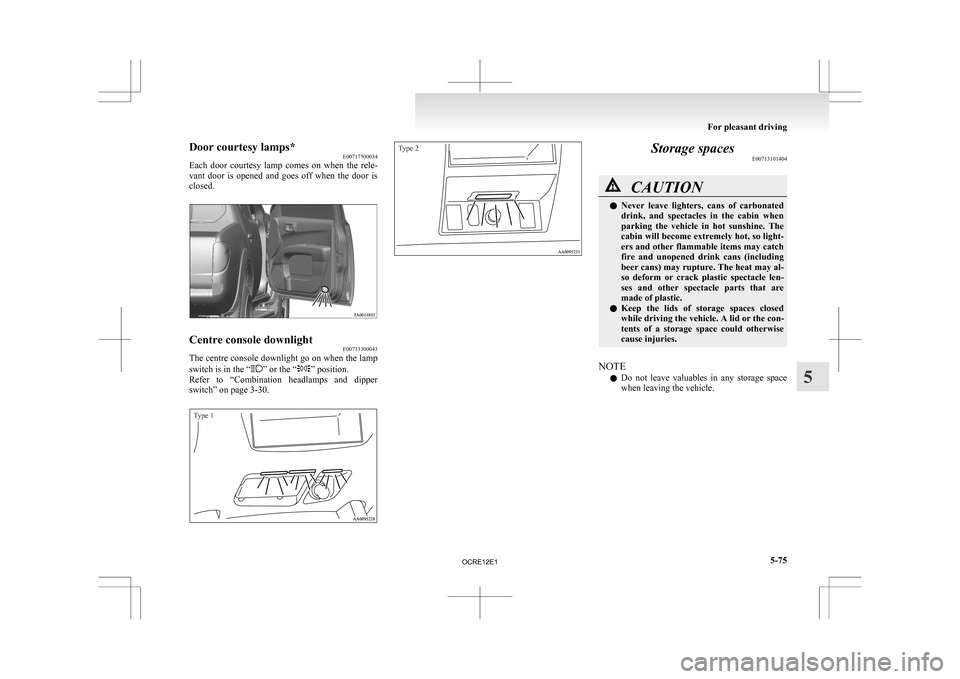
Door courtesy lamps*
E00717500034
Each
door courtesy lamp comes on when the rele-
vant door is opened and goes off when the door is
closed. Centre console downlight
E00733300043
The centre console downlight go on when the lamp
switch is in the “ ” or the “ ” position.
Refer
to “Combination headlamps and dipper
switch” on page 3-30.
Type 1
Type 2 Storage spaces
E00713101404 CAUTION
l
Never
leave lighters, cans of carbonated
drink, and spectacles in the cabin when
parking the vehicle in hot sunshine. The
cabin will become extremely hot, so light-
ers and other flammable items may catch
fire and unopened drink cans (including
beer cans) may rupture. The heat may al-
so deform or crack plastic spectacle len-
ses and other spectacle parts that are
made of plastic.
l Keep the lids of storage spaces closed
while driving the vehicle. A lid or the con-
tents of a storage space could otherwise
cause injuries.
NOTE l Do
not leave valuables in any storage space
when leaving the vehicle. For pleasant driving
5-75 5
OCRE12E1