light MITSUBISHI L200 2013 (in English) Service Manual
[x] Cancel search | Manufacturer: MITSUBISHI, Model Year: 2013, Model line: L200, Model: MITSUBISHI L200 2013Pages: 362, PDF Size: 21.07 MB
Page 185 of 362
CAUTIONlNormally, use the “”
(outside) posi-
tion to keep the windscreen and side win-
dows clear and quickly remove fog or
frost from the windscreen.
If high cooling performance is desired, or
if the outside air is dusty or otherwise con-
taminated, use the “
” (recirculation)
position. Set the air selection lever to the
“
” (outside) position periodically to in-
crease ventilation so that the windows do
not become fogged up.
l Use of the “
”
(recirculation) position
for extended time may cause the windows
to fog up.
Air conditioning switch* E00701500781
Push the switch, and the air conditioning compres-
sor will turn on. The air conditioning indication
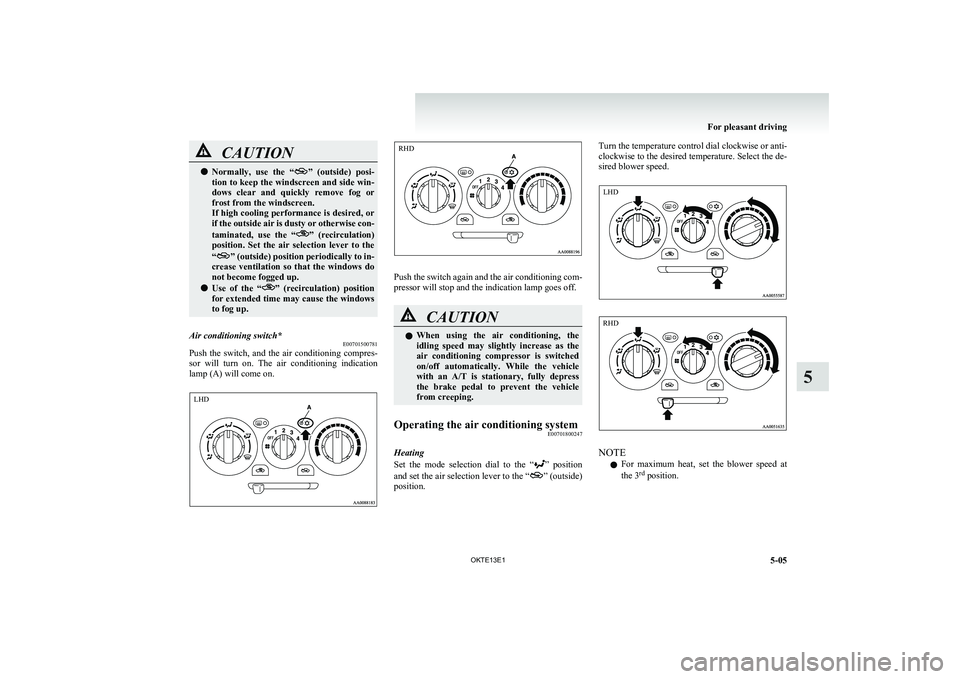
lamp (A) will come on.
Push the switch again and the air conditioning com-
pressor will stop and the indication lamp goes off.
CAUTIONl When using the air conditioning, the
idling speed may slightly increase as the
air conditioning compressor is switched
on/off automatically. While the vehicle
with an A/T is stationary, fully depress
the brake pedal to prevent the vehicle
from creeping.Operating the air conditioning system E00701800247
Heating
Set the mode selection dial to the “
” position
and set the air selection lever to the “” (outside)
position.
Turn the temperature control dial clockwise or anti-
clockwise to the desired temperature. Select the de-
sired blower speed.
NOTE
l For maximum heat, set the blower speed at
the 3 rd
position.
For pleasant driving
5-05
OKTE13E1
5 LHD RHD LHD RHD
Page 186 of 362
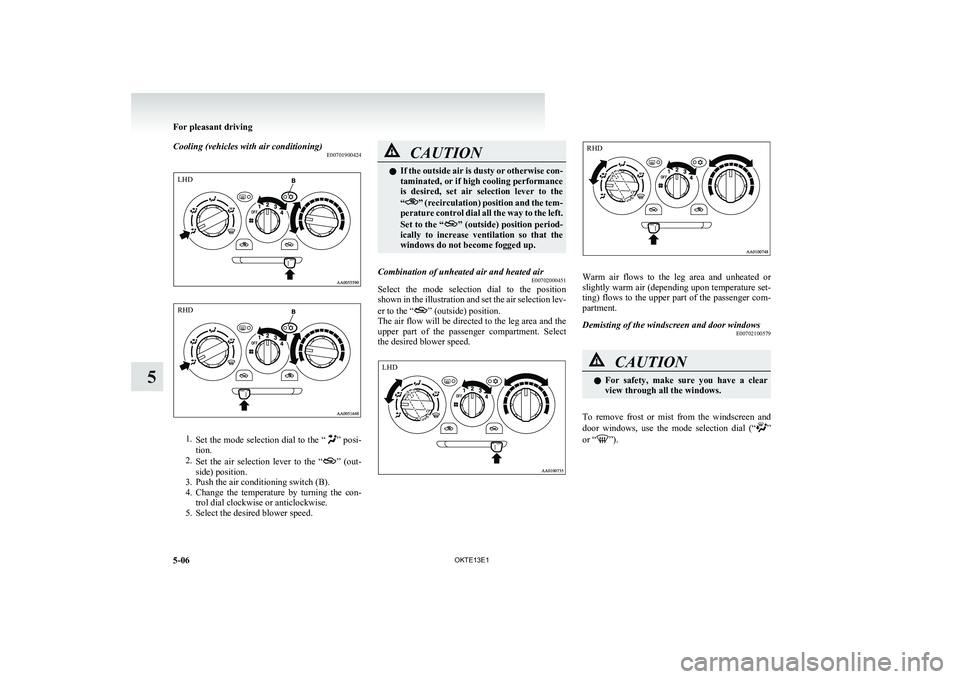
Cooling (vehicles with air conditioning)E00701900424
1.Set the mode selection dial to the “” posi-
tion.
2. Set the air selection lever to the “
” (out-
side) position.
3. Push the air conditioning switch (B).
4. Change the temperature by turning the con-
trol dial clockwise or anticlockwise.
5. Select the desired blower speed.
CAUTIONl If the outside air is dusty or otherwise con-
taminated, or if high cooling performance
is desired, set air selection lever to the
“
” (recirculation) position and the tem-
perature control dial all the way to the left.
Set to the “
” (outside) position period-
ically to increase ventilation so that the
windows do not become fogged up.
Combination of unheated air and heated air E00702000451
Select the mode selection dial to the position
shown in the illustration and set the air selection lev-
er to the “
” (outside) position.
The air flow will be directed to the leg area and the
upper part of the passenger compartment. Select
the desired blower speed.
Warm air flows to the leg area and unheated or
slightly warm air (depending upon temperature set-
ting) flows to the upper part of the passenger com-
partment.
Demisting of the windscreen and door windows E00702100579CAUTIONlFor safety, make sure you have a clear
view through all the windows.
To remove frost or mist from the windscreen and
door windows, use the mode selection dial (“”
or “”).
For pleasant driving
5-06 OKTE13E1
5LHD RHD LHD RHD
Page 190 of 362
lRecirculated air {Indication lamp (A) is ON}
Air is recirculated inside the passenger com-
partment.CAUTIONl Normally, use the outside position to keep
the windscreen and side windows clear
and quickly remove fog or frost from the
windscreen.
If high cooling performance is desired, or
if the outside air is dusty or otherwise con-
taminated use the recirculation position.
Switch to the outside position periodically
to increase ventilation so that the win-
dows do not become fogged up.
l Use of the recirculation position for exten-
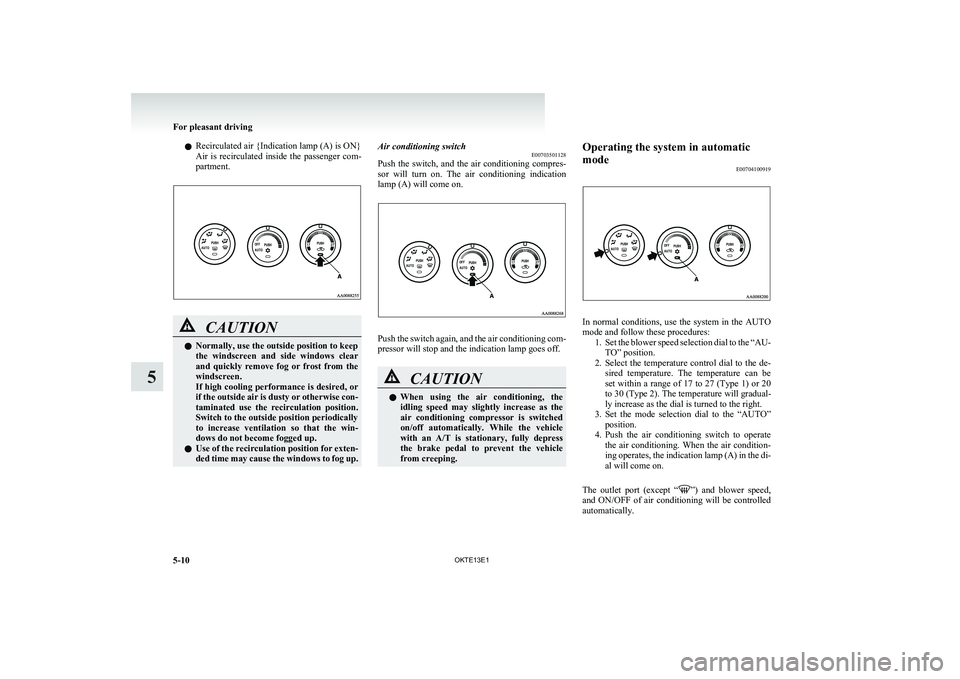
ded time may cause the windows to fog up.Air conditioning switch E00703501128
Push the switch, and the air conditioning compres-
sor will turn on. The air conditioning indication
lamp (A) will come on.
Push the switch again, and the air conditioning com-
pressor will stop and the indication lamp goes off.
CAUTIONl When using the air conditioning, the
idling speed may slightly increase as the
air conditioning compressor is switched
on/off automatically. While the vehicle
with an A/T is stationary, fully depress
the brake pedal to prevent the vehicle
from creeping.Operating the system in automatic
mode E00704100919
In normal conditions, use the system in the AUTO
mode and follow these procedures: 1.Set the blower speed selection dial to the “AU-
TO” position.
2. Select the temperature control dial to the de-
sired temperature. The temperature can be
set within a range of 17 to 27 (Type 1) or 20
to 30 (Type 2). The temperature will gradual-
ly increase as the dial is turned to the right.
3. Set the mode selection dial to the “AUTO”
position.
4. Push the air conditioning switch to operate
the air conditioning. When the air condition-
ing operates, the indication lamp (A) in the di-
al will come on.
The outlet port (except “
” ) and blower speed,
and ON/OFF of air conditioning will be controlled
automatically.
For pleasant driving
5-10 OKTE13E1
5
Page 199 of 362
AF (Alternative Frequencies) functionE00720900061
The AF function finds a station broadcasting the
same program and selects the station with the stron-
gest signal of AF lists.
The AF function is turned on (with the AF indica-
tor (12) shown on the display) at all times unless
you manually switch it off.
The AF function can be turned ON and OFF.
Refer to “Function setup mode” on page 5-21.CT (Clock Time) function E00721000131
The clock can be set automatically by using the sig-
nal from the local RDS stations. Refer to “Adjust-
ing the time” on page 3-12.
REG (Regional) function E00721100057
REG function limits to receive the stations broad-
casting regional programs.
Regional programming and regional networks are
organized differently depending on the country or
area (they may be changed according to the hour,
state, or broadcast area), so if you don’t want to re-
ceive the regional programs automatically, you can
set up REG ON not to receive regional programs.
The REG function can be turned ON and OFF.
Refer to “Function setup mode” on page 5-21.
PI (Program Identification) search function E00721200221
When travelling long distance and the recalled pre-
set station is weak, the radio searches another fre-
quency broadcasting the same programming with
the same PI code in AF list.
If there are no frequencies broadcasting the same
programming, the radio searches a frequency broad-
casting the regional programming. The radio suc-
ceeds in searching the regional programming, then
the display shows the REG indicator (11).
If the radio does not succeed in searching the re-
gional programming, the radio returns to the recal-
led preset station.
The PI function can be turned ON and OFF.
Refer to “Function setup mode” on page 5-21.
NOTE l While searching, the audio system is muted.
The display shows “WAIT” or “SEARCH”.PTY (Program type) E00721300349
RDS broadcasts are classified according to pro-
gram type (PTY) as follows. Use the TUNE/SEEK
button (3 or 4) to select your desired PTY.
1. NEWS
2. AFFAIRS (Current affairs)
3. INFO (Information)
4. SPORT
5. EDUCATE (Education)
6. DRAMA
7. CULTURE
8. SCIENCE
9. VARIED
10. POP M (Pop music)
11. ROCK M (Rock music)
12. EASY M (Easy music)
13. LIGHT M (Light classics)
14. CLASSICS
15. OTHER M (Other music)
16. WEATHER (Weather information)
17. FINANCE
18. CHILDREN
19. SOCIAL
20. RELIGION
21. PHONE IN
22. TRAVEL
23. LEISURE
24. JAZZ
25. COUNTRY
26. NATION M (National music)
27. OLDIES
28. FOLK M (Folk music)
29. DOCUMENT
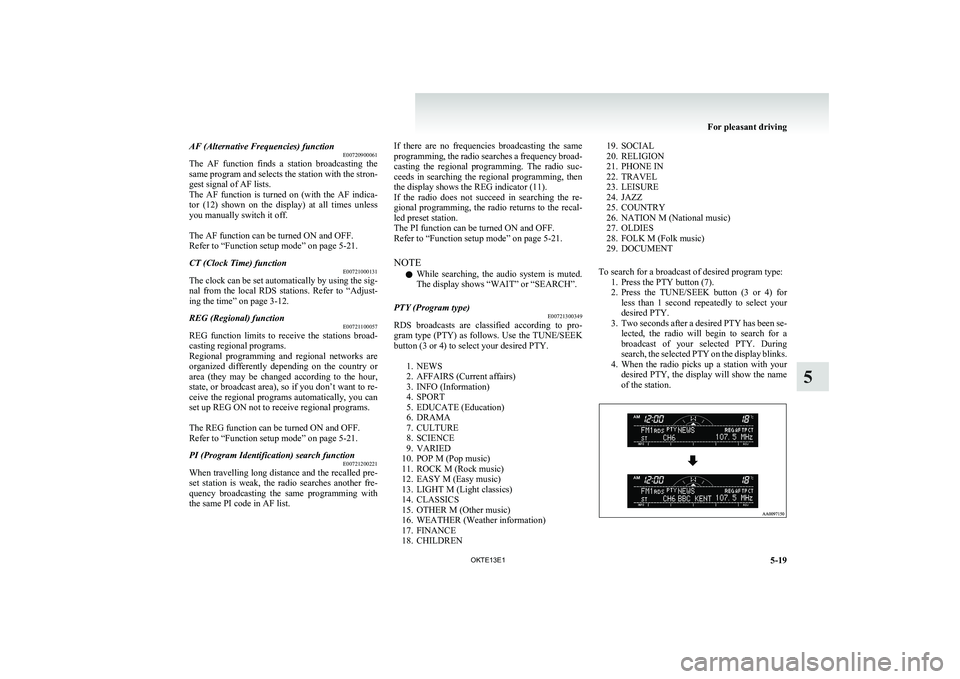
To search for a broadcast of desired program type: 1. Press the PTY button (7).
2. Press the TUNE/SEEK button (3 or 4) for
less than 1 second repeatedly to select your
desired PTY.
3. Two seconds after a desired PTY has been se-
lected, the radio will begin to search for a
broadcast of your selected PTY. During
search, the selected PTY on the display blinks.
4. When the radio picks up a station with your
desired PTY, the display will show the name
of the station.
For pleasant driving
5-19
OKTE13E1
5
Page 229 of 362
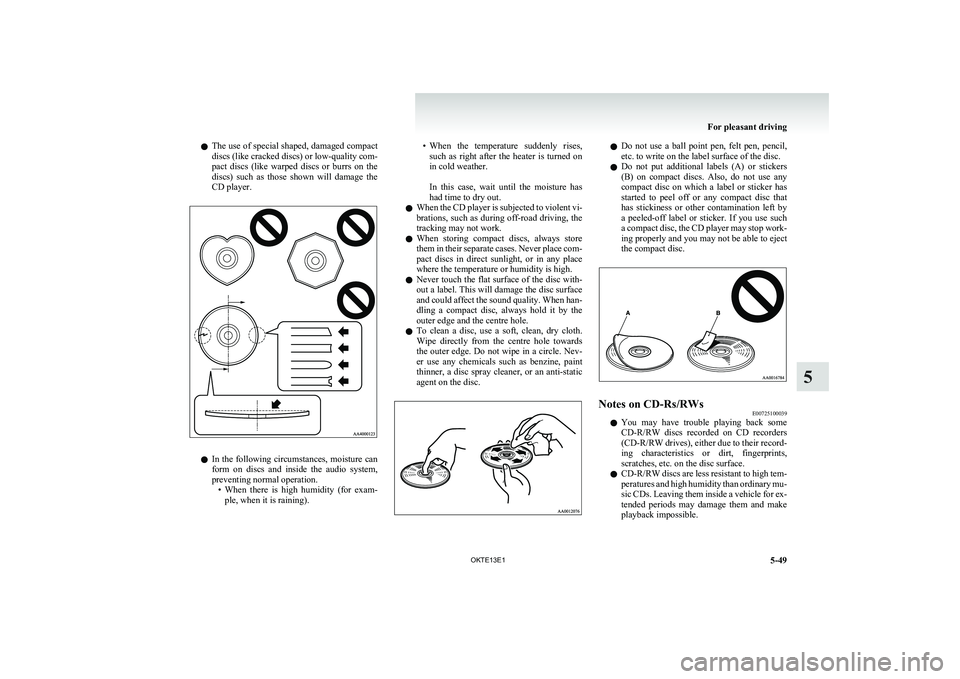
lThe use of special shaped, damaged compact
discs (like cracked discs) or low-quality com-
pact discs (like warped discs or burrs on the
discs) such as those shown will damage the
CD player.
l In the following circumstances, moisture can
form on discs and inside the audio system,
preventing normal operation. •When there is high humidity (for exam-
ple, when it is raining).
• When the temperature suddenly rises,
such as right after the heater is turned on
in cold weather.
In this case, wait until the moisture has
had time to dry out.
l When the CD player is subjected to violent vi-
brations, such as during off-road driving, the
tracking may not work.
l When storing compact discs, always store
them in their separate cases. Never place com-
pact discs in direct sunlight, or in any place
where the temperature or humidity is high.
l Never touch the flat surface of the disc with-
out a label. This will damage the disc surface
and could affect the sound quality. When han-
dling a compact disc, always hold it by the
outer edge and the centre hole.
l To clean a disc, use a soft, clean, dry cloth.
Wipe directly from the centre hole towards
the outer edge. Do not wipe in a circle. Nev-
er use any chemicals such as benzine, paint
thinner, a disc spray cleaner, or an anti-static
agent on the disc.l Do not use a ball point pen, felt pen, pencil,
etc. to write on the label surface of the disc.
l Do not put additional labels (A) or stickers
(B) on compact discs. Also, do not use any
compact disc on which a label or sticker has
started to peel off or any compact disc that
has stickiness or other contamination left by
a peeled-off label or sticker. If you use such
a compact disc, the CD player may stop work-
ing properly and you may not be able to eject
the compact disc.Notes on CD-Rs/RWs E00725100039
lYou may have trouble playing back some
CD-R/RW discs recorded on CD recorders
(CD-R/RW drives), either due to their record-
ing characteristics or dirt, fingerprints,
scratches, etc. on the disc surface.
l CD-R/RW
discs are less resistant to high tem-
peratures and high humidity than ordinary mu-
sic CDs. Leaving them inside a vehicle for ex-
tended periods may damage them and make
playback impossible.
For pleasant driving
5-49
OKTE13E1
5
Page 251 of 362
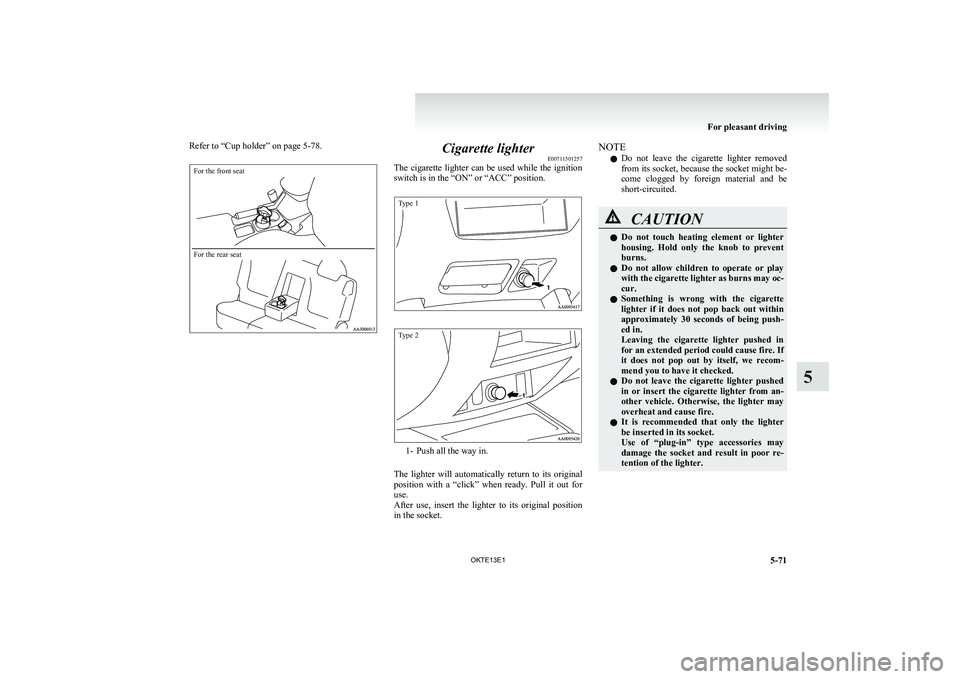
Refer to “Cup holder” on page 5-78.For the front seatFor the rear seat
Cigarette lighterE00711501257
The cigarette lighter can be used while the ignition
switch is in the “ON” or “ACC” position.
Type 1Type 2
1- Push all the way in.
The lighter will automatically return to its original
position with a “click” when ready. Pull it out for
use.
After use, insert the lighter to its original position
in the socket.
NOTE
l Do not leave the cigarette lighter removed
from its socket, because the socket might be-
come clogged by foreign material and be
short-circuited.CAUTIONl Do not touch heating element or lighter
housing. Hold only the knob to prevent
burns.
l Do not allow children to operate or play
with the cigarette lighter as burns may oc-
cur.
l Something is wrong with the cigarette
lighter if it does not pop back out within
approximately 30 seconds of being push-
ed in.
Leaving the cigarette lighter pushed in
for an extended period could cause fire. If
it does not pop out by itself, we recom-
mend you to have it checked.
l Do not leave the cigarette lighter pushed
in or insert the cigarette lighter from an-
other vehicle. Otherwise, the lighter may
overheat and cause fire.
l It is recommended that only the lighter
be inserted in its socket.
Use of “plug-in” type accessories may
damage the socket and result in poor re-
tention of the lighter.
For pleasant driving
5-71
OKTE13E1
5
Page 252 of 362
CAUTIONlWhen the cigarette lighter socket is used
as a power source for an electric appli-
ance, be sure that the electric appliance
operates at 12 V and has an electric ca-
pacity of 120 W or less. In addition, long
use of the electric appliance without run-
ning the engine may run down the battery.Accessory socket* E00711601160
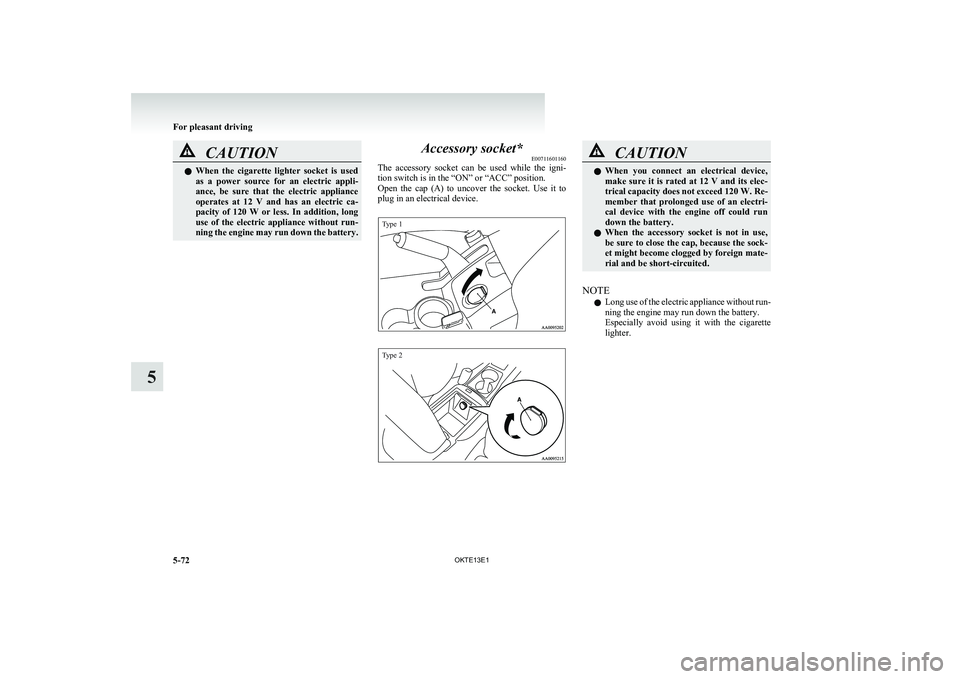
The accessory socket can be used while the igni-
tion switch is in the “ON” or “ACC” position.
Open the cap (A) to uncover the socket. Use it to
plug in an electrical device.
Type 1Type 2
CAUTIONl When you connect an electrical device,
make sure it is rated at 12 V and its elec-
trical capacity does not exceed 120 W. Re-
member that prolonged use of an electri-
cal device with the engine off could run
down the battery.
l When the accessory socket is not in use,
be sure to close the cap, because the sock-
et might become clogged by foreign mate-
rial and be short-circuited.
NOTE
l Long use of the electric appliance without run-
ning the engine may run down the battery.
Especially avoid using it with the cigarette
lighter.
For pleasant driving
5-72 OKTE13E1
5
Page 253 of 362
Digital clock*E00711700193
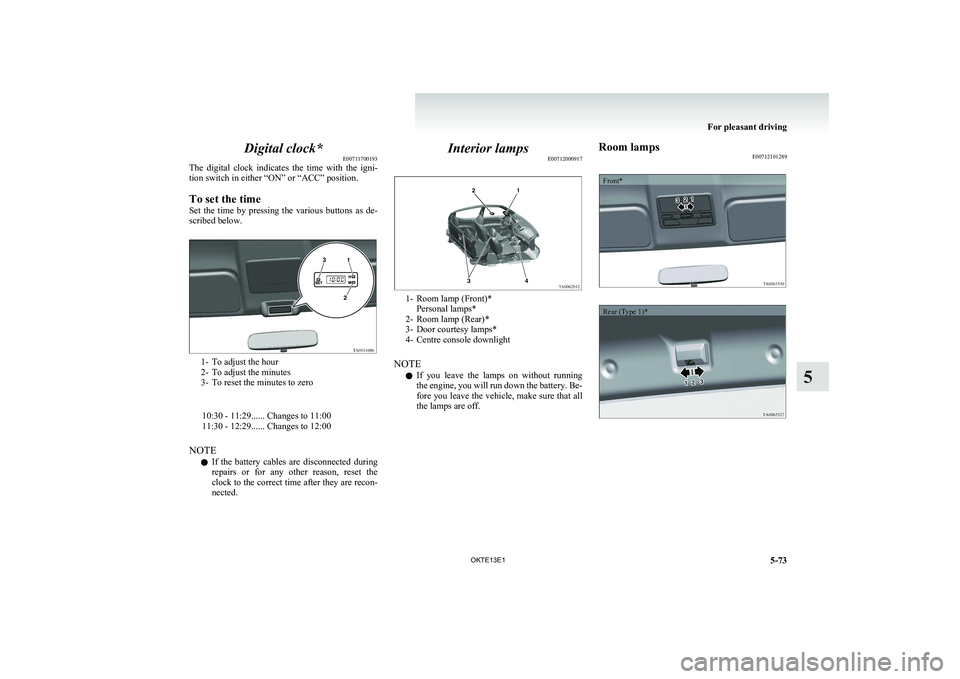
The digital clock indicates the time with the igni-
tion switch in either “ON” or “ACC” position.
To set the time
Set the time by pressing the various buttons as de-
scribed below.
1- To adjust the hour
2- To adjust the minutes
3- To reset the minutes to zero
10:30 - 11:29...... Changes to 11:00
11:30 - 12:29...... Changes to 12:00
NOTE l If the battery cables are disconnected during
repairs or for any other reason, reset the
clock to the correct time after they are recon-
nected.
Interior lamps E00712000917
1- Room lamp (Front)*
Personal lamps*
2- Room lamp (Rear)*
3- Door courtesy lamps*
4- Centre console downlight
NOTE l If you leave the lamps on without running
the engine, you will run down the battery. Be-
fore you leave the vehicle, make sure that all
the lamps are off.
Room lamps E00712101289Front*Rear (Type 1)*
For pleasant driving
5-73
OKTE13E1
5
Page 255 of 362
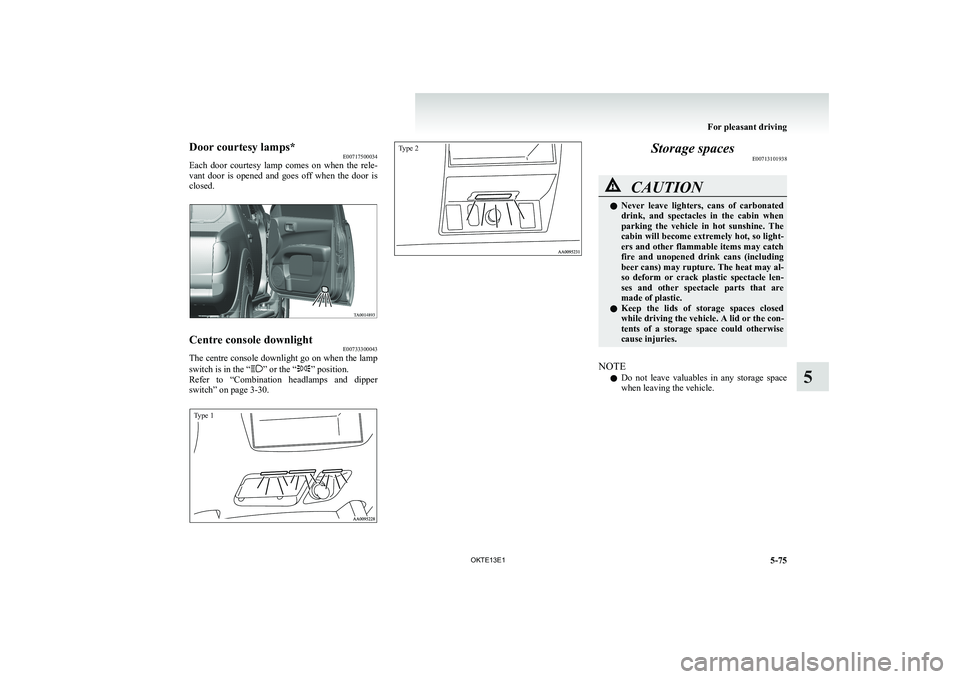
Door courtesy lamps*E00717500034
Each door courtesy lamp comes on when the rele-
vant door is opened and goes off when the door is
closed.Centre console downlight E00733300043
The centre console downlight go on when the lamp
switch is in the “” or the “” position.
Refer to “Combination headlamps and dipper
switch” on page 3-30.
Type 1Type 2
Storage spaces E00713101938CAUTIONlNever leave lighters, cans of carbonated
drink, and spectacles in the cabin when
parking the vehicle in hot sunshine. The
cabin will become extremely hot, so light-
ers and other flammable items may catch
fire and unopened drink cans (including
beer cans) may rupture. The heat may al-
so deform or crack plastic spectacle len-
ses and other spectacle parts that are
made of plastic.
l Keep the lids of storage spaces closed
while driving the vehicle. A lid or the con-
tents of a storage space could otherwise
cause injuries.
NOTE
l Do not leave valuables in any storage space
when leaving the vehicle.
For pleasant driving
5-75
OKTE13E1
5
Page 259 of 362
Bottle holderE00718200171CAUTIONlDo not drink beverages while driving the
vehicle; doing so could distract you and
result in an accident.
l Beverages can spill due to vibration or oth-
er movement during vehicle operation.
Be careful not to get scalded by a hot bev-
erage if spilled
NOTE
l Make sure the cap of any plastic bottle
placed in a bottle holder is tightly closed.
l The bottle holders may not accommodate bot-
tles of certain shapes and sizes.
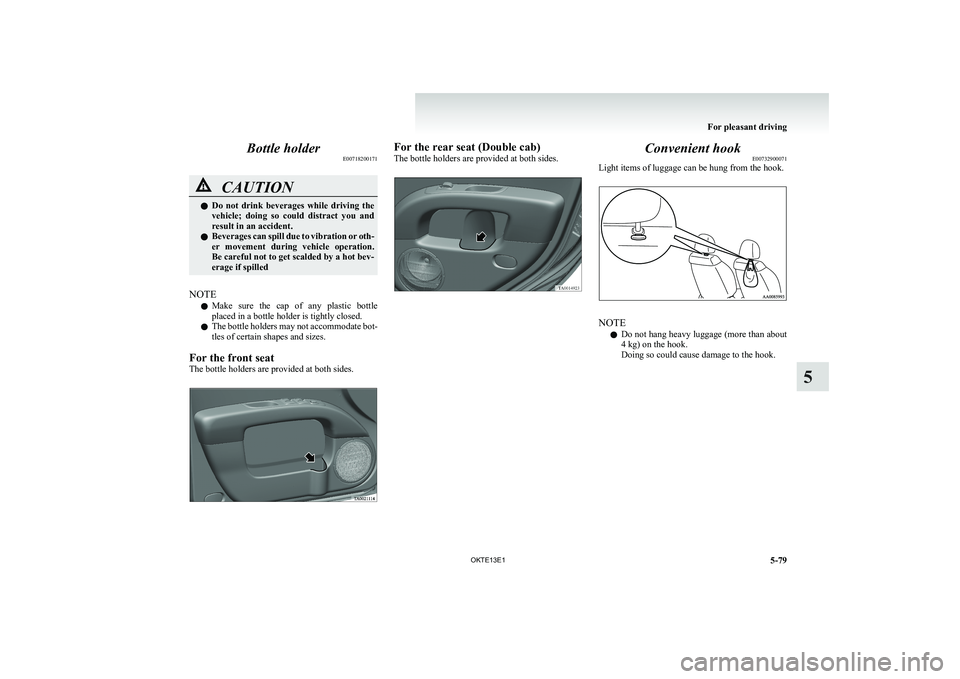
For the front seat
The bottle holders are provided at both sides.
For the rear seat (Double cab)
The bottle holders are provided at both sides.Convenient hook E00732900071
Light items of luggage can be hung from the hook.
NOTE
l Do not hang heavy luggage (more than about
4 kg) on the hook.
Doing so could cause damage to the hook.
For pleasant driving
5-79
OKTE13E1
5