MITSUBISHI LANCER 2013 8.G Manual Online
LANCER 2013 8.G
MITSUBISHI
MITSUBISHI
https://www.carmanualsonline.info/img/19/7456/w960_7456-0.png
MITSUBISHI LANCER 2013 8.G Manual Online
Page 668 of 722
Vehicle care and maintenance
7-69
7
Front turn signal lights
N00943400325
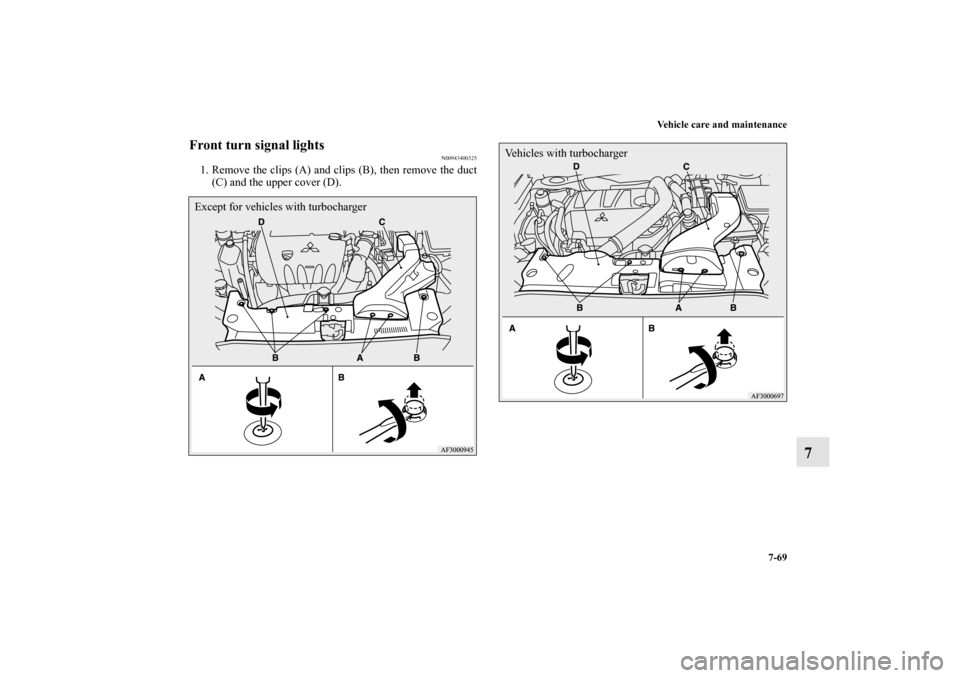
1. Remove the clips (A) and clips (B), then remove the duct
(C) and the upper cover (D).Except for vehicles with turbocharger
Vehicles with turbocharger
BK0150800US.book 69 ページ 2012年3月29日 木曜日 午後2時38分
Page 669 of 722
7-70 Vehicle care and maintenance
7
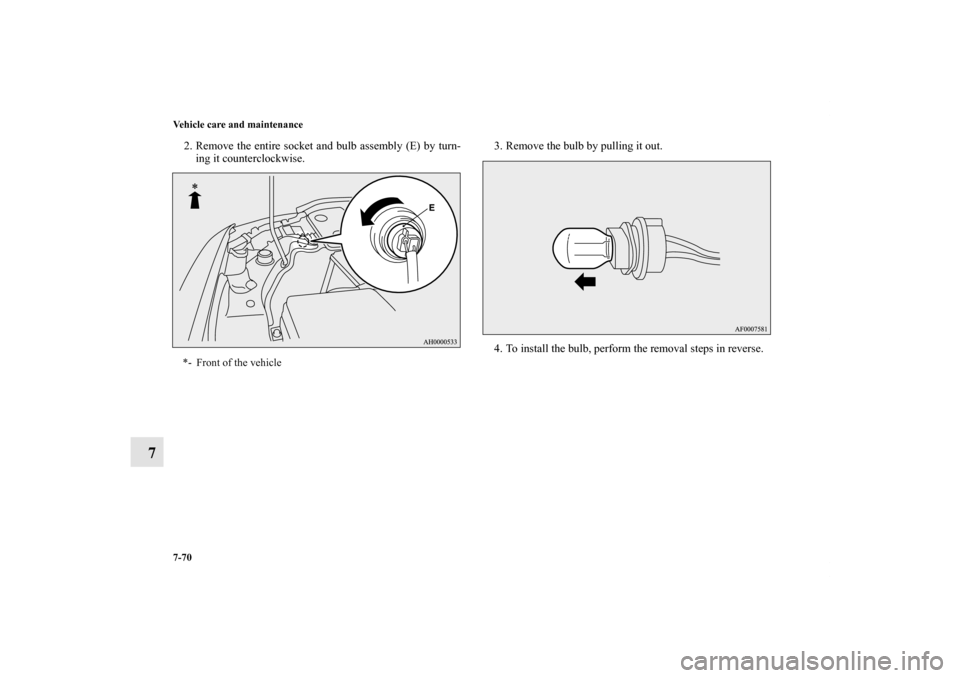
2. Remove the entire socket and bulb assembly (E) by turn-
ing it counterclockwise.3. Remove the bulb by pulling it out.
4. To install the bulb, perform the removal steps in reverse.*- Front of the vehicle
BK0150800US.book 70 ページ 2012年3月29日 木曜日 午後2時38分
Page 670 of 722
Vehicle care and maintenance
7-71
7
Front fog lights (Type 1)
(if so equipped)
N00943600734
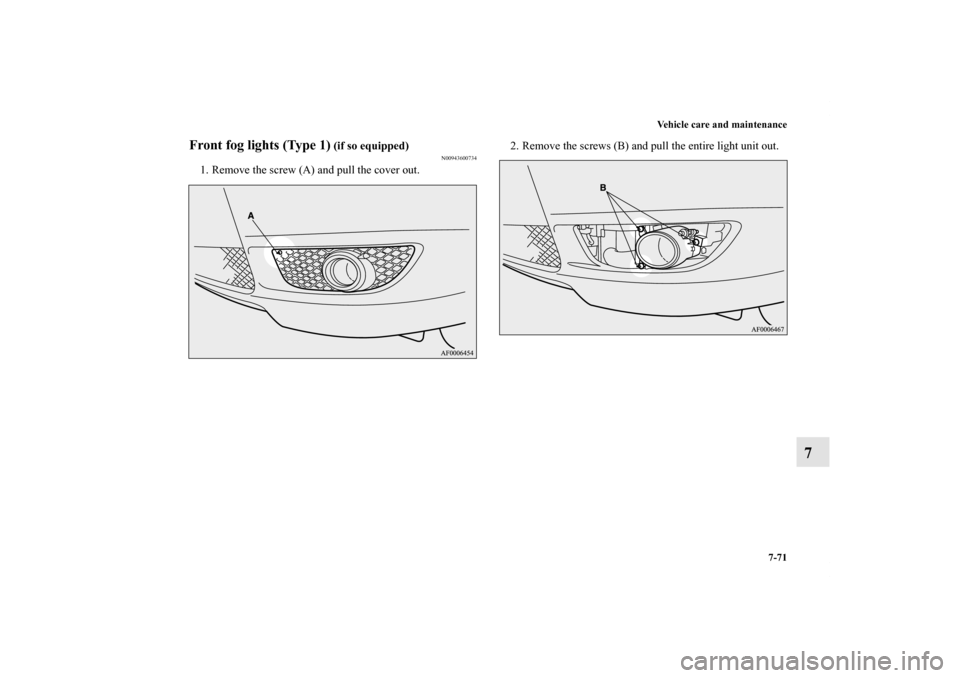
1. Remove the screw (A) and pull the cover out.2. Remove the screws (B) and pull the entire light unit out.
BK0150800US.book 71 ページ 2012年3月29日 木曜日 午後2時38分
Page 671 of 722
7-72 Vehicle care and maintenance
7
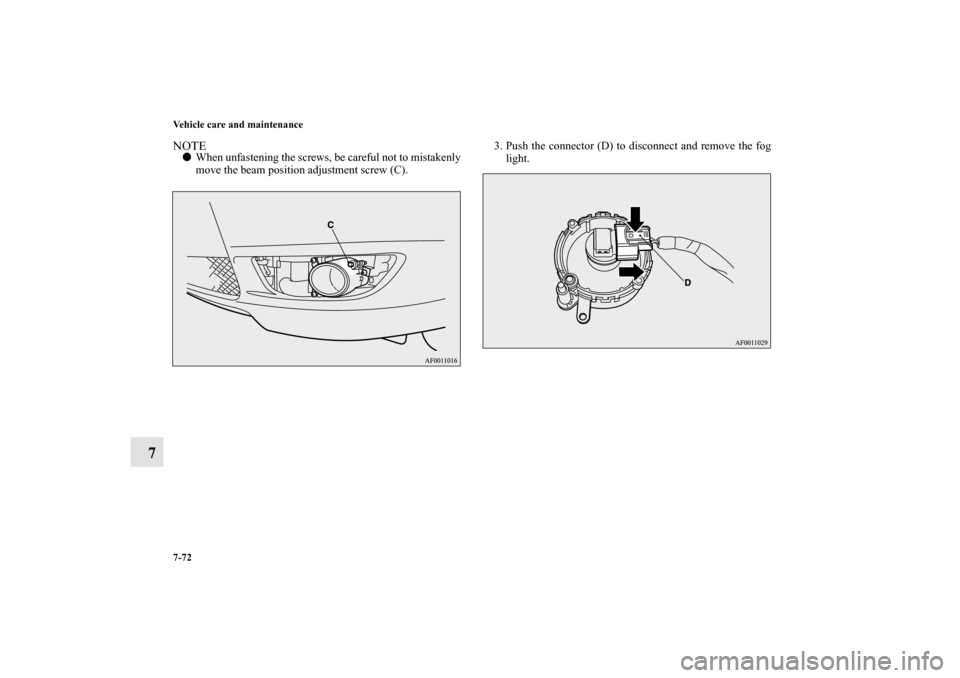
NOTE�When unfastening the screws, be careful not to mistakenly
move the beam position adjustment screw (C).3. Push the connector (D) to disconnect and remove the fog
light.
BK0150800US.book 72 ページ 2012年3月29日 木曜日 午後2時38分
Page 672 of 722
Vehicle care and maintenance
7-73
7
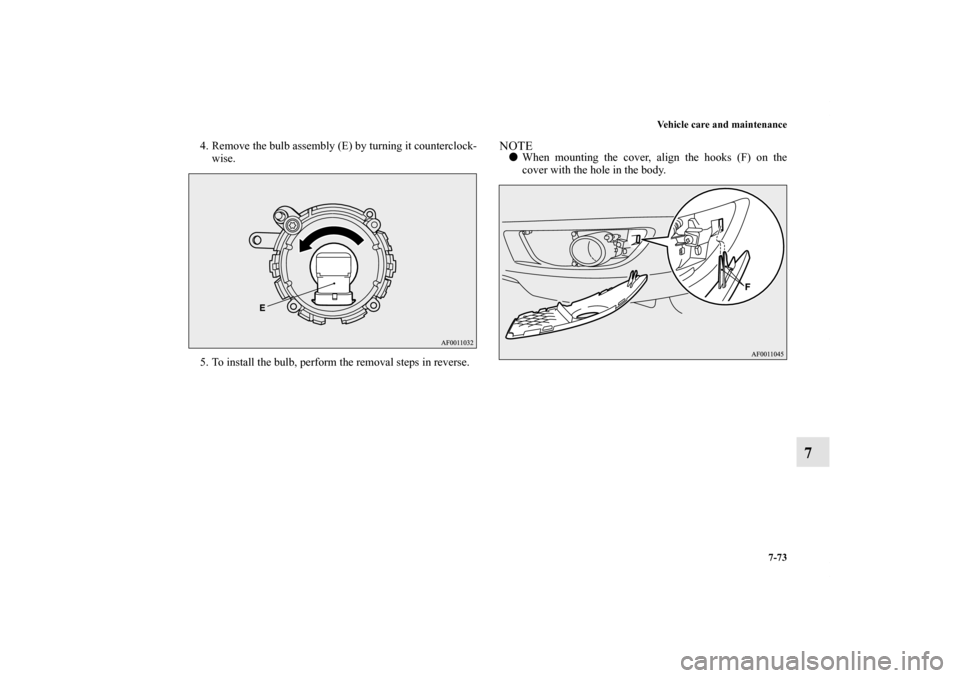
4. Remove the bulb assembly (E) by turning it counterclock-
wise.
5. To install the bulb, perform the removal steps in reverse.
NOTE�When mounting the cover, align the hooks (F) on the
cover with the hole in the body.
BK0150800US.book 73 ページ 2012年3月29日 木曜日 午後2時38分
Page 673 of 722
7-74 Vehicle care and maintenance
7
Front fog lights (Type 2)
(if so equipped)
N00943600747
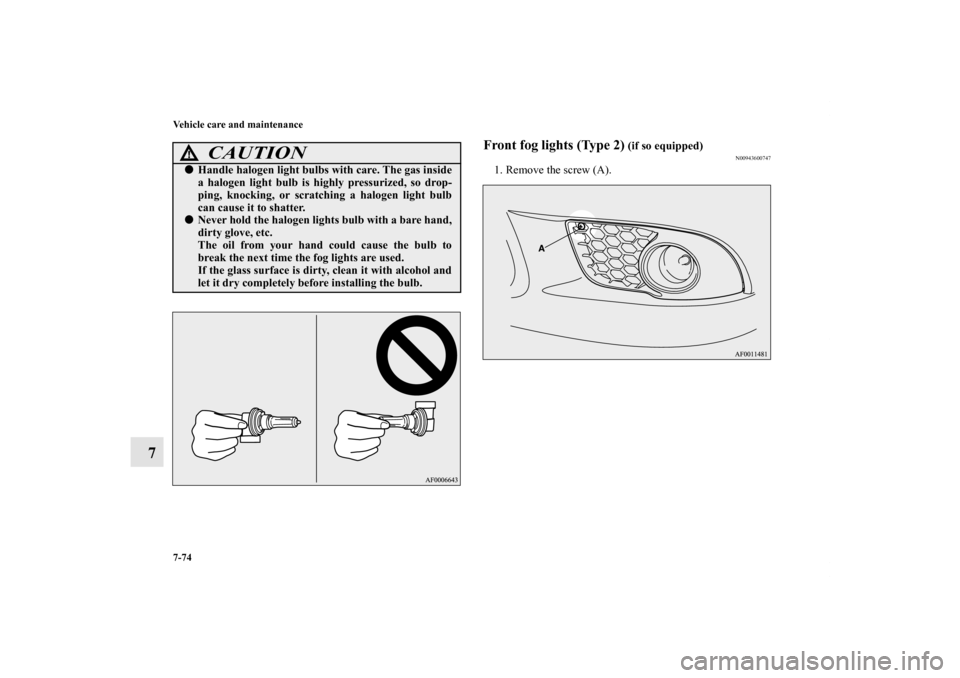
1. Remove the screw (A).
CAUTION
!�Handle halogen light bulbs with care. The gas inside
a halogen light bulb is highly pressurized, so drop-
ping, knocking, or scratching a halogen light bulb
can cause it to shatter.�Never hold the halogen lights bulb with a bare hand,
dirty glove, etc.
The oil from your hand could cause the bulb to
break the next time the fog lights are used.
If the glass surface is dirty, clean it with alcohol and
let it dry completely before installing the bulb.
BK0150800US.book 74 ページ 2012年3月29日 木曜日 午後2時38分
Page 674 of 722
Vehicle care and maintenance
7-75
7
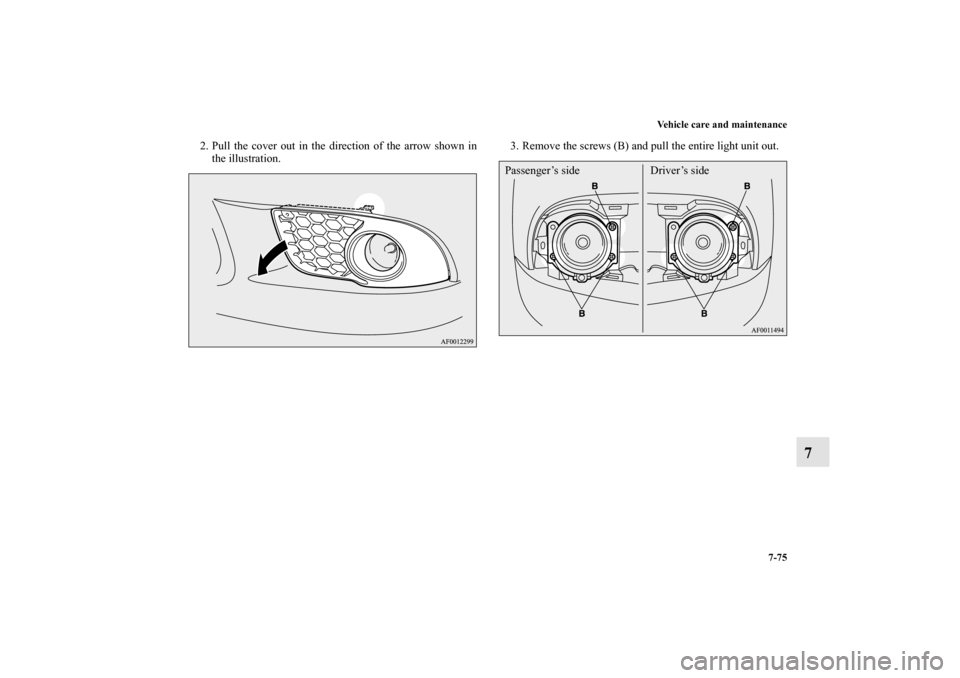
2. Pull the cover out in the direction of the arrow shown in
the illustration.3. Remove the screws (B) and pull the entire light unit out.
Passenger’s side Driver’s side
BK0150800US.book 75 ページ 2012年3月29日 木曜日 午後2時38分
Page 675 of 722
7-76 Vehicle care and maintenance
7
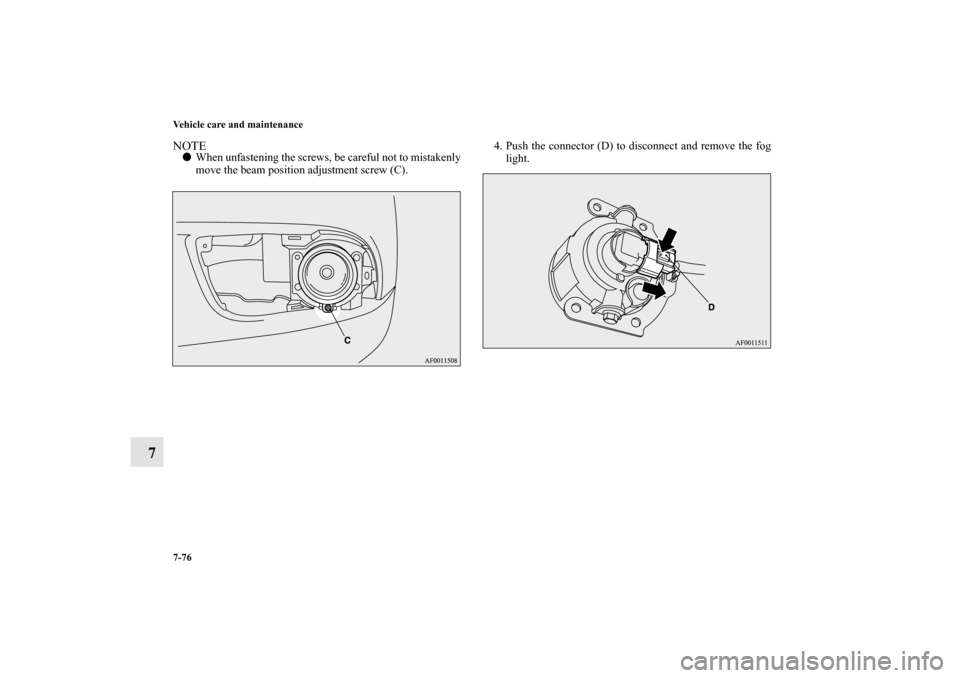
NOTE�When unfastening the screws, be careful not to mistakenly
move the beam position adjustment screw (C).4. Push the connector (D) to disconnect and remove the fog
light.
BK0150800US.book 76 ページ 2012年3月29日 木曜日 午後2時38分
Page 676 of 722
Vehicle care and maintenance
7-77
7
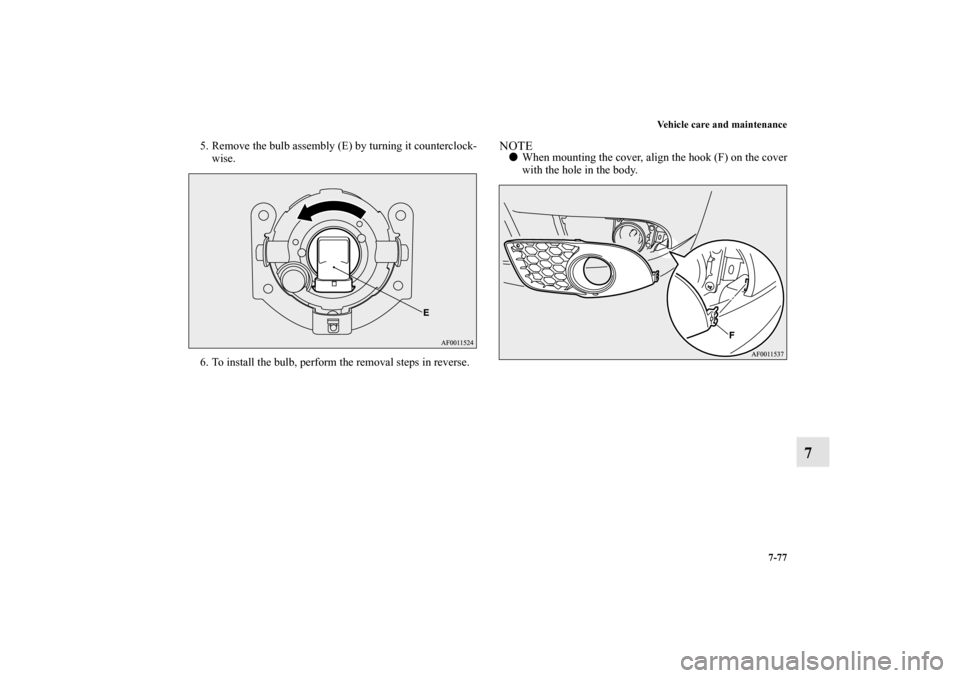
5. Remove the bulb assembly (E) by turning it counterclock-
wise.
6. To install the bulb, perform the removal steps in reverse.
NOTE�When mounting the cover, align the hook (F) on the cover
with the hole in the body.
BK0150800US.book 77 ページ 2012年3月29日 木曜日 午後2時38分
Page 677 of 722
7-78 Vehicle care and maintenance
7
Rear combination lights
N00943700386
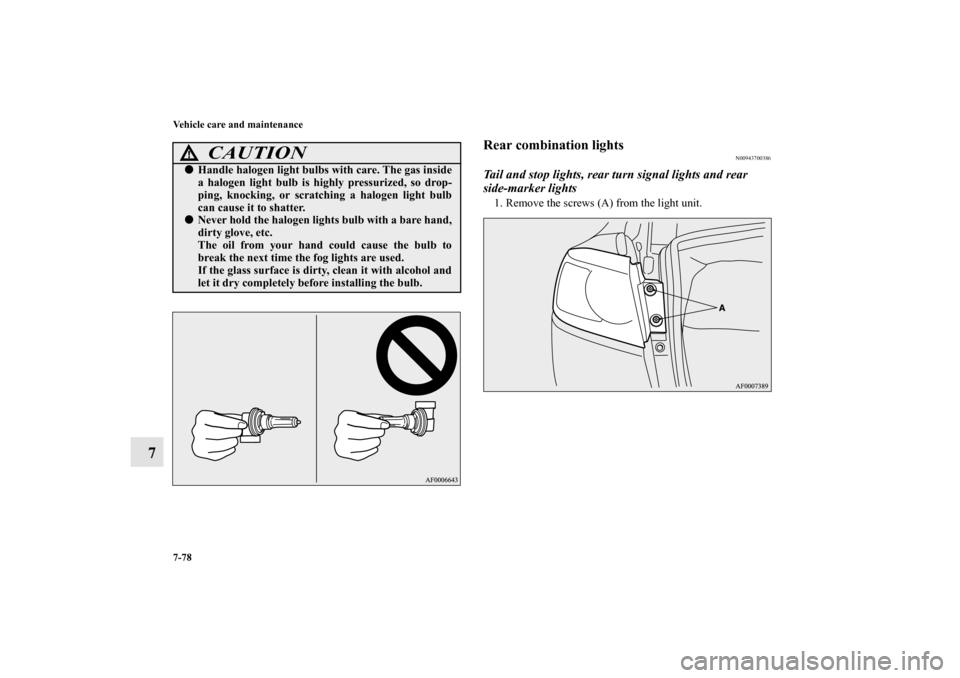
Tail and stop lights, rear turn signal lights and rear
side-marker lights1. Remove the screws (A) from the light unit.
CAUTION
!�Handle halogen light bulbs with care. The gas inside
a halogen light bulb is highly pressurized, so drop-
ping, knocking, or scratching a halogen light bulb
can cause it to shatter.�Never hold the halogen lights bulb with a bare hand,
dirty glove, etc.
The oil from your hand could cause the bulb to
break the next time the fog lights are used.
If the glass surface is dirty, clean it with alcohol and
let it dry completely before installing the bulb.
BK0150800US.book 78 ページ 2012年3月29日 木曜日 午後2時38分