light MITSUBISHI LANCER 2014 8.G Owners Manual
[x] Cancel search | Manufacturer: MITSUBISHI, Model Year: 2014, Model line: LANCER, Model: MITSUBISHI LANCER 2014 8.GPages: 434, PDF Size: 57.5 MB
Page 216 of 434
Combination headlights and dimmer switch
Features and controls 5-149
5
Type 2 If the engine oil pressure drops while the engine is running, the warning display is dis- played on the information screen in the multi-information display.
N00522501762
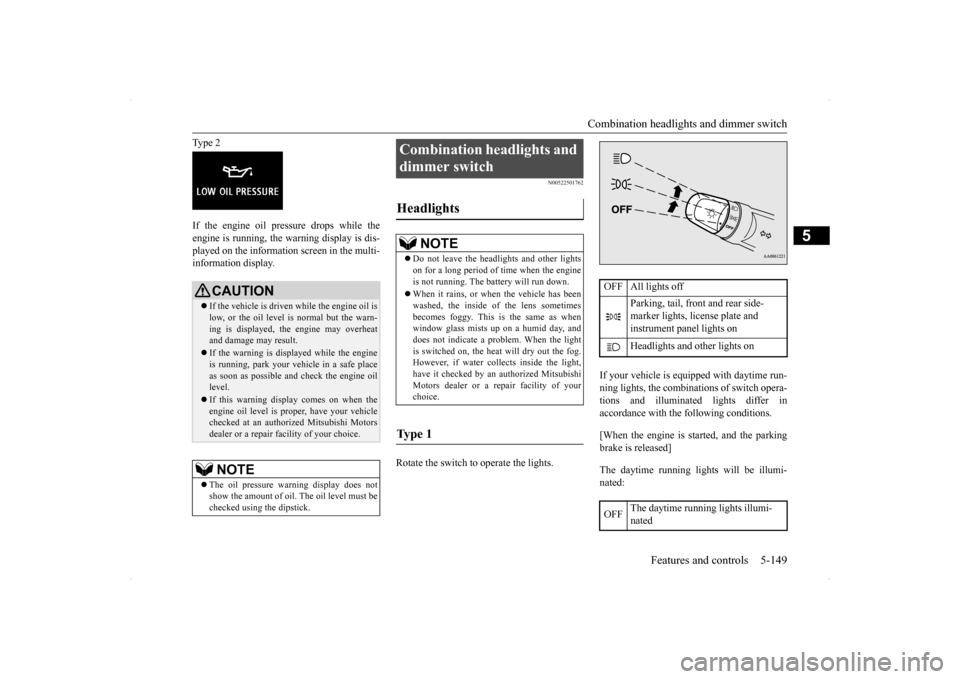
Rotate the switch to operate the lights.
If your vehicle is equipped with daytime run- ning lights, the combinations of switch opera- tions and illuminated lights differ inaccordance with the following conditions. [When the engine is started, and the parking brake is released] The daytime running lights will be illumi- nated:
CAUTION If the vehicle is driven while the engine oil is low, or the oil level is normal but the warn- ing is displayed, the engine may overheat and damage may result. If the warning is displayed while the engine is running, park your vehicle in a safe place as soon as possible and check the engine oil level. If this warning display comes on when the engine oil level is proper, have your vehiclechecked at an authorized Mitsubishi Motors dealer or a repair facility of your choice.NOTE
The oil pressure warning display does not show the amount of oil. The oil level must be checked using the dipstick.
Combination headlights and dimmer switch Headlights
NOTE
Do not leave the headlights and other lights on for a long period of time when the engine is not running. The battery will run down. When it rains, or when the vehicle has been washed, the inside of the lens sometimes becomes foggy. This is the same as whenwindow glass mists up on a humid day, and does not indicate a problem. When the light is switched on, the heat will dry out the fog.However, if water collects inside the light, have it checked by an authorized Mitsubishi Motors dealer or a repair facility of yourchoice.
Ty p e 1
OFF All lights off
Parking, tail, front and rear side- marker lights, license plate and instrument panel lights on Headlights and other lights on
OFF
The daytime running lights illumi- nated
Page 217 of 434
![MITSUBISHI LANCER 2014 8.G Owners Manual Combination headlights and dimmer switch 5-150 Features and controls
5
[When the engine is not running, or when the engine is running but the parking brake is not released] The engine starts when the](/img/19/7460/w960_7460-216.png "MITSUBISHI LANCER 2014 8.G Owners Manual Combination headlights and dimmer switch 5-150 Features and controls
5
[When the engine is not running, or when the engine is running but the parking brake is not released] The engine starts when the")
Combination headlights and dimmer switch 5-150 Features and controls
5
[When the engine is not running, or when the engine is running but the parking brake is not released] The engine starts when the lights are off. Rotate the switch to operate the lights.
If your vehicle is equipped with daytime run- ning lights, the combinations of switch opera- tions and illuminated lights differ in accordance with the following conditions. [When the engine is started, and the parking brake is released] The daytime running lights will be illumi- nated:
[When the engine is not running, or when the engine is running but the parking brake is notreleased] The engine starts when the lights are off.
The daytime running lights illumi- nated Parking, tail, front and rear side-marker lights, license plate and instrument panel lights on Headlights and other lights onNOTE
Once the daytime running light come on, they do not go out until the key is turned tothe “LOCK” or “ACC” position.
OFF All lights off
Parking, tail, front and rear side- marker lights, license plate and instrument panel lights on Headlights and other lights on
Ty p e 2
OFF All lights off AUTO
Headlights and other lights turn on and off automatically in accor-dance with outside light level. Parking, tail, front and rear side- marker lights, license plate and instrument panel lights on Headlights and other lights on
OFF
The daytime running lights illumi- nated
AUTO
The daytime running lights illumi- natedHeadlights and other lights turn on and off automatically in accor- dance with outside light level. The daytime running lights illumi- nated Parking, tail, front and rear side- marker lights, license plate and instrument panel lights on Headlights and other lights on
NOTE
Once the daytime running light come on, they do not go out until the key is turned to the “LOCK” or “ACC” position.OFF All lights off AUTO
Headlights and other lights turn on and off automatically in accor-dance with outside light level.
Page 218 of 434
Combination headlights and dimmer switch
Features and controls 5-151
5
N00532601607
If the ignition key is turned to “LOCK” or “ACC” position or removed from the ignition switch and the driver’s door is opened with the combination headlights and dimmer switch in the “ ” or “ ” position, the lights automatically turn off. [When using a key to start the engine] • If the driver’s door is opened after the key is removed from the ignition switch,a high-pitched constant tone will sound to remind you to turn off the lights. • If the driver’s door is opened with thekey in the ignition switch, a low-pitchedtone will sound to remind you to remove the key. [When using the F.A.S.T.-key to start the engine]• If the ignition switch is turned to the “LOCK” position and the driver’s door is opened, a high-pitched constantbuzzer will sound to remind you to turn off the lights. • If the ignition switch is turned to anyposition other than “LOCK” and the driver’s door is opened, a low-pitched constant buzzer will sound to remindyou to return the ignition switch.
If the ignition switch is turned to “LOCK” or “ACC” position with the driver’s door closed and the combination headlights and dimmer switch in the “ ” or “ ” position, the lights will stay on for about 3minutes and then turn off automatically.
If the combination headlights and dimmer switch is turned to the “ ” or “ ” posi- tion again after the engine is turned off, theabout 3 minutes auto-cutout functiondescribed above will not work. The lights (the parking lights, tail lights and license plate lights) will stay on and will not turn off auto-matically.
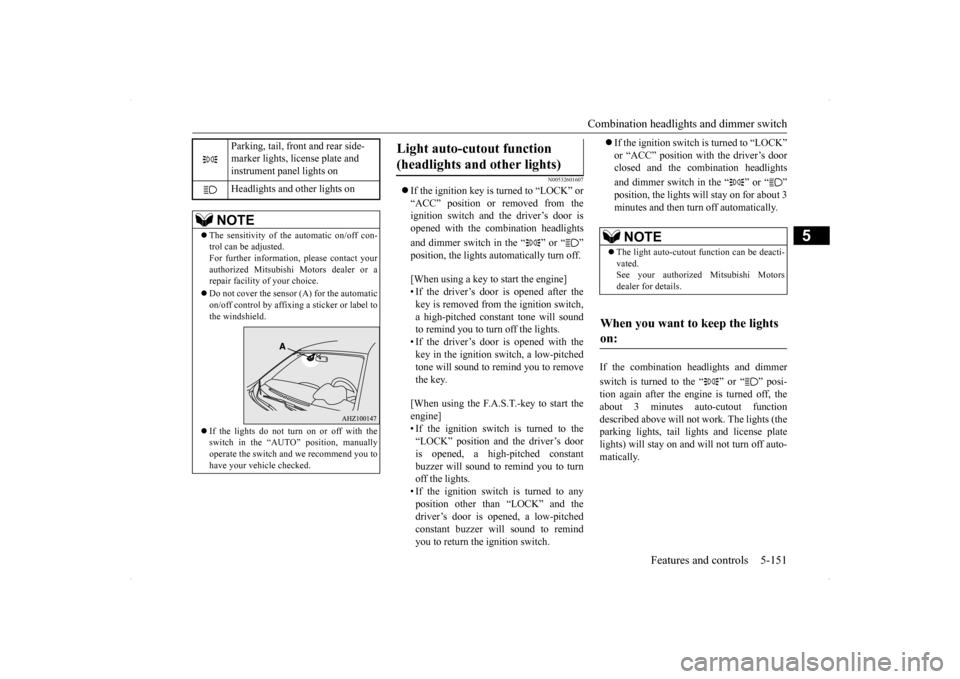
Parking, tail, front and rear side- marker lights, license plate and instrument panel lights on Headlights and other lights on
NOTE
The sensitivity of the automatic on/off con- trol can be adjusted. For further information, please contact yourauthorized Mitsubishi Motors dealer or a repair facility of your choice. Do not cover the sensor (A) for the automatic on/off control by affixing a sticker or label tothe windshield. If the lights do not turn on or off with the switch in the “AUTO” position, manually operate the switch and we recommend you to have your vehicle checked.
Light auto-cutout function (headlights and other lights)
NOTE
The light auto-cutout function can be deacti- vated. See your authorized Mitsubishi Motorsdealer for details.
When you want to keep the lights on:
Page 219 of 434
Combination headlights and dimmer switch 5-152 Features and controls
5
N00549800196
If the driver’s door is opened with the key in the “LOCK” or “ACC” position or removed
from the ignition switch while the lights are on, the buzzer will sound to remind you to turn off the lights. If the driver’s door is opened with the ignition switch in the “LOCK” or “ACC” position, or if the ignition switch is moved to the “LOCK” position while the lights are on, thebuzzer will sound to remind you to turn offthe lights. In either case, the lights and buzzer will turn off automatically. Or you can turn the combination headlightsand dimmer switch to the “OFF” position to stop the buzzer.
N00549900155
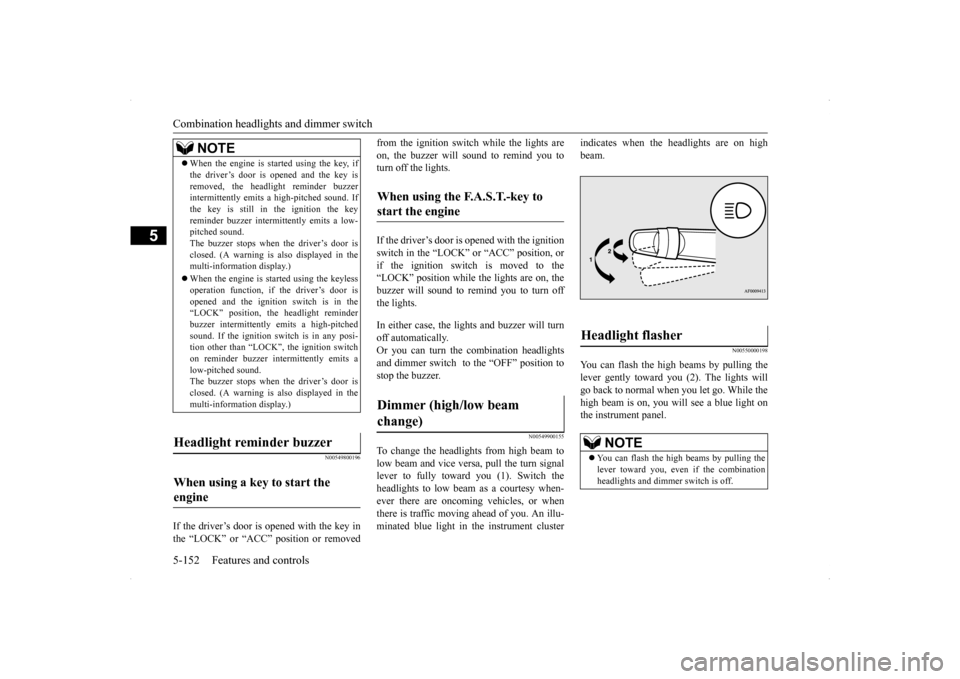
To change the headlights from high beam to low beam and vice versa, pull the turn signallever to fully toward you (1). Switch the headlights to low beam as a courtesy when- ever there are oncoming vehicles, or whenthere is traffic moving ahead of you. An illu- minated blue light in the instrument cluster
indicates when the headlights are on high beam.
N00550000198
You can flash the high beams by pulling thelever gently toward you (2). The lights will go back to normal when you let go. While the high beam is on, you will see a blue light onthe instrument panel.
NOTE
When the engine is started using the key, if the driver’s door is opened and the key is removed, the headlight reminder buzzer intermittently emits a high-pitched sound. If the key is still in the ignition the keyreminder buzzer intermittently emits a low- pitched sound. The buzzer stops when the driver’s door isclosed. (A warning is also displayed in the multi-information display.) When the engine is started using the keyless operation function, if the driver’s door is opened and the ignition switch is in the“LOCK” position, the headlight reminder buzzer intermittently emits a high-pitched sound. If the ignition sw
itch is in any posi-
tion other than “LOCK”, the ignition switch on reminder buzzer intermittently emits a low-pitched sound.The buzzer stops when the driver’s door is closed. (A warning is also displayed in the multi-information display.)
Headlight reminder buzzer When using a key to start the engine
When using the F.A.S.T.-key to start the engine Dimmer (high/low beam change)
Headlight flasher
NOTE
You can flash the high beams by pulling the lever toward you, even if the combination headlights and dimmer switch is off.
Page 220 of 434
Combination headlights and dimmer switch
Features and controls 5-153
5
N00563201133
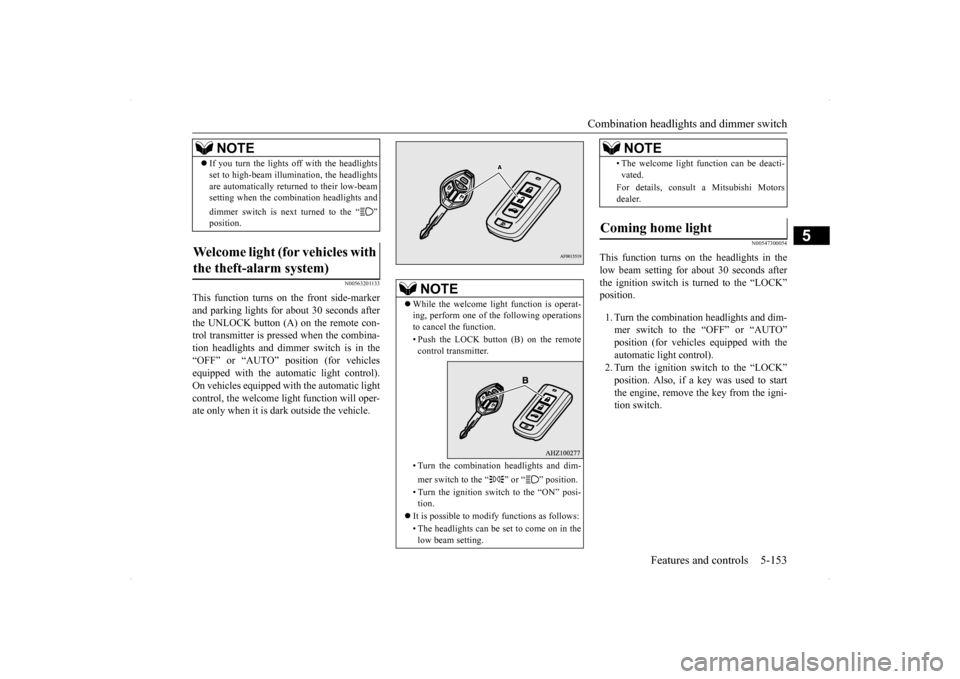
This function turns on the front side-marker and parking lights for about 30 seconds after the UNLOCK button (A) on the remote con-trol transmitter is pressed when the combina- tion headlights and dimmer switch is in the “OFF” or “AUTO” position (for vehiclesequipped with the automatic light control). On vehicles equipped with the automatic light control, the welcome light function will oper-ate only when it is dark outside the vehicle.
N00547300054
This function turns on the headlights in thelow beam setting for about 30 seconds afterthe ignition switch is turned to the “LOCK” position. 1. Turn the combination headlights and dim- mer switch to the “OFF” or “AUTO”position (for vehicles equipped with the automatic light control). 2. Turn the ignition switch to the “LOCK”position. Also, if a key was used to start the engine, remove the key from the igni- tion switch.
If you turn the lights off with the headlights set to high-beam illumination, the headlights are automatically returned to their low-beam setting when the combination headlights and dimmer switch is next turned to the “ ” position.
Welcome light (for vehicles with the theft-alarm system)
NOTE
NOTE
While the welcome light function is operat- ing, perform one of the following operations to cancel the function. • Push the LOCK button (B) on the remote control transmitter. • Turn the combination headlights and dim- mer switch to the “ ” or “ ” position. • Turn the ignition switch to the “ON” posi- tion.
It is possible to modify functions as follows: • The headlights can be set to come on in the low beam setting.
• The welcome light function can be deacti- vated. For details, consult a Mitsubishi Motors dealer.
Coming home light
NOTE
Page 221 of 434
Headlight leveling switch (if so equipped) 5-154 Features and controls
5
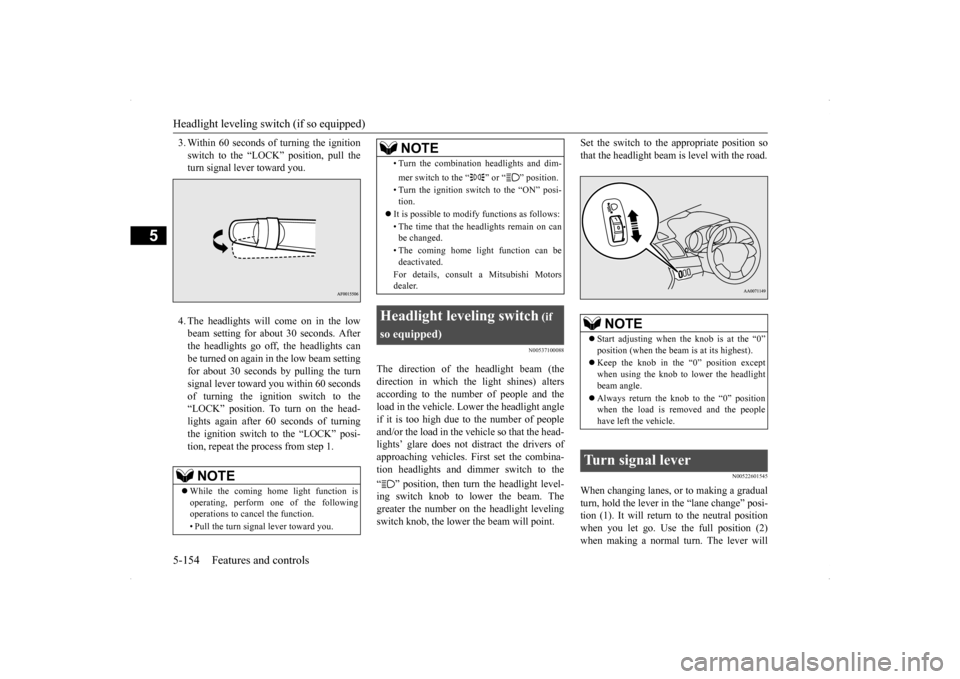
3. Within 60 seconds of turning the ignition switch to the “LOCK” position, pull the turn signal lever toward you. 4. The headlights will come on in the low beam setting for about 30 seconds. Afterthe headlights go off, the headlights can be turned on again in the low beam setting for about 30 seconds by pulling the turnsignal lever toward you within 60 secondsof turning the ignition switch to the “LOCK” position. To turn on the head- lights again after 60 seconds of turningthe ignition switch to the “LOCK” posi- tion, repeat the process from step 1.
N00537100088
The direction of the headlight beam (the direction in which the light shines) alters according to the number of people and the load in the vehicle. Lower the headlight angleif it is too high due to the number of peopleand/or the load in the vehicle so that the head- lights’ glare does not distract the drivers of approaching vehicles. First set the combina-tion headlights and di
mmer switch to the
“ ” position, then turn the headlight level- ing switch knob to lower the beam. Thegreater the number on the headlight levelingswitch knob, the lower the beam will point.
Set the switch to the appropriate position so that the headlight beam is level with the road.
N00522601545
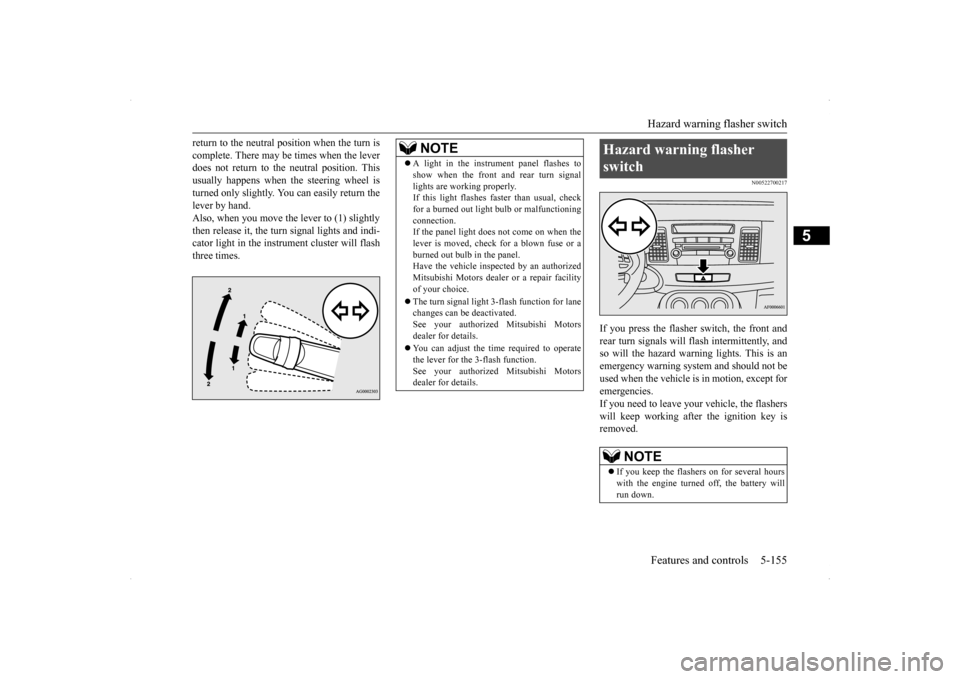
When changing lanes, or to making a gradual turn, hold the lever in the “lane change” posi- tion (1). It will return to the neutral positionwhen you let go. Use the full position (2) when making a normal turn. The lever will
NOTE
While the coming home light function is operating, perform one of the followingoperations to cancel the function. • Pull the turn signal lever toward you.
• Turn the combination headlights and dim- mer switch to the “ ” or “ ” position. • Turn the ignition switch to the “ON” posi- tion.
It is possible to modify functions as follows: • The time that the headlights remain on can be changed. • The coming home light function can be deactivated. For details, consult a Mitsubishi Motors dealer.
Headlight leveling switch
(if
so equipped)
NOTE
NOTE
Start adjusting when the knob is at the “0” position (when the beam is at its highest). Keep the knob in the “0” position except when using the knob to lower the headlightbeam angle. Always return the knob to the “0” position when the load is removed and the people have left the vehicle.
Turn signal lever
Page 222 of 434
Hazard warning flasher switch Features and controls 5-155
5
return to the neutral position when the turn is complete. There may be times when the lever does not return to the neutral position. This usually happens when the steering wheel isturned only slightly. You can easily return the lever by hand. Also, when you move the lever to (1) slightlythen release it, the turn signal lights and indi- cator light in the instrument cluster will flash three times.
N00522700217
If you press the flasher switch, the front andrear turn signals will flash intermittently, and so will the hazard warning lights. This is an emergency warning system and should not beused when the vehicle is in motion, except foremergencies. If you need to leave your vehicle, the flashers will keep working afte
r the ignition key is
removed.
NOTE
A light in the instrument panel flashes to show when the front and rear turn signal lights are working properly. If this light flashes faster than usual, check for a burned out light bulb or malfunctioningconnection. If the panel light does not come on when the lever is moved, check for a blown fuse or aburned out bulb in the panel. Have the vehicle inspected by an authorized Mitsubishi Motors dealer or a repair facilityof your choice. The turn signal light 3-flash function for lane changes can be deactivated. See your authorized Mitsubishi Motors dealer for details. You can adjust the time required to operate the lever for the 3-flash function.See your authorized Mitsubishi Motors dealer for details.
Hazard warning flasher switch
NOTE
If you keep the flashers on for several hours with the engine turned off, the battery will run down.
Page 223 of 434
Front fog light switch (if so equipped) 5-156 Features and controls
5
N00522800377
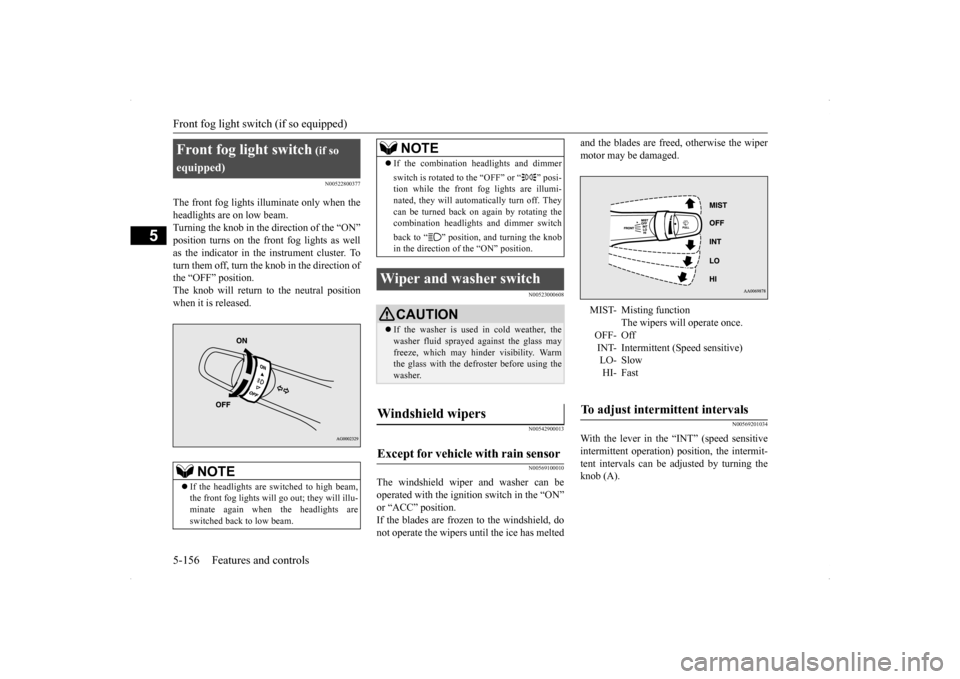
The front fog lights illuminate only when the headlights are on low beam. Turning the knob in the direction of the “ON” position turns on the front fog lights as wellas the indicator in the instrument cluster. To turn them off, turn the knob in the direction of the “OFF” position.The knob will return to the neutral positionwhen it is released.
N00523000608 N00542900013 N00569100010
The windshield wiper and washer can be operated with the ignition switch in the “ON” or “ACC” position. If the blades are frozen to the windshield, donot operate the wipers until the ice has melted
and the blades are freed, otherwise the wiper motor may be damaged.
N00569201034
With the lever in the “INT” (speed sensitiveintermittent operation) position, the intermit-tent intervals can be adjusted by turning the knob (A).
Front fog light switch
(if so
equipped)
NOTE
If the headlights are switched to high beam, the front fog lights will go
out; they will illu-
minate again when the headlights are switched back to low beam.
If the combination headlights and dimmer switch is rotated to the “OFF” or “ ” posi- tion while the front fog lights are illumi- nated, they will automatically turn off. Theycan be turned back on again by rotating the combination headlights and dimmer switch back to “ ” position, and turning the knob in the direction of the “ON” position.
Wiper and washer switch
CAUTION If the washer is used in cold weather, the washer fluid sprayed against the glass mayfreeze, which may hinder visibility. Warm the glass with the defroster before using the washer.
Windshield wipers Except for vehicle with rain sensor
NOTE
MIST- Misting function
The wipers will operate once.
OFF- Off INT- Intermittent (Speed sensitive)LO- SlowHI- Fast
To adjust intermittent intervals
Page 225 of 434
Wiper and washer switch 5-158 Features and controls
5
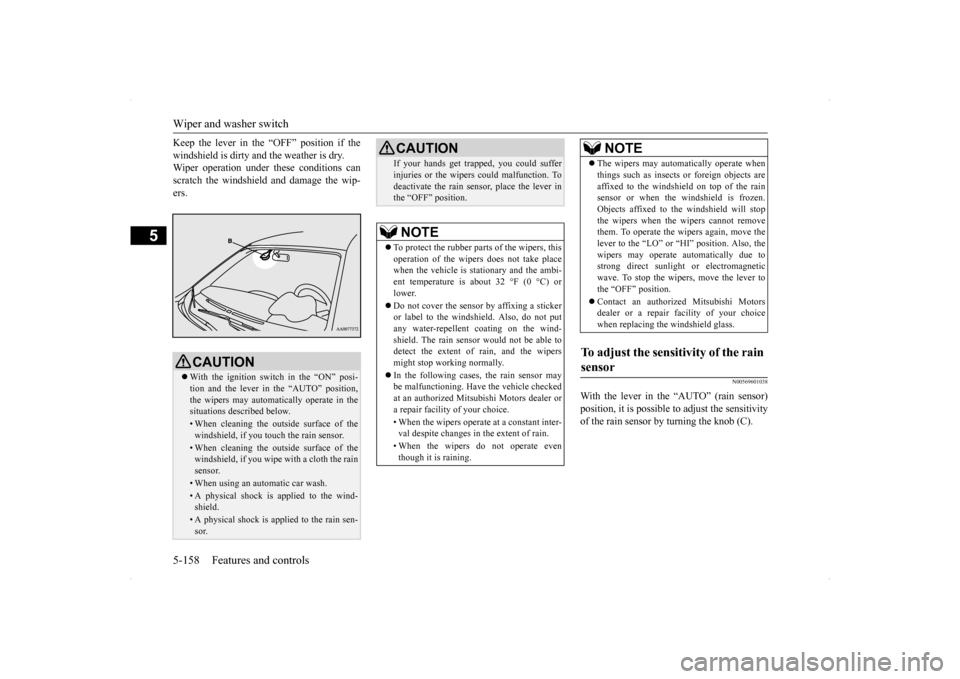
Keep the lever in the “OFF” position if the windshield is dirty and the weather is dry. Wiper operation under these conditions can scratch the windshield and damage the wip-ers.
N00569601038
With the lever in the “AUTO” (rain sensor)position, it is possible to adjust the sensitivityof the rain sensor by turning the knob (C).
CAUTION With the ignition switch in the “ON” posi- tion and the lever in the “AUTO” position, the wipers may automatically operate in thesituations described below.• When cleaning the outside surface of thewindshield, if you touch the rain sensor.• When cleaning the outside surface of thewindshield, if you wipe with a cloth the rain sensor.• When using an automatic car wash.• A physical shock is applied to the wind- shield.• A physical shock is applied to the rain sen-sor.
If your hands get trapped, you could suffer injuries or the wipers could malfunction. To deactivate the rain sensor, place the lever in the “OFF” position.NOTE
To protect the rubber parts of the wipers, this operation of the wipers does not take placewhen the vehicle is stationary and the ambi- ent temperature is about 32 °F (0 °C) or lower. Do not cover the sensor by affixing a sticker or label to the windshield. Also, do not putany water-repellent coating on the wind- shield. The rain sensor would not be able to detect the extent of rain, and the wipersmight stop working normally. In the following cases, the rain sensor may be malfunctioning. Have the vehicle checked at an authorized Mitsubishi Motors dealer or a repair facility of your choice. • When the wipers operate at a constant inter- val despite changes in the extent of rain. • When the wipers do not operate even though it is raining.CAUTION
The wipers may automatically operate when things such as insects or foreign objects are affixed to the windshield on top of the rain sensor or when the windshield is frozen. Objects affixed to the windshield will stopthe wipers when the wipers cannot remove them. To operate the wipers again, move the lever to the “LO” or “HI” position. Also, thewipers may operate automatically due to strong direct sunlight or electromagnetic wave. To stop the wipers, move the lever tothe “OFF” position. Contact an authorized Mitsubishi Motors dealer or a repair
facility of your choice
when replacing the windshield glass.
To adjust the sensitivity of the rain sensor
NOTE
Page 227 of 434
Electric rear window defogger switch 5-160 Features and controls
5
N00523500209
N00523700315
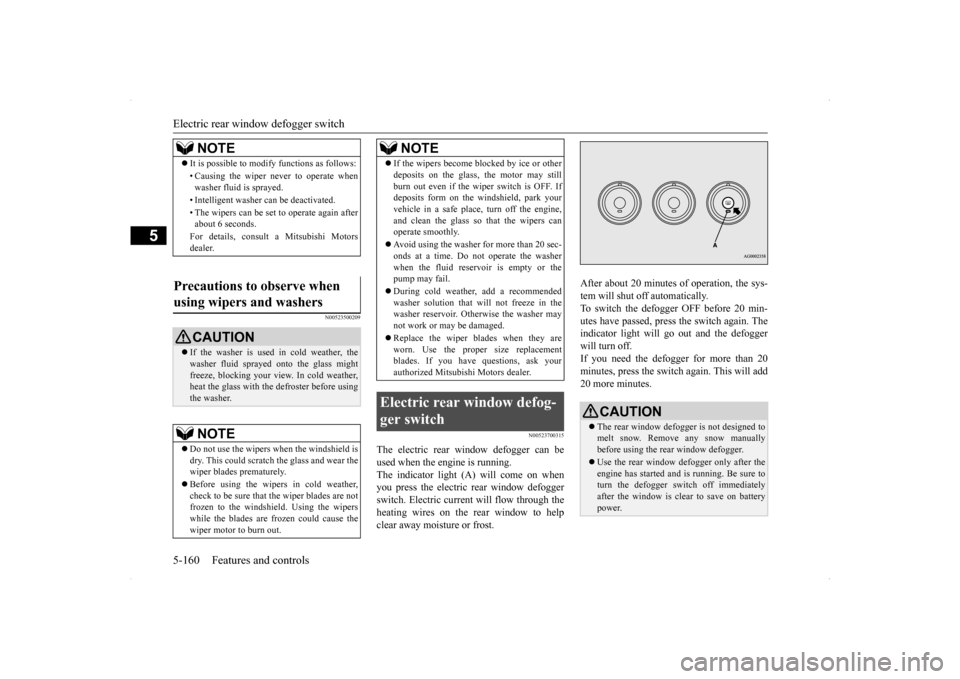
The electric rear window defogger can be used when the engine is running. The indicator light (A) will come on when you press the electric rear window defoggerswitch. Electric current will flow through the heating wires on the rear window to help clear away moisture or frost.
After about 20 minutes of operation, the sys- tem will shut off automatically. To switch the defogger OFF before 20 min-utes have passed, press the switch again. The indicator light will go out and the defogger will turn off. If you need the defogger for more than 20minutes, press the switch again. This will add 20 more minutes.
NOTE
It is possible to modify functions as follows: • Causing the wiper never to operate when washer fluid is sprayed. • Intelligent washer can be deactivated. • The wipers can be set to operate again after about 6 seconds. For details, consult a Mitsubishi Motors dealer.
Precautions to observe when using wipers and washers
CAUTION If the washer is used in cold weather, the washer fluid sprayed onto the glass might freeze, blocking your view. In cold weather,heat the glass with the defroster before using the washer.NOTE
Do not use the wipers when the windshield is dry. This could scratch the glass and wear the wiper blades prematurely. Before using the wipers in cold weather, check to be sure that the wiper blades are notfrozen to the windshield. Using the wipers while the blades are frozen could cause the wiper motor to burn out.
If the wipers become blocked by ice or other deposits on the glass, the motor may still burn out even if the wiper switch is OFF. If deposits form on the windshield, park your vehicle in a safe place, turn off the engine,and clean the glass so that the wipers can operate smoothly. Avoid using the washer for more than 20 sec- onds at a time. Do not operate the washer when the fluid reservoir is empty or thepump may fail. During cold weather, add a recommended washer solution that will not freeze in the washer reservoir. Otherwise the washer may not work or may be damaged. Replace the wiper blades when they are worn. Use the proper size replacementblades. If you have questions, ask your authorized Mitsubishi Motors dealer.
Electric rear window defog- ger switch
NOTE
CAUTION The rear window defogger is not designed to melt snow. Remove any snow manuallybefore using the rear window defogger. Use the rear window defogger only after the engine has started and is running. Be sure to turn the defogger switch off immediately after the window is clear to save on batterypower.