engine coolant MITSUBISHI LANCER 2014 8.G User Guide
[x] Cancel search | Manufacturer: MITSUBISHI, Model Year: 2014, Model line: LANCER, Model: MITSUBISHI LANCER 2014 8.GPages: 434, PDF Size: 57.5 MB
Page 280 of 434
Heater without air conditioni
ng function (if so equipped) Comfort controls 7-5
7
N00738000044
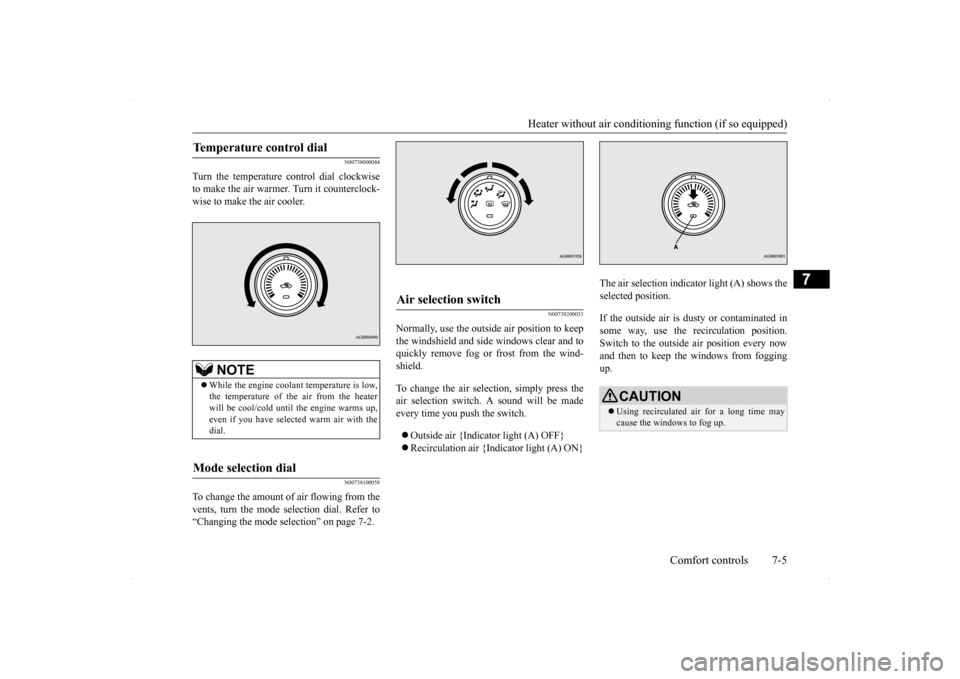
Turn the temperature control dial clockwise to make the air warmer. Turn it counterclock-wise to make the air cooler.
N00738100058
To change the amount of air flowing from thevents, turn the mode selection dial. Refer to“Changing the mode selection” on page 7-2.
N00738200033
Normally, use the outside air position to keepthe windshield and side windows clear and toquickly remove fog or frost from the wind- shield. To change the air selection, simply press the air selection switch. A sound will be made every time you push the switch. Outside air {Indicator light (A) OFF} Recirculation air {Indicator light (A) ON}
The air selection indicator light (A) shows the selected position. If the outside air is dusty or contaminated in some way, use the recirculation position.Switch to the outside air position every now and then to keep th
e windows from fogging
up.
Temperature control dial
NOTE
While the engine coolant temperature is low, the temperature of the air from the heater will be cool/cold until the engine warms up, even if you have selected warm air with thedial.
Mode selection dial
Air selection switch
CAUTION Using recirculated air for a long time may cause the windows to fog up.
Page 283 of 434
Manual air conditioning with
MAX A/C mode (if so equipped)
7-8 Comfort controls
7
N00736600219
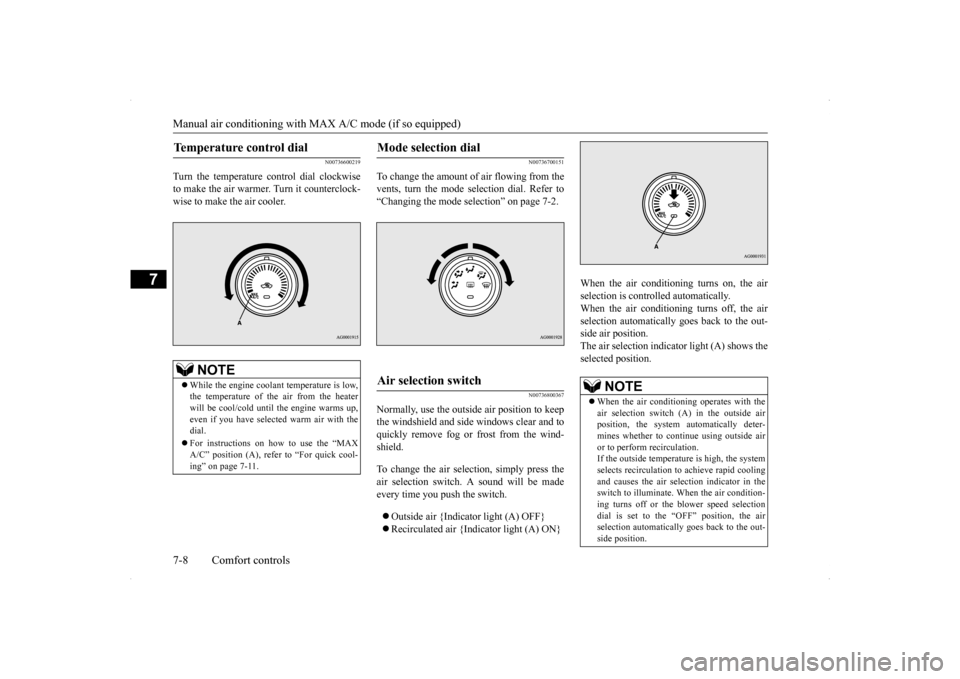
Turn the temperature control dial clockwise to make the air warmer. Turn it counterclock-wise to make the air cooler.
N00736700151
To change the amount of
air flowing from the
vents, turn the mode selection dial. Refer to“Changing the mode selection” on page 7-2.
N00736800367
Normally, use the outside air position to keepthe windshield and side windows clear and toquickly remove fog or frost from the wind- shield. To change the air selection, simply press the air selection switch. A sound will be madeevery time you push the switch. Outside air {Indicator light (A) OFF} Recirculated air {Indicator light (A) ON}
When the air conditioning turns on, the air selection is controlled automatically. When the air conditioning turns off, the airselection automatically goes back to the out- side air position. The air selection indicator light (A) shows theselected position.
Temperature control dial
NOTE
While the engine coolant temperature is low, the temperature of the air from the heater will be cool/cold until the engine warms up, even if you have selected warm air with thedial. For instructions on how to use the “MAX A/C” position (A), refer to “For quick cool- ing” on page 7-11.
Mode selection dial
Air selection switch
NOTE
When the air conditioning operates with the air selection switch (A) in the outside air position, the system automatically deter-mines whether to continue using outside air or to perform recirculation. If the outside temperature is high, the systemselects recirculation to achieve rapid cooling and causes the air selection indicator in the switch to illuminate. When the air condition-ing turns off or the blower speed selection dial is set to the “OFF” position, the air selection automatically goes back to the out-side position.
Page 288 of 434
Manual air conditioning withou
t MAX A/C mode (if so equipped)
Comfort controls 7-13
7
N00730500229 N00736500133
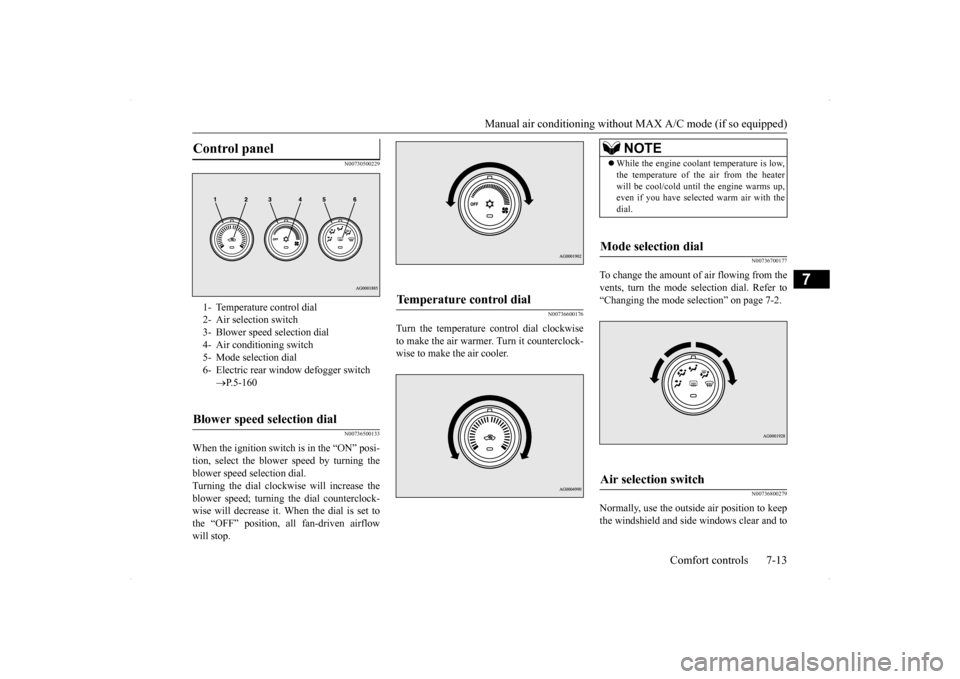
When the ignition switch is in the “ON” posi- tion, select the blower speed by turning the blower speed selection dial.Turning the dial clockwise will increase the blower speed; turning the dial counterclock- wise will decrease it. When the dial is set tothe “OFF” position, all fan-driven airflow will stop.
N00736600176
Turn the temperature control dial clockwise to make the air warmer. Turn it counterclock-wise to make the air cooler.
N00736700177
To change the amount of air flowing from thevents, turn the mode selection dial. Refer to “Changing the mode selection” on page 7-2.
N00736800279
Normally, use the outside air position to keepthe windshield and side windows clear and to
Control panel
1- Temperature control dial2- Air selection switch 3- Blower speed selection dial4- Air conditioning switch 5- Mode selection dial 6- Electric rear window defogger switch
P.5-160
Blower speed selection dial
Temperature control dial
NOTE
While the engine coolant temperature is low, the temperature of the air from the heater will be cool/cold until the engine warms up, even if you have selected warm air with the dial.
Mode selection dial
Air selection switch
Page 293 of 434
Automatic air conditioning with
Fahrenheit scale (if so equipped)
7-18 Comfort controls
7
N00736900094
When the ignition switch is in the “ON” posi- tion, select the blower speed by turning the blower speed selection dial. Turning the dial clockwise will increase theblower speed; turning the dial counterclock- wise will decrease it. When the dial is set to the “OFF” position, all fan-driven airflowwill stop.
N00737000265
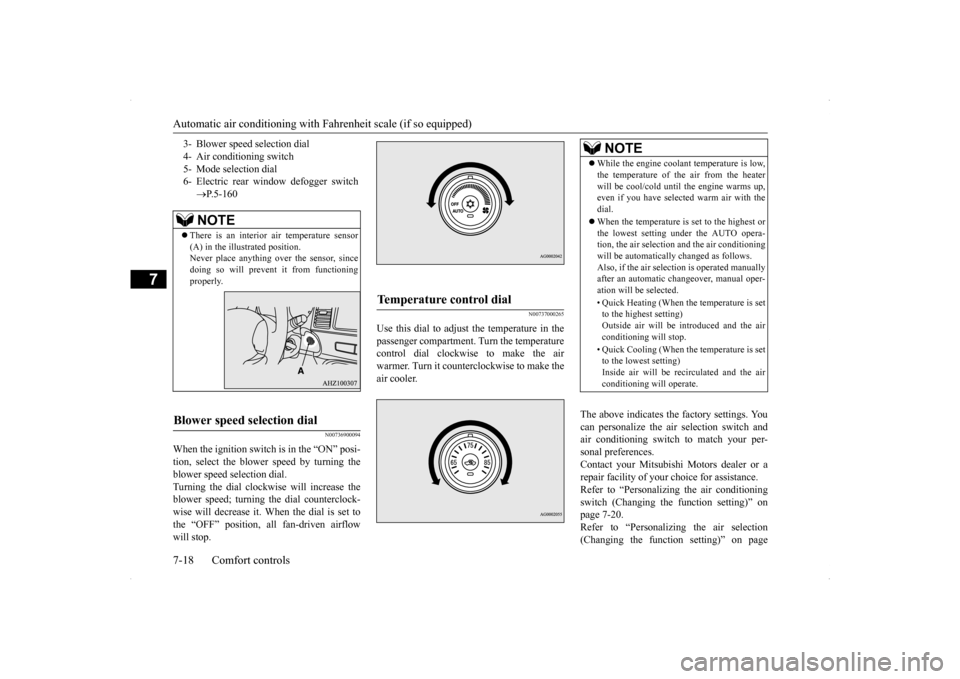
Use this dial to adjust the temperature in thepassenger compartment. Turn the temperaturecontrol dial clockwise to make the air warmer. Turn it counterclockwise to make the air cooler.
The above indicates the factory settings. You can personalize the air selection switch and air conditioning switch to match your per-sonal preferences. Contact your Mitsubishi Motors dealer or a repair facility of your choice for assistance.Refer to “Personalizing the air conditioning switch (Changing the function setting)” on page 7-20.Refer to “Personalizing the air selection (Changing the function setting)” on page
3- Blower speed selection dial 4- Air conditioning switch5- Mode selection dial 6- Electric rear window defogger switch
P.5-160NOTE
There is an interior air temperature sensor (A) in the illustrated position.Never place anything over the sensor, since doing so will prevent it from functioning properly.
Blower speed selection dial
Temperature control dial
NOTE
While the engine coolant temperature is low, the temperature of the air from the heater will be cool/cold until the engine warms up, even if you have selected warm air with the dial. When the temperature is set to the highest or the lowest setting under the AUTO opera-tion, the air selection and the air conditioning will be automatically changed as follows. Also, if the air selection is operated manuallyafter an automatic changeover, manual oper- ation will be selected. • Quick Heating (When the temperature is set to the highest setting) Outside air will be introduced and the airconditioning will stop. • Quick Cooling (When the temperature is set to the lowest setting) Inside air will be recirculated and the air conditioning will operate.
Page 296 of 434
Automatic air conditioning with
Fahrenheit scale (if so equipped)
Comfort controls 7-21
7
Enable automatic air conditioning control: When the mode selection dial or blower speed selection dial has been set to the “AUTO” position or when the tempera-ture control dial has been set to the mini- mum temperature, the air conditioning switch is automatically controlled. Disable automatic air conditioning con- trol: The air conditioning switch is not auto- matically controlled, unless the air condi-tioning switch is used. Changing the settings: Press the air conditioning switch for about 10 seconds or longer. When the setting has changed, the systemwill beep and the indicator light will flash. • When the setting has changed from enabled to disabled,the system will beep three times and the indicator will flash three times. • When the setting has changed from dis-abled to enabled, the system will beep two times and the indicator light will flash three times.
N00731700345
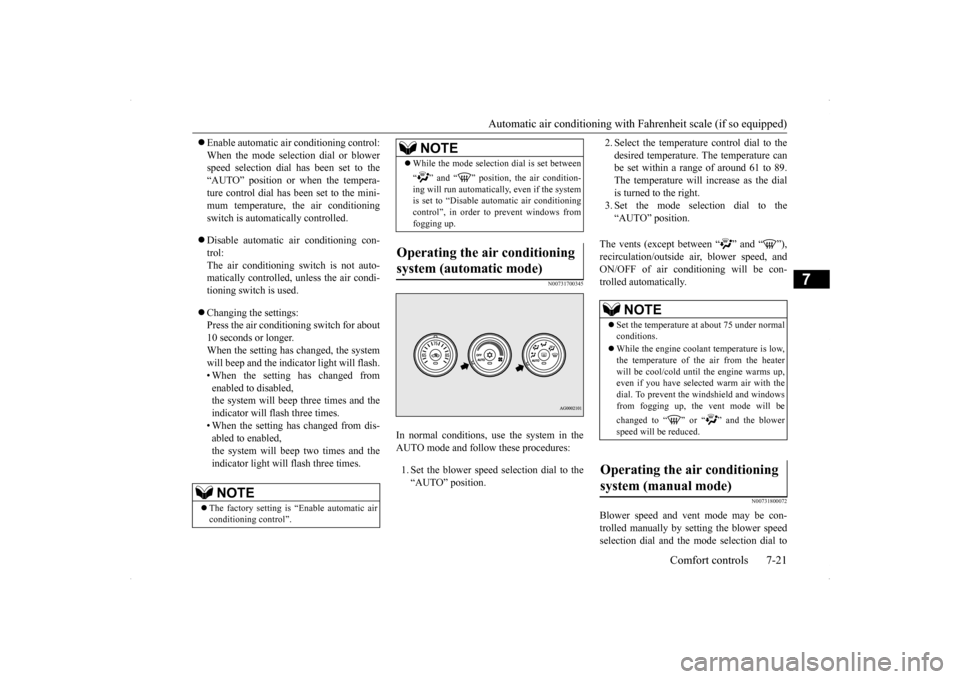
In normal conditions, use the system in the AUTO mode and follow these procedures: 1. Set the blower speed selection dial to the “AUTO” position.
2. Select the temperature control dial to the desired temperature. The temperature can be set within a range of around 61 to 89. The temperature will increase as the dialis turned to the right. 3. Set the mode selection dial to the “AUTO” position.
The vents (except between “ ” and “ ”), recirculation/outside air, blower speed, andON/OFF of air conditioning will be con-trolled automatically.
N00731800072
Blower speed and vent mode may be con- trolled manually by setting the blower speed selection dial and the mode selection dial to
NOTE
The factory setting is “Enable automatic air conditioning control”.
While the mode selection dial is set between “ ” and “ ” position, the air condition- ing will run automatically, even if the system is set to “Disable automatic air conditioningcontrol”, in order to prevent windows from fogging up.
Operating the air conditioning system (automatic mode)
NOTE
NOTE
Set the temperature at about 75 under normal conditions. While the engine coolant temperature is low, the temperature of the air from the heater will be cool/cold until the engine warms up, even if you have selected warm air with thedial. To prevent the windshield and windows from fogging up, the vent mode will be changed to “ ” or “ ” and the blower speed will be reduced.
Operating the air conditioning system (manual mode)
Page 299 of 434
Automatic air conditioning with
Celsius scale (if so equipped)
7-24 Comfort controls
7
The above indicates the factory settings. You can personalize the air selection switch and air conditioning switch to match your per-sonal preferences. Contact your Mitsubishi Motors dealer or a repair facility of your choice for assistance.Refer to “Personalizing the air conditioning switch (Changing the function setting)” on page 7-26.Refer to “Personalizing the air selection (Changing the function setting)” on page
7-25.
N00737100136
To change the amount of
air flowing from the
vents, turn the mode selection dial. Refer to“Changing the mode selection” on page 7-2.
N00737200241
Normally, use the outside air position to keepthe windshield and side windows clear and toquickly remove fog or frost from the wind- shield. To change the air selection, simply press the air selection switch. A sound will be madeevery time you press the switch.
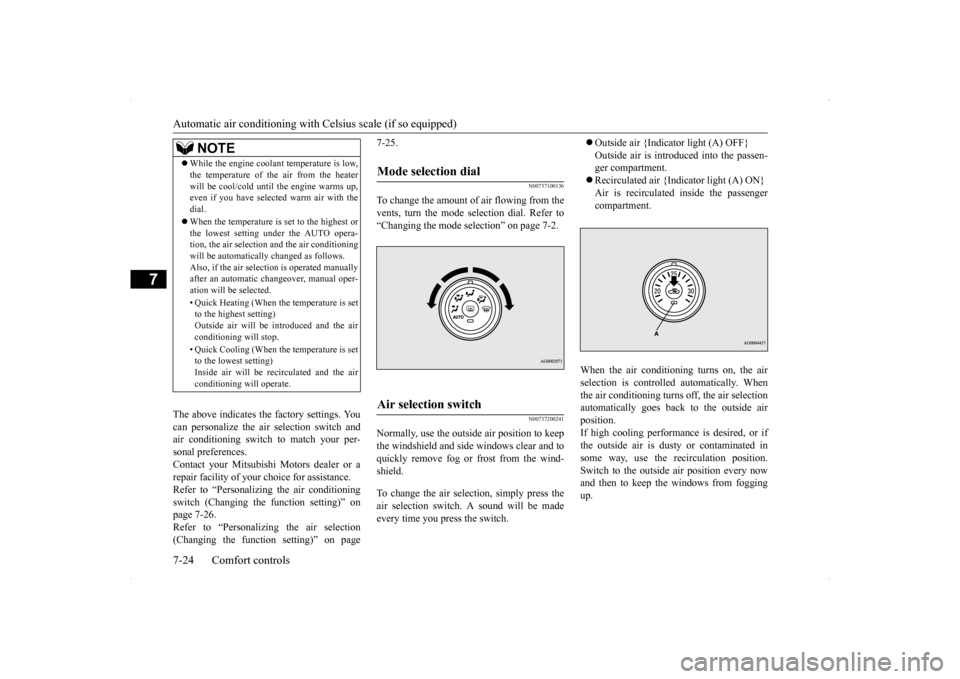
Outside air {Indicator light (A) OFF} Outside air is introduced into the passen- ger compartment. Recirculated air {Indicator light (A) ON} Air is recirculated inside the passenger compartment.
When the air conditioning turns on, the air selection is controll
ed automatically. When
the air conditioning turns off, the air selection automatically goes back to the outside air position.If high cooling performance is desired, or if the outside air is dusty or contaminated in some way, use the recirculation position.Switch to the outside air position every now and then to keep the windows from fogging up.
NOTE
While the engine coolant temperature is low, the temperature of the air from the heater will be cool/cold until the engine warms up, even if you have selected warm air with the dial. When the temperature is set to the highest or the lowest setting under the AUTO opera-tion, the air selection and the air conditioning will be automatically changed as follows. Also, if the air selection is operated manuallyafter an automatic changeover, manual oper- ation will be selected. • Quick Heating (When the temperature is set to the highest setting) Outside air will be introduced and the airconditioning will stop. • Quick Cooling (When the temperature is set to the lowest setting) Inside air will be recirculated and the air conditioning will operate.
Mode selection dial
Air selection switch
Page 302 of 434
Automatic air conditioning with
Celsius scale (if so equipped)
Comfort controls 7-27
7
2. Select the temperature control dial to the desired temperature. The temperature can be set within a range of around 18 to 32. The temperature will increase as the dialis turned to the right. 3. Set the mode selection dial to the “AUTO” position.
The vents (except “ ”), recirculation/out- side air, blower speed, and ON/OFF of airconditioning will be controlled automatically.
N00731800098
Blower speed and vent mode may be con-trolled manually by setting the blower speed selection dial and the mode selection dial to the desired positions. To return to automatic
operation, set the dials to the “AUTO” posi- tion.
N00732400440
To remove frost or mist from the windshield and door windows, use the mode selection dial (“ ” or “ ”). Use this setting to keep the windshield and door windows clear of mist, and to keep the leg area heated (when driving in rain or snow).
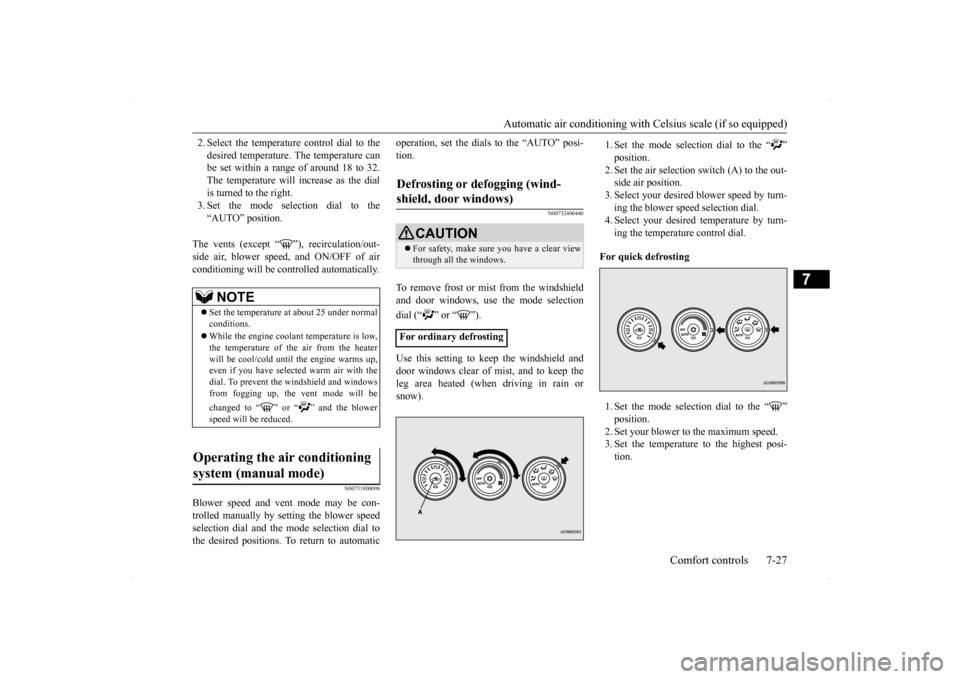
1. Set the mode selection dial to the “ ” position.2. Set the air selection switch (A) to the out- side air position. 3. Select your desired blower speed by turn-ing the blower speed selection dial. 4. Select your desired temperature by turn- ing the temperature control dial.
For quick defrosting 1. Set the mode selection dial to the “ ” position.2. Set your blower to the maximum speed. 3. Set the temperature to the highest posi- tion.
NOTE
Set the temperature at about 25 under normal conditions. While the engine coolant temperature is low, the temperature of the air from the heater will be cool/cold until the engine warms up,even if you have selected warm air with the dial. To prevent the windshield and windows from fogging up, the vent mode will be changed to “ ” or “ ” and the blower speed will be reduced.
Operating the air conditioning system (manual mode)
Defrosting or defogging (wind- shield, door windows)
CAUTION For safety, make sure you have a clear view through all the windows.
For ordinary defrosting
Page 345 of 434
Engine overheating 8-4 For emergencies
8
8. Start the engine in the vehicle providing the boost. Let the engine idle a few min- utes, then start the engine in the vehicle with the low battery. 9. After the engine is started, disconnect the cables in the reverse order from the wayyou connected them.
10. For vehicles equipped with turbocharger,
install the battery upper cover and thenthe air duct. (Refer to “Removing and installing the battery upper cover” on page 9-14.)
If you drive your vehicle with a low battery charge, after the engine has been started by using jumper cables, the engine may misfire. This can cause the anti-lock braking systemwarning light to blink on and off. This is only due to the low battery voltage. It is not a problem with the brake system. If this hap-pens, fully charge the battery and ensure the charging system is operating properly.
N00836500323
When the engine has overheated, the infor- mation screen in the multi-information dis-play will be interrupted and the engine coolant temperature warning display will appear. The screen will then change to theengine coolant temperature display screen and “ ” will flash. If this happens: 1. Stop the vehicle in a safe place. Turn on the hazard warning flashers. 2. With the engine still running, carefullyraise the engine hood to vent the engine compartment. 3. Check that the cooling fan is running. Ifthe fan is not turning, stop the engine immediately and contact an authorized Mitsubishi Motors dealer or a repair facil-ity of your choice for assistance. 4. If you see steam or spray coming from under the hood, turn off the engine.
NOTE
If the engine is started with the air duct removed, the noise produced as air is drawn into the engine will be greater than when the duct is installed.WA R N I N G Charging your battery while it is still in your vehicle might cause the battery tocatch fire and explode. If you have to charge it while in the vehicle, disconnect the negative terminal. Keep sparks, cigarettes and flames away from the battery because the battery may explode. Keep your work area well vented when charging or using the battery in an enclosed space.
Remove all the caps before charging the battery. Electrolyte (battery acid) is corrosive diluted sulphuric acid. If electrolyte comesin contact with your hands, eyes, clothes, or the painted surface of your vehicle, thoroughly flush with water. If electrolytegets in your eyes, flush them immediately and thoroughly with water, and get prompt medical attention. Always wear protective clothing and gog- gles when working near the battery. Keep the battery out of the reach of chil- dren.
As your vehicle has anti-lock brakes
WA R N I N G
Engine overheating
WA R N I N G To avoid personal injury, keep hands, hair, jewelry and clothes away from the cooling fan. The cooling fan can start at any time.
Page 346 of 434
Tools and jack
For emergencies 8-5
8
5. If you do not see steam or spray coming from under the hood, leave the engine on until the bar graph for the engine coolant temperature warning display on the multi-information display goes down. When it is in the middle of the normal zone, you can start driving again. If the bar graphstays in the red zone, turn off the engine. 6. When you do not see any more steam or spray, open the hood. Look for obvious leaks, such as a split radiator hose. Be careful as components will be hot. Anyleak source must be repaired. 7. If there is no obvious leak source, check the coolant level in the reserve tank. Ifthere is none, or if it is too low, slowly add coolant.
8. If the reserve tank needs coolant, you will probably also need to add coolant to the radiator. Do not loosen or remove the radiator cap until the engine has cooleddown. 9. Start the engine, and slowly add coolant, up to the bottom of the filler neck. Useplain water if you have to (and replace it with the right coolant as soon as possible).
10. Replace the radiator cap and tighten it
fully. Check the engine coolant tempera- ture display on the multi-information dis- play. You can start driving again when thebar graph for the engine coolant tempera- ture display returns to the normal zone.
11. Have your vehicle checked by your autho-
rized Mitsubishi Motors dealer or a repair facility of your choice.
N00836600265
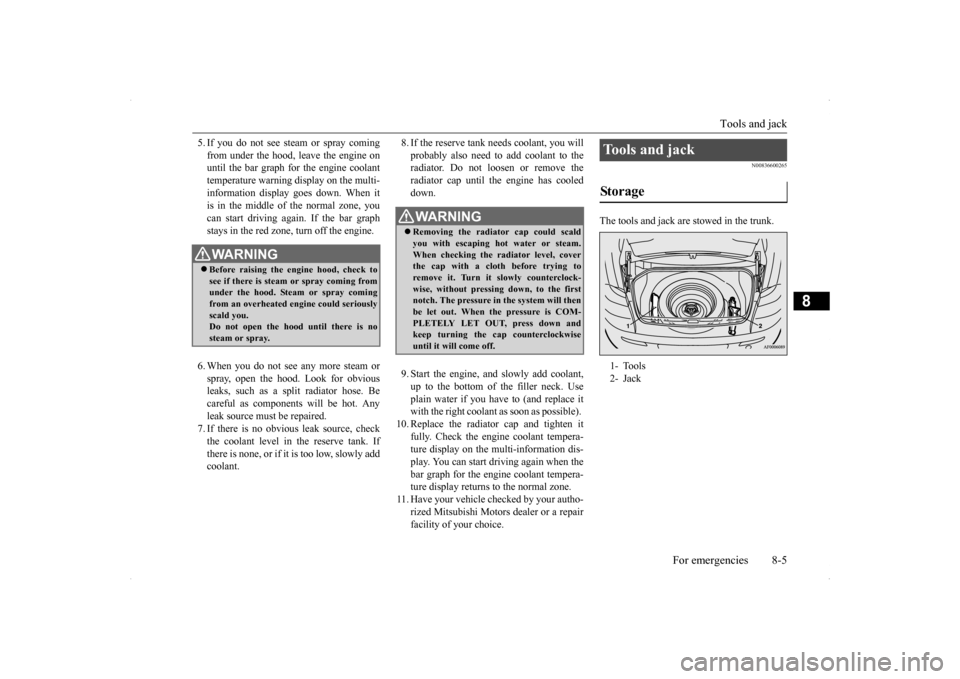
The tools and jack are stowed in the trunk.
WA R N I N G Before raising the engine hood, check to see if there is steam or spray coming fromunder the hood. Steam or spray coming from an overheated engine could seriously scald you.Do not open the hood until there is no steam or spray.
WA R N I N G Removing the radiator cap could scald you with escaping hot water or steam.When checking the radiator level, cover the cap with a cloth before trying to remove it. Turn it slowly counterclock-wise, without pressing down, to the first notch. The pressure in the system will then be let out. When the pressure is COM-PLETELY LET OUT, press down and keep turning the cap counterclockwise until it will come off.
Tools and jack Storage 1- Tools 2- Jack
Page 360 of 434
9
Vehicle care and maintenanceService precautions ..........
.................................................................9-2
Catalytic converter .
.................................................
..........................9-2
Engine hood ...............................
.......................................................9-3
View of the engine co
mpartment ......................................................9-5
Engine oil and oil filt
er ...........................................
..........................9-6
Engine coolant .................
.................................................................9-8
Air cleaner filter.....
.................................................
..........................9-9
Manual transaxle oil (if so
equipped) ............................................. 9-11
Continuously variable transmission
(CVT) fluid (if so equipped) . 9-11
Twin Clutch Sportronic shift trans
mission (Twin Clutch SST) fluid (if
so equipped) ...........................
..................................................... 9-11
Transfer oil (All-wheel dr
ive models) ............................................9-12
Rear axle oil (All-wheel dr
ive models) .........................................9-12
AWC control fluid (if so
equipped) ................................................9-12
Washer fluid .....................
...............................................................9-12
Brake fluid/Clutch fluid (if
so equipped)........................................9-13
Power steering fluid (if so equipped)..............................................9-14 Battery........................................
.....................................................9-14
Tires ...........................................
.....................................................9-17
Clutch pedal free play (if so equipped)...........................................9-24 Brake pedal free play
..............................................
........................9-24
Parking brake lever stroke ..............................................................9-24Parking brake break-in
...........................................
........................9-25
Wiper blades ..............................
.....................................................9-25
Emission-control system maintenance ...........................................9-25 General maintenance
..............................................
........................9-26
For cold and snowy weat
her ..........................................................9-28
Fusible links .....................
...............................................................9-28
Fuses ...................................................
............................................ 9-28
Replacement of light bul
bs ....................................
......................... 9-33
Vehicle care precautions
........................................
......................... 9-48
Cleaning the inside of you
r vehicle ................................................ 9-48
Cleaning the outside of your
vehicle .............................................. 9-49