cvt MITSUBISHI LANCER 2014 8.G Owner's Guide
[x] Cancel search | Manufacturer: MITSUBISHI, Model Year: 2014, Model line: LANCER, Model: MITSUBISHI LANCER 2014 8.GPages: 434, PDF Size: 57.5 MB
Page 189 of 434
Multi-information display 5-122 Features and controls
5
When the warning is displayed, if you lightly press the multi-information meter
switch a few times, the warning display screen you switched from is redisplayed. The operation status of each system is dis- played on the information screen. For further details, refer to the appropriate page in the warning display list.Refer to “Other interrupt displays (With igni-tion switch in the “ON” position)” on page 5-143.
N00556400048
Shows the position of the selector lever. Refer to “Selector lever operation” on page 5-63.
N00545800055
Shows the position of the gearshift lever. Refer to “Gearshift lever operation” on page5-71.
N00556500094
Shows the temperature outside the vehicle.
N00545100029
The operation status of the Twin Clutch SST control mode is displayed. Refer to “Twin Clutch SST control mode” on page 5-76.
N00545900030
The operation status of the ACD control mode is displayed.
NOTE
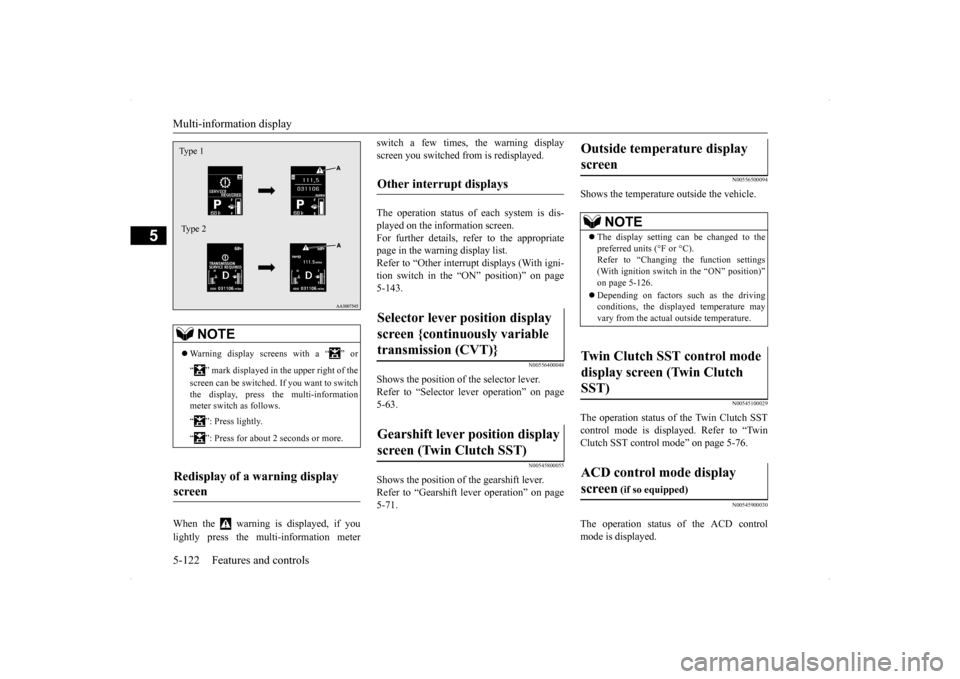
Warning display screens with a “ ” or “ ” mark displayed in the upper right of the screen can be switched. If you want to switch the display, press the multi-information meter switch as follows. “ ”: Press lightly. “ ”: Press for about 2 seconds or more.
Redisplay of a warning display screen Type 1 Type 2
Other interrupt displays Selector lever position display screen {continuously variable transmission (CVT)} Gearshift lever position display screen (Twin Clutch SST)
Outside temperature display screen
NOTE
The display setting can be changed to the preferred units (°F or °C).Refer to “Changing the function settings (With ignition switch in the “ON” position)” on page 5-126. Depending on factors such as the driving conditions, the displayed temperature mayvary from the actual outside temperature.
Twin Clutch SST control mode display screen (Twin Clutch SST) ACD control mode display screen
(if so equipped)
Page 193 of 434
Multi-information display 5-126 Features and controls
5
N00556801153
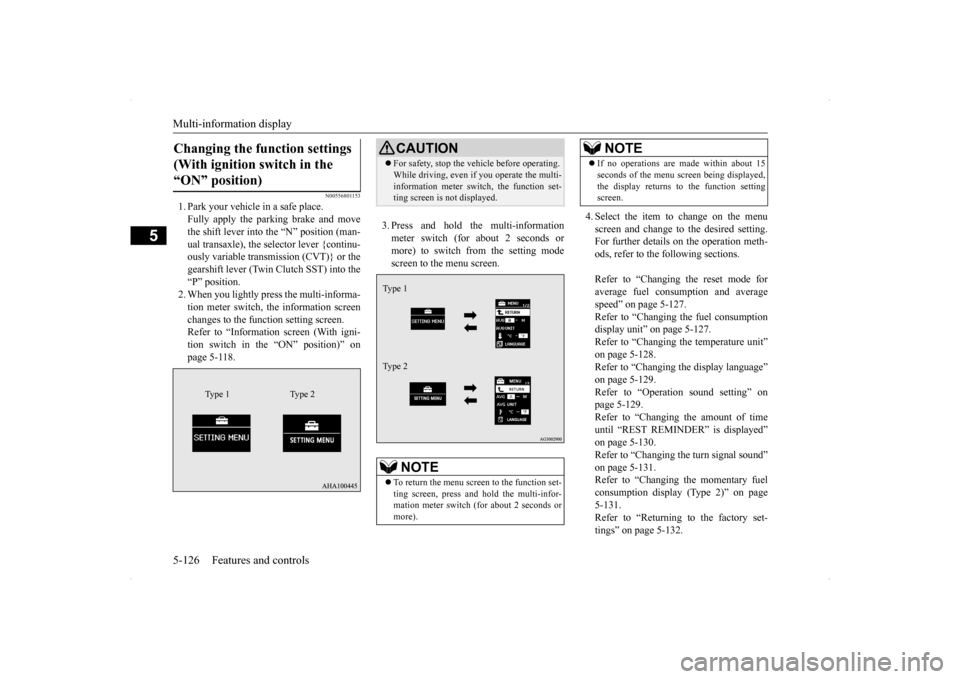
1. Park your vehicle in a safe place. Fully apply the parking brake and move the shift lever into the “N” position (man-ual transaxle), the selector lever {continu- ously variable transmission (CVT)} or the gearshift lever (Twin Clutch SST) into the“P” position.2. When you lightly press the multi-informa- tion meter switch, the information screen changes to the function setting screen.Refer to “Information screen (With igni- tion switch in the “ON” position)” on page 5-118.
3. Press and hold the multi-information meter switch (for about 2 seconds or more) to switch from the setting modescreen to the menu screen.
4. Select the item to change on the menu screen and change to the desired setting. For further details on the operation meth- ods, refer to the following sections. Refer to “Changing the reset mode for average fuel consumption and average speed” on page 5-127.Refer to “Changing the fuel consumption display unit” on page 5-127. Refer to “Changing the temperature unit”on page 5-128. Refer to “Changing the display language” on page 5-129.Refer to “Operation sound setting” on page 5-129. Refer to “Changing the amount of timeuntil “REST REMINDER” is displayed” on page 5-130. Refer to “Changing the turn signal sound”on page 5-131. Refer to “Changing the momentary fuel consumption display (Type 2)” on page5-131. Refer to “Returning to the factory set- tings” on page 5-132.
Changing the function settings (With ignition switch in the “ON” position)
Type 1 Type 2
CAUTION For safety, stop the vehicle before operating. While driving, even if you operate the multi- information meter switch, the function set- ting screen is not displayed.NOTE
To return the menu screen to the function set- ting screen, press and hold the multi-infor-mation meter switch (for about 2 seconds or more).Type 1 Type 2
If no operations are made within about 15 seconds of the menu screen being displayed, the display returns to the function setting screen.NOTE
Page 207 of 434
Indicator light, warning light, an
d information screen display list
5-140 Features and controls
5
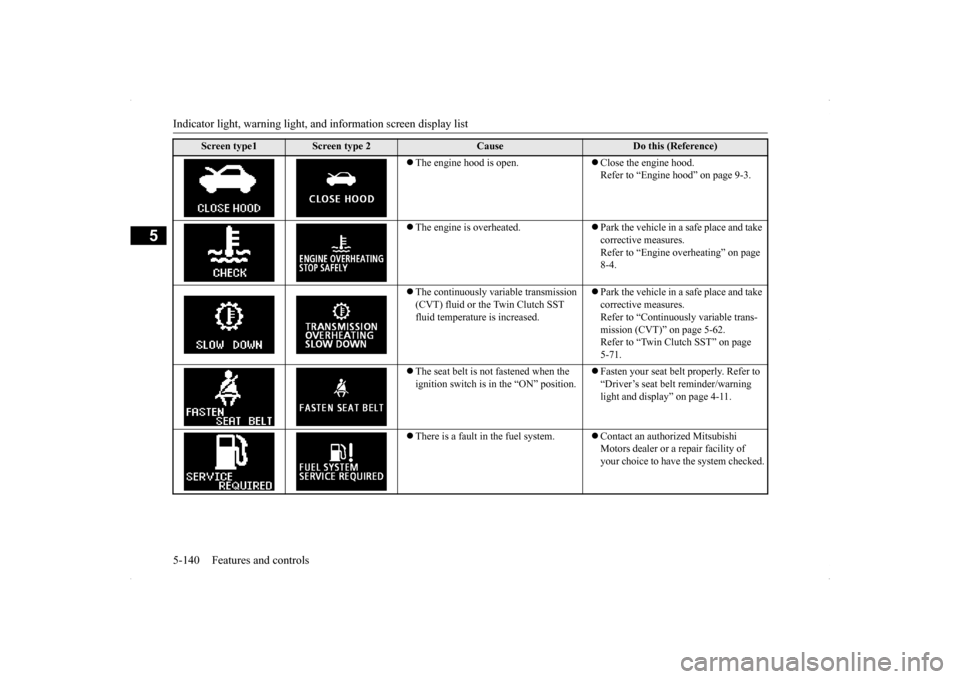
The engine hood is open.
Close the engine hood. Refer to “Engine hood” on page 9-3.
The engine is overheated.
Park the vehicle in a safe place and take corrective measures.Refer to “Engine overheating” on page 8-4.
The continuously variable transmission (CVT) fluid or the Twin Clutch SST fluid temperature is increased.
Park the vehicle in a safe place and take corrective measures.Refer to “Continuously variable trans- mission (CVT)” on page 5-62. Refer to “Twin Clutch SST” on page 5-71.
The seat belt is not fastened when the ignition switch is in the “ON” position.
Fasten your seat belt properly. Refer to “Driver’s seat belt reminder/warning light and display” on page 4-11.
There is a fault in the fuel system.
Contact an authorized Mitsubishi Motors dealer or a repair facility of your choice to have the system checked.
Screen type1
Screen type 2
Cause
Do this (Reference)
Page 209 of 434
Indicator light, warning light, an
d information screen display list
5-142 Features and controls
5
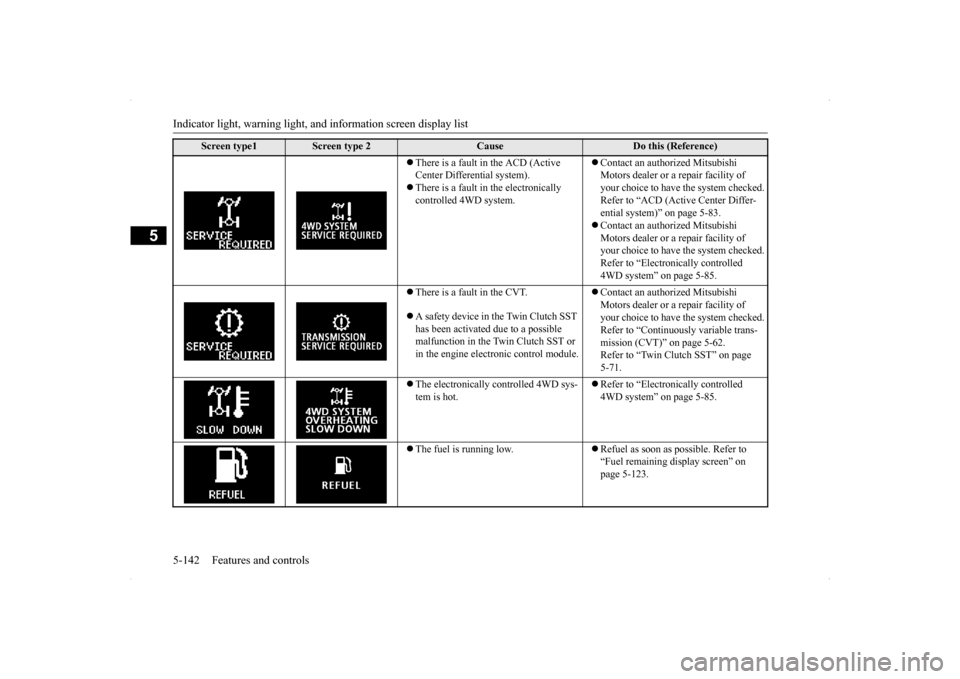
There is a fault in the ACD (Active Center Differential system). There is a fault in the electronically controlled 4WD system.
Contact an authorized Mitsubishi Motors dealer or a repair facility of your choice to have the system checked.Refer to “ACD (Active Center Differ- ential system)” on page 5-83. Contact an authorized Mitsubishi Motors dealer or a repair facility of your choice to have the system checked. Refer to “Electronically controlled 4WD system” on page 5-85.
There is a fault in the CVT. A safety device in the Twin Clutch SST has been activated due to a possible malfunction in the Twin Clutch SST or in the engine electronic control module.
Contact an authorized Mitsubishi Motors dealer or a repair facility of your choice to have the system checked.Refer to “Continuously variable trans- mission (CVT)” on page 5-62. Refer to “Twin Clutch SST” on page 5-71.
The electronically controlled 4WD sys- tem is hot.
Refer to “Electronically controlled 4WD system” on page 5-85.
The fuel is running low.
Refuel as soon as possible. Refer to “Fuel remaining display screen” on page 5-123.
Screen type1
Screen type 2
Cause
Do this (Reference)
Page 213 of 434
Warning lights 5-146 Features and controls
5
N00520300147 N00520400467
When the ignition switch is turned to the “ON” position, this indicator normally comeson and goes out a few seconds later. A warn- ing is also displayed in the multi-information display.The warning light also illuminates after start-ing the engine under the following condi- tions: When the parking brake is still applied. When the brake fluid level is low. When the brake force distribution func- tion is not operating correctly.
Before driving, be sure that the parking brake is fully released and brake warning light isoff.
N00520500774
This indicator is a part of the onboard diag- nostic (OBD) system which monitors the emissions, engine contro
l system or continu-
ously variable transmission (CVT) control system / Twin Clutch SST control system. If a problem is detected in one of these systems,this indicator illuminates or flashes. When theignition switch is turned to the “ON” posi- tion, this indicator normally comes on and goes off after the engine has started. This indicator will come on if the fuel tank filler cap is not properly tightened. If this indicator comes on and stays on after refuel- ing, stop the engine and check that the cap isproperly tightened. (Turn the cap clockwise until you hear clicking sounds.) If this indicator does not go off after severalseconds or lights up while driving, have the system checked as soon as possible at an authorized Mitsubishi Motors dealer or arepair facility of your choice.
Warning lights Brake warning light
CAUTION If the brake warning light and the anti-lock braking system warning light are illuminated at the same time, the braking force distribu-tion function will not operate, so the vehicle may be destabilized during sudden braking under the following conditions.
• When the brake warning light does not go out even when the parking brake is released.• When the brake warning light stays onwhile driving.• If the above occurs, avoid sudden brakingand high-speed driving. Park the vehicle in a safe place, and contact an authorized Mit- subishi Motors dealer or a repair facility ofyour choice as soon as possible.
The vehicle should be brought to a halt in the following manner when brake performance is deteriorated.• Confirm that the vehicle slows down whenyou press down on the brake pedal harder than usual. In some cases, the brake pedalmay go all the way to the floor.• Should the brakes fail, use engine brakingto reduce your speed and slowly apply the parking brake. Depress the brake pedal to illuminate thestop lights to alert the vehicles behind you.
Do not suddenly apply the parking brake while driving. This may cause the rear wheels to lock and cause an accident.CAUTION
Engine malfunction indicator (“SERVICE ENGINE SOON” or “Check engine light”)
Page 214 of 434
Information screen display
Features and controls 5-147
5
N00520600296
This light comes on in the event of a malfunc- tion in the charging system or when the igni- tion switch is turned to the “ON” position (engine off). A warning is also displayed inthe multi-information display. When the engine is started,
the light should go out.
Check to make sure that the light has goneout before driving.
N00558300025 N00558400084
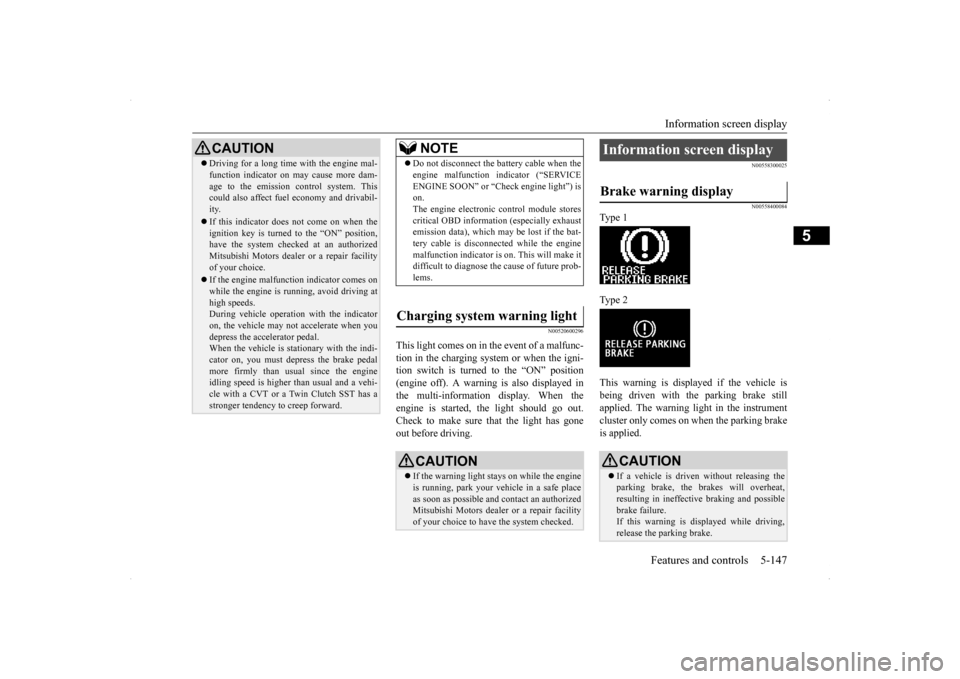
Type 1 Type 2 This warning is displayed if the vehicle is being driven with the parking brake still applied. The warning light in the instrumentcluster only comes on when the parking brake is applied.
CAUTION Driving for a long time with the engine mal- function indicator on may cause more dam- age to the emission control system. This could also affect fuel economy and drivabil- ity. If this indicator does not come on when the ignition key is turned to the “ON” position,have the system checked at an authorized Mitsubishi Motors dealer or a repair facility of your choice. If the engine malfunction indicator comes on while the engine is running, avoid driving athigh speeds. During vehicle operation with the indicator on, the vehicle may not accelerate when youdepress the accelerator pedal. When the vehicle is stationary with the indi- cator on, you must depress the brake pedalmore firmly than usual since the engine idling speed is higher than usual and a vehi- cle with a CVT or a Twin Clutch SST has astronger tendency to creep forward.
NOTE
Do not disconnect the battery cable when the engine malfunction indicator (“SERVICE ENGINE SOON” or “Check engine light”) is on. The engine electronic control module storescritical OBD information (especially exhaust emission data), which may be lost if the bat- tery cable is disconnected while the enginemalfunction indicator is on. This will make it difficult to diagnose the cause of future prob- lems.
Charging system warning light
CAUTION If the warning light stays on while the engine is running, park your vehicle in a safe place as soon as possible and contact an authorizedMitsubishi Motors dealer or a repair facility of your choice to have the system checked.
Information screen display Brake warning display
CAUTION If a vehicle is driven without releasing the parking brake, the brakes will overheat, resulting in ineffective braking and possible brake failure.If this warning is displayed while driving, release the parking brake.
Page 234 of 434

Bluetooth® 2.0 interface (if so equipped)
Features and controls 5-167
5
passcode. Please try again.” Enter the correct passcode. Use the following procedure to turn off the security function by disabling the passcode. 1. Press the SPEECH button (except for vehicles with Mitsubishi Multi-Commu-nication System) or PICK-UP button (for vehicles with Mitsubishi Multi-Commu- nication System).2. Say “Setup.” 3. Say “Passcode.” 4. The voice guide will say “Passcode isenabled. Would you like to disable it?” Answer “Yes.” Answer “No” to cancel the disabling ofthe passcode and return to the main menu.
5. When the disabling of the passcode is completed, the voice guide will say “Pass- code is disabled” and the system will return to the main menu.
N00564700011
The Bluetooth
® 2.0 interface can use the
speaker enrollment function to create a voicemodel for one person per language. This makes it easier for the Bluetooth
® 2.0
interface to recognise voice commands said by you. You can turn a voice model registered with the speaker enrollment function on and off whenever you want.
N00564801080
It takes about 2 to 3 minutes to complete thespeaker enrollment process.To ensure the best results, run through the process while in the driver’s seat, in an envi- ronment that is as quiet as possible (whenthere is no rain or strong winds and the vehi- cle windows are closed). Please turn off your phone while in speaker enrollment to preventinterruption of the process. Use the following procedure for speaker enrollment.
1. Stop your vehicle in a safe area, put the shift lever (manual transaxle) in the “N” (Neutral) position, or the selector lever {continuously variable transmission(CVT)} or gearshift lever (Twin Clutch SST) in the “P”(PARK) position, and then pull the parking brake lever. 2. Press the SPEECH button (except for vehicles with Mitsubishi Multi-Commu- nication System) or PICK-UP button (forvehicles with Mitsubishi Multi-Commu- nication System). 3. Say “Voice training.”
NOTE
You can reenter the passcode as many times as you want. If you have forgotten your passcode, say “Cancel” to quit the voice input mode and then check with an authorized MitsubishiMotors dealer.
Disabling the passcode
NOTE
System must be unlocked to disable the pass- code.
Speaker enrollment function
Speaker enrollment
NOTE
Speaker enrollment is not possible unless the vehicle is parked. Make sure you park the vehicle in a safe area before attempting speaker enrollment.
Page 236 of 434

Bluetooth® 2.0 interface (if so equipped)
Features and controls 5-169
5
N00565001193
Before you can make or receive hands-free calls or play music using the Bluetooth
® 2.0
interface function, you must pair the Blue- tooth
® device and Bluetooth
® 2.0 interface.
Up to 7 Bluetooth
® devices can be paired
with the Bluetooth
® 2.0 interface.
If multiple paired Bluetooth
® devices are
available in the vehicle, the cellular phone or music player most recently connected is auto- matically connected to the Bluetooth
® 2.0
interface. You can also change a Bluetooth
® device to
be connected.
To pair a Bluetooth
® device with the Blue-
tooth
® 2.0 interface, follow the steps below.
1. Stop your vehicle in a safe area, put the shift lever (manual transaxle) in the “N” (Neutral) position, or the selector lever {continuously variable transmission(CVT)} or gearshift lever (Twin Clutch SST) in the “P” (PARK) position, and then pull the parking brake lever. 2. Press the SPEECH button (except for vehicles with Mits
ubishi Multi-Commu-
nication System) or PICK-UP button (forvehicles with Mits
ubishi Multi-Commu-
nication System). 3. Say “Setup.” 4. Say “Pairing Options.”
5. The voice guide will say “Select one of the following: pair, edit, delete, or list.” Say “Pair.” 6. The voice guide will say “Please say a 4- digit pairing code.” Say a 4-digit number.When the confirmation function is on, the system will confirm whether the number said is acceptable. Answer “Yes.”Answer “No” to return to pairing code selection.
Connecting the Bluetooth
® 2.0
interface and Bluetooth
® device
NOTE
Pairing is required only when the device is used for the first time. Once the device has been paired with the Bluetooth
® 2.0 inter-
face, all you need is
to bring the device into
the vehicle next time and the device will connect to the Bluetooth
® 2.0 interface auto-
matically (if supported by the device).
To p a i r
NOTE
You cannot pair any Bluetooth
® device with
the Bluetooth
® 2.0 interface unless the vehi-
cle is parked. Before pairing a Bluetooth
®
device with the Bluetooth
® 2.0 interface,
confirm that the vehicle is parked in a safe location.
NOTE
If 7 devices have already been paired, the voice guide will say “Maximum devices paired” and then the system will end thepairing process. To register a new device, delete one device and then repeat the pairing process.(Refer to “Deleting a device” on page 5-170.)NOTE
Some Bluetooth
® devices require a specific
pairing code. Please refer to the device man- ual for pairing code requirements.
Page 267 of 434
Parking 6-6 Driving safety
6
time to time, lightly depress the brake pedal and check how effective the brakes are. It is important to take advantage of the engine braking by shifting to a lower gear while driving on steep downhill roads in order to prevent the brakes from overheating.
N00629600287
When parking on a hill, set the parking brake, and turn the front wheels toward the curb on a downhill, or away from the curb on an uphill.If necessary, apply chocks to wheels. Place the gearshift lever into the “R” (Reverse) position when parking on a down-hill slope, into the 1s
t position when parking
on an uphill slope.
Be sure that the parking brake is firmly set when parked and that the selector lever (CVT) or gearshift lever (Twin Clutch SST) is in the “P” (PARK) position.When parking on a hill, it is important to set the parking brake before moving the selector lever (CVT) or gearshift lever (Twin ClutchSST) to the “P” (PARK) position. This pre-vents loading the parking brake against the transaxle gear. When this happens, it is diffi- cult to move the selector lever (CVT) or gear-shift lever (Twin Clutch SST) out of the “P” (PARK) position. Never leave the engi
ne running while you
take a short sleep/rest. Also, never leave theengine running in a closed or poorly venti- lated place.
Your front bumper can be damaged if you scrape it over curbs or parking stop blocks.Be careful when traveling up or down steep slopes where your bumper can scrape the road. When leaving the vehicle unattended, always carry the key and lock all doors.Always try to park your vehicle in a well lit area.
When driving downhill Parking Parking on a hill For vehicles with manual trans- axle
For vehicles with continuously variable transmission (CVT) or Twin Clutch SST Parking with the engine run- ning
WA R N I N G Leaving the engine running risks injury or death from accidentally moving the gear- shift lever (manual transaxle or Twin Clutch SST) or the selector lever (CVT) or from the accumulation of toxic exhaustfumes in the passenger compartment.
Where you park
WA R N I N G Do not park your vehicle in areas where combustible materials such as dry grass or leaves can come in contact with a hotexhaust, since a fire could occur.
When leaving the vehicle
Page 285 of 434
Manual air conditioning with
MAX A/C mode (if so equipped)
7-10 Comfort controls
7
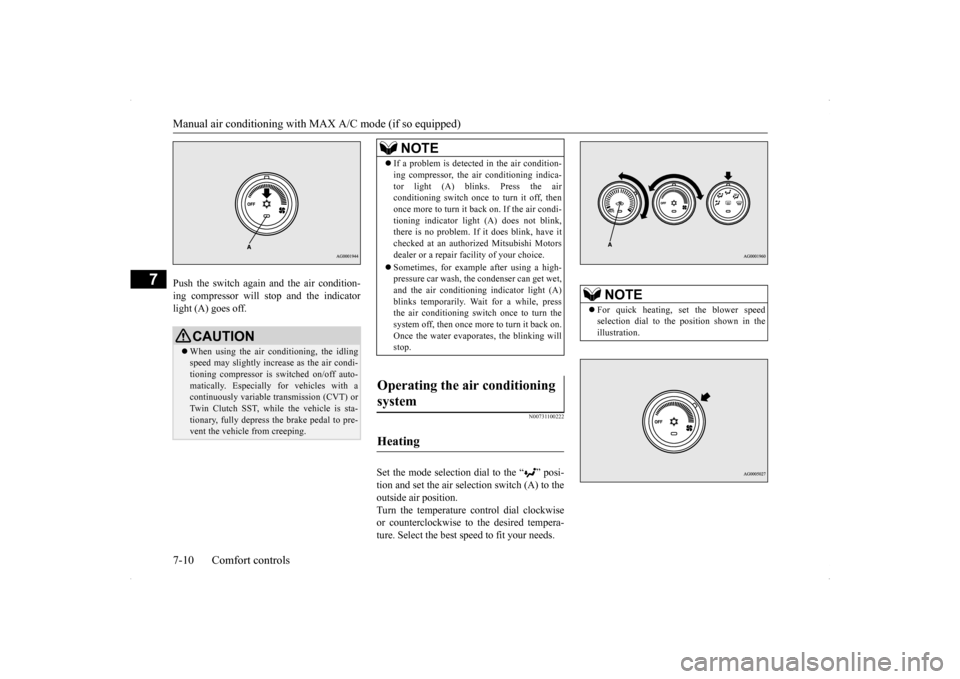
Push the switch again and the air condition- ing compressor will stop and the indicator light (A) goes off.
N00731100222
Set the mode selection dial to the “ ” posi-tion and set the air selection switch (A) to theoutside air position. Turn the temperature control dial clockwise or counterclockwise to the desired tempera-ture. Select the best speed to fit your needs.
CAUTION When using the air conditioning, the idling speed may slightly increase as the air condi-tioning compressor is switched on/off auto- matically. Especially for vehicles with a continuously variable transmission (CVT) orTwin Clutch SST, while the vehicle is sta- tionary, fully depress the brake pedal to pre- vent the vehicle from creeping.
NOTE
If a problem is detected in the air condition- ing compressor, the air conditioning indica- tor light (A) blinks. Press the air conditioning switch once to turn it off, then once more to turn it back on. If the air condi-tioning indicator light (A) does not blink, there is no problem. If it does blink, have it checked at an authorized Mitsubishi Motorsdealer or a repair facility of your choice. Sometimes, for example after using a high- pressure car wash, the condenser can get wet, and the air conditioning indicator light (A) blinks temporarily. Wait for a while, pressthe air conditioning switch once to turn the system off, then once more to turn it back on. Once the water evaporates, the blinking willstop.
Operating the air conditioning system
Heating
NOTE
For quick heating, set the blower speed selection dial to the position shown in the illustration.