wheel MITSUBISHI LANCER 2014 8.G Workshop Manual
[x] Cancel search | Manufacturer: MITSUBISHI, Model Year: 2014, Model line: LANCER, Model: MITSUBISHI LANCER 2014 8.GPages: 434, PDF Size: 57.5 MB
Page 165 of 434
Power steering system 5-98 Features and controls
5
N00546300015 N00518000310
The power steering system operates while the engine is running. It helps reduce the effort needed to turn the steering wheel. The power steering system has mechanicalsteering capability in case the power assist is lost. If the power assist is lost for some rea- son, you will still be able to steer your vehi-cle, but you will notice it takes much more effort to steer. If this happens, have your vehi- cle inspected at an authorized MitsubishiMotors dealer or a repair facility of your choice.
N00547100052
N00547200053
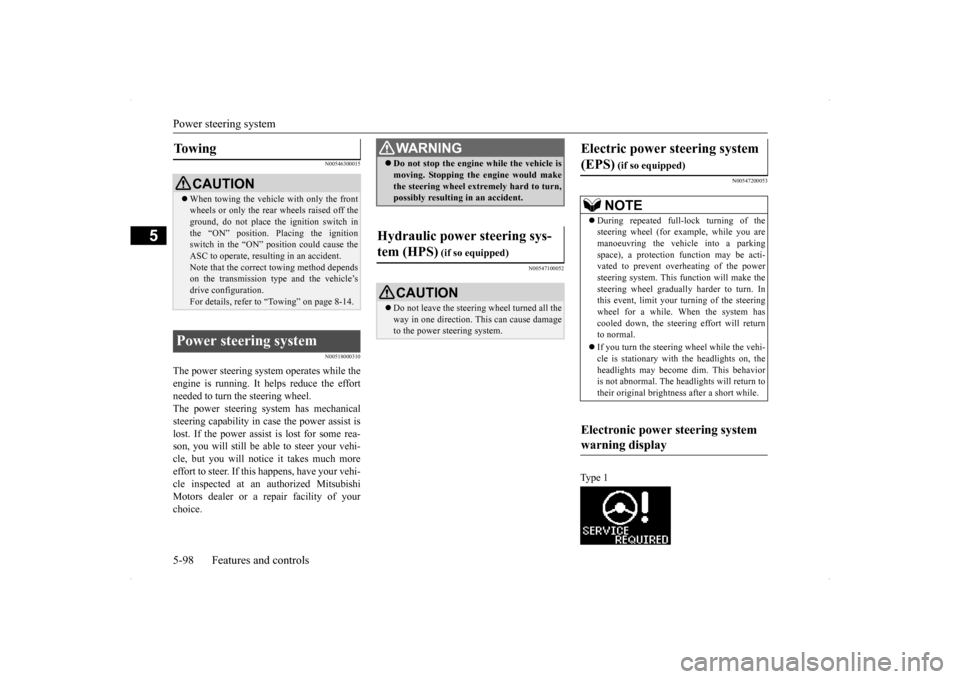
Ty p e 1
To w i n g
CAUTION When towing the vehicle with only the front wheels or only the rear wheels raised off the ground, do not place the ignition switch in the “ON” position. Placing the ignitionswitch in the “ON” position could cause the ASC to operate, resulting in an accident. Note that the correct towing method dependson the transmission type and the vehicle’s drive configuration. For details, refer to
“Towing” on page 8-14.
Power steering system
WA R N I N GDo not stop the engine while the vehicle is moving. Stopping the engine would make the steering wheel extremely hard to turn, possibly resulting in an accident.
Hydraulic power steering sys- tem (HPS)
(if so equipped)
CAUTION Do not leave the steering wheel turned all the way in one direction. This can cause damage to the power steering system.
Electric power steering system (EPS)
(if so equipped)NOTE
During repeated full-lock turning of the steering wheel (for example, while you are manoeuvring the vehicle into a parkingspace), a protection function may be acti- vated to prevent overheating of the power steering system. This function will make thesteering wheel gradually harder to turn. In this event, limit your
turning of the steering
wheel for a while. When the system hascooled down, the steering effort will return to normal. If you turn the steering wheel while the vehi- cle is stationary with the headlights on, the headlights may become dim. This behavioris not abnormal. The headlights will return to their original brightness after a short while.
Electronic power steering system warning display
Page 166 of 434
Cruise control (if so equipped) Features and controls 5-99
5
Type 2 If there is a malfunction in the system, the warning display will appear on the informa- tion screen in the multi-information display.
N00518300528
Cruise control is an automatic speed control system. It lets you keep the same driving speed. Cruise control can be activated atabout 25 mph (40 km/h) or more. It is espe-cially useful for freeway driving. Cruise con- trol does not work at speeds below about 25 mph (40 km/h).
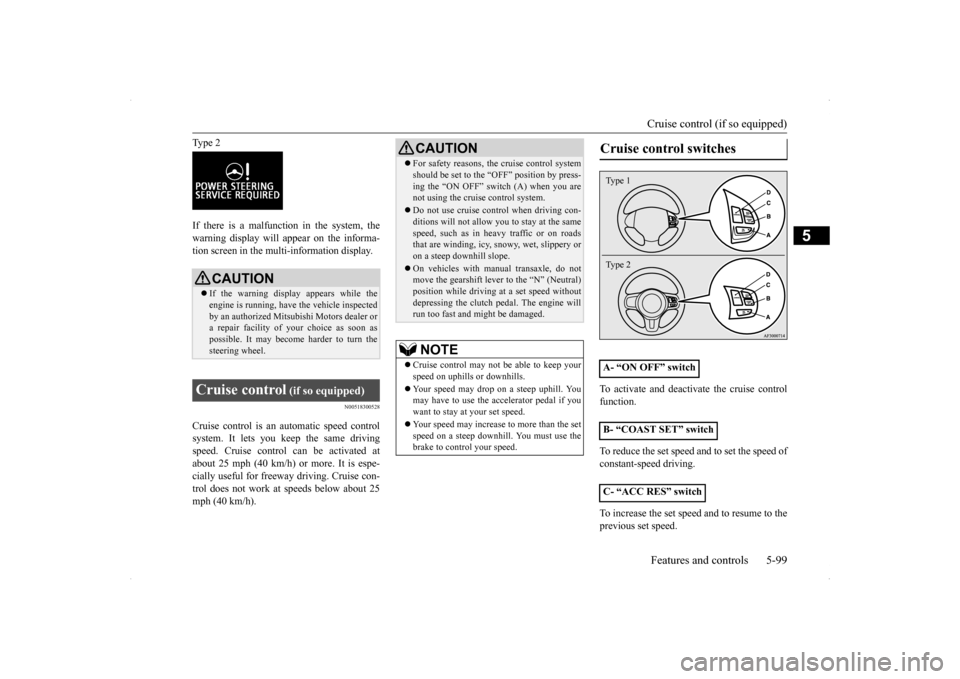
To activate and deactivate the cruise control function. To reduce the set speed and to set the speed of constant-speed driving. To increase the set speed and to resume to the previous set speed.
CAUTION If the warning display appears while the engine is running, have the vehicle inspected by an authorized Mitsubishi Motors dealer ora repair facility of
your choice as soon as
possible. It may become harder to turn the steering wheel.
Cruise control
(if so equipped)
CAUTION For safety reasons, the cruise control system should be set to the “OFF” position by press- ing the “ON OFF” switch (A) when you are not using the cruise control system. Do not use cruise control when driving con- ditions will not allow you to stay at the same speed, such as in heavy traffic or on roadsthat are winding, icy, snowy, wet, slippery or on a steep downhill slope. On vehicles with manual transaxle, do not move the gearshift lever to the “N” (Neutral) position while driving at a set speed withoutdepressing the clutch pedal. The engine will run too fast and might be damaged. NOTE
Cruise control may not be able to keep your speed on uphills or downhills. Your speed may drop on a steep uphill. You may have to use the accelerator pedal if you want to stay at your set speed. Your speed may increase to more than the set speed on a steep downhill. You must use the brake to control your speed.
Cruise control switches
A- “ON OFF” switch B- “COAST SET” switch C- “ACC RES” switchType 1 Type 2
Page 171 of 434
Tire pressure monitoring system 5-104 Features and controls
5
However, you must repeat the speed setting procedure under either of the following con-ditions: The ignition switch is turned to the “OFF” position. The cruise control is turned OFF. “CRUISE” indicator light is turned off.
N00530201494
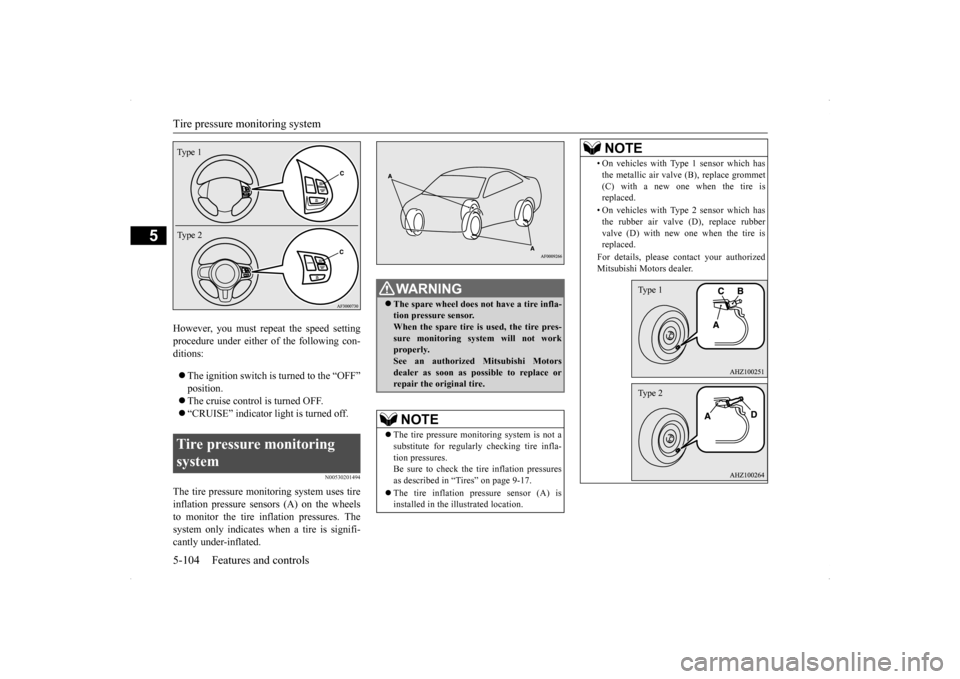
The tire pressure monitoring system uses tire inflation pressure sensors (A) on the wheels to monitor the tire inflation pressures. The system only indicates when a tire is signifi-cantly under-inflated.Tire pressure monitoring system Type 1 Type 2
WA R N I N G The spare wheel does not have a tire infla- tion pressure sensor. When the spare tire is used, the tire pres- sure monitoring system will not workproperly. See an authorized Mitsubishi Motors dealer as soon as possible to replace orrepair the original tire.NOTE
The tire pressure monitoring system is not a substitute for regularly checking tire infla-tion pressures. Be sure to check the tire inflation pressures as described in “Tires” on page 9-17. The tire inflation pressure sensor (A) is installed in the illustrated location.
• On vehicles with Type 1 sensor which has the metallic air valve (B), replace grommet (C) with a new one when the tire is replaced. • On vehicles with Type 2 sensor which has the rubber air valve (D), replace rubber valve (D) with new one when the tire isreplaced. For details, please contact your authorized Mitsubishi Motors dealer.NOTE
Type 1Type 2
Page 173 of 434
Tire pressure monitoring system 5-106 Features and controls
5
Each tire, including the spare (if provided), should be checked monthly when cold andinflated to the inflation pressure recom-mended by the vehicle manufacturer on the vehicle placard or tire inflation pressure label. (If your vehicle has tires of a different sizethan the size indicated on the vehicle placard or tire inflation pressure label, you should determine the proper tire inflation pressurefor those tires.) As an added safety feature, your vehicle has been equipped with a tire pressure monitoringsystem (TPMS) that illuminates a low tire
pressure telltale when one or more of your tires is significantly under-inflated. Accordingly, when the low tire pressure tell- tale illuminates, you should stop and checkyour tires as soon as possible, and inflate them to the proper pressure. Driving on a sig- nificantly under-inflated tire causes the tire tooverheat and can lead to tire failure. Under-inflation also reduces fuel efficiency and tire tread life, and may affect the vehi-cle’s handling and stopping ability. Pleasenote that the TPMS is not a substitute for proper tire maintenance, and it is the driver’s responsibility to maintain correct tire pres-sure, even if under-inflation has not reached the level to trigger illumination of the TPMS low tire pressure telltale.Your vehicle has also been equipped with a TPMS malfunction indicator to indicate when the system is not operating properly. TheTPMS malfunction indicator is combined with the low tire pressure telltale. When the system detects a malfunction, thetelltale will flash for approximately one min- ute and then remain continuously illuminated. This sequence will continue upon subsequent
vehicle start-ups as long as the malfunction exists. When the malfunction indicator is illumi- nated, the system may not be able to detect orsignal low tire pressure as intended. TPMS malfunctions may occur for a variety of reasons, including the installation ofreplacement or alternate tires or wheels on the vehicle that prevent the TPMS from function- ing properly. Always check the TPMS mal-function telltale after replacing one or moretires or wheels on your vehicle to ensure that the replacement or alternate tires and wheels allow the TPMS to continue to function prop-erly.
N00532800439
1. If the tire pressure monitoring system warning light illuminates, avoid hard braking, sharp steering maneuvers andhigh speeds. You should stop and adjust the tires to the proper inflation pressure as soon as possible. Adjust the spare tire atthe same time. Refer to “Tires” on page 9-17.
NOTE
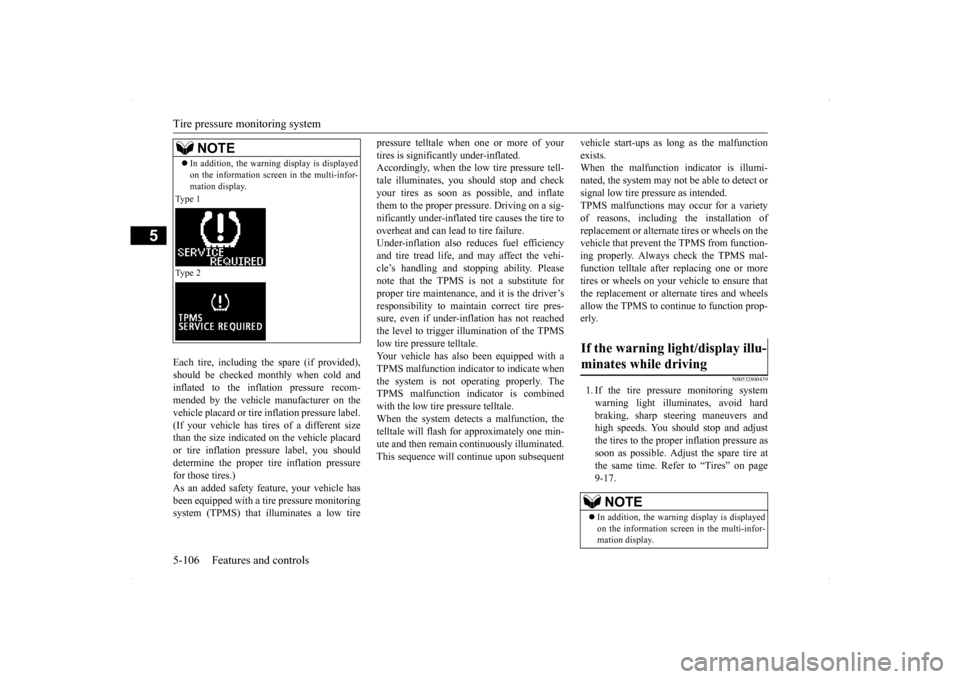
In addition, the warning display is displayed on the information screen in the multi-infor- mation display.
Type 1 Type 2
If the warning light/display illu- minates while driving
NOTE
In addition, the warning display is displayed on the information screen in the multi-infor- mation display.
Page 174 of 434
Tire pressure monitoring system
Features and controls 5-107
5
2. If the tire pressure monitoring system warning light remains illuminated after you have been driving for about 20 min-utes after you adjust the tire inflation pres- sure, one or more of the tires may have a puncture. Inspect the tire and if it has apuncture, have it repaired by an autho- rized Mitsubishi Motors dealer as soon as possible.
The tire pressure monitoring system may not work normally in the following circum- stances: A wireless facility or device using the same frequency is near the vehicle. Snow or ice is stuck inside the fenders and/or on the wheels. The tire inflation pressure sensor’s battery is dead. Wheels other than Mitsubishi genuine wheels are being used. Wheels that are not fitted with tire infla- tion pressure sensors are being used. Wheels whose ID co
des are not memo-
rized by the vehicle are used. Compact spare tire is fitted on a road wheel. A window tint that affects the radio wave signals is installed.
When inspecting or adjusting the tire pres- sure, do not apply excessive force to the valve stem to avoid breakage. After inspecting or adjusting the tire pres- sure, always reinstall the valve cap on the valve stem. Without the valve cap, dirt or moisture couldget into the valve, resulting in damage to the tire inflation pressure sensor. Do not use metal valve caps, which may cause a metal reaction, resulting in corrosion and damage of the tire inflation pressure sen-sors. Once adjustments have been made, the warn- ing light will go off after a few minutes of driving.NOTE
WA R N I N G If the warning light/display illuminates while you are driving, avoid hard braking, sharp steering maneuvers and high speeds. Driving with an under-inflated tire adversely affects vehicle performance andcan result in an accident.CAUTION If a tire has a puncture, replace that tire with the spare tire. Driving on a punctured tirecould lead to an accident. The warning light/displ
ay may not illuminate
immediately in the event of a tire blowout or rapid leak.NOTE
To avoid the risk of damage to the tire infla- tion pressure sensors, have any punctured tire repaired by an authorized Mitsubishi Motors dealer. If the tire repair is not done byan authorized Mitsubishi Motors dealer, it is not covered by your warranty. Do not use an aerosol puncture-repair prod- uct on any tire. Such a spray could damagethe tire inflation pressure sensors. Have any puncture repaired by an authorized Mitsubi- shi Motors dealer.
NOTE
Tire inflation pressures vary with the ambi- ent temperature. If the vehicle is subjected to large variations in ambient temperature, the tire inflation pressures may be under-inflated (causing the warning light/display to come on) when the ambient temperature is rela-tively low. If the warning light/display comes on, adjust the tire inflation pressure.
Page 175 of 434
Rear-view camera (if so equipped) 5-108 Features and controls
5
N00532900179
If new wheels with new tire inflation pressure sensors are installed, their ID codes must be programmed into the tire pressure monitoring system. Have tire and wheel replacement per-formed by an authorized Mitsubishi Motors dealer to avoid the risk of damaging the tire inflation pressure sensors. If the wheelreplacement is not done by an authorizedMitsubishi Motors dealer, it is not covered by your warranty.
N00533001259
Your tire pressure monitoring system oper-ates on a radio frequency subject to Federal Communications Commission (FCC) Rules(For vehicles sold in U.S.A.) and Industry Canada Rules (For vehicles sold in Canada). This device complies with Part 15 of FCCRules and Industry Canada licence-exempt RSS standard(s).
Operation is subject to the following two con- ditions. This device may not cause harmful inter- ference. This device must accept any interference received, including interference that may cause undesired operation.
N00546201154
When the gearshift lever or the selector leveris in the “R” (REVERSE) position with the ignition switch in the “ON” position, the rear-view image will be displayed on the screen of the Mitsubishi Multi-Communication Sys- tem or the DISPLAY AUDIO in the centerpanel. When the gearshift lever or the selector lever is shifted out of the “R” (REVERSE) posi-tion, the rear-view image will go off.
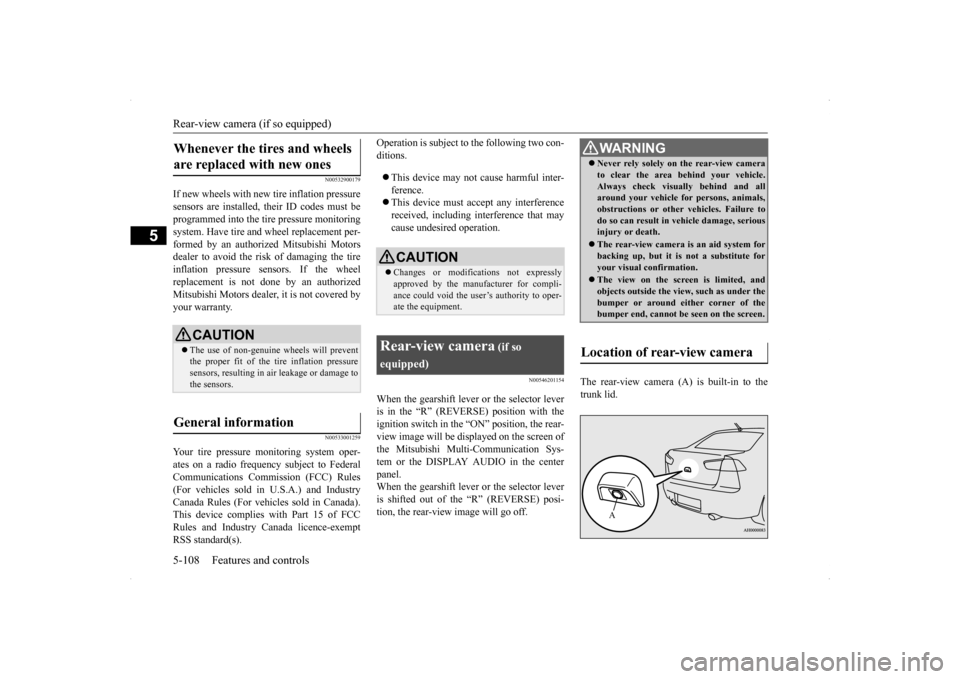
The rear-view camera (A) is built-in to the trunk lid.
Whenever the tires and wheels are replaced with new ones
CAUTION The use of non-genuine wheels will prevent the proper fit of the tire inflation pressuresensors, resulting in air leakage or damage to the sensors.
General information
CAUTION Changes or modifications not expressly approved by the manufacturer for compli- ance could void the user’s authority to oper- ate the equipment.
Rear-view camera
(if so
equipped)
WA R N I N G Never rely solely on the rear-view camera to clear the area behind your vehicle. Always check visually behind and all around your vehicle for persons, animals, obstructions or other vehicles. Failure todo so can result in vehicle damage, serious injury or death. The rear-view camera is an aid system for backing up, but it is not a substitute for your visual confirmation. The view on the screen is limited, and objects outside the vi
ew, such as under the
bumper or around either corner of the bumper end, cannot be seen on the screen.
Location of rear-view camera
A
Page 179 of 434
Multi-information display 5-112 Features and controls
5
N00555001305
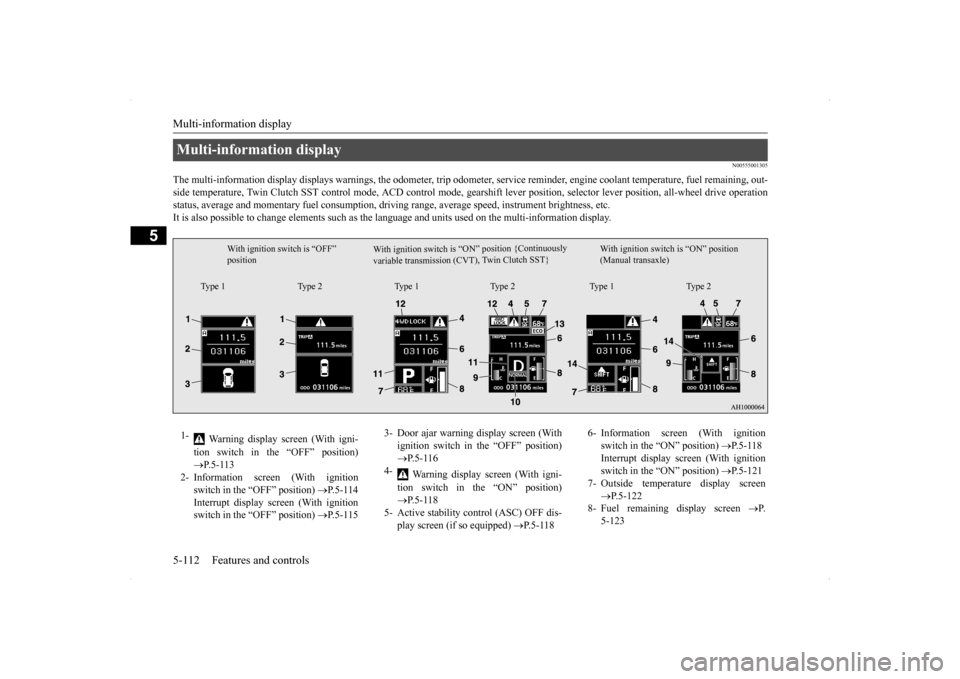
The multi-information display displays warn
ings, the odometer, trip odometer, service re
minder, engine coolant temperature, fue
l remaining, out-
side temperature, Twin Clutch SST control mode, ACD control
mode, gearshift lever position, selector lever position, all-wheel
drive operation
status, average and momentary fuel consumption, driving range, average speed, instrument brightness, etc. It is also possible to change elements such as th
e language and units used on the multi-information display.
Multi-information display
W i t h i g n i t i o n s w i t c h i s “ O N ” p o s i t i o n { C o nt i n u o us l y
v a r i a b l e t r a n s m i s s i o n ( C V T ) , Tw
i n C l u t c h S ST }
With ignition switch is “OFF” position
With ignition switch is “ON” position (Manual transaxle)
Type 1 Type 2 Type 1 Type 2 Type 1 Type 2
1-
Warning display screen (With igni- tion switch in the “OFF” position) P.5-113
2- Information screen (With ignition
switch in the “OFF” position)
P.5-114
Interrupt display screen (With ignition switch in the “OFF” position)
P.5-115
3- Door ajar warning display screen (With
ignition switch in the “OFF” position) P.5-116
4-
Warning display screen (With igni- tion switch in the “ON” position) P.5-118
5- Active stability control (ASC) OFF dis-
play screen (if so equipped)
P.5-118
6- Information screen (With ignition
switch in the “ON” position)
P.5-118
Interrupt display screen (With ignition switch in the “ON” position)
P.5-121
7- Outside temperature display screen
P.5-122
8- Fuel remaining display screen
P.
5-123
Page 213 of 434
Warning lights 5-146 Features and controls
5
N00520300147 N00520400467
When the ignition switch is turned to the “ON” position, this indicator normally comeson and goes out a few seconds later. A warn- ing is also displayed in the multi-information display.The warning light also illuminates after start-ing the engine under the following condi- tions: When the parking brake is still applied. When the brake fluid level is low. When the brake force distribution func- tion is not operating correctly.
Before driving, be sure that the parking brake is fully released and brake warning light isoff.
N00520500774
This indicator is a part of the onboard diag- nostic (OBD) system which monitors the emissions, engine contro
l system or continu-
ously variable transmission (CVT) control system / Twin Clutch SST control system. If a problem is detected in one of these systems,this indicator illuminates or flashes. When theignition switch is turned to the “ON” posi- tion, this indicator normally comes on and goes off after the engine has started. This indicator will come on if the fuel tank filler cap is not properly tightened. If this indicator comes on and stays on after refuel- ing, stop the engine and check that the cap isproperly tightened. (Turn the cap clockwise until you hear clicking sounds.) If this indicator does not go off after severalseconds or lights up while driving, have the system checked as soon as possible at an authorized Mitsubishi Motors dealer or arepair facility of your choice.
Warning lights Brake warning light
CAUTION If the brake warning light and the anti-lock braking system warning light are illuminated at the same time, the braking force distribu-tion function will not operate, so the vehicle may be destabilized during sudden braking under the following conditions.
• When the brake warning light does not go out even when the parking brake is released.• When the brake warning light stays onwhile driving.• If the above occurs, avoid sudden brakingand high-speed driving. Park the vehicle in a safe place, and contact an authorized Mit- subishi Motors dealer or a repair facility ofyour choice as soon as possible.
The vehicle should be brought to a halt in the following manner when brake performance is deteriorated.• Confirm that the vehicle slows down whenyou press down on the brake pedal harder than usual. In some cases, the brake pedalmay go all the way to the floor.• Should the brakes fail, use engine brakingto reduce your speed and slowly apply the parking brake. Depress the brake pedal to illuminate thestop lights to alert the vehicles behind you.
Do not suddenly apply the parking brake while driving. This may cause the rear wheels to lock and cause an accident.CAUTION
Engine malfunction indicator (“SERVICE ENGINE SOON” or “Check engine light”)
Page 222 of 434
Hazard warning flasher switch Features and controls 5-155
5
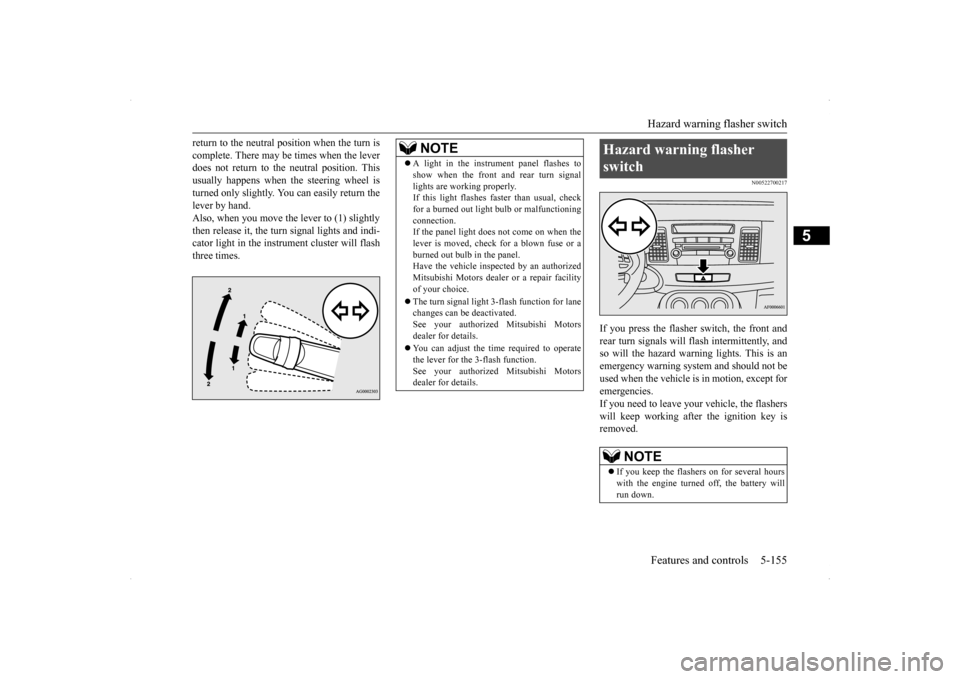
return to the neutral position when the turn is complete. There may be times when the lever does not return to the neutral position. This usually happens when the steering wheel isturned only slightly. You can easily return the lever by hand. Also, when you move the lever to (1) slightlythen release it, the turn signal lights and indi- cator light in the instrument cluster will flash three times.
N00522700217
If you press the flasher switch, the front andrear turn signals will flash intermittently, and so will the hazard warning lights. This is an emergency warning system and should not beused when the vehicle is in motion, except foremergencies. If you need to leave your vehicle, the flashers will keep working afte
r the ignition key is
removed.
NOTE
A light in the instrument panel flashes to show when the front and rear turn signal lights are working properly. If this light flashes faster than usual, check for a burned out light bulb or malfunctioningconnection. If the panel light does not come on when the lever is moved, check for a blown fuse or aburned out bulb in the panel. Have the vehicle inspected by an authorized Mitsubishi Motors dealer or a repair facilityof your choice. The turn signal light 3-flash function for lane changes can be deactivated. See your authorized Mitsubishi Motors dealer for details. You can adjust the time required to operate the lever for the 3-flash function.See your authorized Mitsubishi Motors dealer for details.
Hazard warning flasher switch
NOTE
If you keep the flashers on for several hours with the engine turned off, the battery will run down.
Page 228 of 434
Horn switch
Features and controls 5-161
5
N00523800156
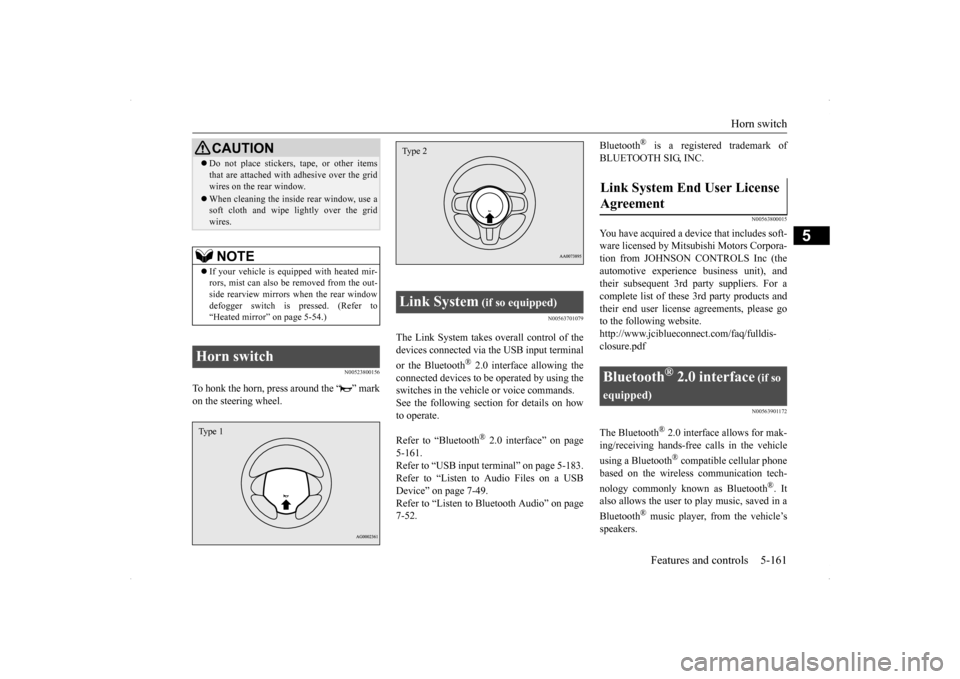
To honk the horn, press around the “ ” mark on the steering wheel.
N00563701079
The Link System takes overall control of thedevices connected via the USB input terminal or the Bluetooth
® 2.0 interface allowing the
connected devices to be operated by using theswitches in the vehicle or voice commands.See the following section for details on how to operate. Refer to “Bluetooth
® 2.0 interface” on page
5-161.Refer to “USB input terminal” on page 5-183. Refer to “Listen to Audio Files on a USB Device” on page 7-49.Refer to “Listen to Bluetooth Audio” on page 7-52.
Bluetooth
® is a registered trademark of
BLUETOOTH SIG, INC.
N00563800015
You have acquired a device that includes soft- ware licensed by Mitsubishi Motors Corpora- tion from JOHNSON CONTROLS Inc (theautomotive experien
ce business unit), and
their subsequent 3rd party suppliers. For a complete list of these 3rd party products and their end user license agreements, please goto the following website. http://www.jciblueconnect.com/faq/fulldis- closure.pdf
N00563901172
The Bluetooth
® 2.0 interface allows for mak-
ing/receiving hands-free calls in the vehicle using a Bluetooth
® compatible cellular phone
based on the wireless communication tech- nology commonly known as Bluetooth
®. It
also allows the user to
play music, saved in a
Bluetooth
® music player, from the vehicle’s
speakers.
Do not place stickers, tape, or other items that are attached with adhesive over the grid wires on the rear window. When cleaning the inside rear window, use a soft cloth and wipe lightly over the grid wires.NOTE
If your vehicle is equipped with heated mir- rors, mist can also be removed from the out-side rearview mirrors when the rear window defogger switch is pressed. (Refer to “Heated mirror” on page 5-54.)
Horn switch
CAUTION
Type 1
Link System
(if so equipped)
Type 2
Link System End User License Agreement
Bluetooth
® 2.0 interface
(if so
equipped)