horn MITSUBISHI LANCER 2015 8.G Owners Manual
[x] Cancel search | Manufacturer: MITSUBISHI, Model Year: 2015, Model line: LANCER, Model: MITSUBISHI LANCER 2015 8.GPages: 434, PDF Size: 16.59 MB
Page 3 of 434
Instruments and controls (Driver’s area) 1-1
1
Overview
N00100202498
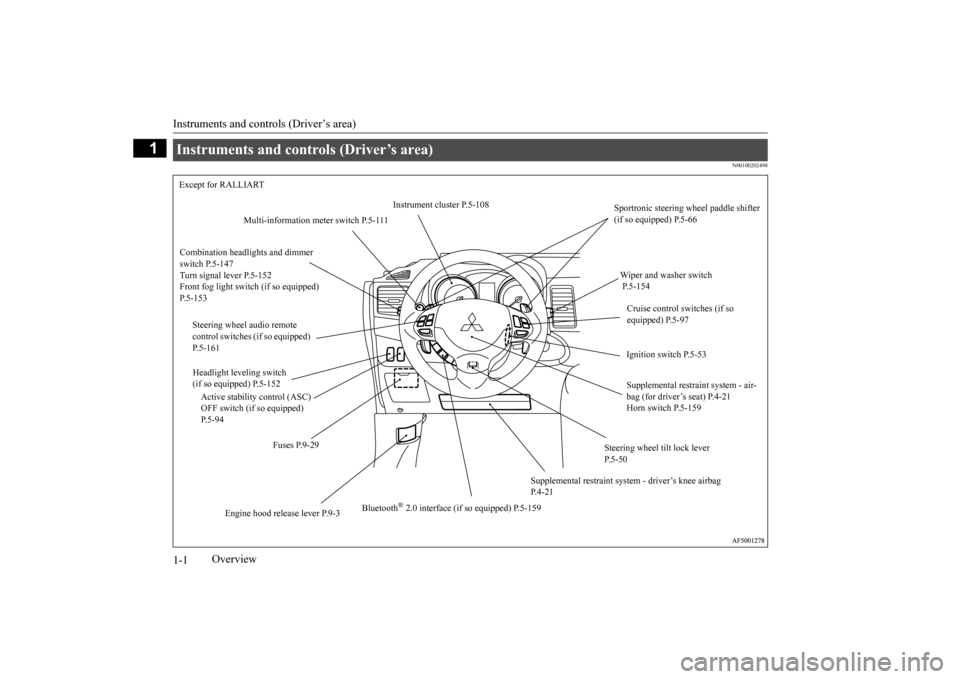
Instruments and controls (Driver’s area) Except for RALLIART
Instrument cluster P.5-108
Sportronic steering wheel paddle shifter (if so equipped) P.5-66
Multi-information meter switch P.5-111
Combination headlights and dimmer switch P.5-147 Turn signal lever P.5-152Front fog light switch (if so equipped) P.5-153
Wiper and washer switch P.5-154 Cruise control switches (if so equipped) P.5-97
Steering wheel audio remote control switches (if so equipped) P.5-161
Ignition switch P.5-53
Headlight leveling switch (if so equipped) P.5-152
Supplemental restraint system - air- bag (for driver’s seat) P.4-21 Horn switch P.5-159
Active stability control (ASC) OFF switch (if so equipped) P.5-94
Fuses P.9-29
Steering wheel tilt lock lever P.5-50
Supplemental restraint syst
em - driver’s knee airbag
P.4-21
Bluetooth
® 2.0 interface (if so equipped) P.5-159
Engine hood rele
ase lever P.9-3
BK0210300US.bo
ok 1 ページ 2014年4月8日 火曜日 午前10時46分
Page 4 of 434
Instruments and controls (Driver’s area)
Overview 1-2
1
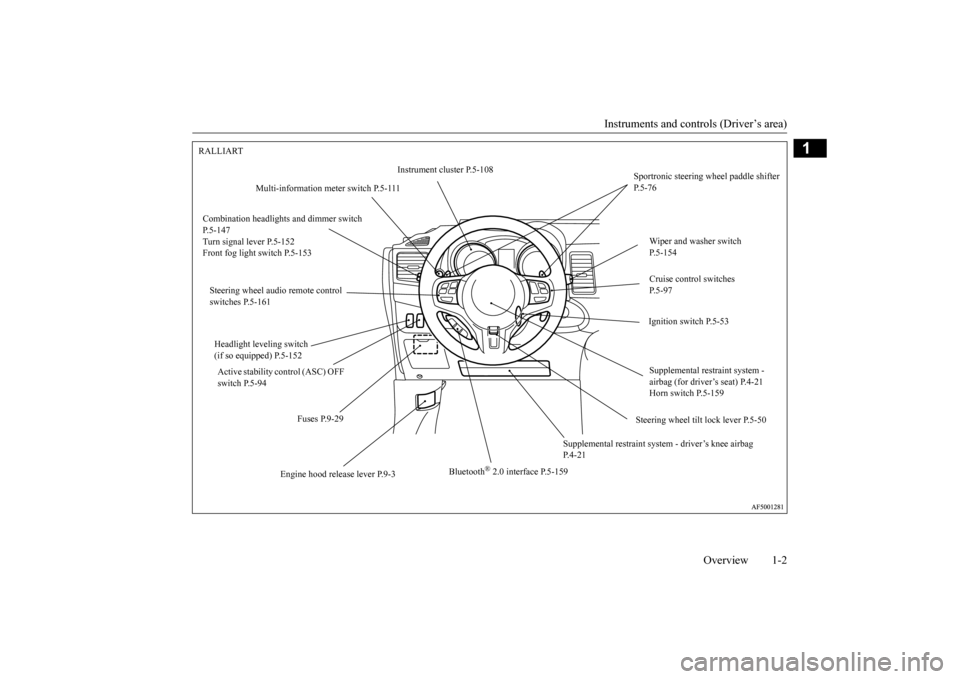
RALLIART
Instrument cluster P.5-108
Sportronic steering wheel paddle shifter P.5-76
Multi-information meter switch P.5-111
Combination headlight
s and dimmer switch
P.5-147 Turn signal lever P.5-152 Front fog light switch P.5-153
Wiper and washer switch P.5-154 Cruise control switches P.5-97
Steering wheel audio remote control switches P.5-161
Ignition switch P.5-53
Headlight leveling switch (if so equipped) P.5-152
Supplemental restraint system - airbag (for driver’s seat) P.4-21Horn switch P.5-159
Active stability control (ASC) OFF switch P.5-94
Steering wheel tilt lock lever P.5-50
Fuses P.9-29
Supplemental restraint system
- driver’s knee airbag
P.4-21
Bluetooth
® 2.0 interface P.5-159
Engine hood release lever P.9-3
BK0210300US.bo
ok 2 ページ 2014年4月8日 火曜日 午前10時46分
Page 19 of 434
If this problem occurs... 2-4 Quick index
2
Cannot shift the selector lever (CVT) or the gearshift lever (Twin Clutch SST) from the “P” (PARK) position. (for vehicles with CVT or Twin Clutch SST)
Shift the selector lever (CVT) or the gearsh
ift lever (Twin Clutch SST) while pressing
the brake pedal.Check that the ignition key or igniti
on switch is in the “ON” position.
P.5-61, 5-70
The windows are fogged up.
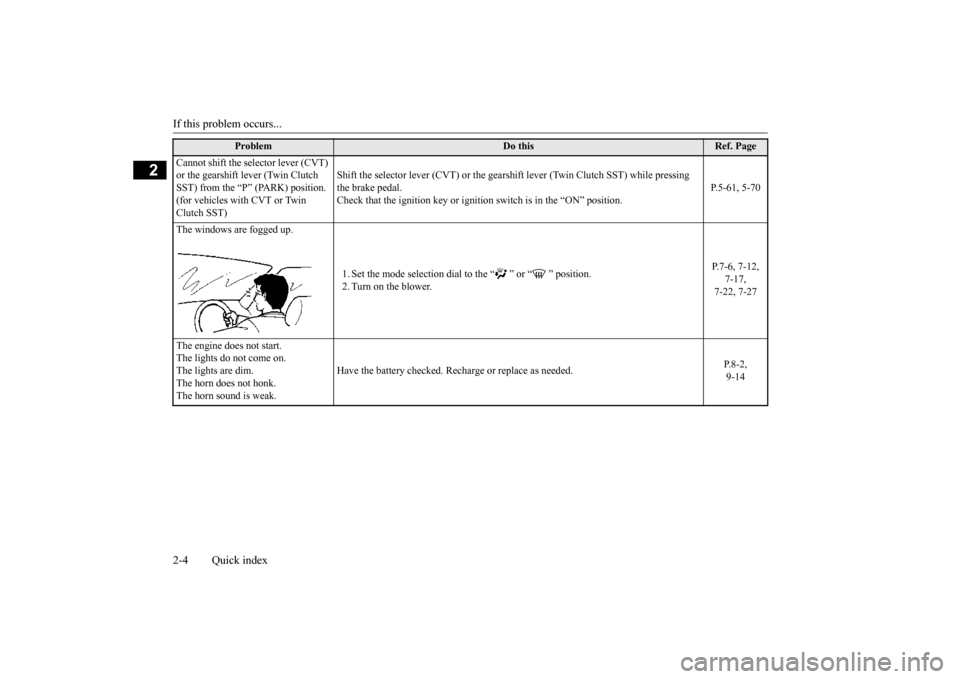
1. Set the mode selection dial to the “ ” or “ ” position. 2. Turn on the blower.
P.7-6, 7-12,
7-17, 7-22, 7-27
The engine does not start. The lights do not come on. The lights are dim. The horn does not honk.The horn sound is weak.
Have the battery checked. Recharge or replace as needed.
P.8-2, 9-14
Problem
Do this
Ref. Page
BK0210300US.bo
ok 4 ページ 2014年4月8日 火曜日 午前10時46分
Page 70 of 434
5
Features and controlsBreak-in recommendation
s ..............................................................5-3
Keys ..........................................
.......................................................5-3
Electronic immobilizer (Anti-thef
t starting system) ........................5-4
Keyless entry system (if so equipped) ..............................................5-7Free-hand Advanced Security Transmitter (F.A.S.T.-key) (if so
equipped) ..................................................5-12
Door locks .......................
...............................................................5-35
Power door locks ............
...............................................................5-37
“Child safety locks” for
rear door ..................................................5-39
Trunk lid ...................................
.....................................................5-39
Inside emergency trunk lid
release ................................................5-41
Theft-alarm system
................................................
........................5-42
Power windows ...............
...............................................................5-44
Sunroof (if so equipped
) .........................................
........................5-46
Parking brake ..................
...............................................................5-48
Steering wheel tilt lock lever .........................................................5-50Inside day/night rearview
mirror ...................................................5-50
Outside rearview mirr
ors ...............................................................5-52
Ignition switch ......
.................................................
........................5-53
Steering wheel lock
................................................
........................5-55
Starting and stopping the e
ngine ....................................................5-55
Turbocharger operation (if so equipped) ........................................5-59Manual transaxle (if so equipped) ..................................................5-59Continuously variable transmissi
on (CVT) (if so equipped)..........5-61
Twin Clutch SST (Sportronic Shift Transmission) (if so equipped) .
.................................................
........................5-70
ACD (Active center differential system) (if so equipped)..............5-82 Electronically controlled 4WD system (if so equipped).................5-84
All-wheel driving opera
tion .................................
......................... 5-86
Cautions on handling of all-wheel drive vehicles ......................... 5-87 Limited-slip differential (i
f so equipped) ....................................... 5-88
Service brake .................
.................................................
............... 5-89
Brake assist system
...............................................
......................... 5-90
Hill start assist (vehicles with
Twin Clutch SST) .......................... 5-90
Anti-lock braking syst
em .....................................
......................... 5-91
Active Stability Control (ASC
) (if so equipped) ............................ 5-94
Power steering system
..........................................
......................... 5-96
Cruise control (if so eq
uipped) ....................................................... 5-97
Tire pressure monitoring
system ................................................. 5-102
Rear-view camera (if so
equipped)..............
................................. 5-106
Instrument cluster
.................................................
....................... 5-108
Multi-information display ........................................................... 5-110 Indicator light, warning light, and information screen display list .......................................
.................................................... 5-131
Indicators .................................
.................................................... 5-143
Warning lights ................
.................................................
............. 5-144
Information screen disp
lay ...................................
....................... 5-145
Combination headlights and dimmer switch ............................... 5-147 Headlight leveling switch (if
so equipped)................................... 5-152
Turn signal lever ..
.................................................
....................... 5-152
Hazard warning flasher
switch .................................................... 5-153
Front fog light switch (if so
equipped) ......................................... 5-153
Wiper and washer swit
ch ......................................
....................... 5-154
Electric rear window def
ogger switch ......................................... 5-158
Horn switch .............................
.................................................... 5-159
Link System (if so equi
pped) ....................................................... 5-159
BK0210300US.bo
ok 1 ページ 2014年4月8日 火曜日 午前10時46分
Page 76 of 434
Keyless entry system (if so equipped)
Features and controls 5-7
5
cles sold in U.S.A.) and Industry Canada Rules (For vehicles sold in Canada). This device complies with Part 15 of FCC Rules and Industry Canada licence-exempt RSSstandard(s). Operation is subject to the following two con- ditions. This device may not cause harmful inter- ference. This device must accept any interference received, including interference that maycause undesired operation.
N00509000763
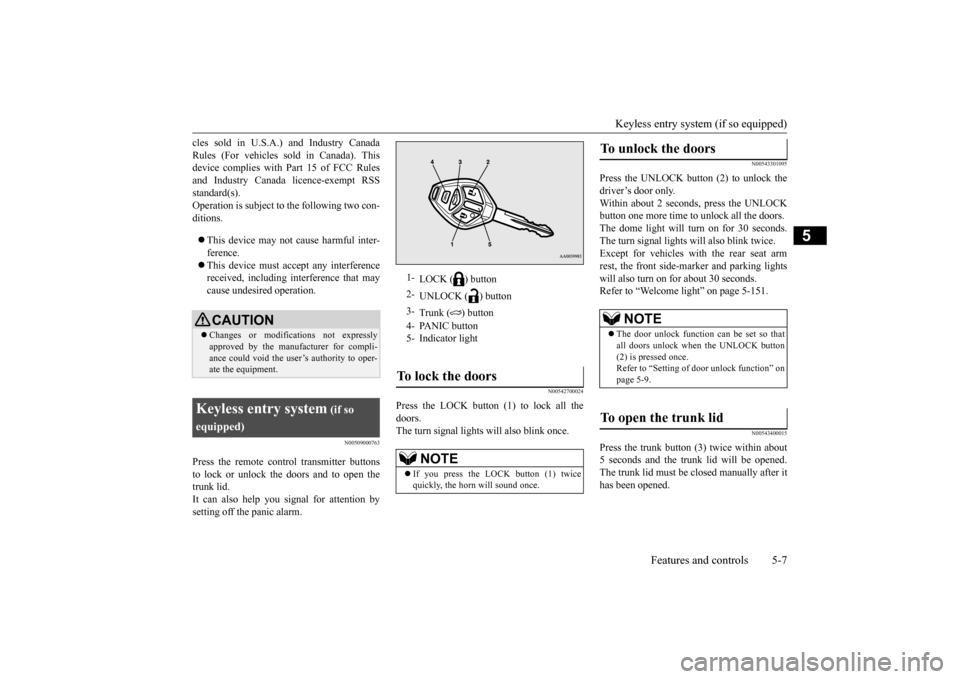
Press the remote control transmitter buttonsto lock or unlock the doors and to open the trunk lid. It can also help you signal for attention bysetting off the panic alarm.
N00542700024
Press the LOCK button (1) to lock all thedoors.The turn signal lights will also blink once.
N00543301095
Press the UNLOCK button (2) to unlock thedriver’s door only.Within about 2 seconds, press the UNLOCK button one more time to unlock all the doors. The dome light will turn on for 30 seconds.The turn signal lights will also blink twice. Except for vehicles with the rear seat arm rest, the front side-marker and parking lightswill also turn on for about 30 seconds. Refer to “Welcome light” on page 5-151.
N00543400015
Press the trunk button (3) twice within about5 seconds and the trunk lid will be opened.The trunk lid must be closed manually after it has been opened.
CAUTION Changes or modifications not expressly approved by the manufacturer for compli- ance could void the user’s authority to oper-ate the equipment.
Keyless entry system
(if so
equipped)
1-
LOCK ( ) button
2-
UNLOCK ( ) button
3-
Trunk ( ) button
4- PANIC button 5- Indicator lightTo lock the doors
NOTE
If you press the LOCK button (1) twice quickly, the horn will sound once.
To unlock the doors
NOTE
The door unlock function can be set so that all doors unlock when the UNLOCK button (2) is pressed once. Refer to “Setting of door unlock function” onpage 5-9.
To open the trunk lid
BK0210300US.bo
ok 7 ページ 2014年4月8日 火曜日 午前10時46分
Page 77 of 434
Keyless entry system (if so equipped) 5-8 Features and controls
5
N00543501084
Setting of the horn, turn signal lights and buzzer of the keyless entry system answer-back function can be changed as required. This is done with the key removed from the ignition switch. The horn answerback function can be set to the following three conditions.Each time the horn answerback function is set, a chime will sound to tell you the condi- tion of the answerback function.
1. Remove the key from the ignition switch. 2. Open the driver’s door and turn the com- bination headlights and dimmer switch to the “OFF” position.3. Press the LOCK button (1) for 4 to 10 sec- onds and press the UNLOCK button (2) during this time.4. Release in sequence the UNLOCK andLOCK buttons within 10 seconds of pressing the UNLOCK button in step 3.
The turn signal lights answerback function can be set to the following seven conditions. Each time the turn signal lights answerback function is set, a chime will sound to tell youthe condition of the answerback function.
1. Remove the key from the ignition switch. 2. Open the driver’s door and turn the com- bination headlights and dimmer switch to the “OFF” position.3. Press the UNLOCK button (2) for 4 to 10 seconds and press the LOCK button (1) during this time.4. Release in sequence the UNLOCK and LOCK buttons within 10 seconds of pressing the LOCK button in step 3.
The buzzer answerback function can be turned ON or OFF as required.
Answerback function
NOTE
The answerback function does not operate when the key is in the ignition switch or anydoors is opened.
Horn deactivation/reactivation
Number
of chimes
Condition
One chime
The horn will not sound.
Tw o chimes
The horn will sound.
Four chimes
The horn will sound if the LOCK button is pressed twice quickly.
Changing the setting of the turn signal lights answerback function
Number of chimes
Condition
To l o c k
To u n l o c k
One chime One flash Two flashesNumber
of chimes
Condition
Two chimes One flash No flash Three chimes No flash Two flashesFour chimes Two flashes One flashFive chimes No flash One flashSix chimes Two flashes No flashSeven chimes
No flash No flash
Buzzer deactivation/reactivation
Number of chimes
Condition
To l o c k
To u n l o c k
BK0210300US.bo
ok 8 ページ 2014年4月8日 火曜日 午前10時46分
Page 78 of 434
Keyless entry system (if so equipped)
Features and controls 5-9
5
N00543601131
The door unlock function
can be set to the
following two conditions.Each time the door unlock function is set, a chime will sound to te
ll you the condition of
the door unlock function. 1. Remove the key from the ignition switch. 2. Open the driver’s door and turn the com-bination headlights and dimmer switch to the “OFF” position. 3. Press the LOCK button (1) for 4 to 10 sec-onds and press the UNLOCK button (2) during this time. 4. Release in sequence the LOCK andUNLOCK buttons within 10 seconds of pressing the LOCK button in step 3.
N00543700018
If you are near your vehicle and feel threat-ened, you may activate the alarm to call atten- tion as follows:
1. Press the PANIC button (4) for more than 1 second. 2. The headlights will blink on and off and the horn will sound intermittently forabout 3 minutes. 3. To turn off the alarm, press any button on the remote control transmitter.
N00543800019
Only remote control transmitters pro-grammed with the vehicle’s electronics canlock or unlock all doors. If you lose the remote control transmitter, you can order a remote control transmitter from your authorized Mitsubishi Motors dealer byreferring to the key number. To prevent vehicle theft, the ID codes for all the remote control transmitters except the onefor the lost key must be programmed again. Take your vehicle and all the remaining remote control transmitters to your authorizedMitsubishi Motors dealer to have your ID codes programmed again.
N00543900010
To add a remote control transmitter, you must already have one registered remote control transmitter. Registering the ID code can be done by your-self or by your authorized Mitsubishi Motors dealer. For you to register the ID code your- self, follow the “Customer remote controltransmitter programming” procedure below.If you choose to have your authorized Mit- subishi Motors dealer
register the ID code,
take your vehicle and all remaining keys toyour authorized Mitsubishi Motors dealer.
N00544001129
You can program new remote control trans-mitters to the system if you have one valid(already registered) remote control transmit- ter by doing the following:
Setting of door unlock function
Number of chimes
Condition
One chime All doors unlock Two chimes Driver’s door unlock onlyUsing the panic alarm
Replacement remote control transmitters
Additional remote control transmitters
NOTE
You are provided with two remote control transmitters, but you may register up to eight remote control transmitters.
Customer remote control trans- mitter programming
BK0210300US.bo
ok 9 ページ 2014年4月8日 火曜日 午前10時46分
Page 99 of 434
Free-hand Advanced Security Transmitter (F.A.S.T.-key) (if so equipped) 5-30 Features and controls
5
7. When the immobilizer display starts blinking, turn the second valid F.A.S.T.- key to the “LOCK” position and remove it. Within 30 seconds after doing so, inserta blank F.A.S.T.-key into the emergency key and turn it to the “ON” position. Per- form this operation no more than 30 sec-onds after the immobilizer display starts blinking. When registration of the ID code is complete, the immobilizer displaywill come on for 3 seconds then go off. Ifan error occurs, the immobilizer display will go off during the procedure. 8. If you wish to register another F.A.S.T.- key, repeat the process from step 1.
N00515500141
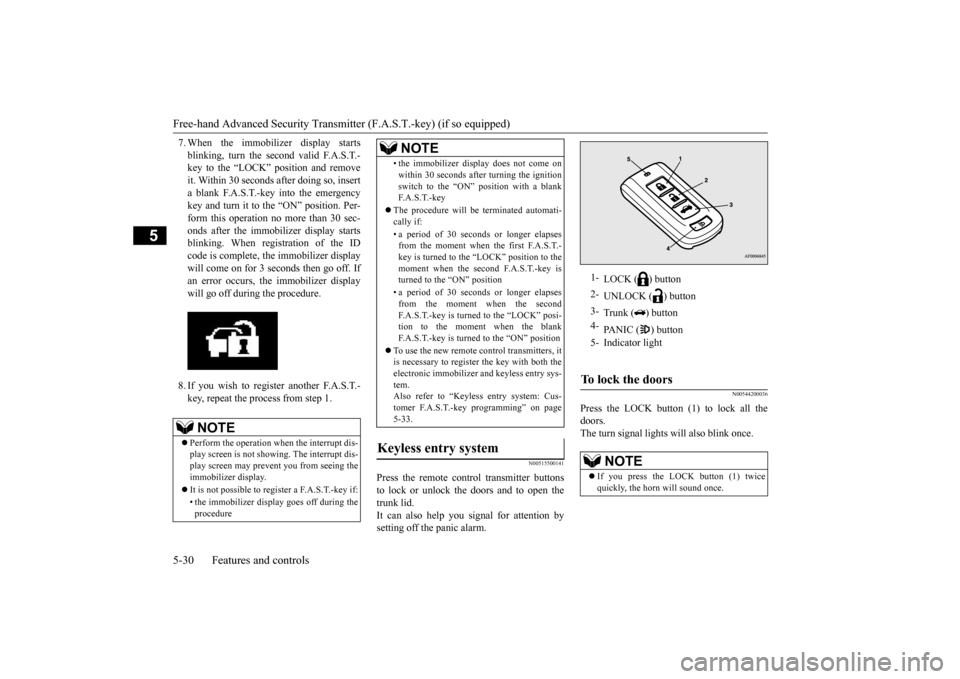
Press the remote control transmitter buttons to lock or unlock the doors and to open the trunk lid.It can also help you signal for attention by setting off the panic alarm.
N00544200036
Press the LOCK button (1) to lock all the doors. The turn signal lights will also blink once.
NOTE
Perform the operation when the interrupt dis- play screen is not showing. The interrupt dis-play screen may prevent you from seeing the immobilizer display. It is not possible to regi
ster a F.A.S.T.-key if:
• the immobilizer display goes off during the procedure
• the immobilizer display does not come on within 30 seconds after turning the ignition switch to the “ON” position with a blank F. A . S . T. - k e y
The procedure will be terminated automati- cally if: • a period of 30 seconds or longer elapses from the moment when the first F.A.S.T.- key is turned to the “LOCK” position to themoment when the second F.A.S.T.-key is turned to the “ON” position • a period of 30 seconds or longer elapses from the moment when the second F.A.S.T.-key is turned to the “LOCK” posi-tion to the moment when the blank F.A.S.T.-key is turned to the “ON” position
To use the new remote control transmitters, it is necessary to register the key with both the electronic immobilizer and keyless entry sys-tem. Also refer to “Keyless entry system: Cus- tomer F.A.S.T.-key programming” on page5-33.
Keyless entry system
NOTE
1-
LOCK ( ) button
2-
UNLOCK ( ) button
3-
Trunk ( ) button
4-
PANIC ( ) button
5- Indicator lightTo lock the doors
NOTE
If you press the LOCK button (1) twice quickly, the horn will sound once.
BK0210300US.bo
ok 30 ページ 2014年4月8日 火曜日 午前10時46分
Page 100 of 434
Free-hand Advanced Security Transmit
ter (F.A.S.T.-key) (if so equipped)
Features and controls 5-31
5
N00544301106
Press the UNLOCK button (2) to unlock the driver’s door only. Within about 2 seconds,press the UNLOCK button one more time to unlock all the doors. The dome light will turn on for 30 seconds.The turn signal lights will also blink twice. Except for vehicles w
ith the rear seat arm
rest, the front side-marker and parking lightswill also turn on
for about 30 seconds.
Refer to “Welcome light” on page 5-151.
N00544400012
Press the trunk button (3) twice within about5 seconds and the trunk lid will be opened. The trunk lid must be closed manually after it has been opened.
N00544501065
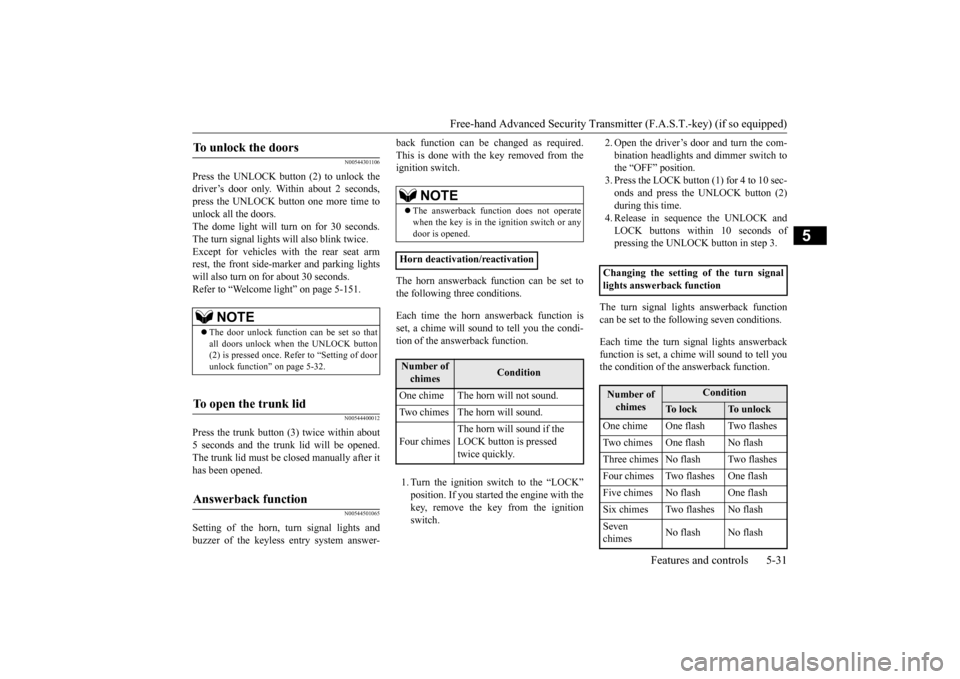
Setting of the horn, turn signal lights andbuzzer of the keyless entry system answer-
back function can be changed as required. This is done with the key removed from the ignition switch. The horn answerback function can be set to the following three conditions. Each time the horn answerback function is set, a chime will sound to tell you the condi-tion of the answerback function. 1. Turn the ignition switch to the “LOCK” position. If you started the engine with the key, remove the key from the ignition switch.
2. Open the driver’s door and turn the com- bination headlights and dimmer switch to the “OFF” position. 3. Press the LOCK button (1) for 4 to 10 sec-onds and press the UNLOCK button (2) during this time. 4. Release in sequence the UNLOCK andLOCK buttons within 10 seconds of pressing the UNLOCK button in step 3.
The turn signal lights answerback function can be set to the following seven conditions. Each time the turn signal lights answerback function is set, a chime will sound to tell you the condition of the answerback function.
To unlock the doors
NOTE
The door unlock function can be set so that all doors unlock when the UNLOCK button (2) is pressed once. Refer to “Setting of door unlock function” on page 5-32.
To open the trunk lid
Answerback function
NOTE
The answerback function does not operate when the key is in the ignition switch or any door is opened.
Horn deactivation/reactivationNumber of chimes
Condition
One chime The horn will not sound. Two chimes The horn will sound. Four chimes
The horn will sound if the LOCK button is pressed twice quickly.
Changing the setting of the turn signallights answerback functionNumber of chimes
Condition
To l o c k
To u n l o c k
One chime One flash Two flashesTwo chimes One flash No flashThree chimes No flash Two flashesFour chimes Two flashes One flashFive chimes No flash One flashSix chimes Two flashes No flashSeven chimes
No flash No flash
BK0210300US.bo
ok 31 ページ 2014年4月8日 火曜日 午前10時46分
Page 101 of 434
Free-hand Advanced Security Transmitter (F.A.S.T.-key) (if so equipped) 5-32 Features and controls
5
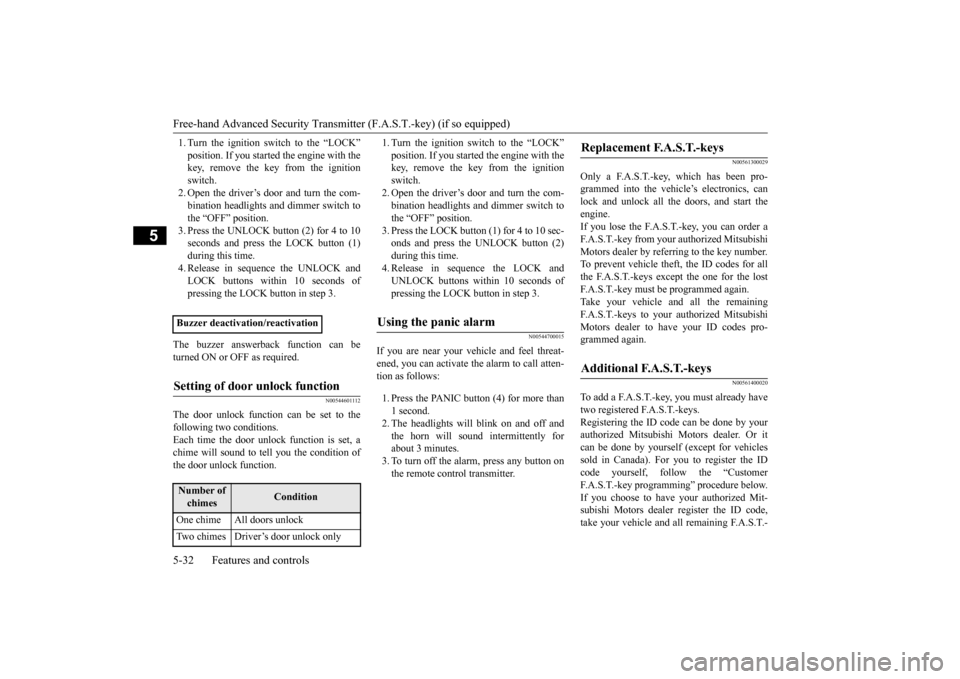
1. Turn the ignition switch to the “LOCK” position. If you started the engine with the key, remove the key from the ignition switch.2. Open the driver’s door and turn the com- bination headlights and dimmer switch to the “OFF” position.3. Press the UNLOCK button (2) for 4 to 10 seconds and press the LOCK button (1) during this time.4. Release in sequence the UNLOCK andLOCK buttons within 10 seconds of pressing the LOCK
button in step 3.
The buzzer answerback function can be turned ON or OFF as required.
N00544601112
The door unlock function can be set to thefollowing two conditions.Each time the door unlock function is set, a chime will sound to tell
you the condition of
the door unlock function.
1. Turn the ignition switch to the “LOCK” position. If you started the engine with the key, remove the key from the ignition switch.2. Open the driver’s door and turn the com- bination headlights and dimmer switch to the “OFF” position.3. Press the LOCK button (1) for 4 to 10 sec- onds and press the UNLOCK button (2) during this time.4. Release in sequence the LOCK andUNLOCK buttons within 10 seconds of pressing the LOCK button in step 3.
N00544700015
If you are near your vehicle and feel threat-ened, you can activate the alarm to call atten- tion as follows: 1. Press the PANIC button (4) for more than 1 second. 2. The headlights will blink on and off and the horn will sound intermittently forabout 3 minutes. 3. To turn off the alarm, press any button on the remote control transmitter.
N00561300029
Only a F.A.S.T.-key, which has been pro-grammed into the vehicle’s electronics, canlock and unlock all the doors, and start the engine. If you lose the F.A.S.T.-key, you can order aF.A.S.T.-key from your authorized Mitsubishi Motors dealer by referring to the key number. To prevent vehicle theft, the ID codes for allthe F.A.S.T.-keys except the one for the lostF.A.S.T.-key must be programmed again. Take your vehicle and all the remaining F.A.S.T.-keys to your authorized MitsubishiMotors dealer to have your ID codes pro- grammed again.
N00561400020
To add a F.A.S.T.-key, you must already havetwo registered F.A.S.T.-keys. Registering the ID code can be done by yourauthorized Mitsubishi Motors dealer. Or it can be done by yourself (except for vehicles sold in Canada). For you to register the IDcode yourself, follow the “Customer F.A.S.T.-key programming” procedure below. If you choose to have your authorized Mit-subishi Motors dealer
register the ID code,
take your vehicle and all remaining F.A.S.T.-
Buzzer deactivation/reactivationSetting of door unlock function
Number of chimes
Condition
One chime All doors unlock Two chimes Driver’s door unlock only
Using the panic alarm
Replacement F.A.S.T.-keys
Additional F.A.S.T.-keys
BK0210300US.bo
ok 32 ページ 2014年4月8日 火曜日 午前10時46分