air condition MITSUBISHI LANCER 2016 8.G User Guide
[x] Cancel search | Manufacturer: MITSUBISHI, Model Year: 2016, Model line: LANCER, Model: MITSUBISHI LANCER 2016 8.GPages: 392, PDF Size: 13.12 MB
Page 129 of 392
Continuously variable transmission (CVT) (if so equipped)
Features and controls 5-67
5
N00514900063
To gain extra acceleration in “D” (DRIVE) position (when passing another vehicle) push the accelerator to the floor
if it is safe to do so
in traffic conditions. The CVT will automati-cally downshift.
N00515000074
For short waiting periods, such as at traffic lights, the vehicle can be left in selector lever position and held stationary with the servicebrake.
For longer waiting periods with the engine running, the selector lever should be placed in the “N” (NEUTRAL) position.
N00515100062
To park the vehicle, first bring it to a com- plete stop, fully engage the parking brake,and then move the selector lever to the “P” (PARK) position. If you are going to leave the vehicle unat-tended, always switch off the engine and carry the key.
N00515300194
If the CVT does not shift while driving, or your vehicle does not pick up enough speed when starting on an uphill slope, there may be something unusual happening in the transmis-sion, causing a safety device to activate. Have your vehicle checked at an authorized Mit- subishi Motors dealer or a repair facility ofyour choice as soon as possible. 1. If your vehicle has difficulty moving uphill, shift the selector lever into “L” (LOW) position (except for vehicles withsport mode) or 2nd shift range of the sports mode. This method might not work dependingon the type of transmission malfunction.
Do not rev the engine with the brake pedal pressed when the vehicle is stationary. This can damage the CVT. Also, when you depress the accelerator pedal while holding down the brake pedal with theselector lever in the “D” (DRIVE) position, the engine revolutions may not rise as high as when performing the same operation withthe selector lever in the “N” (NEUTRAL) position.
Passing acceleration
NOTE
In sports mode, downshifts do not take place when the accelerator is depressed all the way to the floor.
Waiting
CAUTION
CAUTION To avoid transmission overheating, never try to keep your vehicle stationary on a hill by using the accelerator pedal. Always apply the parking brake and/or service brake. Unexpected acceleration may occur if the selector lever is in a position other than “P”(PARK) or “N” (NEUTRAL). Before driving off from a stop, make sure that the selector lever is in “D” (DRIVE)position or “Sports mode” position.
Parking
NOTE
On a slope, be sure to apply the parking brake before moving the selector lever to the “P” (PARK) position. If you move the selec- tor lever to the “P” (PARK) position before applying the parking brake, it may be diffi-cult to disengage the selector lever from the “P” (PARK) position when next you drive the vehicle, requiring application of a strongforce to the selector lever to move from the “P” (PARK) position.
When the CVT makes no speed change
BK0230300US.bo
ok 67 ページ 2015年7月30日 木曜日 午後8時38分
Page 131 of 392
Electronically controlled 4WD system (if so equipped)
Features and controls 5-69
5
N00549400017
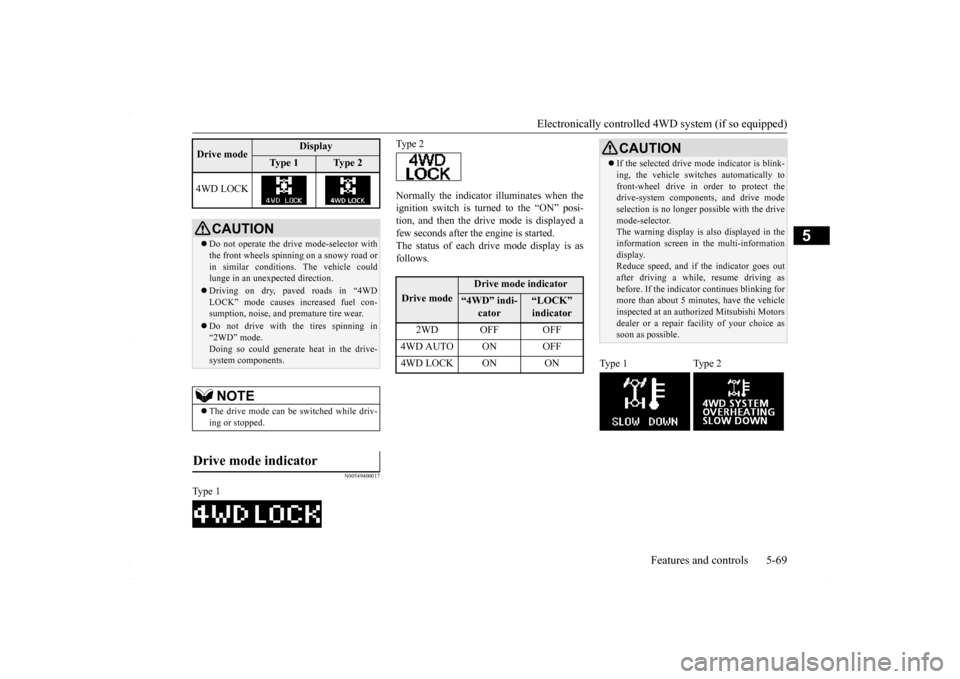
Normally the indicator illuminates when the ignition switch is turned to the “ON” posi- tion, and then the drive mode is displayed afew seconds after the engine is started. The status of each drive mode display is as follows.
4WD LOCK
CAUTION Do not operate the drive mode-selector with the front wheels spinning on a snowy road or in similar conditions. The vehicle couldlunge in an unexpected direction. Driving on dry, paved roads in “4WD LOCK” mode causes increased fuel con- sumption, noise, and premature tire wear. Do not drive with the tires spinning in “2WD” mode. Doing so could generate heat in the drive-system components.NOTE
The drive mode can be switched while driv- ing or stopped.
Drive mode indicator
Type 1Drive mode
Display
Ty p e 1
Ty p e 2
Type 2Drive mode
Drive mode indicator
“4WD” indi-
cator
“LOCK” indicator
2WD OFF OFF
4WD AUTO ON OFF4WD LOCK ON ON
CAUTION If the selected drive m
ode indicator is blink-
ing, the vehicle switches automatically to front-wheel drive in order to protect the drive-system components, and drive mode selection is no longer pos
sible with the drive
mode-selector. The warning display is also displayed in the information screen in the multi-informationdisplay. Reduce speed, and if the indicator goes out after driving a while, resume driving asbefore. If the indicator continues blinking for more than about 5 minutes, have the vehicle inspected at an authorized Mitsubishi Motorsdealer or a repair facility of your choice as soon as possible.
Type 1 Type 2
BK0230300US.bo
ok 69 ページ 2015年7月30日 木曜日 午後8時38分
Page 132 of 392
All-wheel driving operation 5-70 Features and controls
5
N00530600169
Full-time 4WD vehicles are propelled by engine power distributed constantly andappropriately to all 4 wheels. Not only does this ensure enhanced handling on dry, paved roads but also permits bettertraction when driving on slippery, wet orsnow-covered roads and when moving out of mud. These vehicles, however, are not designedfor off-road use, and are unsuitable for driving on bumpy ground that may cause excessive strain.
Full-time 4WD vehicles
should be driven only under the same condi- tions as are suitable for ordinary front-wheel drive vehicles. Electronically controlled 4WD system vehi- cles are propelled by engine power distrib- uted constantly and appropriately to all 4 wheels. Not only does this ensure enhanced handling on dry, paved roads but also permits better
traction when driving on slippery, wet or snow-covered roads and when moving out of mud. These vehicles, however, are not designedfor off-road use, and are unsuitable for driving on bumpy ground that may cause excessive strain.
Electronically controlled
4WD system vehicles should be driven only under the same conditions as are suitable for ordinary front-wheel drive vehicles. When turning a sharp corner in “4WD LOCK” position at low speed, a slight differ- ence in steering may be experienced similarto feeling as if the brakes were applied. This is called tight corner braking and results from each of the four tires being at a different dis-tance from the corner. The phenomenon is typical of 4-wheel drive vehicles. If this occurs, either straighten out the steeringwheel, or change to “2WD” or “4WD AUTO” mode. Set the drive mode-selector to “4WD AUTO” conditions, and then gradually depress theaccelerator pedal for a smooth start.
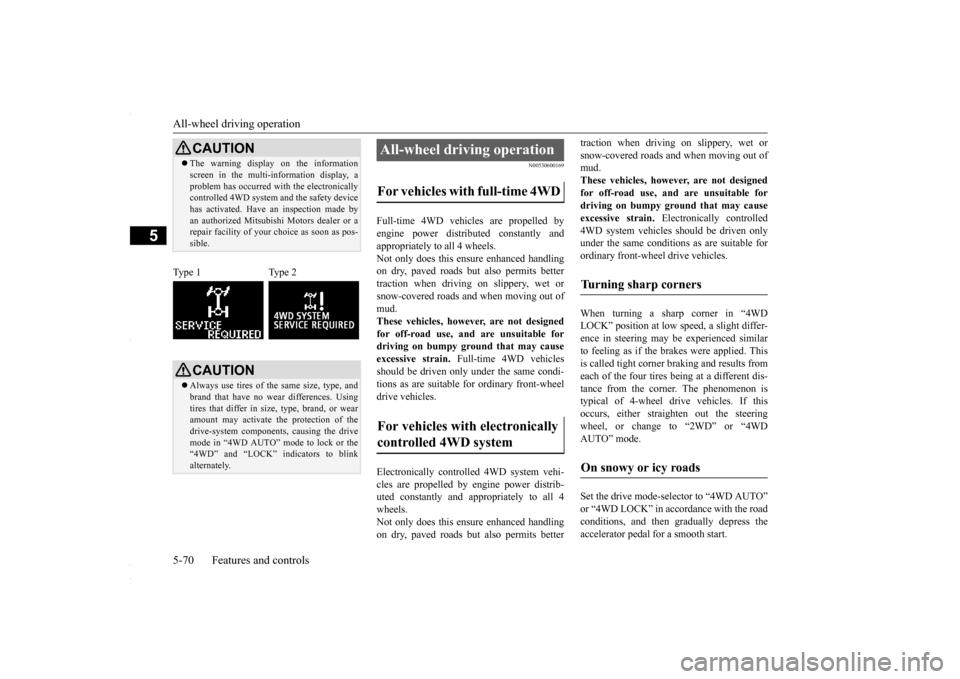
CAUTION The warning display on the information screen in the multi-information display, a problem has occurred with the electronically controlled 4WD system and the safety device has activated. Have an inspection made byan authorized Mitsubishi Motors dealer or a repair facility of your choice as soon as pos- sible.
Type 1 Type 2
CAUTION Always use tires of the same size, type, and brand that have no wear differences. Using tires that differ in size, type, brand, or wear amount may activate the protection of thedrive-system components, causing the drive mode in “4WD AUTO” mode to lock or the “4WD” and “LOCK” indicators to blinkalternately.
All-wheel driving operation For vehicles with full-time 4WD For vehicles with electronically controlled 4WD system
Turning sharp corners On snowy or icy roads
BK0230300US.bo
ok 70 ページ 2015年7月30日 木曜日 午後8時38分
Page 137 of 392
Anti-lock braking system
Features and controls 5-75
5
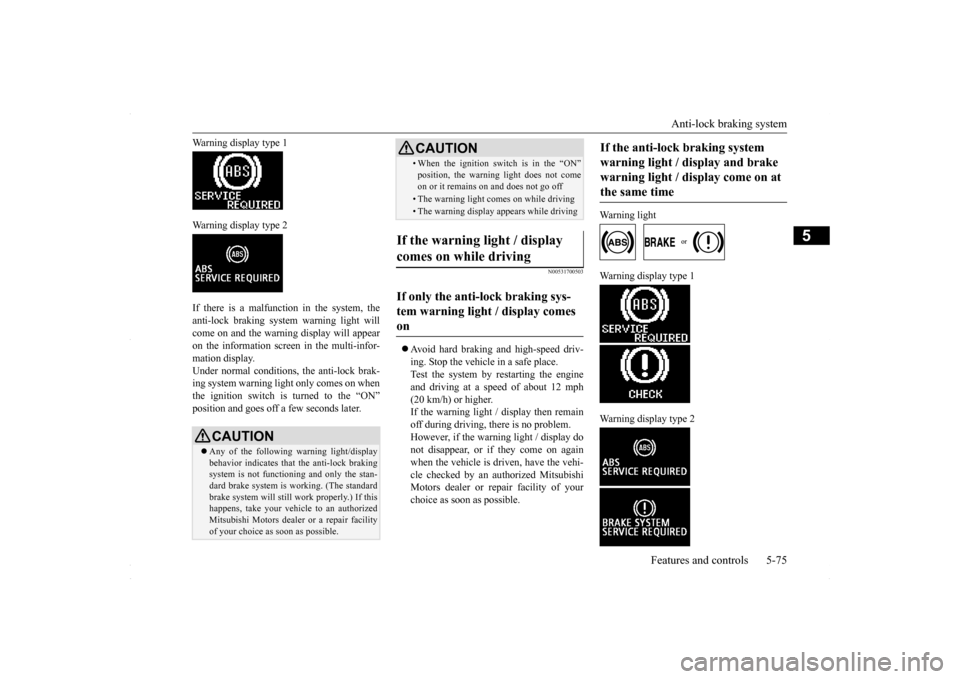
Warning display type 1 Warning display type 2 If there is a malfunction in the system, the anti-lock braking system warning light willcome on and the warning display will appear on the information screen in the multi-infor- mation display.Under normal conditions
, the anti-lock brak-
ing system warning light only comes on when the ignition switch is turned to the “ON”position and goes off a few seconds later.
N00531700503
Avoid hard braking and high-speed driv- ing. Stop the vehicle in a safe place. Test the system by restarting the engineand driving at a speed of about 12 mph (20 km/h) or higher. If the warning light / display then remainoff during driving, there is no problem. However, if the warning light / display do not disappear, or if they come on againwhen the vehicle is driven, have the vehi- cle checked by an authorized Mitsubishi Motors dealer or repair facility of yourchoice as soon as possible.
Warning light
Warning display type 1 Warning display type 2
CAUTION Any of the following warning light/display behavior indicates that the anti-lock braking system is not functioning and only the stan-dard brake system is working. (The standard brake system will still work properly.) If this happens, take your vehicle to an authorizedMitsubishi Motors dealer or a repair facility of your choice as soon as possible.
• When the ignition switch is in the “ON”position, the warning light does not come on or it remains on and does not go off• The warning light comes on while driving• The warning display appears while driving
If the warning light / display comes on while driving If only the anti-lock braking sys- tem warning light / display comes on
CAUTION
If the anti-lock braking system warning light / display and brake warning light / display come on at the same time
BK0230300US.bo
ok 75 ページ 2015年7月30日 木曜日 午後8時38分
Page 138 of 392
Active Stability Control (ASC) (if so equipped) 5-76 Features and controls
5
The anti-lock braking system and brake force distribution function may not work, so hard braking could make the vehicle unstable. Avoid hard braking and high-speed driving.Stop the vehicle in a safe place and contact an authorized Mitsubishi Motors dealer or repair facility of your choice.
N00529200022
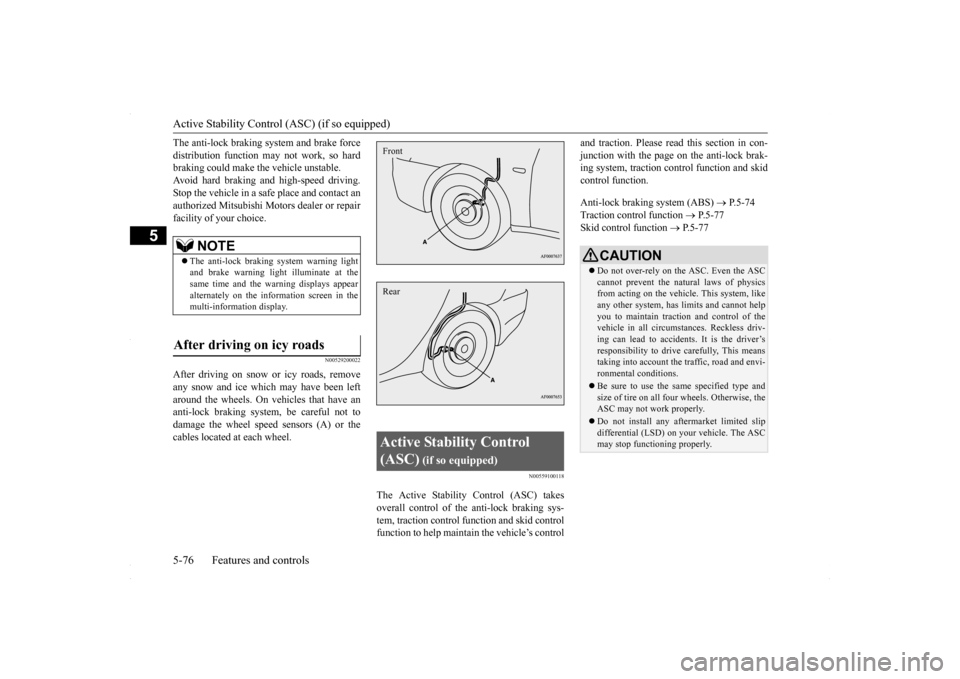
After driving on snow or icy roads, removeany snow and ice which may have been left around the wheels. On vehicles that have an anti-lock braking system, be careful not todamage the wheel speed sensors (A) or the cables located at each wheel.
N00559100118
The Active Stability Control (ASC) takes overall control of the anti-lock braking sys-tem, traction control function and skid control function to help maintain the vehicle’s control
and traction. Please read
this section in con-
junction with the page on the anti-lock brak- ing system, traction control function and skid control function. Anti-lock braking system (ABS)
P.5-74
Traction control function
P.5-77
Skid control function
P.5-77
NOTE
The anti-lock braking system warning light and brake warning light illuminate at thesame time and the warning displays appear alternately on the information screen in the multi-information display.
After driving on icy roads
Active Stability Control (ASC)
(if so equipped)
FrontRear
CAUTION Do not over-rely on the ASC. Even the ASC cannot prevent the natural laws of physics from acting on the vehicl
e. This system, like
any other system, has limits and cannot helpyou to maintain traction and control of the vehicle in all circumstances. Reckless driv- ing can lead to accidents. It is the driver’sresponsibility to drive carefully, This means taking into account the traffic, road and envi- ronmental conditions. Be sure to use the same specified type and size of tire on all four wheels. Otherwise, theASC may not work properly. Do not install any aftermarket limited slip differential (LSD) on your vehicle. The ASC may stop functioning properly.
BK0230300US.bo
ok 76 ページ 2015年7月30日 木曜日 午後8時38分
Page 141 of 392
Power steering system
Features and controls 5-79
5
N00546300015
N00518000310
The power steering system operates while the engine is running. It helps reduce the effortneeded to turn the steering wheel. The power steering system has mechanical steering capability in case the power assist islost. If the power assist is lost for some rea- son, you will still be able to steer your vehi- cle, but you will notice it takes much moreeffort to steer. If this happens, have your vehi-cle inspected at an authorized Mitsubishi Motors dealer or a repair facility of your choice.
N00547100052
N00547200053
Type 1
CAUTION The system may be malfunctioning. Park your vehicle in a safe place and stop the engine. Restart the engine and check whether the dis- play/indicator goes out. If they go out, thereis no abnormal condition. If they do not go out or if they turn on frequently, it is not nec- essary to stop the vehicle immediately, butyou should have your vehicle inspected by an authorized Mitsubishi Motors dealer or a repair facility of your choice as soon as pos-sible.
To w i n g
CAUTION When towing the vehicle with only the front wheels or only the rear wheels raised off theground, do not place the ignition switch in the “ON” position. Placing the ignition switch in the “ON” position could cause theASC to operate, resulting in an accident. Note that the correct towing method depends on the transmission type and the vehicle’s drive configuration. For details, refer to “Towing” on page 8-12.
Power steering system
WA R N I N G Do not stop the engine while the vehicle is moving. Stopping the engine would make the steering wheel extremely hard to turn,possibly resulting in an accident.
Hydraulic power steering sys- tem (HPS)
(if so equipped)
CAUTION Do not leave the steering wheel turned all the way in one direction. This can cause damage to the power steering system.
Electric power steering system (EPS)
(if so equipped)NOTE
During repeated full-lock turning of the steering wheel (for example, while you are manoeuvring the vehicle into a parkingspace), a protection function may be acti- vated to prevent overheating of the power steering system. This function will make thesteering wheel gradually harder to turn. In this event, limit your turning of the steering wheel for a while. When the system hascooled down, the steering effort will return to normal. If you turn the steering wheel while the vehi- cle is stationary with the headlights on, the headlights may become dim. This behavioris not abnormal. The headlights will return to their original brightness after a short while.
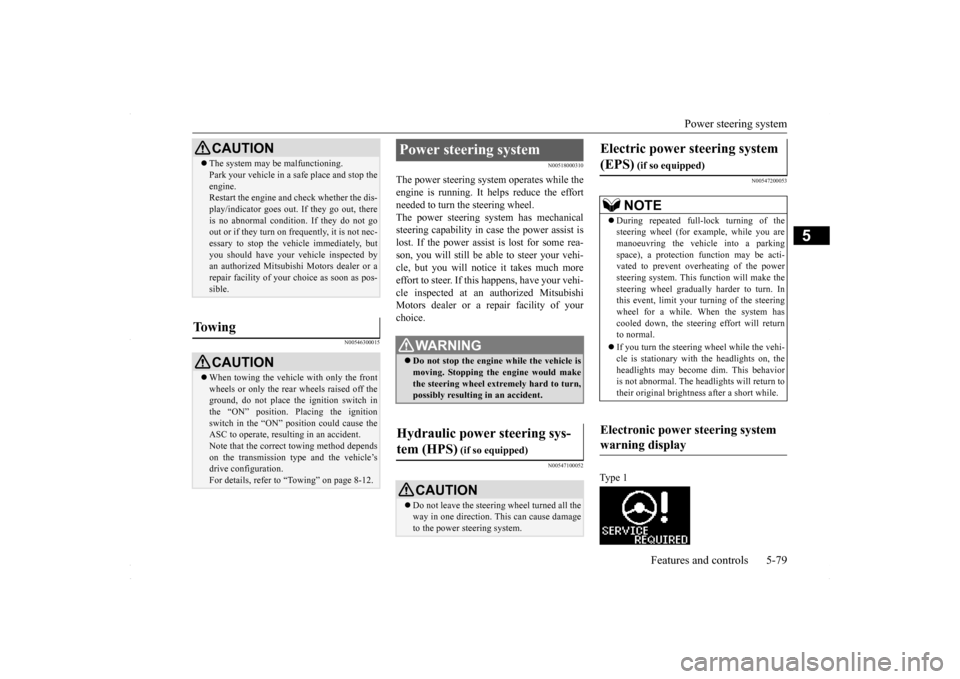
Electronic power steering system warning display
BK0230300US.bo
ok 79 ページ 2015年7月30日 木曜日 午後8時38分
Page 145 of 392
Cruise control (if so equipped) Features and controls 5-83
5
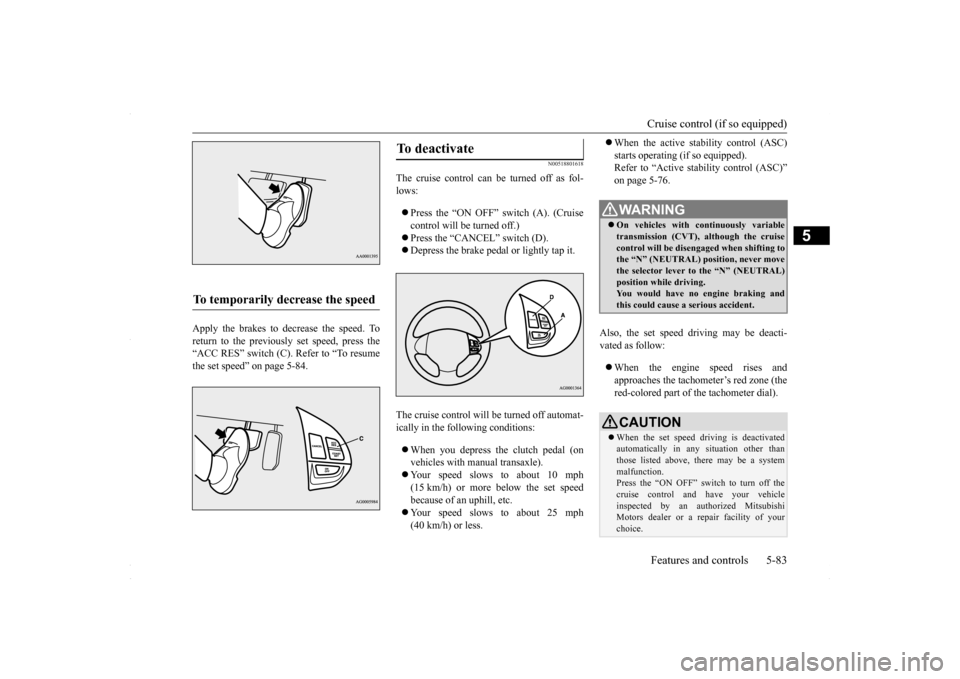
Apply the brakes to decrease the speed. To return to the previously set speed, press the“ACC RES” switch (C). Refer to “To resume the set speed” on page 5-84.
N00518801618
The cruise control can be turned off as fol- lows: Press the “ON OFF” switch (A). (Cruise control will be turned off.) Press the “CANCEL” switch (D). Depress the brake pedal or lightly tap it.
The cruise control will be turned off automat- ically in the following conditions: When you depress the clutch pedal (on vehicles with manual transaxle). Your speed slows to about 10 mph (15 km/h) or more below the set speed because of an uphill, etc. Your speed slows to about 25 mph (40 km/h) or less.
When the active stability control (ASC) starts operating (if so equipped). Refer to “Active stability control (ASC)” on page 5-76.
Also, the set speed driving may be deacti- vated as follow: When the engine speed rises and approaches the tachometer’s red zone (the red-colored part of the tachometer dial).
To temporarily decrease the speed
To deactivate
WA R N I N G On vehicles with continuously variable transmission (CVT), although the cruisecontrol will be disengaged when shifting to the “N” (NEUTRAL) position, never move the selector lever to the “N” (NEUTRAL)position while driving. You would have no engine braking and this could cause a serious accident.CAUTION When the set speed driving is deactivated automatically in any situation other than those listed above, there may be a system malfunction.Press the “ON OFF” switch to turn off the cruise control and have your vehicle inspected by an authorized MitsubishiMotors dealer or a repair facility of your choice.
BK0230300US.bo
ok 83 ページ 2015年7月30日 木曜日 午後8時38分
Page 146 of 392
Tire pressure monitoring system 5-84 Features and controls
5
N00518901358
If the cruise control is deactivated by any of the conditions described in “To deactivate”on page 5-83, you can return to the previously set speed by pressing the “ACC RES” switch (C) while driving at a speed of approximately25 mph (40 km/h) or greater. However, you must repeat the speed setting procedure under either of the following con- ditions: The ignition switch is turned to the “OFF” position. The cruise control is turned OFF. “CRUISE” indicator light is turned off.
N00530201579
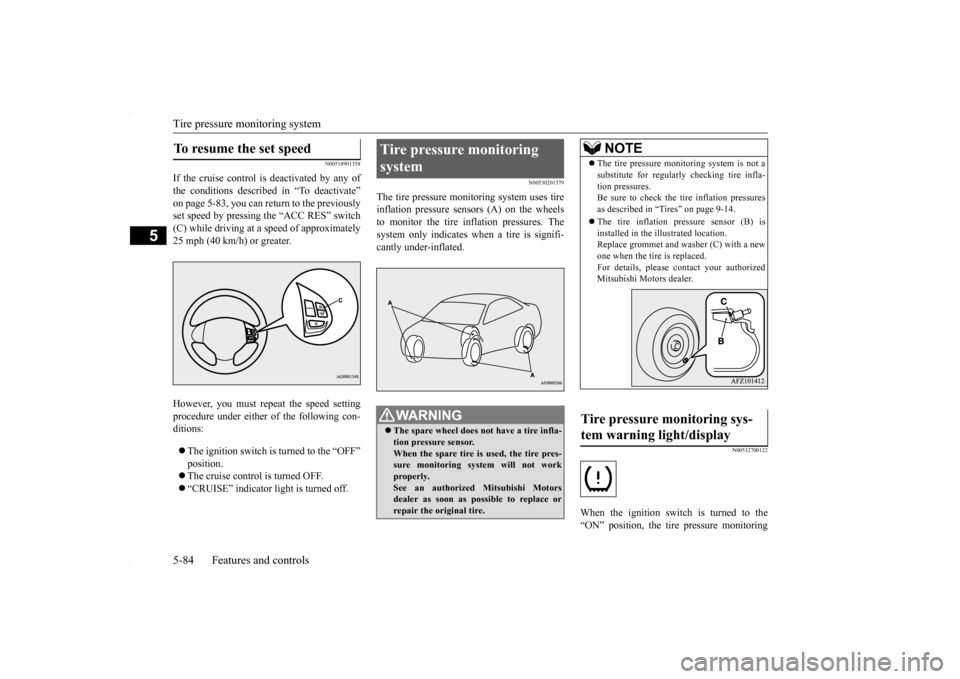
The tire pressure monitoring system uses tire inflation pressure sensors (A) on the wheelsto monitor the tire inflation pressures. The system only indicates when a tire is signifi- cantly under-inflated.
N00532700122
When the ignition switch is turned to the“ON” position, the tire pressure monitoring
To resume the set speed
Tire pressure monitoring system
WA R N I N G The spare wheel does not have a tire infla- tion pressure sensor. When the spare tire is used, the tire pres- sure monitoring system will not workproperly. See an authorized Mitsubishi Motors dealer as soon as possible to replace orrepair the original tire.
NOTE
The tire pressure monitoring system is not a substitute for regularly checking tire infla- tion pressures. Be sure to check the tire inflation pressures as described in “Tires” on page 9-14. The tire inflation pressure sensor (B) is installed in the illustrated location.Replace grommet and washer (C) with a new one when the tire is replaced. For details, please contact your authorizedMitsubishi Motors dealer.
Tire pressure monitoring sys- tem warning light/display
BK0230300US.bo
ok 84 ページ 2015年7月30日 木曜日 午後8時38分
Page 186 of 392
Warning lights 5-124 Features and controls
5
N00520300147 N00520400467
When the ignition switch is turned to the “ON” position, this indicator normally comeson and goes out a few seconds later. A warn- ing is also displayed in the multi-information display.The warning light also illuminates after start-ing the engine under the following condi- tions: When the parking brake is still applied. When the brake fluid level is low. When the brake force distribution func- tion is not operating correctly.
Before driving, be sure that the parking brake is fully released and brake warning light isoff.
N00520501830
This indicator is a part of the onboard diag- nostic (OBD) system which monitors the emissions, engine contro
l system or continu-
ously variable transmission (CVT) control system. If a problem is detected in one of these systems, this indicator illuminates orflashes. When the ignition switch is turned tothe “ON” position, this indicator normally comes on and goes off after the engine has started. This indicator will come on if the fuel tank filler cap is not properly tightened. If this indicator comes on and stays on after refuel- ing, stop the engine and check that the cap isproperly tightened. (Turn the cap clockwise until you hear clicking sounds.) If this indicator does not go off after severalseconds or lights up while driving, have the system checked as soon as possible at an authorized Mitsubishi Motors dealer or arepair facility of your choice.
Warning lights Brake warning light
CAUTION If the brake warning light and the anti-lock braking system warning light are illuminated at the same time, the braking force distribu-tion function will not operate, so the vehicle may be destabilized during sudden braking under the following conditions.
• When the brake warning light does not go out even when the parking brake is released.• When the brake warning light stays onwhile driving.• If the above occurs, avoid sudden brakingand high-speed driving. Park the vehicle in a safe place, and contact an authorized Mit- subishi Motors dealer or a repair facility ofyour choice as soon as possible.
The vehicle should be brought to a halt in the following manner when brake performance is deteriorated.• Confirm that the vehicle slows down whenyou press down on the brake pedal harder than usual. In some cases, the brake pedalmay go all the way to the floor.• Should the brakes fail, use engine brakingto reduce your speed and slowly apply the parking brake. Depress the brake pedal to illuminate thestop lights to alert the vehicles behind you.
Do not suddenly apply the parking brake while driving. This may cause the rear wheels to lock and cause an accident.CAUTION
Engine malfunction indicator (“SERVICE ENGINE SOON” or “Check engine light”)
BK0230300US.book
124 ページ 2015年7月30日 木曜日 午後8時38分
Page 189 of 392
Combination headlights and dimmer switch
Features and controls 5-127
5
Type 2 If the engine oil pressure drops while the engine is running, the warning display is dis- played on the information screen in the multi-information display.
N00522501850
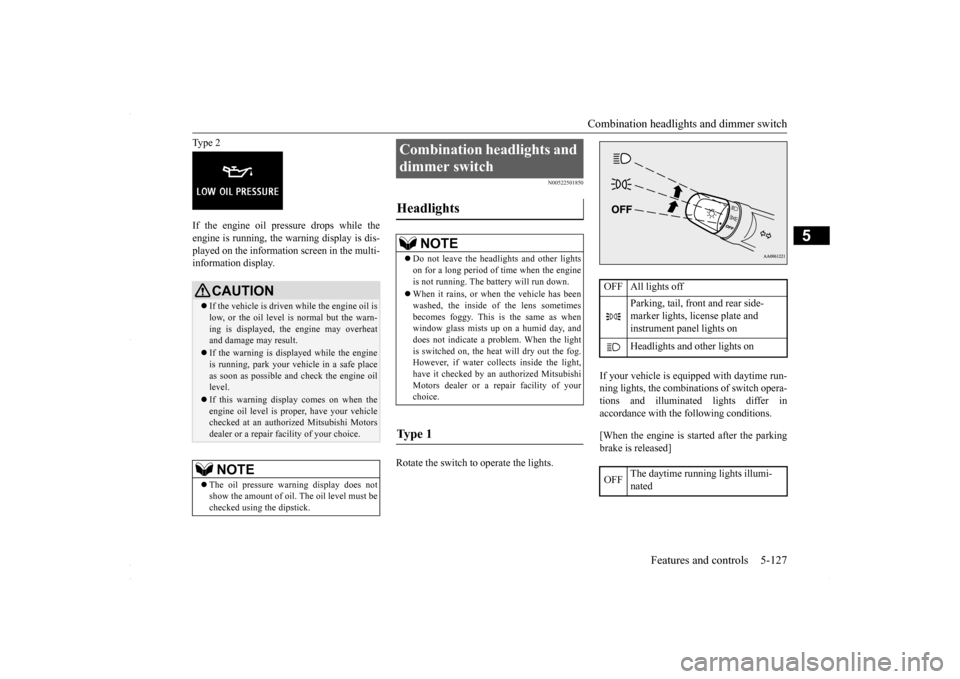
Rotate the switch to operate the lights.
If your vehicle is equipped with daytime run- ning lights, the combinations of switch opera- tions and illuminated lights differ inaccordance with the following conditions. [When the engine is started after the parking brake is released]
CAUTION If the vehicle is driven while the engine oil is low, or the oil level is normal but the warn- ing is displayed, the engine may overheat and damage may result. If the warning is displayed while the engine is running, park your vehicle in a safe place as soon as possible and check the engine oil level. If this warning display comes on when the engine oil level is proper, have your vehiclechecked at an authorized Mitsubishi Motors dealer or a repair facility of your choice.NOTE
The oil pressure warning display does not show the amount of oil. The oil level must be checked using the dipstick.
Combination headlights and dimmer switch Headlights
NOTE
Do not leave the headlights and other lights on for a long period of time when the engine is not running. The battery will run down. When it rains, or when the vehicle has been washed, the inside of the lens sometimes becomes foggy. This is the same as whenwindow glass mists up on a humid day, and does not indicate a problem. When the light is switched on, the heat will dry out the fog.However, if water collects inside the light, have it checked by an authorized Mitsubishi Motors dealer or a repair facility of yourchoice.
Ty p e 1
OFF All lights off
Parking, tail, front and rear side- marker lights, license plate and instrument panel lights on Headlights and other lights on
OFF
The daytime running lights illumi- nated
BK0230300US.book
127 ページ 2015年7月30日 木曜日 午後8時38分