battery MITSUBISHI LANCER 2016 8.G Owner's Manual
[x] Cancel search | Manufacturer: MITSUBISHI, Model Year: 2016, Model line: LANCER, Model: MITSUBISHI LANCER 2016 8.GPages: 392, PDF Size: 13.12 MB
Page 157 of 392
Multi-information display
Features and controls 5-95
5
N00555500039
Shows the distance and number of months until the next periodic inspection. Refer to “Service reminder” on page 5-103.
N00559600155
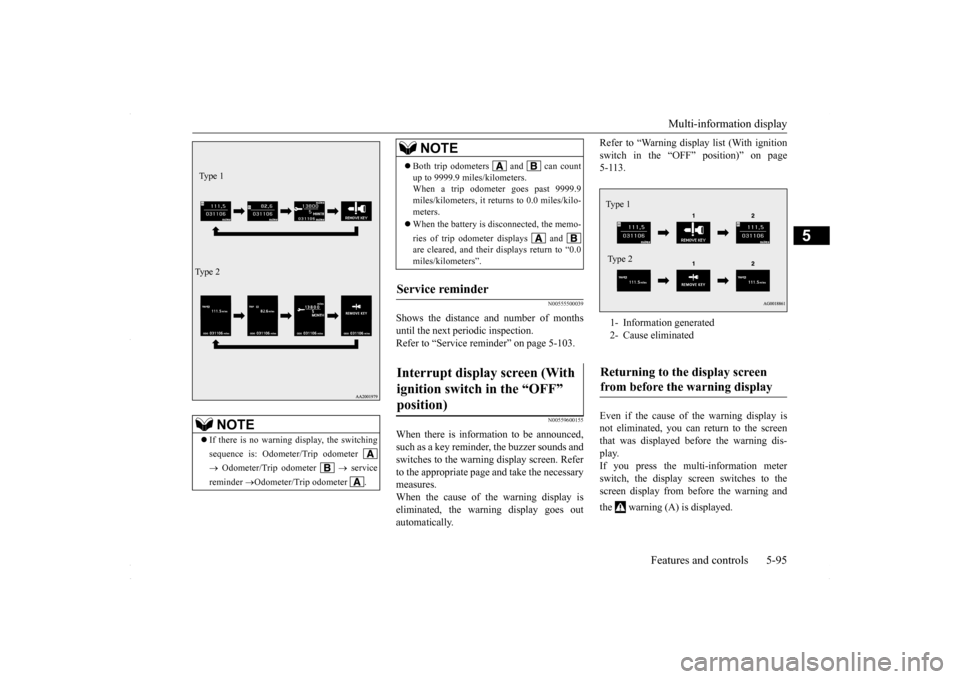
When there is information to be announced,such as a key reminder, the buzzer sounds and switches to the warning display screen. Refer to the appropriate page and take the necessarymeasures. When the cause of the warning display is eliminated, the warning display goes outautomatically.
Refer to “Warning display list (With ignition switch in the “OFF” position)” on page 5-113. Even if the cause of the warning display is not eliminated, you can return to the screen that was displayed before the warning dis-play. If you press the multi-information meter switch, the display screen switches to thescreen display from before the warning and the warning (A) is displayed.
NOTE
If there is no warning display, the switching sequence is: Odometer/Trip odometer Odometer/Trip odometer
service
reminder
Odometer/Trip odometer .
Ty p e 1 Ty p e 2
Both trip odometers and can count up to 9999.9 miles/kilometers. When a trip odometer goes past 9999.9 miles/kilometers, it returns to 0.0 miles/kilo-meters. When the battery is disconnected, the memo- ries of trip odometer displays and are cleared, and their displays return to “0.0 miles/kilometers”.
Service reminder Interrupt display screen (With ignition switch in the “OFF” position)
NOTE
1- Information generated 2- Cause eliminatedReturning to the display screen from before the warning display Type 1 Ty p e 2
BK0230300US.bo
ok 95 ページ 2015年7月30日 木曜日 午後8時38分
Page 162 of 392
Multi-information display 5-100 Features and controls
5
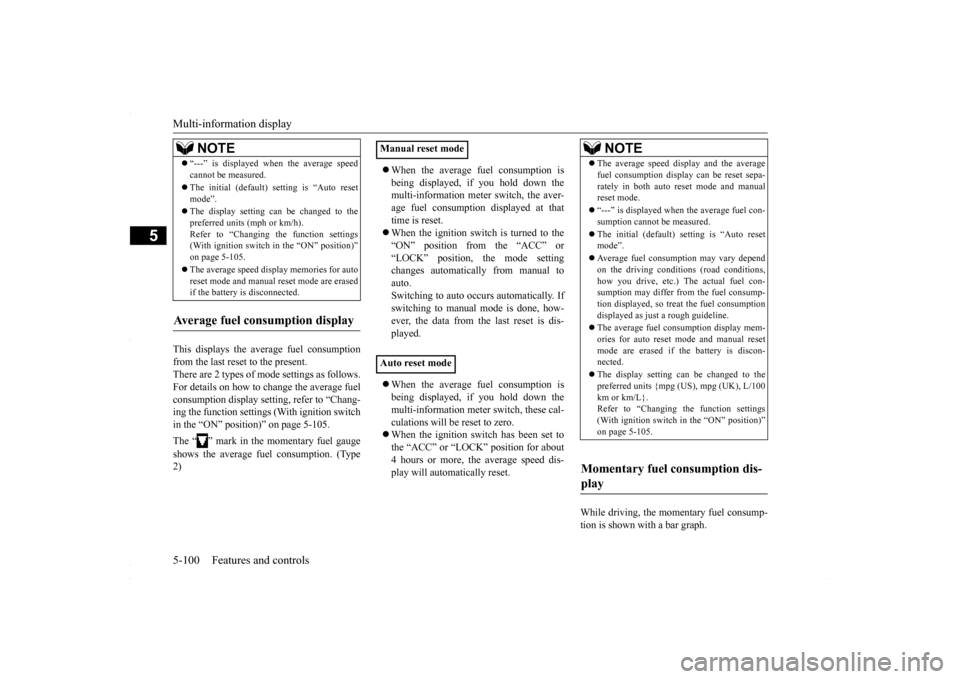
This displays the average fuel consumption from the last reset to the present. There are 2 types of mode settings as follows.For details on how to change the average fuel consumption display setting, refer to “Chang- ing the function settings (With ignition switchin the “ON” position)” on page 5-105. The “ ” mark in the momentary fuel gauge shows the average fuel consumption. (Type 2)
When the average fuel consumption is being displayed, if you hold down the multi-information meter switch, the aver- age fuel consumption displayed at thattime is reset. When the ignition switch is turned to the “ON” position from the “ACC” or“LOCK” position, the mode setting changes automatically from manual to auto. Switching to auto occurs automatically. Ifswitching to manual mode is done, how- ever, the data from the last reset is dis- played. When the average fuel consumption is being displayed, if you hold down the multi-information meter switch, these cal- culations will be reset to zero. When the ignition switch has been set to the “ACC” or “LOCK” position for about 4 hours or more, the average speed dis-play will automatically reset.
While driving, the momentary fuel consump- tion is shown with a bar graph.
“---” is displayed when the average speed cannot be measured. The initial (default) setting is “Auto reset mode”. The display setting can be changed to the preferred units (mph or km/h).Refer to “Changing the function settings (With ignition switch in the “ON” position)” on page 5-105. The average speed display memories for auto reset mode and manual reset mode are erasedif the battery is disconnected.
Average fuel consumption display
NOTE
Manual reset mode Auto reset mode
NOTE
The average speed display and the average fuel consumption display can be reset sepa- rately in both auto reset mode and manual reset mode. “---” is displayed when the average fuel con- sumption cannot be measured. The initial (default) setting is “Auto reset mode”. Average fuel consumption may vary depend on the driving conditions (road conditions, how you drive, etc.) The actual fuel con-sumption may differ from the fuel consump- tion displayed, so treat the fuel consumption displayed as just a rough guideline. The average fuel consumption display mem- ories for auto reset mode and manual resetmode are erased if the battery is discon- nected. The display setting can be changed to the preferred units {mpg (US), mpg (UK), L/100 km or km/L}.Refer to “Changing the function settings (With ignition switch in the “ON” position)” on page 5-105.
Momentary fuel consumption dis- play
BK0230300US.book
100 ページ 2015年7月30日 木曜日 午後8時38分
Page 169 of 392

Multi-information display
Features and controls 5-107
5
N00557100130
The fuel consumption display unit can be changed. The distance, speed, and amount units are also changed to match the selectedfuel consumption unit. 1. Press and hold the multi-information meter switch (for about 2 seconds or more) to change from the setting modescreen to the menu screen. Refer to “Changing the function settings (With ignition switch in the “ON” posi-tion)” on page 5-105. 2. Lightly press the multi-information meter switch to select “AVG UNIT” (fuel con-sumption display unit setting).
3. Press and hold the multi-information meter switch (for about 2 seconds or more) to display “AVG UNIT” (fuel con-sumption display unit setting). 4. Lightly press the multi-information meter switch to switch in sequence from km/L L/100 km
mpg (US)
mpg (UK)
RETURN
km/L.
5. Press and hold the multi-information meter switch (for about 2 seconds or more) to change the setting to the selectedunit.
NOTE
The average speed display and average fuel consumption display can be reset separately in both auto reset mode and manual reset mode. The average speed display memories and average fuel consumption memories for auto reset mode and manual reset mode are erasedif the battery is disconnected. The initial (default) setting is “Auto reset mode”.
Changing the fuel consumption display unit
Ty p e 1 Type 2
NOTE
The display units for the driving range, the average fuel consumption, the average speed and the momentary fuel consumption arechanged, but the units for the indicating nee- dle (speedometer), the odometer and the trip odometer will remain unchanged. If the battery is disconnected, the memory of the unit setting is erased and is automaticallyset to {mpg (US) or L/100 km}.
Type 2
Type 1
BK0230300US.book
107 ページ 2015年7月30日 木曜日 午後8時38分
Page 170 of 392
Multi-information display 5-108 Features and controls
5
The distance and speed units are also changed in the following combinations to match the selected fuel consumption unit.
N00557200102
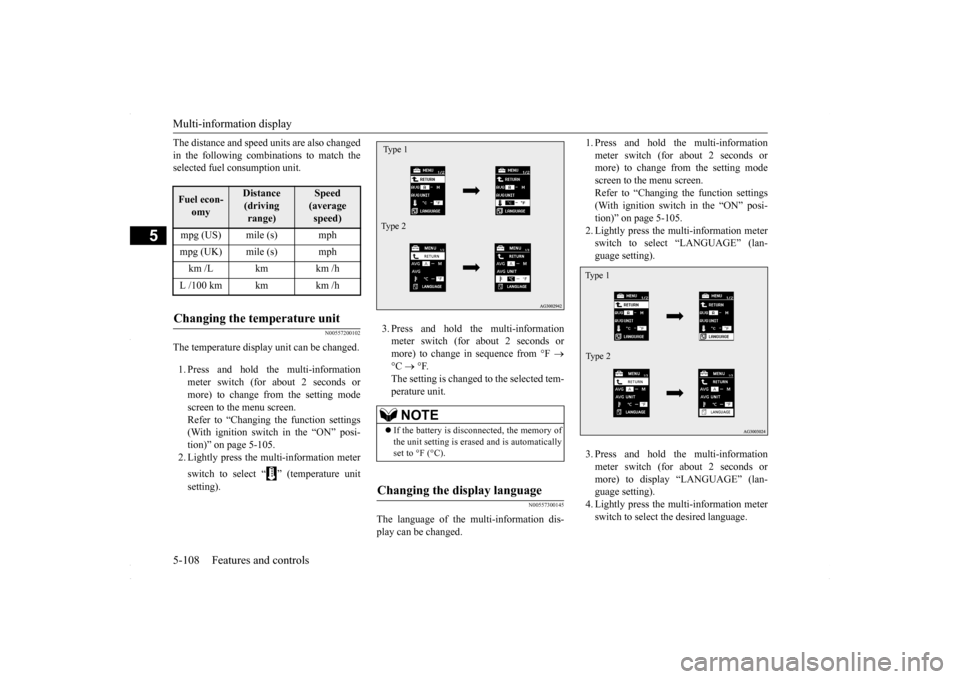
The temperature display unit can be changed. 1. Press and hold the multi-information meter switch (for about 2 seconds ormore) to change from the setting modescreen to the menu screen. Refer to “Changing the function settings (With ignition switch in the “ON” posi-tion)” on page 5-105. 2. Lightly press the multi-information meter switch to select “ ” (temperature unit setting).
3. Press and hold the multi-information meter switch (for about 2 seconds or more) to change in sequence from °F
°C
°F.
The setting is changed to the selected tem- perature unit.
N00557300145
The language of the multi-information dis- play can be changed.
1. Press and hold the multi-information meter switch (for about 2 seconds or more) to change from the setting mode screen to the menu screen.Refer to “Changing the function settings (With ignition switch in the “ON” posi- tion)” on page 5-105.2. Lightly press the multi-information meter switch to select “LANGUAGE” (lan- guage setting). 3. Press and hold the multi-information meter switch (for about 2 seconds ormore) to display “LANGUAGE” (lan- guage setting). 4. Lightly press the multi-information meterswitch to select the desired language.
Fuel econ-
omy
Distance(driving range)
Speed (average speed)
mpg (US) mile (s) mphmpg (UK) mile (s) mphkm /L km km /hL /100 km km km /hChanging the temperature unit
NOTE
If the battery is disconnected, the memory of the unit setting is erased and is automatically set to °F (°C).
Changing the display language Type 1 Type 2
Type 1 Type 2
BK0230300US.book
108 ページ 2015年7月30日 木曜日 午後8時38分
Page 171 of 392
Multi-information display
Features and controls 5-109
5
5. Press and hold the multi-information meter switch (for about 2 seconds or more) to change the setting to the selected language.
N00557400104
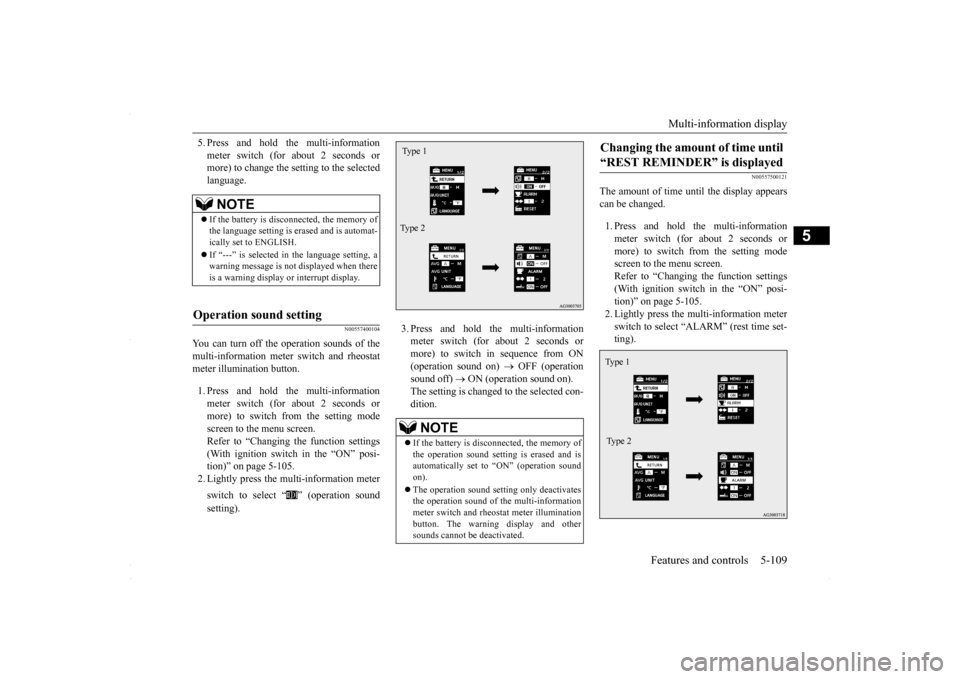
You can turn off the operation sounds of themulti-information meter switch and rheostat meter illumination button. 1. Press and hold the multi-information meter switch (for about 2 seconds ormore) to switch from the setting mode screen to the menu screen. Refer to “Changing the function settings(With ignition switch in the “ON” posi- tion)” on page 5-105. 2. Lightly press the multi-information meter switch to select “ ” (operation sound setting).
3. Press and hold the multi-information meter switch (for about 2 seconds or more) to switch in sequence from ON(operation sound on)
OFF (operation
sound off)
ON (operation sound on).
The setting is changed to the selected con-dition.
N00557500121
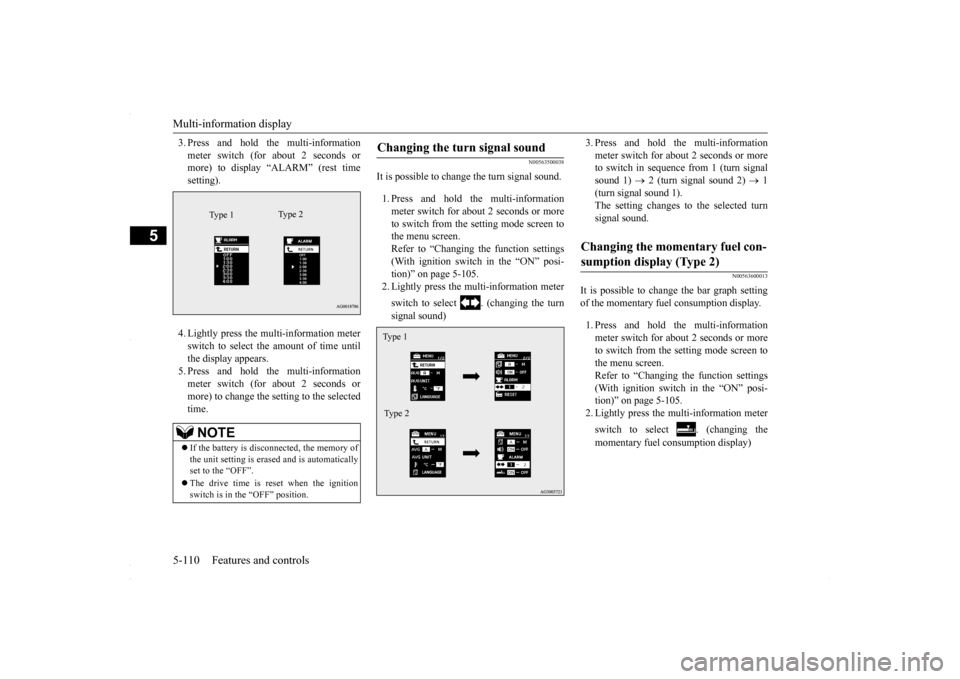
The amount of time until the display appears can be changed. 1. Press and hold the multi-information meter switch (for about 2 seconds ormore) to switch from the setting mode screen to the menu screen. Refer to “Changing the function settings(With ignition switch in the “ON” posi-tion)” on page 5-105. 2. Lightly press the multi-information meter switch to select “ALARM” (rest time set-ting).
NOTE
If the battery is disconnected, the memory of the language setting is erased and is automat- ically set to ENGLISH. If “---” is selected in the language setting, a warning message is not displayed when there is a warning display or interrupt display.
Operation sound setting
NOTE
If the battery is disconnected, the memory of the operation sound setting is erased and isautomatically set to “ON” (operation sound on). The operation sound setting only deactivates the operation sound of the multi-information meter switch and rheostat meter illuminationbutton. The warning display and other sounds cannot be deactivated.Type 1 Type 2
Changing the amount of time until “REST REMINDER” is displayed Ty p e 1 Type 2
BK0230300US.book
109 ページ 2015年7月30日 木曜日 午後8時38分
Page 172 of 392
Multi-information display 5-110 Features and controls
5
3. Press and hold the multi-information meter switch (for about 2 seconds or more) to display “ALARM” (rest time setting). 4. Lightly press the multi-information meter switch to select the amount of time untilthe display appears.5. Press and hold the multi-information meter switch (for about 2 seconds or more) to change the setting to the selectedtime.
N00563500038
It is possible to change the turn signal sound. 1. Press and hold the multi-information meter switch for about 2 seconds or moreto switch from the setting mode screen to the menu screen. Refer to “Changing the function settings(With ignition switch in the “ON” posi- tion)” on page 5-105. 2. Lightly press the multi-information meter switch to select . (changing the turn signal sound)
3. Press and hold the multi-information meter switch for about 2 seconds or more to switch in sequence from 1 (turn signal sound 1)
2 (turn signal sound 2)
1
(turn signal sound 1). The setting changes to the selected turn signal sound.
N00563600013
It is possible to change the bar graph settingof the momentary fuel consumption display. 1. Press and hold the multi-information meter switch for about 2 seconds or more to switch from the setting mode screen tothe menu screen. Refer to “Changing the function settings (With ignition switch in the “ON” posi-tion)” on page 5-105. 2. Lightly press the multi-information meter switch to select . (changing the momentary fuel consumption display)
NOTE
If the battery is disconnected, the memory of the unit setting is erased and is automatically set to the “OFF”. The drive time is reset when the ignition switch is in the “OFF” position.
Type 1
Ty p e 2
Changing the turn signal sound Type 1 Type 2
Changing the momentary fuel con- sumption display (Type 2)
BK0230300US.book
110 ページ 2015年7月30日 木曜日 午後8時38分
Page 187 of 392
Information screen display
Features and controls 5-125
5
N00520600296
This light comes on in the event of a malfunc- tion in the charging system or when the igni- tion switch is turned to the “ON” position (engine off). A warning is also displayed inthe multi-information display. When the engine is started,
the light should go out.
Check to make sure that the light has goneout before driving.
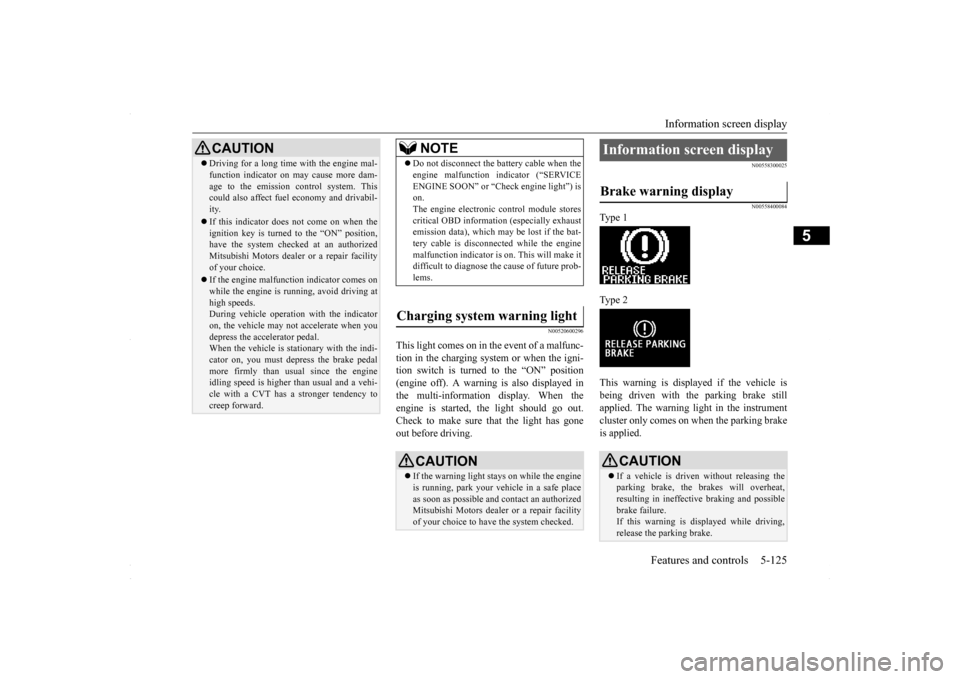
N00558300025 N00558400084
Type 1 Type 2 This warning is displayed if the vehicle is being driven with the parking brake still applied. The warning light in the instrumentcluster only comes on when the parking brake is applied.
CAUTION Driving for a long time with the engine mal- function indicator on may cause more dam- age to the emission control system. This could also affect fuel economy and drivabil- ity. If this indicator does not come on when the ignition key is turned to the “ON” position,have the system checked at an authorized Mitsubishi Motors dealer or a repair facility of your choice. If the engine malfunction indicator comes on while the engine is running, avoid driving athigh speeds. During vehicle operation with the indicator on, the vehicle may not accelerate when youdepress the accelerator pedal. When the vehicle is stationary with the indi- cator on, you must depress the brake pedalmore firmly than usual since the engine idling speed is higher than usual and a vehi- cle with a CVT has a stronger tendency tocreep forward.
NOTE
Do not disconnect the battery cable when the engine malfunction indicator (“SERVICE ENGINE SOON” or “Check engine light”) is on. The engine electronic control module storescritical OBD information (especially exhaust emission data), which may be lost if the bat- tery cable is disconnected while the enginemalfunction indicator is on. This will make it difficult to diagnose the cause of future prob- lems.
Charging system warning light
CAUTION If the warning light stays on while the engine is running, park your vehicle in a safe place as soon as possible and contact an authorizedMitsubishi Motors dealer or a repair facility of your choice to have the system checked.
Information screen display Brake warning display
CAUTION If a vehicle is driven without releasing the parking brake, the brakes will overheat, resulting in ineffective braking and possible brake failure.If this warning is displayed while driving, release the parking brake.
BK0230300US.book
125 ページ 2015年7月30日 木曜日 午後8時38分
Page 189 of 392
Combination headlights and dimmer switch
Features and controls 5-127
5
Type 2 If the engine oil pressure drops while the engine is running, the warning display is dis- played on the information screen in the multi-information display.
N00522501850
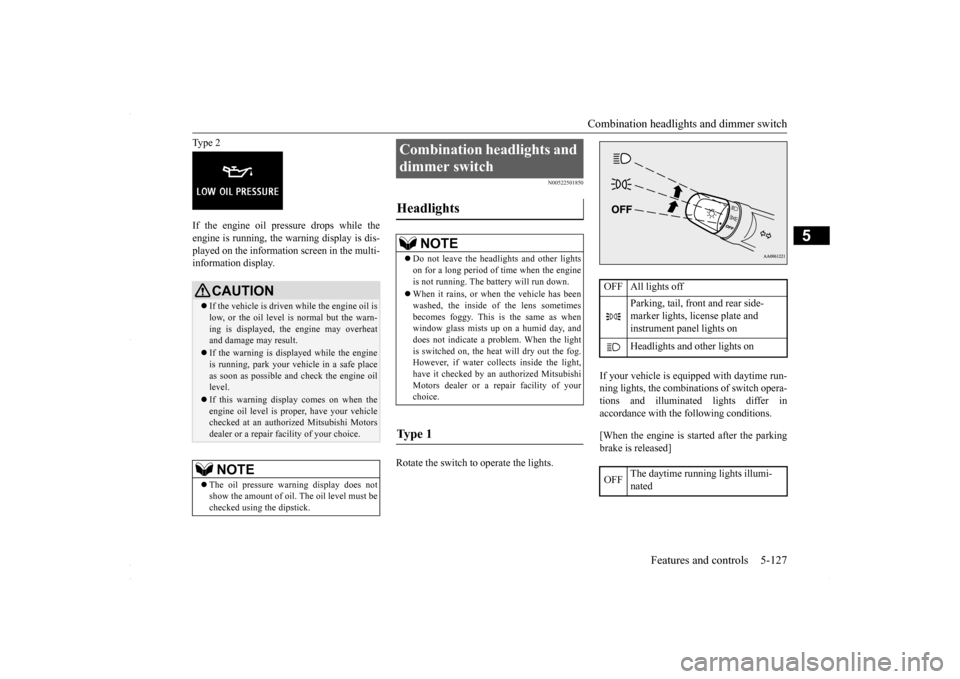
Rotate the switch to operate the lights.
If your vehicle is equipped with daytime run- ning lights, the combinations of switch opera- tions and illuminated lights differ inaccordance with the following conditions. [When the engine is started after the parking brake is released]
CAUTION If the vehicle is driven while the engine oil is low, or the oil level is normal but the warn- ing is displayed, the engine may overheat and damage may result. If the warning is displayed while the engine is running, park your vehicle in a safe place as soon as possible and check the engine oil level. If this warning display comes on when the engine oil level is proper, have your vehiclechecked at an authorized Mitsubishi Motors dealer or a repair facility of your choice.NOTE
The oil pressure warning display does not show the amount of oil. The oil level must be checked using the dipstick.
Combination headlights and dimmer switch Headlights
NOTE
Do not leave the headlights and other lights on for a long period of time when the engine is not running. The battery will run down. When it rains, or when the vehicle has been washed, the inside of the lens sometimes becomes foggy. This is the same as whenwindow glass mists up on a humid day, and does not indicate a problem. When the light is switched on, the heat will dry out the fog.However, if water collects inside the light, have it checked by an authorized Mitsubishi Motors dealer or a repair facility of yourchoice.
Ty p e 1
OFF All lights off
Parking, tail, front and rear side- marker lights, license plate and instrument panel lights on Headlights and other lights on
OFF
The daytime running lights illumi- nated
BK0230300US.book
127 ページ 2015年7月30日 木曜日 午後8時38分
Page 195 of 392
Turn signal lever
Features and controls 5-133
5
N00522601545
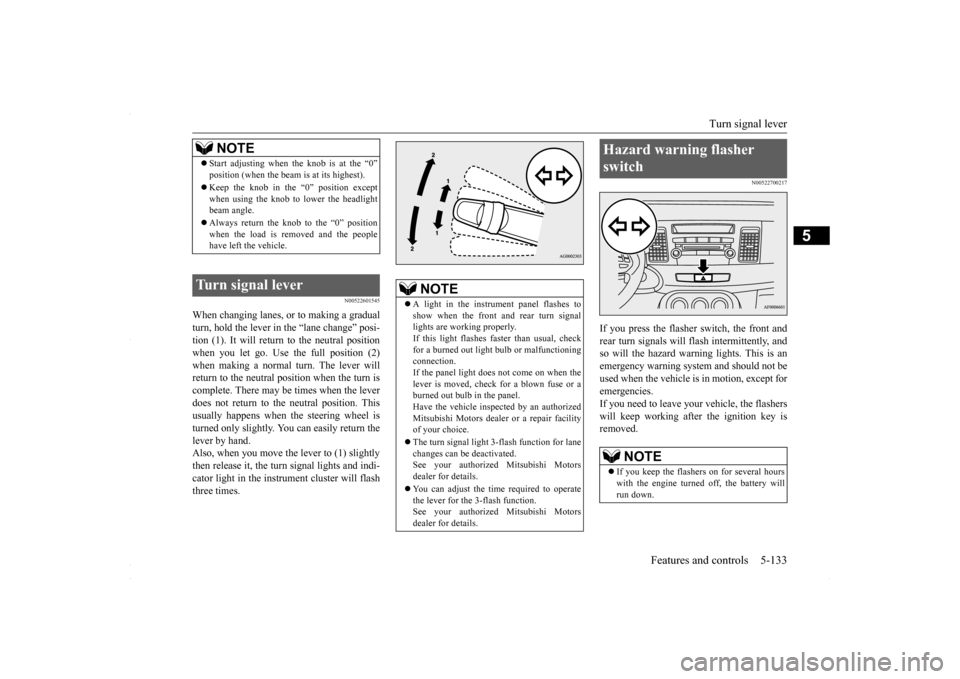
When changing lanes, or to making a gradual turn, hold the lever in
the “lane change” posi-
tion (1). It will return to the neutral positionwhen you let go. Use the full position (2) when making a normal turn. The lever will return to the neutral position when the turn iscomplete. There may be times when the lever does not return to the neutral position. This usually happens when the steering wheel isturned only slightly. You can easily return the lever by hand. Also, when you move the lever to (1) slightlythen release it, the turn signal lights and indi- cator light in the instrument cluster will flash three times.
N00522700217
If you press the flasher switch, the front andrear turn signals will flash intermittently, and so will the hazard warning lights. This is an emergency warning system and should not beused when the vehicle is in motion, except foremergencies. If you need to leave your vehicle, the flashers will keep working afte
r the ignition key is
removed.
NOTE
Start adjusting when the knob is at the “0” position (when the beam is at its highest). Keep the knob in the “0” position except when using the knob to lower the headlightbeam angle. Always return the knob to the “0” position when the load is removed and the people have left the vehicle.
Turn signal lever
NOTE
A light in the instrument panel flashes to show when the front and rear turn signal lights are working properly.If this light flashes faster than usual, check for a burned out light bulb or malfunctioning connection.If the panel light does not come on when the lever is moved, check for a blown fuse or a burned out bulb in the panel.Have the vehicle inspected by an authorized Mitsubishi Motors dealer or a repair facility of your choice. The turn signal light 3-flash function for lane changes can be deactivated.See your authorized Mitsubishi Motors dealer for details. You can adjust the time required to operate the lever for the 3-flash function. See your authorized Mitsubishi Motorsdealer for details.
Hazard warning flasher switch
NOTE
If you keep the flashers on for several hours with the engine turned off, the battery will run down.
BK0230300US.book
133 ページ 2015年7月30日 木曜日 午後8時38分
Page 201 of 392
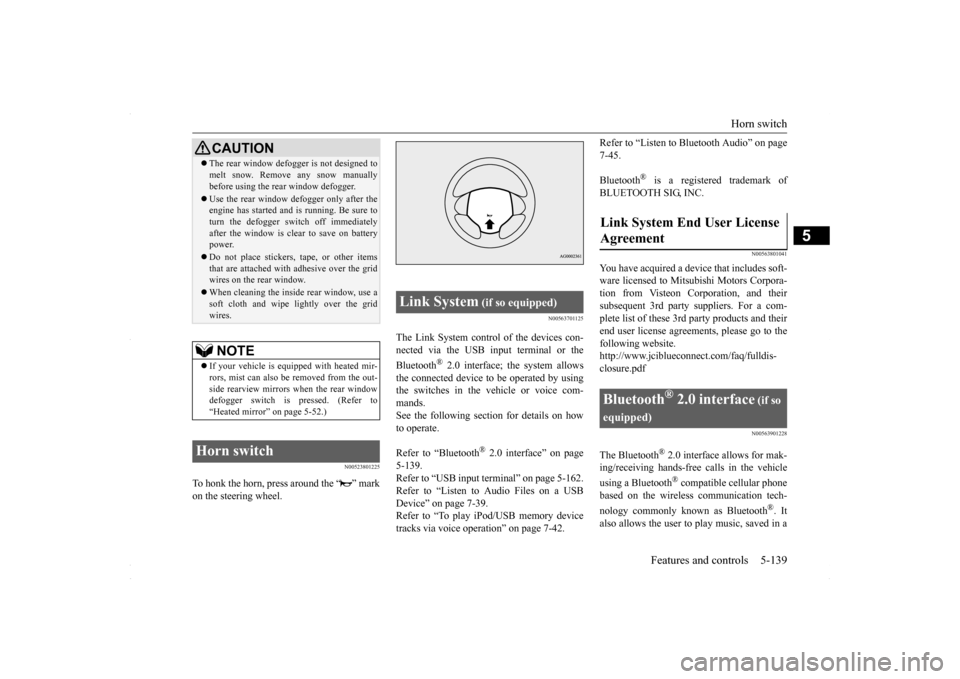
Horn switch
Features and controls 5-139
5
N00523801225
To honk the horn, press around the “ ” mark on the steering wheel.
N00563701125
The Link System control of the devices con-nected via the USB input terminal or the Bluetooth
® 2.0 interface; the system allows
the connected device to be operated by usingthe switches in the vehicle or voice com-mands. See the following section for details on how to operate. Refer to “Bluetooth
® 2.0 interface” on page
5-139. Refer to “USB input terminal” on page 5-162. Refer to “Listen to Audio Files on a USBDevice” on page 7-39. Refer to “To play iPod/USB memory device tracks via voice operation” on page 7-42.
Refer to “Listen to Bluetooth Audio” on page 7-45. Bluetooth
® is a registered trademark of
BLUETOOTH SIG, INC.
N00563801041
You have acquired a device that includes soft- ware licensed to Mitsubishi Motors Corpora-tion from Visteon Corporation, and theirsubsequent 3rd party suppliers. For a com- plete list of these 3rd party products and their end user license agreements, please go to thefollowing website. http://www.jciblueconnect.com/faq/fulldis- closure.pdf
N00563901228
The Bluetooth
® 2.0 interface allows for mak-
ing/receiving hands-free calls in the vehicle using a Bluetooth
® compatible cellular phone
based on the wireless communication tech- nology commonly known as Bluetooth
®. It
also allows the user to
play music, saved in a
CAUTIONThe rear window defogger is not designed to melt snow. Remove any snow manually before using the rear window defogger. Use the rear window defogger only after the engine has started and is running. Be sure to turn the defogger switch off immediately after the window is clear to save on batterypower. Do not place stickers, tape, or other items that are attached with adhesive over the grid wires on the rear window. When cleaning the inside rear window, use a soft cloth and wipe lightly over the grid wires.NOTE
If your vehicle is equipped with heated mir- rors, mist can also be removed from the out- side rearview mirrors when the rear windowdefogger switch is pressed. (Refer to “Heated mirror” on page 5-52.)
Horn switch
Link System
(if so equipped)
Link System End User License Agreement
Bluetooth
® 2.0 interface
(if so
equipped)
BK0230300US.book
139 ページ 2015年7月30日 木曜日 午後8時38分