remote control MITSUBISHI LANCER 2017 8.G Owner's Manual
[x] Cancel search | Manufacturer: MITSUBISHI, Model Year: 2017, Model line: LANCER, Model: MITSUBISHI LANCER 2017 8.GPages: 385, PDF Size: 14.34 MB
Page 230 of 385
Interior lights
Features and controls 5-165
5
N00553800067
Regardless of the dome light switch position, when you press the lens, the light on the side
that is pressed illuminates; when you press the lens again, the light goes off.
N00525401485
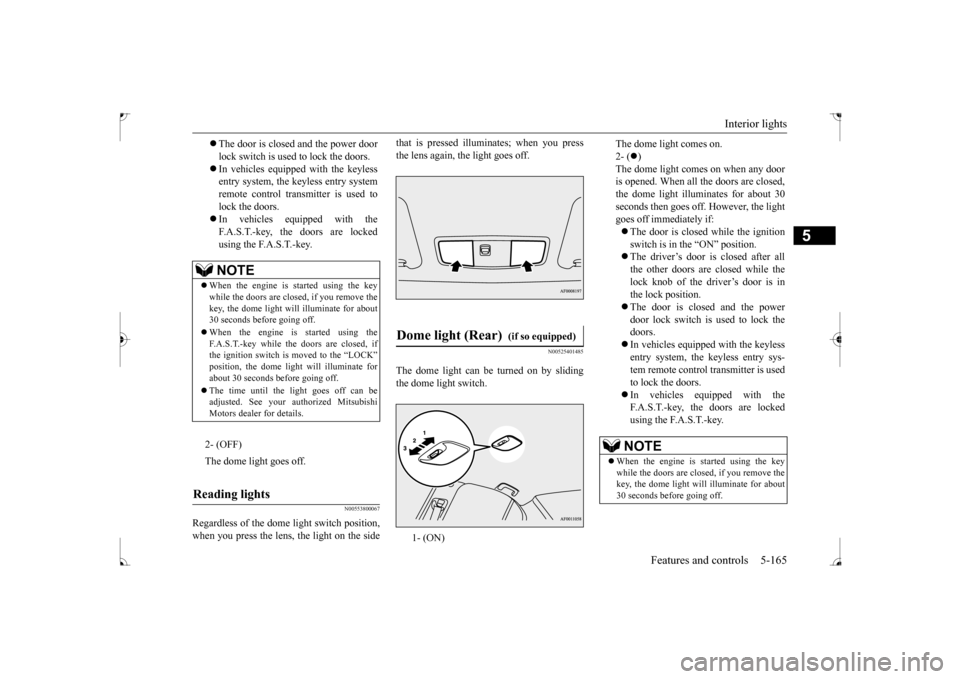
The dome light can be turned on by sliding the dome light switch.
The door is closed and the power door lock switch is used to lock the doors. In vehicles equipped with the keyless entry system, the keyless entry system remote control transmitter is used tolock the doors. In vehicles equipped with the F.A.S.T.-key, the doors are lockedusing the F.A.S.T.-key.NOTE
When the engine is started using the key while the doors are closed, if you remove the key, the dome light will illuminate for about30 seconds before going off. When the engine is started using the F.A.S.T.-key while the doors are closed, if the ignition switch is moved to the “LOCK” position, the dome light will illuminate forabout 30 seconds before going off. The time until the light goes off can be adjusted. See your authorized Mitsubishi Motors dealer for details.2- (OFF) The dome light goes off.
Reading lights
Dome light (Rear)
(if so equipped)
1- (ON)
The dome light comes on. 2- (
)
The dome light comes on when any door is opened. When all the doors are closed, the dome light illuminates for about 30seconds then goes off. However, the light goes off immediately if: The door is closed while the ignition switch is in the “ON” position. The driver’s door is closed after all the other doors are closed while thelock knob of the driver’s door is inthe lock position. The door is closed and the power door lock switch is used to lock thedoors. In vehicles equipped with the keyless entry system, the keyless entry sys-tem remote control transmitter is used to lock the doors. In vehicles equipped with the F.A.S.T.-key, the doors are locked using the F.A.S.T.-key.NOTE
When the engine is started using the key while the doors are closed, if you remove the key, the dome light will illuminate for about 30 seconds before going off.
BK0237700US.book
165 ページ 2016年4月15日 金曜日 午前11時28分
Page 274 of 385
Operation Keys
Comfort controls 7-27
7
N00716800084
13-
5 key Play/Pause Bluetooth Audio
*2, and use
as preset key 5 for radio.
14-
6 key Return during audio track search, and stop Bluetooth Audio
*2.
For radio, use as preset key 6.
15-
key/ key
For audio, select audio track/file; forradio, perform automatic station selec- tion. Select channels in the satellite radio*
1.
16- MENU key
Switch to Menu mode.
17-
/SEL key
Adjust audio quality and select items.For radio, manually select stations. Select channels in the satellite radio*
1.
*1: Requires a satellite tuner connection.*2: Requires a separately-purchased Blue- tooth-capable audio device in equip- ment by type (vehicles with a Bluetooth
® 2.0 interface).
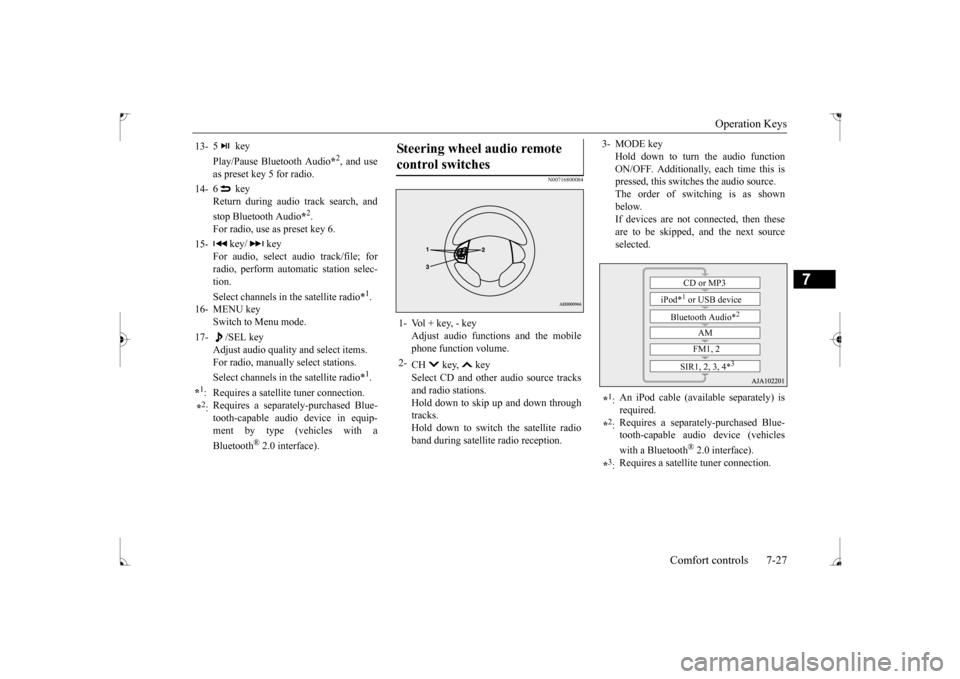
Steering wheel audio remote control switches 1- Vol + key, - key
Adjust audio functions and the mobilephone function volume.
2-
CH key, key Select CD and other audio source tracks and radio stations.Hold down to skip up and down through tracks. Hold down to switch the satellite radioband during satellite radio reception.
3- MODE key
Hold down to turn the audio functionON/OFF. Additionally, each time this is pressed, this switches the audio source. The order of switching is as shownbelow. If devices are not connected, then these are to be skipped, and the next sourceselected.
*1: An iPod cable (available separately) is required.
*2: Requires a separately-purchased Blue- tooth-capable audio device (vehicles with a Bluetooth
® 2.0 interface).
*3: Requires a satellite tuner connection.
CD or MP3
iPod*
1 or USB device
Bluetooth Audio*
2
AM FM1, 2
SIR1, 2, 3, 4*
3
BK0237700US.bo
ok 27 ページ 2016年4月15日 金曜日 午前11時28分
Page 276 of 385
Listen to Satellite Radio (if so equipped)
Comfort controls 7-29
7
During RBDS broadcast reception, select CAT (category content) to perform a collec-tive search for stations. 1. During FM reception, press the CAT key. This switches to the CAT selection mode. 2. Press the CAT key to select CAT. 3. Press the SCAN key.When a broadcast station is received, this is played for 5 seconds, then the product searches for the next station.
N00717000067
This section explains ho
w to listen to satellite
radio. Press the RADIO key to switch the band. Switches between SIR1, SIR2, SIR3, and SIR4 bands. The selected band is indicated on the display.
Press the key or key to select the sta- tion.
NOTE
This receives the station detected first. 10 seconds after reception, CAT search mode will be cancelled. To receive a different station, press the key or key again.
CAT Scan
NOTE
Press this key again while receiving the sta- tion to return to normal reception.
Listen to Satellite Radio
(if so
equipped)
NOTE
A subscription is required to listen to satel- lite radio. Satellite radio cannot be received after the free trial period has expired. If no subscription has been made when the free trial period expires, the display willalternate between “CALL” and “888-539- SIRI”.
To listen to Satellite Radio
NOTE
Bands switch in the order AM, FM1, FM2, SIR1, SIR2*, SIR3*, and SIR4*. Switch satellite radio bands by holding down the key or key on the steering remote control switch.
*:If no signal is received, bands will not be switched.
Select a Station
key
Go down one step from the channel being received.
key
Go up one step from the channel being received.
key
(Hold down)
While the key is held down, it will cycle down through the channels being received.
key
(Hold down)
While the key is held down, it will cycle up through the channels being received.
NOTE
When cycling up/down through channels, the channel number display in the upper level of the display changes. When channel number “000” is selected, the SIRIUS ID (12 digits) is displayed.
BK0237700US.bo
ok 29 ページ 2016年4月15日 金曜日 午前11時28分