alarm MITSUBISHI LANCER EVOLUTION 2015 10.G User Guide
[x] Cancel search | Manufacturer: MITSUBISHI, Model Year: 2015, Model line: LANCER EVOLUTION, Model: MITSUBISHI LANCER EVOLUTION 2015 10.GPages: 338, PDF Size: 43.12 MB
Page 102 of 338
Theft-alarm system
Features and controls 5-41
5
The alarm can be deactivated in the following ways. By using the keyless entry system or the F.A.S.T.-key operation to lock or unlock the door. Turn the ignition switch to the “ON” posi- tion.
The system will be disarmed if the following operation is performed. The ignition switch is turned to the “ON” position. All doors are unlocked by the keyless entry system or the F.A.S.T.-key opera-tion.
Use the following procedure to test the sys- tem: 1. Lower the driver’s window. 2. Arm the system as explained in “Armedstage”. 3. Make sure that the theft-alarm indicator comes on and flashes for approximately20 seconds. 4. Wait a few seconds and then unlock the driver’s side door by using the inside doorlock knob and open the door. 5. Check to be sure that the horn sounds intermittently and the headlights blink onand off when the door is opened. 6. Disarm the system by unlocking all doors by the keyless entry system or theF.A.S.T.-key operation.
NOTE
The alarm will continue to operate for 3 min- utes. At the end of that period, the alarm will automatically shut off to save battery power. The system will then
be rearmed until the
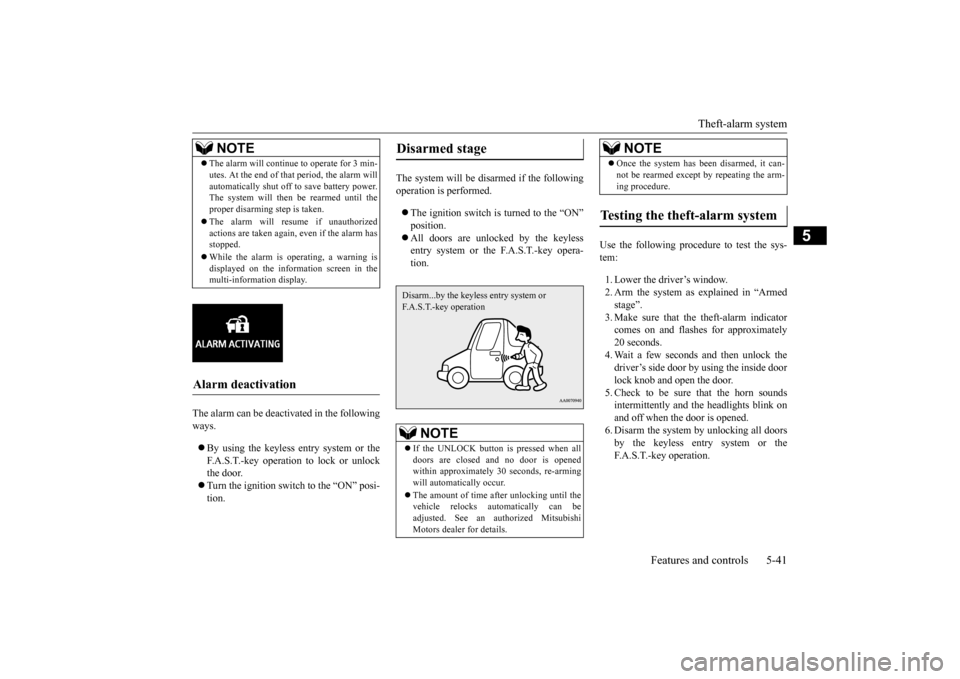
proper disarming step is taken. The alarm will resume if unauthorized actions are taken again, even if the alarm hasstopped. While the alarm is operating, a warning is displayed on the information screen in the multi-information display.
Alarm deactivation
Disarmed stage
NOTE
If the UNLOCK button is pressed when all doors are closed and no door is opened within approximately 30 seconds, re-arming will automatically occur. The amount of time after unlocking until the vehicle relocks automatically can beadjusted. See an authorized Mitsubishi Motors dealer for details.Disarm...by the keyless entry system or F.A.S.T.-key operation
Once the system has been disarmed, it can- not be rearmed except by repeating the arm- ing procedure.
Testing the theft-alarm system
NOTE
BK0210800US.bo
ok 41 ページ 2014年4月8日 火曜日 午前11時28分
Page 140 of 338
Service brake
Features and controls 5-79
5
N00517500291
Overuse of the brake can cause poor brake response and premature wear of the brakepads. When driving down a long or steep hill, use engine braking by downshifting.
N00517600380
Your vehicle is equipped with power brakes for more braking force with minimal brake pedal effort.Your brakes are designe
d to operate at full
capacity, even if the power assist is lost. If the power assist is lost, the effort needed topress the brake pedal is greater. If you lose the power assist for some reason, the brakes will still work. If the power brake unit or either of the two brake hydraulic systems stops working prop-
erly, the rest of the br
ake system will still
work, but the vehicle will not slow down as quickly. You will know this has happened if you findyou need to depress the brake pedal down further, or harder when slowing down or stop- ping, or if the brake
warning light and the
warning display in the multi-information dis- play come on.
N00532500117
The disc brakes have an alarm that makes ametallic squeal when the brake pads have worn down enough to need service. If youhear this sound continuously, have the brake pads inspected at an authorized Mitsubishi Motors dealer or a repair facility of yourchoice.
NOTE
Even if there is a difference in the amount of traction the wheels can get, if both of them are spinning, the limited-slip differential will not be effective.CAUTION Never start the engine while one of the front or rear wheels is jacked up and the other in contact with the ground; doing so may cause the vehicle to jump forward. Continuously attempting to extract the vehi- cle from snow, mud, etc. while using highengine rpm may damage the limited-slip dif- ferential. Using a compact spare wheel will adversely affect the limited-slip differential; replace the compact spare wheel with a standard sizewheel as soon as possible.
Service brake Brake pedal
WA R N I N G Do not leave any objects near the brake pedal or let a floor mat slide under it; doing so could prevent the full pedal stroke that would be necessary in an emergency. Make sure that the pedal canbe operated freely at all times. Make sure the floor mat is securely held in place.CAUTION It is important not to drive the vehicle with your foot resting on the brake pedal when braking is not required. This practice can result in very high brake temperatures, pre-mature pad wear, and possible damage to the brakes.
Power brakes
WA R N I N G Never coast downhill with the engine OFF. Keep the engine running whenever your vehicle is in motion. If you turn off the engine while driving, the power brakebooster will stop working and your brakes will not work as well. If the power assist is
lost or if either brake
hydraulic system stops working properly, take your vehicle to an authorized Mit-subishi Motors dealer or a repair facility of your choice immediately.
Brake pad wear alarm
BK0210800US.bo
ok 79 ページ 2014年4月8日 火曜日 午前11時28分
Page 168 of 338
Multi-information display
Features and controls 5-107
5
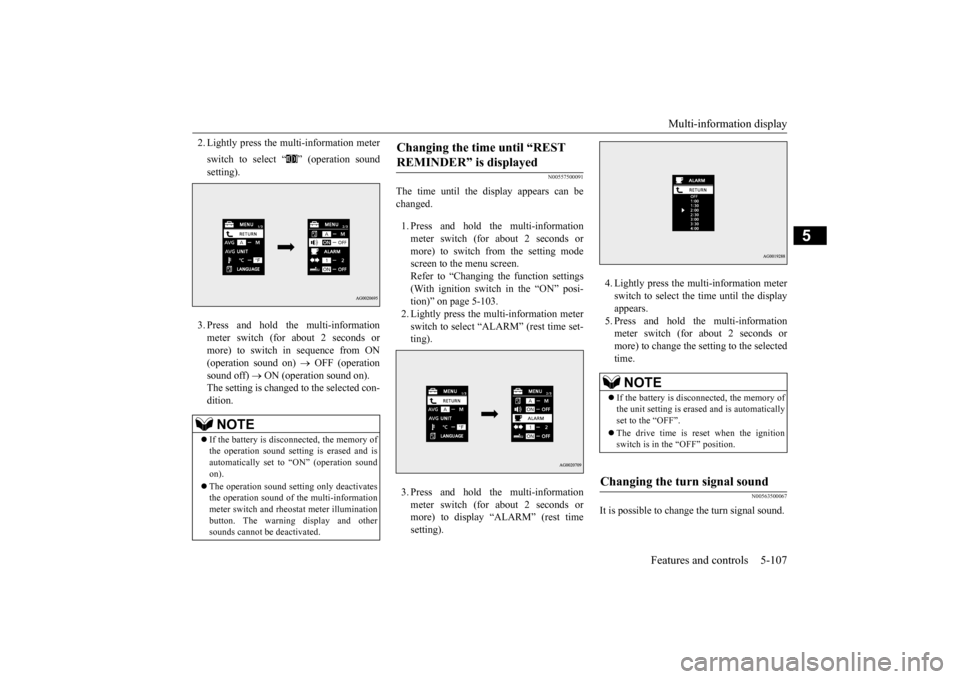
2. Lightly press the multi-information meter switch to select “ ” (operation sound setting). 3. Press and hold the multi-information meter switch (for about 2 seconds or more) to switch in sequence from ON (operation sound on)
OFF (operation
sound off)
ON (operation sound on).
The setting is changed to the selected con- dition.
N00557500091
The time until the display appears can be changed. 1. Press and hold the multi-information meter switch (for about 2 seconds ormore) to switch from the setting mode screen to the menu screen. Refer to “Changing the function settings(With ignition switch in the “ON” posi-tion)” on page 5-103. 2. Lightly press the multi-information meter switch to select “ALARM” (rest time set-ting). 3. Press and hold the multi-information meter switch (for about 2 seconds or more) to display “ALARM” (rest time setting).
4. Lightly press the multi-information meter switch to select the time until the display appears.5. Press and hold the multi-information meter switch (for about 2 seconds or more) to change the setting to the selectedtime.
N00563500067
It is possible to change the turn signal sound.
NOTE
If the battery is disconnected, the memory of the operation sound setting is erased and is automatically set to “ON” (operation sound on). The operation sound setting only deactivates the operation sound of the multi-informationmeter switch and rheostat meter illumination button. The warning display and other sounds cannot be deactivated.
Changing the time until “REST REMINDER” is displayed
NOTE
If the battery is disconnected, the memory of the unit setting is erased and is automaticallyset to the “OFF”. The drive time is reset when the ignition switch is in the “OFF” position.
Changing the turn signal sound
BK0210800US.book
107 ページ 2014年4月8日 火曜日 午前11時28分
Page 173 of 338
Indicator light, warning light, an
d information screen display list
5-112 Features and controls
5
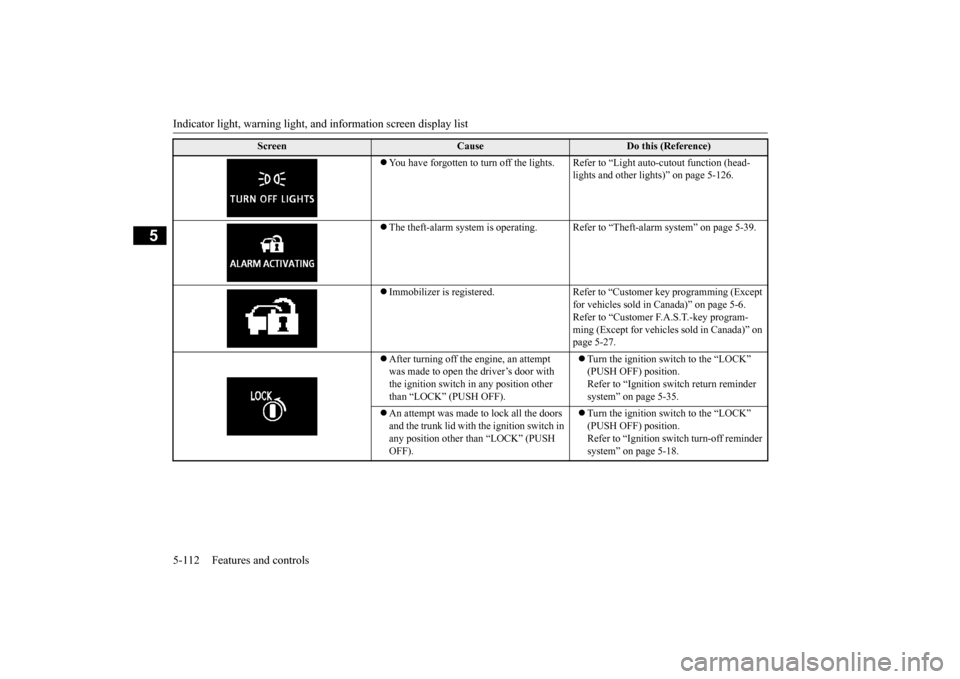
You have forgotten to turn off the lights. R
efer to “Light auto-cutout function (head- lights and other lights)” on page 5-126.
The theft-alarm system is operating. Refer
to “Theft-alarm system” on page 5-39.
Immobilizer is registered. Refer to “Customer key programming (Except
for vehicles sold in Canada)” on page 5-6.Refer to “Customer F.A.S.T.-key program- ming (Except for vehicles sold in Canada)” on page 5-27.
After turning off the engine, an attempt was made to open the driver’s door with the ignition switch in any position other than “LOCK” (PUSH OFF).
Turn the ignition switch to the “LOCK” (PUSH OFF) position. Refer to “Ignition switch return reminder system” on page 5-35.
An attempt was made to lock all the doors and the trunk lid with the ignition switch in any position other than “LOCK” (PUSH OFF).
Turn the ignition switch to the “LOCK” (PUSH OFF) position. Refer to “Ignition switch turn-off reminder system” on page 5-18.
Screen
Cause
Do this (Reference)
BK0210800US.book
112 ページ 2014年4月8日 火曜日 午前11時28分
Page 334 of 338
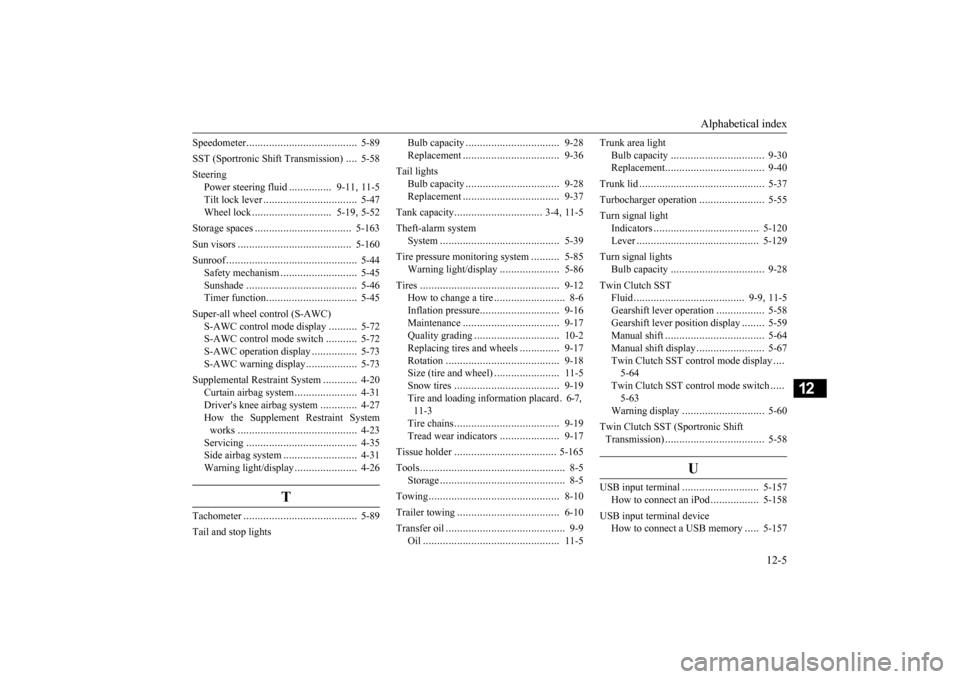
Alphabetical index
12-5
12
Speedometer
..................
.....................
5-89
SST (Sportronic Shift Transmission)
....
5-58
Steering
Power steering fluid
...............
9-11
, 11-5
Tilt lock lever
................
.................
5-47
Wheel lock
............................
5-19
, 5-52
Storage spaces
...................
...............
5-163
Sun visors
.....................
...................
5-160
Sunroof
......................
........................
5-44
Safety mechanism
...........................
5-45
Sunshade
..................
.....................
5-46
Timer function
...............
.................
5-45
Super-all wheel control (S-AWC)
S-AWC control mode display
..........
5-72
S-AWC control mode switch
...........
5-72
S-AWC operation display
................
5-73
S-AWC warning display
..................
5-73
Supplemental Restraint System
............
4-20
Curtain airbag system
......................
4-31
Driver's knee airbag system
.............
4-27
How the Supplement Restraint System works
.....................
.....................
4-23
Servicing
..................
.....................
4-35
Side airbag system
..........................
4-31
Warning light/display
......................
4-26
T
Tachometer
...................
.....................
5-89
Tail and stop lights
Bulb capacity
..................
...............
9-28
Replacement
...................
...............
9-36
Tail lights
Bulb capacity
..................
...............
9-28
Replacement
...................
...............
9-37
Tank capacity
...............
................
3-4
, 11-5
Theft-alarm system
System
........................
..................
5-39
Tire pressure monitoring system
..........
5-85
Warning light/display
.....................
5-86
Tires
...........................
......................
9-12
How to change a tire
.........................
8-6
Inflation pressure
............................
9-16
Maintenance
...................
...............
9-17
Quality grading
...............
...............
10-2
Replacing tires and wheels
..............
9-17
Rotation
......................
..................
9-18
Size (tire and wheel)
.......................
11-5
Snow tires
...................
..................
9-19
Tire and loading information placard
.6-7
,
11-3 Tire chains
...................
..................
9-19
Tread wear indicators
.....................
9-17
Tissue holder
...................
.................
5-165
Tools
...........................
........................
8-5
Storage
........................
....................
8-5
Towing
........................
......................
8-10
Trailer towing
.....................
...............
6-10
Transfer oil
......................
....................
9-9
Oil
..........................
......................
11-5
Trunk area light
Bulb capacity
................
.................
9-30
Replacement
..................
.................
9-40
Trunk lid
.......................
.....................
5-37
Turbocharger operation
.......................
5-55
Turn signal light
Indicators
..................
...................
5-120
Lever
........................
...................
5-129
Turn signal lights
Bulb capacity
................
.................
9-28
Twin Clutch SST
Fluid
..................
.....................
9-9
, 11-5
Gearshift lever operation
.................
5-58
Gearshift lever position display
........
5-59
Manual shift
..................
.................
5-64
Manual shift display
........................
5-67
Twin Clutch SST control mode display
....
5-64 Twin Clutch SST control mode switch
.....
5-63Warning display
.............................
5-60
Twin Clutch SST (Sportronic Shift Transmission)
..................
.................
5-58
U
USB input terminal
...........................
5-157
How to connect an iPod
.................
5-158
USB input terminal device
How to connect a USB memory
.....
5-157
BK0210800US.bo
ok 5 ページ 2014年4月8日 火曜日 午前11時28分