stop start MITSUBISHI LANCER EVOLUTION 2015 10.G Owner's Manual
[x] Cancel search | Manufacturer: MITSUBISHI, Model Year: 2015, Model line: LANCER EVOLUTION, Model: MITSUBISHI LANCER EVOLUTION 2015 10.GPages: 338, PDF Size: 43.12 MB
Page 138 of 338
Active stability control (ASC) Features and controls 5-77
5
N00559200021
On slippery surfaces, the traction control function prevents the dr
ive wheels from spin-
ning excessive, thus helping the vehicle to start moving from a stopped condition. It also provides sufficient driving force and steeringperformance as the vehicle turns while press- ing the acceleration pedal.
N00546800010
The skid control function is designed to help the driver maintain control of the vehicle onslippery roads or during rapid steering
maneuvers. It works by controlling the engine output and the brake on each wheel.
N00559400209
When the ignition switch is turned to the “ON” position, the ASC automatically turns ON. If the ASC OFF switch is pressed to turn OFF the ASC, the display in the meter comes on. Press the switch again to turn ON the ASC.
When the ASC is activated, you may feel a vibration in the vehicle body or hear a whin- ing sound from the engine compartment. This indicates that the system is operating normally. It does not indicate a malfunction. When the anti-lock braking system warning light is illuminated, the ASC is not active.
Traction control function
CAUTION When driving a vehicle on a snowy or icy road, be sure to install snow tires and drivethe vehicle at moderate speeds.
Skid control function
NOTE
NOTE
The skid control function operates at speeds of about 9 mph (15 km/h) or higher.
ASC OFF switch
CAUTION For safety reasons, press the ASC OFF switch when the vehicle is stopped.
Be sure to turn ON the ASC for normal driv- ing.NOTE
When moving out of mud, sand or fresh snow, pressing the accelerator pedal may not allow the engine speed to increase. In such situations, temporarily turning off the ASCwith the “ASC OFF” switch will make it eas- ier to move out your vehicle. By pressing the ASC OFF switch, both the skid control function and the traction control function are turned OFF. By pressing down the “ASC OFF” switch for 3 seconds or longer, you can deactivate theASC and the braking control of the AYC. At this time, the display will appear for a few seconds. Then, the previous screen will return and the “!” mark will come on. Press the ASC OFF switch again to turn ONthe ASC.CAUTION
BK0210800US.bo
ok 77 ページ 2014年4月8日 火曜日 午前11時28分
Page 139 of 338
Limited-slip differential 5-78 Features and controls
5
N00546500091
N00546600092
If an abnormal condition occurs in the sys- tem, the following display/indicator will turn on. Warning display
N00517400014
A limited-slip differential is applied for front wheel differential. The features of this lim- ited-slip differential are described below: Just as with a conventional differential, the wheel on one side is allowed to turn at a dif-ferent speed from the wheel on the other side when the vehicle is cornering. The difference between the limited-slip differential and aconventional differential is that if the wheel on one side of the vehicle loses traction, a greater amount of torque is applied to thewheel on the other side to improve traction.
If the ASC OFF switch is continuously pressed after the ASC has been turned OFF or the ASC and the braking control of AYC have been turned off, an erroneous operation prevention function operates and the ASC isautomatically turned ON.
ASC operation display or ASC OFF display
- ASC operation display/ASC indicator The display/indicator will blink when the ASC is operating. - ASC OFF display The display is displayed when the ASC has been deactivated with the “ASC OFF” switch.CAUTION When display/indicator blinks, ASC is operating, which means that the road is slip- pery or that your vehicle’s wheels are begin-ning to slip. If this happens, drive slower.NOTE
NOTE
The display may come on when you start the engine. This means that the battery volt- age momentarily dropped when the engine was started. It does not indicate a malfunc-tion, provided that the display goes out immediately. When a compact spare tire has been put on your vehicle, the gripping ability of the tire will be lower, making it more likely that the display/indicator will blink.
ASC warning display
- ASC indicator - ASC OFF display
CAUTION The system may be malfunctioning. Park your vehicle in a safe place and stop the engine. Restart the engine again and check whether the display/indicator goes out. If they go out, there is no abnormal condition.If they do not go out or appear frequently, it is not necessary to stop the vehicle immedi- ately, but you should have your vehicleinspected by an authorized Mitsubishi Motors dealer or a repair facility of your choice as soon as possible.
Limited-slip differential
BK0210800US.bo
ok 78 ページ 2014年4月8日 火曜日 午前11時28分
Page 140 of 338
Service brake
Features and controls 5-79
5
N00517500291
Overuse of the brake can cause poor brake response and premature wear of the brakepads. When driving down a long or steep hill, use engine braking by downshifting.
N00517600380
Your vehicle is equipped with power brakes for more braking force with minimal brake pedal effort.Your brakes are designe
d to operate at full
capacity, even if the power assist is lost. If the power assist is lost, the effort needed topress the brake pedal is greater. If you lose the power assist for some reason, the brakes will still work. If the power brake unit or either of the two brake hydraulic systems stops working prop-
erly, the rest of the br
ake system will still
work, but the vehicle will not slow down as quickly. You will know this has happened if you findyou need to depress the brake pedal down further, or harder when slowing down or stop- ping, or if the brake
warning light and the
warning display in the multi-information dis- play come on.
N00532500117
The disc brakes have an alarm that makes ametallic squeal when the brake pads have worn down enough to need service. If youhear this sound continuously, have the brake pads inspected at an authorized Mitsubishi Motors dealer or a repair facility of yourchoice.
NOTE
Even if there is a difference in the amount of traction the wheels can get, if both of them are spinning, the limited-slip differential will not be effective.CAUTION Never start the engine while one of the front or rear wheels is jacked up and the other in contact with the ground; doing so may cause the vehicle to jump forward. Continuously attempting to extract the vehi- cle from snow, mud, etc. while using highengine rpm may damage the limited-slip dif- ferential. Using a compact spare wheel will adversely affect the limited-slip differential; replace the compact spare wheel with a standard sizewheel as soon as possible.
Service brake Brake pedal
WA R N I N G Do not leave any objects near the brake pedal or let a floor mat slide under it; doing so could prevent the full pedal stroke that would be necessary in an emergency. Make sure that the pedal canbe operated freely at all times. Make sure the floor mat is securely held in place.CAUTION It is important not to drive the vehicle with your foot resting on the brake pedal when braking is not required. This practice can result in very high brake temperatures, pre-mature pad wear, and possible damage to the brakes.
Power brakes
WA R N I N G Never coast downhill with the engine OFF. Keep the engine running whenever your vehicle is in motion. If you turn off the engine while driving, the power brakebooster will stop working and your brakes will not work as well. If the power assist is
lost or if either brake
hydraulic system stops working properly, take your vehicle to an authorized Mit-subishi Motors dealer or a repair facility of your choice immediately.
Brake pad wear alarm
BK0210800US.bo
ok 79 ページ 2014年4月8日 火曜日 午前11時28分
Page 147 of 338
Tire pressure monitoring system 5-86 Features and controls
5
N00554800110
When the ignition switch is turned to the “ON” position, the tire pressure monitoringsystem warning light normally illuminatesand goes off a few seconds later. If one or more of the vehicle tires (except for the spare tire) is significantly under-inflated, the warning light will remain illuminatedwhile the ignition switch is in the “ON” posi- tion. Refer to “If the warning light/display illumi-nates while driving” on page 5-87 and take the necessary measures.
Each tire, including the spare (if provided), should be checked monthly when cold and inflated to the inflation pressure recom-mended by the vehicle manufacturer on the vehicle placard or tire inflation pressure label. (If your vehicle has tires of a different sizethan the size indicated on the vehicle placard or tire inflation pressure label, you should determine the proper tire inflation pressurefor those tires.) As an added safety feature, your vehicle has been equipped with a tire pressure monitoringsystem (TPMS) that illuminates a low tire pressure telltale when one or more of your tires is significantly under-inflated.Accordingly, when the low tire pressure tell-tale illuminates, you should stop and check your tires as soon as possible, and inflate them to the proper pres
sure. Driving on a sig-
nificantly under-inflated tire causes the tire to overheat and can lead to tire failure.
Tire pressure monitoring sys- tem warning light / display
NOTE
In addition, the warning display is displayed on the information screen in the multi-infor- mation display.
CAUTION If the tire pressure monitoring system warn- ing light does not illuminate when the igni- tion switch is turned to the “ON” position, it means that the tire pressure monitoring sys- tem is not working properly. Have the sys-tem inspected by an authorized Mitsubishi Motors dealer. In such situations, a malfunctioning of thesystem may be preventing the monitoring of the tire pressure. Avoid sudden braking, sharp turning and high-speed driving. If a malfunction is detected in the tire pres- sure monitoring system, the tire pressuremonitoring system warning light will blink for approximately 1 minute and then remain continuously illuminated. The warning lightwill issue further warnings each time the engine is restarted as long as the malfunction exists.Check to see whether the warning light goes off after few minutes driving. If it then goes off during driving, there is noproblem. However, if the warning light does not go off, or if it blinks again when the engine isrestarted, have the vehicle inspected by an authorized Mitsubishi Motors dealer. In such situations, a malfunctioning of the system may be preventing the monitoring of the tire pressure. For safety reasons, whenthe warning light appears while driving, avoid sudden braking, sharp turning and high-speed driving.
NOTE
In addition, the warning display is displayed on the information screen in the multi-infor- mation display.
BK0210800US.bo
ok 86 ページ 2014年4月8日 火曜日 午前11時28分
Page 148 of 338
Tire pressure monitoring system
Features and controls 5-87
5
Under-inflation also reduces fuel efficiency and tire tread life, and may affect the vehi- cle’s handling and stopping ability. Please note that the TPMS is not a substitute forproper tire maintenance, and it is the driver’s responsibility to maintain correct tire pres- sure, even if under-inflation has not reachedthe level to trigger illumination of the TPMS low tire pressure telltale. Your vehicle has also been equipped with aTPMS malfunction indicator to indicate whenthe system is not operating properly. The TPMS malfunction indicator is combined with the low tire pressure telltale.When the system detects a malfunction, the telltale will flash for approximately one min- ute and then remain continuously illuminated.This sequence will continue upon subsequent vehicle start-ups as long as the malfunction exists.When the malfunction indicator is illumi- nated, the system may not be able to detect or signal low tire pressure as intended.TPMS malfunctions may occur for a variety of reasons, including the installation of replacement or alternate tires or wheels on thevehicle that prevent the TPMS from function- ing properly. Always check the TPMS mal- function telltale after replacing one or moretires or wheels on your vehicle to ensure that the replacement or alternate tires and wheels
allow the TPMS to continue to function prop- erly.
N00532800439
1. If the tire pressure monitoring system warning light illuminates, avoid hard braking, sharp steering maneuvers andhigh speeds. You should stop and adjustthe tires to the proper inflation pressure as soon as possible. Adjust the spare tire at the same time. Refer to “Tires” on page9-12.
2. If the tire pressure monitoring system warning light remains illuminated after you have been driving for about 20 min- utes after you adjust the tire inflation pres-sure, one or more of the tires may have apuncture. Inspect the tire and if it has a puncture, have it repaired by an autho- rized Mitsubishi Motors dealer as soon aspossible.
If the warning light/display illu- minates while driving
NOTE
In addition, the warning display is displayed on the information screen in the multi-infor- mation display. When inspecting or adjusting the tire pres- sure, do not apply excessive force to thevalve stem to avoid breakage. After inspecting or adjusting the tire pres- sure, always reinstall the valve cap on the valve stem. Without the valve cap, dirt or moisture could get into the valve, resulting in damage to the tire inflation pressure sensor. Do not use metal valve caps, which may cause a metal reaction, resulting in corrosionand damage of the tire inflation pressure sen- sors.
Once adjustments have been made, the warn- ing light will go off after a few minutes of driving.WA R N I N G If the warning light/display illuminates while you are driving, avoid hard braking, sharp steering maneuvers and high speeds. Driving with an under-inflated tireadversely affects vehicle performance and can result in an accident.CAUTION If a tire has a puncture, replace that tire with the spare tire. Driving on a punctured tire could lead to an accident. The warning light/displ
ay may not illuminate
immediately in the event of a tire blowout orrapid leak.NOTE
BK0210800US.bo
ok 87 ページ 2014年4月8日 火曜日 午前11時28分
Page 182 of 338
Warning lights
Features and controls 5-121
5
N00520300147 N00520400483
This light comes on when the ignition switch is turned to the “ON” position (engine off).When the engine is started, the light should go off a few seconds later. A warning is also displayed in the multi-information display.The warning light also illuminates after start-ing the engine under the following condi- tions. When the parking brake is still applied. When the brake fluid level is low. When the brake system circuit is not working properly.
Before driving, be sure that the parking brake is fully released and brake warning light isoff.
N00520500787
This indicator is a part of the onboard diag- nostic (OBD) system which monitors the emissions, engine control system or TwinClutch SST control system. If a problem is detected in one of these systems, this indica- tor illuminates or flashes. When the ignitionswitch is turned to the “ON” position, thisindicator normally comes on and goes off after the engine has started. This indicator will come on if the fuel tank filler cap is not properly tightened. If thisindicator comes on and stays on after refuel- ing, stop the engine and check that the cap is properly tightened. (Turn the cap clockwiseuntil you hear clicking sounds.) If this indicator does not go off after several seconds or lights up while driving, have thesystem checked as soon as possible at an authorized Mitsubishi Motors dealer or a repair facility of your choice.
Warning lights Brake warning light
NOTE
Under conditions such as sporty driving, the brake fluid in the tank may move and the warning light may come on temporarily.If the warning light goes out after a while, there is not a problem with the brake system and the vehicle can be driven normally.
CAUTION If the brake warning light and the Anti-lock braking system warning light are illuminated at the same time, the braking force distribu- tion function will not operate, so the vehicle may be destabilized during sudden brakingunder the following conditions.• When the brake warning light does not goout even when the parking brake is released.• When the brake warning light stays onwhile driving.• If the above occurs, avoid sudden brakingand high-speed driving. Park the vehicle in a safe place, and contact an authorized Mit-subishi Motors dealer or a repair facility of your choice as soon as possible.
The vehicle should be brought to a halt in the following manner when brake performance is deteriorated.• Confirm that the vehicle slows down whenyou press down on the brake pedal harderthan usual. In some cases, the brake pedal may go all the way to the floor.• Should the brakes fail, use engine brakingto reduce your speed and slowly apply the parking brake.Depress the brake pedal to illuminate the stop lights to alert the vehicles behind you.
Engine malfunction indicator (“SERVICE ENGINE SOON” or “Check engine light”)
BK0210800US.book
121 ページ 2014年4月8日 火曜日 午前11時28分
Page 188 of 338
Combination headlights and dimmer switch
Features and controls 5-127
5
If the combination headlights and dimmer switch is turned to the “ ” or “ ” posi- tion again after the engine is turned off, the about 3-minute auto-cutout function described above will not work. The lights (theparking lights, tail lights and license plate lights) will stay on and will not turn off auto- matically.
N00549800183
[When using a key to start the engine] If the driver’s door is opened with the key in the “LOCK” or “ACC” position or removedfrom the ignition switch while the lights are on, the tone will sound to remind you to turn off the lights. [When using the F.A.S.T.-key to start the engine] If the driver’s door is opened with the ignition switch in the “LOCK” or “ACC” position, orif the ignition switch is moved to the “LOCK” position while the lights are on, the tone will sound to remind
you to turn off the
lights.
In either case, the lights will turn off automat- ically and so will the tone. Or you can turn the light
switch to the “OFF”
position to stop the tone.
N00549900142
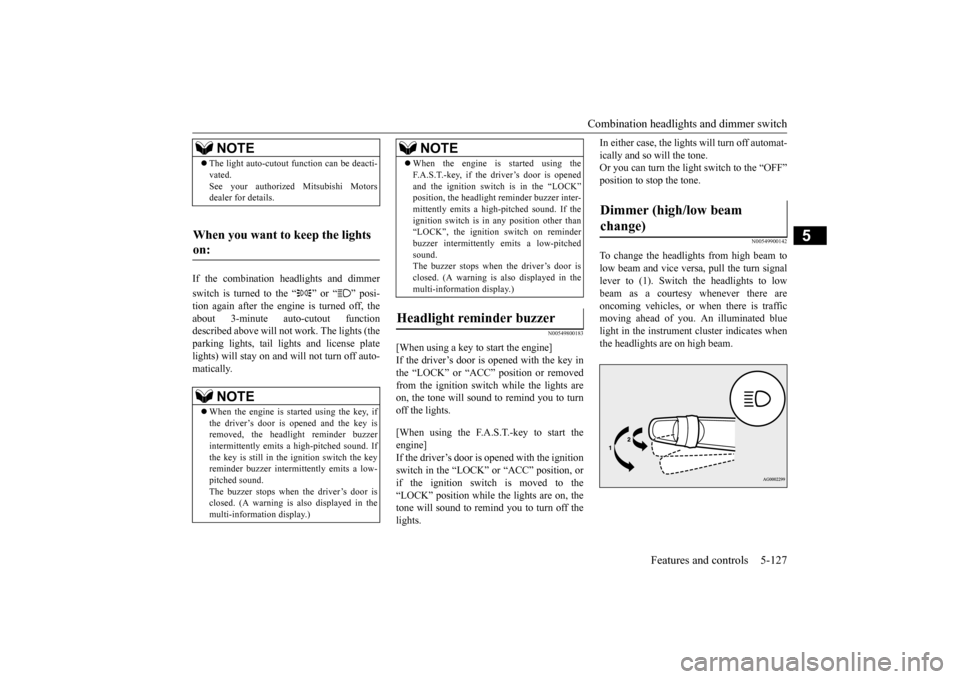
To change the headlights from high beam tolow beam and vice versa, pull the turn signallever to (1). Switch the headlights to low beam as a courtesy whenever there are oncoming vehicles, or when there is trafficmoving ahead of you. An illuminated blue light in the instrument cluster indicates when the headlights are on high beam.
NOTE
The light auto-cutout function can be deacti- vated. See your authorized Mitsubishi Motors dealer for details.
When you want to keep the lights on:
NOTE
When the engine is started using the key, if the driver’s door is opened and the key is removed, the headlight reminder buzzer intermittently emits a high-pitched sound. If the key is still in the ignition switch the keyreminder buzzer intermittently emits a low- pitched sound. The buzzer stops when the driver’s door isclosed. (A warning is also displayed in the multi-information display.)
When the engine is started using the F.A.S.T.-key, if the driver’s door is opened and the ignition switch is in the “LOCK” position, the headlight reminder buzzer inter- mittently emits a high-pitched sound. If theignition switch is in any position other than “LOCK”, the ignition switch on reminder buzzer intermittently emits a low-pitchedsound. The buzzer stops when the driver’s door is closed. (A warning is also displayed in themulti-information display.)
Headlight reminder buzzer
NOTE
Dimmer (high/low beam change)
BK0210800US.book
127 ページ 2014年4月8日 火曜日 午前11時28分
Page 201 of 338
Bluetooth® 2.0 interface 5-140 Features and controls
5
N00564400018
There are 2 cancel functions. If you are at the main menu, say “Cancel” to exit from the Bluetooth
® 2.0 interface.
If you are anywhere else within the system, say “Cancel” to return to the main menu.
N00564501029
The Bluetooth
® 2.0 interface is equipped
with a confirmation function. With the confirmation function activated, youare given more opportunities than normal to confirm a command when making various settings to the Bluetooth
® 2.0 interface. This
allows you to decrease the possibility that a setting is accidentally changed. The confirmation function can be turned onor off by following the steps below. 1. Press the SPEECH button (except for vehicles with Mitsubishi Multi-Commu- nication System) or PICK-UP button (forvehicles with Mitsubishi Multi-Commu- nication System). 2. Say “Setup.”3. Say “Confirmation prompts.” 4. The voice guide will say “Confirmation prompts are
Answer “Yes” to change the setting or answer “No” to keep the current setting. 5. The voice guide will say “Confirmation prompts are
N00564601121
It is possible to use a passcode as a securityfunction by setting a passcode of your choice for the Bluetooth
® 2.0 interface.
When the security function is turned on, it is necessary to make a voice input of a 4-digitpasscode in order to use all functions of the Bluetooth
® 2.0 interface, except for recep-
tion. Use the following procedure to turn on the security function by setting a passcode. 1. Press the SPEECH button (except for vehicles with Mitsubishi Multi-Commu-nication System) or PICK-UP button (for vehicles with Mitsubishi Multi-Commu- nication System).2. Say “Setup.” 3. Say “Passcode.” 4. The voice guide will say “Passcode is dis-abled. Would you like to enable it?” Answer “Yes.”
Answer “No” to cancel the setting of the passcode and return to the main menu. 5. The voice guide will say “Please say a 4- digit passcode. Remember this passcode.It will be required to use this system.” Say a 4-digit number which you want to set as a passcode.6. For confirmation purposes, the voice guide will say “Passcode <4-digit pass- code>. Is this correct?” Answer “Yes.”Answer “No” to return to the passcodeinput in Step 5. 7. When the registration of the passcode is completed, the voice guide will say “Pass-code is enabled” and the system will return to the main menu.
Canceling Confirmation function setting
Security function Setting the passcode
NOTE
Passcode will be required to access the sys- tem after the next ignition cycle. It is required for a little time after engine stop that the entered passcode is actuallyrecorded in the system. If the ignition switch is made to “ACC” or “ON” or the engine is started immediately after engine stop, there is a case when the entered passcode is not recorded in the sys-tem. At this time, please try to enter the pass- code again.
BK0210800US.book
140 ページ 2014年4月8日 火曜日 午前11時28分
Page 203 of 338
Bluetooth® 2.0 interface 5-142 Features and controls
5
2. Press the SPEECH button (except for vehicles with Mitsubishi Multi-Commu- nication System) or PICK-UP button (for vehicles with Mitsubishi Multi-Commu-nication System). 3. Say “Voice training.” 4. The voice guide will say “This operationmust be performed in a quiet environment while the vehicle is stopped. See the owner’s manual for the list of requiredtraining phrases. Press and release theSPEECH button when you are ready to begin. Press the HANG-UP button to can- cel at any time.”Press the SPEECH button to start the speaker enrollment process. 5. The voice guide will prompt for phrase 1. Repeat the corresponding phrase listed in table “Enrollment commands” on page 5-157.
The system will register your voice and then move on to the registration of the next command. Continue the process until all phrases have been registered. 6. When all enrollment commands have been read out, the voice guide will say “Speaker enrollment is complete.” The system will then end the speaker enroll-ment process and return to the main menu.
N00564901065
You can turn a voice model registered withthe speaker enrollment function on and off whenever you want.
You can also retrain the system. Use the following procedure to perform these actions. 1. Press the SPEECH button (except for vehicles with Mitsubishi Multi-Commu-nication System) or PICK-UP button (for vehicles with Mitsubishi Multi-Commu- nication System).2. Say “Voice training.” 3. If you have completed a speaker enroll- ment process once already, the voiceguide will say either “Enrollment isenabled. Would you like to disable or retrain?” or “Enrollment is disabled. Would you like to enable or retrain?”4. When enrollment is “enabled,” the voice model is on; when enrollment is “dis- abled,” the voice model is off. Say thecommand that fits your needs. Say “Retrain” to start the speaker enroll- ment process and recreate a new voicemodel. (Refer to “Speaker enrollment” on page 5-141.)
N00565001252
Before you can make or receive hands-free calls or play music using the Bluetooth
® 2.0
NOTE
If you do not start the speaker enrollment process within 3 minutes after pressing the SPEECH button, the speaker enrollment function will time out. The voice guide will say “Speaker enroll- ment has timed out.” The system will then beep and the voice recognition mode will bedeactivated.
NOTE
To repeat the most recent voice training com- mand, press and release the SPEECH button. If you press the HANG-UP button anytime during the process, the system will beep and stop the speaker enrollment process.NOTE
Completing the speaker enrollment process will turn on the voice model automatically. The commands “Help” and “Cancel” will not work in this mode.
Enabling and disabling the voice model and retraining
Connecting the Bluetooth
® 2.0
interface and Bluetooth
® device
BK0210800US.book
142 ページ 2014年4月8日 火曜日 午前11時28分
Page 232 of 338
Vehicle preparation before driving
Driving safety 6-3
6
N00629001712
For a safer and more enjoyable trip, always observe the following: Before starting the vehicle, make certain that you and all passengers are seated and wearing their seat belts properly (with children in the rear seat, in appropriaterestraints), and that all the doors are locked.
Move the driver’s seat as far backward as possible, while still keeping good visibil- ity, and good control of the steering wheel, brakes, accelerator, and controls.Check the instrument panel indicators and multi-information display for any possible problem. Move the front passenger seat as far back as possible. Make sure that infants and small children are properly restrained in accordance withall laws and regulations.
Check these by selecting the defroster mode, and set the blower switch on high. You should be able to feel the air blowing against the windshield.{Refer to “Defrosting or defogging (wind- shield, door window)” on page 7-8, 7-13.} Check all the tires for heavy tread wear or uneven wear patterns. Look for stones, nails, glass, or other objects stuck in the tread. Lookfor any tread cuts or sidewall cracks. Check the wheel nuts for tightness, and the tires (including spare tire) for proper pressures.
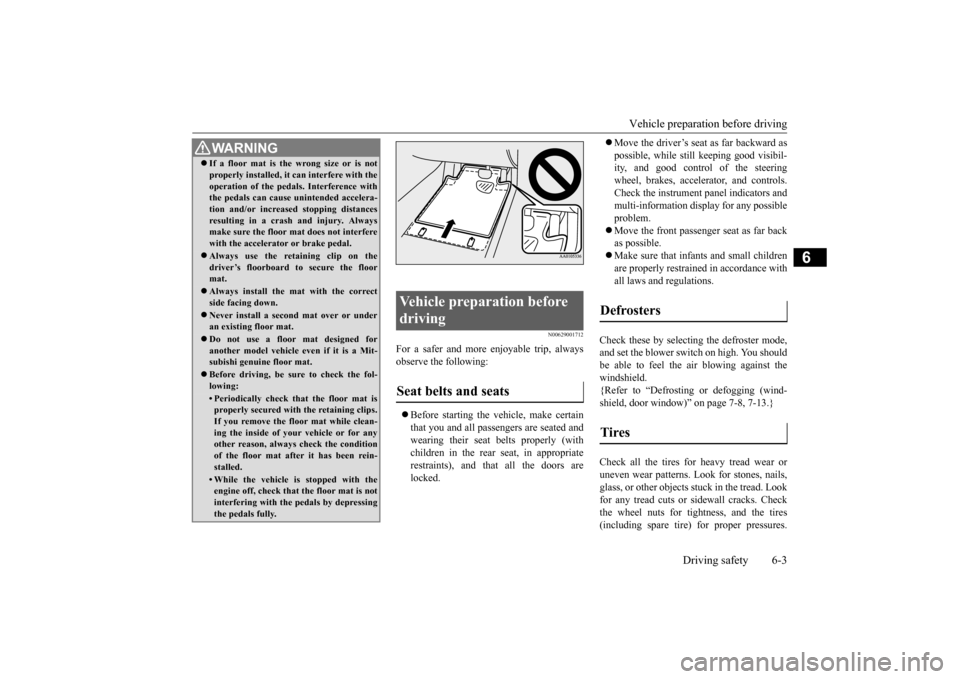
WA R N I N G If a floor mat is the wrong size or is not properly installed, it can interfere with the operation of the pedals. Interference with the pedals can cause unintended accelera- tion and/or increased stopping distancesresulting in a crash and injury. Always make sure the floor mat does not interfere with the accelerator or brake pedal. Always use the retaining clip on the driver’s floorboard to secure the floormat. Always install the mat with the correct side facing down. Never install a second mat over or under an existing floor mat. Do not use a floor mat designed for another model vehicle ev
en if it is a Mit-
subishi genuine floor mat. Before driving, be sure to check the fol- lowing:• Periodically check that the floor mat isproperly secured with the retaining clips. If you remove the floor mat while clean-ing the inside of your vehicle or for any other reason, always check the condition of the floor mat after it has been rein-stalled.• While the vehicle is stopped with the engine off, check that the floor mat is not interfering with the pedals by depressingthe pedals fully.
Vehicle preparation before driving Seat belts and seats
Defrosters Tires
BK0210800US.bo
ok 3 ページ 2014年4月8日 火曜日 午前11時28分