warning MITSUBISHI LANCER EVOLUTION 2015 10.G Manual PDF
[x] Cancel search | Manufacturer: MITSUBISHI, Model Year: 2015, Model line: LANCER EVOLUTION, Model: MITSUBISHI LANCER EVOLUTION 2015 10.GPages: 338, PDF Size: 43.12 MB
Page 191 of 338
Hazard warning flasher switch 5-130 Features and controls
5
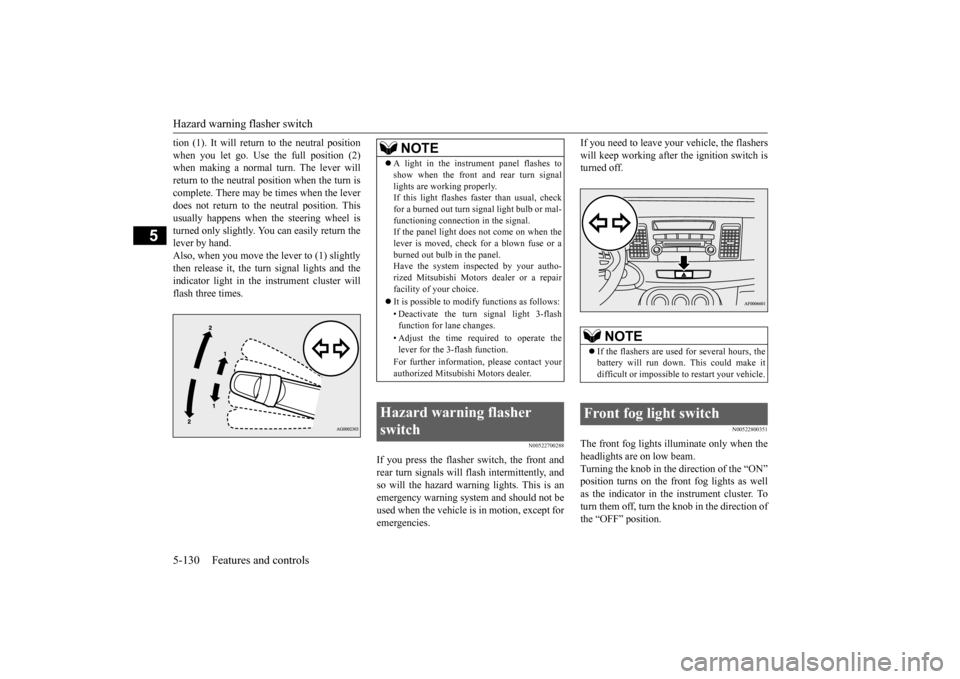
tion (1). It will return to the neutral position when you let go. Use the full position (2) when making a normal turn. The lever will return to the neutral position when the turn iscomplete. There may be times when the lever does not return to the neutral position. This usually happens when the steering wheel isturned only slightly. You can easily return the lever by hand. Also, when you move the lever to (1) slightlythen release it, the turn signal lights and theindicator light in the instrument cluster will flash three times.
N00522700288
If you press the flasher switch, the front and rear turn signals will flash intermittently, and so will the hazard warn
ing lights. This is an
emergency warning system and should not beused when the vehicle is in motion, except for emergencies.
If you need to leave your vehicle, the flashers will keep working after the ignition switch is turned off.
N00522800351
The front fog lights illuminate only when the headlights are on low beam. Turning the knob in the direction of the “ON” position turns on the front fog lights as wellas the indicator in the instrument cluster. To turn them off, turn the knob in the direction of the “OFF” position.
NOTE
A light in the instrument panel flashes to show when the front and rear turn signal lights are working properly. If this light flashes faster than usual, check for a burned out turn signal light bulb or mal-functioning connection in the signal. If the panel light does not come on when the lever is moved, check for a blown fuse or aburned out bulb in the panel. Have the system inspected by your autho- rized Mitsubishi Motors dealer or a repairfacility of your choice. It is possible to modify functions as follows: • Deactivate the turn signal light 3-flash function for lane changes. • Adjust the time required to operate the lever for the 3-flash function. For further information, please contact your authorized Mitsubishi Motors dealer.
Hazard warning flasher switch
NOTE
If the flashers are used for several hours, the battery will run down. This could make it difficult or impossible to restart your vehicle.
Front fog light switch
BK0210800US.book
130 ページ 2014年4月8日 火曜日 午前11時28分
Page 198 of 338
Bluetooth® 2.0 interface
Features and controls 5-137
5
Bluetooth
® is a registered trademark of
BLUETOOTH SIG, INC.
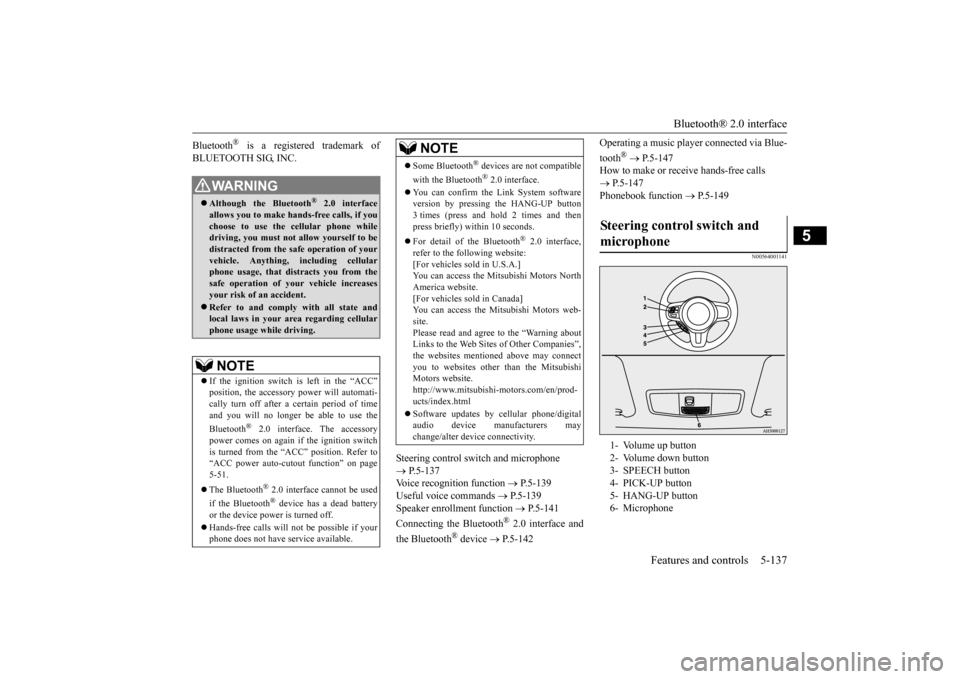
Steering control switch and microphone P.5-137 Voice recognition function
P.5-139
Useful voice commands
P.5-139
Speaker enrollment function
P.5-141
Connecting the Bluetooth
® 2.0 interface and
the Bluetooth
® device
P.5-142
Operating a music player connected via Blue- tooth
® P.5-147
How to make or receive hands-free calls P.5-147 Phonebook function
P.5-149
N00564001141
WA R N I N GAlthough the Bluetooth
® 2.0 interface
allows you to make hands-free calls, if you choose to use the cellular phone whiledriving, you must not allow yourself to be distracted from the safe operation of your vehicle. Anything, including cellularphone usage, that distracts you from the safe operation of your vehicle increases your risk of an accident. Refer to and comply with all state and local laws in your area regarding cellularphone usage while driving.NOTE
If the ignition switch is left in the “ACC” position, the accessory power will automati- cally turn off after a
certain period of time
and you will no longer be able to use the Bluetooth
® 2.0 interface. The accessory
power comes on again if the ignition switch is turned from the “ACC” position. Refer to“ACC power auto-cutout function” on page 5-51. The Bluetooth
® 2.0 interface cannot be used
if the Bluetooth
® device has a dead battery
or the device power is turned off. Hands-free calls will not be possible if your phone does not have service available.
Some Bluetooth
® devices are not compatible
with the Bluetooth
® 2.0 interface.
You can confirm the Link System software version by pressing the HANG-UP button3 times (press and hold 2 times and then press briefly) within 10 seconds. For detail of the Bluetooth
® 2.0 interface,
refer to the following website:[For vehicles sold in U.S.A.] You can access the Mitsubishi Motors North America website.[For vehicles sold in Canada] You can access the Mitsubishi Motors web- site.Please read and agree to the “Warning about Links to the Web Sites of Other Companies”, the websites mentioned above may connectyou to websites other than the Mitsubishi Motors website. http://www.mitsubishi-motors.com/en/prod-ucts/index.html Software updates by cellular phone/digital audio device manufacturers may change/alter device connectivity.NOTE
Steering control switch and microphone 1- Volume up button 2- Volume down button 3- SPEECH button 4- PICK-UP button5- HANG-UP button 6- Microphone
BK0210800US.book
137 ページ 2014年4月8日 火曜日 午前11時28分
Page 220 of 338
USB input terminal
Features and controls 5-159
5
Refer to the separate owner’s manual. Refer to the separate owner’s manual.
N00583300029
For details about the types of connectable devices and supported file specifications, refer to the following section.
N00583400033
Devices of the following types can be con- nected.
For these connectable device types, “iPod*,” “iPod classic*,” “iPod nano*,” “iPod touch*” and “iPhone*,” refer to the following web- site:[For vehicles sold in U.S.A.] You can access the Mitsubishi Motors North America website.[For vehicles sold in Canada] You can access the Mitsubishi Motors web- site. Please read and agree to the “Warningabout Links to the Web Sites of Other Com-panies”. The websites mentioned above may connect you to websites other than the Mitsubishi Motors website.http://www.mitsubishi-motors.com/en/prod- ucts/index.html
N00583500021
You can play music files of the followingspecifications that are saved in a USB mem- ory device or other device supporting massstorage class. When you connect your iPod, playable file specifications depend on the connected iPod.
For vehicles equipped with the DISPLAY AUDIO For vehicles equipped with the Mitsubishi Multi-Communication Sys-temFor vehicles equipped with the Bluetooth
® 2.0 interface
Device types Model name
Condition
USB memory device
Storage capacity of 256 Mbytes or more
Models other than USB memory devices and iPods
Digital audio player supporting mass storage class
* : “iPod,” “iPod classic,” “iPod nano,” “iPod touch,” and “iPhone” are regis- tered trademarks of Apple Inc. in theUnited States and other countries.NOTE
Depending on the type of the USB memory device or other device connected, the con- nected device may not function properly or the available functions may be limited. It is recommended to use an iPod with firm- ware updated to the latest version. You can charge your iPod by connecting it to the USB input terminal when the ignition switch is in the “ACC” or “ON” position.
Do not keep your USB memory device or iPod in your vehicle. It is recommended that
you back up the files
in case of data damage. Do not connect to the USB input terminal any device (hard disk, card reader, memoryreader, etc.) other than the connectable devices specified in
the previous section.
The device and/or data may be damaged. Ifany of these devices was connected by mis- take, remove it after turning the ignition switch to the “LOCK” position.
File specifications Item
Condition
File format
MP3, WMA, AAC, WAV
Maximum number of levels(including the root)
Level 8
Number of folders 700 Number of files 65,535
NOTE
BK0210800US.book
159 ページ 2014年4月8日 火曜日 午前11時28分
Page 259 of 338
If the vehicle breaks down 8-2 For emergencies
8
N00836300190
If your vehicle breaks down on the road, move to the shoulder and turn on the hazardwarning flashers. If there is no shoulder, or the shoulder is not safe, drive in the right lane slowly, with the hazard lights flashing, untilyou come to a safe stopping place. Keep the flashers flashing. If the engine stops, there will be no power assist to the steering and brakes, making these difficult to use. The brake booster will not work, so the brakes will not grip well. The brake pedalwill be harder to press than usual. Since there is no power steering assist, the steering wheel will be hard to turn.
Get help from your passengers, bystanders, etc. to push the vehicl
e and move it to a safe
zone.
N00836400670
If the engine cannot be started because the battery is weak or dead, you can start it withthe battery from another vehicle using jumper cables.
1. Take off any metal jewelry such as watch bands or bracelets that might make an accidental electrical contact. 2. Position the vehicles close enoughtogether so that the jumper cables can reach, but be sure the vehicles aren’t touching each other. 3. You could be injured if the vehicles move. Set the parking brake firmly on each vehi- cle. Put an automatic transaxle, Twin Clutch SST or CVT in “P” (PARK) or amanual transaxle in “N” (Neutral). Turn the ignition switch to the “LOCK” posi- tion.
If the vehicle breaks down If the engine stops/fails When the engine fails at the intersection
Jump-starting the engine
WA R N I N G Follow the procedure described in this sec- tion when using the jump cable to start the engine. Failure to follow these instructions can cause serious injury or death.CAUTION Do not try to start your vehicle by pushing or towing. Vehicles with Twin Clutch SST can- not be started this way. Pushing or towing avehicle that has a manual transaxle may overheat and damage the catalytic converter. Also, there is more ri
sk of an accident when
a vehicle is being pushed or towed.NOTE
Although the battery in your vehicle is located in the trunk (refer to page 9-11), use the joint terminal in the engine compartment to jump start the engine.
CAUTION Check the other vehicle. It must have a 12- volt battery. If the other system isn’t 12-volt, both systems can be damaged.WA R N I N G Turn the ignition switch to the “LOCK” position on both vehicles. Make sure that the cables or your clothes cannot be caught by the fan or drive belt. Personalinjury could result. NOTE
Turn off all lights, heater, and other electrical loads. This will avoid sparks and help saveboth batteries.
BK0210800US.bo
ok 2 ページ 2014年4月8日 火曜日 午前11時28分
Page 261 of 338
Engine overheating 8-4 For emergencies
8
If you drive your vehicle with a low battery charge, after the engine has been started byusing jumper cables, the engine may misfire. This can cause the anti-lock braking system warning light to blink on and off. This is onlydue to the low battery voltage. It is not a problem with the brake system. If this hap- pens, fully charge the battery and ensure thecharging system is operating properly.
N00836500033
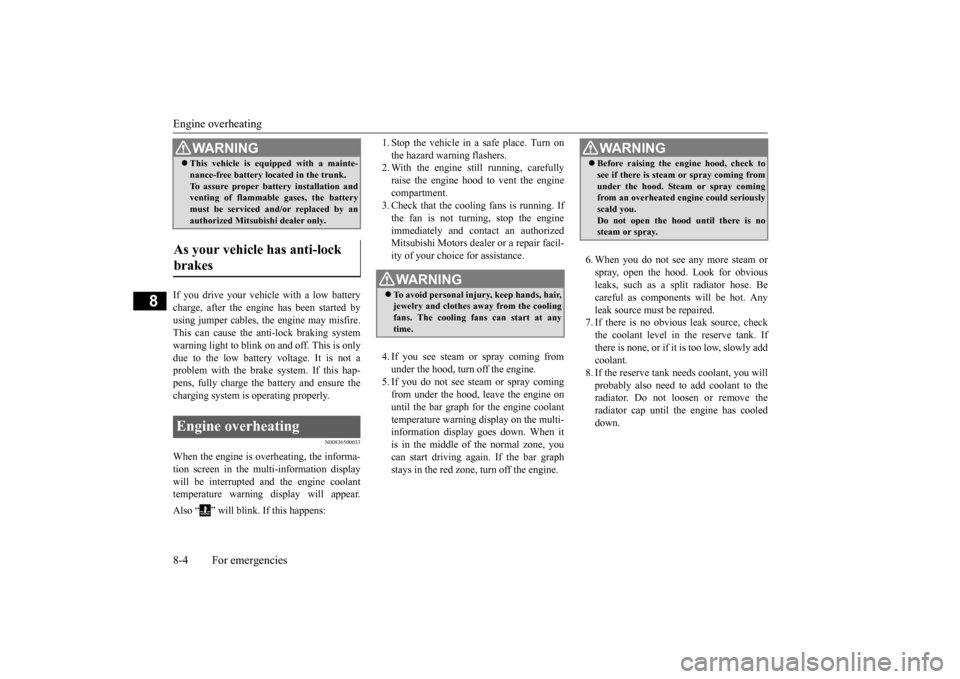
When the engine is overheating, the informa-tion screen in the multi-information display will be interrupted and the engine coolant temperature warning display will appear. Also “ ” will blink. If this happens:
1. Stop the vehicle in a safe place. Turn on the hazard warning flashers. 2. With the engine still running, carefully raise the engine hood to vent the enginecompartment. 3. Check that the cooling fans is running. If the fan is not turning, stop the engineimmediately and contact an authorized Mitsubishi Motors dealer or a repair facil- ity of your choice for assistance. 4. If you see steam or spray coming from under the hood, turn off the engine.5. If you do not see steam or spray coming from under the hood, leave the engine on until the bar graph for the engine coolanttemperature warning display on the multi- information display goes down. When it is in the middle of the normal zone, youcan start driving again. If the bar graph stays in the red zone, turn off the engine.
6. When you do not see any more steam or spray, open the hood. Look for obvious leaks, such as a split radiator hose. Be careful as components will be hot. Anyleak source must be repaired. 7. If there is no obvious leak source, check the coolant level in the reserve tank. Ifthere is none, or if it is too low, slowly add coolant. 8. If the reserve tank needs coolant, you willprobably also need to add coolant to the radiator. Do not loosen or remove the radiator cap until the engine has cooleddown.
This vehicle is equipped with a mainte- nance-free battery located in the trunk. To assure proper battery installation and venting of flammable gases, the battery must be serviced and/or replaced by anauthorized Mitsubishi dealer only.
As your vehicle has anti-lock brakes Engine overheating
WA R N I N G
WA R N I N G To avoid personal injury, keep hands, hair, jewelry and clothes away from the cooling fans. The cooling fans can start at any time.
WA R N I N G Before raising the engine hood, check to see if there is steam or spray coming from under the hood. Steam or spray coming from an overheated engine could seriously scald you.Do not open the hood until there is no steam or spray.
BK0210800US.bo
ok 4 ページ 2014年4月8日 火曜日 午前11時28分
Page 263 of 338
How to change a tire 8-6 For emergencies
8
N00836900763
Before changing a tire, first stop your vehicle in a safe, flat location. 1. Park the vehicle on level and stable ground. 2. Set the parking brake firmly.3. On vehicles with manual transaxle, turn the ignition switch to the “LOCK” posi- tion, and move the gearshift lever to the“R” (Reverse) position. On vehicles with Twin Clutch SST, move the gearshift lever to the “P” (PARK)position, and turn the ignition switch to the “LOCK” position. 4. Turn on the hazard flashers and set up awarning triangle, flashing signal light, etc., at an adequate distance from the vehicle, and have all your passengersleave the vehicle.
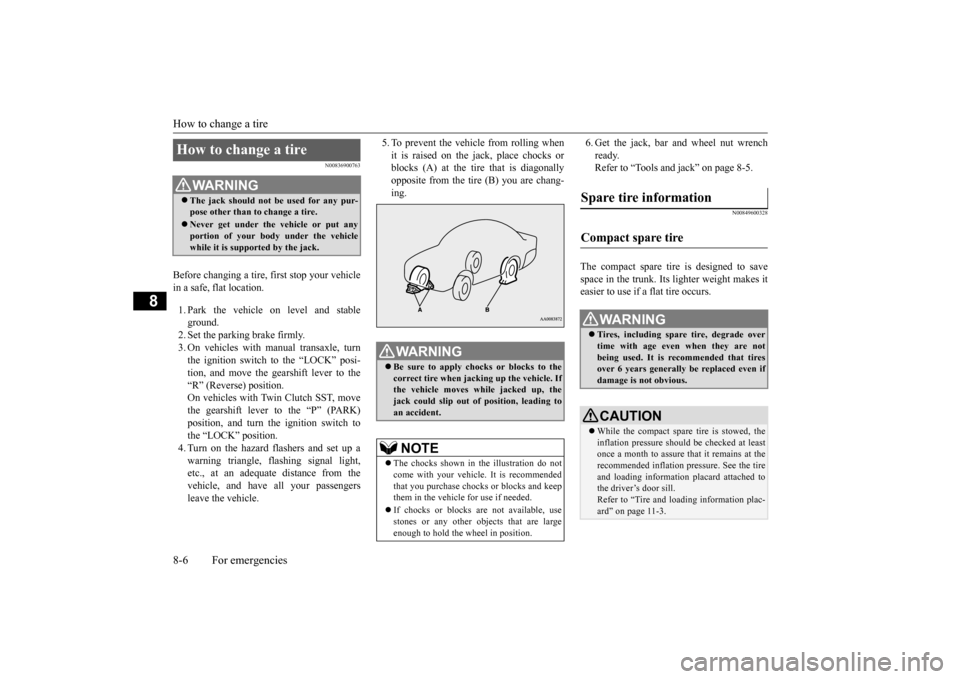
5. To prevent the vehicle from rolling when it is raised on the jack, place chocks or blocks (A) at the tire that is diagonally opposite from the tire (B) you are chang-ing.
6. Get the jack, bar and wheel nut wrench ready. Refer to “Tools and jack” on page 8-5.
N00849600328
The compact spare tire is designed to save space in the trunk. Its lighter weight makes it easier to use if a flat tire occurs.
How to change a tire
WA R N I N G The jack should not be used for any pur- pose other than to change a tire. Never get under the vehicle or put any portion of your body under the vehicle while it is supported by the jack.
WA R N I N G Be sure to apply chocks or blocks to the correct tire when jacking up the vehicle. Ifthe vehicle moves while jacked up, the jack could slip out of position, leading to an accident.NOTE
The chocks shown in the illustration do not come with your vehicle. It is recommended that you purchase chocks or blocks and keepthem in the vehicle for use if needed. If chocks or blocks are not available, use stones or any other objects that are large enough to hold the wheel in position.
Spare tire information Compact spare tire
WA R N I N G Tires, including spare tire, degrade over time with age even when they are notbeing used. It is recommended that tires over 6 years generally be replaced even if damage is not obvious.CAUTION While the compact spare tire is stowed, the inflation pressure should be checked at least once a month to assure that it remains at the recommended inflation pressure. See the tire and loading information placard attached tothe driver’s door sill. Refer to “Tire and loading information plac- ard” on page 11-3.
BK0210800US.bo
ok 6 ページ 2014年4月8日 火曜日 午前11時28分
Page 276 of 338
View of the engine compartment
Vehicle care and maintenance 9-5
9
Unlatch the prop from the engine hood and put it back in its retainer. Slowly lower the engine hood about 8 inches (20 cm), then let it drop from its own weight.
N00937600641
N00937702037
It is normal for an engi
ne to use oil. You may
need to add oil between the recommended oil change intervals. Before starting the engine,check the engine oil level. Refill if necessary. To check the oil level, remove the dipstick, wipe it off, and gently insert it all the way into the crankcase. Slowly remove it again.The oil level must not go above the line on the dipstick. If the level does not reach the line, which shows the smallest amount of oil required,remove the oil filler cap on the engine valve cover, and fill to with
in the “Good” range.
To close
CAUTIONBe careful not to trap your hands or fingers when closing the engine hood. Make sure the engine hood is firmly closed before driving.If you drive without the engine hood com- pletely closed, it could open up while driv- ing.NOTE
If this does not close the engine hood prop- erly, drop it again from a slightly higher position.
Do not push down strongly on the engine hood. Depending on how strongly or where you push down, you could create a dent in the vehicle body. If you drive with the engine hood left open, warning display is displayed on the informa- tion screen in the multi-information display.
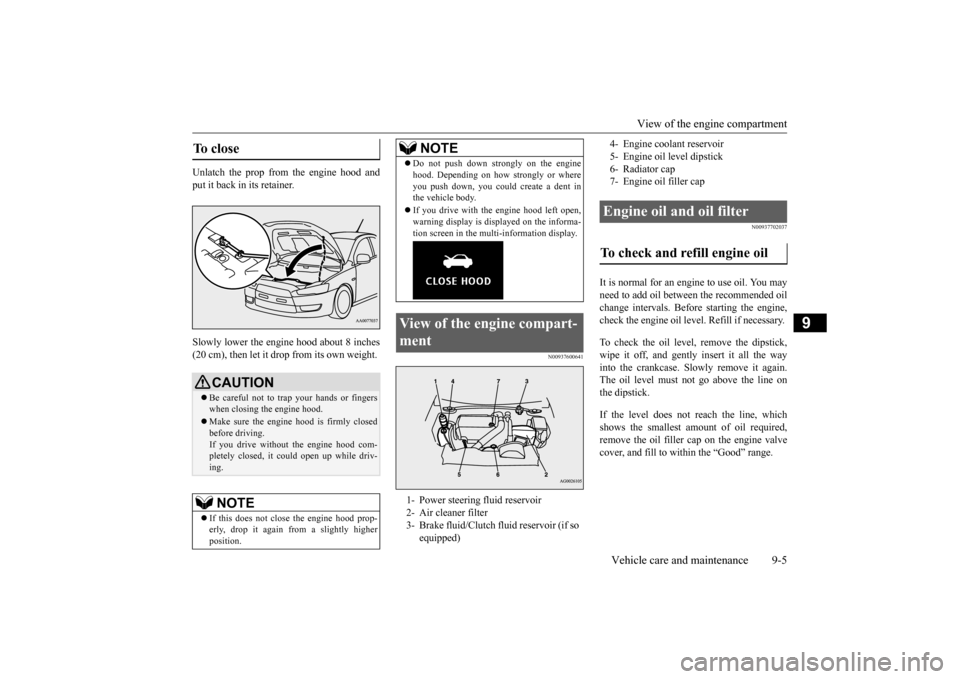
View of the engine compart- ment 1- Power steering fluid reservoir 2- Air cleaner filter 3- Brake fluid/Clutch fluid reservoir (if so
equipped)NOTE
4- Engine coolant reservoir 5- Engine oil level dipstick6- Radiator cap 7- Engine oil filler capEngine oil and oil filter To check and refill engine oil
BK0210800US.bo
ok 5 ページ 2014年4月8日 火曜日 午前11時28分
Page 296 of 338
Fuses
Vehicle care and maintenance 9-25
9
* - Fusible link Some fuses may not be installed on your vehicle, depending on the vehicle modelor specifications. The table above shows the main equip- ment corresponding to each fuse.
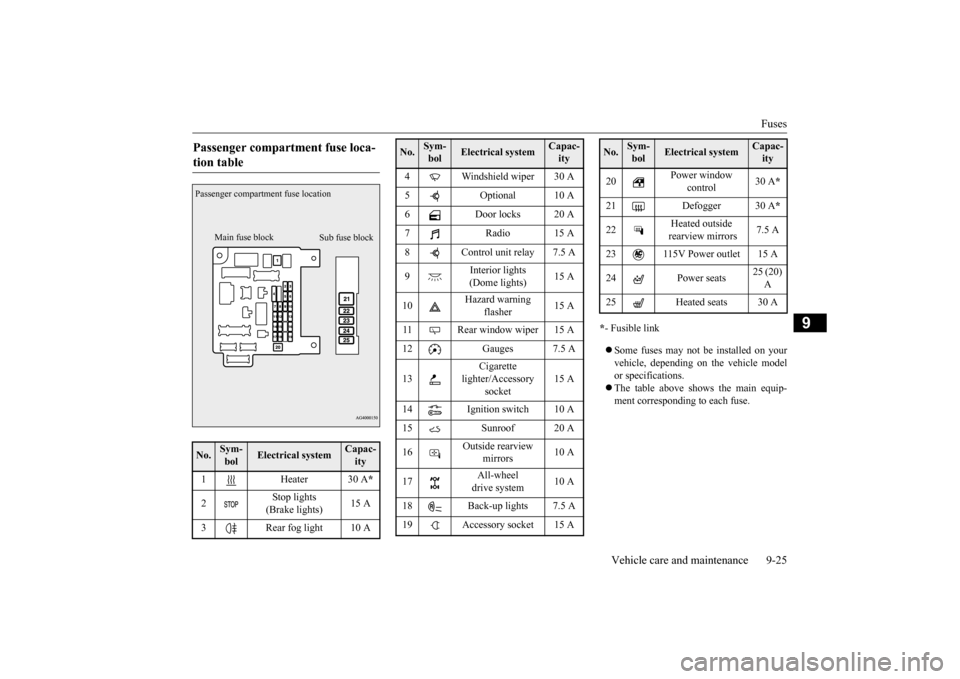
Passenger compartment fuse loca- tion table No.
Sym- bol
Electrical system
Capac-ity
1 Heater 30 A
*
2
Stop lights (Brake lights)
15 A
3 Rear fog light 10 APassenger compartment fuse location
Main fuse block
Sub fuse block
4 Windshield wiper 30 A 5 Optional 10 A 6 Door locks 20 A 7Radio15 A8 Control unit relay 7.5 A 9
Interior lights (Dome lights)
15 A
10
Hazard warning
flasher
15 A
11 Rear window wiper 15 A 12 Gauges 7.5 A 13
Cigarette
lighter/Accessory
socket
15 A
14 Ignition switch 10 A 15 Sunroof 20 A 16
Outside rearview
mirrors
10 A
17
All-wheel drive system
10 A
18 Back-up lights 7.5 A 19 Accessory socket 15 ANo.
Sym- bol
Electrical system
Capac-ity
20
Power window
control
30 A
*
21 Defogger 30 A
*
22
Heated outside rearview mirrors
7.5 A
23 115V Power outlet 15 A24 Power seats
25 (20) A
25 Heated seats 30 ANo.
Sym- bol
Electrical system
Capac-ity
BK0210800US.bo
ok 25 ページ 2014年4月8日 火曜日 午前11時28分
Page 330 of 338
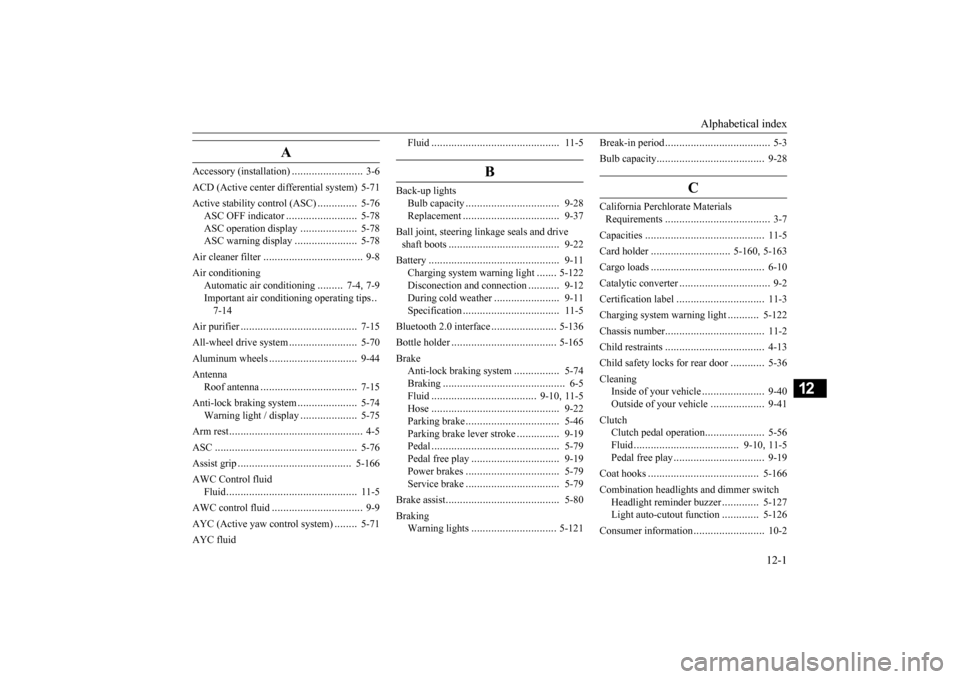
Alphabetical index
12-1
12
A
Accessory (installation)
.........................
3-6
ACD (Active center differential system) 5-71Active stability control (ASC)
..............
5-76
ASC OFF indicator
.........................
5-78
ASC operation display
....................
5-78
ASC warning display
......................
5-78
Air cleaner filter
...................
................
9-8
Air conditioning
Automatic air conditioning
.........
7-4
, 7-9
Important air conditioning operating tips
..
7-14
Air purifier
....................
.....................
7-15
All-wheel drive system
........................
5-70
Aluminum wheels
...............................
9-44
Antenna
Roof antenna
.................
.................
7-15
Anti-lock braking system
.....................
5-74
Warning light / display
....................
5-75
Arm rest
........................
.......................
4-5
ASC
..........................
........................
5-76
Assist grip
.....................
...................
5-166
AWC Control fluid
Fluid
......................
........................
11-5
AWC control fluid
................
................
9-9
AYC (Active yaw control system)
........
5-71
AYC fluid
Fluid
.......................
......................
11-5
B
Back-up lights
Bulb capacity
..................
...............
9-28
Replacement
...................
...............
9-37
Ball joint, steering linkage seals and drive shaft boots
.....................
..................
9-22
Battery
........................
......................
9-11
Charging system warning light
.......
5-122
Disconection and connection
...........
9-12
During cold weather
.......................
9-11
Specification
...................
...............
11-5
Bluetooth 2.0 interface
.......................
5-136
Bottle holder
....................
.................
5-165
Brake
Anti-lock braking system
................
5-74
Braking
.......................
....................
6-5
Fluid
....................
.................
9-10
, 11-5
Hose
.......................
......................
9-22
Parking brake
..................
...............
5-46
Parking brake lever stroke
...............
9-19
Pedal
.......................
......................
5-79
Pedal free play
................
...............
9-19
Power brakes
..................
...............
5-79
Service brake
..................
...............
5-79
Brake assist
......................
..................
5-80
Braking
Warning lights
..............................
5-121
Break-in period
.....................
................
5-3
Bulb capacity
.....................
.................
9-28
C
California Perchlorate Materials Requirements
.....................
................
3-7
Capacities
.....................
.....................
11-5
Card holder
............................
5-160
, 5-163
Cargo loads
...................
.....................
6-10
Catalytic converter
................
................
9-2
Certification label
...............................
11-3
Charging system warning light
...........
5-122
Chassis number
..................
.................
11-2
Child restraints
..................
.................
4-13
Child safety locks for rear door
............
5-36
Cleaning
Inside of your vehicle
......................
9-40
Outside of your vehicle
...................
9-41
Clutch
Clutch pedal operation
.....................
5-56
Fluid
..................
...................
9-10
, 11-5
Pedal free play
...............
.................
9-19
Coat hooks
....................
...................
5-166
Combination headlights and dimmer switch
Headlight reminder buzzer
.............
5-127
Light auto-cutout function
.............
5-126
Consumer information
.........................
10-2
BK0210800US.bo
ok 1 ページ 2014年4月8日 火曜日 午前11時28分
Page 332 of 338
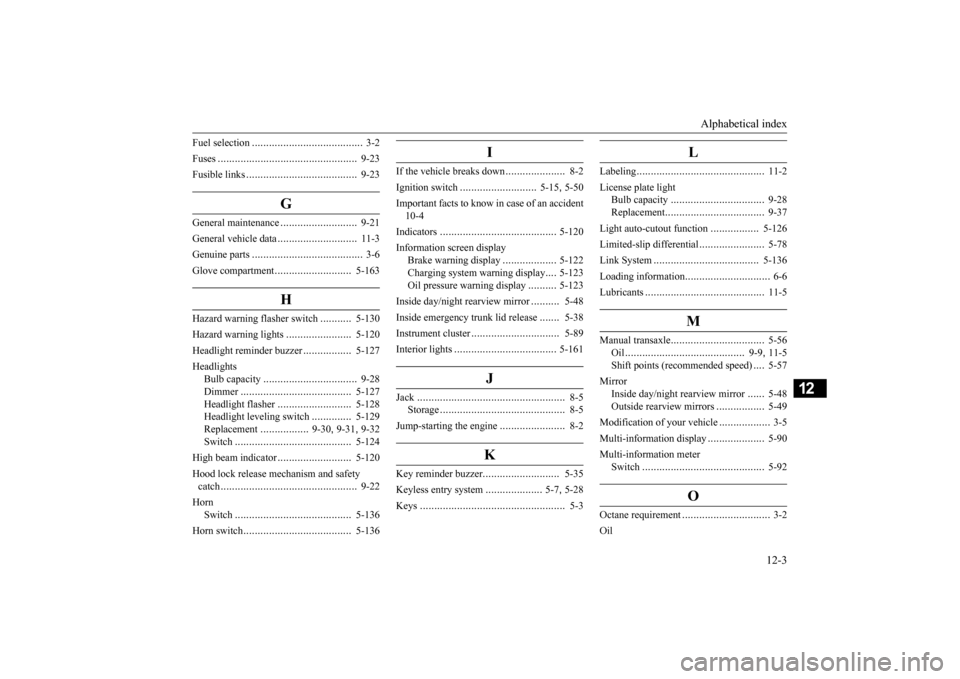
Alphabetical index
12-3
12
Fuel selection
....................
...................
3-2
Fuses
.........................
........................
9-23
Fusible links
..................
.....................
9-23
G
General maintenance
...........................
9-21
General vehicle data
............................
11-3
Genuine parts
....................
...................
3-6
Glove compartment
...........................
5-163
H
Hazard warning flasher switch
...........
5-130
Hazard warning lights
.......................
5-120
Headlight reminder buzzer
.................
5-127
Headlights
Bulb capacity
................
.................
9-28
Dimmer
....................
...................
5-127
Headlight flasher
..........................
5-128
Headlight leveling switch
..............
5-129
Replacement
.................
9-30
, 9-31
, 9-32
Switch
......................
...................
5-124
High beam indicator
..........................
5-120
Hood lock release mechanism and safety catch
........................
........................
9-22
Horn
Switch
......................
...................
5-136
Horn switch
...................
...................
5-136
I
If the vehicle breaks down
.....................
8-2
Ignition switch
...........................
5-15
, 5-50
Important facts to know in case of an accident 10-4 Indicators
....................
.....................
5-120
Information screen display
Brake warning display
...................
5-122
Charging system warning display
....
5-123
Oil pressure warning display
..........
5-123
Inside day/night rearview mirror
..........
5-48
Inside emergency trunk lid release
.......
5-38
Instrument cluster
................
...............
5-89
Interior lights
...................
.................
5-161
J
Jack
............................
........................
8-5
Storage
........................
....................
8-5
Jump-starting the engine
.......................
8-2
K
Key reminder buzzer
...........................
5-35
Keyless entry system
....................
5-7
, 5-28
Keys
...........................
........................
5-3
L
Labeling
........................
.....................
11-2
License plate light
Bulb capacity
................
.................
9-28
Replacement
..................
.................
9-37
Light auto-cutout function
.................
5-126
Limited-slip differential
.......................
5-78
Link System
..................
...................
5-136
Loading information
..............................
6-6
Lubricants
.....................
.....................
11-5
M
Manual transaxle
................
.................
5-56
Oil
.....................
.....................
9-9
, 11-5
Shift points (recommended speed)
....
5-57
Mirror
Inside day/night rearview mirror
......
5-48
Outside rearview mirrors
.................
5-49
Modification of your vehicle
..................
3-5
Multi-information display
....................
5-90
Multi-information meter
Switch
......................
.....................
5-92
O
Octane requirement
...............
................
3-2
Oil
BK0210800US.bo
ok 3 ページ 2014年4月8日 火曜日 午前11時28分