remote control MITSUBISHI LANCER SPORTBACK 2014 8.G User Guide
[x] Cancel search | Manufacturer: MITSUBISHI, Model Year: 2014, Model line: LANCER SPORTBACK, Model: MITSUBISHI LANCER SPORTBACK 2014 8.GPages: 422, PDF Size: 55.11 MB
Page 79 of 422
Free-hand Advanced Security Transmitter (F.A.S.T.-key) (if so equipped) 5-12 Features and controls
5
The F.A.S.T.-key can also be used as the remote control transmitter of the keyless entry system. Refer to “Free-hand Advanced SecurityTransmitter (F.A.S.T.-key): Keyless entry system” on page 5-30.
The operations possible with the F.A.S.T.- key can be modified as stated below. (Keyless entry operations are possible.) For details, contact an authorized Mitsubi-shi Motors dealer. • Enabling only the locking and unlocking of the doors and the rear hatch• Enabling only the starting of the engine • Deactivating the F.A.S.T.-key
The F.A.S.T.-key must be carried by the driver. The F.A.S.T.-key is required for vehicle operations such as locking and unlocking the doors and the rear hatch, and starting the engine. When leaving the vehicle, make sure you are carrying the F.A.S.T.-key and then lock the vehicle.
WA R N I N G Individuals who use implantable pace- makers or implantable cardioverter-defi- brillators should keep away from theexternal and internal
transmitters. The
electromagnetic waves used in the F.A.S.T.-key may affect the operation ofimplantable pacemakers and implantable cardioverter-defibrillators.
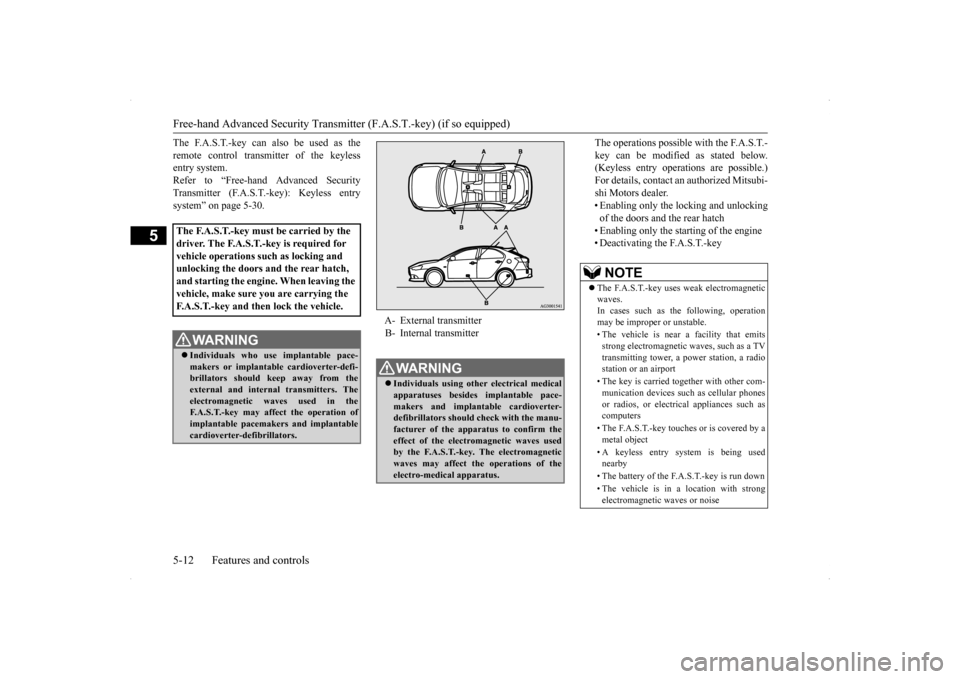
A- External transmitter B- Internal transmitterWA R N I N G Individuals using other electrical medical apparatuses besides implantable pace- makers and implantable cardioverter- defibrillators should check with the manu- facturer of the apparatus to confirm the effect of the electromagnetic waves usedby the F.A.S.T.-key. The electromagnetic waves may affect the operations of the electro-medical apparatus.
NOTE
The F.A.S.T.-key uses weak electromagnetic waves. In cases such as the following, operation may be improper or unstable. • The vehicle is near a facility that emits strong electromagnetic waves, such as a TVtransmitting tower, a power station, a radio station or an airport • The key is carried together with other com- munication devices such as cellular phones or radios, or electrical appliances such ascomputers • The F.A.S.T.-key touches or is covered by a metal object • A keyless entry system is being used nearby • The battery of the F.A.S.T.-key is run down • The vehicle is in a location with strong electromagnetic waves or noise
BK0200700US.bo
ok 12 ページ 2013年2月15日 金曜日 午後12時17分
Page 97 of 422
Free-hand Advanced Security Transmitter (F.A.S.T.-key) (if so equipped) 5-30 Features and controls
5
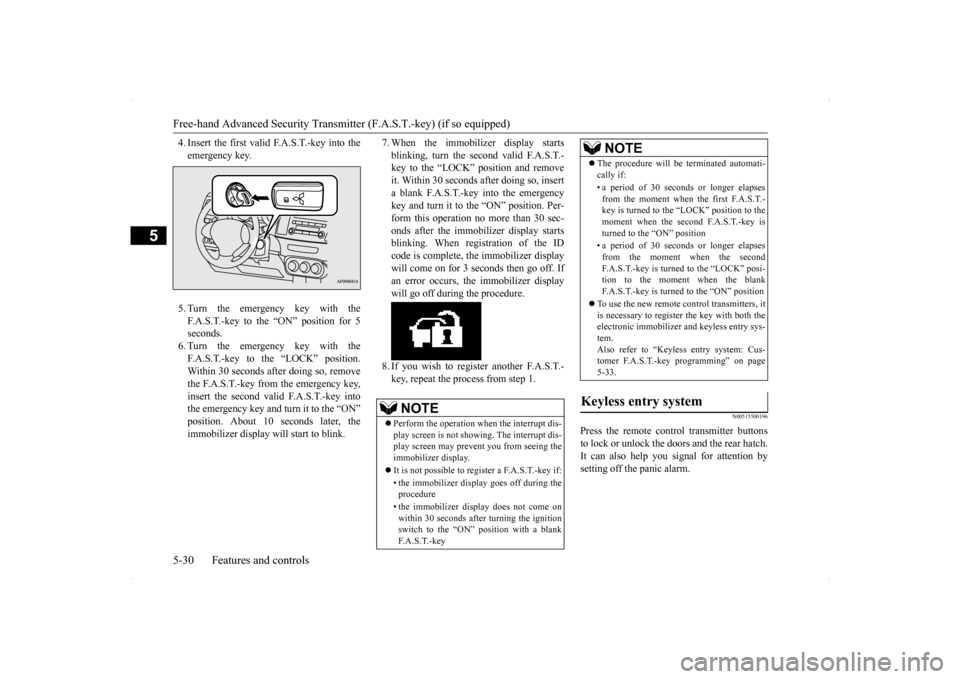
4. Insert the first valid F.A.S.T.-key into the emergency key. 5. Turn the emergency key with the F.A.S.T.-key to the “ON” position for 5 seconds.6. Turn the emergency key with the F.A.S.T.-key to the “LOCK” position. Within 30 seconds after doing so, removethe F.A.S.T.-key from the emergency key,insert the second valid F.A.S.T.-key into the emergency key and turn it to the “ON” position. About 10
seconds later, the
immobilizer display will start to blink.
7. When the immobilizer display starts blinking, turn the second valid F.A.S.T.- key to the “LOCK” position and remove it. Within 30 seconds after doing so, inserta blank F.A.S.T.-key into the emergency key and turn it to the “ON” position. Per- form this operation no more than 30 sec-onds after the immobilizer display starts blinking. When registration of the ID code is complete, the immobilizer displaywill come on for 3 seconds then go off. Ifan error occurs, the immobilizer display will go off during the procedure. 8. If you wish to register another F.A.S.T.- key, repeat the process from step 1.
N00515500196
Press the remote control transmitter buttons to lock or unlock the doors and the rear hatch. It can also help you signal for attention by setting off the panic alarm.
NOTE
Perform the operation when the interrupt dis- play screen is not showing. The interrupt dis- play screen may prevent you from seeing the immobilizer display. It is not possible to regi
ster a F.A.S.T.-key if:
• the immobilizer display goes off during the procedure • the immobilizer display does not come on within 30 seconds after turning the ignition switch to the “ON” position with a blankF. A . S . T. - k e y
The procedure will be terminated automati- cally if: • a period of 30 seconds or longer elapses from the moment when the first F.A.S.T.-key is turned to the “LOCK” position to the moment when the second F.A.S.T.-key is turned to the “ON” position • a period of 30 seconds or longer elapses from the moment when the secondF.A.S.T.-key is turned to the “LOCK” posi- tion to the moment when the blank F.A.S.T.-key is turned to the “ON” position
To use the new remote control transmitters, it is necessary to register the key with both theelectronic immobilizer and keyless entry sys- tem. Also refer to “Keyless entry system: Cus-tomer F.A.S.T.-key programming” on page 5-33.
Keyless entry system
NOTE
BK0200700US.bo
ok 30 ページ 2013年2月15日 金曜日 午後12時17分
Page 99 of 422
Free-hand Advanced Security Transmitter (F.A.S.T.-key) (if so equipped) 5-32 Features and controls
5
4. Release in sequence the UNLOCK and LOCK buttons within 10 seconds of pressing the UNLOCK button in step 3.
Changing the setting of the turn signal lights answerback functionThe turn signal lights answerback function can be set to the following seven conditions. Each time the turn signal lights answerbackfunction is set, a chime will sound to tell you the condition of the answerback function. 1. Turn the ignition switch to the “LOCK” position. If you started the engine with the key, remove the key from the ignition switch.2. Open the driver’s door and turn the com- bination headlights and dimmer switch to the “OFF” position.
3. Press the UNLOCK button (2) for 4 to 10 seconds and press the LOCK button (1) during this time. 4. Release in sequence the UNLOCK andLOCK buttons within 10 seconds of pressing the LOCK button in step 3.
The buzzer answerback function can be turned ON or OFF as required.
N00544601125
The door and rear hatch unlock function canbe set to the following two conditions. Each time the door and rear hatch unlock function is set, a chime will sound to tell youthe condition of the door and rear hatch unlock function.
1. Turn the ignition switch to the “LOCK” position. If you started the engine with the key, remove the key from the ignition switch.2. Open the driver’s door and turn the com- bination headlights and dimmer switch to the “OFF” position.3. Press the LOCK button (1) for 4 to 10 sec- onds and press the UNLOCK button (2) during this time.4. Release in sequence the LOCK andUNLOCK buttons within 10 seconds of pressing the LOCK button in step 3.
N00544700028
If you are near your vehicle and feel threat-ened, you can activate the alarm to call atten- tion as follows: 1. Press the PANIC button (3) for more than 1 second. 2. The headlights will blink on and off and the horn will sound intermittently forabout 3 minutes. 3. To turn off the alarm, press any button on the remote control transmitter.
Number of chimes
Condition
To l o c k
To u n l o c k
One chime One flash Two flashesTwo chimes One flash No flashThree chimes No flash Two flashesFour chimes Two flashes One flashFive chimes No flash One flashSix chimes Two flashes No flashSeven chimes No flash No flash
Buzzer deactivation/reactivationSetting of door and rear hatch unlock function
Number of chimes
Condition
One chime
All doors and rear hatch unlock
Two chimes Driver’s door unlock only
Using the panic alarm
BK0200700US.bo
ok 32 ページ 2013年2月15日 金曜日 午後12時17分
Page 101 of 422
Free-hand Advanced Security Transmitter (F.A.S.T.-key) (if so equipped) 5-34 Features and controls
5
4. Insert the valid F.A.S.T.-key into the emergency key. 5. Turn the emergency key with F.A.S.T.- key to the “ON” position. (Perform the following procedure within 30 seconds)6. Remove the F.A.S.T.-key from the emer- gency key. 7. With the first valid F.A.S.T.-key, press theUNLOCK button (2) and the LOCK but-ton (1) simultaneously for 4 to 10 sec- onds. 8. Release in sequence the LOCK andUNLOCK buttons within 10 seconds of pressing the LOCK button in step 7. (Per- form the following procedure within 30seconds) 9. With the second valid F.A.S.T.-key, press the UNLOCK button for 4 to 10 secondsand press the LOCK button during this time.
10. Release in sequence the LOCK and
UNLOCK buttons within 10 seconds of pressing the LOCK button in step 9, and the immobilizer display will blink on theinformation screen in the multi-informa- tion display. (Perform the following pro- cedure within 60 seconds)
11. Press the LOCK button twice with the
blank F.A.S.T.-key and the immobilizer display will come on for 30 seconds onthe information screen in the multi-infor-mation display.
12. This completes the registration of the
F. A . S . T. - k e y.
N00562001075
Your F.A.S.T.-key operates on a radio fre-quency subject to Federal CommunicationsCommission (FCC) Rules (For vehicles sold in U.S.A.) and Industry Canada Rules (For vehicles sold in Canada). This device com-
NOTE
The indicator light (4) comes on each time a button is pressed. The keyless entry system does not work if the key is in the ignition switch. The F.A.S.T.-key can be used from about 40 feet (12 m) away. However, this distance may change if your vehicle is near a TVtransmitting tower, a power station, or a radio station. If the UNLOCK button (2) is pressed when all doors and the rear hatch are locked and nodoors or rear hatch are opened within about 30 seconds, the doors and the rear hatch will automatically re-lock.
If the following conditions are observed after pressing the buttons on the remote control transmitter, the battery in the remote control transmitter may need to be replaced. • The doors and the rear hatch cannot be locked or unlocked. • The panic alarm cannot be operated. • The indicator light (4) is dim or does not come on.
If you lose your F.A.S.T.-key, please contact an authorized Mitsubishi Motors dealer for a replacement. If you wish to obtain an
additional F.A.S.T.-
key, please contact an authorized Mitsubishi Motors dealer. A maximum of four F.A.S.T.-key can be programmed for your vehicle. To use the new remote control transmitters, it is necessary to register the key with both the electronic immobilizer and keyless entry sys- tem.Also refer to “Electr
onic immobilizer (Anti-
theft starting system): Customer F.A.S.T.- key programming” on page 5-29.
General information
NOTE
BK0200700US.bo
ok 34 ページ 2013年2月15日 金曜日 午後12時17分
Page 102 of 422
Free-hand Advanced Security Transmit
ter (F.A.S.T.-key) (if so equipped)
Features and controls 5-35
5
plies with Part 15 of FCC Rules and Industry Canada licence-exempt RSS standard(s). Operation is subject to the following two con- ditions. This device may not cause harmful inter- ference. This device must accept any interference received, including interference that maycause undesired operation.
N00562100053
1. Before replacing the battery, remove static electricity from your body by touching a metal grounded object.
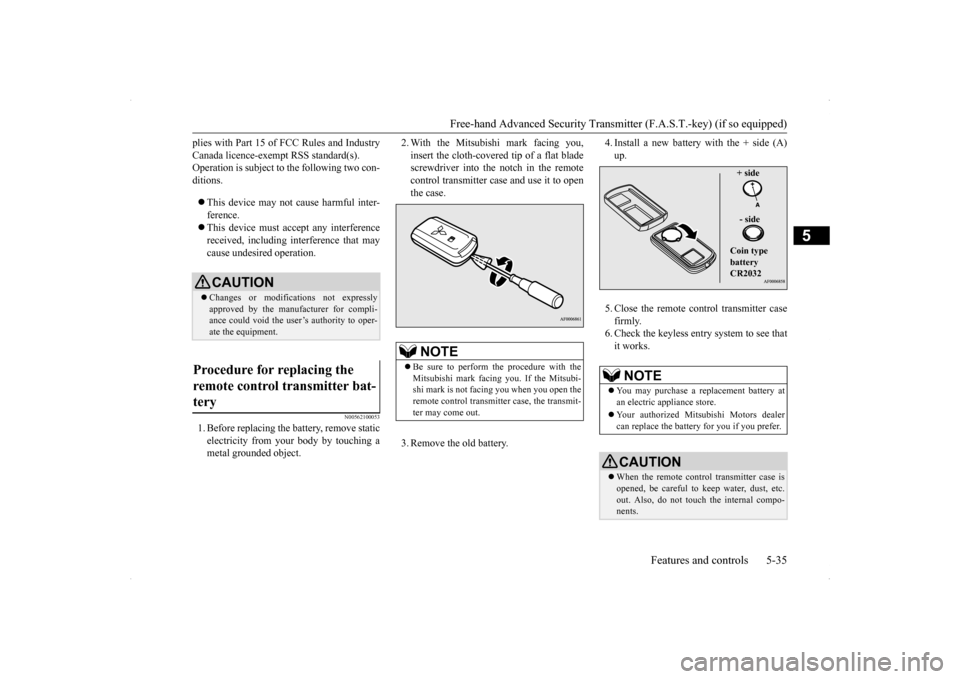
2. With the Mitsubishi mark facing you, insert the cloth-covered tip of a flat blade screwdriver into the notch in the remote control transmitter case and use it to openthe case. 3. Remove the old battery.
4. Install a new battery with the + side (A) up. 5. Close the remote control transmitter case firmly. 6. Check the keyless entry system to see thatit works.
CAUTION Changes or modifications not expressly approved by the manufacturer for compli- ance could void the user’s authority to oper-ate the equipment.
Procedure for replacing the remote control transmitter bat- tery
NOTE
Be sure to perform the procedure with the Mitsubishi mark facing you. If the Mitsubi- shi mark is not facing you when you open theremote control transmitter case, the transmit- ter may come out.
NOTE
You may purchase a replacement battery at an electric appliance store. Your authorized Mitsubishi Motors dealer can replace the battery for you if you prefer.CAUTION When the remote control transmitter case is opened, be careful to keep water, dust, etc. out. Also, do not touch the internal compo- nents.
+ side - side Coin type battery CR2032
BK0200700US.bo
ok 35 ページ 2013年2月15日 金曜日 午後12時17分
Page 111 of 422
Power windows 5-44 Features and controls
5
N00510601131
Use the following procedure to test the sys- tem:
1. Lower the driver’s window. 2. Arm the system as explained in “Armed stage”. 3. Make sure that the theft-alarm indicatorcomes on and flashes for approximately 20 seconds. 4. Wait a few seconds and then unlock thedriver’s side door by using the inside door lock knob and open the door. 5. Check to be sure that the horn soundsintermittently and the headlights blink onand off when the door is opened. 6. Disarm the system by unlocking all doors and the rear hatch by using the keylessentry system or the F.A.S.T.-key opera- tion.
N00510800325
The main switch located on the driver’s door can be used to operate all door windows. A window can be opened or closed by operat- ing the corresponding switch.Press the switch down to open the window, and pull up the switch to close it. If the driver’s door window switch is fullypressed down/pulled up, the driver’s door window automatically opens/closes com- pletely.
NOTE
If the UNLOCK button on the remote control transmitter, or the driver’s or front passen- ger’s door lock/unlock switch is pressedwhen all doors and the rear hatch are closed and no door is opened
within approximately
30 seconds, re-arming will automaticallyoccur. The amount of time after unlocking until the vehicle relocks automatically can be adjusted. See an authorized Mitsubishi Motors dealer for details. Once the system has been disarmed, it can- not be rearmed except by repeating the arm-ing procedure.
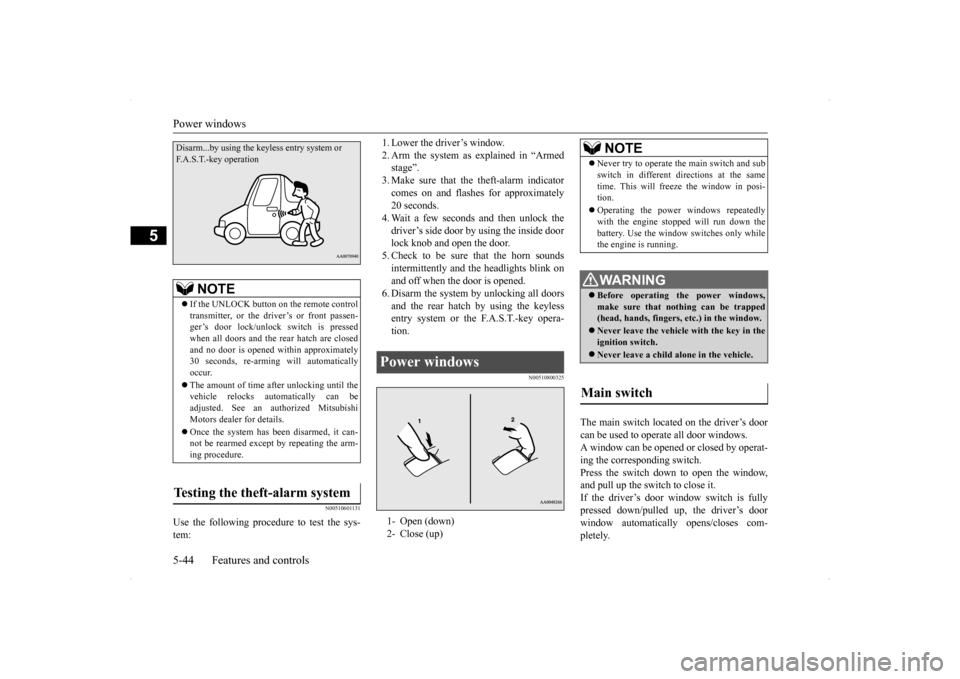
Testing the theft-alarm system Disarm...by using the ke
yless entry system or
F.A.S.T.-key operation
Power windows 1- Open (down) 2- Close (up)
NOTE
Never try to operate the main switch and sub switch in different directions at the same time. This will freeze the window in posi- tion. Operating the power windows repeatedly with the engine stopped will run down the battery. Use the window switches only whilethe engine is running. WA R N I N G Before operating the power windows, make sure that nothing can be trapped(head, hands, fingers, etc.) in the window. Never leave the vehicle with the key in the ignition switch. Never leave a child alone in the vehicle.
Main switch
BK0200700US.bo
ok 44 ページ 2013年2月15日 金曜日 午後12時17分
Page 216 of 422
Combination headlights and dimmer switch
Features and controls 5-149
5
N00563201146
This function turns on the front side-marker and parking lights for about 30 seconds afterthe UNLOCK button (A) on the remote con- trol transmitter is pressed when the combina- tion headlights and dimmer switch is in the“OFF” or “AUTO” position (for vehicles equipped with the automatic light control). On vehicles equipped with the automatic lightcontrol, the welcome light function will oper-ate only when it is dark outside the vehicle.
N00547301149
This function turns on the headlights in thelow beam setting for about 30 seconds afterthe ignition switch is turned to the “LOCK”position.
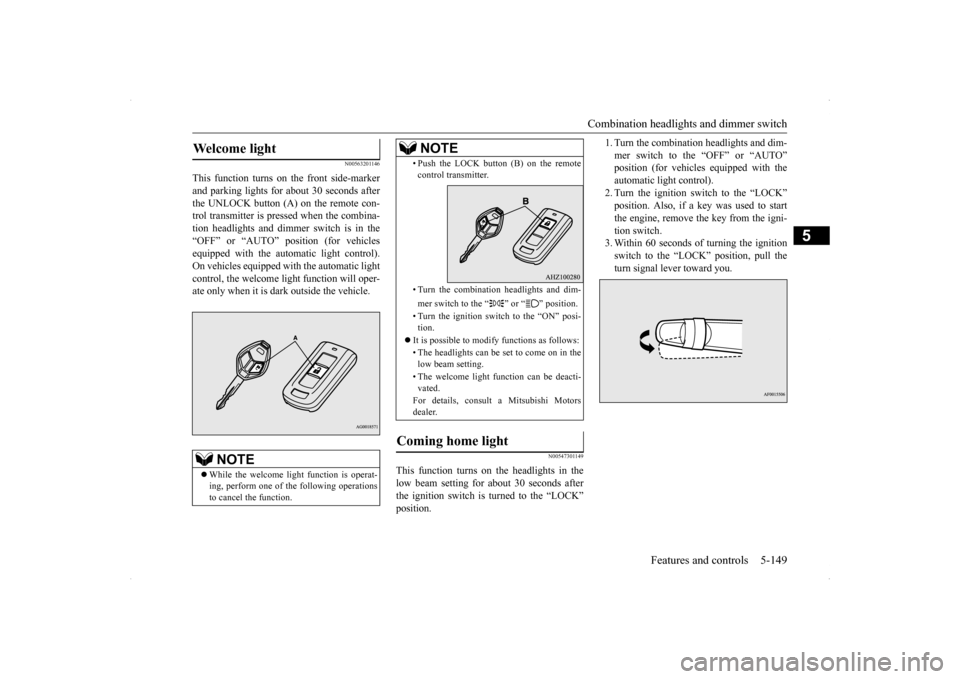
1. Turn the combination headlights and dim- mer switch to the “OFF” or “AUTO” position (for vehicles equipped with the automatic light control).2. Turn the ignition switch to the “LOCK” position. Also, if a key was used to start the engine, remove the key from the igni-tion switch. 3. Within 60 seconds of turning the ignition switch to the “LOCK” position, pull theturn signal lever toward you.
Welcome light
NOTE
While the welcome light function is operat- ing, perform one of
the following operations
to cancel the function.
• Push the LOCK button (B) on the remote control transmitter. • Turn the combination headlights and dim- mer switch to the “ ” or “ ” position. • Turn the ignition switch to the “ON” posi- tion.
It is possible to modify functions as follows: • The headlights can be set to come on in the low beam setting. • The welcome light function can be deacti- vated. For details, consult a Mitsubishi Motors dealer.
Coming home light
NOTE
BK0200700US.book
149 ページ 2013年2月15日 金曜日 午後12時17分
Page 252 of 422
Interior lights
Features and controls 5-185
5
N00553800070
Regardless of the dome light switch position, when you press the lens, the light on the side that is pressed illuminates; when you pressthe lens again, the light goes off.
N00525401502
The dome light can be turned on by sliding the dome light switch.
The doors and the rear hatch are closed while the ignition switch is in the “ON” position. The driver’s door is closed after all the other doors and the rear hatch are closed while the lock knob of the driver’s door is in the lock position. The doors and the rear hatch are closed and the power door lock switch is used to lock the doors. The keyless entry system remote con- trol transmitter is used to lock the doors and the rear hatch. In vehicles equipped with the F.A.S.T.-key, the doors and the rear hatch are locked using the F.A.S.T.- key.NOTE
When the engine is started using the key while the doors and rear hatch are closed, ifyou remove the key, the dome light will illu- minate for approximately 30 seconds before going off. When the engine is started using the F.A.S.T.-key while the doors and rear hatch are closed, if the ignition switch is moved to the “LOCK” position, the dome light willilluminate for approximately 30 seconds before going off. The time until the light goes off can be adjusted. See your authorized Mitsubishi Motors dealer for details.
2- (OFF) The dome light goes off.
Reading lights Dome light (Rear)
(if so equipped)
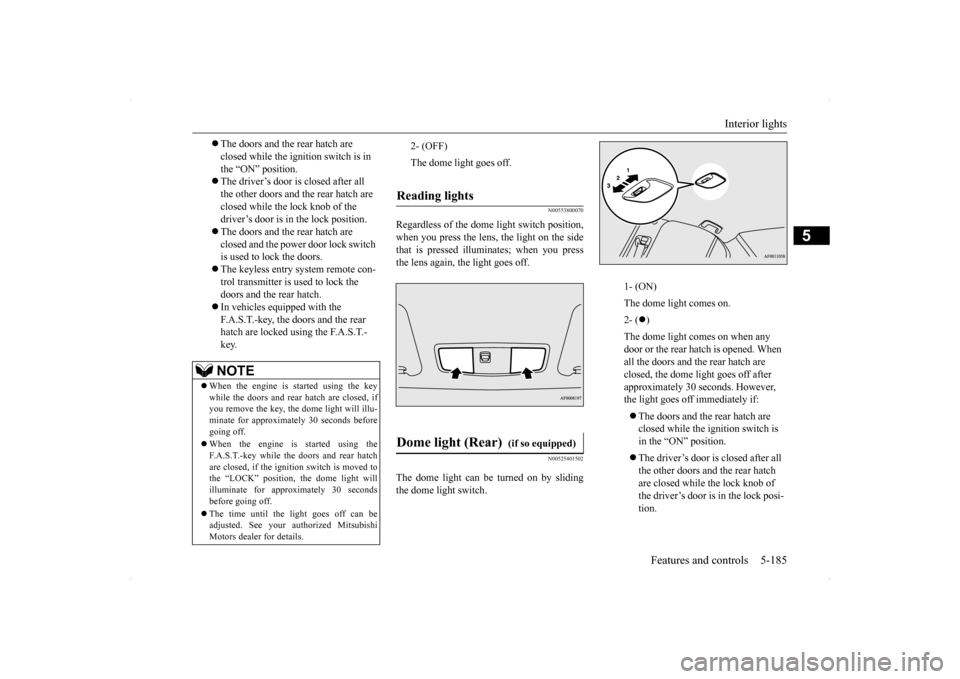
1- (ON) The dome light comes on.2- (
)
The dome light comes on when any door or the rear hatch is opened. When all the doors and the rear hatch are closed, the dome light goes off after approximately 30 seconds. However, the light goes off immediately if: The doors and the rear hatch are closed while the ignition switch is in the “ON” position. The driver’s door is closed after all the other doors and the rear hatch are closed while the lock knob of the driver’s door is in the lock posi- tion.
BK0200700US.book
185 ページ 2013年2月15日 金曜日 午後12時17分
Page 253 of 422
Interior lights 5-186 Features and controls
5
N00526200063
N00526301478
If any of the interior lights are left on with the ignition switch in the “LOCK” position, the lights go off automatically after about 30minutes. The lights come on again if the ignition switch is turned to the “ON” or “ACC” posi-tion, any door or the rear hatch is opened andclosed, or the keyless entry system or F.A.S.T.-key is operated.
The door and the rear hatch are closed and the power door lock switch is used to lock the doors. The keyless entry system remote control transmitter is used to lock the doors and the rear hatch. In vehicles equipped with the F.A.S.T.-key, the doors and the rear hatch are locked using the F. A . S . T. - k e y.
NOTE
When the engine is started using the key while the doors and the rear hatch are closed,if you remove the key, the dome light will illuminate for approximately 30 seconds before going off. When the engine is started using the F.A.S.T.-key while the doors and the rearhatch are closed, if the ignition switch is moved to the “LOCK” position, the dome light will illuminate for approximately 30seconds before going off. The time until the light goes off can be adjusted. See your au
thorized Mitsubishi
Motors dealer for details.3- (OFF) The dome light goes off.
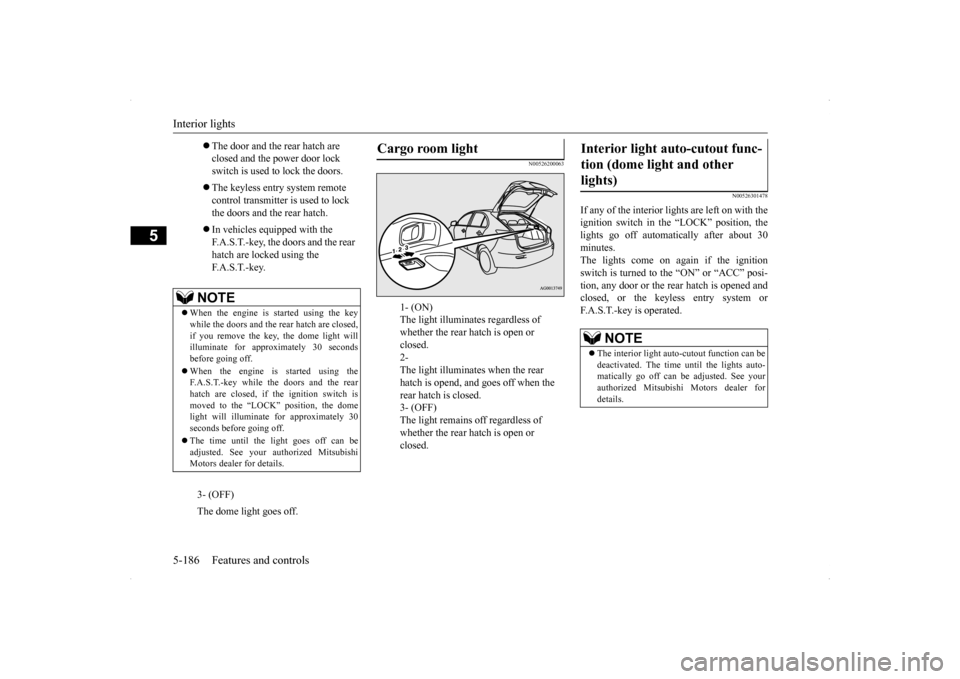
Cargo room light
1- (ON) The light illuminates regardless of whether the rear hatch is open or closed. 2- The light illuminates when the rear hatch is opend, and goes off when the rear hatch is closed. 3- (OFF) The light remains off regardless of whether the rear hatch is open or closed.
Interior light auto-cutout func- tion (dome light and other lights)
NOTE
The interior light auto-cutout function can be deactivated. The time until the lights auto-matically go off can be adjusted. See your authorized Mitsubishi Motors dealer for details.
BK0200700US.book
186 ページ 2013年2月15日 金曜日 午後12時17分
Page 309 of 422
Operation Keys 7-38 Comfort controls
7
N00716800055
13-
5 key Play/Pause Bluetooth Audio
*2, and use
as preset key 5 for radio.
14-
6 key Return during audio track search, and stop Bluetooth Audio
*2.
For radio, use as preset key 6.
15-
key/ key
For audio, select audio track/file; forradio, perform automatic station selec- tion. Select channels in the satellite radio*
1.
16- MENU key
Switch to Menu mode.
17-
/SEL key
Adjust audio quality and select items.For radio, manually select stations. Select channels in the satellite radio*
1.
*1: Requires a satellite tuner connection.*2: Requires a separately-purchased Blue- tooth-capable audio device in equip- ment by type (vehicles with a Bluetooth
® 2.0 interface).
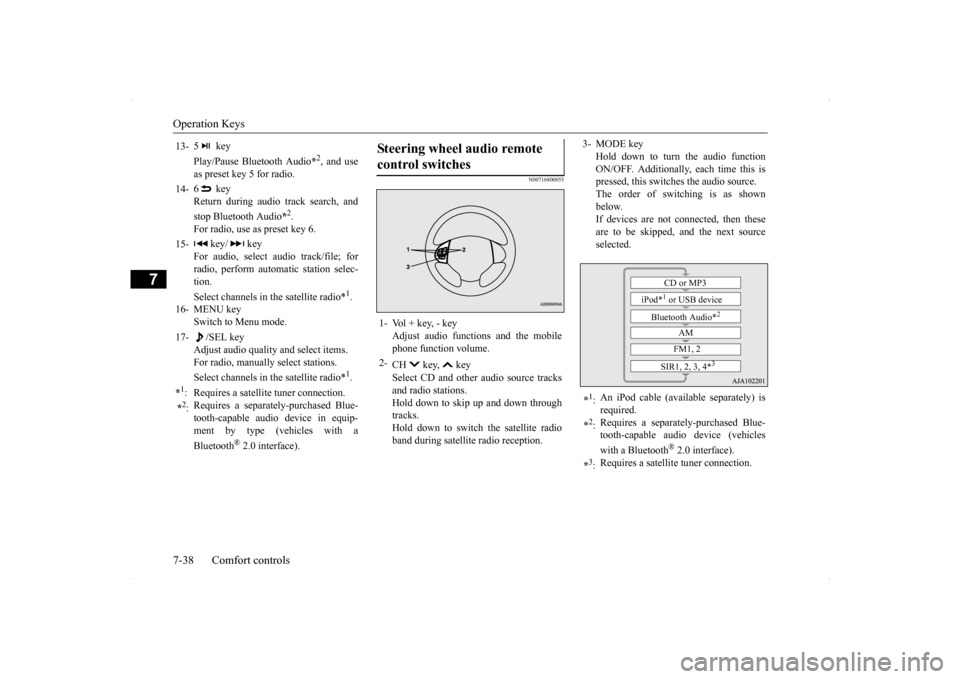
Steering wheel audio remote control switches 1- Vol + key, - key
Adjust audio functions and the mobilephone function volume.
2-
CH key, key Select CD and other audio source tracks and radio stations.Hold down to skip up and down through tracks. Hold down to switch the satellite radioband during satellite radio reception.
3- MODE key
Hold down to turn the audio functionON/OFF. Additionally, each time this is pressed, this switches the audio source. The order of switching is as shownbelow. If devices are not connected, then these are to be skipped, and the next sourceselected.
*1: An iPod cable (available separately) is required.
*2: Requires a separately-purchased Blue- tooth-capable audio device (vehicles with a Bluetooth
® 2.0 interface).
*3: Requires a satellite tuner connection.
CD or MP3
iPod*
1 or USB device
Bluetooth Audio*
2
AM FM1, 2
SIR1, 2, 3, 4*
3
BK0200700US.bo
ok 38 ページ 2013年2月15日 金曜日 午後12時17分