language MITSUBISHI OUTLANDER 2015 3.G User Guide
[x] Cancel search | Manufacturer: MITSUBISHI, Model Year: 2015, Model line: OUTLANDER, Model: MITSUBISHI OUTLANDER 2015 3.GPages: 446, PDF Size: 59.52 MB
Page 275 of 446

Bluetooth® 2.0 interface (if so equipped) 5-198 Features and controls
5
1. Press the SPEECH button (except for vehicles with Mitsubishi Multi-Commu-nication System) or
PICK-UP button (for
vehicles with Mitsubishi Multi-Commu- nication System).2. Say “Redial.”
N00565700018
During a call, press
the SPEECH button to
enter voice recognition mode, then say “
N00565801045
If an incoming phone call is received whilethe ignition switch or the operation mode is in ON or ACC, the audio
system will be auto-
matically turned on and switched to theincoming call, even when the audio system was originally off. The voice guide announcement for theincoming call will be output from the front passenger’s seat speaker.
If the CD player or radio was playing when the incoming call was received, the audio sys-tem will mute the sound from the CD player or radio and output only the incoming call. To receive the call, press the PICK-UP buttonon the steering wheel control switch. When the call is over, the audio system will return to its previous state.
N00565900010
At any time during a
call, you can mute the
vehicle microphone. Pressing the SPEECH but
ton and then saying
“Mute” during a call will turn ON the mutefunction and mute the microphone. Saying “Mute off” in the same way will turn off the mute function and cancel the mute onthe microphone.
N00566600014
The Bluetooth
® 2.0 interface can switch
between hands-free m
ode (hands-free calls)
and private mode (calls
using cellular phone).
If you press the SPEECH button and say “Transfer call” duri
ng a hands-free call, you
can stop the hands-free m
ode and talk in pri-
vate mode.
To return to hands-free mode, press the SPEECH button again and say “Transfercall.”
N00566000018
The Bluetooth
® 2.0 interface
has 2 types of
unique phonebooks that are different from the phonebook stored in the cellular phone. They are the vehicle phonebook and the mobile phonebook. These phonebooks are used to register tele-phone numbers and make
calls to desired
numbers via voice re
cognition function.
N00566101120
This phonebook is used when making calls with the voice recognition function. Up to 32 names can be registered in the vehi- cle phonebook per language.Also, each entry has 4 locations associated with: home, work, mobile and other. You can register one telephone number for each loca-tion.
Send function
Receiving calls
Mute function
Switching between hands-free mode and private mode
Phonebook function
NOTE
Disconnecting the ba
ttery cable will not
delete information registered in the phone-book.
Vehicle phonebook
BK0211800US.book 198 ページ 2014年3月12日 水曜日 午後2時42分
Page 360 of 446
Troubleshooting
Comfort controls 7-45
7
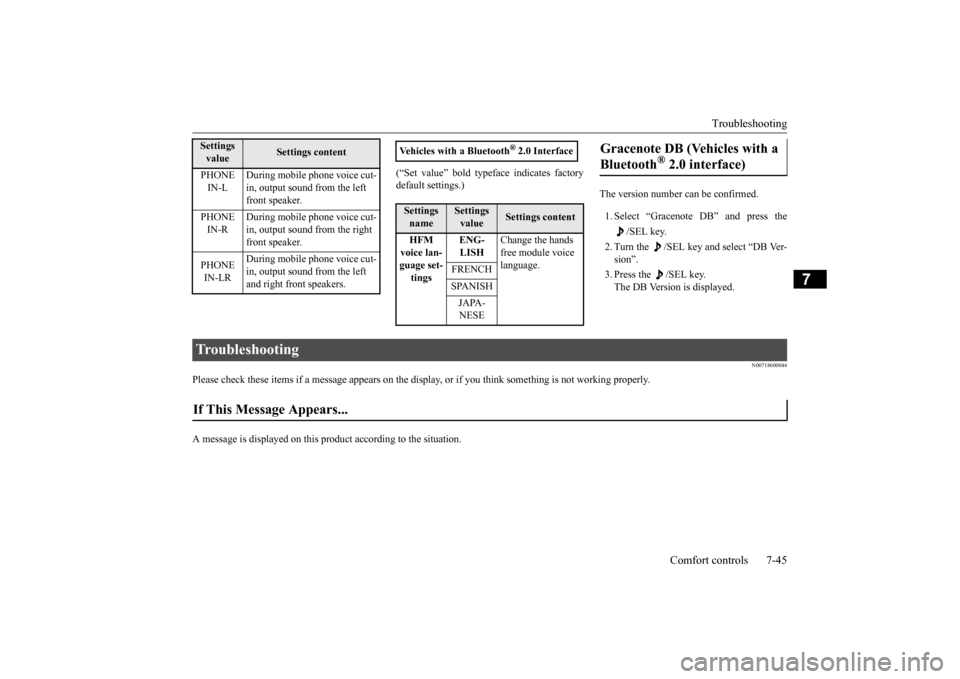
(“Set value” bold typefa
ce indicates factory
default settings.)
The version number can be confirmed. 1. Select “Gracenote DB” and press the
/SEL key.
2. Turn the /SEL key and select “DB Ver- sion”. 3. Press the /SEL key. The DB Version is displayed.
N00718600044
Please check these items if a message appears on the displa
y, or if you think something is not working properly.
A message is displayed on this pr
oduct according to the situation.
PHONE IN-L
During mobile phone voice cut- in, output sound from the left front speaker.
PHONE IN-R
During mobile phone voice cut- in, output sound from the right front speaker.
PHONE IN-LR
During mobile phone voice cut- in, output sound from the left and right front speakers.
Settings value
Settings content
Vehicles with a Bluetooth
® 2.0 Interface
Settings name
Settings value
Settings content
HFM voice lan- guage set-tings
ENG- LISH
Change the hands free module voice language.
FRENCH SPANISH JAPA- NESE
Gracenote DB (Vehicles with a Bluetooth
® 2.0 interface)
Troubleshooting If This Message Appears...
BK0211800US.book 45 ページ 2014年3月12日 水曜日 午後2時42分