keyless MITSUBISHI OUTLANDER 2015 3.G Owner's Manual
[x] Cancel search | Manufacturer: MITSUBISHI, Model Year: 2015, Model line: OUTLANDER, Model: MITSUBISHI OUTLANDER 2015 3.GPages: 446, PDF Size: 59.52 MB
Page 122 of 446

Theft-alarm system
Features and controls 5-45
5
N00510401214
The alarm will be activated if any of the fol- lowing occur while the vehicle is parked and the system is armed.
One of the doors and the liftgate is opened without using the keyless entry system orthe F.A.S.T.-key operation. The engine hood is opened.
Also, for vehicles equipped with the interior alarm sensor, the alarm will be activated ifany of the following occur. Attempt an unauthorized moving of the vehicle. (the
vehicle inclinat
ion detection
function) Detect a motion in the vehicle. (the inte- rior intrusion detection function) Disconnect the battery terminal.
N00582500024
When the alarm is activated: 1. The headlights blink
on and off for 3 min-
utes. After 3 minutes the
headlights automati-
cally shut off.2. The horn (the siren for vehicles equipped with the interior alarm sensor) will sound intermittently for 3 minutes.
• Except for vehicles equipped with the F.A.S.T.-key, if the ignition switch is turnedto the “ON” position. • For vehicles equippe
d with the F.A.S.T.-
key, if the operation mode is put in ON.
The system will not be armed if a door, the liftgate or the engine
hood is not completely
closed. If this happens, rearm the system as described above. The theft-alarm system can be activated when people are riding inside the vehicle or when the windows are open. To prevent acci-dental activati
on of the alarm, do not set the
system to the system armed mode while peo- ple are riding in the vehicle. For vehicles equipped wi
th the interior alarm
sensor, if the turn si
gnal lights do not flash
after the locking and unlocking operation using the keyless entry system or the F.A.S.T.-key operation, the theft-alarm sys-tem may be malfunctioning. Have the vehicle inspected by an authorized Mitsubishi Motors dealer.If the answerback function (flashing of the turn signal lights by locking and unlocking the doors and the liftgate
) is deactivated, the
turn signal lights do not flash after the lock- ing and unlocking operation. For information on the answerback function,refer to “Keyless entry system” on pages 5-7 and 5-28 and “To operate using the F.A.S.T.- key” on page 5-14.NOTE
For vehicles equipped wi
th the interior alarm
sensor, the theft-alarm
system could be acti-
vated in the following situations. • Using a car washer. • Taking the vehicle on a ferry. • Parking in an automated car park.• Leaving someone or a pet in the vehicle. • Leaving a window or the sunroof open. • Leaving an unstable objec
t such as a stuffed
toy or accessory in the vehicle. • During a continuous im
pact or vibration by
hail, thunder, etc. According to the situations, deactivate the vehicle inclination de
tection function and
the interior intrusi
on detection function.
Refer to “Theft-alarm system: To deactivate the vehicle inclinati
on detection function
and the interior intr
usion detection func-
tion” on page 5-46.
For vehicles equipped wi
th the interior alarm
sensor, the sensitivity of the interior intru- sion detection function
can be adjusted. For
further details, please
contact an authorized
Mitsubishi Moto
rs dealer.
Alarm stage
NOTE
Type of alarm
BK0211800US.book 45 ページ 2014年3月12日 水曜日 午後2時42分
Page 123 of 446
Theft-alarm system 5-46 Features and controls
5
N00582600025
The alarm can be deactivated in the following ways. By using the keyless entry system or the F.A.S.T.-key operation to lock or unlockthe doors and liftgate. Turn the ignition switch to the “ON” posi- tion or put the operation mode in ON.
N00582700026
The vehicle inclination detection function andthe interior intrusion
detection function can
be deactivated when pa
rking in automated car
parks or leaving pets in the vehicle. 1. Except for vehicles equipped with the F.A.S.T.-key, remove the key from the ignition switch.For vehicles equipped with the F.A.S.T.- key, put the operation mode in OFF. 2. Raise and hold the wiper and washerswitch to the “MIST” position for about 3 seconds. The buzzer will sound once and the function will be deactivated.
To activate the functi
on again, raise and hold
the wiper and washer switch to the “MIST” position for about 3 seconds. The buzzer will sound twice and the functionwill be activated.
N00510501172
The system will be disarmed if the followingoperation is performed. Except for vehicles
equipped with the
F.A.S.T.-key, if the ignition switch is turned to the “ON” position. For vehicles equipped with the F.A.S.T.- key, if the operation mode is put in ON.
NOTE
The alarm will continue
to operate for 3 min-
utes. At the end of that
period, the alarm will
automatically shut off
to save battery power.
The system will then be rearmed until the proper disarming step is taken. The alarm will resu
me if unauthorized
actions are taken again, even if the alarm hasstopped.
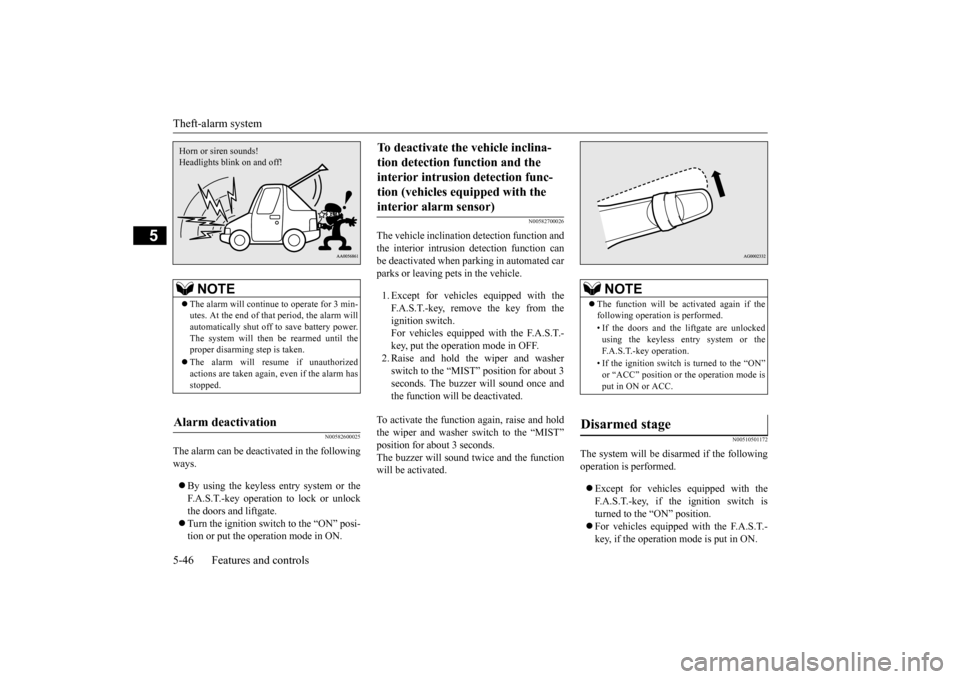
Alarm deactivation Horn or siren sounds!Headlights blink on and off!
To deactivate the vehicle inclina- tion detection function and the interior intrusion detection func- tion (vehicles equipped with the interior alarm sensor)
NOTE
The function will be activated again if the following operation is performed. • If the doors and the liftgate are unlocked using the keyless entry system or theF.A.S.T.-key operation. • If the ignition switch is turned to the “ON” or “ACC” position or the operation mode is put in ON or ACC.
Disarmed stage
BK0211800US.book 46 ページ 2014年3月12日 水曜日 午後2時42分
Page 124 of 446
Power window control
Features and controls 5-47
5
All doors and the lift
gate are unlocked by
using the keyless entry system or theF.A.S.T.-key operation.
N00510601144
Use the following procedure to test the sys- tem: 1. Lower the driver’s window. 2. Arm the system as explained in “Armedstage”. 3. Make sure that the theft-alarm indicator comes on and flashes for approximately 20 seconds. 4. Wait a few seconds and then unlock thedriver’s side door by using the inside door lock knob. Open the door. 5. Make sure that the horn (the siren forvehicles equipped with the interior alarm sensor) sounds intermittently and the headlights blink when
a door is opened.
6. Disarm the system by unlocking all doors and the liftgate by using the keyless entry system or the F.A.S.T.-key operation.
N00510800383
NOTE
If the UNLOCK button on the remote control transmitter, or the driver’s or front passen-ger’s door lock/unloc
k switch is pressed
when all doors and the liftgate are closed and no door is opened within approximately 30seconds, re-arming will
automatically occur.
The amount of time after unlocking until the vehicle relocks automatically can be adjusted. See an authorized Mitsubishi Motors dealer for details.On a vehicle equippe
d with a Mitsubishi
Multi-Communication System, the functions can be adjusted on the screen. For details,refer to a separate operation manual. Once the system has been disarmed, it can- not be rearmed except
by repeating the arm-
ing procedure.Disarm...by using the keyless entry system or F.A.S.T.-key operation
Testing the theft-alarm system
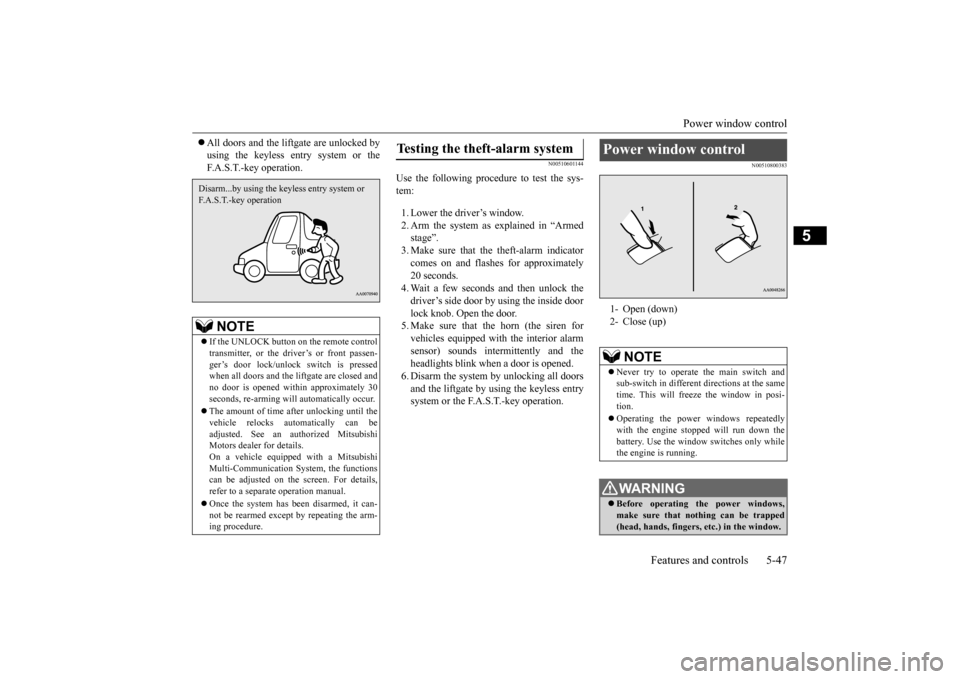
Power window control 1- Open (down) 2- Close (up)
NOTE
Never try to operate the main switch and sub-switch in different directions at the same time. This will freeze the window in posi- tion. Operating the power
windows repeatedly
with the engine st
opped will run down the
battery. Use the window
switches only while
the engine is running.WA R N I N G Before operating the power windows, make sure that nothing can be trapped (head, hands, fingers, etc.) in the window.
BK0211800US.book 47 ページ 2014年3月12日 水曜日 午後2時42分
Page 288 of 446
Interior lights
Features and controls 5-211
5
N00525301602
N00525401469
2- (OFF) The dome light stays off regardless of any door or the liftgate being opened or closed.
Interior lights
NOTE
Be aware that leaving the light illuminated with the engine off may run the batterydown. Never leave the vehi
cle without checking
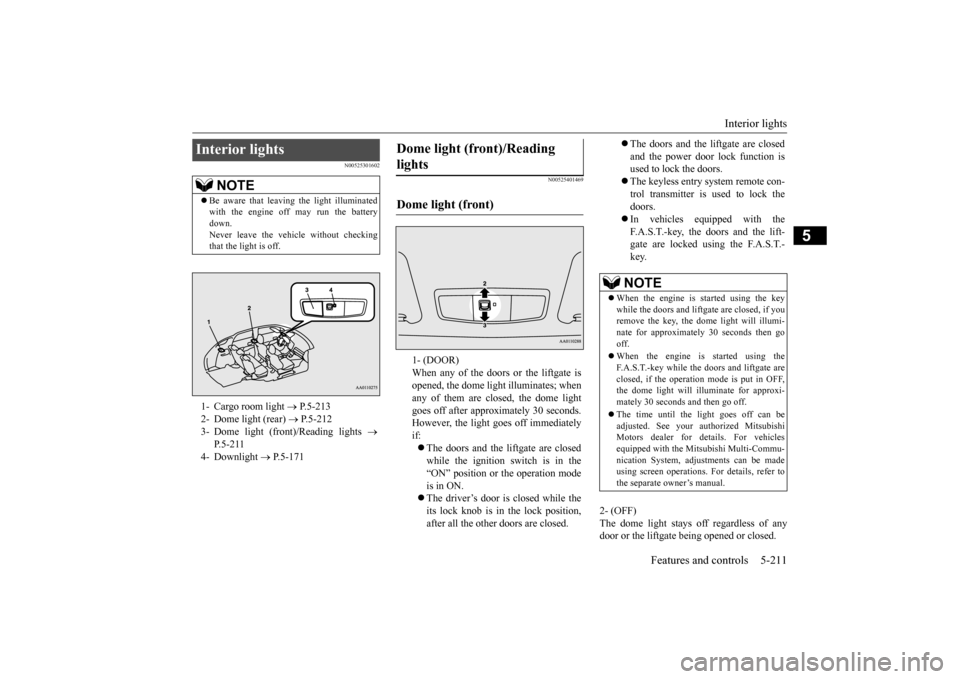
that the light is off.1- Cargo room light
P.5-213
2- Dome light (rear)
P.5-212
3- Dome light (front)/Reading lights
P.5-211
4- Downlight
P.5-171
Dome light (front)/Reading lights Dome light (front)
1- (DOOR) When any of the doors or the liftgate isopened, the dome light illuminates; when any of them are closed, the dome light goes off after approximately 30 seconds.However, the light goes off immediately if: The doors and the liftgate are closed while the ignition switch is in the “ON” position or the operation mode is in ON. The driver’s door is closed while the its lock knob is in the lock position, after all the other doors are closed.
The doors and the liftgate are closed and the power door lock function is used to lock the doors. The keyless entry system remote con- trol transmitter is used to lock the doors. In vehicles equipped with the F.A.S.T.-key, the doors and the lift- gate are locked using the F.A.S.T.-key.NOTE
When the engine is
started using the key
while the doors and liftgate are closed, if youremove the key, the dom
e light will illumi-
nate for approximately 30 seconds then go off. When the engine is started using the F.A.S.T.-key while the doors and liftgate areclosed, if the operation
mode is put in OFF,
the dome light will illu
minate for approxi-
mately 30 seconds and then go off. The time until the light goes off can be adjusted. See your authorized MitsubishiMotors dealer for details. For vehicles equipped with the Mitsubishi Multi-Commu- nication System, adjustments can be madeusing screen operations.
For details, refer to
the separate owner’s manual.
BK0211800US.book 211 ページ 2014年3月12日 水曜日 午後2時42分
Page 289 of 446
Interior lights 5-212 Features and controls
5
N00537601165
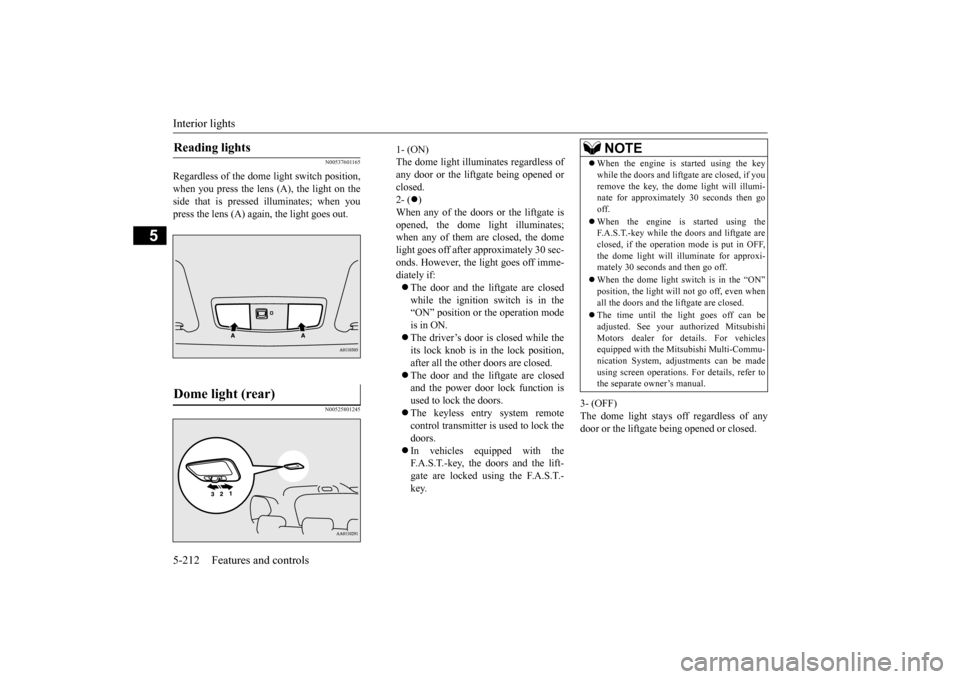
Regardless of the dome light switch position, when you press the lens (A), the light on the side that is pressed
illuminates; when you
press the lens (A) agai
n, the light goes out.
N00525801245
3- (OFF) The dome light stays off regardless of anydoor or the liftgate being opened or closed.
Reading lights Dome light (rear)
1- (ON)The dome light illumin
ates regardless of
any door or the liftgate being opened or closed. 2- (
)
When any of the doors or the liftgate is opened, the dome li
ght illuminates;
when any of them are closed, the domelight goes off after approximately 30 sec- onds. However, the light goes off imme- diately if: The door and the liftgate are closed while the ignition switch is in the“ON” position or the operation mode is in ON. The driver’s door is closed while the its lock knob is in the lock position, after all the other doors are closed. The door and the liftgate are closed and the power door lock function is used to lock the doors. The keyless entr
y system remote
control transmitter is used to lock the doors. In vehicles equipped with the F.A.S.T.-key, the doors and the lift- gate are locked using the F.A.S.T.- key.
NOTE
When the engine is started using the key while the doors and liftgate are closed, if youremove the key, the do
me light will illumi-
nate for approximately 30 seconds then go off. When the engine is started using the F.A.S.T.-key while the doors and liftgate are closed, if the operation mode is put in OFF,the dome light will il
luminate for approxi-
mately 30 seconds and then go off. When the dome light switch is in the “ON” position, the light will not go off, even when all the doors and the liftgate are closed. The time until the light goes off can be adjusted. See your authorized MitsubishiMotors dealer for details. For vehicles equipped with the Mitsubishi Multi-Commu- nication System, adjustments can be madeusing screen operations
. For details, refer to
the separate owner’s manual.
BK0211800US.book 212 ページ 2014年3月12日 水曜日 午後2時42分
Page 290 of 446
Storage spaces
Features and controls 5-213
5
N00526101186
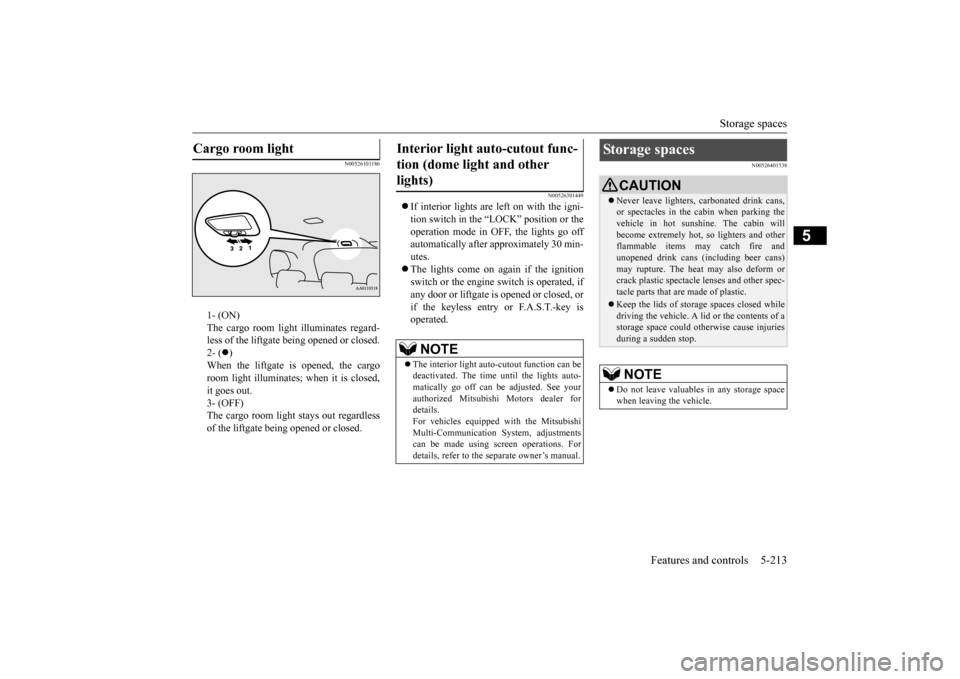
1- (ON) The cargo room light illuminates regard- less of the liftgate being opened or closed.2- (
)
When the liftgate is opened, the cargo room light illuminates;
when it is closed,
it goes out. 3- (OFF) The cargo room light
stays out regardless
of the liftgate being opened or closed.
N00526301449
If interior lights are left on with the igni- tion switch in the “LOCK” position or the operation mode in OFF, the lights go off automatically after approximately 30 min-utes. The lights come on again if the ignition switch or the engine
switch is operated, if
any door or liftgate is opened or closed, or if the keyless entry or F.A.S.T.-key isoperated.
N00526401538
Cargo room light
Interior light auto-cutout func- tion (dome light and other lights)
NOTE
The interior light auto
-cutout function can be
deactivated. The time until the lights auto- matically go off can
be adjusted. See your
authorized Mitsubishi Motors dealer fordetails. For vehicles equipped
with the Mitsubishi
Multi-Communication System, adjustmentscan be made using sc
reen operations. For
details, refer to the
separate owner’s manual.
Storage spaces
CAUTIONNever leave lighters,
carbonated drink cans,
or spectacles in the cabin when parking thevehicle in hot suns
hine. The cabin will
become extremely hot,
so lighters and other
flammable items may catch fire andunopened drink cans (i
ncluding beer cans)
may rupture. The heat may also deform or crack plastic spectacle
lenses and other spec-
tacle parts that are made of plastic. Keep the lids of storage spaces closed while driving the vehicle. A li
d or the contents of a
storage space could otherwise cause injuries during a sudden stop.NOTE
Do not leave valuables
in any storage space
when leaving the vehicle.
BK0211800US.book 213 ページ 2014年3月12日 水曜日 午後2時42分
Page 442 of 446
Alphabetical index
12-3
12
Replacement
..................................
9-33
Front turn signal light
Bulb capacity
.................................
9-30
Replacement
..................................
9-35
Fuel
Filling the fuel tank
...........................
3-3
Fuel economy
...................................
6-2
Fuel hoses
......................................
9-22
Fuel selection
...................................
3-2
Tank capacity
.................................
11-7
Fuel Pump Shut-off System
.................
8-16
Fuses
.................................................
9-25
Fusible links
.......................................
9-25
G
General maintenance
...........................
9-23
General vehicle data
............................
11-4
Genuine parts
.......................................
3-6
Glove compartment
...........................
5-214
Glove compartment light
Bulb capacity
.................................
9-32
H
Hazard warning
flasher switch
...........
5-177
Hazard warning lights
.......................
5-166
Head restraints
....................................
4-10
Headlight leveling switch
..................
5-176
Headlights
Bulb capacity
.................................
9-30
Dimmer
........................................
5-174
Headlight flasher
...........................
5-174
Replacement
..........................
9-32
, 9-33
Switch
..........................................
5-171
High beam indicator
..........................
5-166
High-mounted stop light
Bulb capacity
.................................
9-30
Hill start assist
...................................
5-85
Hood lock release me
chanism and safety
catch
...............................................
9-24
Horn switch
......................................
5-184
I
If the vehicle breaks down
.....................
8-2
Ignition switch
...................................
5-55
Important facts to know in
case of an accident
10-4 Indicators
....................
5-148
, 5-165
, 5-166
Information screen display
.................
5-149
Inside rearview mirror
.........................
5-53
Inspection and maintena
nce following rough
road operation
..................................
5-82
Instrument cluster
..............................
5-120
Interior lights
....................................
5-211
J
Jack
.....................................................
8-5
Storage
............................................
8-5
Jump-starting the engine
........................
8-2
K
Keyless entry system
....................
5-7
, 5-28
Keys
....................................................
5-3
L
Labeling
.............................................
11-2
Lane Departure Warning System (LDW)
.....
5-111 License plate light
Bulb capacity
.................................
9-30
Replacement
...................................
9-38
Liftgate
..............................................
5-35
Link System
.....................................
5-184
Loading information
..............................
6-6
Lubricants
..........................................
11-7
Luggage floor box
.............................
5-215
Luggage hooks
.................................
5-221
M
MIVEC engine
..........................
5-24
, 5-59
Modification of your vehicle
..................
3-5
BK0211800US.book 3 ページ 2014年3月12日 水曜日 午後2時42分