ECO mode MITSUBISHI OUTLANDER 2016 3.G Owner's Guide
[x] Cancel search | Manufacturer: MITSUBISHI, Model Year: 2016, Model line: OUTLANDER, Model: MITSUBISHI OUTLANDER 2016 3.GPages: 464, PDF Size: 60.77 MB
Page 139 of 464
Starting the engine
Features and controls 5-63
5
This model is equipped with an electronically controlled fuel injection system. This is a sys-tem that automatically controls fuel injection. There is usually no need to depress the accel- erator pedal when starting the engine.The starter should not be run for more than 15 seconds at a time. To prevent battery drai
n, wait a few seconds
between attempts to restart the engine. 1. Make sure all occupants are properly seated with seat belts fastened.
2. Insert the ignition key. 3. Press and hold the brake pedal down withyour right foot. 4. Make sure the selector
lever is in the “P”
(PARK) position.5. Turn the ignition switch to the “ON” posi- tion and make certain that all warning lights are functioning properly beforestarting the engine. 6. Turn the ignition switch to the “START” position without pre
ssing the accelerator
pedal. Release the
ignition switch when
the engine starts.
After several attempts
, you may experience
that the engine still does not start. 1. Make sure that all electric devices, such as lights, air conditi
oning blower and rear
window defogger, are turned off.
2. While depressing the brake pedal, press the accelerator peda
l halfway and hold it
there, then crank the engine. Release the accelerator pedal, immediately after the engine starts.3. If the engine still wi
ll not start, the engine
could be flooded with too much gasoline. While depressing the brake pedal, pushthe accelerator pedal all the way down and hold it there, then crank the engine for 5 to 6 seconds. Return the ignition switch to the “OFF” or “LOCK” position and release the accelerator pedal. Wait a fewseconds, and then crank the engine again for 5 to 6 seconds while depressing the brake pedal, but do
not push the accelera-
tor pedal. Release the ignition key if the engine starts. If the e
ngine fails to start,
repeat these procedures
. If the engine still
will not start, contact your local Mitsubi- shi Motors dealer or a repair facility of your choice for assistance.
When the ambient temperature is -22 °F (-30 °C) or lower, it may not be possible to startfrom a standstill even with the selector lever
WA R N I N G Never run the engine in
a closed or poorly
ventilated area any lo
nger than is needed
to move your vehicle out of the area. Car-bon monoxide gas, whic
h is odorless and
extremely poisonous, could build up and cause serious injury or death.CAUTION Do not push-start the vehicle.Do not run the engine at high rpms or drive at high speeds until th
e engine has had a
chance to warm up. Release the ignition sw
itch as soon as the
engine starts. Otherwise, the starter motor will be damaged
Starting the engine
NOTE
Minor noises may be he
ard on engine start-
up. These will disappear
as the engine warms
up.
When the engine is hard to start
Startability of automatic transaxle vehicle and CVT vehicle with ambient temperature of -22 °F (-30 °C) or lower
BK0223400US.book 63 ページ 2015年2月13日 金曜日 午後12時15分
Page 140 of 464

Automatic transaxle (if so equipped) 5-64 Features and controls
5
in the “D” (DRIVE) or “R” (REVERSE) position.This occurs because the transaxle has not warmed up sufficiently; it does not indicate a problem. If this occurs
, place the selector
lever in the “P” (PARK) position and let the engine idle for at least 10 minutes. The transaxle will wa
rm up, and you will be
able to start normally. Do not leave the vehicle during warm-up operation. The MIVEC engine automatically switches its intake-valve contro
l between a low-speed
mode and a high-speed mode in accordance with driving conditions for maximum engineperformance.
N00513200216
Automatic transaxle will automaticallychange its gear depending on road and driv-ing conditions. This
helps achieve smooth
driving and excellent fuel efficiency. Also you can manually shift up and shiftdown the transaxle. Refer to “Sports mode” on page 5-68. The transaxle prevents unnecessary upshifts even when the accelerator pedal is releasedand ensures smooth driving. According to the conditions, the transaxle will automatically shift to a lower gear to achieve stronger engine
braking. This may
help reduce your need to use the servicebrake.
N00513801408
As an additional safe
ty precaution, models
equipped with an automatic transaxle have a shift-lock device that
holds the selector lever
in the “P” (PARK) position. To move theselector lever from the “P” (PARK) position to another position, follow the steps below. 1. Press and hold the brake pedal down. 2. Move the selector
lever to the desired
position.
The transaxle has 6 forward gears and 1 reverse gear.
Using the MIVEC engine
NOTE
To protect the engine, the high-speed mode may not be selected wh
ile the engine coolant
temperature is low. In such a case, the engine revolutions do not rise to over 5,000 rpmeven if the accelerator pedal is depressed.
Automatic transaxle
(if so
equipped)DRIVING UPHILL
DRIVING DOWNHILL
NOTE
During the break-in pe
riod or immediately
after reconnecting the
battery, your vehicle
may not shift smoothly. This does not indi-cate a problem in the transaxle. Shifting will become smoother once the transaxle has been shifted several
times by the electronic
control system.
Selector lever operation
NOTE
The selector lever ca
nnot be moved from “P”
(PARK) to another pos
ition if the operation
mode is put in OFF or
ACC, or if the brake
pedal is not pressed and held down.
BK0223400US.book 64 ページ 2015年2月13日 金曜日 午後12時15分
Page 141 of 464
Automatic transaxle (if so equipped)
Features and controls 5-65
5
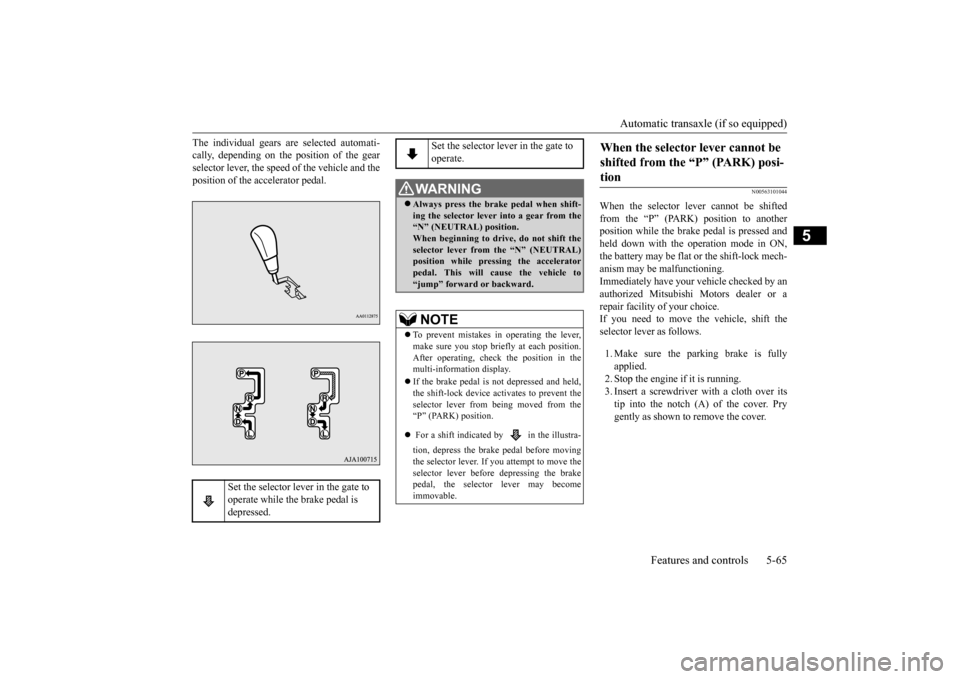
The individual gears are selected automati- cally, depending on the position of the gearselector lever, the speed of the vehicle and the position of the accelerator pedal.
N00563101044
When the selector lever cannot be shifted from the “P” (PARK) position to anotherposition while the brake
pedal is pressed and
held down with the operation mode in ON, the battery may be flat or the shift-lock mech-anism may be malfunctioning. Immediately have your
vehicle checked by an
authorized Mitsubishi Motors dealer or a repair facility
of your choice.
If you need to move the vehicle, shift theselector lever as follows. 1. Make sure the parking brake is fully applied. 2. Stop the engine if it is running.3. Insert a screwdrive
r with a cloth over its
tip into the notch (A) of the cover. Pry gently as shown to remove the cover.
Set the selector lever in the gate to operate while the brake pedal is depressed.
Set the selector lever in the gate to operate.
WA R N I N G Always press the brak
e pedal when shift-
ing the selector
lever into a gear from the
“N” (NEUTRAL) position. When beginning to drive, do not shift theselector lever from
the “N” (NEUTRAL)
position while pressing the accelerator pedal. This will cause the vehicle to“jump” forward or backward.NOTE
To prevent mistakes in operating the lever, make sure you stop brie
fly at each position.
After operating, check
the position in the
multi-information display. If the brake pedal is not depressed and held, the shift-lock device activates to prevent theselector lever from being moved from the “P” (PARK) position. For a shift indicated by in the illustra- tion, depress the brake pedal before moving the selector lever. If you attempt to move theselector lever before
depressing the brake
pedal, the selector
lever may become
immovable.
When the selector lever cannot be shifted from the “P” (PARK) posi-tion
BK0223400US.book 65 ページ 2015年2月13日 金曜日 午後12時15分
Page 142 of 464
Automatic transaxle (if so equipped) 5-66 Features and controls
5
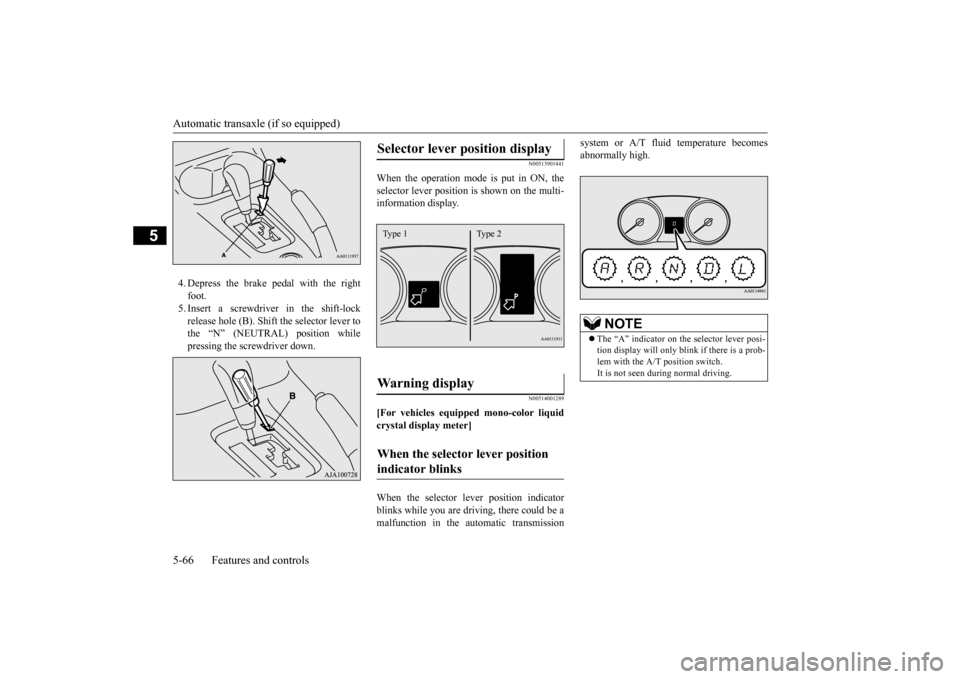
4. Depress the brake pedal with the right foot.5. Insert a screwdriver in the shift-lock release hole (B). Shift the selector lever to the “N” (NEUTRAL) position whilepressing the screwdriver down.
N00513901441
When the operation mode is put in ON, the selector lever position is
shown on the multi-
information display.
N00514001289
[For vehicles equipped mono-color liquid crystal display meter] When the selector le
ver position indicator
blinks while you are driv
ing, there could be a
malfunction in the automatic transmission
system or A/T fluid temperature becomes abnormally high.
Selector lever position display
Wa r n i n g d i s p l a y
When the selector lever position indicator blinks
Type 1 Type 2
NOTE
The “A” indicator on th
e selector lever posi-
tion display will only blink if there is a prob- lem with the A/T position switch.It is not seen during normal driving.
BK0223400US.book 66 ページ 2015年2月13日 金曜日 午後12時15分
Page 145 of 464
Automatic transaxle (if so equipped)
Features and controls 5-69
5
To return to “D” (DRIVE) or “L” (LOW) operation, pull the sportronic steering wheelpaddle shifter on the + (SHIFT UP) side for longer than 2 seconds. When returning to “D” (DRIVE) or “L”(LOW) operation, the selector lever position display will change to “D” (DRIVE) or “L” (LOW) position.
N00538801180
In sports mode, the curre
ntly selected gear is
displayed on the information screen in the multi-information display.
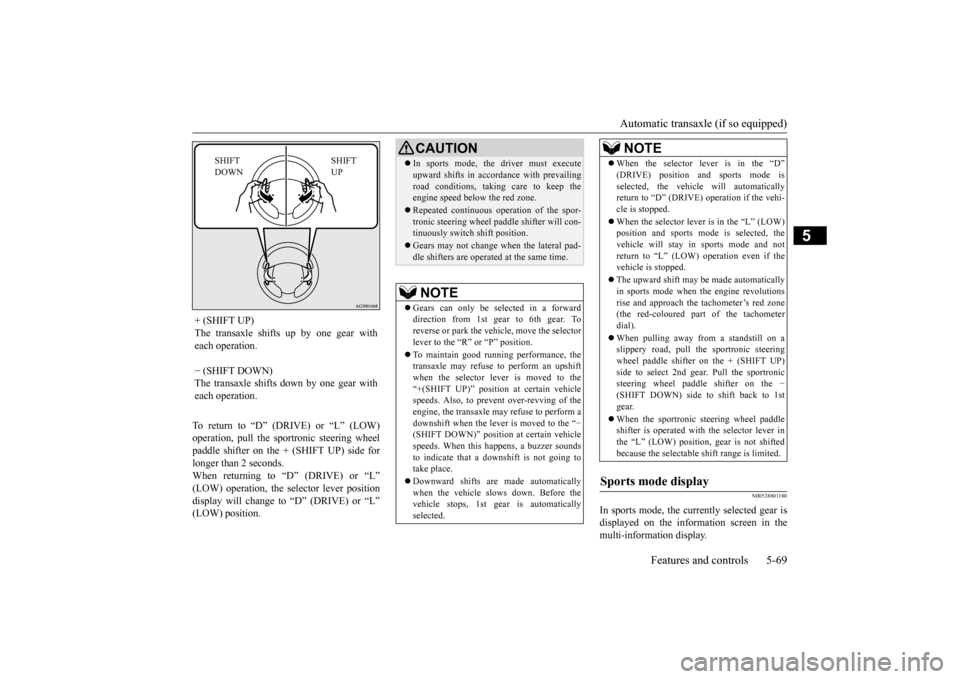
+ (SHIFT UP) The transaxle shifts up by one gear with each operation. − (SHIFT DOWN) The transaxle shifts down by one gear witheach operation.
SHIFT UP
SHIFT DOWN
CAUTION In sports mode, the driver must execute upward shifts in accordance with prevailingroad conditions, taking care to keep theengine speed below the red zone. Repeated continuous ope
ration of the spor-
tronic steering wheel pa
ddle shifter will con-
tinuously switch shift position. Gears may not change when the lateral pad- dle shifters are operated at the same time. NOTE
Gears can only be selected in a forward direction from 1st gear to 6th gear. Toreverse or park the vehi
cle, move the selector
lever to the “R” or “P” position. To maintain good running performance, the transaxle may refuse to perform an upshift when the selector lever is moved to the“+(SHIFT UP)” positi
on at certain vehicle
speeds. Also, to prevent over-revving of the engine, the transaxle may refuse to perform adownshift when the lever is moved to the “
−
(SHIFT DOWN)” position
at certain vehicle
speeds. When this happens, a buzzer soundsto indicate that a dow
nshift is not going to
take place. Downward shifts are made automatically when the vehicle slows down. Before the vehicle stops, 1st ge
ar is automatically
selected.
When the selector lever is in the “D” (DRIVE) position and sports mode isselected, the vehicle will automaticallyreturn to “D” (DRIVE)
operation if the vehi-
cle is stopped. When the selector lever is in the “L” (LOW) position and sports mode is selected, the vehicle will stay in
sports mode and not
return to “L” (LOW) operation even if the vehicle is stopped. The upward shift may be
made automatically
in sports mode when the engine revolutions rise and approach the tachometer’s red zone(the red-coloured part of the tachometer dial). When pulling away from a standstill on a slippery road, pull the sportronic steering wheel paddle shifter on the + (SHIFT UP)side to select 2nd gear
. Pull the sportronic
steering wheel paddle shifter on the
−
(SHIFT DOWN) side to shift back to 1stgear. When the sportronic steering wheel paddle shifter is operated with the selector lever in the “L” (LOW) position, gear is not shifted because the selectable shift range is limited.
Sports mode display
NOTE
BK0223400US.book 69 ページ 2015年2月13日 金曜日 午後12時15分
Page 155 of 464
Electronically controlled 4WD system (if so equipped)
Features and controls 5-79
5
N00548301032
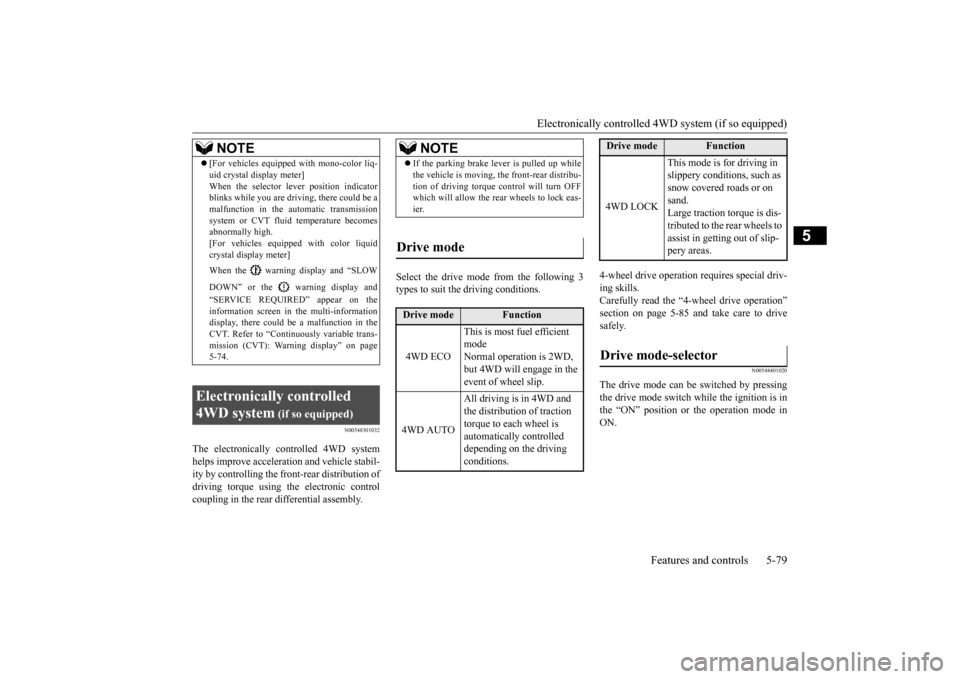
The electronically controlled 4WD system helps improve accelerati
on and vehicle stabil-
ity by controlling the front-rear distribution ofdriving torque using the electronic control coupling in the rear differential assembly.
Select the drive mode from the following 3 types to suit the driving conditions.
4-wheel drive operation requires special driv- ing skills.Carefully read the “4-wheel drive operation” section on page 5-85 and take care to drive safely.
N00548401020
The drive mode can be switched by pressingthe drive mode switch while the ignition is in the “ON” position or the operation mode in ON.
NOTE
[For vehicles equipped with mono-color liq- uid crystal display meter]When the selector le
ver position indicator
blinks while you are driving, there could be a malfunction in the automatic transmission system or CVT fluid temperature becomesabnormally high. [For vehicles equippe
d with color liquid
crystal display meter] When the warning display and “SLOW DOWN” or the warning display and “SERVICE REQUIRED” appear on the information screen in
the multi-information
display, there could be
a malfunction in the
CVT. Refer to “Continuously variable trans- mission (CVT): Warning display” on page5-74.
Electronically controlled 4WD system
(if so equipped)
NOTE
If the parking brake le
ver is pulled up while
the vehicle is moving,
the front-rear distribu-
tion of driving torque control will turn OFFwhich will allow the rear wheels to lock eas- ier.
Drive mode
Drive mode
Function
4WD ECO
This is most fuel efficient modeNormal operation is 2WD, but 4WD will engage in the event of wheel slip.
4WD AUTO
All driving is in 4WD and the distribution of traction torque to each wheel is automatically controlled depending on the driving conditions.
4WD LOCK
This mode is for driving in slippery conditions, such as snow covered roads or on sand. Large traction torque is dis-tributed to the rear wheels to assist in getting out of slip- pery areas.
Drive mode-selector
Drive mode
Function
BK0223400US.book 79 ページ 2015年2月13日 金曜日 午後12時15分
Page 156 of 464
Electronically controlled 4W
D system (if so equipped)
5-80 Features and controls
5
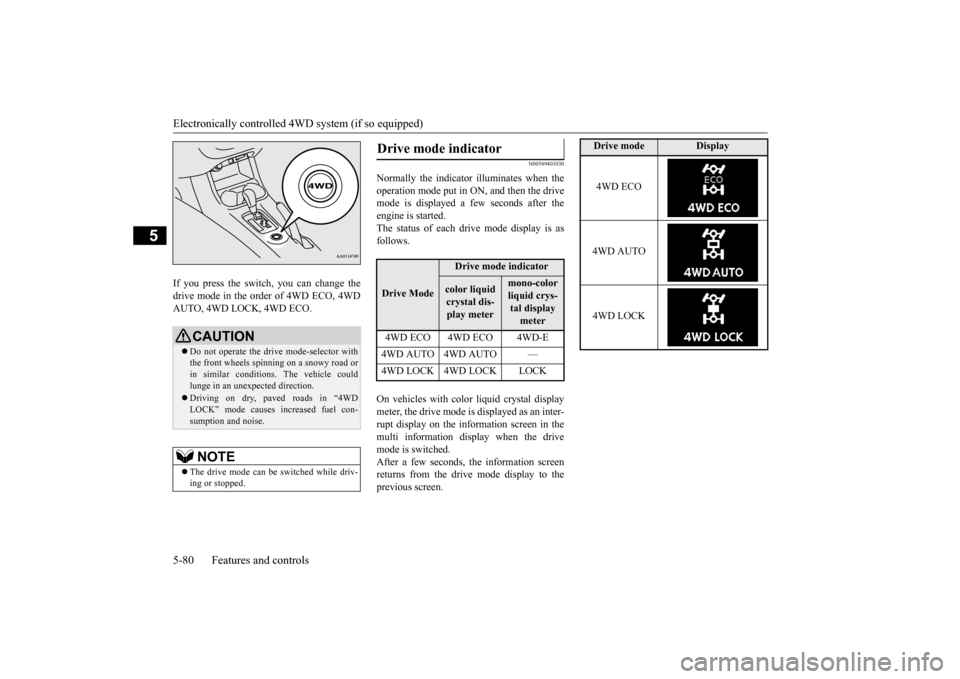
If you press the switch, you can change the drive mode in the order of 4WD ECO, 4WDAUTO, 4WD LOCK, 4WD ECO.
N00549401030
Normally the indicator illuminates when the operation mode put in ON, and then the drive mode is displayed a
few seconds after the
engine is started. The status of each dr
ive mode display is as
follows. On vehicles with color liquid crystal display meter, the drive mode is displayed as an inter- rupt display on the information screen in themulti information display when the drive mode is switched. After a few seconds, the information screenreturns from the drive mode display to the previous screen.
CAUTION Do not operate the dr
ive mode-selector with
the front wheels spinning on a snowy road or in similar conditions
. The vehicle could
lunge in an unexpected direction. Driving on dry, paved roads in “4WD LOCK” mode causes increased fuel con-sumption and noise.NOTE
The drive mode can be
switched while driv-
ing or stopped.
Drive mode indicator
Drive Mode
Drive mode indicatorcolor liquid crystal dis-play meter
mono-color liquid crys- tal display meter
4WD ECO 4WD ECO 4WD-E 4WD AUTO 4WD AUTO — 4WD LOCK 4WD LOCK LOCK
Drive mode
Display
4WD ECO 4WD AUTO 4WD LOCK
BK0223400US.book 80 ページ 2015年2月13日 金曜日 午後12時15分
Page 157 of 464
S-AWC (Super-All Wheel Co
ntrol) (if so equipped)
Features and controls 5-81
5
N00576600020
While the drive mode is in the “4WD AUTO” position, if the ECO mode switch is switched
ON, the drive mode will be changed to “4WD ECO” mode.If the ECO mode switch is switched OFF, the drive mode will be returned to “4WD AUTO” mode.Refer to the “ECO
mode switch” on page
5-184.
N00541301062
S-AWC is an integrat
ed vehicle dynamics
control system that helps enhance driving performance, cornering performance, and vehicle stability over a wide range of drivingconditions through integrated management of the electronically cont
rolled 4WD, the AYC
(Active Yaw Control), the ABS and the ASC.
CAUTION If the selected drive
mode indicator begins
blinking, the drive m
ode will automatically
switch to protect the drive-system compo-nents. A warning will
also be displayed in
the information screen in the multi informa- tion display. Warning display (color
liquid crystal dis-
play) Reduce speed and, if
the indicator stops
blinking, you may resume normal driving. For vehicles equipped with mono-color liq- uid crystal display mete
r, drive mode indica-
tor (“4WD-E”, “LOCK”) is blinking alternately
If the drive mode indi
cator (4WD) is blink-
ing, a problem has occurred with the elec-tronically controlled 4WD. A warning willalso be displayed in the information screen in the multi information display. Warning display (color liquid crystal dis- play) Have your vehicle in
spected by an autho-
rized Mitsubishi Motors dealer.For vehicles equipped
with mono-color liq-
uid crystal display mete
r, drive mode indica-
tor (“4WD-E”, “LOCK”) is blinking at thesame time. Make sure that all four tires are the same specified size, type, a
nd brand, and have no
significant difference
in the amount of wear.
Otherwise, the electronically controlled4WD system may not work properly, and the 4WD system warning (overheating or ser- vice required) may displayed.
When the ECO mode switch is ON
CAUTION
NOTE
If the drive mode is switched in any mode after the drive mode is switched in “4WD ECO”, the drive mode will not be changedeven if the ECO mode switch is switched OFF.
S-AWC (Super-All Wheel Control)
(if so equipped)
BK0223400US.book 81 ページ 2015年2月13日 金曜日 午後12時15分
Page 159 of 464
S-AWC (Super-All Wheel Co
ntrol) (if so equipped)
Features and controls 5-83
5
4-wheel drive operation requires special driv- ing skills. Carefully read the “4-wheel drive operation” section on page 5-85 and take care to drivesafety.
N00583000042
The drive mode can be switched by press theswitch while the operation mode in ON.
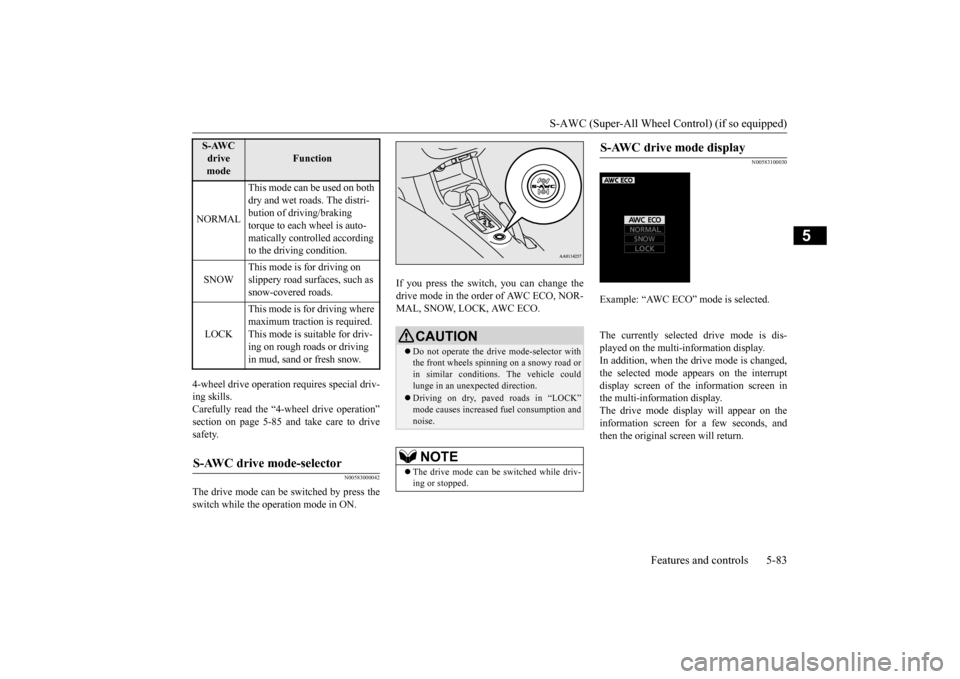
If you press the switch, you can change the drive mode in the order of AWC ECO, NOR-MAL, SNOW, LOCK, AWC ECO.
N00583100030
The currently selected
drive mode is dis-
played on the multi-
information display.
In addition, when the drive mode is changed,the selected mode appears on the interrupt display screen of the
information screen in
the multi-information display.The drive mode display will appear on the information screen for a few seconds, and then the original screen will return.
NORMAL
This mode can be used on both dry and wet roads. The distri- bution of driving/braking torque to each wheel is auto- matically controlled according to the driving condition.
SNOW
This mode is for driving on slippery road surfaces, such as snow-covered roads.
LOCK
This mode is for driving where maximum traction is required. This mode is suitable for driv- ing on rough roads or driving in mud, sand or fresh snow.
S-AWC drive mode-selector
S-AWC drive mode
Function
CAUTION Do not operate the drive mode-selector with the front wheels spinning on a snowy road or in similar conditions
. The vehicle could
lunge in an unexpected direction. Driving on dry, paved roads in “LOCK” mode causes increased fuel consumption andnoise.NOTE
The drive mode can be
switched while driv-
ing or stopped.
S-AWC drive mode display
Example: “AWC ECO” mode is selected.
BK0223400US.book 83 ページ 2015年2月13日 金曜日 午後12時15分
Page 161 of 464
4-wheel drive operation
Features and controls 5-85
5
N00576700021
While the drive mode is in the “NORMAL” position, if the ECO mode switch is switchedON, the drive mode
will be changed to
“AWC ECO” mode. If the ECO mode switch is switched OFF, thedrive mode will be returned to “NORMAL” mode. Refer to the “ECO
mode switch” on page
5-184.
N00530601182
Your vehicle has been
designed primarily for
use on pavement. But its unique 4 -wheel
drive system allows
you to occasionally travel on unpaved roads, to campgrounds, picnic
sites, and similar
locations.Not only does this ensure better handling on dry, paved roads but al
so permits better trac-
tion when driving on slippery, wet or snow- covered roads and when moving out of mud.But it is not suitable for heavy off road use or towing in rough conditions. It is particularly im
portant to note that 4-
wheel drive may not gi
ve sufficient hill
climbing ability and e
ngine braking on steep
slopes. You should try to avoid driving onsteep slopes. Also, you must exercise caution when driving on sand and mud and when driving through water because sufficie
nt traction may not be
available in certain circumstances.Please avoid driving the vehicle through areas where the tires may get stuck in deep sand or mud.
When the ECO mode switch is ON
NOTE
If the drive mode is switched in any mode after the drive mode is switched in “AWCECO”, the drive mode will not be changed even if the ECO mode switch is switched OFF.
4-wheel drive operation
WA R N I N G Do not over-rely on th
e 4-wheel drive vehi-
cles. Even 4-wheel drive vehicles have lim- its to the system and ability to maintaincontrol and traction. Reckless driving may lead to accidents. Al
ways drive carefully,
taking account of the road conditions. Improperly operating
this vehicle on or
off-pavement can cause an accident orrollover in which you
and your passengers
could be seriously injured or killed.• Follow all instructions and guidelines inthe owner’s manual.• Keep your speed low and do not drivefaster than conditions.
NOTE
Driving on rough roads can be hard on a vehicle. Before you le
ave the pavement, be
sure all scheduled ma
intenance and service
has been done, and that you have inspected your vehicle. Pay spec
ial attention to the
condition of the ti
res, and check the tire pres-
sures. Mitsubishi Motors is not responsible to the operator for any damage or injury caused or liability incurred by improper and negligent operation of a vehicl
e. All techniques of
vehicle operation depend on the skill and experience of the opera
tor and other partici-
pating parties. Any de
viation from the rec-
ommended operating instru
ctions above is at
their own risk. Note that the stopping distance required of the 4-wheel drive vehicle differs very little from that of the front-wheel drive vehicle.When driving on a snow-covered road or a slippery, muddy surface, make sure that you keep a sufficient dist
ance between your vehi-
cle and the one ahead of you. The driving posture s
hould be more upright;
adjust the seat to a good position for easy steering and pedal operati
on. Be sure to wear
the seat belt. After driving on rough roads, check each part of the vehicle
and wash it thoroughly
with water. Refer to the “Inspection and maintenance followi
ng rough road opera-
tion” section and “Vehicle care and Mainte-nance” sections.
BK0223400US.book 85 ページ 2015年2月13日 金曜日 午後12時15分