ignition MITSUBISHI OUTLANDER 2016 3.G Repair Manual
[x] Cancel search | Manufacturer: MITSUBISHI, Model Year: 2016, Model line: OUTLANDER, Model: MITSUBISHI OUTLANDER 2016 3.GPages: 464, PDF Size: 60.77 MB
Page 237 of 464
Indicator light, warning light, and information screen display list (multi information display - Type 1)
Features and controls 5-161
5
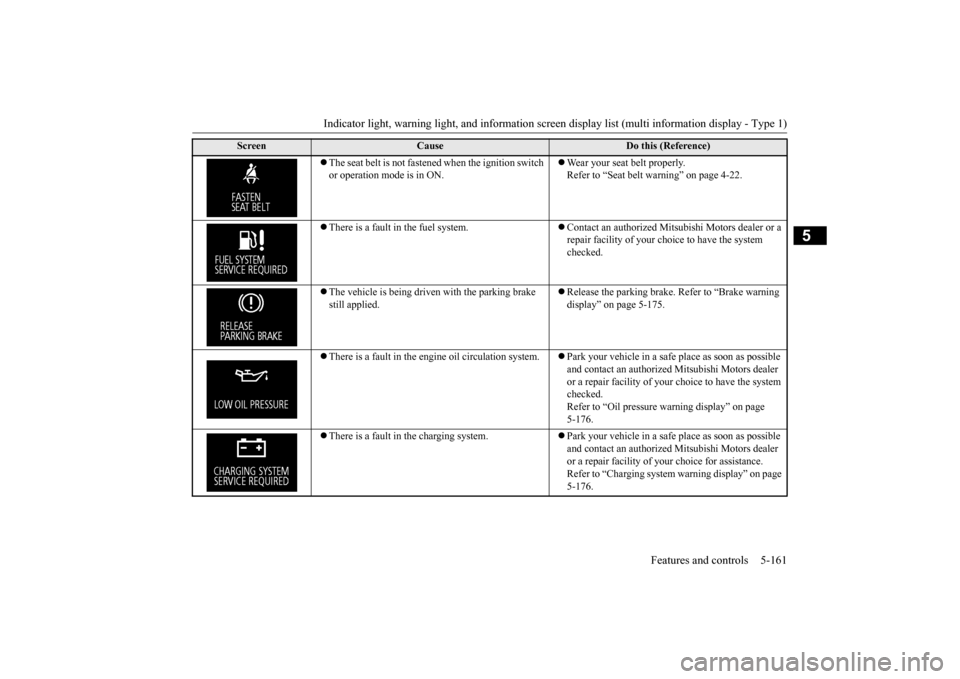
The seat belt is not fastened when the ignition switch or operation mode is in ON.
Wear your seat belt properly. Refer to “Seat belt warning” on page 4-22.
There is a fault in the fuel system.
Contact an authorized Mitsubishi Motors dealer or a repair facility of your choi
ce to have the system
checked.
The vehicle is being driven with the parking brake still applied.
Release the parking brake.
Refer to “Brake warning
display” on page 5-175.
There is a fault in the engi
ne oil circul
ation system.
Park your vehicle in a safe
place as soon as possible
and contact an authorized
Mitsubishi Motors dealer
or a repair facility of your
choice to have the system
checked.Refer to “Oil pressure
warning display” on page
5-176.
There is a fault in the charging system.
Park your vehicle in a safe
place as soon as possible
and contact an authorized
Mitsubishi Motors dealer
or a repair facility of your
choice for assistance.
Refer to “Charging system
warning display” on page
5-176.
Screen
Cause
Do this (Reference)
BK0223400US.book 161 ページ 2015年2月13日 金曜日 午後12時15分
Page 246 of 464
Indicator light, warning light, and information screen display list (multi information display - Type 1) 5-170 Features and controls
5
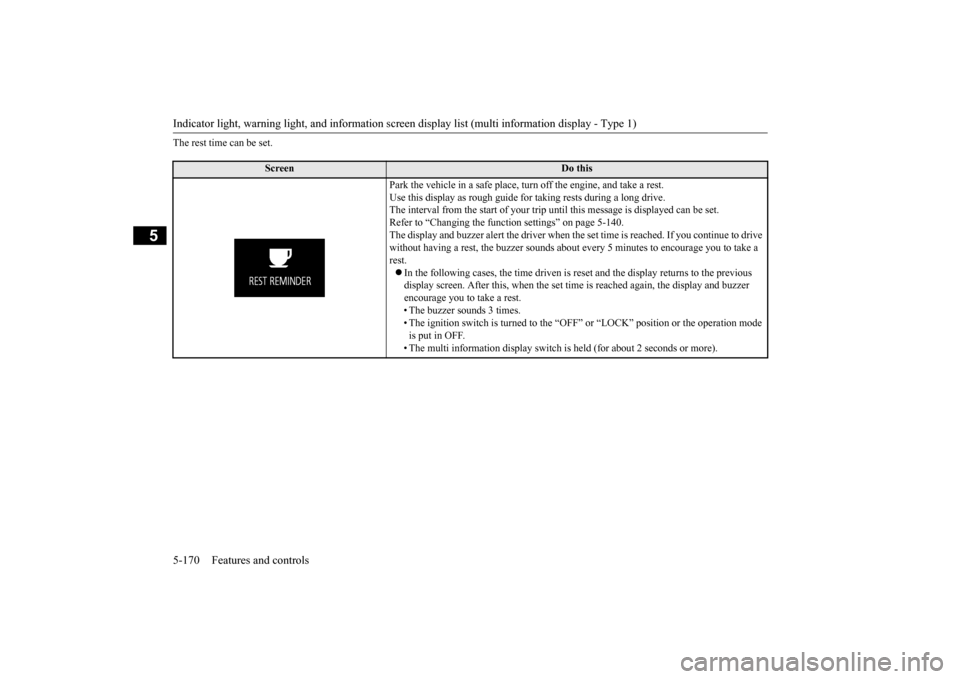
The rest time can be set.
Screen
Do this
Park the vehicle in a safe place, tu
rn off the engine,
and take a rest.
Use this display as rough guide
for taking rests during a long drive.
The interval from the start of your trip
until this message is
displayed can be set.
Refer to “Changing the function settings” on page 5-140. The display and buzzer alert the driver when th
e set time is reached.
If you continue to drive
without having a rest, the buzzer sounds about
every 5 minutes to encourage you to take a
rest. In the following cases, the time driven is reset and the display returns to the previous display screen. After this, when the set time
is reached again,
the display and buzzer
encourage you to take a rest. • The buzzer sounds 3 times.• The ignition switch is turned to the “OFF”
or “LOCK” position or the operation mode
is put in OFF. • The multi information display switch is
held (for about 2 seconds or more).
BK0223400US.book 170 ページ 2015年2月13日 金曜日 午後12時15分
Page 249 of 464
Warning lights
Features and controls 5-173
5
N00520300147 N00520401536
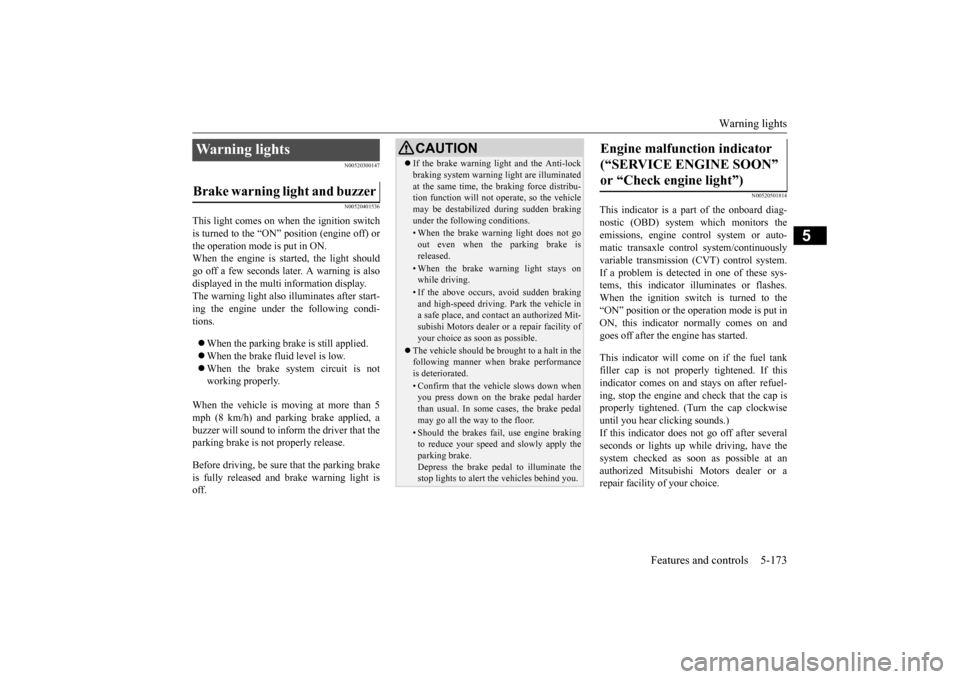
This light comes on when the ignition switch is turned to the “ON” position (engine off) or the operation mode is put in ON.When the engine is started, the light should go off a few seconds later. A warning is also displayed in the multi information display. The warning light also illuminates after start- ing the engine under the following condi-tions. When the parking brake is still applied. When the brake fluid level is low. When the brake system circuit is not working properly.
When the vehicle is moving at more than 5 mph (8 km/h) and parking brake applied, a buzzer will sound to inform the driver that theparking brake is not properly release. Before driving, be sure
that the parking brake
is fully released and
brake warning light is
off.
N00520501814
This indicator is a part
of the onboard diag-
nostic (OBD) system which monitors the emissions, engine control system or auto- matic transaxle cont
rol system/continuously
variable transmission
(CVT) control system.
If a problem is detected in one of these sys- tems, this indicator illuminates or flashes. When the ignition switch is turned to the “ON” position or the operation mode is put inON, this indicator
normally comes on and
goes off after the engine has started. This indicator will come on if the fuel tank filler cap is not properly tightened. If thisindicator comes on and stays on after refuel- ing, stop the engine and check that the cap is properly tightened. (Turn the cap clockwiseuntil you hear clicking sounds.) If this indicator does not go off after several seconds or lights up while driving, have thesystem checked as soon as possible at an authorized Mitsubishi Motors dealer or a repair facility
of your choice.
Warning lights Brake warning light and buzzer
CAUTIONIf the brake warning light and the Anti-lock braking system warning
light are illuminated
at the same time, the braking force distribu-tion function will not ope
rate, so the vehicle
may be destabilized during sudden braking under the following conditions.• When the brake warning light does not goout even when the parking brake isreleased.• When the brake warning light stays onwhile driving.• If the above occurs, avoid sudden brakingand high-speed driving. Park the vehicle in a safe place, and contact an authorized Mit- subishi Motors dealer or a repair facility ofyour choice as soon as possible.
The vehicle should be brought to a halt in the following manner when brake performance is deteriorated.• Confirm that the vehicle slows down whenyou press down on the brake pedal harder than usual. In some cases, the brake pedalmay go all the way to the floor.• Should the brakes fail, use engine brakingto reduce your speed and slowly apply the parking brake. Depress the brake peda
l to illuminate the
stop lights to alert
the vehicles
behind you.
Engine malfunction indicator (“SERVICE ENGINE SOON” or “Check engine light”)
BK0223400US.book 173 ページ 2015年2月13日 金曜日 午後12時15分
Page 250 of 464
Warning lights 5-174 Features and controls
5
N00520601323
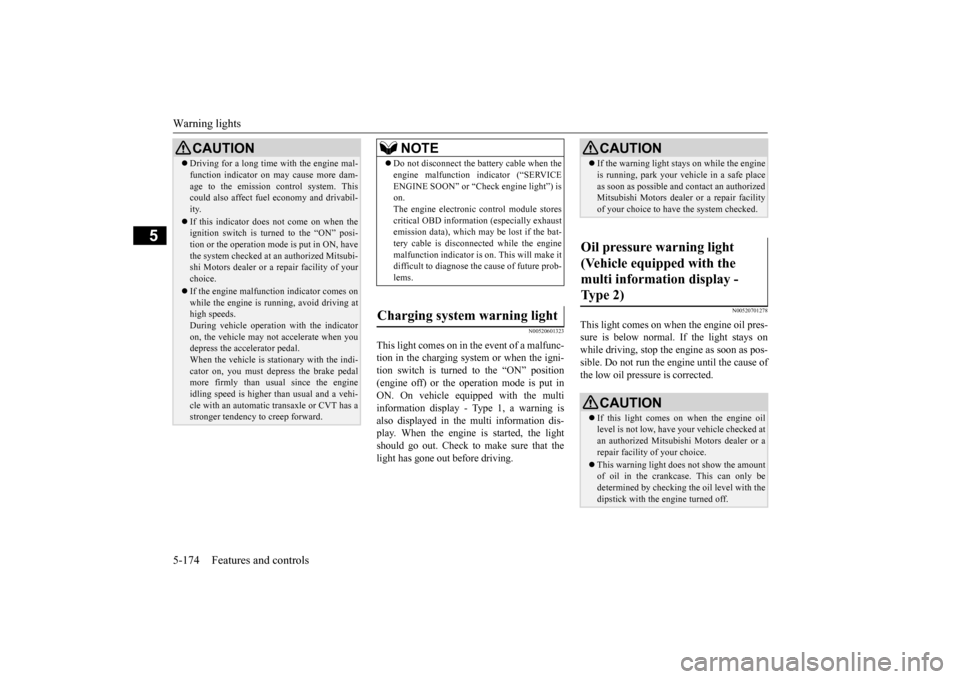
This light comes on in the event of a malfunc- tion in the charging system or when the igni-tion switch is turned to the “ON” position (engine off) or the operation mode is put in ON. On vehicle equipped with the multiinformation display - Type 1, a warning is also displayed in the multi information dis- play. When the engine is started, the lightshould go out. Check to make sure that the light has gone out before driving.
N00520701278
This light comes on when the engine oil pres- sure is below normal. If the light stays onwhile driving, stop the
engine as soon as pos-
sible. Do not run the engine until the cause of the low oil pressure is corrected.
CAUTION Driving for a long time with the engine mal- function indicator on
may cause more dam-
age to the emission control system. Thiscould also affect fuel economy and drivabil- ity. If this indicator does not come on when the ignition switch is turned to the “ON” posi- tion or the operation mode
is put in ON, have
the system checked at an authorized Mitsubi- shi Motors dealer or a repair facility of your choice. If the engine malfuncti
on indicator comes on
while the engine is running, avoid driving athigh speeds. During vehicle operation
with the indicator
on, the vehicle may not
accelerate when you
depress the accelerator pedal. When the vehicle is stat
ionary with the indi-
cator on, you must depress the brake pedalmore firmly than usual since the engine idling speed is higher than usual and a vehi- cle with an automatic transaxle or CVT has astronger tendency to creep forward.
NOTE
Do not disconnect the ba
ttery cable when the
engine malfunction i
ndicator (“SERVICE
ENGINE SOON” or “Che
ck engine light”) is
on. The engine electronic control module stores critical OBD information (especially exhaustemission data), which ma
y be lost if the bat-
tery cable is disconne
cted while the engine
malfunction indicator is
on. This will make it
difficult to diagnose the cause of future prob- lems.
Charging system warning light
CAUTION If the warning light stays on while the engine is running, park your ve
hicle in a safe place
as soon as possible and
contact an authorized
Mitsubishi Motors dealer
or a repair facility
of your choice to have the system checked.
Oil pressure warning light (Vehicle equipped with the multi information display - Type 2)
CAUTION If this light comes on when the engine oil level is not low, have
your vehicle checked at
an authorized Mitsubish
i Motors dealer or a
repair facility
of your choice.
This warning light does not show the amount of oil in the crankcase. This can only bedetermined by checking th
e oil level with the
dipstick with the engine turned off.
BK0223400US.book 174 ページ 2015年2月13日 金曜日 午後12時15分
Page 252 of 464
Information screen display (Vehicle equipped with the multi information display - Type 1) 5-176 Features and controls
5
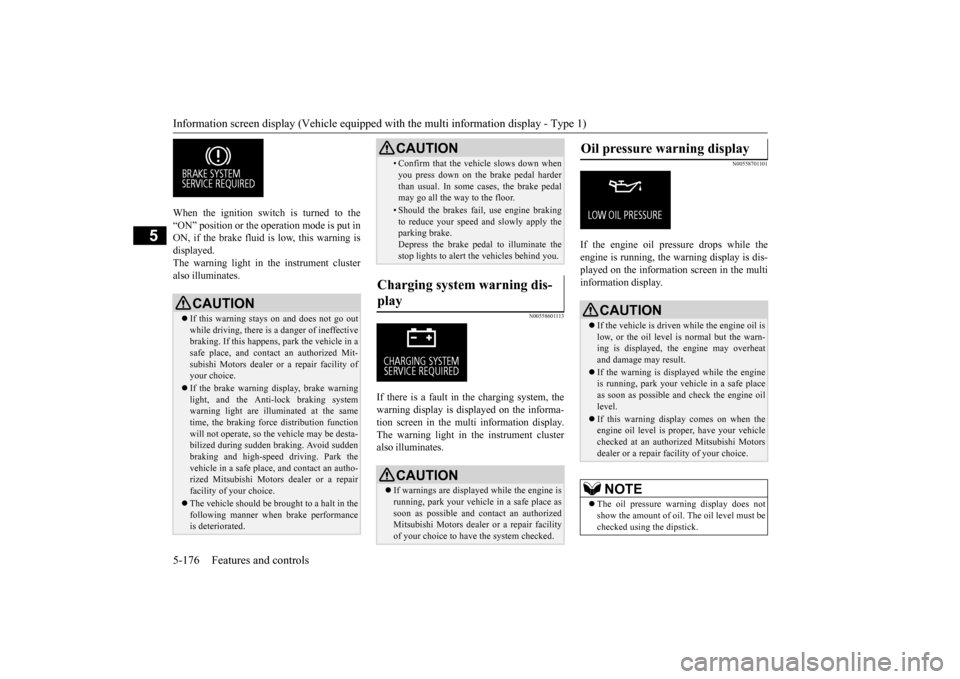
When the ignition switch is turned to the “ON” position or the ope
ration mode is put in
ON, if the brake fluid is
low, this warning is
displayed. The warning light in the instrument cluster also illuminates.
N00558601113
If there is a fault in the charging system, the warning display is di
splayed on the informa-
tion screen in the multi information display. The warning light in th
e instrument cluster
also illuminates.
N00558701101
If the engine oil pressure drops while the engine is running, the
warning display is dis-
played on the information screen in the multi information display.
CAUTION If this warning stays on and does not go out while driving, there is
a danger of ineffective
braking. If this happens
, park the vehicle in a
safe place, and contac
t an authorized Mit-
subishi Motors dealer or a repair facility ofyour choice. If the brake warning display, brake warning light, and the Anti-lock braking system warning light are illu
minated at the same
time, the braking forc
e distribution function
will not operate, so th
e vehicle may be desta-
bilized during sudden br
aking. Avoid sudden
braking and high-speed driving. Park thevehicle in a safe place,
and contact an autho-
rized Mitsubishi Motors
dealer or a repair
facility of your choice. The vehicle should be brought to a halt in the following manner when
brake performance
is deteriorated.
• Confirm that the vehicle slows down whenyou press down on the brake pedal harderthan usual. In some cases, the brake pedalmay go all the way to the floor.• Should the brakes fail, use engine brakingto reduce your speed and slowly apply the parking brake. Depress the brake pedal to illuminate thestop lights to alert th
e vehicles behind you.
Charging system warning dis- play
CAUTION If warnings are displa
yed while the engine is
running, park your vehicl
e in a safe place as
soon as possible and c
ontact an authorized
Mitsubishi Motors dealer
or a repair facility
of your choice to have the system checked.CAUTION
Oil pressure warning display
CAUTION If the vehicle is driven while the engine oil is low, or the oil level is normal but the warn-ing is displayed, th
e engine may overheat
and damage may result. If the warning is displayed while the engine is running, park your ve
hicle in a safe place
as soon as possible and check the engine oillevel. If this warning display comes on when the engine oil level is pr
oper, have your vehicle
checked at an authorized Mitsubishi Motors dealer or a repair fa
cility of your choice.
NOTE
The oil pressure wa
rning display does not
show the amount of oil. The oil level must bechecked using the dipstick.
BK0223400US.book 176 ページ 2015年2月13日 金曜日 午後12時15分
Page 253 of 464
Combination headlights and dimmer switch
Features and controls 5-177
5
N00522501834
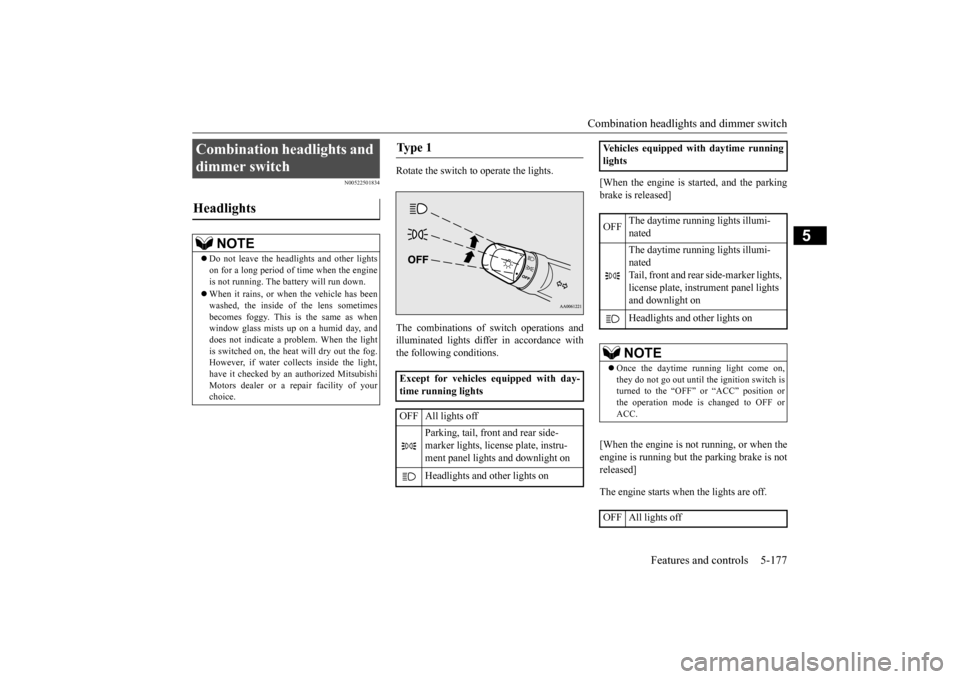
Rotate the switch to operate the lights. The combinations of
switch operations and
illuminated lights differ in accordance withthe following conditions.
[When the engine is started, and the parking brake is released] [When the engine is not running, or when the engine is running but the parking brake is not released] The engine starts when the lights are off.
Combination headlights and dimmer switch Headlights
NOTE
Do not leave the head
lights and ot
her lights
on for a long period of time when the engineis not running. The battery will run down. When it rains, or wh
en the vehicle has been
washed, the inside of the lens sometimes becomes foggy. This is the same as when window glass mists up
on a humid day, and
does not indicate a problem. When the light is switched on, the heat
will dry out the fog.
However, if water collects inside the light,have it checked by an
authorized Mitsubishi
Motors dealer or a repair facility of your choice.
Ty p e 1 Except for vehicles equipped with day- time running lights OFF All lights off
Parking, tail, front and rear side- marker lights, license plate, instru- ment panel lights and downlight on Headlights and other lights on
Vehicles equipped with daytime running lights OFF
The daytime running lights illumi- nated The daytime running lights illumi- natedTail, front and rear
side-marker lights,
license plate, inst
rument panel lights
and downlight on Headlights and other lights onNOTE
Once the daytime running light come on, they do not go out until the ignition switch is turned to the “OFF” or “ACC” position orthe operation mode is changed to OFF or ACC.
OFF All lights off
BK0223400US.book 177 ページ 2015年2月13日 金曜日 午後12時15分
Page 254 of 464
Combination headlights and dimmer switch 5-178 Features and controls
5
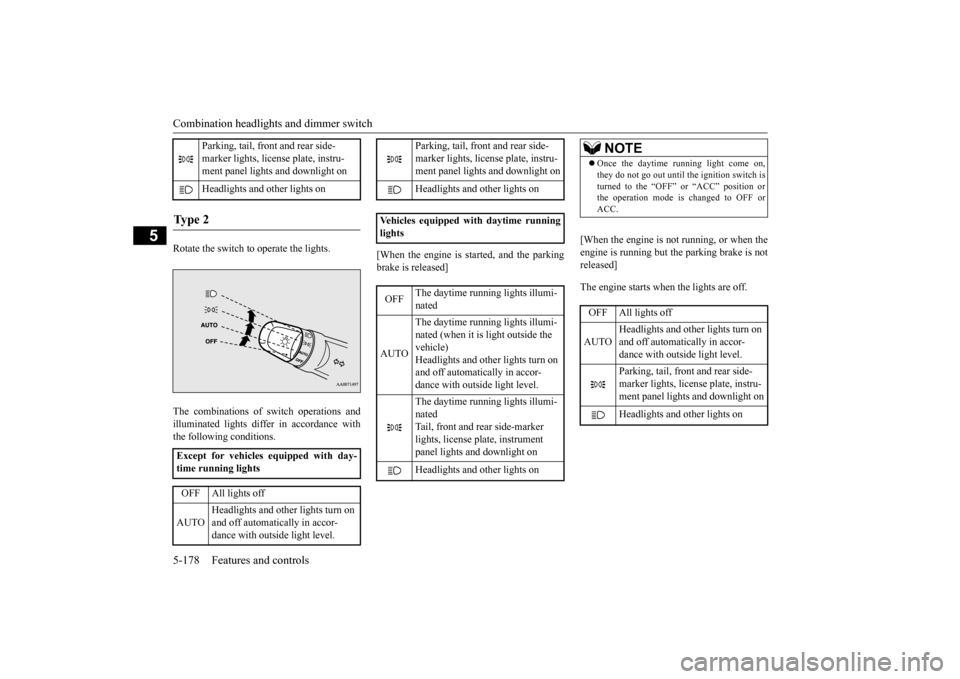
Rotate the switch to operate the lights. The combinations of
switch operations and
illuminated lights differ in accordance with the following conditions.
[When the engine is started, and the parking brake is released]
[When the engine is not running, or when the engine is running but the parking brake is not released] The engine starts when the lights are off.
Parking, tail, front and rear side- marker lights, license plate, instru- ment panel lights and downlight on Headlights and
other lights on
Ty p e 2 Except for vehicles equipped with day- time running lights OFF All lights off AUTO
Headlights and other lights turn on and off automatically in accor- dance with outside light level.
Parking, tail, front
and rear side-
marker lights, license plate, instru- ment panel lights
and downlight on
Headlights and other lights on
Vehicles equipped
with daytime running
lights OFF
The daytime runni
ng lights illumi-
nated
AUTO
The daytime runni
ng lights illumi-
nated (when it is light outside the vehicle) Headlights and other lights turn on and off automatically in accor-dance with outside light level. The daytime runni
ng lights illumi-
natedTail, front and rear side-marker lights, license pl
ate, instrument
panel lights and downlight on Headlights and other lights on
NOTE
Once the daytime running light come on, they do not go out until the ignition switch isturned to the “OFF” or “ACC” position orthe operation mode is changed to OFF or ACC.OFF All lights off AUTO
Headlights and other lights turn on and off automatically in accor- dance with outside light level. Parking, tail, front
and rear side-
marker lights, license plate, instru-ment panel lights and downlight on Headlights and other lights on
BK0223400US.book 178 ページ 2015年2月13日 金曜日 午後12時15分
Page 255 of 464
Combination headlights and dimmer switch
Features and controls 5-179
5
N00532601580
If the following operation is performed with the combination headlights and dim- mer switch in the “ ” or “ ” position, the lights automatically turn off. [Except for vehicles
equipped with the
F. A . S . T. - k e y ]
The ignition switch is turned to the “OFF” or “ACC” position or
the key is removed
from the ignition switch and the driver’s door is opened. [For vehicles equipped with the F.A.S.T.- key]The operation mode is changed to OFF or ACC and the driver’s door is opened. If the following operation is performed with the combination headlights and dim- mer switch in the “ ” or “ ” position, the lights automatically turn off after about 3 minutes. [Except for vehicles equipped with the F. A . S . T. - k e y ] The ignition switch is turned to the “OFF” or “ACC” position or
the key is removed
from the ignition switch and the driver’s door is not opened. [For vehicles equipped with the F.A.S.T.- key]The operation mode is changed to OFF or ACC and the driver’s door is not opened.
NOTE
The sensitivity of the automatic on/off con- trol can be adjusted.For further informati
on, please contact your
authorized Mitsubishi Motors dealer or a repair facility of your choice. On vehicles equipped
with Mitsubishi Multi-
Communication System,
screen operations
can be used to make the adjustment. Refer to the separate owner’s manual fordetails. Do not place anything
on the automatic light
sensor (A), and do not
clean with a glass
cleaner.NOTE
Do not cover the sensor (A) for the automatic on/off control by affixing a sticker or label to the windshield.
NOTE
If the lights do not turn on or off with the switch in the “AUTO”
position, manually
operate the switch. Have the system checked by an authorized Mitsubishi Motors dealer or a repair facility of your choice.
Light auto-cutout function (headlights and other lights)
BK0223400US.book 179 ページ 2015年2月13日 金曜日 午後12時15分
Page 256 of 464
Combination headlights and dimmer switch 5-180 Features and controls
5
If the combination headlights and dimmer switch is turned to the “ ” or “ ” posi- tion again after the engine is turned off, the about 3-minute auto-cutout function described above will not
work. The lights (the
parking lights, tail li
ghts and license plate
lights) will stay on and will not turn off auto- matically.
N00584500028
This warning light will illuminate when there is a malfunction in the LED headlights.
N00549801236
[When using a key to start the engine] If the driver’s door is opened with the key in the “OFF” or “LOCK” or “ACC” position or removed from the ignition switch while thelights are on, the tone will sound to remind you to turn off the lights.
[When using the F.A.S.T.-key to start the engine]If the driver’s door is opened with the opera- tion mode is put in OFF or ACC, or if the operation mode is changed to OFF while thelights are on, the tone
will sound to remind
you to turn off the lights. In either case, the lights will turn off automat- ically and so will the tone. Or you can turnthe light switch to the “OFF” position to stop the tone.
N00549901178
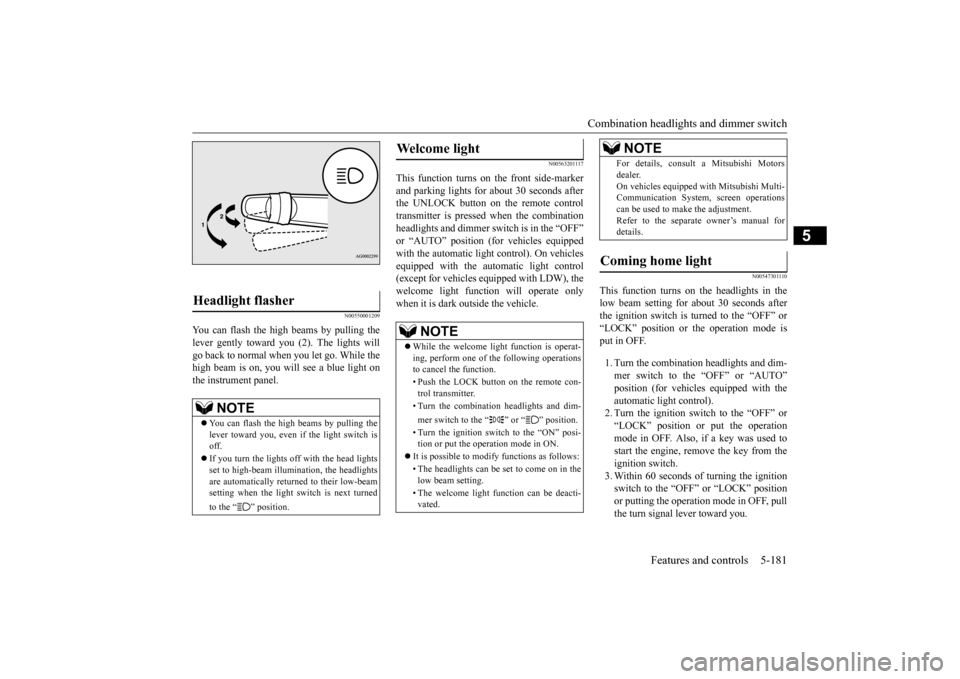
To change the headlights from high beam to low beam and vice vers
a, pull the turn signal
lever to (1). Switch the headlights to low beam as a courtesy whenever there areoncoming vehicles, or when there is traffic moving ahead of you. An illuminated blue light in the instrument
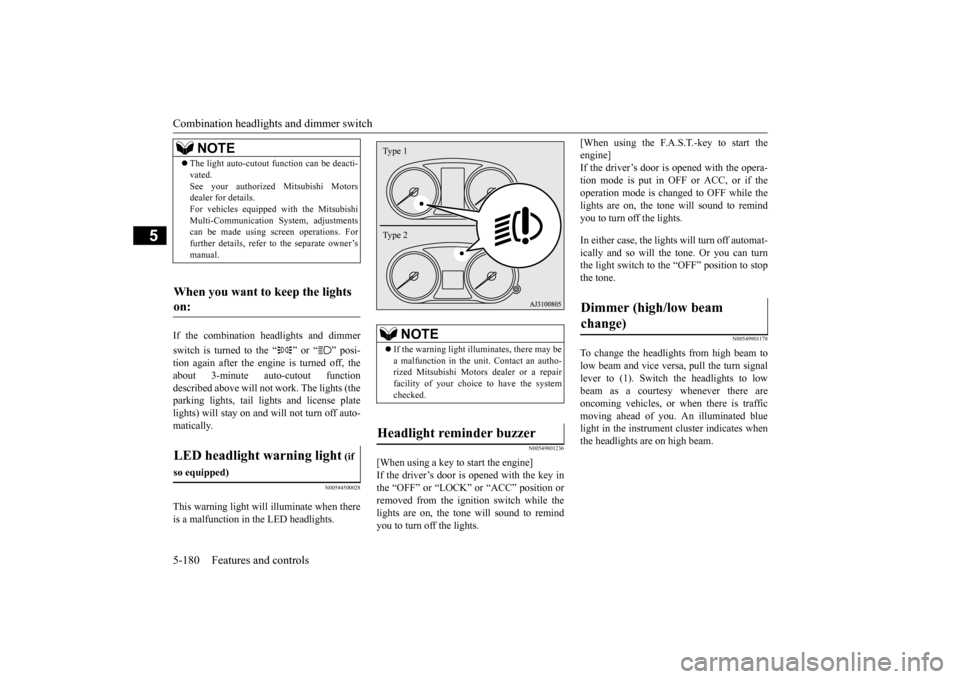
cluster indicates when
the headlights are on high beam.
NOTE
The light auto-cutout
function can be deacti-
vated.See your authorized Mitsubishi Motorsdealer for details. For vehicles equipped
with the Mitsubishi
Multi-Communication System, adjustmentscan be made using sc
reen operations. For
further details, refer to the separate owner’s manual.
When you want to keep the lights on: LED headlight warning light
(if
so equipped)
NOTE
If the warning light il
luminates, there may be
a malfunction in the unit. Contact an autho- rized Mitsubishi Motors dealer or a repairfacility of your choice to have the systemchecked.
Headlight reminder buzzer Type 1 Type 2
Dimmer (high/low beam change)
BK0223400US.book 180 ページ 2015年2月13日 金曜日 午後12時15分
Page 257 of 464
Combination headlights and dimmer switch
Features and controls 5-181
5
N00550001209
You can flash the high beams by pulling the lever gently toward you (2). The lights will go back to normal when you let go. While the high beam is on, you will see a blue light onthe instrument panel.
N00563201117
This function turns on the front side-marker and parking lights for about 30 seconds after the UNLOCK button on the remote controltransmitter is pressed when the combination headlights and dimmer swit
ch is in the “OFF”
or “AUTO” position (fo
r vehicles equipped
with the automatic light control). On vehicles equipped with the automatic light control (except for vehicles equipped with LDW), the welcome light functi
on will operate only
when it is dark outside the vehicle.
N00547301110
This function turns on the headlights in thelow beam setting for about 30 seconds afterthe ignition switch is turned to the “OFF” or “LOCK” position or the operation mode is put in OFF. 1. Turn the combination headlights and dim- mer switch to the “OFF” or “AUTO” position (for vehicles
equipped with the
automatic light control).2. Turn the ignition switch to the “OFF” or “LOCK” position or put the operation mode in OFF. Also, if a key was used tostart the engine, rem
ove the key from the
ignition switch. 3. Within 60 seconds of turning the ignitionswitch to the “OFF” or “LOCK” position or putting the operation mode in OFF, pull the turn signal lever toward you.
Headlight flasher
NOTE
You can flash the high beams by pulling the lever toward you, even if the light switch is off. If you turn the lights off with the head lights set to high-beam illumi
nation, the headlights
are automatically returned to their low-beamsetting when the light
switch is next turned
to the “ ” position.
Welcome light
NOTE
While the welcome light function is operat- ing, perform one of
the following operations
to cancel the function. • Push the LOCK button on the remote con- trol transmitter. • Turn the combination headlights and dim- mer switch to the “ ” or “ ” position. • Turn the ignition switch to the “ON” posi- tion or put the operation mode in ON.
It is possible to modify functions as follows: • The headlights can be set to come on in the low beam setting. • The welcome light f
unction can be deacti-
vated.
For details, consult a Mitsubishi Motorsdealer.On vehicles equipped
with Mitsubishi Multi-
Communication System
, screen operations
can be used to make the adjustment. Refer to the separate owner’s manual fordetails.
Coming home light
NOTE
BK0223400US.book 181 ページ 2015年2月13日 金曜日 午後12時15分