brake light MITSUBISHI OUTLANDER 2017 3.G User Guide
[x] Cancel search | Manufacturer: MITSUBISHI, Model Year: 2017, Model line: OUTLANDER, Model: MITSUBISHI OUTLANDER 2017 3.GPages: 521, PDF Size: 14.91 MB
Page 135 of 521
Parking brake 5-54 Features and controls
5
N00593100020
When parking on a hill, set the parking brake, and turn the front wheels toward the curb on a downhill, or away from
the curb on an uphill.
Before driving, be sure
to release the parking
brake.
N00593200021
The Electric parking brake is the system thatapplies the parking brake by the electricmotor.
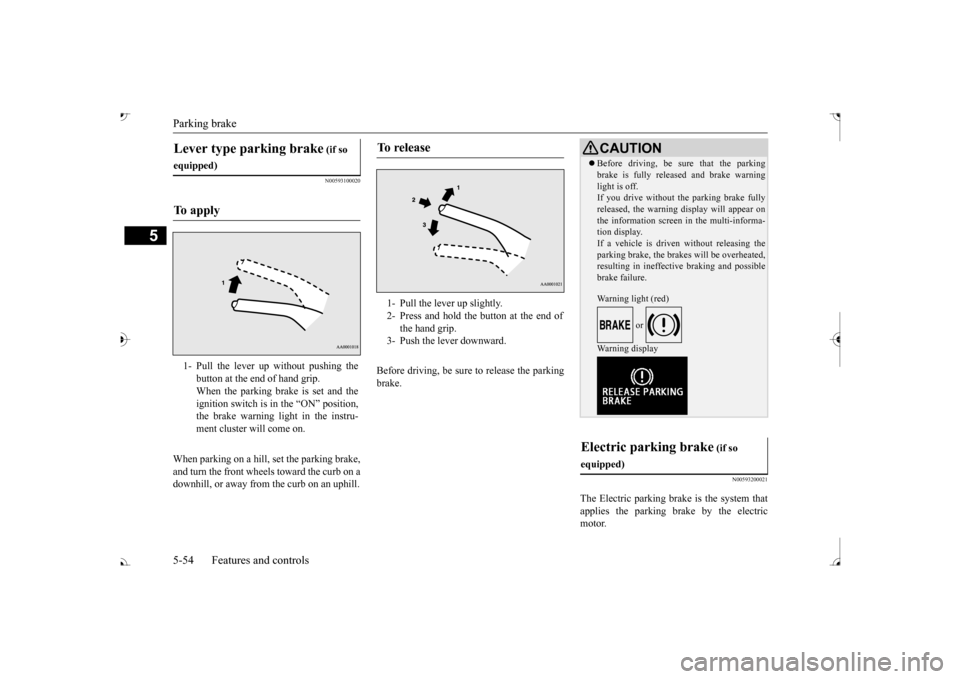
Lever type parking brake
(if so
equipped)To a p p l y
1- Pull the lever up without pushing the
button at the end of hand grip. When the parking brake is set and the ignition switch is in
the “ON” position,
the brake warning light in the instru- ment cluster will come on.
To r e l e a s e
1- Pull the lever up slightly. 2- Press and hold the button at the end of
the hand grip.
3- Push the lever downward.
CAUTION Before driving, be sure that the parking brake is fully released and brake warninglight is off.If you drive without the parking brake fully released, the warning
display will appear on
the information screen
in the multi-informa-
tion display. If a vehicle is driven without releasing the parking brake, the brakes will be overheated,resulting in ineffectiv
e braking and possible
brake failure. Warning light (red)
or
Warning display
Electric parking brake
(if so
equipped)
BK0239700US.book 54 ページ 2016年6月16日 木曜日 午前10時58分
Page 136 of 521
Parking brake
Features and controls 5-55
5
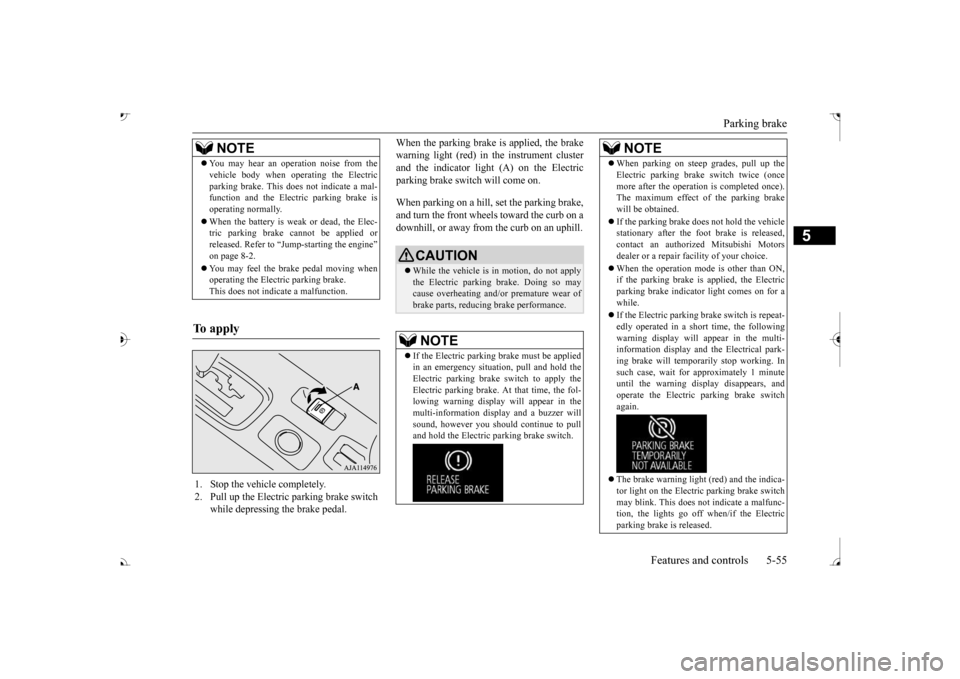
When the parking brake is applied, the brake warning light (red) in
the instrument cluster
and the indicator light (A) on the Electric parking brake switch will come on. When parking on a hill, set the parking brake, and turn the front wheels toward the curb on adownhill, or away from
the curb on an uphill.
NOTE
You may hear an operation noise from the vehicle body when operating the Electricparking brake. This do
es not indicate a mal-
function and the Elec
tric parking brake is
operating normally. When the battery is weak or dead, the Elec- tric parking brake cannot be applied or released. Refer to “Jum
p-starting the engine”
on page 8-2. You may feel the brake pedal moving when operating the Electr
ic parking brake.
This does not indi
cate a malfunction.
To apply
1. Stop the vehicle completely. 2. Pull up the Electric parking brake switch
while depressing the brake pedal.
CAUTION While the vehicle is in motion, do not apply the Electric parking
brake. Doing so may
cause overheating and/or
premature wear of
brake parts, reducing brake performance. NOTE
If the Electric parking
brake must be applied
in an emergency situa
tion, pull and hold the
Electric parking brake
switch to apply the
Electric parking brake. At that time, the fol- lowing warning display
will appear in the
multi-information disp
lay and a buzzer will
sound, however you should continue to pull and hold the Electric
parking brake switch.
When parking on stee
p grades, pull up the
Electric parking brak
e switch twice (once
more after the operati
on is completed once).
The maximum effect of the parking brake will be obtained. If the parking brake does not hold the vehicle stationary after the f
oot brake is released,
contact an authorized Mitsubishi Motorsdealer or a repair fa
cility of your choice.
When the operation mode is other than ON, if the parking brake is applied, the Electric parking brake indicator light comes on for a while. If the Electric parking brake switch is repeat- edly operated in a short time, the followingwarning display will appear in the multi- information display and
the Electrical park-
ing brake will temporarily stop working. Insuch case, wait for
approximately 1 minute
until the warning display disappears, and operate the Electric
parking brake switch
again. The brake warning light (red) and the indica- tor light on the Electric
parking brake switch
may blink. This does no
t indicate a malfunc-
tion, the lights go off when/if the Electric parking brake is released.NOTE
BK0239700US.book 55 ページ 2016年6月16日 木曜日 午前10時58分
Page 138 of 521
Steering wheel height
and reach adjustment
Features and controls 5-57
5
Warning light (yellow) Warning display If there is a malfunction in the system, the warning light will come on. In addition, the warning display appears on the information screen in the multi information display.
Under normal conditions, the warning light only comes on when the operation mode isput in ON and goes off a few seconds later.
N00511501241
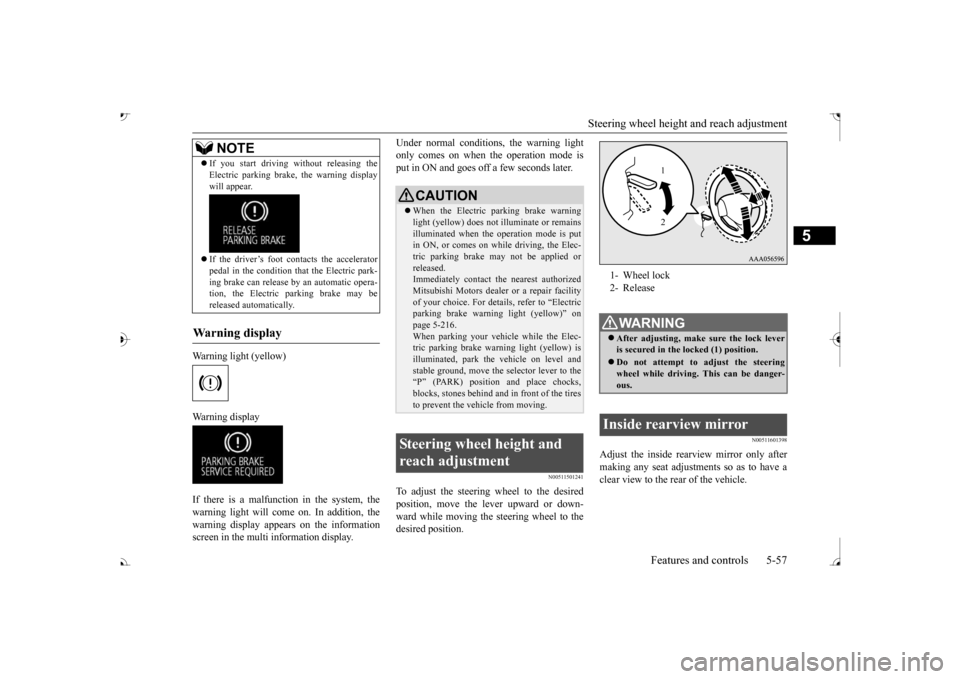
To adjust the steering wheel to the desiredposition, move the lever upward or down- ward while moving the steering wheel to the desired position.
N00511601398
Adjust the inside rearview mirror only after making any seat adjustme
nts so as to have a
clear view to the rear of the vehicle.
If you start driving wi
thout releasing the
Electric parking brake, the warning displaywill appear. If the driver’s foot contacts the accelerator pedal in the condition th
at the Electric park-
ing brake can release by an automatic opera-tion, the Electric parking brake may be released automatically.
Wa r n i n g d is p la y
NOTE
CAUTION When the Electric parking brake warning light (yellow) does not
illuminate or remains
illuminated when the operation mode is put in ON, or comes on while driving, the Elec- tric parking brake may not be applied orreleased. Immediately contact the nearest authorized Mitsubishi Motors dealer
or a repair facility
of your choice. For detail
s, refer to “Electric
parking brake warni
ng light (yellow)” on
page 5-216.When parking your vehi
cle while the Elec-
tric parking brake warning light (yellow) is illuminated, park th
e vehicle on level and
stable ground, move the
selector lever to the
“P” (PARK) position and place chocks, blocks, stones behind and
in front of the tires
to prevent the vehicle from moving.
Steering wheel height and reach adjustment
1- Wheel lock 2- ReleaseWA R N I N G After adjusting, make sure the lock lever is secured in the locked (1) position. Do not attempt to adjust the steering wheel while driving. This can be danger-ous.
Inside rearview mirror
1 2
BK0239700US.book 57 ページ 2016年7月1日 金曜日 午後3時15分
Page 146 of 521
Steering wheel lock (if so equipped)
Features and controls 5-65
5
When removing the key, first set the selector lever to the “P” (PARK) position, and push the key in at the “ACC” position and keep it depressed until it is turned to the “LOCK”position, and remove it.
N00512501235
[For vehicles equipped with the Free-handAdvanced Security Transmitter (F.A.S.T.- key).] For information on operations for vehiclesequipped with the Free-hand Advanced Secu- rity Transmitter (F.A.S.T.-key), refer to “Free-hand Advanced Se
curity Transmitter
(F.A.S.T.-key): Steering wheel lock” on page 5-24. [Except for vehicles equipped with the Free-hand Advanced Security Transmit-
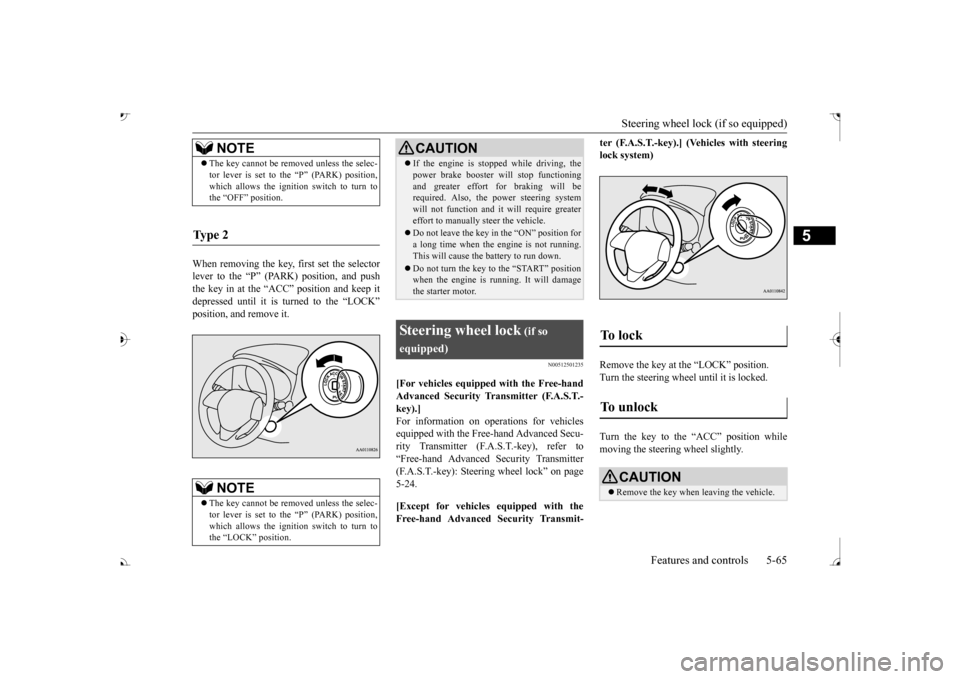
ter (F.A.S.T.-key).] (Vehicles with steering lock system) Remove the key at the “LOCK” position. Turn the steering wheel until it is locked. Turn the key to the “ACC” position while moving the steeri
ng wheel slightly.
NOTE
The key cannot be rem
oved unless the selec-
tor lever is set to the “P” (PARK) position,which allows the ignition switch to turn tothe “OFF” position.
Ty p e 2
NOTE
The key cannot be rem
oved unless the selec-
tor lever is set to the “P” (PARK) position,which allows the ignition switch to turn to the “LOCK” position.
CAUTION If the engine is stoppe
d while driving, the
power brake booster will stop functioningand greater effort for braking will berequired. Also, the power steering system will not function and it
will require greater
effort to manually steer the vehicle. Do not leave the key in
the “ON” position for
a long time when the engine is not running.This will cause the battery to run down. Do not turn the key to the “START” position when the engine is ru
nning. It will damage
the starter motor.
Steering wheel lock
(if so
equipped)
To unlock
CAUTION Remove the key when leaving the vehicle.
BK0239700US.book 65 ページ 2016年6月16日 木曜日 午前10時58分
Page 148 of 521

Automatic transaxle (if so equipped)
Features and controls 5-67
5
5. Turn the ignition switch to the “ON” posi- tion and make certain that all warninglights are functioning properly before starting the engine. 6. Turn the ignition switch to the “START”
ng the accelerator
pedal. Release the ignition switch when the engine starts.
After several attempts, you may experience that the engine still does not start. 1. Make sure that all electric devices, such as lights, air conditio
ning blower and rear
window defogger, are turned off. 2. While depressing the brake pedal, press the accelerator peda
l halfway and hold it
there, then crank th
e engine. Release the
accelerator pedal, immediately after the engine starts.
3. If the engine still will not start, the engine could be flooded with too much gasoline.While depressing the brake pedal, push the accelerator pedal all the way down and hold it there, then crank the engine for5 to 6 seconds. Retu
rn the ignition switch
to the “OFF” or “LOCK” position and release the accelerator pedal. Wait a fewseconds, and then crank the engine again for 5 to 6 seconds while depressing the brake pedal, but do no
t push the accelera-
tor pedal. Release the ignition key if the engine starts. If the
engine fails to start,
repeat these procedures
. If the engine still
will not start, cont
act your local Mitsubi-
shi Motors dealer or
a repair facility of
your choice for assistance.
When the ambient temperature is -22 °F (-30 °C) or lower, it may not be possible to start from a standstill even with the selector lever in the
Page 163 of 521
Electronically controlled 4W
D system (if so equipped)
5-82 Features and controls
5
For short waiting periods, such as at traffic lights, the vehicle can be
left in selector lever
position and held stationary with the servicebrake. For longer waiting periods with the engine running, place th
e selector lever in the “N”
(NEUTRAL) position a
nd apply the parking
brake, while holding the vehicle stationary with the service brake.Prior to moving off after having stopped the vehicle, make sure that
the selector lever is in
Page 170 of 521
4-wheel drive operation
Features and controls 5-89
5
When turning a sharp corner in “4WD LOCK” (Electronically
controlled 4WD) or
“LOCK” (S-AWC) position at low speed, a
slight difference in
steering may be experi-
enced similar to feeling as if the brakes wereapplied. This is called tight corner braking and results from each of the four tires being at a different distance from the corner. The phe-nomenon is typical of 4-wheel drive vehicles. If this occurs, either straighten out the steer- ing wheel or change to another mode. Set the drive mode-selector to “4WD AUTO”, “4WD LOCK” (Electronically con- trolled 4WD) or “SNOW” (S-AWC) in accor- dance with the road conditions, and thengradually depress the ac
celerator pedal for a
smooth start.
WA R N I N G Do not over-rely on th
e 4-wheel drive vehi-
cles. Even 4-wheel drive vehicles have lim-its to the system and ability to maintaincontrol and traction.
Reckless driving may
lead to accidents. Always drive carefully, taking account of the road conditions. Improperly operating
this vehicle on or
off-pavement can cause an accident orrollover in which you
and your passengers
could be seriously
injured or killed.
• Follow all instructions and guidelines in the owner’s manual.• Keep your speed low and do not drivefaster than conditions.NOTE
Driving on rough roads can be hard on a vehicle. Before you le
ave the pavement, be
sure all scheduled ma
intenance and service
has been done, and that
you have inspected
your vehicle. Pay spec
ial attention to the
condition of the ti
res, and check the tire pres-
sures. Mitsubishi Motors is not responsible to the operator for any damage or injury caused or liability incurred by improper and negligent operation of a vehicl
e. All techniques of
vehicle operation depend on the skill and experience of the opera
tor and other partici-
pating parties. Any de
viation from the rec-
ommended operating instru
ctions above is at
their own risk.
Note that the stopping distance required of the 4-wheel drive vehicl
e differs very little
from that of the front-wheel drive vehicle.When driving on a snow-covered road or a slippery, muddy surface,
make sure that you
keep a sufficient dist
ance between your vehi-
cle and the one ahead of you. The driving posture should be more upright; adjust the seat to a good position for easy steering and pedal operati
on. Be sure to wear
the seat belt. After driving on rough roads, check each part of the vehicle and wash it thoroughlywith water. Refer to the “Inspection and maintenance following rough road opera- tion” section and “Vehic
le care and Mainte-
nance” sections.CAUTION Setting the drive mode-selector to “4WD LOCK” (Electronically
controlled 4WD) or
“LOCK” (S-AWC) position to drive on dry paved road will increa
se fuel consumption,
with possible noise generation.
Turning sharp corners
NOTE
On snowy or icy roads
NOTE
The use of snow tires is recommended. Maintain a safe distan
ce between
vehicles,
avoid sudden braking, and use engine brak- ing (downshifting).CAUTION Avoid sudden braking,
sudden acceleration
and sharp turning. Sk
idding occurs and con-
trol of the vehicle could be lost.
BK0239700US.book 89 ページ 2016年6月16日 木曜日 午前10時58分
Page 172 of 521
Inspection and maintenance following rough road operation
Features and controls 5-91
5
N00530700085
After operating the vehicle in rough road con- ditions, be sure to perform the followinginspection and maintenance procedures: Check that the vehicle has not been dam- aged by rocks, gravel, etc. Carefully wash the
vehicle with water.
Drive the vehicle slowly while lightly depressing the brake pedal in order to dryout the brakes. If the brakes still do not function properly, contact an authorized Mitsubishi Motors dealer or a repair facil-ity of your choice as
soon as possible to
have the brakes checked. Remove the inse
cts, dried grass, etc. clog-
ging the radiator core. After driving through water, check the engine, transaxle and
differential oil. If
the oil or grease is milky or cloudy because of water c
ontamination, it must
be replaced with new oil. Check the inside of the vehicle. If water entry is found, dry the carpet etc. Inspect the headlights. If water is in the headlight housing, have
it drained at an
authorized Mitsubishi
Motors dealer or a
repair facility of your choice.
N00530801214
Since the driving torque can be applied to thefour wheels, the driving performance of the vehicle when operating in 4-wheel drive is greatly affected by the condition of the tires.
Pay close attention to the tires. Install only the specified tires on all wheels. Refer to “Tires and wheels” onpage 11-7. Be sure all four tire
s and wheels are the
same size
and type.
When it is necessary to replace any of the tires or wheels, replace all four. All tires should be rotated before the wear difference between the
front and rear tires
is recognizable.
Good vehicle performance cannot be expected if there is a difference in wear between tires. Refer to “Tire rotation” on page 9-20. Check the tire inflati
on pressure regularly.
CAUTIONNever drive through water that is deep enough to cover wheel hubs, axles or exhaustpipe. Do not change th
e selector lever posi-
tion while driving through water. Frequent driving through water can adversely affect the life
span of the vehicle;
consult an authorized Mitsubishi Motors dealer or a repair faci
lity of your choice and
take the necessary measures to prepare,inspect, and repair the vehicle. After driving through wa
ter, apply the brakes
to be sure they are functioning properly. If the brakes are wet and not functioning prop- erly, dry them out by
driving slowly while
lightly depressing the
brake pedal. Inspect
each part of the vehicle carefully.
Inspection and maintenance following rough road opera-tion
Cautions on the handling of 4-wheel drive vehicles Tires and wheels
CAUTION Always use tires of th
e same size, type, and
brand that have no wear differences. Using tires of different size,
type, brands or degree
of wear, will increase the differential oil tem- perature and result in
possible damage to the
driving system. Further, the drive train willbe subject to excessi
ve loading, possibly
leading to oil leakage, component seizure, or other serious failures.
BK0239700US.book 91 ページ 2016年6月16日 木曜日 午前10時58分
Page 173 of 521
Service brake 5-92 Features and controls
5
N00517500275
Overuse of the brake can cause weakening, resulting in poor brake response and prema- ture wear of the brake pads. When driving down a long or steep hill, useengine braking
by downshifting.
N00517600364
Your vehicle is equipped with power brakes for more braking force with less brake pedal effort.Your brakes are designed to operate at full capacity, even if the power assist is not being used.If the power assist is not being used, the effort needed to press the brake pedal is greater. If you should lose the power assist for somereason, the brakes will still work. If the power brake unit or either of the two brake hydraulic systems stops working prop-erly, the rest of the brake system will still work, but the vehicle will not slow down as quickly.You will know this has happened if you find you need to press the brake down farther, or harder when slowing down or stopping, or ifthe brake warning light and the warning dis- play in the multi-information display come on.
To w i n g
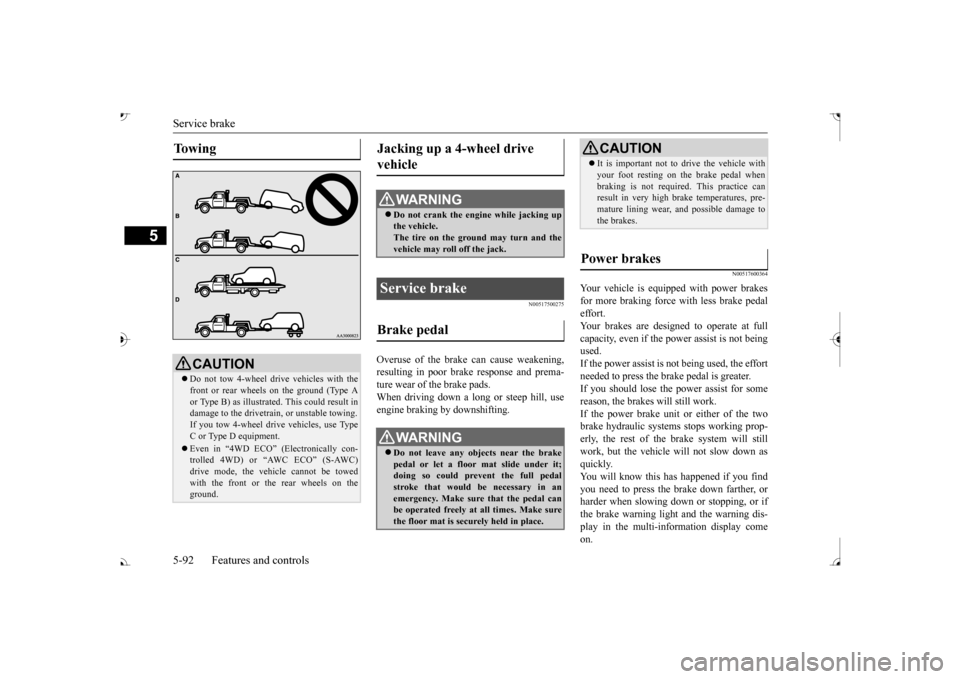
CAUTION Do not tow 4-wheel drive vehicles with the front or rear wheels on the ground (Type A or Type B) as illustrate
d. This could result in
damage to the drivetrain, or unstable towing.If you tow 4-wheel drive vehicles, use TypeC or Type D equipment. Even in “4WD ECO” (Electronically con- trolled 4WD) or “AWC ECO” (S-AWC) drive mode, the vehicle cannot be towed with the front or the rear wheels on theground.
Jacking up a 4-wheel drive vehicle
WA R N I N G Do not crank the engine while jacking up the vehicle. The tire on the ground may turn and thevehicle may roll off the jack.
Service brake Brake pedal
WA R N I N G Do not leave any objects near the brake pedal or let a floor mat slide under it;doing so could prevent the full pedal stroke that would be necessary in an emergency. Make sure that the pedal canbe operated freely at all times. Make sure the floor mat is securely held in place.
CAUTION It is important not to drive the vehicle with your foot resting on the brake pedal whenbraking is not required.
This practice can
result in very high brake temperatures, pre- mature lining wear, a
nd possible damage to
the brakes.
Power brakes
BK0239700US.book 92 ページ 2016年6月16日 木曜日 午前10時58分
Page 174 of 521
Brake auto hold (if so equipped)
Features and controls 5-93
5
N00550700124
The disc brakes have an alarm that makes a metallic squeal when
the brake pads have
worn down enough to need service.If you hear this sound, have the brake pads replaced at an authorized Mitsubishi Motors dealer or a repair fa
cility of your choice.
N00592000035
When the vehicle is st
opped at traffic lights
etc., the vehicle can be
held stationary with
the brake auto hold system even if you release your foot from the brake pedal. When the accelerator pedal is depressed, thebrakes are released.
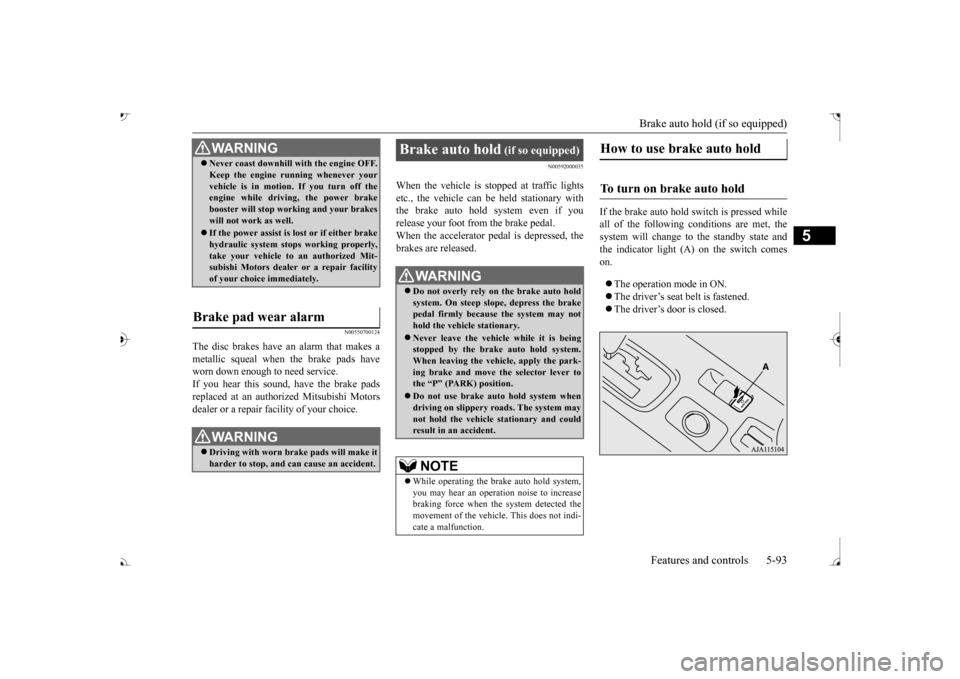
If the brake auto hold switch is pressed while all of the following c
onditions are met, the
system will change to the standby state and the indicator light (A) on the switch comeson. The operation mode in ON. The driver’s seat belt is fastened. The driver’s door is closed.
WA R N I N GNever coast downhill
with the engine OFF.
Keep the engine running whenever yourvehicle is in motion. If you turn off theengine while driving, the power brake booster will stop wo
rking and your brakes
will not work as well. If the power assist is lost or if either brake hydraulic system stop
s working properly,
take your vehicle to
an authorized Mit-
subishi Motors dealer or a repair facility of your choice immediately.
Brake pad wear alarm
WA R N I N G Driving with worn brake pads will make it harder to stop, and can cause an accident.
Brake auto hold
(if so equipped)
Do not overly rely on the brake auto hold system. On steep slope, depress the brakepedal firmly because the system may not hold the vehicle stationary. Never leave the vehicle while it is being stopped by the brake auto hold system. When leaving the vehi
cle, apply the park-
ing brake and move th
e selector lever to
the “P” (PARK) position. Do not use brake auto hold system when driving on slippery roads. The system may not hold the vehicle stationary and couldresult in an accident. NOTE
While operating the brake auto hold system, you may hear an operation noise to increase braking force when the system detected the movement of the vehicl
e. This does not indi-
cate a malfunction.
How to use brake auto hold
To turn on brake auto hold
BK0239700US.book 93 ページ 2016年6月16日 木曜日 午前10時58分