change wheel MITSUBISHI OUTLANDER 2017 3.G User Guide
[x] Cancel search | Manufacturer: MITSUBISHI, Model Year: 2017, Model line: OUTLANDER, Model: MITSUBISHI OUTLANDER 2017 3.GPages: 521, PDF Size: 14.91 MB
Page 166 of 521
S-AWC (Super-All Wheel Co
ntrol) (if so equipped)
Features and controls 5-85
5
N00576600020
While the drive mode is in the “4WD AUTO”
ON, the drive mode will be changed to “4WD ECO” mode.If the ECO mode switch is switched OFF, the drive mode will be returned to “4WD AUTO”Refer to the “ECO mode switch” on page 5-231.
N00541301088
S-AWC is an integr
ated vehicle dynamics
control system that helps enhance driving performance, cornering performance, and vehicle stability over a wide range of drivingconditions through integr
ated management of
the electronically cont
rolled 4WD, the AYC
(Active Yaw Control), the ABS and the ASC.
The electronically controlled 4WD is a sys- tem that improves acceleration performance and stability performance by controlling front-rear distribution of driving torque withoperating the electronic control coupling arranged in the rear differential assembly. The AYC is a system, with a left-right differ- ential limiting function
and yaw control func-
tion, that controls the left-rightdriving/braking force by managing the AFD* (Active Front Differential), the brake, the EPS.*: AFD (Active Front Differential)
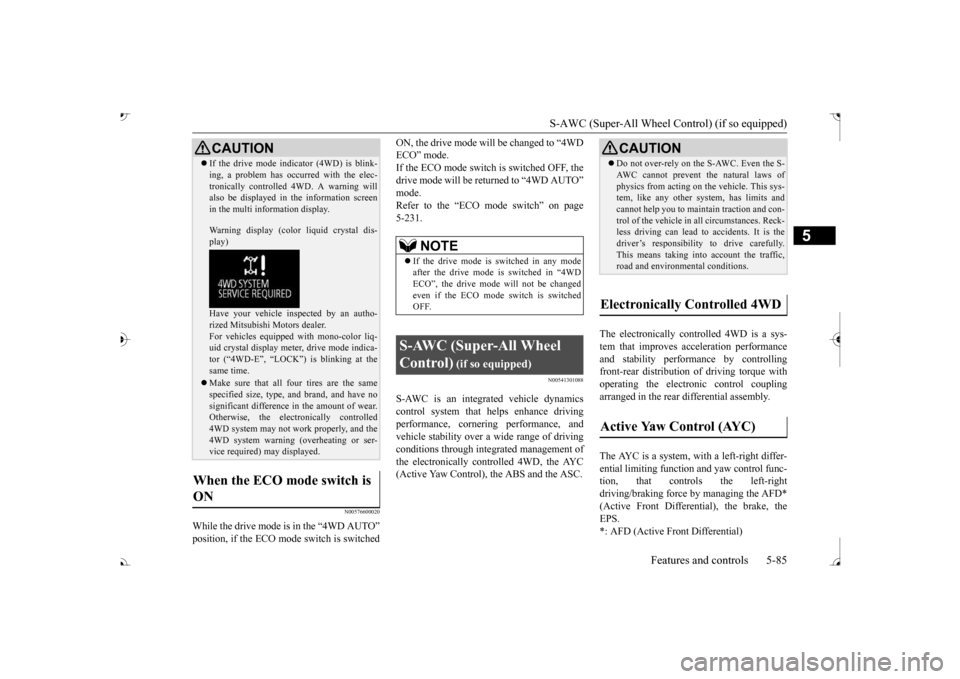
If the drive mode indicator (4WD) is blink- ing, a problem has occurred with the elec-tronically controlled
4WD. A warning will
also be displayed in
the information screen
in the multi information display. Warning display (color
liquid crystal dis-
play) Have your vehicle in
spected by an autho-
rized Mitsubishi Motors dealer.For vehicles equipped with mono-color liq- uid crystal display mete
r, drive mode indica-
tor (“4WD-E”, “LOCK”)
is blinking at the
same time. Make sure that all four tires are the same specified size, type, a
nd brand, and have no
significant difference
in the amount of wear.
Otherwise, the elec
tronically controlled
4WD system may not work properly, and the 4WD system warning (overheating or ser- vice required) may displayed.
When the ECO mode switch is ON
CAUTION
NOTE
If the drive mode is switched in any mode after the drive mode is switched in “4WD ECO”, the drive mode
will not be changed
even if the ECO mode switch is switched OFF.
S-AWC (Super-All Wheel Control)
(if so equipped)
Do not over-rely on the S-AWC. Even the S- AWC cannot prevent the natural laws ofphysics from acting on the vehicle. This sys-tem, like any other system, has limits and cannot help you to main
tain traction and con-
trol of the vehicle in
all circumstances. Reck-
less driving can lead to
accidents. It is the
driver’s responsibility to drive carefully. This means taking into account the traffic,road and environmental conditions.
Electronically Controlled 4WD
Active Yaw Control (AYC)
BK0239700US.book 85 ページ 2016年6月16日 木曜日 午前10時58分
Page 168 of 521
S-AWC (Super-All Wheel Co
ntrol) (if so equipped)
Features and controls 5-87
5
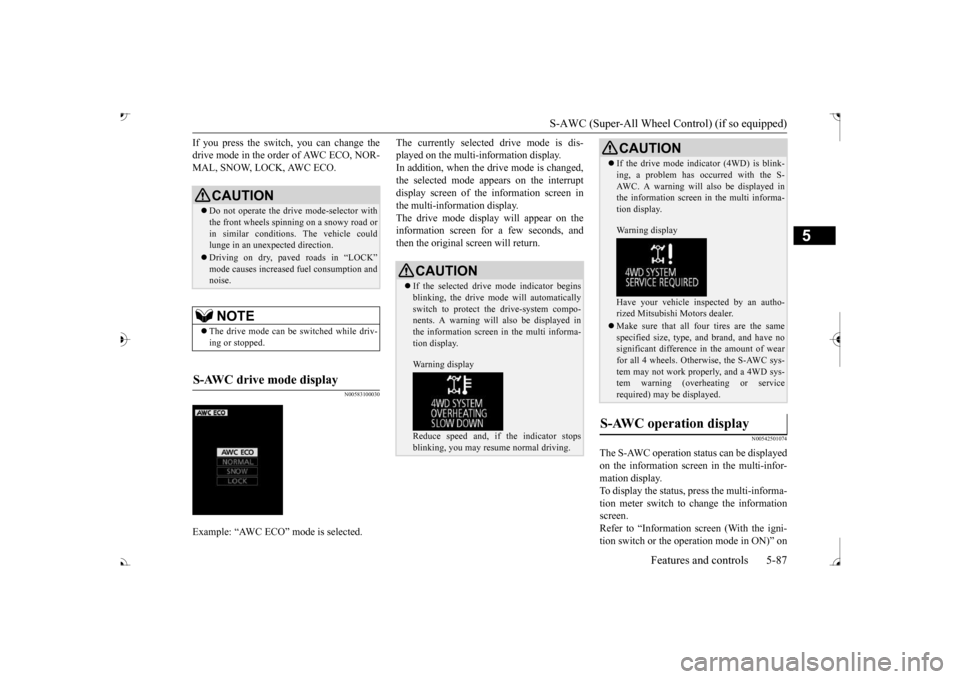
If you press the switch, you can change the drive mode in the order of AWC ECO, NOR-MAL, SNOW, LOCK, AWC ECO.
N00583100030
The currently selected drive mode is dis-played on the multi-information display.In addition, when the drive mode is changed, the selected mode appears on the interrupt display screen of the information screen inthe multi-information display. The drive mode display
will appear on the
information screen for a few seconds, andthen the original screen will return.
N00542501074
The S-AWC operation stat
us can be displayed
on the information screen in the multi-infor-mation display. To display the status, press the multi-informa- tion meter switch to change the informationscreen. Refer to “Information screen (With the igni- tion switch or the operation mode in ON)” on
CAUTION Do not operate the drive mode-selector with the front wheels spinning on a snowy road orin similar conditions
. The vehicle could
lunge in an unexpe
cted direction.
Driving on dry, paved roads in “LOCK”
fuel consumption and
noise.NOTE
The drive mode can be switched while driv- ing or stopped.
S-AWC drive mode display
Example: “AWC ECO” mode is selected.
CAUTION If the selected drive
mode indicator begins
blinking, the drive m
ode will automatically
switch to protect the drive-system compo- nents. A warning will
also be displayed in
the information screen in the multi informa-tion display. Warning display Reduce speed and, if the indicator stops blinking, you may resume normal driving.
If the drive mode indicator (4WD) is blink- ing, a problem has oc
curred with the S-
AWC. A warning will
also be displayed in
the information screen in the multi informa- tion display. Warning display Have your vehicle insp
ected by an autho-
rized Mitsubishi Motors dealer. Make sure that all four tires are the same specified size, type, a
nd brand, and have no
significant difference in the amount of wearfor all 4 wheels. Otherwise, the S-AWC sys- tem may not work properly, and a 4WD sys- tem warning (overheating or servicerequired) may
be displayed.
S-AWC operation display
CAUTION
BK0239700US.book 87 ページ 2016年6月16日 木曜日 午前10時58分
Page 169 of 521
4-wheel drive operation 5-88 Features and controls
5
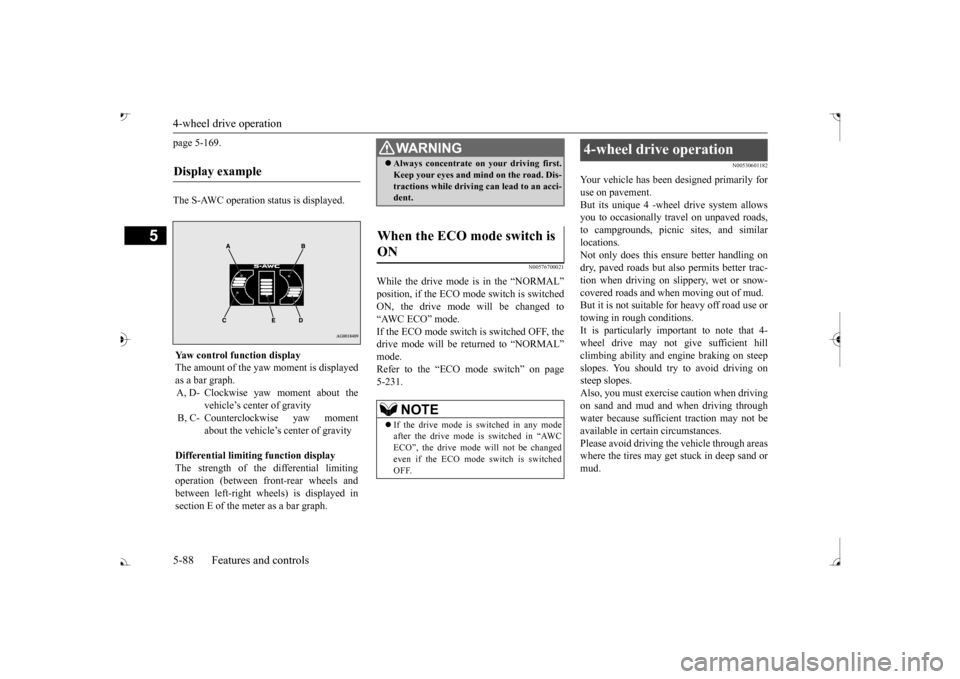
page 5-169. The S-AWC operation status is displayed.
N00576700021
While the drive mode is in the “NORMAL” ON, the drive mode
will be changed to
“AWC ECO” mode. If the ECO mode switch is switched OFF, the drive mode will be returned to “NORMAL” Refer to the “ECO mode switch” on page 5-231.
N00530601182
Your vehicle has been designed primarily for use on pavement. But its unique 4 -wheel
drive system allows
you to occasionally travel on unpaved roads, to campgrounds, picnic
sites, and similar
locations.Not only does this ensu
re better handling on
dry, paved roads but also permits better trac- tion when driving on slippery, wet or snow- covered roads and when moving out of mud. But it is not suitable for heavy off road use ortowing in rough conditions. It is particularly im
portant to note that 4-
wheel drive may not gi
ve sufficient hill
climbing ability and e
ngine braking on steep
slopes. You should try to avoid driving on steep slopes.Also, you must exercise caution when driving on sand and mud and when driving through water because sufficient traction may not beavailable in certain circumstances. Please avoid driving the vehicle through areas where the tires may get stuck in deep sand ormud.
Display example
Yaw control function displayThe amount of the yaw moment is displayedas a bar graph. A, D- Clockwise yaw moment about the
vehicle’s center of gravity
B, C- Counterclockwise yaw moment
about the vehicle’s
center of gravity
Differential limiting
function display
The strength of the differential limiting operation (between front-rear wheels andbetween left-right whee
ls) is displayed in
section E of the me
ter as a bar graph.
WA R N I N GAlways concentrate on your driving first. Keep your eyes and mi
nd on the road. Dis-
tractions while driving
can lead to an acci-
dent.
When the ECO mode switch is ON
NOTE
If the drive mode is switched in any mode after the drive mode is switched in “AWC ECO”, the drive mode will not be changedeven if the ECO mode switch is switchedOFF.
4-wheel drive operation
BK0239700US.book 88 ページ 2016年6月16日 木曜日 午前10時58分
Page 170 of 521
4-wheel drive operation
Features and controls 5-89
5
When turning a sharp corner in “4WD LOCK” (Electronically
controlled 4WD) or
“LOCK” (S-AWC) position at low speed, a
slight difference in
steering may be experi-
enced similar to feeling as if the brakes wereapplied. This is called tight corner braking and results from each of the four tires being at a different distance from the corner. The phe-nomenon is typical of 4-wheel drive vehicles. If this occurs, either straighten out the steer- ing wheel or change to another mode. Set the drive mode-selector to “4WD AUTO”, “4WD LOCK” (Electronically con- trolled 4WD) or “SNOW” (S-AWC) in accor- dance with the road conditions, and thengradually depress the ac
celerator pedal for a
smooth start.
WA R N I N G Do not over-rely on th
e 4-wheel drive vehi-
cles. Even 4-wheel drive vehicles have lim-its to the system and ability to maintaincontrol and traction.
Reckless driving may
lead to accidents. Always drive carefully, taking account of the road conditions. Improperly operating
this vehicle on or
off-pavement can cause an accident orrollover in which you
and your passengers
could be seriously
injured or killed.
• Follow all instructions and guidelines in the owner’s manual.• Keep your speed low and do not drivefaster than conditions.NOTE
Driving on rough roads can be hard on a vehicle. Before you le
ave the pavement, be
sure all scheduled ma
intenance and service
has been done, and that
you have inspected
your vehicle. Pay spec
ial attention to the
condition of the ti
res, and check the tire pres-
sures. Mitsubishi Motors is not responsible to the operator for any damage or injury caused or liability incurred by improper and negligent operation of a vehicl
e. All techniques of
vehicle operation depend on the skill and experience of the opera
tor and other partici-
pating parties. Any de
viation from the rec-
ommended operating instru
ctions above is at
their own risk.
Note that the stopping distance required of the 4-wheel drive vehicl
e differs very little
from that of the front-wheel drive vehicle.When driving on a snow-covered road or a slippery, muddy surface,
make sure that you
keep a sufficient dist
ance between your vehi-
cle and the one ahead of you. The driving posture should be more upright; adjust the seat to a good position for easy steering and pedal operati
on. Be sure to wear
the seat belt. After driving on rough roads, check each part of the vehicle and wash it thoroughlywith water. Refer to the “Inspection and maintenance following rough road opera- tion” section and “Vehic
le care and Mainte-
nance” sections.CAUTION Setting the drive mode-selector to “4WD LOCK” (Electronically
controlled 4WD) or
“LOCK” (S-AWC) position to drive on dry paved road will increa
se fuel consumption,
with possible noise generation.
Turning sharp corners
NOTE
On snowy or icy roads
NOTE
The use of snow tires is recommended. Maintain a safe distan
ce between
vehicles,
avoid sudden braking, and use engine brak- ing (downshifting).CAUTION Avoid sudden braking,
sudden acceleration
and sharp turning. Sk
idding occurs and con-
trol of the vehicle could be lost.
BK0239700US.book 89 ページ 2016年6月16日 木曜日 午前10時58分
Page 172 of 521
Inspection and maintenance following rough road operation
Features and controls 5-91
5
N00530700085
After operating the vehicle in rough road con- ditions, be sure to perform the followinginspection and maintenance procedures: Check that the vehicle has not been dam- aged by rocks, gravel, etc. Carefully wash the
vehicle with water.
Drive the vehicle slowly while lightly depressing the brake pedal in order to dryout the brakes. If the brakes still do not function properly, contact an authorized Mitsubishi Motors dealer or a repair facil-ity of your choice as
soon as possible to
have the brakes checked. Remove the inse
cts, dried grass, etc. clog-
ging the radiator core. After driving through water, check the engine, transaxle and
differential oil. If
the oil or grease is milky or cloudy because of water c
ontamination, it must
be replaced with new oil. Check the inside of the vehicle. If water entry is found, dry the carpet etc. Inspect the headlights. If water is in the headlight housing, have
it drained at an
authorized Mitsubishi
Motors dealer or a
repair facility of your choice.
N00530801214
Since the driving torque can be applied to thefour wheels, the driving performance of the vehicle when operating in 4-wheel drive is greatly affected by the condition of the tires.
Pay close attention to the tires. Install only the specified tires on all wheels. Refer to “Tires and wheels” onpage 11-7. Be sure all four tire
s and wheels are the
same size
and type.
When it is necessary to replace any of the tires or wheels, replace all four. All tires should be rotated before the wear difference between the
front and rear tires
is recognizable.
Good vehicle performance cannot be expected if there is a difference in wear between tires. Refer to “Tire rotation” on page 9-20. Check the tire inflati
on pressure regularly.
CAUTIONNever drive through water that is deep enough to cover wheel hubs, axles or exhaustpipe. Do not change th
e selector lever posi-
tion while driving through water. Frequent driving through water can adversely affect the life
span of the vehicle;
consult an authorized Mitsubishi Motors dealer or a repair faci
lity of your choice and
take the necessary measures to prepare,inspect, and repair the vehicle. After driving through wa
ter, apply the brakes
to be sure they are functioning properly. If the brakes are wet and not functioning prop- erly, dry them out by
driving slowly while
lightly depressing the
brake pedal. Inspect
each part of the vehicle carefully.
Inspection and maintenance following rough road opera-tion
Cautions on the handling of 4-wheel drive vehicles Tires and wheels
CAUTION Always use tires of th
e same size, type, and
brand that have no wear differences. Using tires of different size,
type, brands or degree
of wear, will increase the differential oil tem- perature and result in
possible damage to the
driving system. Further, the drive train willbe subject to excessi
ve loading, possibly
leading to oil leakage, component seizure, or other serious failures.
BK0239700US.book 91 ページ 2016年6月16日 木曜日 午前10時58分
Page 227 of 521
Tire pressure monitoring system 5-146 Features and controls
5
N00584300026
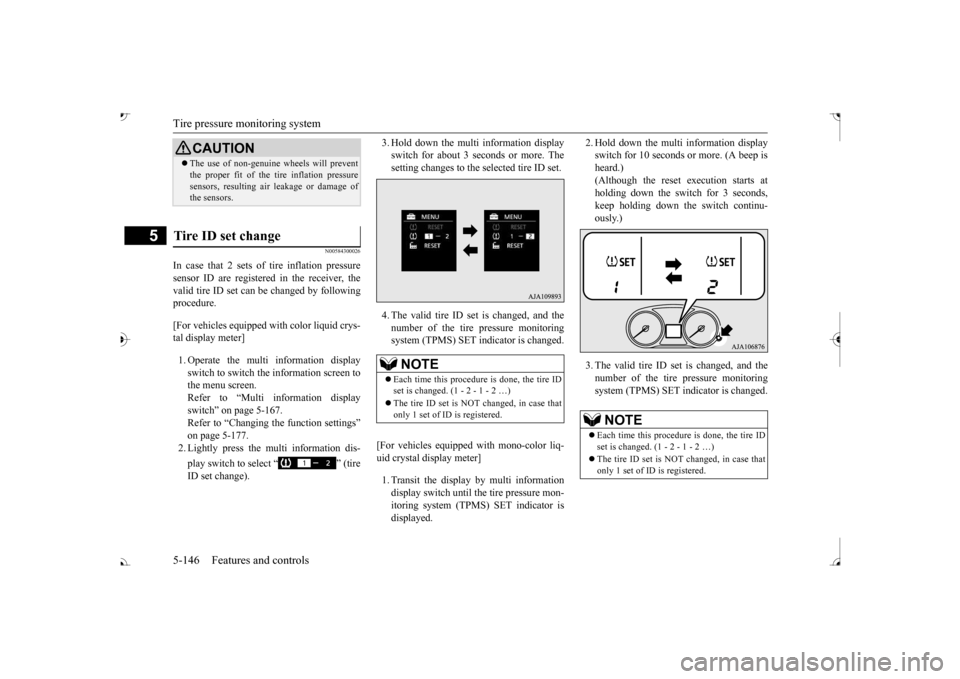
In case that 2 sets of tire inflation pressure sensor ID are registered in the receiver, the valid tire ID set can be changed by following procedure. [For vehicles equipped
with color liquid crys-
tal display meter] 1. Operate the multi information display switch to switch the information screen to the menu screen.Refer to “Multi in
formation display
switch” on page 5-167. Refer to “Changing the function settings”on page 5-177. 2. Lightly press the multi information dis- play switch to select “ ” (tire ID set change).
3. Hold down the multi information display switch for about 3 seconds or more. Thesetting changes to the selected tire ID set. 4. The valid tire ID se
t is changed, and the
number of the tire pressure monitoring system (TPMS) SET in
dicator is changed.
[For vehicles equipped
with mono-color liq-
uid crystal display meter] 1. Transit the display by multi information display switch until th
e tire pressure mon-
itoring system (TPMS) SET indicator isdisplayed.
2. Hold down the multi information display switch for 10 seconds or more. (A beep isheard.) (Although the reset execution starts at holding down the switch for 3 seconds,keep holding down the switch continu- ously.) 3. The valid tire ID set is changed, and the number of the tire
pressure monitoring
system (TPMS) SET i
ndicator is changed.
CAUTIONThe use of non-genuine wheels will prevent the proper fit of the tire inflation pressuresensors, resulting air
leakage or damage of
the sensors.
Tire ID set change
NOTE
Each time this procedure is done, the tire ID set is changed. (1 - 2 - 1 - 2 …) only 1 set of ID is registered.
NOTE
Each time this procedure is done, the tire ID set is changed. (1 - 2 - 1 - 2 …) only 1 set of ID is registered.
BK0239700US.book 146 ページ 2016年6月16日 木曜日 午前10時58分
Page 257 of 521
Multi Information display - Type 1 5-176 Features and controls
5
N00578600024
While driving, the momentary fuel consump- tion is shown with a bar graph. The “ ” mark in the momentary fuel gauge shows the average fuel consumption. When the momentary fuel consumption sur- passes the average fuel consumption, themomentary fuel consumption is displayed with a green bar graph. Be conscious of maintaining the momentaryfuel consumption above the average fuel con- sumption, it can help you drive with the better fuel consumption.
N00568701032
This indicator will be displayed when fuel-efficient driving is achieved.
N00578700038
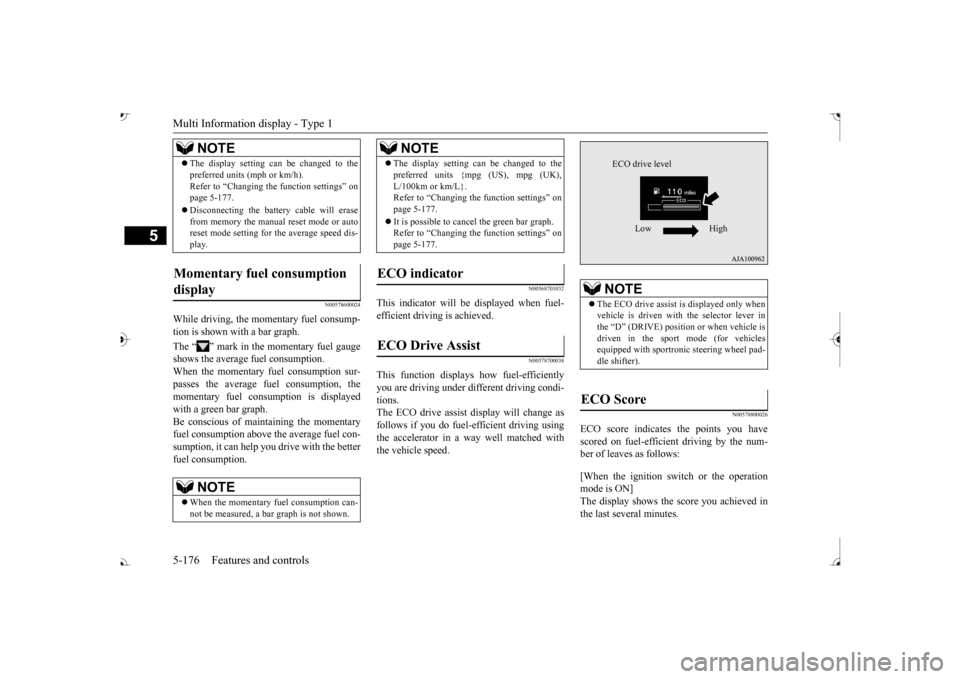
This function displays
how fuel-efficiently
you are driving under different driving condi- tions. The ECO drive assist display will change asfollows if you do fuel-efficient driving using the accelerator in a way well matched with the vehicle speed.
N00578800026
ECO score indicates the points you have scored on fuel-efficient driving by the num- ber of leaves as follows: [When the ignition switch or the operation mode is ON] The display shows the score you achieved in the last several minutes.
The display setting can be changed to the preferred units (mph or km/h).Refer to “Changing th
e function settings” on
page 5-177. Disconnecting the batt
ery cable will erase
from memory the manual reset mode or auto reset mode setting for the average speed dis- play.
Momentary fuel consumption display
NOTE
When the momentary fuel consumption can- not be measured, a ba
r graph is not shown.
NOTE
The display setting can be changed to the preferred units {mpg (US), mpg (UK),L/100km or km/L}.Refer to “Changing the
function settings” on
page 5-177. It is possible to cancel the green bar graph. Refer to “Changing the
function settings” on
page 5-177.
ECO indicator ECO Drive Assist
NOTE
NOTE
The ECO drive assist is displayed only when vehicle is driven with
the selector lever in
the “D” (DRIVE) positi
on or when vehicle is
driven in the sport mode (for vehicles equipped with sportroni
c steering wheel pad-
dle shifter).
ECO Score
ECO drive level
Low High
BK0239700US.book 176 ページ 2016年6月16日 木曜日 午前10時58分
Page 311 of 521
Turn signal lever 5-230 Features and controls
5
N00522601529
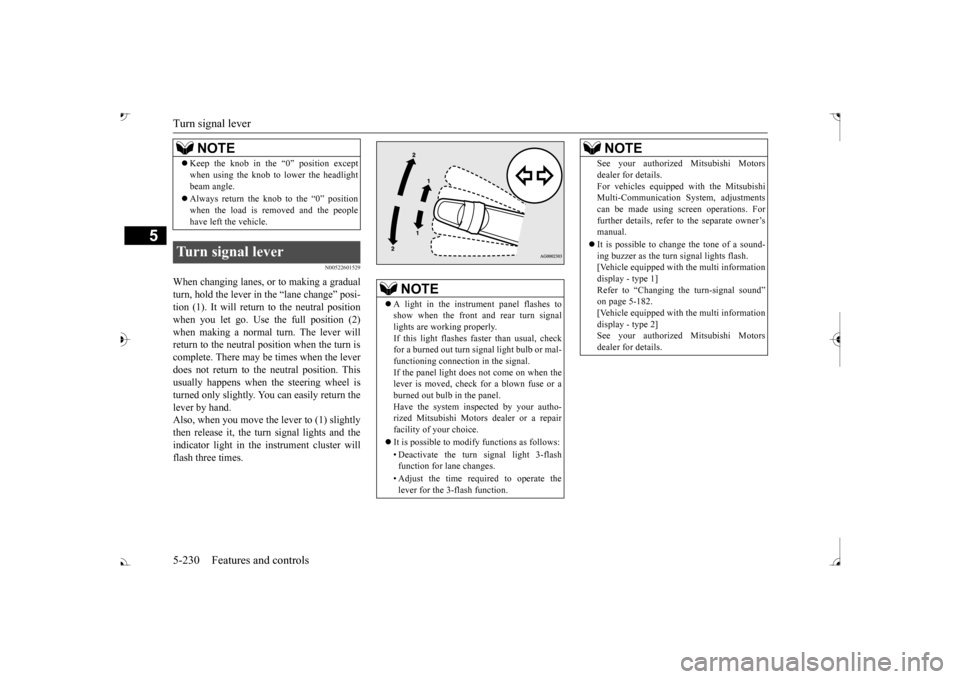
When changing lanes, or to making a gradual turn, hold the lever in the “lane change” posi-tion (1). It will return
to the neutral position
when you let go. Use the full position (2) when making a normal turn. The lever willreturn to the neutral position when the turn is complete. There may be times when the lever does not return to the neutral position. Thisusually happens when the steering wheel is turned only slightly. You can easily return the lever by hand.Also, when you move the lever to (1) slightly then release it, the turn signal lights and the indicator light in the instrument cluster willflash three times. Keep the knob in the “0” position except when using the knob to lower the headlightbeam angle. Always return the knob to the “0” position when the load is removed and the peoplehave left the vehicle.
Turn signal lever
NOTE
NOTE
A light in the instrument panel flashes to show when the front and rear turn signallights are working properly. If this light flashes fa
ster than usual, check
for a burned out turn signal light bulb or mal-functioning connect
ion in the signal.
If the panel light does not come on when the lever is moved, check for a blown fuse or aburned out bulb in the panel. Have the system inspected by your autho- rized Mitsubishi Motors dealer or a repairfacility of your choice. It is possible to modify functions as follows: • Deactivate the turn signal light 3-flash function for lane changes. • Adjust the time required to operate the lever for the 3-flash function.
See your authorized Mitsubishi Motorsdealer for details.For vehicles equipped
with the Mitsubishi
Multi-Communication System, adjustments can be made using sc
reen operations. For
further details, refer to the separate owner’smanual. It is possible to cha
nge the tone of a sound-
ing buzzer as the turn signal lights flash. [Vehicle equipped with the multi information display - type 1]Refer to “Changing the turn-signal sound” on page 5-182. [Vehicle equipped with the multi informationdisplay - type 2] See your authorized Mitsubishi Motors dealer for details.NOTE
BK0239700US.book 230 ページ 2016年6月16日 木曜日 午前10時58分
Page 320 of 521
Heated steering wheel switch (if so equipped)
Features and controls 5-239
5
N00589100032
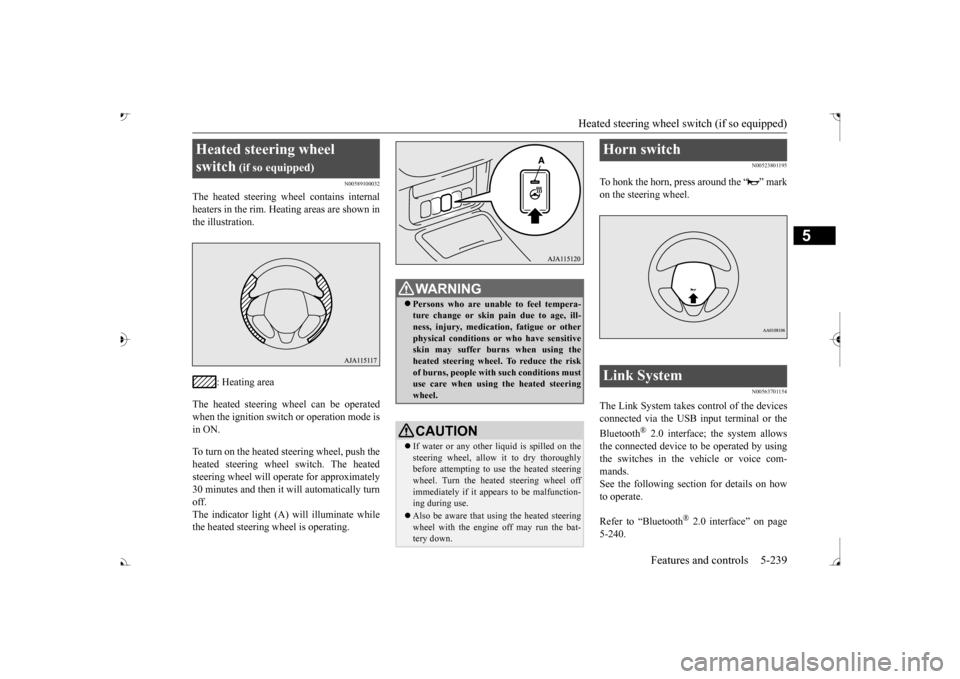
The heated steering wh
eel contains internal
heaters in the rim. Heating areas are shown in the illustration.
: Heating area
The heated steering wheel can be operated when the ignition switch or operation mode is in ON. To turn on the heated steering wheel, push the heated steering wheel switch. The heated steering wheel will ope
rate for approximately
30 minutes and then it
will automatically turn
off. The indicator light (A) will illuminate while the heated steering wheel is operating.
N00523801195
To honk the horn, press around the “ ” markon the steering wheel.
N00563701154
The Link System takes control of the devicesconnected via the USB input terminal or the Bluetooth
® 2.0 interface; the system allows
the connected device to be operated by using the switches in the vehicle or voice com-mands. See the following section for details on how to operate. Refer to “Bluetooth
® 2.0 interface” on page
5-240.
Heated steering wheel switch
(if so equipped)
Persons who are unable
to feel tempera-
ture change or skin
pain due to age, ill-
ness, injury, medicati
on, fatigue or other
physical conditions or
who have sensitive
skin may suffer burns when using theheated steering wheel. To reduce the risk of burns, people with such conditions must use care when using the heated steeringwheel.CAUTION If water or any other li
quid is spilled on the
steering wheel, allow it to dry thoroughly before attempting to use the heated steering wheel. Turn the heated steering wheel offimmediately if it appe
ars to be malfunction-
ing during use. Also be aware that us
ing the heated steering
wheel with the engine off may run the bat- tery down.
Horn switch Link System
BK0239700US.book 239 ページ 2016年6月16日 木曜日 午前10時58分
Page 411 of 521
Listen to Satellite Radio (if so equipped) 7-28 Comfort controls
7
During RBDS broadcast
reception,
select
CAT (category content) to perform a collec-tive search for stations. 1. During FM reception, press the CAT key. This switches to the CAT selection mode. 2. Press the CAT key to select CAT. 3. Press the SCAN key. When a broadcast station is received, thisis played for 5 seconds, then the product searches for the next station.
N00717000096
This section explains how to listen to satellite radio. Press the RADIO key to switch the band. Switches between SIR1, SIR2, SIR3, and SIR4 bands. The selected band is in
dicated on the display.
Press the key or key to select the sta- tion.
10 seconds after reception, CAT search mode will be cancelled. To receive a different station, press the key or key again.
CAT Scan
NOTE
Press this key again while receiving the sta- tion to return to normal reception.NOTE
Listen to Satellite Radio
(if so
equipped)
NOTE
A subscription is required to listen to satel- lite radio. Sate
llite radio cannot be received
after the free trial period has expired. If no subscription has been made when the free trial period expires, the display will alternate between
“CALL” and “888-539-
SIRI”.
NOTE
Bands switch in the order AM, FM1, FM2, SIR1, SIR2*, SIR3*, and SIR4*. Switch satellite radi
o bands by holding down
the button, button on the steering wheel audio remote control switch.
*:If no signal is received, bands will not be switched.
Select a Station
key
Go down one step from the channel being received.
key
Go up one step from the channel being received.
key
(Hold down)
While the key is held down, it will cycle down through the channels being received.
key
(Hold down)
While the key is held down, it will cycle up through the channels being received.
NOTE
When cycling up/down through channels, the channel number display
in the upper level of
the display changes. When channel number “
000” is selected, the
SIRIUS ID (12 digi
ts) is displayed.
BK0239700US.book 28 ページ 2016年6月16日 木曜日 午前10時58分