engine temperature MITSUBISHI OUTLANDER 2017 3.G User Guide
[x] Cancel search | Manufacturer: MITSUBISHI, Model Year: 2017, Model line: OUTLANDER, Model: MITSUBISHI OUTLANDER 2017 3.GPages: 521, PDF Size: 14.91 MB
Page 171 of 521
4-wheel drive operation 5-90 Features and controls
5
Set the drive mode-selector to “4WD LOCK” (Electronically controlled 4WD) or “LOCK” accelerator pedal for a
smooth start. Keep the
pressure on the accelera
tor pedal as constant
as possible, and drive at low speed.
Your vehicle may not pr
ovide sufficient hill
climbing ability and e
ngine braking on steep
slope. Avoid driving on steep slopes even though the vehicle is an 4-wheel drive vehi- cle.
N00537800085
If the electrical circuits become wet, furtheroperation of the vehicl
e will be impossible;
therefore, avoid driv
ing through water unless
absolutely necessary. If driving through wateris unavoidable, use th
e following procedure:
Check the depth of the water and the terrain before attempting to drive through it. Drive slowly to avoid creating excessive watersplashing.
Driving on sandy or muddy roads
CAUTION Do not force the vehicle or drive recklessly on sandy surfaces. In comparison with nor-mal road surfaces, th
e engine and other
drive-system components are put under excessive strain when driving on such a sur-face. This could le
ad to accidents.
If any of the following conditions occur while the vehicle is
being driven, immedi-
ately park your vehicle
in a safe place and
follow these procedures:• If the engine coolan
t temperature display
flashes on the information screen in the multi-information di
splay or the engine
power drops suddenly.Refer to “Engine overh
eating” on page 8-4.
• If the “ ” warning
display and “SLOW
DOWN” or the “ ” warning display and “SERVICE REQUIRED” appear on the information screen in the multi-informationdisplay. Refer to “Warning di
splay” on page 5-70,
5-78.WA R N I N G When attempting to rock your vehicle out of a stuck position, be
sure that the area
around the vehicle is clear of people and physical objects. The rocking motion may cause the vehicle to suddenly launch for-ward/backward, caus
ing injury or dam-
age to nearby people or objects.NOTE
Avoid sudden braking,
sudden acceleration
and sharp turning; such operations could result in the vehicle becoming stuck. If the vehicle become
s stuck in sandy or
muddy roads, it can often be moved with arocking motion. Move the selector lever alternately between the
Page 173 of 521
Service brake 5-92 Features and controls
5
N00517500275
Overuse of the brake can cause weakening, resulting in poor brake response and prema- ture wear of the brake pads. When driving down a long or steep hill, useengine braking
by downshifting.
N00517600364
Your vehicle is equipped with power brakes for more braking force with less brake pedal effort.Your brakes are designed to operate at full capacity, even if the power assist is not being used.If the power assist is not being used, the effort needed to press the brake pedal is greater. If you should lose the power assist for somereason, the brakes will still work. If the power brake unit or either of the two brake hydraulic systems stops working prop-erly, the rest of the brake system will still work, but the vehicle will not slow down as quickly.You will know this has happened if you find you need to press the brake down farther, or harder when slowing down or stopping, or ifthe brake warning light and the warning dis- play in the multi-information display come on.
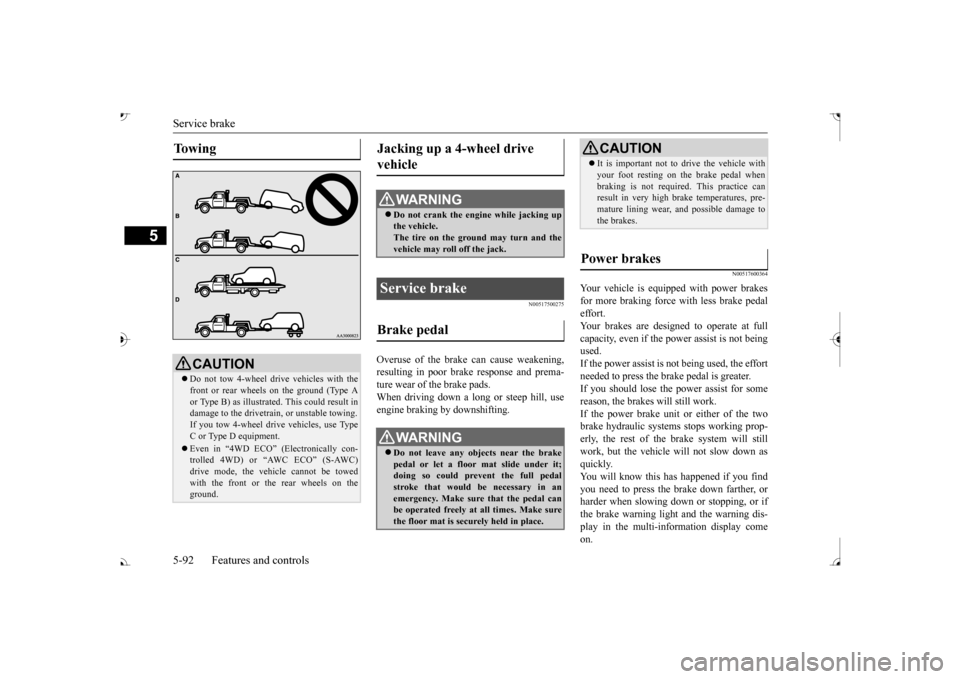
To w i n g
CAUTION Do not tow 4-wheel drive vehicles with the front or rear wheels on the ground (Type A or Type B) as illustrate
d. This could result in
damage to the drivetrain, or unstable towing.If you tow 4-wheel drive vehicles, use TypeC or Type D equipment. Even in “4WD ECO” (Electronically con- trolled 4WD) or “AWC ECO” (S-AWC) drive mode, the vehicle cannot be towed with the front or the rear wheels on theground.
Jacking up a 4-wheel drive vehicle
WA R N I N G Do not crank the engine while jacking up the vehicle. The tire on the ground may turn and thevehicle may roll off the jack.
Service brake Brake pedal
WA R N I N G Do not leave any objects near the brake pedal or let a floor mat slide under it;doing so could prevent the full pedal stroke that would be necessary in an emergency. Make sure that the pedal canbe operated freely at all times. Make sure the floor mat is securely held in place.
CAUTION It is important not to drive the vehicle with your foot resting on the brake pedal whenbraking is not required.
This practice can
result in very high brake temperatures, pre- mature lining wear, a
nd possible damage to
the brakes.
Power brakes
BK0239700US.book 92 ページ 2016年6月16日 木曜日 午前10時58分
Page 182 of 521
Active stability control (ASC) Features and controls 5-101
5
maneuvers. It works by
controlling the engine
output and the brake on each wheel.
N00559401307
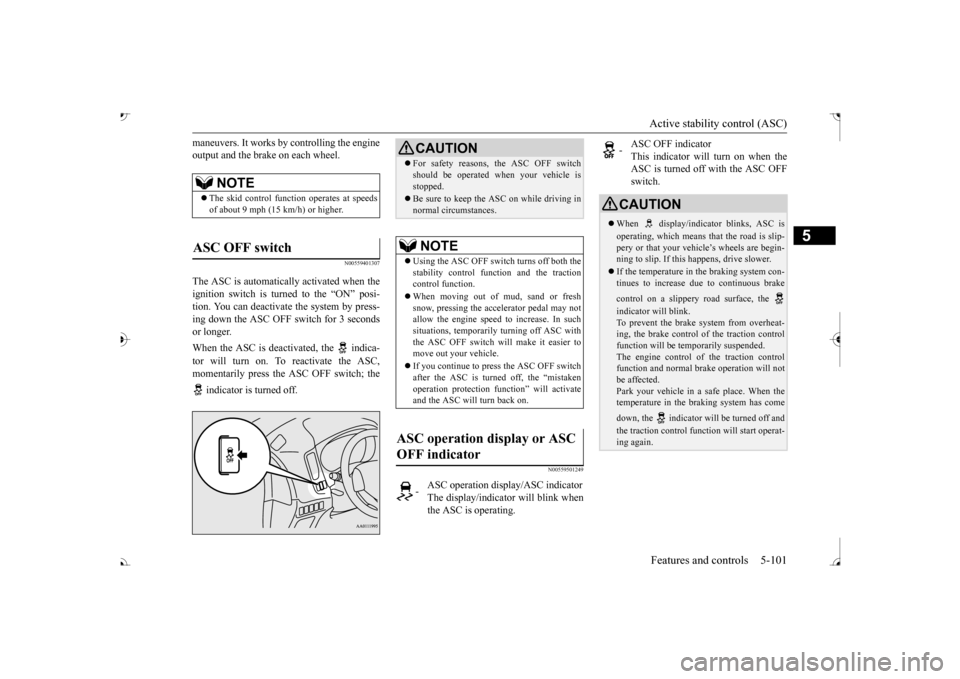
The ASC is automatically activated when the ignition switch is turned to the “ON” posi- tion. You can deactivate
the system by press-
ing down the ASC OFF switch for 3 seconds or longer. When the ASC is deactivated, the indica- tor will turn on. To reactivate the ASC, momentarily press the ASC OFF switch; the indicator is turned off.
N00559501249
NOTE
The skid control func
tion operates
at speeds
of about 9 mph (15 km/h) or higher.
ASC OFF switch
CAUTION For safety reasons, the ASC OFF switch should be operated when your vehicle isstopped. Be sure to keep the ASC on while driving in normal circumstances.NOTE
Using the ASC OFF switch turns off both the stability control func
tion and the traction
control function. When moving out of mud, sand or fresh snow, pressing the accelerator pedal may not allow the engine speed to increase. In suchsituations, temporarily turning off ASC with the ASC OFF switch will make it easier to move out your vehicle. If you continue to pre
ss the ASC OFF switch
after the ASC is turned off, the “mistakenoperation protection f
unction” wi
ll activate
and the ASC will turn back on.
ASC operation display or ASC OFF indicator
-
ASC operation displa
y/ASC indicator
The display/indicator will blink when the ASC is operating.
-
ASC OFF indicator This indicator will turn on when the ASC is turned off with the ASC OFFswitch.
CAUTION When display/indicator blinks, ASC is operating, which means th
at the road is slip-
pery or that your vehicle’s wheels are begin- ning to slip. If this happens, drive slower. If the temperature in the braking system con- tinues to increase due
to continuous brake
control on a slippery road surface, the indicator will blink. To prevent the brake system from overheat- ing, the brake control of the traction control function will be te
mporarily suspended.
The engine control of
the traction control
function and normal br
ake operation will not
be affected.Park your vehicle in a safe place. When the temperature in the braking system has come down, the indicator will be turned off and the traction control function will start operat- ing again.
BK0239700US.book 101 ページ 2016年6月16日 木曜日 午前10時58分
Page 206 of 521
Forward Collision Mitigation System (FCM) (if so equipped)
Features and controls 5-125
5
N00593400036
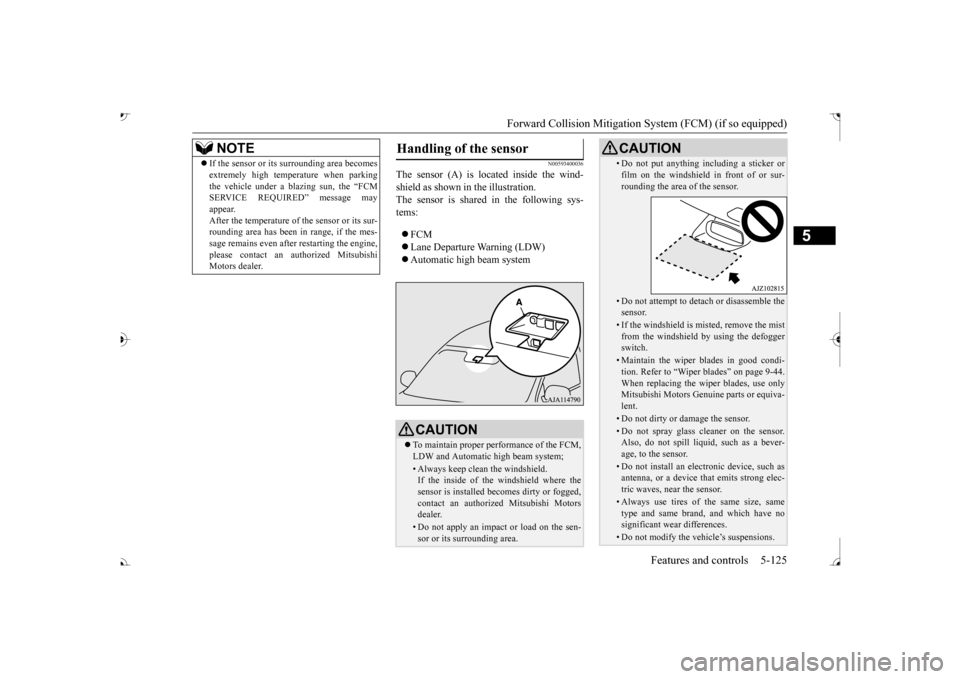
The sensor (A) is located inside the wind- shield as shown in the illustration. The sensor is shared in the following sys-tems: FCM Lane Departure Warning (LDW) Automatic high beam system
NOTE
If the sensor or its surrounding area becomes extremely high temperature when parkingthe vehicle under a blazing sun, the “FCMSERVICE REQUIRED” message may appear. After the temperature of the sensor or its sur-rounding area has been in range, if the mes- sage remains even afte
r restarting the engine,
please contact an au
thorized Mitsubishi
Motors dealer.
Handling of the sensor
CAUTION To maintain proper performance of the FCM, LDW and Automatic high beam system;• Always keep clea
n the windshield.
If the inside of the windshield where the sensor is installed be
comes dirty or fogged,
contact an authorized Mitsubishi Motors dealer.• Do not apply an impact or load on the sen-sor or its surrounding area.
• Do not put anything including a sticker or film on the windshield in front of or sur-rounding the area of the sensor.• Do not attempt to deta
ch or disassemble the
sensor.• If the windshield is misted, remove the mistfrom the windshield by using the defogger switch.• Maintain the wiper blades in good condi-tion. Refer to “Wiper blades” on page 9-44.When replacing the wi
per blades, use only
Mitsubishi Motors Genui
ne parts or equiva-
lent.• Do not dirty or da
mage the sensor.
• Do not spray glass cleaner on the sensor. Also, do not spill liqui
d, such as a bever-
age, to the sensor.• Do not install an electronic device, such asantenna, or a device th
at emits strong elec-
tric waves, near the sensor.• Always use tires of the same size, sametype and same brand,
and which have no
significant wear differences.• Do not modify the vehicle’s suspensions.CAUTION
BK0239700US.book 125 ページ 2016年6月16日 木曜日 午前10時58分
Page 245 of 521
Multi Information display - Type 1 5-164 Features and controls
5
N00554901248
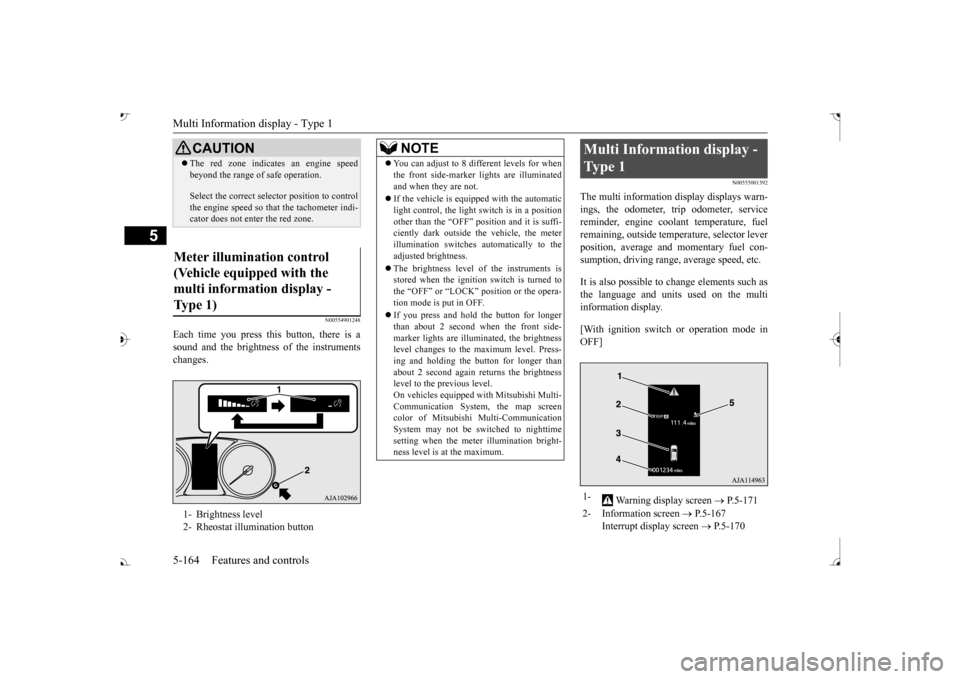
Each time you press this button, there is a sound and the brightness of the instruments changes.
N00555001392
The multi information display displays warn- ings, the odometer, trip odometer, service reminder, engine cool
ant temperature, fuel
remaining, outside temper
ature, selector lever
position, average and momentary fuel con- sumption, driving range, average speed, etc. It is also possible to change elements such as the language and units used on the multi information display. [With ignition switch or operation mode in OFF]
CAUTION The red zone indicate
s an engine speed
beyond the range of
safe operation.
Select the correct selector position to control the engine speed so that
the tachometer indi-
cator does not ente
r the red zone.
Meter illumination control (Vehicle equipped with the multi information display - Type 1) 1- Brightness level 2- Rheostat illumination button
NOTE
You can adjust to 8 different levels for when the front side-marker
lights are illuminated
and when they are not. If the vehicle is equi
pped with the automatic
light control, the light switch is in a positionother than the “OFF” position and it is suffi- ciently dark outside th
e vehicle, the meter
illumination switches automatically to theadjusted brightness. The brightness level of the instruments is stored when the ignition switch is turned to the “OFF” or “LOCK”
position or the opera-
tion mode is put in OFF. If you press and hold the button for longer than about 2 second when the front side-marker lights are illumi
nated, the brightness
level changes to the maximum level. Press- ing and holding the button for longer thanabout 2 second again returns the brightness level to the previous level. On vehicles equipped
with Mitsubishi Multi-
Communication System
, the map screen
color of Mitsubishi Multi-Communication System may not be sw
itched to nighttime
setting when the meter illumination bright- ness level is at the maximum.
Multi Information display - Type 1 1-
Warning display screen
P.5-171
2- Information screen
P.5-167
Interrupt display screen
P.5-170
BK0239700US.book 164 ページ 2016年6月16日 木曜日 午前10時58分
Page 247 of 521
![MITSUBISHI OUTLANDER 2017 3.G User Guide Multi Information display - Type 1 5-166 Features and controls
5
[With ignition switch or operation mode in ON] 1- Drive mode indicator display screen (if
so equipped)
P.5-84
2- S-AWC drive mo](/img/19/7536/w960_7536-246.png "MITSUBISHI OUTLANDER 2017 3.G User Guide Multi Information display - Type 1 5-166 Features and controls
5
[With ignition switch or operation mode in ON] 1- Drive mode indicator display screen (if
so equipped)
P.5-84
2- S-AWC drive mo")
Multi Information display - Type 1 5-166 Features and controls
5
[With ignition switch or operation mode in ON] 1- Drive mode indicator display screen (if
so equipped)
P.5-84
2- S-AWC drive mode display screen (if
so equipped)
P.5-87
3-
Warning display screen
P.5-171
4- Forward Collision Mitigation System
(FCM) OFF display screen (if so equipped)
P.5-117
Ultrasonic misacceleration MitigationSystem OFF display screen (if so equipped)
P.5-127
5- Lane Departure Warning (LDW) sys-
tem display screen (if so equipped) P.5-139
6- ECO mode indicator display screen
P.5-231
7- Information screen
P.5-167
8- Selector lever
position display
P.5-70, 5-77
9- Engine coolant temperature display
P.5-171
10- Odometer
P.5-172
11- Cruise control display screen (if so
equipped)
P.5-102
12- Adaptive Cruise Control System (ACC)
display screen (if so equipped) P.5-106
13- ECO indicator
P.5-176
14-
“ ” or “ ” mark indicator
P.5-170
15- Fuel remaining display screen
P.5-172
16- Outside temperature display screen
P.5-172NOTE
The fuel units, outside temperature units, display language, and ot
her settings can be
changed. Refer to “Changing th
e function settings” on
page 5-177.
BK0239700US.book 166 ページ 2016年6月16日 木曜日 午前10時58分
Page 252 of 521
Multi Information display - Type 1
Features and controls 5-171
5
Warning display screens with a “ ” or “ ” screen can be switched. If you want to switch the display, press the multi information dis- play switch as follows. “ ”: Press lightly. “ ”: Press for approximately 2 seconds or more.
N00579600021
When the warning is displayed, if youlightly press the multi information display switch a few times, the warning display screen you switched
from is redisplayed.
N00579700022
The operation status of each system is dis- played on the information screen. For further details, re
fer to the appropriate
page in the warn
ing display list.
Refer to “Other interrupt displays” on page 5-210.
N00555201222
This is displayed when you press the multiinformation display switch and return from the warning display screen to the previousscreen. This mark is also displa
yed if there is another
warning other than the one displayed.When the cause of the warning display is eliminated, the warning goes out automat- ically.
N00529700030
If any of the doors or the liftgate is not com- pletely closed, this displays the open door orliftgate. If the speed increases to about 5 mph (8 km/h) or higher with a door ajar, a tone willsound 4 times to inform you that a door is ajar.
N00578200020
Shows the engine coolant temperature. If the coolant becomes hot, “ ” will blink. Pay careful attention to the engine coolant temperature display while you are driving.
If you want to switch the displayRedisplay of a warning display screen Other interrupt displays
warning display screen
NOTE
When the warning is displayed, the warn- ing display screen can be redisplayed on the information screen.Refer to “Information sc
reen (with the igni-
tion switch in “OFF” or
“LOCK” position or
the operation mode in
OFF)” on page 5-167.
Refer to “Information sc
reen (with the igni-
tion switch or the operation mode in ON)” on page 5-169.
Door ajar warning display screen
CAUTION Always make sure that
the warning display
goes out before beginning to drive.
Engine coolant temperature display
BK0239700US.book 171 ページ 2016年6月16日 木曜日 午前10時58分
Page 253 of 521
Multi Information display - Type 1 5-172 Features and controls
5
N00556601180
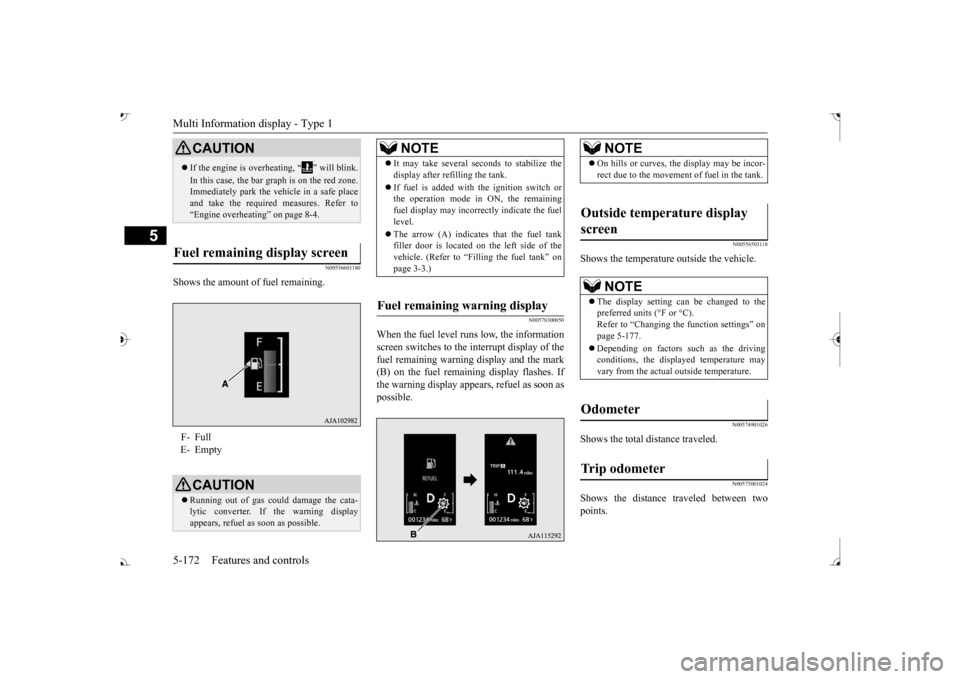
Shows the amount of fuel remaining.
N00578300050
When the fuel level runs low, the information screen switches to the interrupt display of the fuel remaining warning display and the mark(B) on the fuel remaini
ng display flashes. If
the warning display appear
s, refuel as soon as
possible.
N00556501118
Shows the temperature outside the vehicle.
N00574901026
Shows the total distance traveled.
N00575001024
Shows the distance traveled between twopoints.
CAUTION If the engine is overheating, “ ” will blink. In this case, the bar graph is on the red zone. Immediately park the vehicle in a safe place and take the require
d measures. Refer to
“Engine overheating” on page 8-4.
Fuel remaining display screen F- Full E- Empty
CAUTION Running out of gas coul
d damage the cata-
lytic converter. If the warning display appears, refuel as soon as possible.
NOTE
It may take several se
conds to stabilize the
display after re
filling the tank.
If fuel is added with
the ignition switch or
the operation mode in ON, the remaining fuel display may incorre
ctly indicate the fuel
level. The arrow (A) indicates that the fuel tank filler door is located on
the left side of the
vehicle. (Refer to “F
illing the fuel tank” on
page 3-3.)
Fuel remaining warning display
NOTE
On hills or curves, the display may be incor- rect due to the movement
of fuel in the tank.
Outside temperature display screen
NOTE
The display setting ca
n be changed to the
preferred units (°F or °C).
e function settings” on
page 5-177. Depending on factors such as the driving conditions, the displa
yed temperature may
vary from the actual outside temperature.
Odometer Trip odometer
BK0239700US.book 172 ページ 2016年6月16日 木曜日 午前10時58分
Page 278 of 521
Indicator light, warning light, and information screen display list (multi information display - Type 1)
Features and controls 5-197
5
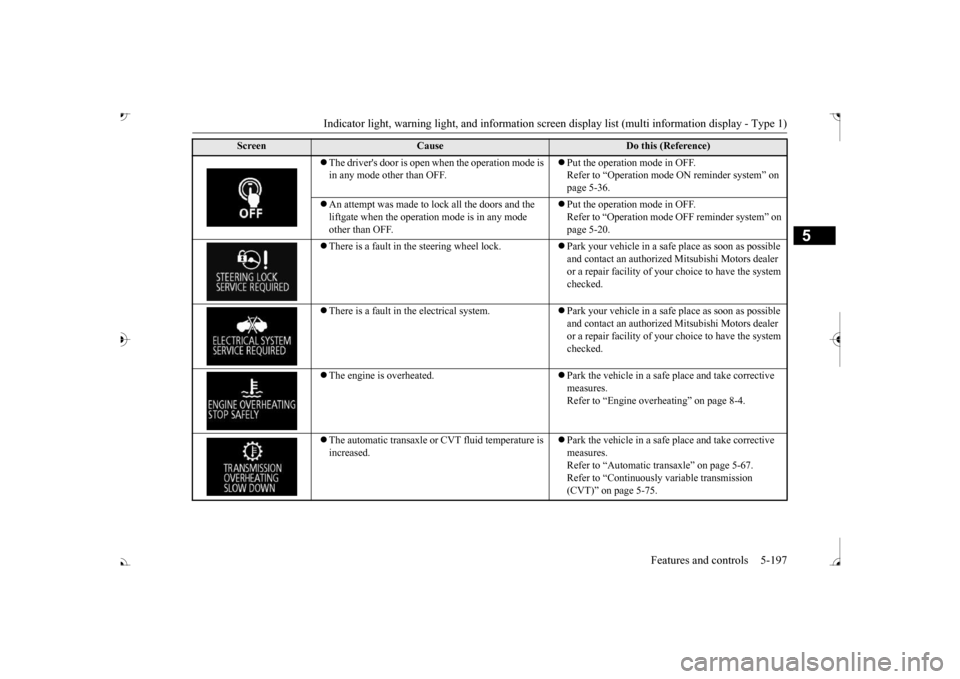
The driver's door is open when the operation mode is in any mode other than OFF.
Put the operation mode in OFF. Refer to “Operation mode
ON reminder system” on
page 5-36.
An attempt was made to lock all the doors and the liftgate when the operati
on mode is in any mode
other than OFF.
Put the operation mode in OFF. Refer to “Operation mode
OFF reminder system” on
page 5-20.
There is a fault in the steering wheel lock.
Park your vehicle in a safe
place as soon as possible
and contact an authorized
Mitsubishi Motors dealer
or a repair facility of your
choice to have the system
checked.
There is a fault in the electrical system.
Park your vehicle in a safe
place as soon as possible
and contact an authorized
Mitsubishi Motors dealer
or a repair facility of your
choice to have the system
checked.
The engine is overheated.
Park the vehicle in a safe place and take corrective measures. Refer to “Engine overh
eating” on page 8-4.
The automatic transaxle or CVT fluid temperature is increased.
Park the vehicle in a safe place and take corrective measures. Refer to “Automatic tr
ansaxle” on page 5-67.
Refer to “Continuously variable transmission (CVT)” on page 5-75.
Screen
Cause
Do this (Reference)
BK0239700US.book 197 ページ 2016年6月16日 木曜日 午前10時58分
Page 296 of 521
Indicators
Features and controls 5-215
5
N00519900127 N00520000216
The arrows will flash in time with the corre- sponding exterior turn signals when the turnsignal lever is used. Both arrows will flash when the hazard warn- ing flasher switch is pressed.
N00520100086
A blue light comes on when the headlightsare on high beam.
N00520200175
This indicator comes on while the front foglights are on.
N00551301078
This indicator light illuminates while theparking lights are on.
N00575601020
This indicator comes on in blue while thecoolant temperature is low.
N00579200030
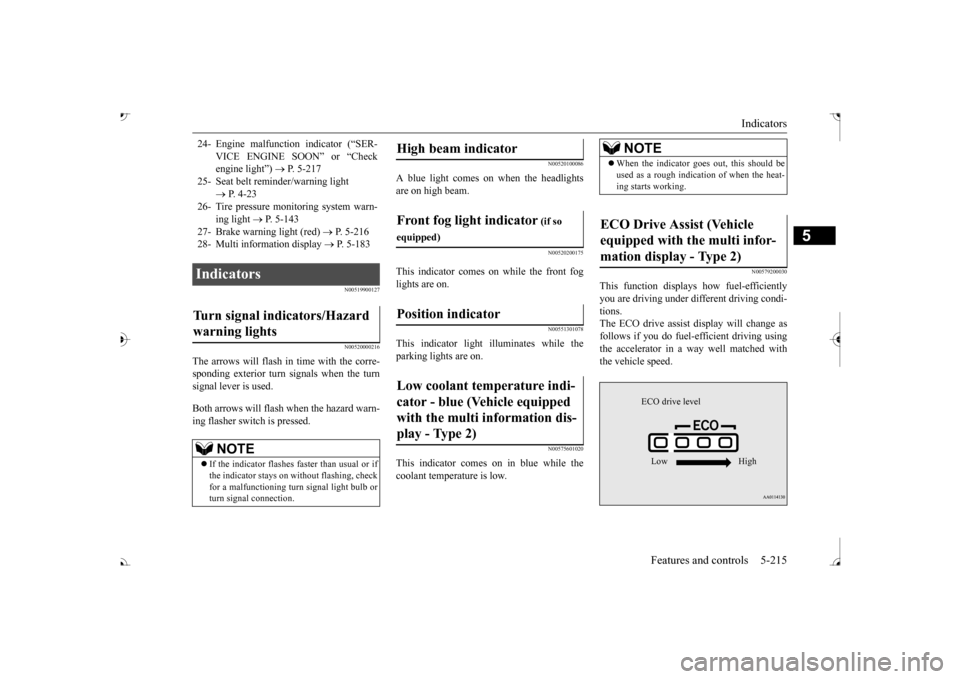
This function displays
how fuel-efficiently
you are driving under different driving condi- tions. The ECO drive assist display will change asfollows if you do fuel-efficient driving using the accelerator in a way well matched with the vehicle speed.
24- Engine malfuncti
on indicator (“SER-
VICE ENGINE SOON” or “Check engine light”)
P. 5-217
25- Seat belt
reminder/warning light
P. 4-23
26- Tire pressure moni
toring system warn-
ing light
P. 5-143
27- Brake warning light (red)
P. 5-216
28- Multi information display
P. 5-183
Indicators Turn signal indicators/Hazard warning lights
NOTE
If the indicator flashes faster than usual or if the indicator stays on wi
thout flashing, check
for a malfunctioning turn signal light bulb or turn signal connection.
High beam indicator Front fog light indicator
(if so
equipped)Position indicator Low coolant temperature indi- cator - blue (Vehicle equipped with the multi information dis- play - Type 2)
NOTE
When the indicator goes out, this should be used as a rough indication of when the heat-ing starts working.
ECO Drive Assist (Vehicle equipped with the multi infor-mation display - Type 2)
ECO drive level Low High
BK0239700US.book 215 ページ 2016年6月16日 木曜日 午前10時58分