remote control MITSUBISHI OUTLANDER 2017 3.G User Guide
[x] Cancel search | Manufacturer: MITSUBISHI, Model Year: 2017, Model line: OUTLANDER, Model: MITSUBISHI OUTLANDER 2017 3.GPages: 521, PDF Size: 14.91 MB
Page 105 of 521
Free-hand Advanced
Security Transmitter (F.A.S
.T.-key) (if so equipped)
5
N00514301080
After pressing the e
ngine switch and opera-
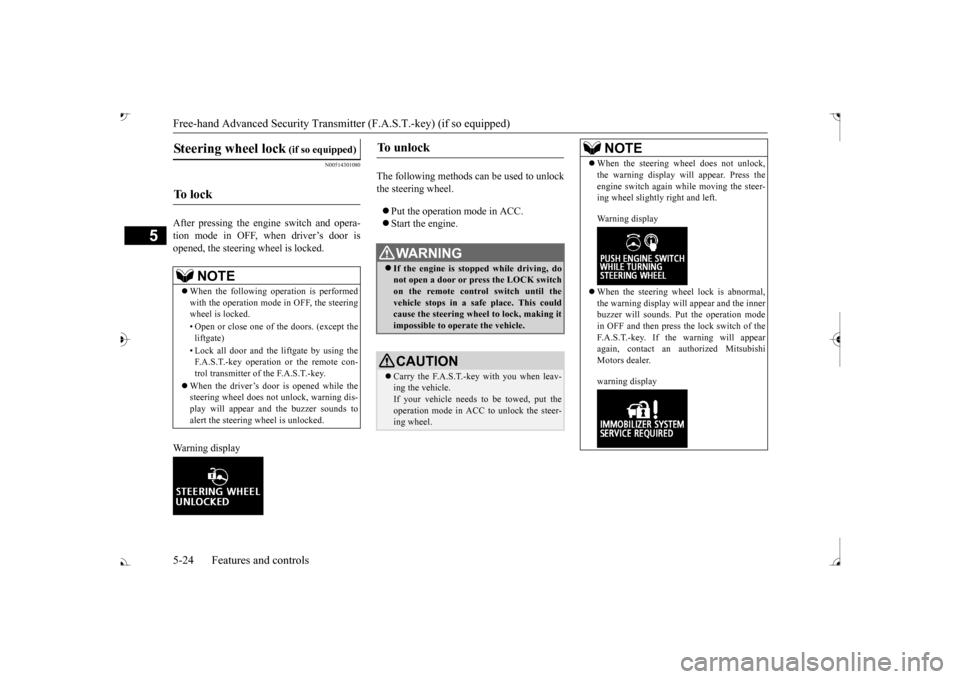
tion mode in OFF, when driver’s door isopened, the steering wheel is locked. Warning display
The following methods ca
n be used to unlock
the steering wheel. Put the operation mode in ACC. Start the engine.
Steering wheel lock
(if so equipped)
To l o c k
NOTE
When the following ope
ration is performed
with the operation mode
in OFF, the steering
wheel is locked. • Open or close one of the doors. (except the liftgate) F.A.S.T.-key operation or the remote con- trol transmitter of the F.A.S.T.-key.
When the driver’s door is opened while the steering wheel does not
unlock, warning dis-
play will appear and the buzzer sounds toalert the steering wheel is unlocked.
To u n l o c k
WA R N I N G If the engine is stopped while driving, do not open a door or press the LOCK switch on the remote control switch until the vehicle stops in a safe
place. This could
cause the steering wheel to lock, making it impossible to operate the vehicle.CAUTION Carry the F.A.S.T.-key with you when leav- ing the vehicle.If your vehicle needs to
be towed, put the
operation mode in ACC to unlock the steer- ing wheel.
NOTE
When the steering wheel does not unlock, the warning display wi
ll appear. Press the
engine switch again wh
ile moving the steer-
ing wheel slightly right and left. Warning display When the steering wheel lock is abnormal, the warning display will
appear and the inner
buzzer will sounds. Put the operation mode in OFF and then press the lock switch of theF.A.S.T.-key. If the warning will appear again, contact an authorized Mitsubishi Motors dealer. warning display
BK0239700US.book 24 ページ 2016年6月16日 木曜日 午前10時58分
Page 111 of 521
Free-hand Advanced
Security Transmitter (F.A.S
.T.-key) (if so equipped)
5
7. Release in sequence the LOCK and UNLOCK buttons within 10 seconds ofpressing the LOCK button in step 6. The immobilizer display on the information screen in the multi-information displaywill blink. When registration of ID
code is complete,
the buzzer will sound 3 times and the immobilizer display will come on for 30seconds. If an error occurs, F.A.S.T.-key program- ming will be terminated and the buzzerwill sound for 3 seconds. 8. If you wish to register another F.A.S.T.- key, repeat the process from step 1 after the operation mode is put in OFF.9. When all F.A.S.T.-keys are registered, remove the F.A.S.T.-key from the key slot.
N00515501249
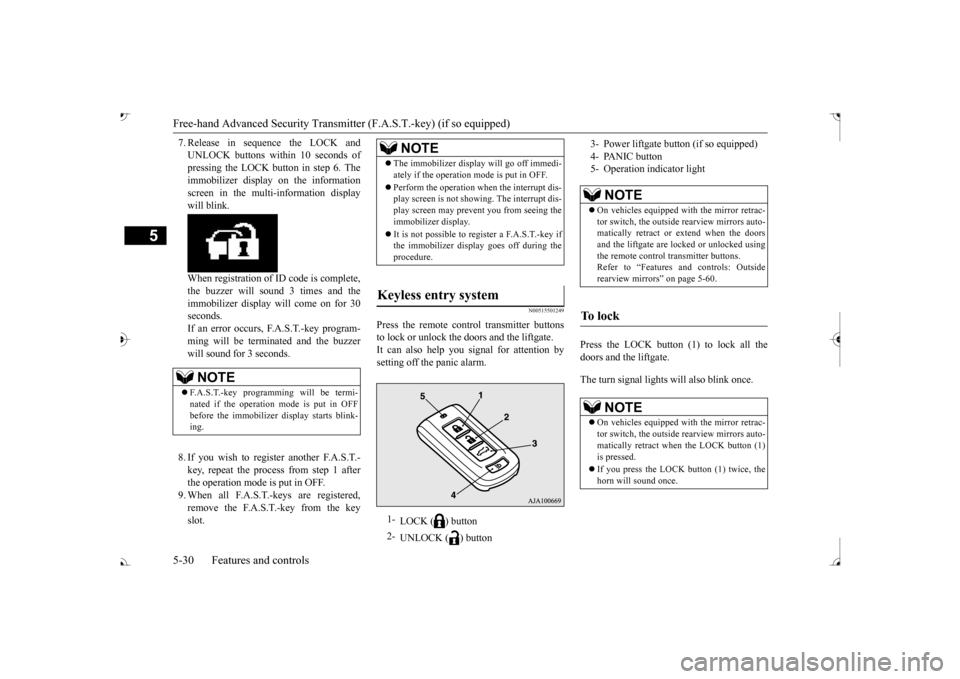
Press the remote control transmitter buttonsto lock or unlock the doors and the liftgate.It can also help you
signal for attention by
setting off the panic alarm.
Press the LOCK button (1) to lock all the doors and the liftgate. The turn signal lights will also blink once.
NOTE
F.A.S.T.-key programming will be termi- nated if the operation
mode is put in OFF
before the immobilizer
display starts blink-
ing.
NOTE
The immobilizer displa
y will go off immedi-
ately if the operation mode is put in OFF. Perform the operation when the interrupt dis- play screen is not show
ing. The interrupt dis-
play screen may prevent you from seeing theimmobilizer display. It is not possible to re
gister a F.A.S.T.-key if
the immobilizer displa
y goes off during the
procedure.
Keyless entry system
1-
LOCK ( ) button
2-
UNLOCK ( ) button
3- Power liftgate but
ton (if so equipped)
4- PANIC button 5- Operation indicator light
NOTE
On vehicles equipped wi
th the mirror retrac-
tor switch, the outside rearview mirrors auto- matically retr
act or extend when the doors
and the liftgate are locked or unlocked usingthe remote control transmitter buttons. Refer to “Features a
nd controls: Outside
rearview mirrors” on page 5-60.
To l o c k
NOTE
On vehicles equipped wi
th the mirror retrac-
tor switch, the outside rearview mirrors auto-matically retract when the LOCK button (1)is pressed. If you press the LOCK button (1) twice, the horn will sound once.
BK0239700US.book 30 ページ 2016年6月16日 木曜日 午前10時58分
Page 113 of 521
Free-hand Advanced
Security Transmitter (F.A.S
.T.-key) (if so equipped)
5
The buzzer answerback function can be turned ON or OFF as required.
N00544601095
The door and liftgate
unlock function can be
set to the following two conditions. Each time the door and
liftgate unlock func-
tion is set, a chime wi
ll sound to tell you the
condition of the door and liftgate unlock function. 1. Put the operation mode in OFF. 2. Open the driver’s door and turn the com- bination headlights and dimmer switch tothe “OFF” position. 3. Press the LOCK button (1) for 4 to 10 sec- onds and press the UNLOCK button (2)during this time. 4. Release in sequence the LOCK and UNLOCK buttons within 10 seconds ofpressing the LOCK button in step 3.
N00579500020
After unlocking the doors and the liftgate, the power liftgate can be operated by pressing the power liftgate button (3).Refer to “Power lift
gate” on page 5-39.
N00544701067
If you are near your vehicle and feel threat- ened, you can activate the alarm to call atten- tion as follows: 1. Press the PANIC button (4) for more than 1 second. 2. The headlights will blink on and off and the horn will sound intermittently forabout 3 minutes. 3. To turn off the alarm, press any button on the remote control transmitter.
Six chimes Two flashes No flash Seven chimes No flash No flash
NOTE
On a vehicle equippe
d with a Mitsubishi
Multi-Communication System, the functions can be adjusted on the screen. For details, refer to the separate operation manual.
Buzzer deactivation/reactivation
NOTE
On a vehicle equippe
d with a Mitsubishi
Multi-Communication System, the functionscan be adjusted on the screen. For details, refer to a separa
te operation manual.
Setting of door and liftgate unlock function
Number of chimes
To l o c k
To unlock
Number of chimes
Condition
One chime
All doors and the liftgate unlock
Tw o chimes
Driver’s door unlock only
NOTE
On a vehicle equippe
d with a Mitsubishi
Multi-Communication System, the functions can be adjusted on the screen. For details, refer to the separa
te operation manual.
Operating the power liftgate
Using the panic alarm
NOTE
The indicator light (5) comes on each time a button is pressed. The F.A.S.T.-key can be used from about 40 feet (12 m) away. However, this distance may change if your vehicle is near a TVtransmitting tower, a power station, or a radio station.
BK0239700US.book 32 ページ 2016年6月16日 木曜日 午前10時58分
Page 114 of 521
Free-hand Advanced Securi
ty Transmitter (F.A.S.T.-key) (if so equipped)
Features and controls 5-33
5
N00562001062
N00562101076
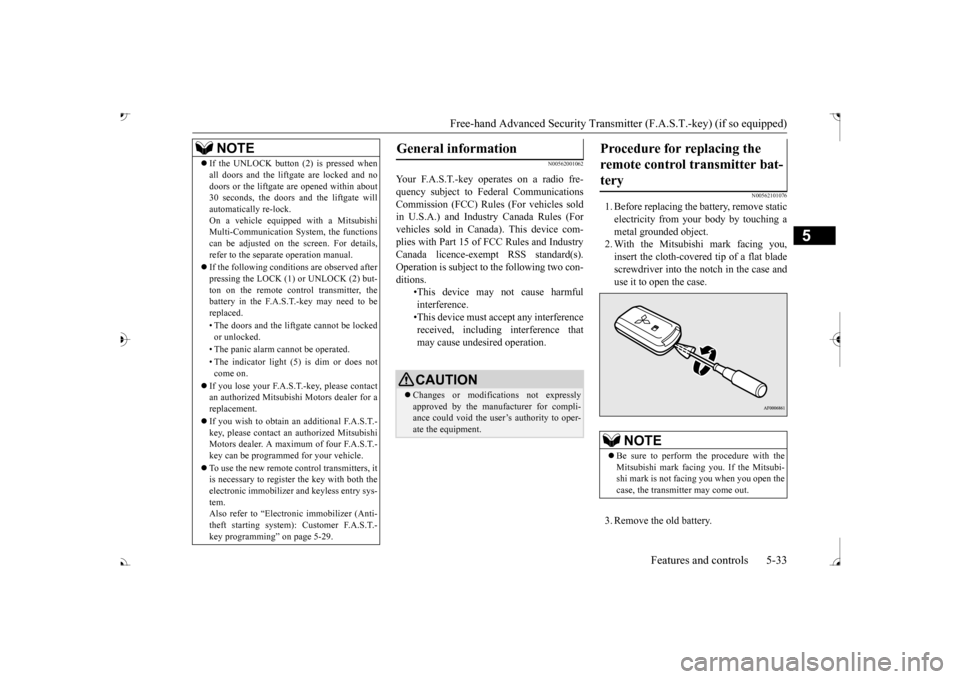
1. Before replacing the battery, remove static electricity from your body by touching a metal grounded object. 2. With the Mitsubishi mark facing you,insert the cloth-covered tip of a flat blade screwdriver into the notch in the case and use it to open the case. 3. Remove the old battery.
If the UNLOCK button (2) is pressed when all doors and the liftgate are locked and nodoors or the liftgate
are opened within about
30 seconds, the doors and the liftgate will automatically re-lock. On a vehicle equippe
d with a Mitsubishi
Multi-Communication System, the functions can be adjusted on the screen. For details, refer to the separa
te operation manual.
If the following conditions are observed after pressing the LOCK (1) or UNLOCK (2) but-ton on the remote control transmitter, the battery in the F.A.S.T.-key may need to be replaced. • The doors and the liftgate cannot be locked or unlocked. • The panic alarm
cannot be operated.
• The indicator light
(5) is dim or does not
come on.
If you lose your F.A.S.T.-key, please contact an authorized Mitsubishi Motors dealer for a replacement. If you wish to obtain an additional F.A.S.T.- key, please contact an
authorized Mitsubishi
Motors dealer. A maximum of four F.A.S.T.- key can be programmed for your vehicle. To use the new remote control transmitters, it is necessary to register the key with both the electronic immobilizer
and keyless entry sys-
tem. Also refer to “Electr
onic immobilizer (Anti-
theft starting system): Customer F.A.S.T.-key programming” on page 5-29.NOTE
General information
Your F.A.S.T.-key operates on a radio fre- quency subject to Fe
deral Communications
Commission (FCC) Rules (For vehicles sold in U.S.A.) and Industr
y Canada Rules (For
vehicles sold in Canada). This device com- plies with Part 15 of FCC Rules and Industry Canada licence-exem
pt RSS standard(s).
Operation is subject to
the following two con-
ditions.
•This device may
not cause harmful
interference. •This device must ac
cept any interference
received, including interference that may cause undesired operation.CAUTION Changes or modifica
tions not expressly
approved by the manufacturer for compli- ance could void the user’s authority to oper- ate the equipment.
Procedure for replacing the remote control transmitter bat-tery
NOTE
Be sure to perform the procedure with the Mitsubishi mark facing you. If the Mitsubi- shi mark is not facing you when you open the case, the transmitter may come out.
BK0239700US.book 33 ページ 2016年6月16日 木曜日 午前10時58分
Page 115 of 521
Door locks 5-34 Features and controls
5
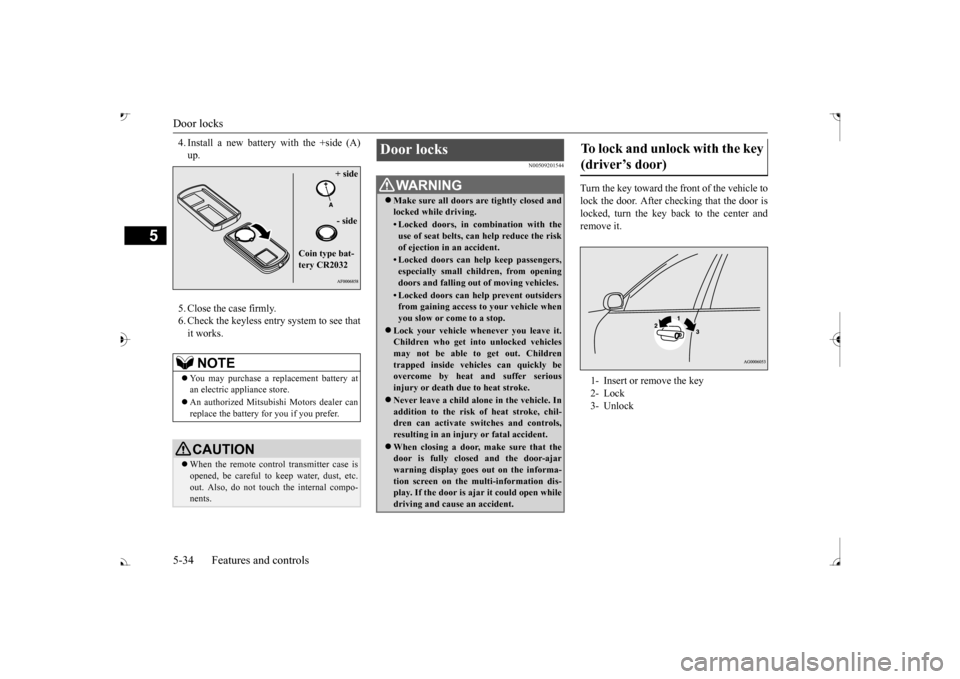
4. Install a new battery with the +side (A) 5. Close the case firmly. 6. Check the keyless entry system to see that it works.
N00509201544
Turn the key toward the front of the vehicle tolock the door. After checking that the door is locked, turn the key back to the center andremove it.
NOTE
You may purchase a re
placement battery at
an electric appliance store. An authorized Mitsubishi Motors dealer can replace the battery for you if you prefer.CAUTION When the remote control transmitter case is opened, be careful to
keep water, dust, etc.
out. Also, do not touch the internal compo- nents.
+ side - side
Coin type bat- tery CR2032
Door locks
WA R N I N G Make sure all doors are tightly closed and locked while driving.• Locked doors, in co
mbination with the
use of seat belts, can help reduce the riskof ejection in
an accident.
• Locked doors can help keep passengers, especially small children, from opening doors and falling out
of moving vehicles.
• Locked doors can help
prevent outsiders
from gaining access to your vehicle when you slow or come to a stop.
Lock your vehicle when
ever you leave it.
Children who get into
unlocked vehicles
may not be able to get out. Children trapped inside vehicles can quickly be overcome by heat
and suffer serious
injury or death due to heat stroke. Never leave a ch
ild alone in the vehicle. In
addition to the risk
of heat stroke, chil-
dren can activate switches and controls, resulting in an injury
or fatal accident.
When closing a door,
make sure that the
door is fully closed and the door-ajarwarning display goes
out on the informa-
tion screen on the multi-information dis- play. If the door is aj
ar it could open while
driving and cause an accident.
To lock and unlock with the key (driver’s door) 1- Insert or remove the key 2- Lock3- Unlock
BK0239700US.book 34 ページ 2016年6月16日 木曜日 午前10時58分
Page 129 of 521
Theft-alarm system 5-48 Features and controls
5
N00582500040
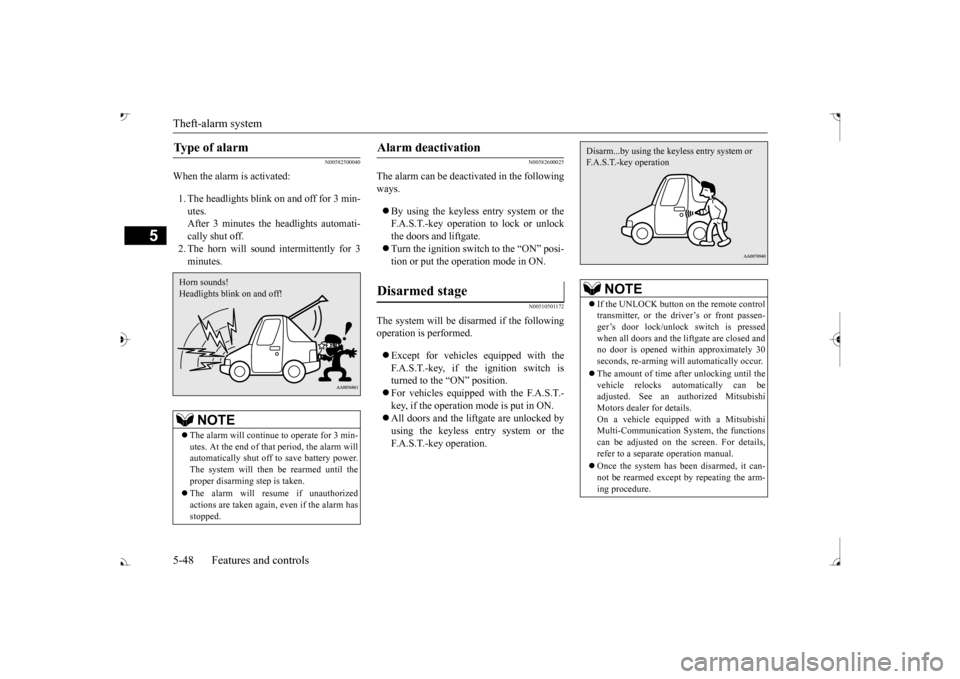
When the alarm is activated: 1. The headlights blink on and off for 3 min- utes. After 3 minutes the headlights automati-cally shut off. 2. The horn will sound intermittently for 3 minutes.
N00582600025
The alarm can be deacti
vated in the following
ways. By using the keyless entry system or the F.A.S.T.-key operation to lock or unlockthe doors and liftgate. Turn the ignition switch to the “ON” posi- tion or put the operation mode in ON.
N00510501172
The system will be disarmed if the followingoperation is performed. Except for vehicles equipped with the F.A.S.T.-key, if the ignition switch is turned to the “ON” position. For vehicles equipped with the F.A.S.T.- key, if the operation mode is put in ON. All doors and the lift
gate are unlocked by
using the keyless entry system or the F.A.S.T.-key operation.
Type of alarm
NOTE
The alarm will continue
to operate for 3 min-
utes. At the end of that
period, the alarm will
automatically shut off
to save battery power.
The system will then be rearmed until theproper disarming step is taken. The alarm will resu
me if unauthorized
actions are taken again, even if the alarm has stopped.Horn sounds! Headlights blink on and off!
Alarm deactivation Disarmed stage
NOTE
If the UNLOCK button on the remote control transmitter, or the driver’s or front passen-ger’s door lock/unlock switch is pressed when all doors and the li
ftgate are closed and
no door is opened with
in approximately 30
seconds, re-arming will
automatically occur.
The amount of time after unlocking until the vehicle relocks automatically can be adjusted. See an authorized Mitsubishi Motors dealer for details.On a vehicle equippe
d with a Mitsubishi
Multi-Communication System, the functions can be adjusted on the screen. For details,refer to a separa
te operation manual.
Once the system has been disarmed, it can- not be rearmed except
by repeating the arm-
ing procedure.Disarm...by using the keyless entry system or F.A.S.T.-key operation
BK0239700US.book 48 ページ 2016年6月16日 木曜日 午前10時58分
Page 143 of 521
Outside rearview mirrors 5-62 Features and controls
5
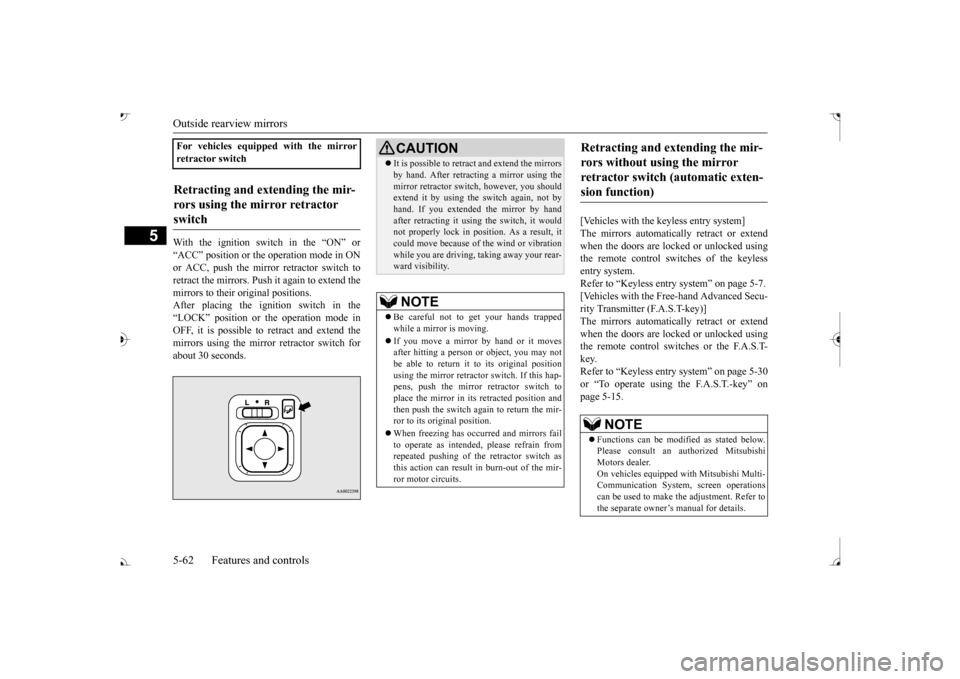
With the ignition switch in the “ON” or “ACC” position or the
operation mode in ON
or ACC, push the mirror retractor switch to retract the mirrors. Push it again to extend the mirrors to their original positions. After placing the ignition switch in the“LOCK” position or the operation mode in OFF, it is possible to
retract and extend the
mirrors using the mirror retractor switch forabout 30 seconds.
[Vehicles with the keyless entry system] The mirrors automatically retract or extend when the doors are locked or unlocked usingthe remote control switches of the keyless entry system. Refer to “Keyless entry system” on page 5-7. [Vehicles with the Free-hand Advanced Secu- rity Transmitter (F.A.S.T-key)]The mirrors automatically retract or extend when the doors are locked or unlocked using the remote control switches or the F.A.S.T-key. Refer to “Keyless entry system” on page 5-30 or “To operate using the F.A.S.T.-key” onpage 5-15.
For vehicles equipped with the mirror retractor switchRetracting and extending the mir- rors using the mirror retractor switch
CAUTION It is possible to retract and extend the mirrors by hand. After retracti
ng a mirror using the
mirror retractor switch, however, you shouldextend it by using the switch again, not by hand. If you extended the mirror by hand after retracting it using
the switch, it would
not properly lock in pos
ition. As a result, it
could move because of the wind or vibration while you are driving, taking away your rear-ward visibility.NOTE
Be careful not to get your hands trapped while a mirror is moving. If you move a mirror by hand or it moves after hitting a person or object, you may not be able to return it to its original positionusing the mirror retractor switch. If this hap- pens, push the mirror retractor switch to place the mirror in its
retracted position and
then push the switch again to return the mir- ror to its original position. When freezing has occurred and mirrors fail to operate as intended,
please refrain from
repeated pushing of the retractor switch asthis action can result in burn-out of the mir-ror motor circuits.
Retracting and extending the mir- rors without using the mirror retractor switch (automatic exten- sion function)
NOTE
Functions can be modified as stated below. Please consult an authorized Mitsubishi Motors dealer. On vehicles e
quipped with Mitsubishi Multi-
Communication System, screen operations can be used to make
the adjustment. Refer to
the separate owner’s manual for details.
BK0239700US.book 62 ページ 2016年6月16日 木曜日 午前10時58分
Page 309 of 521
Combination headlights and dimmer switch 5-228 Features and controls
5
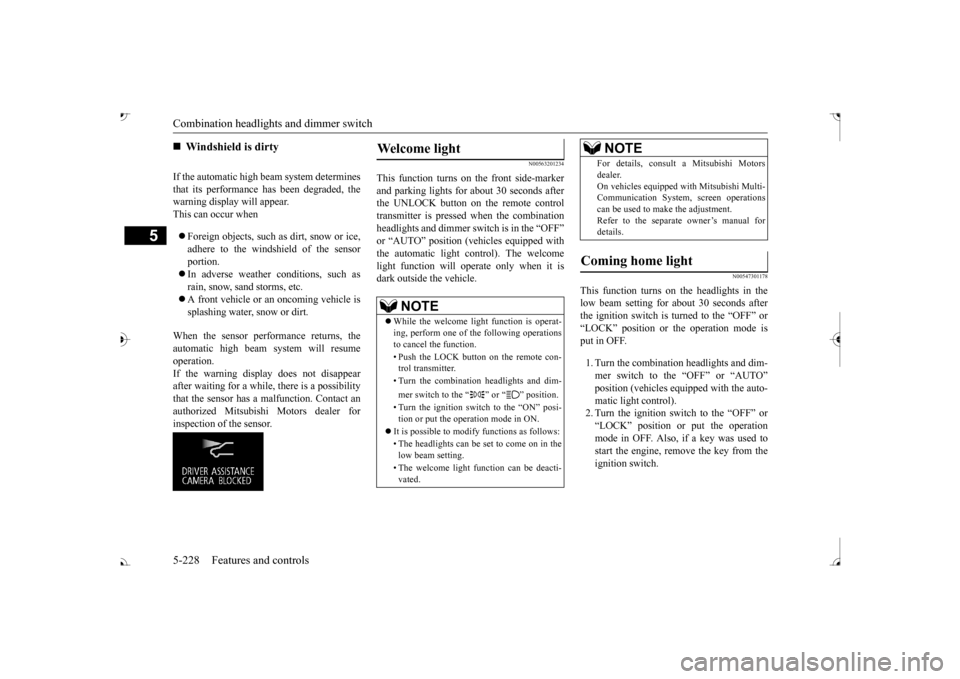
If the automatic high beam system determines that its performance has been degraded, the warning display will appear.This can occur when Foreign objects, such as dirt, snow or ice, adhere to the windshield of the sensor portion. In adverse weather
conditions, such as
rain, snow, sand storms, etc. A front vehicle or an oncoming vehicle is splashing water, snow or dirt.
When the sensor performance returns, the automatic high beam system will resumeoperation. If the warning display does not disappear after waiting for a while, there is a possibilitythat the sensor has a malfunction. Contact an authorized Mitsubishi Motors dealer for inspection of the sensor.
N00563201234
This function turns on
the front side-marker
and parking lights for
about 30 seconds after
the UNLOCK button on the remote controltransmitter is pressed when the combination headlights and dimmer sw
itch is in the “OFF” ehicles equipped with
the automatic light control). The welcome light function will ope
rate only when it is
dark outside the vehicle.
N00547301178
This function turns on the headlights in thelow beam setting for a
bout 30 seconds after
the ignition switch is turned to the “OFF” or “LOCK” position or the operation mode is put in OFF. 1. Turn the combination headlights and dim- mer switch to the “OFF” or “AUTO” matic light control).2. Turn the ignition switch to the “OFF” or “LOCK” position or put the operation mode in OFF. Also, if a key was used tostart the engine, remove the key from the ignition switch.
Windshield is dirty
Welcome light
NOTE
While the welcome light
function is operat-
ing, perform one of th
e following operations
to cancel the function. • Push the LOCK button on the remote con- trol transmitter. • Turn the combination headlights and dim- mer switch to the “ ” or “ ” position. • Turn the ignition switch to the “ON” posi- tion or put the opera
tion mode in ON.
It is possible to modify functions as follows: • The headlights can be set to come on in the low beam setting. • The welcome light fu
nction can be deacti-
vated.
For details, consult a Mitsubishi Motorsdealer.On vehicles e
quipped with Mitsubishi Multi-
Communication System, screen operations can be used to ma
ke the adjustment.
Refer to the separate
owner’s manual for
details.
Coming home light
NOTE
BK0239700US.book 228 ページ 2016年6月16日 木曜日 午前10時58分
Page 355 of 521
Interior lights 5-274 Features and controls
5
2- (OFF) The dome light stays off regardless of any door or the liftgate being opened or closed.
N00537601165
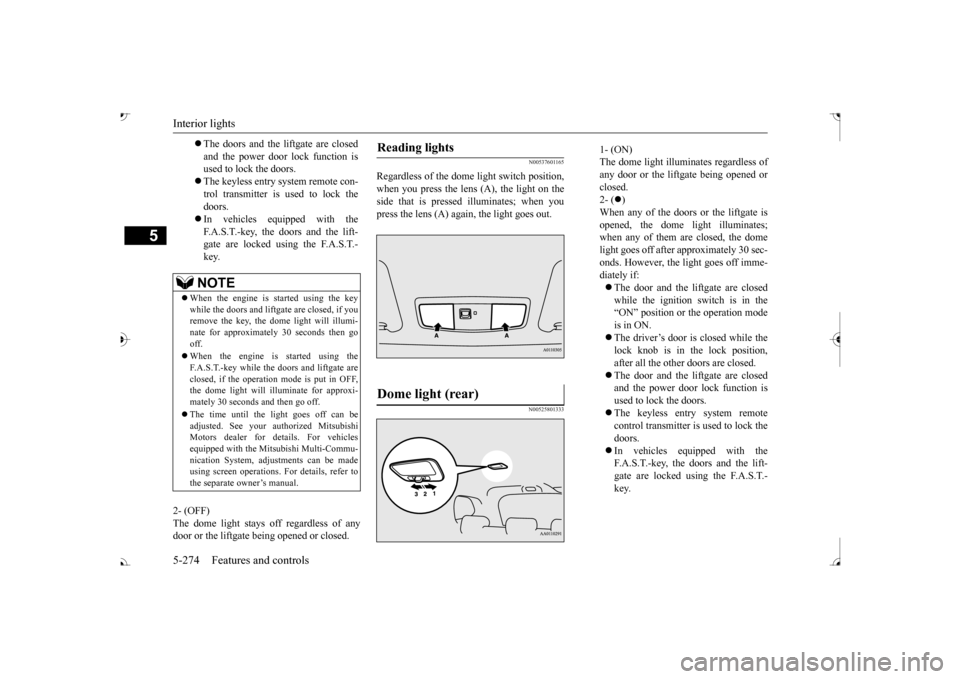
Regardless of the dom
e light switch position,
when you press the lens (A), the light on the side that is pressed illuminates; when youpress the lens (A) again, the light goes out.
N00525801333
The doors and the liftgate are closed and the power door lock function is used to lock the doors. The keyless entry system remote con- trol transmitter is used to lock the doors. In vehicles equipped with the F.A.S.T.-key, the doors and the lift- gate are locked using the F.A.S.T.-key.NOTE
When the engine is started using the key while the doors and liftga
te are closed, if you
remove the key, the do
me light will illumi-
nate for approximately 30 seconds then go off. When the engine is started using the F.A.S.T.-key while the doors and liftgate areclosed, if the operation mode is put in OFF, the dome light will il
luminate for approxi-
mately 30 seconds and then go off. The time until the light goes off can be adjusted. See your authorized MitsubishiMotors dealer for details. For vehicles equipped with the Mitsubishi Multi-Commu- nication System, adju
stments can be made
using screen operations. For details, refer to the separate owner’s manual.
Reading lights Dome light (rear)
1- (ON) The dome light illuminates regardless ofany door or the liftgate being opened or closed. 2- (
)
When any of the doors or the liftgate is opened, the dome
light illuminates;
when any of them are closed, the domelight goes off after approximately 30 sec- onds. However, the light goes off imme- diately if: The door and the liftgate are closed while the ignition switch is in the“ON” position or the operation mode is in ON. The driver’s door is closed while the lock knob is in the lock position, after all the other doors are closed. The door and the liftgate are closed and the power door lock function is used to lock the doors. The keyless entry system remote control transmitter is used to lock the doors. In vehicles e
quipped with the
F.A.S.T.-key, the doors and the lift- gate are locked using the F.A.S.T.- key.
BK0239700US.book 274 ページ 2016年6月16日 木曜日 午前10時58分
Page 409 of 521
Listen to Radio 7-26 Comfort controls
7
N00716800114
N00716900069
This explains how to listen to AM and FM radio broadcasts.
13-
5 key Play/Pause Bluetooth Audio
*2, and use
as preset key 5 for radio.
14-
6 key Return during audio track search, and stop Bluetooth Audio
*2.
For radio, use as preset key 6.
15-
key/ key
For audio, select a
udio track/file; for
radio, perform auto
matic station selec-
tion. Select channels in the satellite radio*
1.
16- MENU key
Switch to Menu mode.
17- /SEL key
Adjust audio quality
and select items.
For radio, manually
select stations.
Select channels in the satellite radio*
1.
*1: Requires a satellit
e tuner connection.
*2: Requires a separately-purchased Blue- tooth-capable audio
device in equip-
ment by type.
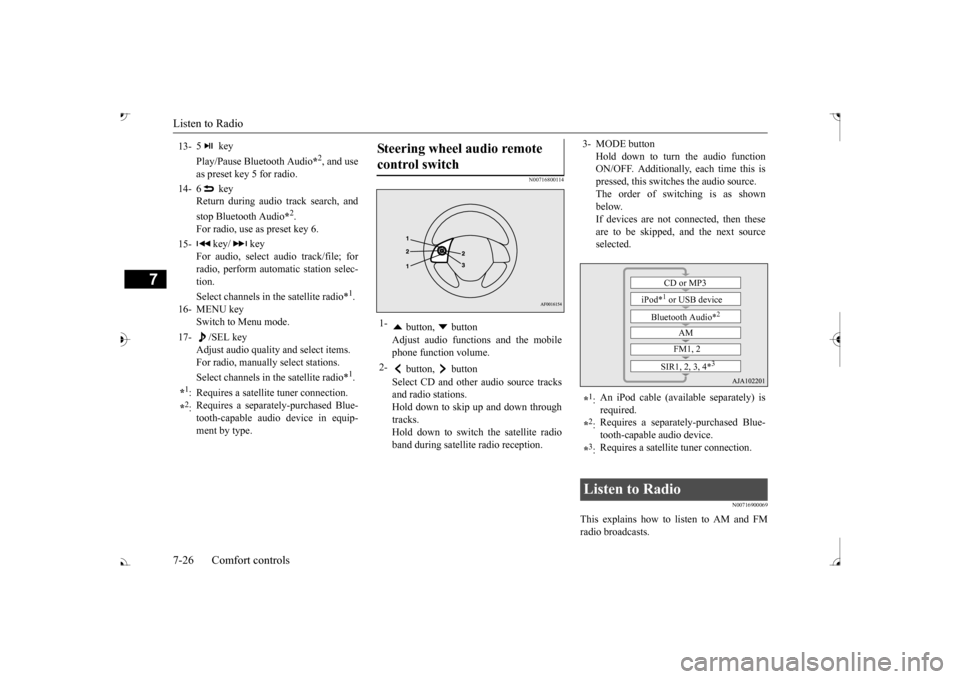
Steering wheel audio remote control switch 1-
button, button Adjust audio functions and the mobile phone function volume.
2-
button, button Select CD and other
audio source tracks
and radio stations.Hold down to skip up and down through tracks. Hold down to switch the satellite radioband during satellite
radio reception.
3- MODE button
Hold down to turn the audio function ON/OFF. Additionally, each time this ispressed, this switch
es the audio source.
The order of switching is as shown below.If devices are not c
onnected, then these
are to be skipped, and the next source selected.
*1: An iPod cable (available separately) is required.
*2: Requires a separately
-purchased Blue-
tooth-capable
audio device.
*3: Requires a satellite
tuner connection.
Listen to Radio
CD or MP3
iPod*
1 or USB device
Bluetooth Audio*
2
AM FM1, 2
SIR1, 2, 3, 4*
3
BK0239700US.book 26 ページ 2016年6月16日 木曜日 午前10時58分