engine MITSUBISHI OUTLANDER III 2015 Owners Manual
[x] Cancel search | Manufacturer: MITSUBISHI, Model Year: 2015, Model line: OUTLANDER III, Model: MITSUBISHI OUTLANDER III 2015Pages: 446, PDF Size: 59.52 MB
Page 246 of 446
Information screen display (Vehicle equipped with the multi information display - Type 1)
Features and controls 5-169
5
N00575701021
This light comes on in red if the coolant tem- perature becomes excessively high.
N00520901339
This light comes on when any door or the lift-gate is open or not completely closed. When the vehicle is moving at more than 5mph (8 km/h) and any door or the liftgate is open or ajar, a tone will sound 4 times to inform the driver that any door or the liftgate is not properly shut.
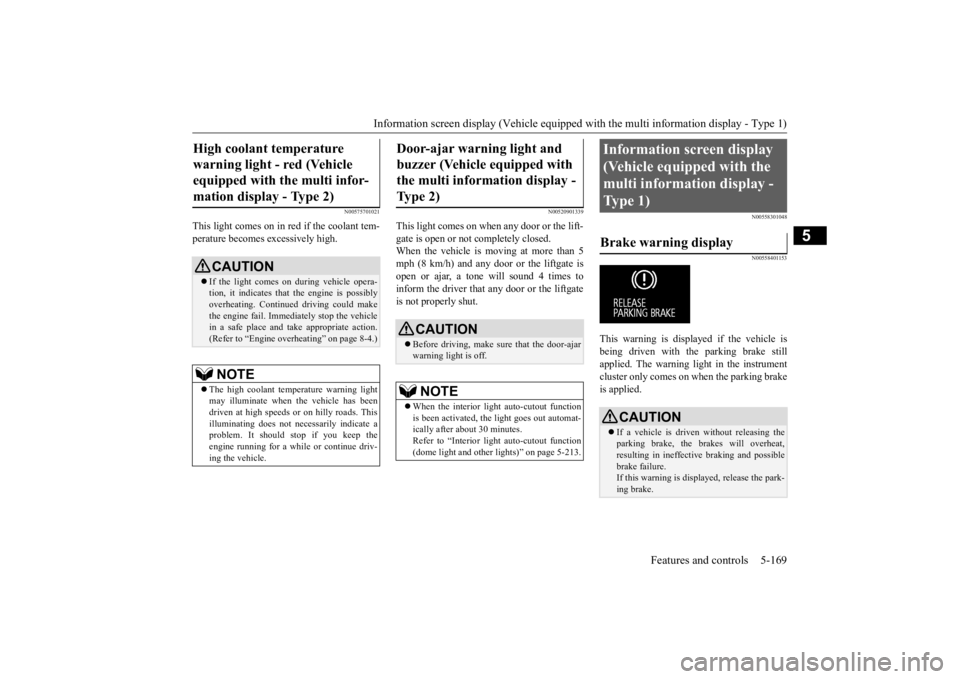
N00558301048 N00558401153
This warning is displayed if the vehicle is being driven with the parking brake stillapplied. The warning light in the instrument cluster only comes on when the parking brake is applied.
High coolant temperature warning light - red (Vehicle equipped with the multi infor- mation display - Type 2)
CAUTION If the light comes on during vehicle opera- tion, it indicates that
the engine is possibly
overheating. Continue
d driving could make
the engine fail. Immedi
ately stop the vehicle
in a safe place and ta
ke appropriate action.
(Refer to “Engine overheating” on page 8-4.)NOTE
The high coolant temp
erature warning light
may illuminate when
the vehicle has been
driven at high speeds or on hilly roads. This illuminating does not ne
cessarily indicate a
problem. It should stop if you keep theengine running for a whil
e or continue driv-
ing the vehicle.
Door-ajar warning light and buzzer (Vehicle equipped with the multi information display - Type 2)
CAUTION Before driving, make sure that the door-ajar warning light is off.NOTE
When the interior light auto-cutout function is been activated, th
e light goes out automat-
ically after about 30 minutes. Refer to “Interior light
auto-cutout function
(dome light and other
lights)” on page 5-213.
Information screen display (Vehicle equipped with the multi information display - Type 1) Brake warning display
CAUTION If a vehicle is driven without releasing the parking brake, the brakes will overheat, resulting in ineffectiv
e braking and possible
brake failure. If this warning is displayed, release the park- ing brake.
BK0211800US.book 169 ページ 2014年3月12日 水曜日 午後2時42分
Page 247 of 446
Information screen display (Vehicle equipped with the multi information display - Type 1) 5-170 Features and controls
5
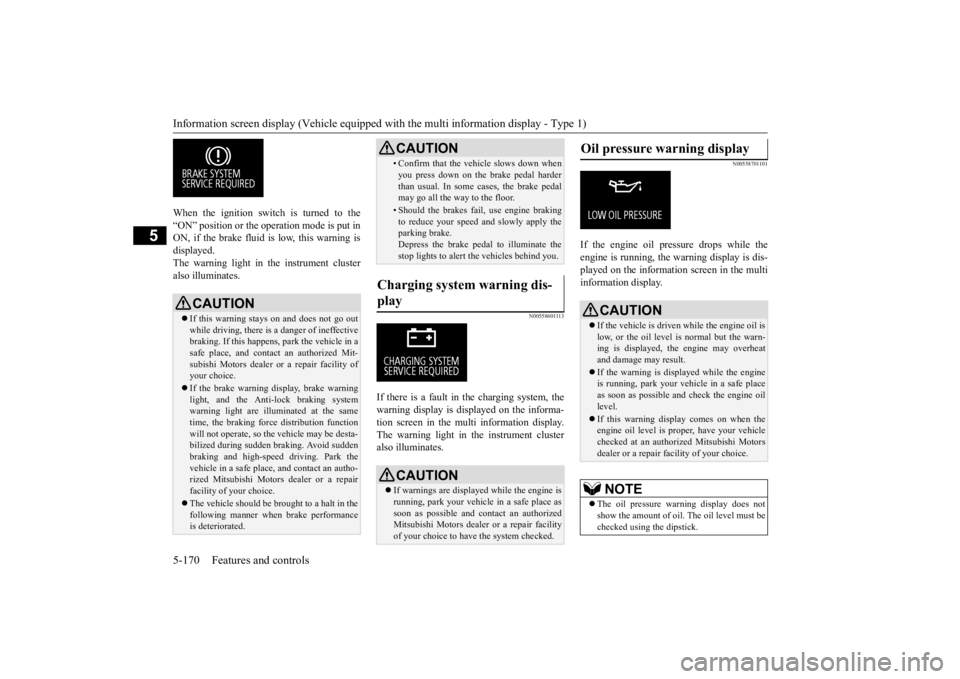
When the ignition switch is turned to the “ON” position or the ope
ration mode is put in
ON, if the brake fluid is
low, this warning is
displayed. The warning light in the instrument cluster also illuminates.
N00558601113
If there is a fault in the charging system, the warning display is di
splayed on the informa-
tion screen in the multi information display. The warning light in th
e instrument cluster
also illuminates.
N00558701101
If the engine oil pressure drops while the engine is running, the
warning display is dis-
played on the information screen in the multi information display.
CAUTION If this warning stays on and does not go out while driving, there is
a danger of ineffective
braking. If this happens
, park the vehicle in a
safe place, and contac
t an authorized Mit-
subishi Motors dealer or a repair facility ofyour choice. If the brake warning display, brake warning light, and the Anti-lock braking system warning light are illu
minated at the same
time, the braking forc
e distribution function
will not operate, so th
e vehicle may be desta-
bilized during sudden br
aking. Avoid sudden
braking and high-speed driving. Park thevehicle in a safe place,
and contact an autho-
rized Mitsubishi Motors
dealer or a repair
facility of your choice. The vehicle should be brought to a halt in the following manner when
brake performance
is deteriorated.
• Confirm that the vehicle slows down whenyou press down on the brake pedal harderthan usual. In some cases, the brake pedalmay go all the way to the floor.• Should the brakes fail, use engine brakingto reduce your speed and slowly apply the parking brake. Depress the brake pedal to illuminate thestop lights to alert th
e vehicles behind you.
Charging system warning dis- play
CAUTION If warnings are displa
yed while the engine is
running, park your vehicl
e in a safe place as
soon as possible and c
ontact an authorized
Mitsubishi Motors dealer
or a repair facility
of your choice to have the system checked.CAUTION
Oil pressure warning display
CAUTION If the vehicle is driven while the engine oil is low, or the oil level is normal but the warn-ing is displayed, th
e engine may overheat
and damage may result. If the warning is displayed while the engine is running, park your ve
hicle in a safe place
as soon as possible and check the engine oillevel. If this warning display comes on when the engine oil level is pr
oper, have your vehicle
checked at an authorized Mitsubishi Motors dealer or a repair fa
cility of your choice.
NOTE
The oil pressure wa
rning display does not
show the amount of oil. The oil level must bechecked using the dipstick.
BK0211800US.book 170 ページ 2014年3月12日 水曜日 午後2時42分
Page 248 of 446
Combination headlights and dimmer switch
Features and controls 5-171
5
N00522501746
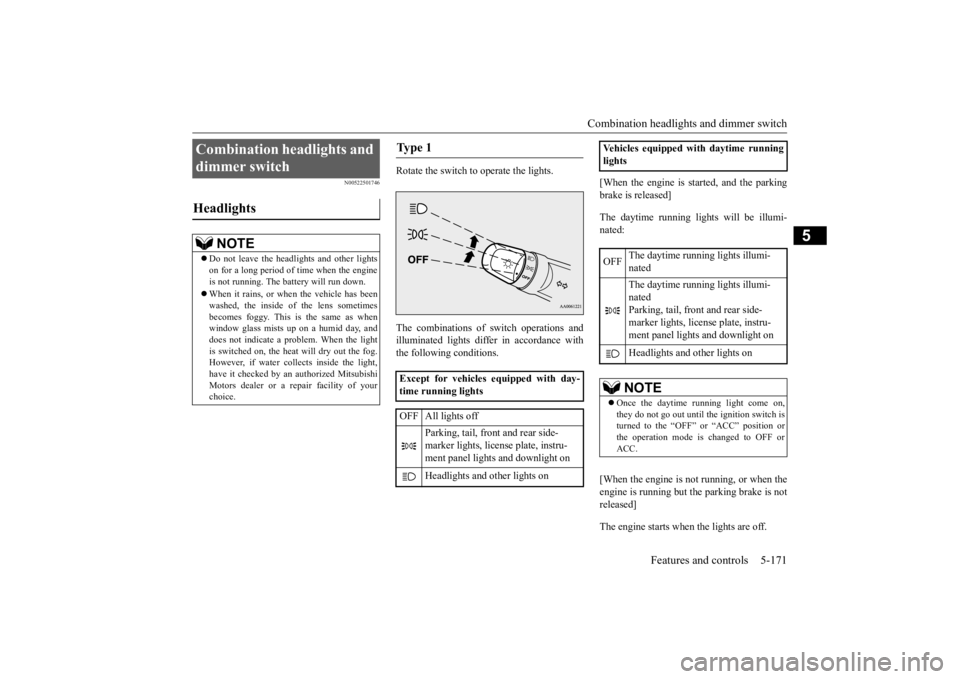
Rotate the switch to operate the lights. The combinations of
switch operations and
illuminated lights differ in accordance withthe following conditions.
[When the engine is started, and the parking brake is released] The daytime running light
s will be illumi-
nated: [When the engine is not running, or when the engine is running but the parking brake is notreleased] The engine starts when the lights are off.
Combination headlights and dimmer switch Headlights
NOTE
Do not leave the head
lights and ot
her lights
on for a long period of time when the engineis not running. The battery will run down. When it rains, or wh
en the vehicle has been
washed, the inside of the lens sometimes becomes foggy. This is the same as when window glass mists up
on a humid day, and
does not indicate a problem. When the light is switched on, the heat
will dry out the fog.
However, if water collects inside the light,have it checked by an
authorized Mitsubishi
Motors dealer or a repair facility of your choice.
Ty p e 1 Except for vehicles equipped with day- time running lights OFF All lights off
Parking, tail, front and rear side- marker lights, license plate, instru- ment panel lights and downlight on Headlights and other lights on
Vehicles equipped with daytime running lights OFF
The daytime running lights illumi- nated The daytime running lights illumi- nated Parking, tail, front and rear side- marker lights, licen
se plate, instru-
ment panel lights
and downlight on
Headlights and other lights onNOTE
Once the daytime running light come on, they do not go out until the ignition switch is turned to the “OFF” or “ACC” position or the operation mode is changed to OFF orACC.
BK0211800US.book 171 ページ 2014年3月12日 水曜日 午後2時42分
Page 249 of 446
Combination headlights and dimmer switch 5-172 Features and controls
5
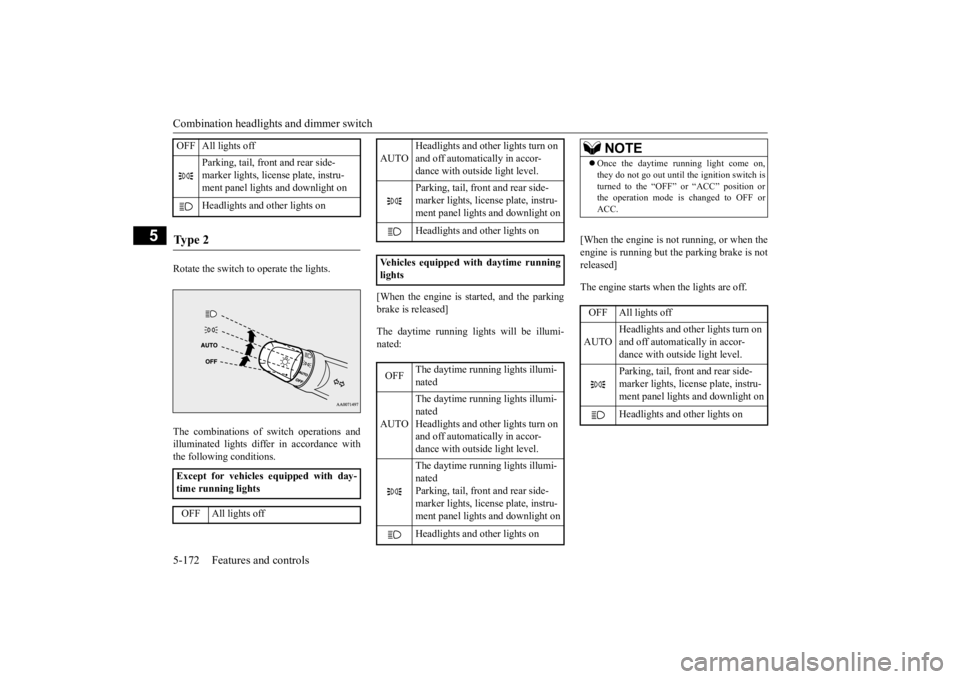
Rotate the switch to operate the lights. The combinations of
switch operations and
illuminated lights differ in accordance with the following conditions.
[When the engine is started, and the parking brake is released] The daytime running light
s will be illumi-
nated:
[When the engine is not running, or when the engine is running but the parking brake is not released] The engine starts when the lights are off.
OFF All lights off
Parking, tail, front and rear side- marker lights, license plate, instru- ment panel lights and downlight on Headlights and
other lights on
Ty p e 2 Except for vehicles equipped with day- time running lights OFF All lights off
AUTO
Headlights and other lights turn on and off automatically in accor- dance with outside light level. Parking, tail, front
and rear side-
marker lights, license plate, instru- ment panel lights
and downlight on
Headlights and other lights on
Vehicles equipped
with daytime running
lights OFF
The daytime runni
ng lights illumi-
nated
AUTO
The daytime runni
ng lights illumi-
nated Headlights and other lights turn on and off automatically in accor-dance with outside light level. The daytime runni
ng lights illumi-
nated Parking, tail, front
and rear side-
marker lights, license plate, instru-ment panel lights
and downlight on
Headlights and other lights on
NOTE
Once the daytime running light come on, they do not go out until the ignition switch isturned to the “OFF” or “ACC” position orthe operation mode is changed to OFF or ACC.OFF All lights off AUTO
Headlights and other lights turn on and off automatically in accor- dance with outside light level. Parking, tail, front
and rear side-
marker lights, license plate, instru-ment panel lights and downlight on Headlights and other lights on
BK0211800US.book 172 ページ 2014年3月12日 水曜日 午後2時42分
Page 251 of 446
Combination headlights and dimmer switch 5-174 Features and controls
5
If the combination headlights and dimmer switch is turned to the “ ” or “ ” posi- tion again after the engine is turned off, the about 3-minute auto-cutout function described above will not
work. The lights (the
parking lights, tail li
ghts and license plate
lights) will stay on and will not turn off auto- matically.
N00549801236
[When using a key to start the engine]If the driver’s door is opened with the key inthe “OFF” or “LOCK” or “ACC” position or removed from the ignition switch while the
lights are on, the tone will sound to remind you to turn off the lights. [When using the F.A.S.T.-key to start the engine] If the driver’s door is opened with the opera- tion mode is put in OFF or ACC, or if theoperation mode is changed to OFF while the lights are on, the tone will sound to remind you to turn off the lights. In either case, the lights will turn off automat- ically and so will the tone. Or you can turn the light switch to the “OFF” position to stopthe tone.
N00549901178
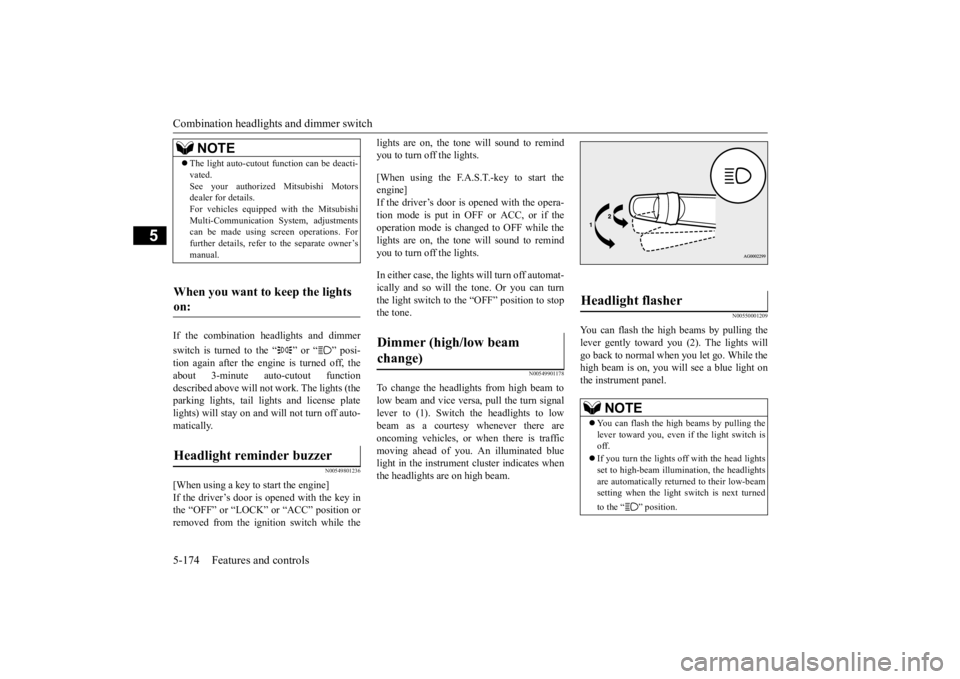
To change the headlights from high beam to low beam and vice vers
a, pull the turn signal
lever to (1). Switch the headlights to lowbeam as a courtesy whenever there are oncoming vehicles, or when there is traffic moving ahead of you. An illuminated bluelight in the instrument
cluster indicates when
the headlights are on high beam.
N00550001209
You can flash the high beams by pulling the lever gently toward you (2). The lights will go back to normal when you let go. While the high beam is on, you will
see a blue light on
the instrument panel.
NOTE
The light auto-cutout
function can be deacti-
vated.See your authorized Mitsubishi Motorsdealer for details. For vehicles equipped
with the Mitsubishi
Multi-Communication System, adjustmentscan be made using sc
reen operations. For
further details, refer to the separate owner’s manual.
When you want to keep the lights on: Headlight reminder buzzer
Dimmer (high/low beam change)
Headlight flasher
NOTE
You can flash the high beams by pulling the lever toward you, even if the light switch is off. If you turn the lights off with the head lights set to high-beam illumin
ation, the headlights
are automatically returned to their low-beamsetting when the light
switch is next turned
to the “ ” position.
BK0211800US.book 174 ページ 2014年3月12日 水曜日 午後2時42分
Page 252 of 446
Combination headlights and dimmer switch
Features and controls 5-175
5
N00563201117
This function turns on
the front side-marker
and parking lights for
about 30 seconds after
the UNLOCK button on the remote controltransmitter is pressed when the combination headlights and dimmer switch is in the “OFF” or “AUTO” position (f
or vehicles equipped
with the automatic light control). On vehicles equipped with the automatic light control (except for vehicles e
quipped with LDW), the
welcome light functi
on will operate only
when it is dark outside the vehicle.
N00547301110
This function turns on the headlights in thelow beam setting for a
bout 30 seconds after
the ignition switch is turned to the “OFF” or “LOCK” position or the operation mode is put in OFF. 1. Turn the combination headlights and dim- mer switch to the “OFF” or “AUTO” position (for vehicles
equipped with the
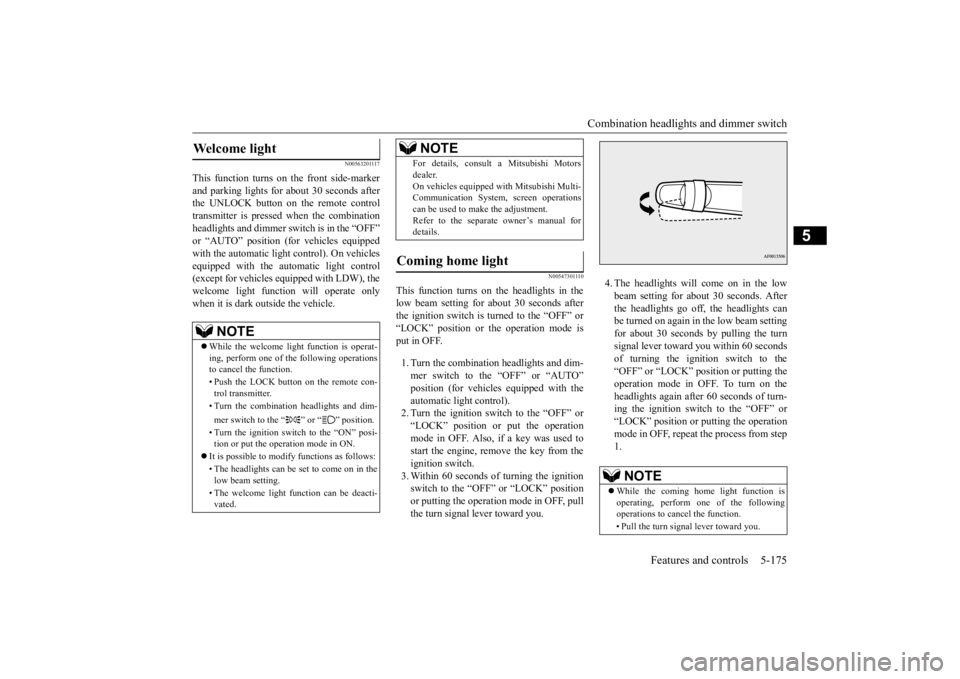
automatic light control).2. Turn the ignition switch to the “OFF” or “LOCK” position or put the operation mode in OFF. Also, if a key was used tostart the engine, remove the key from the ignition switch. 3. Within 60 seconds of turning the ignitionswitch to the “OFF” or “LOCK” position or putting the operation mode in OFF, pull the turn signal lever toward you.
4. The headlights will come on in the low beam setting for about 30 seconds. After the headlights go off, the headlights canbe turned on again in
the low beam setting
for about 30 seconds by pulling the turn signal lever toward you within 60 secondsof turning the ignition switch to the “OFF” or “LOCK” position or putting the operation mode in OFF. To turn on the headlights again after 60 seconds of turn- ing the ignition switch to the “OFF” or“LOCK” position or putting the operation mode in OFF, repeat
the process from step
1.
Welcome light
NOTE
While the welcome light
function is operat-
ing, perform one of the following operations to cancel the function. • Push the LOCK button on the remote con- trol transmitter. • Turn the combination headlights and dim- mer switch to the “ ” or “ ” position. • Turn the ignition switch to the “ON” posi- tion or put the opera
tion mode in ON.
It is possible to modify functions as follows: • The headlights can be set to come on in the low beam setting. • The welcome light fu
nction can be deacti-
vated.
For details, consult a Mitsubishi Motorsdealer.On vehicles equipped
with Mitsubishi Multi-
Communication System, screen operations can be used to ma
ke the adjustment.
Refer to the separate
owner’s manual for
details.
Coming home light
NOTE
NOTE
While the coming home light function is operating, perform one of the following operations to canc
el the function.
• Pull the turn signal lever toward you.
BK0211800US.book 175 ページ 2014年3月12日 水曜日 午後2時42分
Page 254 of 446
Hazard warning flasher switch Features and controls 5-177
5
N00522701328
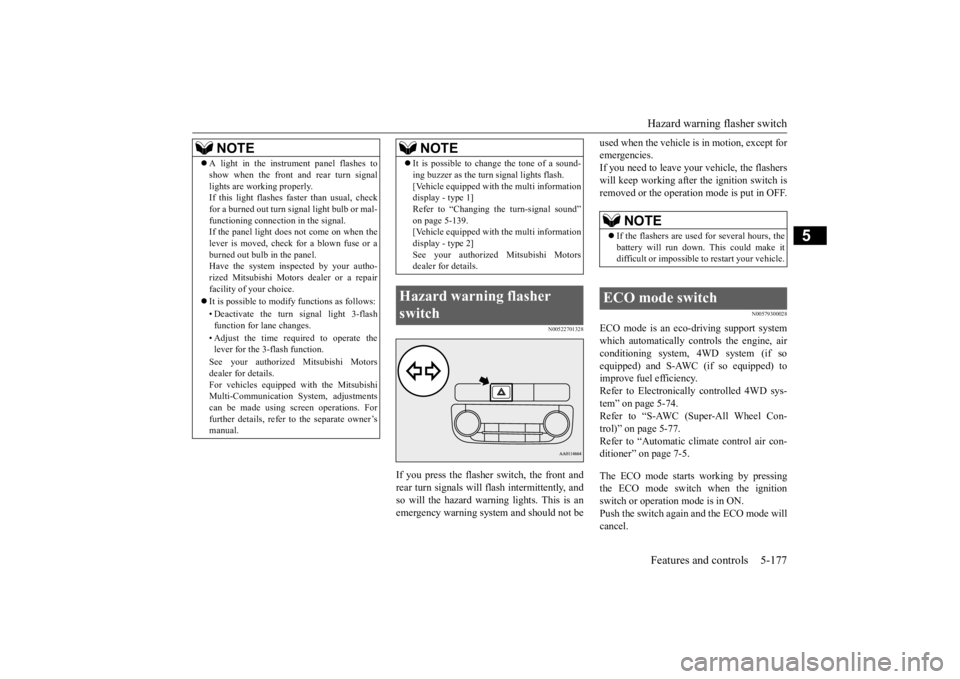
If you press the flasher switch, the front and rear turn signals will flash intermittently, and so will the hazard warn
ing lights. This is an
emergency warning syst
em and should not be
used when the vehicle is in motion, except for emergencies.If you need to leave your
vehicle, the flashers
will keep working after the ignition switch is removed or the operation
mode is put in OFF.
N00579300028
ECO mode is an eco-driving support system which automatically cont
rols the engine, air
conditioning system,
4WD system (if so
equipped) and S-AWC (if so equipped) to improve fuel efficiency.Refer to Electronically controlled 4WD sys- tem” on page 5-74. Refer to “S-AWC (Super-All Wheel Con-trol)” on page 5-77. Refer to “Automatic cl
imate control air con-
ditioner” on page 7-5. The ECO mode starts working by pressing the ECO mode switch when the ignition switch or operation mode is in ON. Push the switch again and the ECO mode willcancel.
NOTE
A light in the instrument panel flashes to show when the front and rear turn signallights are working properly.If this light flashes fa
ster than usual, check
for a burned out turn signal light bulb or mal- functioning connect
ion in the signal.
If the panel light does not come on when the lever is moved, check for a blown fuse or a burned out bulb in the panel.Have the system inspected by your autho- rized Mitsubishi Motors dealer or a repair facility of your choice. It is possible to modify functions as follows: • Deactivate the turn signal light 3-flash function for lane changes. • Adjust the time required to operate the lever for the 3-flash function. See your authorized Mitsubishi Motors dealer for details. For vehicles equipped
with the Mitsubishi
Multi-Communication System, adjustments can be made using screen operations. For further details, refer to the separate owner’smanual.
It is possible to cha
nge the tone of a sound-
ing buzzer as the turn signal lights flash.[Vehicle equipped with the multi informationdisplay - type 1] Refer to “Changing the turn-signal sound” on page 5-139.[Vehicle equipped with the multi information display - type 2] See your authorized Mitsubishi Motorsdealer for details.
Hazard warning flasher switch
NOTE
NOTE
If the flashers are used for several hours, the battery will run down.
This could make it
difficult or impossible
to restart your vehicle.
ECO mode switch
BK0211800US.book 177 ページ 2014年3月12日 水曜日 午後2時42分
Page 260 of 446
Electric rear window defogger switch
Features and controls 5-183
5
N00523501264
N00523701426
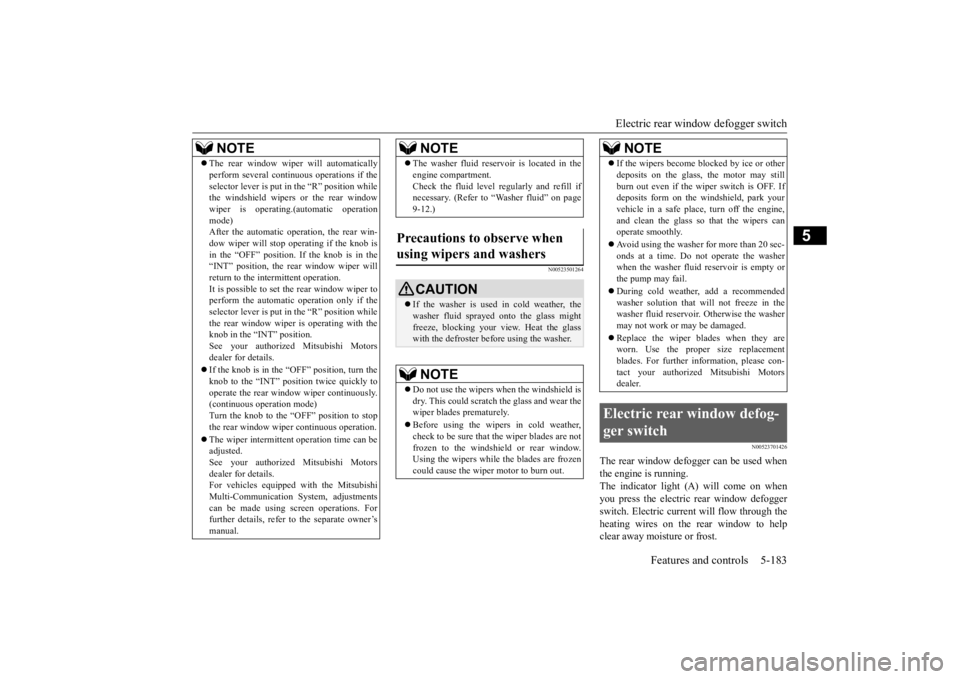
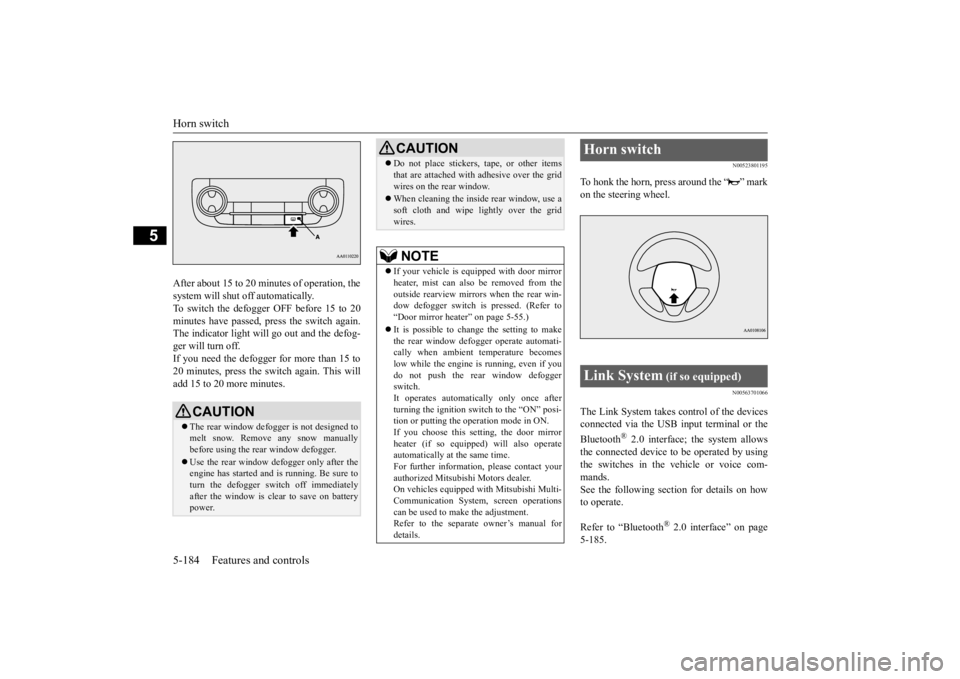
The rear window defogger can be used when the engine is running. The indicator light (A) will come on whenyou press the electric rear window defogger switch. Electric current will flow through the heating wires on the rear window to helpclear away moisture or frost.
NOTE
The rear window wiper
will automatically
perform several conti
nuous operations if the
selector lever is put in
the “R” position while
the windshield wipers or the rear window wiper is operating.(a
utomatic operation
mode)After the automatic operation, the rear win- dow wiper will stop ope
rating if the knob is
in the “OFF” position. If the knob is in the“INT” position, the re
ar window wiper will
return to the intermittent operation. It is possible to set the rear window wiper toperform the automatic operation only if the selector lever is put in
the “R” position while
the rear window wiper
is operating with the
knob in the “INT” position. See your authorized Mitsubishi Motors dealer for details. If the knob is in the “OFF” position, turn the knob to the “INT” position twice quickly tooperate the rear window
wiper continuously.
(continuous operation mode) Turn the knob to the “OFF” position to stopthe rear window wipe
r continuous operation.
The wiper intermittent
operation time can be
adjusted. See your authorized Mitsubishi Motors dealer for details.For vehicles equipped
with the Mitsubishi
Multi-Communication System, adjustments can be made using screen operations. Forfurther details, refer to the separate owner’s manual.
The washer fluid reser
voir is located in the
engine compartment.Check the fluid level regularly and refill ifnecessary. (Refer to
“Washer fluid” on page
9-12.)
Precautions to observe when using wipers and washers
CAUTION If the washer is used in cold weather, the washer fluid sprayed onto the glass mightfreeze, blocking your vi
ew. Heat the glass
with the defroster befo
re using the washer.
NOTE
Do not use the wipers when the windshield is dry. This could scratch the glass and wear the wiper blades prematurely. Before using the wipe
rs in cold weather,
check to be sure that the wiper blades are notfrozen to the windshield or rear window. Using the wipers while the blades are frozen could cause the wiper motor to burn out.NOTE
If the wipers become
blocked by ice or other
deposits on the glass, the motor may stillburn out even if the wiper switch is OFF. Ifdeposits form on the windshield, park your vehicle in a safe place,
turn off the engine,
and clean the glass so that the wipers canoperate smoothly. Avoid using the washer for more than 20 sec- onds at a time. Do not operate the washer when the washer fluid reservoir is empty or the pump may fail. During cold weather,
add a recommended
washer solution that will not freeze in thewasher fluid reservoir.
Otherwise the washer
may not work or may be damaged. Replace the wiper blades when they are worn. Use the proper size replacement blades. For further information, please con-tact your authorized Mitsubishi Motors dealer.
Electric rear window defog- ger switch
NOTE
BK0211800US.book 183 ページ 2014年3月12日 水曜日 午後2時42分
Page 261 of 446
Horn switch 5-184 Features and controls
5
After about 15 to 20 minutes of operation, the system will shut off automatically.To switch the defogger OFF before 15 to 20 minutes have passed,
press the switch again.
The indicator light will
go out and the defog-
ger will turn off. If you need the defogger for more than 15 to 20 minutes, press the switch again. This willadd 15 to 20 more minutes.
N00523801195
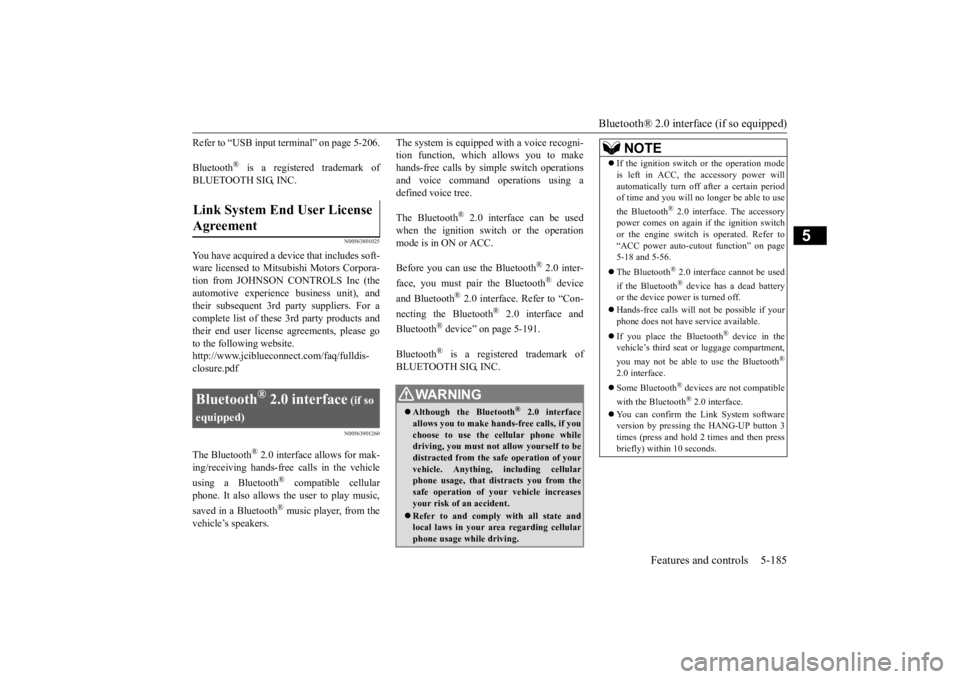
To honk the horn, press around the “ ” markon the steering wheel.
N00563701066
The Link System takes co
ntrol of the devices
connected via the USB input terminal or the Bluetooth
® 2.0 interface; the system allows
the connected device to
be operated by using
the switches in the vehicle or voice com- mands. See the following secti
on for details on how
to operate. Refer to “Bluetooth
® 2.0 interface” on page
5-185.
CAUTION The rear window defogge
r is not designed to
melt snow. Remove any snow manually before using the rear window defogger. Use the rear window defogger only after the engine has started and
is running. Be sure to
turn the defogger switch off immediatelyafter the window is clea
r to save on battery
power.
Do not place stickers,
tape, or other items
that are attached with adhesive over the gridwires on the rear window. When cleaning the inside
rear window, use a
soft cloth and wipe lightly over the gridwires.NOTE
If your vehicle is e
quipped with door mirror
heater, mist can also be removed from the outside rearview mirror
s when the rear win-
dow defogger switch is
pressed. (Refer to
“Door mirror heater” on page 5-55.) It is possible to cha
nge the setting to make
the rear window defogger operate automati- cally when ambient temperature becomes low while the engine is running, even if youdo not push the rear window defogger switch. It operates automatically only once afterturning the ignition sw
itch to the “ON” posi-
tion or putting the ope
ration mode in ON.
If you choose this setting, the door mirrorheater (if so equipped) will also operateautomatically at the same time. For further informati
on, please contact your
authorized Mitsubishi Motors dealer.On vehicles equipped
with Mitsubishi Multi-
Communication System,
screen operations
can be used to make the adjustment.Refer to the separate owner’s manual for details.CAUTION
Horn switch Link System
(if so equipped)
BK0211800US.book 184 ページ 2014年3月12日 水曜日 午後2時42分
Page 262 of 446
Bluetooth® 2.0 interface (if so equipped)
Features and controls 5-185
5
Refer to “USB input terminal” on page 5-206. Bluetooth
® is a registered trademark of
BLUETOOTH SIG, INC.
N00563801025
You have acquired a devi
ce that includes soft-
ware licensed to Mitsubishi Motors Corpora- tion from JOHNSON CONTROLS Inc (the automotive experience business unit), and their subsequent 3rd
party suppliers. For a
complete list of these
3rd party products and
their end user license agreements, please go to the following website. http://www.jciblueconne
ct.com/faq/fulldis-
closure.pdf
N00563901260
The Bluetooth
® 2.0 interface allows for mak-
ing/receiving ha
nds-free calls in the vehicle
using a Bluetooth
® compatible cellular
phone. It also allows the user to play music, saved in a Bluetooth
® music player, from the
vehicle’s speakers.
The system is equipped
with a voice recogni-
tion function, which allows you to makehands-free calls by simple switch operations and voice command operations using a defined voice tree. The Bluetooth
® 2.0 interface
can be used
when the ignition switch or the operation mode is in ON or ACC. Before you can use the Bluetooth
® 2.0 inter-
face, you must pa
ir the Bluetooth
® device
and Bluetooth
® 2.0 interface. Refer to “Con-
necting the Bluetooth
® 2.0 interface and
Bluetooth
® device” on page 5-191.
Bluetooth
® is a registered trademark of
BLUETOOTH SIG, INC.
Link System End User License Agreement
Bluetooth
® 2.0 interface
(if so
equipped)
WA R N I N G Although the Bluetooth
® 2.0 interface
allows you to make ha
nds-free calls, if you
choose to use the cellular phone while driving, you must not allow yourself to bedistracted from the sa
fe operation of your
vehicle. Anything, including cellular phone usage, that distracts you from thesafe operation of your vehicle increases your risk of an accident. Refer to and comply with all state and local laws in your area regarding cellular phone usage wh
ile driving.
NOTE
If the ignition switch
or the operation mode
is left in ACC, the accessory power willautomatically turn off after a certain periodof time and you will no longer be able to use the Bluetooth
® 2.0 interface. The accessory
power comes on again if the ignition switch or the engine switch is operated. Refer to“ACC power auto-cutout function” on page 5-18 and 5-56. The Bluetooth
® 2.0 interface cannot be used
if the Bluetooth
® device has a dead battery
or the device power is turned off. Hands-free calls will
not be possible if your
phone does not have
service available.
If you place the Bluetooth
® device in the
vehicle’s third seat or luggage compartment, you may not be able to use the Bluetooth
®
2.0 interface. Some Bluetooth
® devices are not compatible
with the Bluetooth
® 2.0 interface.
You can confirm the Link System software version by pressing the HANG-UP button 3times (press and hold 2 times and then press briefly) within 10 seconds.
BK0211800US.book 185 ページ 2014年3月12日 水曜日 午後2時42分